

O software CMDB (base de dados de gestão da configuração) monitoriza os itens de configuração (CIs), os respetivos atributos e as relações existentes no seu ambiente de TI. As melhores ferramentas CMDB automatizam a deteção, o mapeamento de dependências, o acompanhamento de alterações e a integração com ITSM, ajudando a evitar pontos cegos na configuração e períodos de inatividade.
Neste guia, comparo os melhores softwares CMDB para infraestruturas híbridas, ambientes de nuvem, necessidades de conformidade e outros casos de utilização de TI complexos.
Why Trust Our Software Recommendations
6,700+
Reviews
20
Industry experts
16+
Evaluation factors
14
Years
Our team has been testing and reviewing software since 2012. As tech leaders ourselves, we know how difficult—and important—it is to choose the right software.
For this guide, we evaluated tools using hands-on testing and independent research, scoring tools using our selection criteria.
Our reviews reflect our human editorial judgment, not a sales pitch.
Expert reviewers:
- Paulo Gardini MiguelTech Director
 Tim FisherVP of AI
 Gabriel RosasTech Lead & Software Architect
 Christhian GruhnTech Lead & Platform Architect

Tabela de comparação de software CMDB
Esta tabela de comparação resume os detalhes de preços das minhas principais seleções de software CMDB:
Score legend (out of 5)
- Excellent4.5–5
- Good4–4.4
- Average3–3.9
- Below average2–2.9
- Poor1–1.9
Sorted by: Default
| Tool | Starting Price | Website | |||||||
|---|---|---|---|---|---|---|---|---|---|
Best for CMDB tied to native ITSM workflows | 5.0 out of 5 | 5 | 5 | 5 | 5 | 5 | 5 | Pricing upon request Free demo available | Website |
Best for CMDB-driven change control | 4.3 out of 5 | 5 | 5 | 4 | 4 | 4 | 4 | Pricing upon request Free demo available | Website |
Best for customizable open-source CMDB | 4.2 out of 5 | 5 | 3 | 5 | 4 | 4 | 4 | Pricing upon request Free plan available | Website |
Best for visual change impact mapping | 4.3 out of 5 | 5 | 4 | 4 | 4 | 5 | 4 | $10,000/year Free trial available | Website |
Best for multi-cloud asset discovery | 4.3 out of 5 | 3 | 5 | 5 | 5 | 4 | 4 | $67/month 30-day free trial | Website |
Best for application dependency mapping | 4.5 out of 5 | 4 | 5 | 4 | 4 | 5 | 5 | Pricing upon request Free trial + free demo available | Website |
Best for CMDB auto-mapping suggestions | 4.2 out of 5 | 5 | 5 | 4 | 4 | 4 | 3 | $1,499/year Free demo + 30-day free trial available | Website |
Best for large-scale hybrid IT discovery | 4.7 out of 5 | 4 | 5 | 5 | 5 | 5 | 4 | Pricing upon request Free demo available | Website |
Best for CMDB with service mapping | 4.5 out of 5 | 5 | 5 | 4 | 4 | 5 | 4 | Pricing upon request Not available | Website |
Best for federated configuration data | 5.0 out of 5 | 5 | 5 | 5 | 5 | 5 | 5 | Pricing upon request Free demo available | Website |





Análises de software CMDB
Seguem-se os meus resumos detalhados do melhor software CMDB que integrou a minha seleção. As minhas análises apresentam uma análise aprofundada das funcionalidades, capacidades e integrações de cada plataforma, para o ajudar a encontrar a melhor opção para si.
 Best for CMDB tied to native ITSM workflows
- Free demo available
- Pricing upon request
Visit WebsiteCustomer Rating:4.4/5
ServiceNow's CMDB Workspace centralizes IT asset health and task management. ServiceNow CMDB is an enterprise-grade configuration management database built on the Now Platform, offering CI discovery, dependency mapping, data reconciliation via IRE, and native integration with the full ServiceNow ITSM suite.
Who Is ServiceNow Best For?
ServiceNow CMDB is a strong fit for large enterprises that are already running—or planning to run—ServiceNow ITSM and want their configuration data and service workflows on a single, unified platform.
Why I Picked ServiceNow
ServiceNow CMDB earns its spot on my shortlist because the CMDB isn't bolted onto the ITSM layer—it is the ITSM layer. I love that when an incident opens, the relevant CI data surfaces automatically, with no API calls or sync delays. Service Mapping traces how a business application connects to its underlying infrastructure, so when a CI changes, you can see blast radius before approving the change, right inside the Change Management workflow.
ServiceNow Key Features
- CMDB Health Dashboard: Tracks data quality across completeness, correctness, and compliance dimensions to surface gaps in your CI records.
- Identification and Reconciliation Engine (IRE): Applies priority-based source ranking and deduplication rules to normalize CI data ingested from multiple simultaneous feeds.
- Service Graph Connectors: Pre-built, certified integrations for AWS, Azure, GCP, Kubernetes, Dynatrace, and Datadog pull CI data directly into the CMDB on a continuous basis.
- AIOps event correlation: ML-based alert grouping and anomaly detection surface configuration-related incidents before they escalate into service disruptions.
ServiceNow Integrations
ServiceNow CMDB offers 40+ certified Service Graph Connectors, including AWS, Microsoft Azure, Google Cloud Platform, Kubernetes, Dynatrace, Datadog, SCCM, and VMware, alongside native integrations across the ServiceNow ITSM suite (Incident, Problem, Change, Request). A REST API and the ServiceNow Store marketplace are available for custom and partner-built integrations.
Pros and Cons
Pros:
- Identification Engine prevents duplicate configuration items
- Service Graph Connectors cover all major clouds
- Native ITSM workflows surface CI data instantly
Cons:
- Dedicated admins needed for ongoing data quality
- Custom pricing requires negotiation with sales


USU tracks software recognition, OS usage, and license demand in one dashboard. USU is an ITSM platform with a natively embedded CMDB that unifies configuration item tracking, automated discovery, dependency mapping, and change management within a single, ITIL 4-certified suite.
Who Is USU Best For?
USU is a strong fit for enterprise IT teams that need CMDB and ITAM managed within a single, ITIL 4-certified platform.
Why I Picked USU
USU earns its spot on my shortlist because its CMDB is built directly into a full ITIL 4-certified ITSM suite, not bolted on as an afterthought. What makes it genuinely useful for change control is AI-based change risk calculation and collision detection, which flag conflicting changes before they cause incidents. I also like the change validation feature, which automatically compares CMDB records against live inventory scanner data and triggers correction workflows when mismatches appear.
USU Key Features
- Federated data integration: Pull CI data from external sources into the CMDB without duplicating records across your environment.
- ITIL 4-certified change workflows: Run standard, normal, and emergency change processes that are natively tied to CMDB records and fully certified across 19 ITIL 4 practices.
- Audit-compliant CI change logging: Maintain a complete, lifecycle-spanning log of every change made to each CI for compliance with DORA, NIS-2, and ISO 27001.
- ITAM-CMDB convergence: Hardware and software asset data from the ITAM module automatically populate and enrich CI records in the CMDB.
USU Integrations
USU offers 50+ built-in connectors for CMDB and asset data, including ServiceNow, Microsoft SCCM, IBM ILMT, AWS, Azure, Google Cloud, Active Directory, Microsoft Exchange, Okta, and Oracle, plus 400+ SaaS app integrations within its SaaS Management module. Open APIs are available for custom integrations.
Pros and Cons
Pros:
- AI-driven change risk and collision detection
- ITIL 4 certification across 19 practices
- Natively embedded within full ITSM suite
Cons:
- Reporting customization is limited and rigid
- Configuration is complex and resource intensive
Learn more about USU: 3Best for customizable open-source CMDB
iTop
- Free plan available
- Pricing upon request
Visit WebsiteCustomer Rating:4.3/5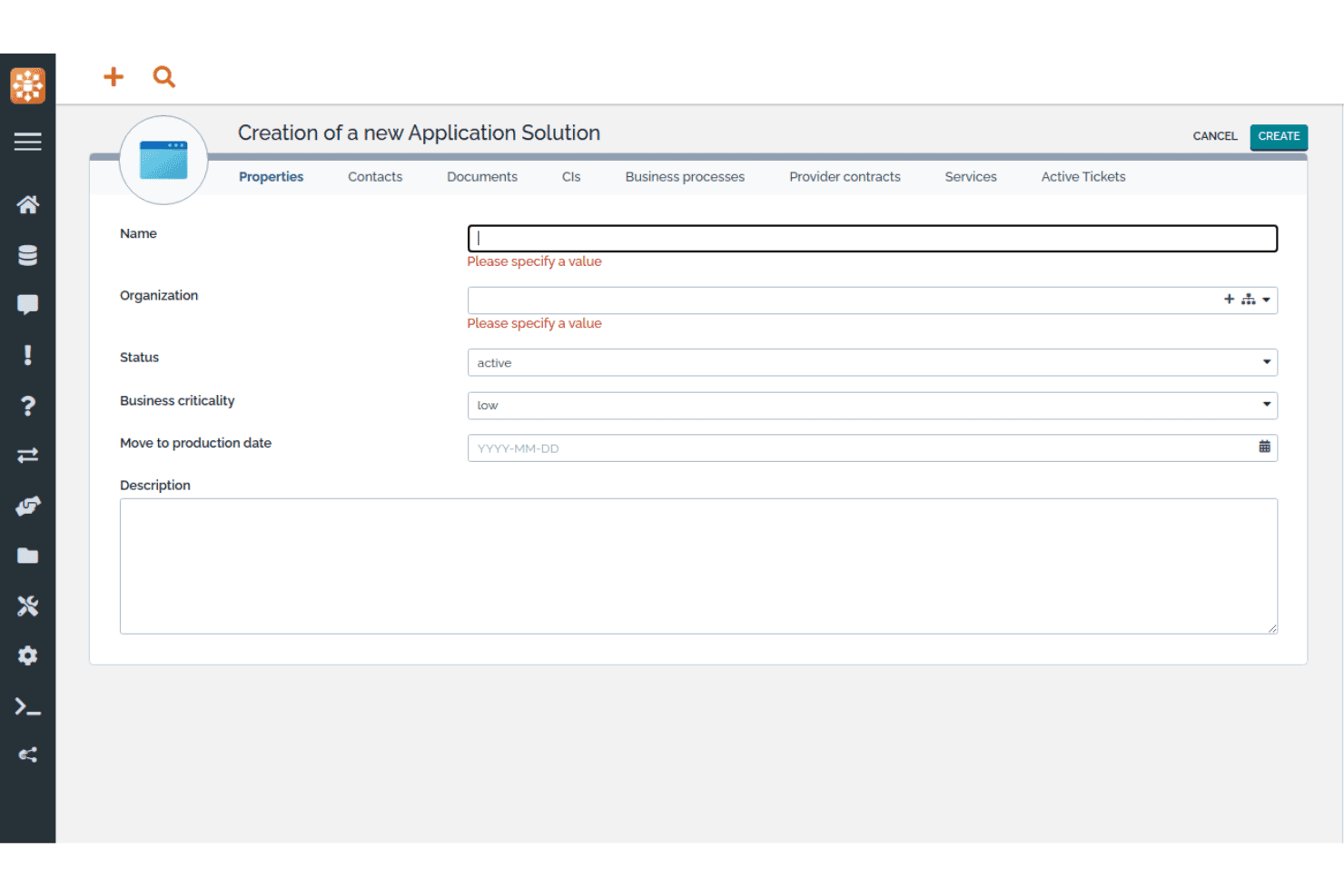
iTop lets users register new application solutions with key properties. iTop is an open-source CMDB and ITSM platform that combines a customizable CI repository, dependency mapping, impact analysis, and native IT service management processes in a single self-hosted or SaaS deployment.
Who Is iTop Best For?
iTop is a strong fit for IT teams that want a fully customizable, open-source CMDB without paying per-seat or per-CI licensing fees.
Why I Picked iTop
iTop earns its spot on my shortlist because the iTop Designer lets you build entirely new CI classes, custom attributes, and relationship types without writing raw code, which is rare in open-source CMDB tools. I also like that impact analysis is baked directly into the core platform: link a CI to an incident, and iTop immediately surfaces every dependent service or contract affected. The Community edition gives you all of this with no CI caps and no licensing fees.
iTop Key Features
- Data synchronization engine: Pull CI data from multiple external sources simultaneously, with configurable reconciliation rules per source and per CI class.
- Multi-organization support: Manage CIs, teams, contacts, and service relationships across separate organizational units within a single iTop instance.
- REST/JSON API: Run full CRUD operations on all objects, including custom CI classes, to connect iTop with external tools and automation workflows.
- Role-based access control: Define granular user profiles via the Designer, with SSO (SAML, OAuth, OpenID Connect) and MFA (TOTP, hardware keys) built in.
iTop Integrations
iTop offers native integrations with Microsoft Azure, VMware vSphere, Microsoft InTune, Proxmox, OCS Inventory NG, Ansible, LDAP/Active Directory, Slack, and Microsoft Teams (via webhooks), plus TeemIP for IP address management. A REST/JSON API is available for custom integrations, and Case Exchange supports ticket sync with third-party ITSM tools in higher tiers.
Pros and Cons
Pros:
- Low-code interface for custom CI classes
- Native ITSM and CMDB integration throughout platform
- Unlimited CIs in the free community edition
Cons:
- UI feels dated compared to competitors
- No native AWS or GCP discovery support
Learn more about iTop: Best for visual change impact mapping
- Free trial available
- From $10,000/year (billed annually)

Virima provides a unified dashboard for IT infrastructure visibility. Virima is a CMDB and IT asset management platform that combines multi-method automated discovery, dependency mapping, and bi-directional ITSM integrations into a single, all-inclusive solution.
Who Is Virima Best For?
Virima is a strong fit for mid-market IT teams that need a full-suite CMDB with visual dependency mapping, without paying separately for each module.
Why I Picked Virima
I picked Virima as one of the best because its ViVID™ engine does something most CMDBs can't: it renders live, interactive service dependency maps with blast-radius analysis before a change is approved, so your CAB reviewers can see exactly which CIs are at risk. Active incidents, open change requests, and CVE flags all overlay directly onto the same map. I also like that CMDB health scoring tracks data quality per CI across completeness, freshness, and consistency, and can block changes on low-confidence records.
Virima Key Features
- Multi-method automated discovery: Runs agent-based, agentless (140+ probes), and API-based discovery across on-prem, AWS, Azure, VMware, Hyper-V, and Kubernetes environments simultaneously.
- CMDB health scoring: Tracks data quality per CI across completeness, freshness, and consistency dimensions, and can trigger rescans or block changes on low-confidence records.
- Bi-directional ITSM integrations: Syncs CI data natively with ServiceNow, Jira Service Management, Ivanti, HaloITSM, Xurrent, Hornbill, and TeamDynamix—included in every plan at no extra cost.
- Software usage metering: Monitors actual application usage via the Windows Discovery Agent to identify unused licenses and support reclamation decisions.
Virima Integrations
Virima offers bi-directional native integrations with ServiceNow, Jira Service Management, Ivanti, HaloITSM, Xurrent, Hornbill, and TeamDynamix for ITSM workflows, plus API-based connectors for AWS, Azure, VMware, Hyper-V, Kubernetes, LogicMonitor, SolarWinds, Okta, Microsoft SCCM, and the NIST National Vulnerability Database. A full REST API is included in every plan for custom integrations.
Pros and Cons
Pros:
- CMDB health scoring blocks risky changes
- Multi-method automated IT asset discovery
- Visual change impact mapping with live data
Cons:
- Form editor lacks drag-and-drop interface
- No Google Cloud discovery connector available
Learn more about Virima:

CloudAware lets users filter and manage all IT assets in one inventory view. CloudAware is a Salesforce-native CMDB platform that combines agentless multi-cloud asset discovery, dependency mapping, IT asset management, compliance-as-code, and integrated FinOps and security posture management across cloud and hybrid environments.
Who Is CloudAware Best For?
CloudAware is a strong fit for enterprise IT and cloud operations teams managing assets across two or more cloud providers who need unified visibility without deploying agents.
Why I Picked CloudAware
I've included CloudAware in my top picks because its agentless, API-based discovery spans AWS, Azure, GCP, Oracle Cloud, and Alibaba Cloud simultaneously, giving you a unified CMDB across every cloud you run without deploying a single agent. I especially like that it builds a complete asset inventory within a day using read-only credentials. Its Tag Analyzer then normalizes tags across all providers, so your CI records stay consistent regardless of which team provisioned the resource.
CloudAware Key Features
- Compliance-as-code: Author compliance policies in a custom DSL, version-control them in Git, and run pull request reviews and unit tests before deploying.
- Flow Builder automation: Use a drag-and-drop, no-code interface to build and orchestrate automated workflows across your cloud and on-premises environments.
- FinOps module: Track reserved instance utilization, generate chargeback reports, and get rightsizing recommendations across multi-cloud billing sources.
- Vulnerability management: Group and prioritize vulnerabilities using CMDB asset ownership and environment context to rank and remediate findings at scale.
CloudAware Integrations
CloudAware offers 60+ native integrations, including AWS, Microsoft Azure, Google Cloud Platform, ServiceNow, Jira, PagerDuty, Datadog, CrowdStrike, Splunk, and Terraform. It also provides a REST API, Bulk API, and CLI for custom integrations.
Pros and Cons
Pros:
- Automated compliance-as-code for policy enforcement
- Salesforce-native CMDB with granular access controls
- Unified multi-cloud asset discovery and mapping
Cons:
- UI performance can lag with large environments
- ITSM workflows depend on external platforms
Learn more about CloudAware: Best for application dependency mapping
- Free trial + free demo available
- Pricing upon request
Visit WebsiteCustomer Rating:4.8/5
Device42 maps cloud resource dependencies visually in real time. Device42 is a CMDB platform that combines automated agentless discovery, application dependency mapping, IT asset management, and data normalization across physical, virtual, cloud, and container environments.
Who Is Device42 Best For?
Device42 is a strong fit for mid-to-large IT teams managing hybrid environments who need accurate application dependency maps to support cloud migrations and change impact analysis.
Why I Picked Device42
I picked Device42 as one of the best because its Application Dependency Mapping automatically generates service-to-service dependency visuals without agents, which matters when you're planning a cloud migration and need to know exactly what breaks if you move one component. I also like that Application Impact Lists let you assess blast radius before making changes, and Affinity Group discovery surfaces logically related resources you might otherwise miss.
Device42 Key Features
- EnrichAI data normalization: Automatically standardizes OS names, vendor names, and software titles across discovery sources, and appends EOL/EOS lifecycle data from major software vendors.
- Agentless multi-cloud discovery: Discovers assets across AWS, Azure, GCP, Oracle Cloud, and Alibaba Cloud using native cloud APIs, with no agents required on target systems.
- Software license management: Compares installed software counts against purchased licenses, flags prohibited software, and tracks license agreement expiration dates.
- InsightsAI natural language querying: Converts plain-English questions into SQL queries against the CI database, returning custom reports without requiring query expertise.
Device42 Integrations
Device42 offers 40+ native integrations, including Freshservice, ServiceNow, Jira Service Management, Zendesk, Ansible, Puppet, Chef, Jenkins, Splunk, and PagerDuty. It also provides a RESTful API and webhooks for custom integrations.
Pros and Cons
Pros:
- Compliance dashboards support multiple frameworks
- EnrichAI auto-normalizes vendor and OS names
- Agents not required for dependency mapping
Cons:
- Discovery can slow under heavy load
- Initial setup feels overwhelming for small teams
Learn more about Device42: Best for CMDB auto-mapping suggestions
- Free demo + 30-day free trial available
- From $1,499/year
Visit WebsiteCustomer Rating:4.6/5
InvGate Asset Management maps CI relationships in a visual diagram view. InvGate Asset Management is a CMDB and IT asset management platform that combines automated multi-source discovery, visual dependency mapping, AI-powered relationship suggestions, and native ITSM integration.
Who Is InvGate Asset Management Best For?
IT teams managing hybrid environments who want AI-assisted CMDB relationship mapping without the complexity of enterprise-grade platforms.
Why I Picked InvGate Asset Management
I've included InvGate Asset Management in my top picks because the CMDB Auto-Mapping feature genuinely changes how teams build and maintain relationship data. Instead of manually tracing dependencies, the AI engine detects critical asset relationships across on-prem and cloud environments and queues them as accept-or-reject suggestions. I also like that Atlas enriches CI records with end-of-life and version status automatically, so your CMDB reflects real-world asset health without constant manual updates.
InvGate Asset Management Key Features
- Multi-source automated discovery: Scans on-premises, cloud (AWS, Azure, GCP), and hybrid environments using both agent-based and agentless methods across 11+ protocols.
- Health rules: Define custom conditions to flag CIs as healthy, at risk, or critical, keeping CI data quality in check across your CMDB.
- Atlas asset enrichment: Automatically populates CI records with end-of-life dates, version status, and lifecycle alerts pulled from a universal IT database.
- Granular RBAC: Scopes access permissions by location, asset type, and tags so different teams only see and manage the CIs relevant to their role.
InvGate Asset Management Integrations
InvGate Asset Management offers native integrations with InvGate Service Management, ServiceNow CMDB, Jira, Zendesk, Microsoft Intune, Jamf, AWS, Azure, Google Cloud Platform, and VMware, plus connectivity across the Microsoft ecosystem including Microsoft 365 and Entra ID. A REST API is available for custom integrations, and Zapier support is offered as a paid add-on through InvGate Service Management.
Pros and Cons
Pros:
- Visual dependency and topology mapping
- Multi-source automated discovery, including MDM
- AI-powered CMDB auto-mapping suggestions
Cons:
- Reporting and dashboard customization is limited
- Auto-mapping feature in early access
Learn more about InvGate Asset Management: Best for large-scale hybrid IT discovery
- Free demo available
- Pricing upon request
Visit WebsiteCustomer Rating:4.2/5
OpenText centralizes sales data, contracts, and orders in one dashboard. OpenText Universal Discovery and CMDB is an enterprise-grade CMDB platform built for large-scale hybrid IT environments, covering automated discovery, dependency mapping, service modeling, and CI data normalization across on-premises, multicloud, and containerized infrastructure.
Who Is OpenText Best For?
OpenText Universal Discovery and CMDB is built for large enterprises with mature IT teams managing complex, multi-layered infrastructure across on-premises, cloud, and hybrid environments.
Why I Picked OpenText
I picked OpenText Universal Discovery and CMDB because it's built to handle discovery at a scale most tools simply can't match. The platform covers 3,500+ network device types and 250+ vendors, and its Automated Service Modeling continuously rebuilds living dependency maps as infrastructure changes, without manual intervention. I also find the Last Login Discovery feature genuinely useful for catching inactive accounts and reclaiming licenses across massive environments.
OpenText Key Features
- Dynamic software discovery: Scans your environment against a library of 140,000+ software titles, including end-of-life status flags, to surface compliance and security gaps.
- Topology Query Language (TQL): Lets you write custom queries to extract specific CI relationships and dependencies directly from the CMDB data model.
- Role-based access control (RBAC): Restricts CI data access by user role, supporting audit requirements for SOX, HIPAA, and ISO 27001 compliance.
- Remote probe management: Lets you push hotfix updates across all discovery probes simultaneously from the UI, without needing direct access to each probe.
OpenText Integrations
OpenText Universal Discovery and CMDB offers native integrations with ServiceNow (certified app), BMC, Jira Service Management, CrowdStrike Falcon, Infoblox, and Oracle LMS, along with deep connections across the OpenText ecosystem including SMAX, Network Operations Management, Cloud Management, AI Operations Management, and Asset Management. It also supports Topology Query Language (TQL) and an extensible API for custom integrations and CI data extraction.
Pros and Cons
Pros:
- Handles environments with 200 million CIs
- Supports living service maps with auto-updates
- Discovers 3,500+ network device types
Cons:
- UI feels outdated compared to newer platforms
- Requires specialized expertise for reliable setup
Learn more about OpenText:

Ivanti Neurons surfaces endpoint vulnerability risks across all devices. Ivanti Neurons is a CMDB and IT asset management platform that combines continuous multi-environment discovery, service dependency mapping, and a unified CI repository with native ITSM integration.
Who Is Ivanti Neurons Best For?
Ivanti Neurons is a strong fit for enterprise IT teams that need a single platform managing both asset records and configuration relationships across complex, multi-environment infrastructures.
Why I Picked Ivanti Neurons
I picked Ivanti Neurons as one of the best because its service mapping capability genuinely sets it apart from standalone CMDB tools. The platform auto-generates dynamic dependency maps directly from discovery data, then overlays open incidents and pending changes so you can see blast-radius impact before you approve anything. I also like that ITAM and CMDB records stay synchronized in one unified model, so your CI data already carries lifecycle and ownership context without any manual cross-referencing.
Ivanti Neurons Key Features
- Continuous multi-environment discovery: Automatically scans on-premises, cloud (AWS, Azure), SaaS, OT/IoT, and legacy environments using both active and passive methods to keep CI records current.
- Configuration drift detection: Monitors CIs for deviations from their expected state and flags changes, giving you an ongoing audit trail per configuration item.
- Reconciliation and normalization engine: Automatically deduplicates and consolidates asset data from UEM, cloud platforms, vulnerability scanners, and ITSM sources into a single authoritative record.
- Role-based access control with SSO and MFA: Manages user permissions at a granular level with centralized authentication, single sign-on support, and multi-factor authentication enforced by default.
Ivanti Neurons Integrations
Ivanti Neurons offers native integrations with ServiceNow, BMC, Jamf, CrowdStrike, Wiz, Tenable, Rapid7, Qualys, Okta, and Zscaler, plus native connectivity across the Microsoft ecosystem including Azure, Azure AD, and Azure DevOps (via the Ivanti Neurons iPaaS). It also connects with AWS, Google Chrome Enterprise, and Cisco, and provides open REST APIs through the Ivanti Developer Hub for custom integrations, with additional pre-built connectors available on the Ivanti Marketplace.
Pros and Cons
Pros:
- Blast-radius analysis for impending changes
- Unified platform for ITAM and CMDB
- Auto-generates dynamic service dependency maps
Cons:
- Implementation can require significant configuration effort
- No self-serve free trial available
Learn more about Ivanti Neurons: Best for federated configuration data
- Free demo available
- Pricing upon request

BMC Helix CMDB monitors data integrity and completeness across IT assets. BMC Helix CMDB is an enterprise-grade configuration management database that combines a federated CI repository, agentless multi-cloud discovery, dependency mapping, and a built-in reconciliation and normalization engine.
Who Is BMC Helix Best For?
BMC Helix CMDB is a strong fit for large enterprises managing complex, multi-source IT environments where data accuracy across discovery tools, cloud platforms, and ITSM workflows is non-negotiable.
Why I Picked BMC Helix
BMC Helix CMDB earns its spot on my shortlist because its federated data architecture lets you pull CI data from multiple authoritative sources, like BMC Helix Discovery, SCCM, and cloud connectors, into a single reference database without flattening everything into one opinionated data model. I particularly like the Reconciliation Engine, which lets you define per-attribute data precedence rules so that the right source wins for each field when records conflict. Pair that with the Normalization Engine's rule-based deduplication across datasets and CI classes, and you get a CMDB that stays accurate even as your discovery sources multiply.
BMC Helix Key Features
- Agentless multi-cloud discovery: BMC Helix Discovery scans AWS, Azure, GCP, and OCI environments without requiring installed agents, using an Outpost-based architecture.
- HelixGPT generative AI assistant: An embedded AI tool that produces natural language summaries, dashboard narratives, and workflow automation across the platform.
- Kubernetes and container discovery: The platform maps container-to-container links, pod-to-deployment correlations, and external software dependencies across containerized environments.
- PinkVerify-certified ITSM workflows: CI data flows directly into incident, problem, change, and asset management records within the BMC Helix ITSM suite, certified across 18 ITIL practices.
BMC Helix Integrations
BMC Helix CMDB offers native integrations across the BMC Helix ecosystem (Helix ITSM, Helix Discovery, Helix Operations Management, and Atrium Integrator), along with Microsoft SCCM, Active Directory, Microsoft Teams, ServiceNow CMDB, CyberArk, and ARCON PAM, plus cloud connectors for AWS, Azure, GCP, and OCI. REST APIs are available for custom integrations, and Kubernetes and mainframe environments are supported through dedicated discovery providers.
Pros and Cons
Pros:
- Mature normalization and reconciliation engines
- Agentless multi-cloud and container discovery
- Handles hundreds of millions of CIs
Cons:
- Backend deduplication lacks granularity
- Impact analysis can be slow
Learn more about BMC Helix:
Outro software CMDB
Eis algumas opções adicionais de software CMDB que não integraram a minha seleção, mas que ainda vale a pena consultar:
- 11Xurrent ITSMBest for unified CI and asset records
- 12FreshserviceBest for mid-market ITSM and CMDB in one
- 13LansweeperBest for discovery-first CMDB feeding
- 14ServiceDesk PlusBest for unified CMDB and ITSM workflows
- 15HaloBest for ITSM-native CI tracking
- 16Jira Service ManagementBest for ITSM teams linking CIs to every ticket
- 17Flexera OneBest for normalized technology intelligence
- 18AtomicworkBest for AI-native CMDB and ITSM in one
- 19AxoniusBest for CMDB data quality and enrichment
- 20ServiceNow CMDBBest for enterprise service graph data
Related Reviews
How I Evaluate CMDB Software
I split my evaluation into baseline capabilities every tool must meet and the differentiators that separate a solid CMDB from one that holds up when a misconfigured CI cascades into a P1 incident.
Core Functionality (Table Stakes for This List)
When I'm selecting tools for my list, I rank each one on a scale from 0 (does not offer the functionality) to 5 (excels in this area) for each core functionality listed below. I then calculate the tool's total score into a percentage, using 75% as a benchmark to help assess its overall fit for the list.
- CI Repository & Data Model: I evaluate how flexible the data model is—whether you can define custom CI classes, attributes, and hierarchies or you're stuck with a rigid flat list.
- Automated Discovery: The tool should detect assets across on-prem, cloud, and containerized environments without relying on manual CSV imports or single-environment agents.
- Dependency & Relationship Mapping: I look for dynamic topology views and impact analysis, not just static parent/child links—think blast-radius visibility before pushing a change.
- ITSM Integration: Bi-directional CI context in incident, problem, and change tickets matters here. Tools like ServiceNow and BMC Helix handle this natively, while others rely on connectors.
- Reconciliation & Normalization: Multiple discovery sources mean duplicates and conflicts. I check for rule-based reconciliation engines that deduplicate and score data quality automatically.
- Access Control & Audit Logging: Granular RBAC and a full audit trail for every CI change are what I look for, especially for teams that need to demonstrate compliance during audits.
Once I have a list of tools that meet the criteria, I consider what sets each platform apart.
Differentiating Factors (What Sets Vendors Apart)
Here's how I compare and contrast different vendors:
Standout Features
I look for service graph visualization that maps application-to-infrastructure dependencies in real time—before a change window, I want to trace the blast radius across hybrid environments, not guess at it. Business service mapping is equally important because it ties CIs to revenue-generating applications and SLAs, letting you prioritize a P1 by business impact. I also evaluate multi-cloud discovery connectors, checking whether a tool covers AWS, Azure, GCP, and Kubernetes out of the box with drift detection built in.
Beyond Features
I evaluate deployment flexibility first—whether a vendor offers SaaS, self-hosted, and air-gapped options matters when your security posture rules out multi-tenant cloud. Compliance certifications like SOC 2 Type II and ISO 27001 are equally important, especially if you need to generate audit evidence for PCI-DSS or SOX without stitching reports together manually. I also check total cost of ownership: some vendors bundle discovery and service mapping in base pricing, while others charge per module, which can double your spend as CI counts grow.
Como escolher um software CMDB
A escolha do software CMDB adequado depende daquilo de que a sua equipa necessita para manter os dados de configuração exatos, acessíveis e úteis à escala:
| Se a sua prioridade for... | Procure... |
| Suportar ambientes multinuvem | Conectores de deteção integrados para AWS, Azure, GCP e Kubernetes |
| Reduzir as atualizações manuais de ativos | Deteção automatizada de ativos e dependências em ambientes locais e na nuvem |
| Integrar com fluxos de trabalho de incidentes | Integração nativa ou bidirecional com ITSM e a sua central de serviços |
| Demonstrar preparação para auditorias | RBAC configurável, registos de auditoria e relatórios de conformidade exportáveis |
| Adaptar-se a infraestruturas complexas | Modelos de dados flexíveis com classes e atributos de CI personalizados |
Como avaliar a sua seleção
- Teste a automatização da deteção: Execute um teste de cinco dias para inventariar recursos na nuvem, locais e de contentores sem importar ficheiros CSV.
- Confirme a profundidade do mapeamento de serviços: Mapeie as dependências das aplicações e valide se as visualizações são atualizadas em tempo real depois de efetuar uma alteração.
- Valide a integração com ITSM: Abra um pedido de alteração e verifique se os detalhes do CI e o impacto da alteração são sincronizados automaticamente com a sua plataforma ITSM.
- Reveja os artefactos de conformidade: Solicite um exemplo de registo de auditoria e verifique se inclui alterações detalhadas e datadas ao CI, com atribuição ao utilizador.
- Decida entre código aberto e empresarial: Pondere a extensibilidade e a redução de custos face ao suporte gerido e às certificações de segurança.
O que é o software CMDB?
CMDB significa base de dados de gestão de configurações. O software CMDB é uma ferramenta que recolhe, armazena e gere dados sobre itens de configuração (CI) em todo o seu ambiente de TI. Mapeia as relações entre ativos, acompanha alterações e mantém um registo detalhado dos componentes da infraestrutura. A utilização de uma CMDB ajuda a sua equipa a manter a precisão dos dados, rastrear dependências e apoiar os processos de incidentes e conformidade, garantindo que cada CI e as respetivas ligações estão sempre visíveis e atualizados.
Funcionalidades do software CMDB
Ao selecionar um software CMDB, procure as seguintes funcionalidades essenciais:
- Repositório de CI e modelação de dados: Crie, categorize e gira itens de configuração (CI), incluindo classes, atributos e relações personalizados.
- Deteção automatizada de ativos: Encontre e registe ativos em ambientes locais, na nuvem e híbridos, com um esforço manual mínimo.
- Mapeamento de dependências e relações: Mapeia dinamicamente as dependências entre aplicações, serviços, servidores e dispositivos de rede. Isto proporciona à sua equipa uma visão visual sobre a forma como os componentes interagem e ajuda a avaliar o impacto de alterações e incidentes.
- Acompanhamento de alterações e auditorias: Monitoriza as alterações de configuração de cada CI, regista as ações dos utilizadores e guarda instantâneos para reversões. Este registo de auditoria é valioso para a resolução de problemas, a conformidade e a compreensão dos estados históricos da configuração.
- Controlo de acesso e permissões: Esta funcionalidade fornece controlos baseados em funções para diferentes grupos de utilizadores, para que apenas o pessoal autorizado possa consultar ou modificar registos específicos. Isto mantém os dados de configuração sensíveis protegidos e apoia a segregação de funções.
- Integração com ferramentas ITSM: Liga a sua CMDB aos fluxos de trabalho de gestão de incidentes, problemas e alterações. Isto garante que os agentes do serviço de assistência têm um contexto preciso e podem associar diretamente os pedidos aos CI e às respetivas relações.
- Reconciliação e normalização: Resolve conflitos de dados provenientes de várias fontes de deteção, elimina duplicados de ativos e uniformiza os formatos dos registos. Isto mantém a base de dados limpa e fiável, especialmente em ambientes de maiores dimensões.
- Mapeamento de serviços e do negócio: Liga os ativos de TI aos serviços e processos empresariais, facilitando a definição de prioridades para os problemas com base no seu potencial impacto nas operações essenciais ou nas aplicações geradoras de receitas.
- Painéis e relatórios: Fornece painéis pré-criados e personalizáveis para visualizar a precisão do inventário, as alterações recentes, o estado dos ativos e o estado de conformidade. As equipas utilizam-nos para monitorizar o ambiente e partilhar informações com as partes interessadas.
- Funcionalidades de conformidade e exportação: Disponibiliza relatórios configuráveis para apoiar auditorias, exportando registos e dados de CI conforme necessário para fins regulamentares ou para partilha entre equipas. Isto é especialmente importante para organizações sujeitas a normas como SOC 2 ou ISO 27001.
Funcionalidades comuns de IA no software CMDB
Para além das funcionalidades padrão do software CMDB acima indicadas, muitas destas soluções estão a incorporar IA com funcionalidades como:
- Deteção automatizada de anomalias: Utiliza algoritmos de IA para monitorizar os dados de configuração e as alterações aos ativos, assinalando padrões ou desvios invulgares que possam indicar configurações incorretas, riscos de segurança ou problemas de conformidade. Isto ajuda a sua equipa a detetar problemas numa fase inicial, mesmo em ambientes complexos.
- Análise preditiva do impacto: Aplica aprendizagem automática a dados históricos de incidentes e alterações para prever o potencial impacto das alterações propostas nos sistemas e serviços relacionados. Assim, permite-lhe compreender melhor o risco antes de efetuar atualizações.
- Classificação inteligente de ativos: Utiliza IA para categorizar automaticamente ativos novos ou desconhecidos com base nos comportamentos observados, nos metadados e na atividade da rede. Isto reduz a introdução manual de dados e mantém a sua CMDB organizada à medida que o seu ambiente evolui.
- Pesquisa e informações em linguagem natural: Permite aos utilizadores consultar a CMDB utilizando linguagem corrente, com a IA a interpretar a intenção e a apresentar itens de configuração, relações ou registos de auditoria relevantes. Isto facilita a localização das informações necessárias por parte de utilizadores não especializados.
- Análise automatizada da causa-raiz: Utiliza a IA para correlacionar incidentes, alterações e dados de configuração, ajudando a sua equipa a identificar rapidamente a causa subjacente de interrupções ou problemas de desempenho. Isto reduz o tempo de investigação e permite uma resolução mais rápida.
Benefícios do software CMDB
A implementação de software CMDB proporciona vários benefícios para a sua equipa e para a sua empresa. Eis alguns dos benefícios que pode esperar:
- Inventário preciso de ativos: Mantenha uma base de dados unificada e em tempo real de todos os itens de configuração (CIs), utilizando descoberta automatizada e modelação de dados flexível.
- Mapeamento claro de dependências: Visualize relações e dependências entre a infraestrutura, as aplicações e os serviços empresariais para apoiar melhores avaliações de alterações e uma triagem mais eficaz de incidentes.
- Suporte à auditoria e à conformidade: Aceda a registos de auditoria detalhados, registos de alterações associados aos utilizadores e relatórios de conformidade exportáveis para cumprir as normas regulamentares e as políticas internas.
- Resolução mais rápida de incidentes: Associe incidentes, problemas e alterações diretamente aos CIs relevantes e às respetivas relações, fornecendo às equipas o contexto imediato necessário para resolver problemas.
- Redução do trabalho manual: Detete, reconcilie e normalize automaticamente dados de ativos provenientes de várias fontes, minimizando a necessidade de atualizar registos manualmente.
- Controlo de dados baseado em funções: Restrinja o acesso a registos CMDB específicos com funções e permissões granulares.
- Informações assistidas por IA: Detete anomalias, classifique ativos e avalie potenciais impactos de alterações utilizando análises baseadas em IA.
Custos e preços
A seleção de software CMDB requer uma compreensão dos vários modelos de preços e planos disponíveis. Os custos variam consoante as funcionalidades, a dimensão da equipa, os complementos e outros fatores. A tabela abaixo resume os planos comuns, os respetivos preços médios e as funcionalidades normalmente incluídas nas soluções de software CMDB:
Tabela de comparação de planos de software CMDB
| Tipo de plano | Preço médio | Funcionalidades comuns |
|---|---|---|
| Tipo de planoPlano gratuito | Preço médio$0 | Funcionalidades comunsRepositório básico de CIs, descoberta limitada de ativos, relatórios básicos e suporte da comunidade. |
| Tipo de planoPlano pessoal | Preço médio$10–$25/utilizador/mês | Funcionalidades comunsClasses de CI personalizadas, descoberta automatizada de ativos, mapeamento essencial de relações e integrações limitadas. |
| Tipo de planoPlano empresarial | Preço médio$25–$60/utilizador/mês | Funcionalidades comunsMapeamento avançado de dependências, integrações ITSM, reconciliação e normalização e registo de auditoria. |
| Tipo de planoPlano empresarial avançado | Preço médio$60–$150/utilizador/mês | Funcionalidades comunsMapeamento de serviços e da atividade empresarial, acesso à API, RBAC avançado, exportações de conformidade e suporte premium. |
Perguntas frequentes sobre software CMDB
Eis algumas respostas a perguntas frequentes sobre software CMDB: