

Encontrar a ferramenta certa para a sua equipa pode ser complicado no mundo da conteinerização e virtualização. Por exemplo, pode procurar uma alternativa ao Docker devido a questões de escalabilidade, segurança ou conformidade específicas. Estes desafios podem dificultar o seu fluxo de trabalho e afetar os objetivos da sua empresa.
Avaliei as principais alternativas ao Docker, concentrando-me no que distingue cada uma delas. O meu objetivo é ajudá-lo a encontrar uma solução adequada às necessidades específicas da sua equipa.
Neste artigo, ficará a conhecer as minhas principais escolhas, cada uma com funcionalidades distintas que podem resolver as lacunas do Docker. Estou aqui para o orientar através destas opções, garantindo que toma uma decisão informada e alinhada com os seus objetivos.
O que é o Docker?
O Docker é uma plataforma de conteinerização e virtualização para executar aplicações em ambientes isolados. É normalmente utilizado por programadores, profissionais de TI e equipas de DevOps para simplificar a implementação e a gestão de aplicações.
Funcionalidades como a portabilidade dos contentores, a configuração rápida e a eficiência na utilização de recursos ajudam a responder às necessidades de escalabilidade, segurança e conformidade. De forma geral, o Docker proporciona uma forma flexível de gerir eficazmente os ambientes das aplicações.
Why Trust Our Software Recommendations
6,700+
Reviews
20
Industry experts
16+
Evaluation factors
14
Years
Our team has been testing and reviewing software since 2012. As tech leaders ourselves, we know how difficult—and important—it is to choose the right software.
For this guide, we evaluated tools using hands-on testing and independent research, scoring tools using our selection criteria.
Our reviews reflect our human editorial judgment, not a sales pitch.
Expert reviewers:
- Paulo Gardini MiguelTech Director
 Tim FisherVP of AI
 Gabriel RosasTech Lead & Software Architect
 Christhian GruhnTech Lead & Platform Architect

Tabela comparativa: alternativas ao Docker
Esta tabela comparativa resume os detalhes de preços das minhas principais alternativas ao Docker.
Score legend (out of 5)
- Excellent4.5–5
- Good4–4.4
- Average3–3.9
- Below average2–2.9
- Poor1–1.9
Sorted by: Default
| Tool | Starting Price | Website | |||||||
|---|---|---|---|---|---|---|---|---|---|
Best for microVM efficiency | 2.3 out of 5 | 1 | 3 | 2 | 2 | 4 | 2 | Pricing upon request Not available | Website |
Best for OCI compliance | Not rated | Not rated | 4 | 1 | 1 | 4 | Not rated | Pricing upon request Not available | Website |
Best for daemonless builds | Not rated | 4 | Not rated | Not rated | 2 | Not rated | 4 | Pricing upon request Not available | Website |
Best for local environment management | 3.8 out of 5 | 4 | 4 | 3 | 4 | 4 | 4 | Pricing upon request Free plan available | Website |
Best for multi-cluster management | 3.5 out of 5 | 3 | 4 | 4 | 3 | 3 | 4 | Pricing upon request Free plan available | Website |
Best for Linux container management | 2.3 out of 5 | 2 | 2 | 3 | 2 | 4 | 1 | Pricing upon request Not available | Website |
Best for simplicity and portability | Not rated | Not rated | 4 | 2 | 3 | 4 | 3 | Pricing upon request Not available | Website |
Best for Linux server utilization | Not rated | 1 | 2 | 2 | Not rated | 3 | Not rated | Pricing upon request Free plan available | Website |
Best for high-performance computing | 3.0 out of 5 | 4 | 3 | 2 | 2 | 3 | 4 | Pricing upon request Free plan available | Website |
Best for Kubernetes integration | Not rated | Not rated | 3 | 2 | 2 | 3 | 3 | Pricing upon request Not available | Website |


Análises das melhores alternativas ao Docker
Seguem-se os meus resumos detalhados das melhores alternativas ao Docker que entraram na minha lista restrita. As minhas análises apresentam uma perspetiva detalhada das principais funcionalidades, vantagens & desvantagens, integrações e casos de utilização ideais de cada ferramenta, para o ajudar a encontrar a melhor opção para si.

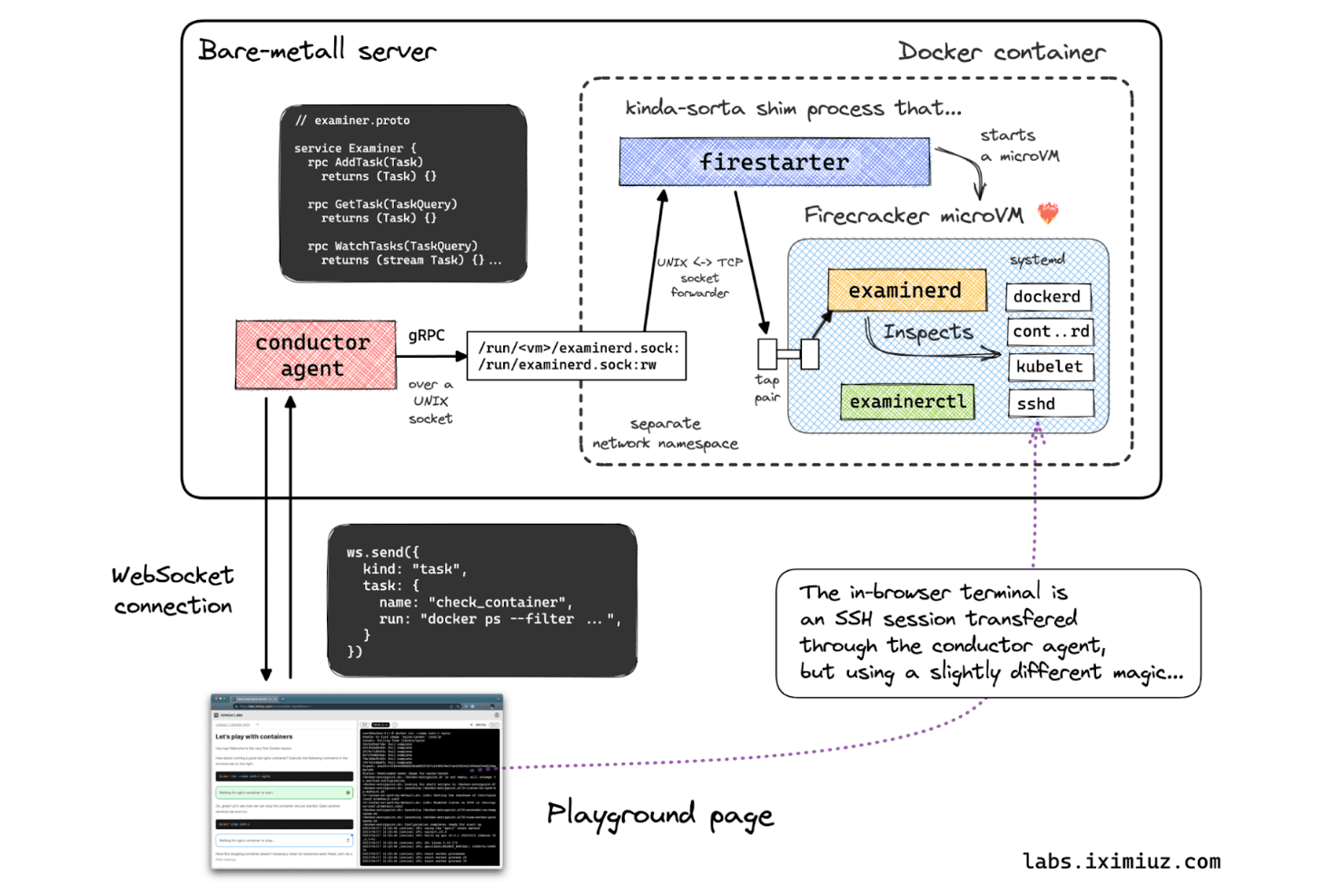
Firecracker runs isolated microVMs inside Docker containers for secure sandboxing. Firecracker is an open-source virtual machine monitor for infrastructure teams that need lightweight, isolated environments for container-based platforms, serverless workloads, and multi-tenant services.
Who Is Firecracker Best For?
Cloud infrastructure teams that need to run isolated workloads at high density can use Firecracker’s lightweight microVM architecture.
Why I Picked Firecracker
I picked Firecracker for Docker alternative architectures that need stronger workload isolation without a full virtual machine’s overhead. Best for microVM efficiency, it uses KVM and a minimal device model to run lightweight microVMs, which can host container workloads. I like its fit for serverless platforms that launch isolated environments on demand.
Firecracker Key Features
- REST control API: Configure, start, pause, and stop microVMs through HTTP endpoints.
- Snapshot and restore: Save microVM state and restore it from a snapshot.
- Resource rate limiting: Set limits for network and block-device operations.
- Metadata service: Provide guest workloads with instance-specific metadata.
Firecracker Integrations
Firecracker is listed as used by or integrated with containerd via firecracker-containerd, E2B, Fly.io, Kata Containers, Koyeb, and Northflank. Its REST API supports microVM configuration and lifecycle control.
Pros and Cons
Pros:
- REST API controls VM lifecycle and snapshots
- Lightweight microVMs reduce virtualization overhead
- Hardware-backed isolation for container workloads
Cons:
- Host networking needs manual configuration
- Requires KVM-capable Linux hosts
Learn more about Firecracker:
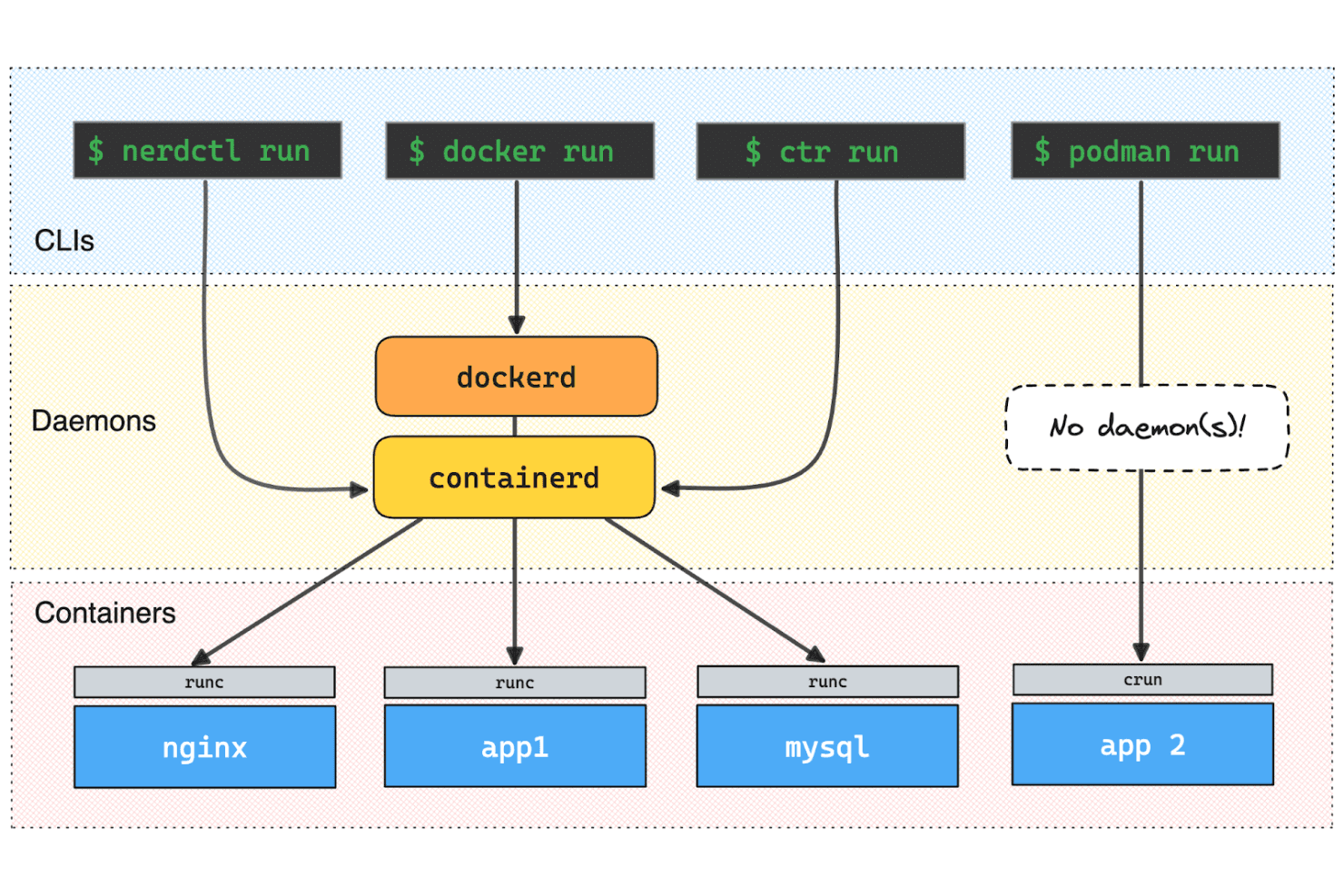
runc serves as the low-level container runtime across multiple CLI tools. For infrastructure teams building custom Linux container workflows, runc is an open-source, low-level runtime that launches containers without requiring Docker’s higher-level platform.
Who Is runc Best For?
runc is a good fit for platform engineers integrating OCI-compliant container execution into Linux infrastructure or orchestration systems.
Why I Picked runc
I picked runc, rated Best for OCI compliance, as a Docker alternative because it implements the OCI runtime specification. It launches containers from OCI bundles, giving Linux infrastructure tools a low-level runtime for container execution without Docker’s broader platform.
runc Key Features
- Container lifecycle commands: Create, start, list, and delete containers with separate CLI commands.
- Rootless containers: Run containers without root privileges when the Linux kernel supports user namespaces.
- Seccomp support: Apply seccomp filters to restrict system calls when built with libseccomp support.
- Checkpoint and restore: Save and restore container state using CRIU with the required build configuration.
runc Integrations
Native integrations aren’t documented, and runc doesn’t provide a separate API for custom integrations. containerd can use runc as its OCI runtime, allowing Kubernetes workloads to run through containerd; runc itself doesn’t implement the Kubernetes CRI.
Pros and Cons
Pros:
- Supports rootless execution with user namespaces
- Direct lifecycle control through focused CLI commands
- Implements the OCI runtime specification
Cons:
- Requires OCI bundles instead of managing images
- Linux-only runtime
Learn more about runc:
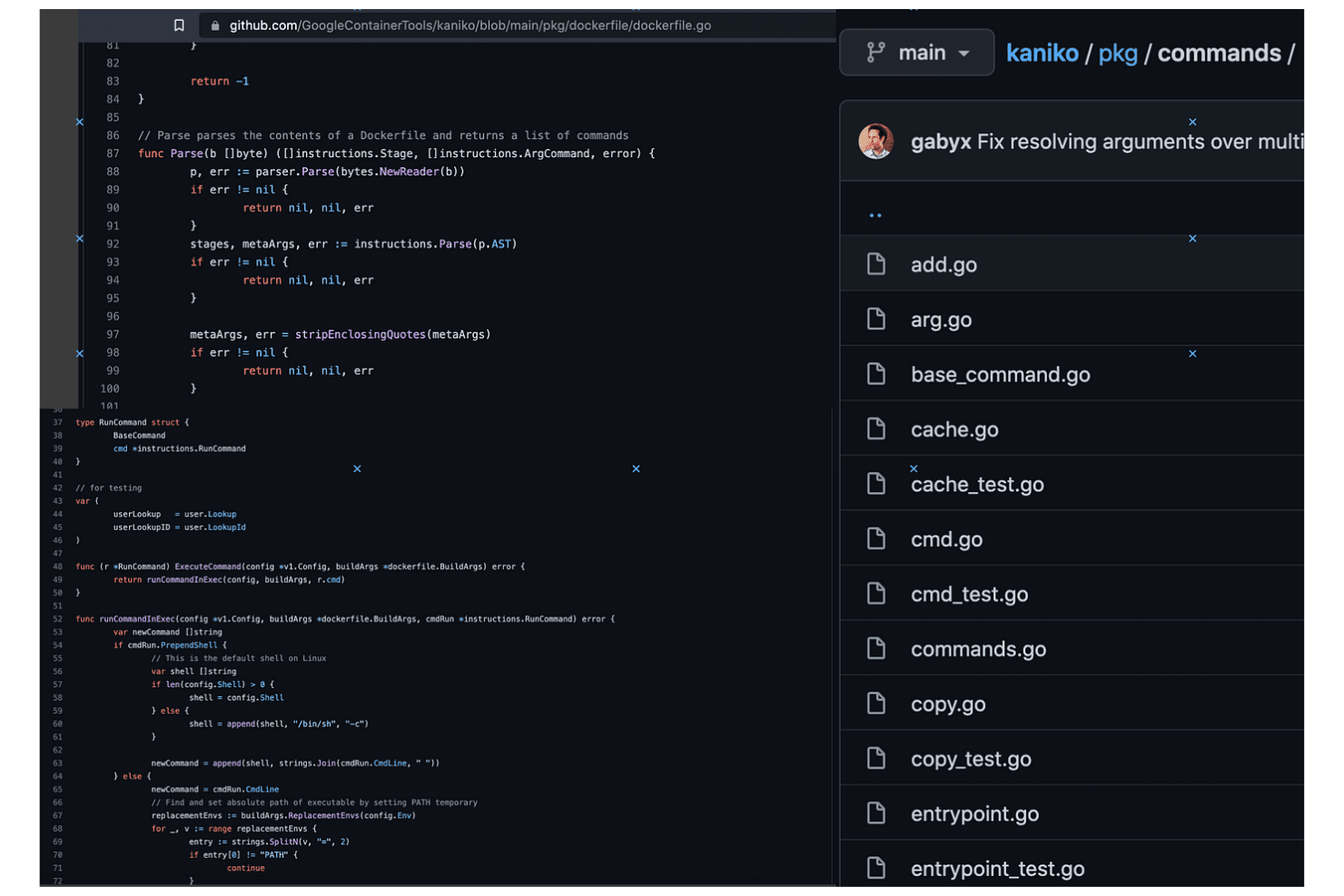
Kaniko lets users browse Dockerfile parsing source code on GitHub. Kaniko gives platform and DevOps teams a way to build container images from Dockerfiles in CI workflows, supporting Kubernetes-focused environments that need an alternative to Docker-based build tooling.
Who Is Kaniko Best For?
Kaniko suits infrastructure teams that need to build container images from Dockerfiles in CI without relying on a Docker daemon.
Why I Picked Kaniko
I picked Kaniko as Best for daemonless builds because its executor builds images from Dockerfiles without a Docker daemon. I like that I can run it in a Kubernetes CI job and push the finished image to a registry without exposing a Docker socket.
Kaniko Key Features
- Remote layer cache: Caches
RUNandCOPYlayers in a registry. - Build contexts: Accepts local directories, archives, Git repositories, and cloud storage.
- Registry authentication: Supports credential configuration for GCR, Amazon ECR, and Azure ACR.
- Reproducible builds: Offers an option to strip timestamps from the image.
Kaniko Integrations
Kaniko supports registry authentication and image pushes to Google Container Registry, Amazon ECR, Azure ACR, Docker Hub, and JFrog Artifactory or Container Registry; you can configure other Docker credential helpers.
Pros and Cons
Pros:
- Caches `RUN` and `COPY` layers remotely
- Builds run inside Kubernetes pods
- Avoids privileged Docker-in-Docker setups
Cons:
- Filesystem snapshots can slow large builds
- Google’s upstream repository is archived
Learn more about Kaniko:- Remote layer cache: Caches

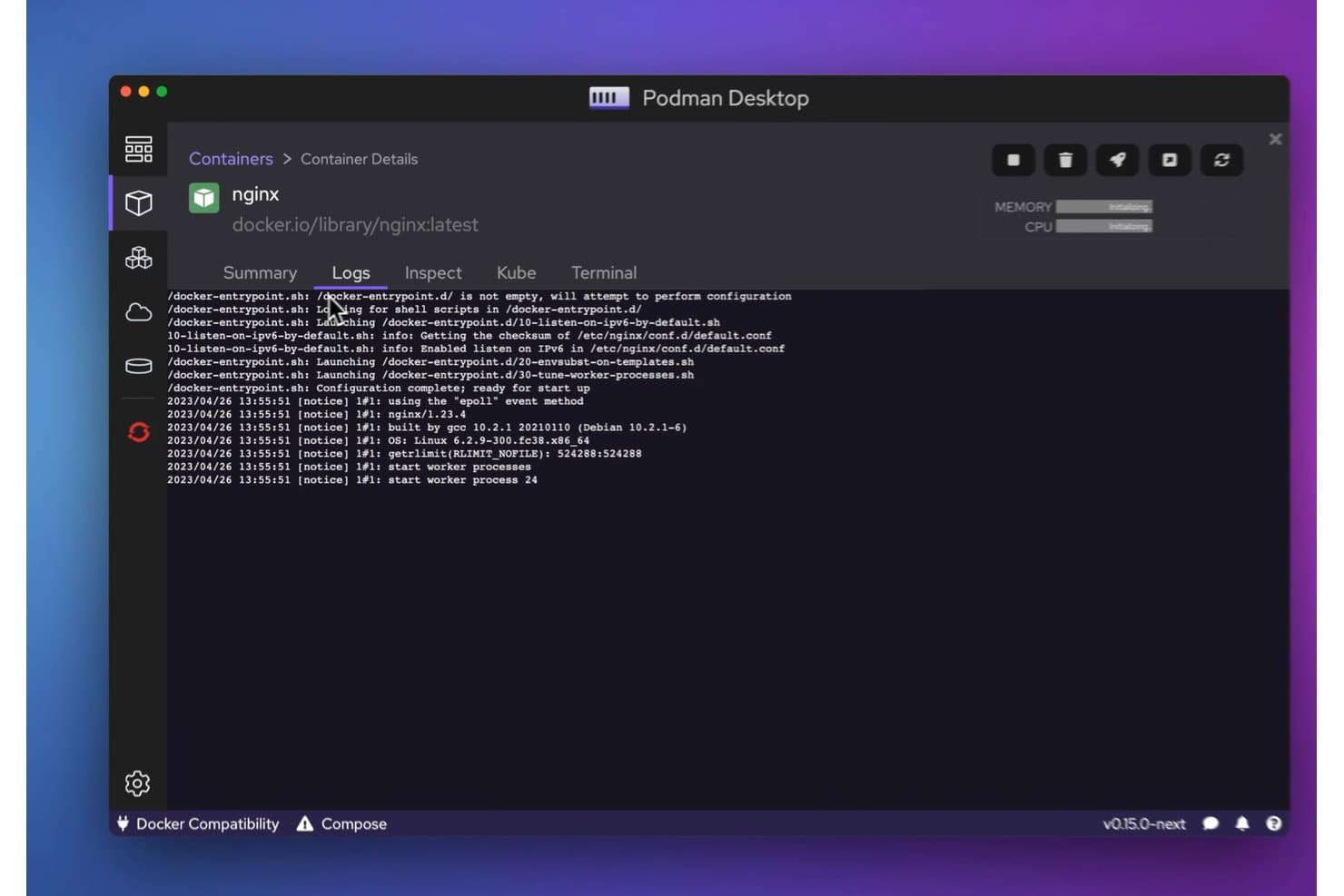
Podman lets users view real-time container logs in a clean desktop UI. Podman gives developers and IT teams a daemonless, open-source way to build, run, and manage containers locally, helping them test applications and keep development environments consistent.
Who Is Podman Best For?
Podman suits developers and system administrators who want to manage container workflows on workstations without a central daemon.
Why I Picked Podman
I picked Podman because its daemonless, rootless container workflow makes it a practical Docker alternative for local development. I can run containers without a central daemon, group related containers into pods, and generate Kubernetes YAML to carry a tested setup into cluster workflows.
Podman Key Features
- Image management: Pull, tag, inspect, and remove container images.
- Volume management: Create and inspect named volumes for persistent container data.
- Network management: Create networks and connect containers to them.
- Health checks: Configure health checks to monitor container status.
Podman Integrations
Podman’s native integrations aren’t clearly documented, but it provides a Docker-compatible REST API and a Libpod API for custom integrations. Podman Desktop can manage Docker, Lima, kind, Red Hat OpenShift, and Red Hat OpenShift Developer Sandbox, and deploy to Kubernetes contexts.
Pros and Cons
Pros:
- Pods and Kubernetes YAML support local-to-cluster testing
- Daemonless operation avoids a persistent engine service
- Rootless containers reduce host privilege exposure
Cons:
- Rootless networking can complicate source-IP logging
- Compose support trails Docker's broader feature coverage
Learn more about Podman:
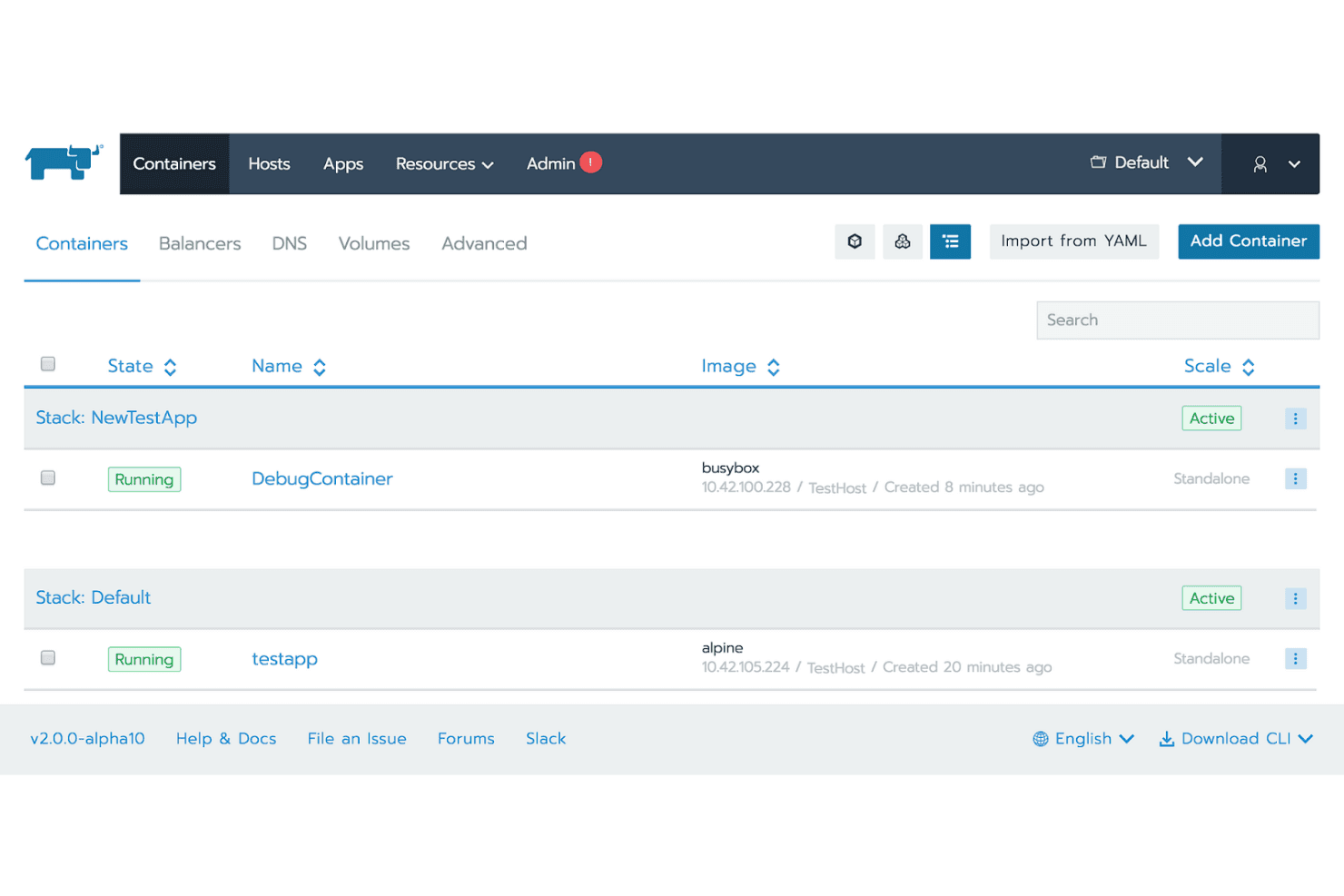
Rancher lets users manage and monitor containers across multiple stacks. Rancher is a Kubernetes management platform for infrastructure teams that need to deploy containerized applications across cloud and on-premises environments and manage their operations.
Who Is Rancher Best For?
Rancher suits platform and infrastructure teams that need a central way to administer Kubernetes clusters across development, staging, and production environments.
Why I Picked Rancher
I picked Rancher for Best for multi-cluster management because it gives me a central way to administer Kubernetes clusters across cloud and on-premises environments. Its cluster provisioning and centralized role-based access controls help me manage containerized workloads and permissions across development, staging, and production.
Rancher Key Features
- Fleet GitOps: Deploy and manage Kubernetes resources from Git repositories.
- Monitoring and alerting: View cluster metrics and configure alerts with Prometheus and Grafana.
- Logging: Collect and view logs from cluster workloads.
- Helm chart management: Install and configure applications from Helm charts.
Rancher Integrations
Rancher supports external authentication through Microsoft Active Directory, Microsoft Entra ID, GitHub, Okta, Keycloak, Google OAuth, OpenLDAP, and generic OIDC. Its monitoring stack can send alerts through Alertmanager to Slack and PagerDuty, and Rancher provides an API for custom integrations.
Pros and Cons
Pros:
- Provides visual monitoring and workload controls
- Makes cluster setup and operations simpler
- Centralizes management across Kubernetes clusters
Cons:
- Generates many RBAC rules and roles
- UI can feel slow or glitchy
Learn more about Rancher:
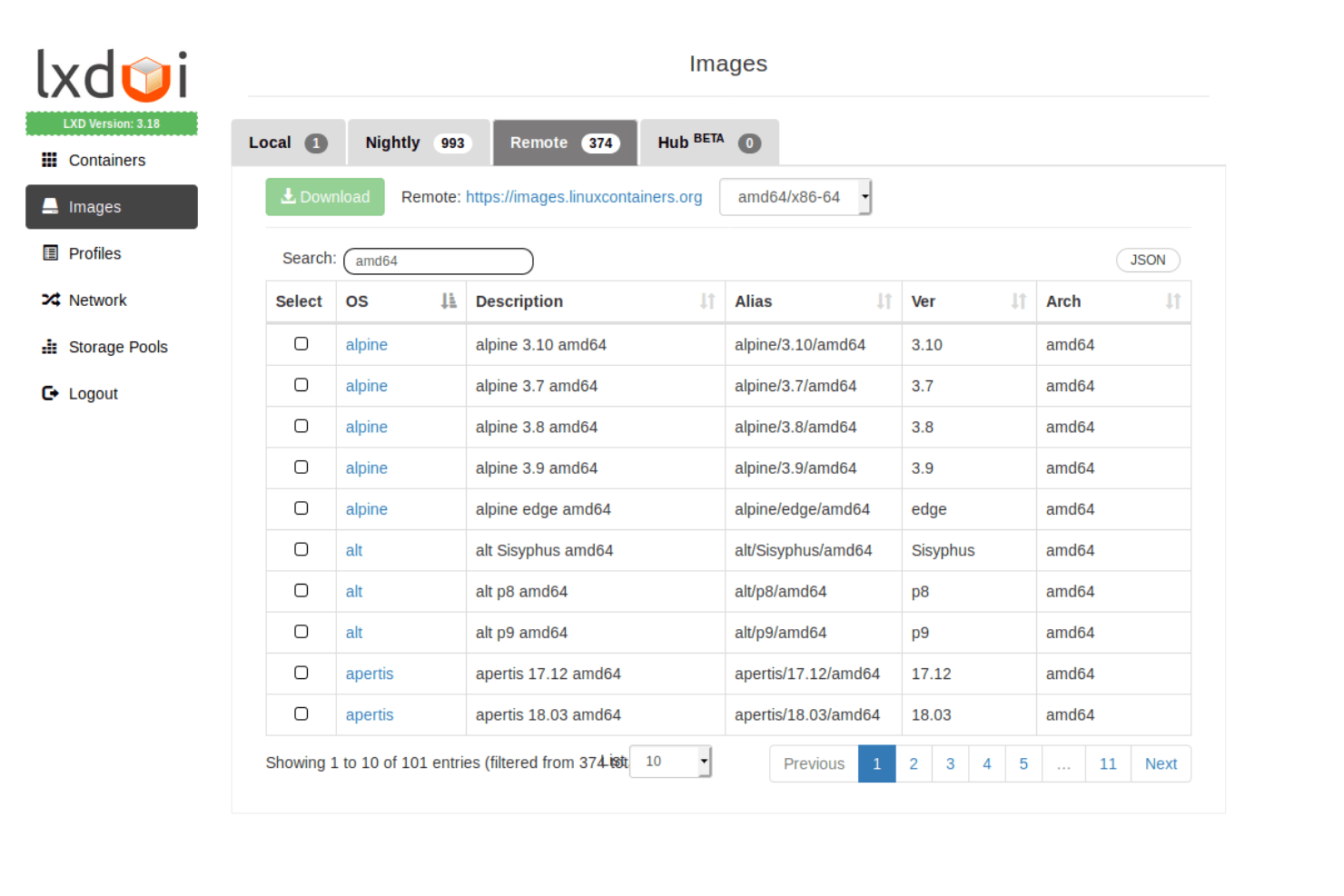
LXD lets users browse and download remote container images by OS and architecture. LXC/LXD lets IT teams run Linux system containers as isolated environments, offering infrastructure administrators a Docker alternative for consolidating workloads and managing Linux hosts.
Who Is LXC/LXD Best For?
Linux system administrators who need to create and manage system containers across Linux hosts are a good fit for LXC/LXD.
Why I Picked LXC/LXD
I picked LXC/LXD as a Docker alternative because it’s best for Linux container management. I like that LXD runs full Linux system containers, so I can manage isolated environments that behave more like lightweight servers than single-application containers. Profiles let me apply consistent settings across containers, while the command-line client and REST API support host-level management.
LXC/LXD Key Features
- Instance snapshots: Capture an instance’s state and restore it later.
- Image management: Create instances from images and manage image aliases and remote sources.
- Network management: Configure managed bridges, OVN networks, and other network types.
- Resource limits: Set CPU, memory, disk, and network limits for instances.
LXC/LXD Integrations
LXD documents a CSI driver that integrates its storage backends with Kubernetes. It also exposes a REST API for custom integrations.
Pros and Cons
Pros:
- Snapshots simplify recovery after project changes
- Fast, lightweight instances use minimal resources
- Full Linux systems feel like lightweight servers
Cons:
- Linux-only scope excludes Windows hosts
- CLI workflows can feel unintuitive
Learn more about LXC/LXD:
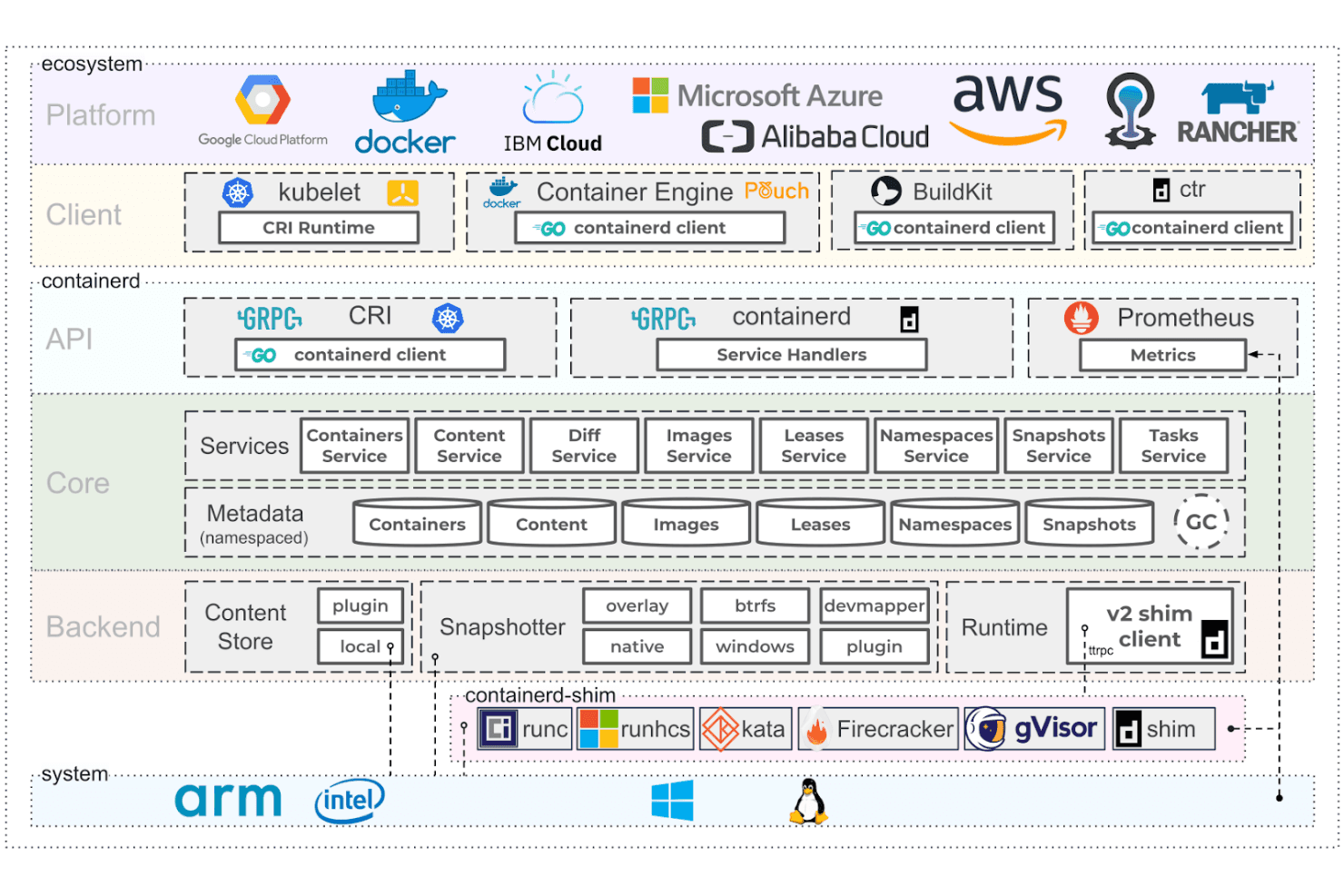
containerd's architecture spans platforms, runtimes, and system layers. Built for infrastructure teams seeking a Docker alternative, containerd is an open-source container runtime that manages container images and execution across production environments.
Who Is containerd Best For?
Infrastructure teams that need a portable, open-source container runtime to manage images and execution across production environments.
Why I Picked containerd
I picked containerd as a Docker alternative for its simplicity and portability. Its OCI-compatible runtime and image services handle pulls, storage, and container execution without Docker’s broader toolset. I like that its CRI plugin lets Kubernetes nodes use containerd directly, while OCI standards help keep workloads portable across compatible environments.
containerd Key Features
- Namespaces: Separate containers and image metadata for multiple consumers on one daemon.
- Snapshotters: Create writable snapshots and read-only snapshot views with supported filesystems.
- Checkpoint and restore: Use CRIU to checkpoint and restore containers and tasks.
- Go client library: Connect platform code to containerd through its socket and API.
containerd Integrations
containerd has built-in support for Kubernetes through its Container Runtime Interface (CRI) plugin and works with OCI Distribution-compliant registries. Its Go client library and gRPC APIs support custom integrations.
Pros and Cons
Pros:
- Runs on Linux and Windows
- Native Kubernetes CRI support
- OCI-compatible images and runtimes
Cons:
- Low-level CLI lacks Docker conveniences
- Image builds require separate tooling
Learn more about containerd:
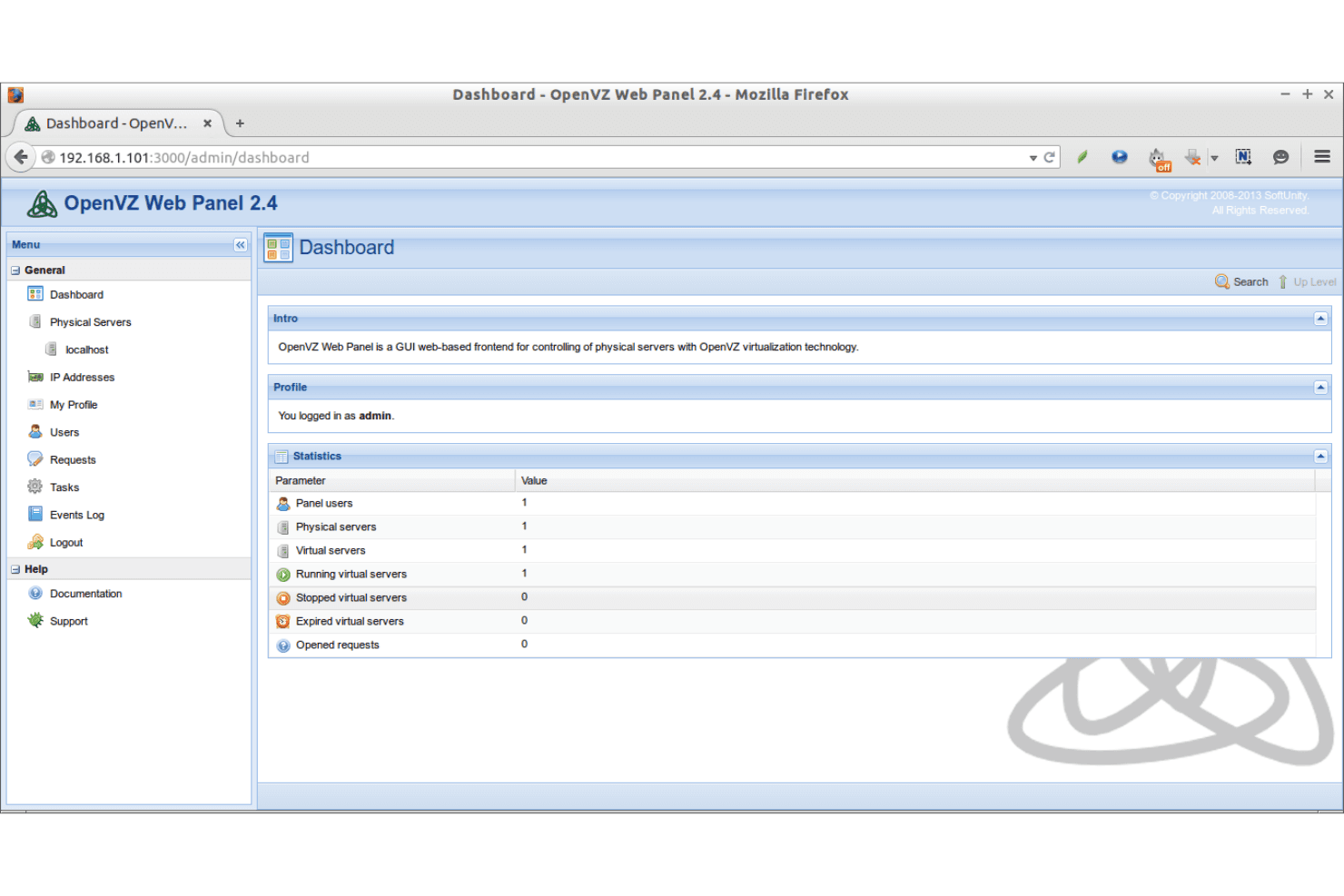
OpenVZ Web Panel provides a central dashboard for managing virtual servers. For infrastructure teams and hosting providers, OpenVZ is a Linux containerization platform that runs isolated environments on a shared kernel, offering an alternative to Docker for consolidating server workloads without separate virtual machines.
Who Is OpenVZ Best For?
OpenVZ suits systems administrators who want to run multiple isolated Linux environments on shared server hardware.
Why I Picked OpenVZ
I picked OpenVZ as a Docker alternative because it’s Best for Linux server utilization. Its containers isolate Linux environments while sharing the host kernel, so I can consolidate workloads without running a separate virtual machine for each service. Per-container CPU, memory, and disk controls help me allocate resources across a busy server.
OpenVZ Key Features
- Container templates: Create containers from prebuilt Linux distribution images.
- Live migration: Move running containers between supported hosts with CRIU and P.Haul.
- Snapshots: Capture container disk states with the ploop storage system.
- Virtual networking: Configure container network interfaces, IP addresses, and routing.
OpenVZ Integrations
OpenVZ supports integration with OpenStack using DevStack, and libvirt serves as its standard API for managing containers and virtual machines.
Pros and Cons
Pros:
- Live migration moves running containers
- Per-container controls support dense server consolidation
- Resource-light containers reduce host overhead
Cons:
- Smaller ecosystem than Docker for tooling and support
- Shared kernel restricts OS and kernel choices
Learn more about OpenVZ:
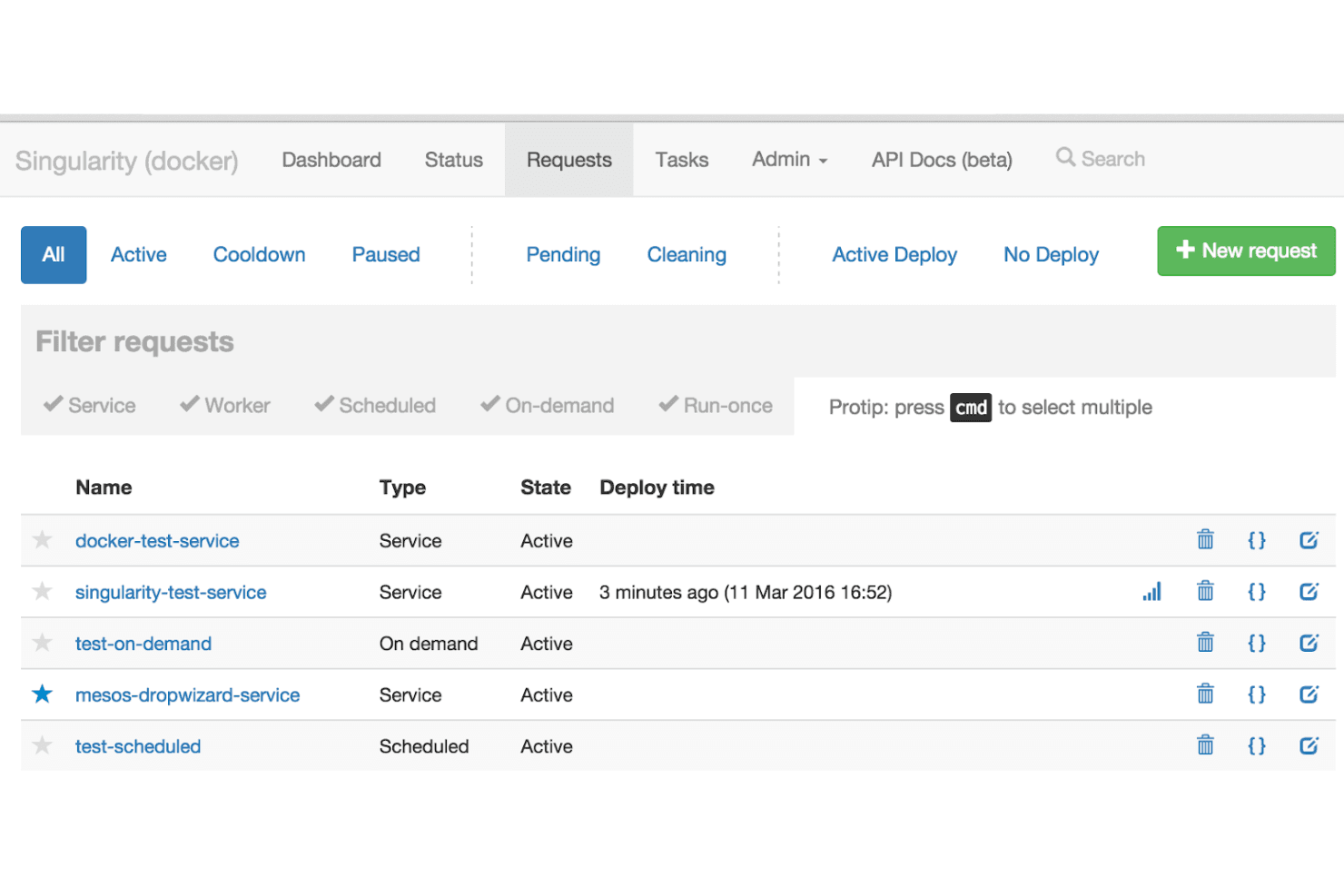
Singularity lets users manage and monitor all service requests in one view. Singularity helps research and infrastructure teams package applications with their dependencies and run them consistently across systems, including shared environments where Docker’s daemon-based model can be difficult to support.
Who Is Singularity Best For?
Research computing teams and HPC administrators who need to run portable workloads across shared clusters.
Why I Picked Singularity
I picked Singularity as a Docker alternative, Best for high-performance computing workloads on shared clusters. It runs containers without a daemon, which fits environments where users can’t run Docker’s daemon. Its portable SIF images help teams move workloads between systems while keeping application dependencies packaged together.
Singularity Key Features
- GPU support: Expose host NVIDIA CUDA or AMD ROCm devices and libraries to containerized applications.
- MPI support: Run Open MPI or MPICH applications with host launchers such as
mpirun. - Definition files: Specify build steps, runtime settings, metadata, and tests for container images.
- OCI registry support: Use images from supported OCI registries as build sources.
Singularity Integrations
SingularityCE can pull, run, and build from OCI registries, including Docker Hub, Quay, NVIDIA NGC, GitHub Container Registry, AWS ECR, and Azure ACR. For HPC workloads, it supports Open MPI and MPICH with host launchers and schedulers such as
mpirun,srun, and Slurm.Pros and Cons
Pros:
- Supports GPU and high-speed interconnect workloads
- Runs workloads without root access
- Runs containers without a daemon
Cons:
- Image building can require administrator setup
- Less suited to general-purpose service hosting
Learn more about Singularity:
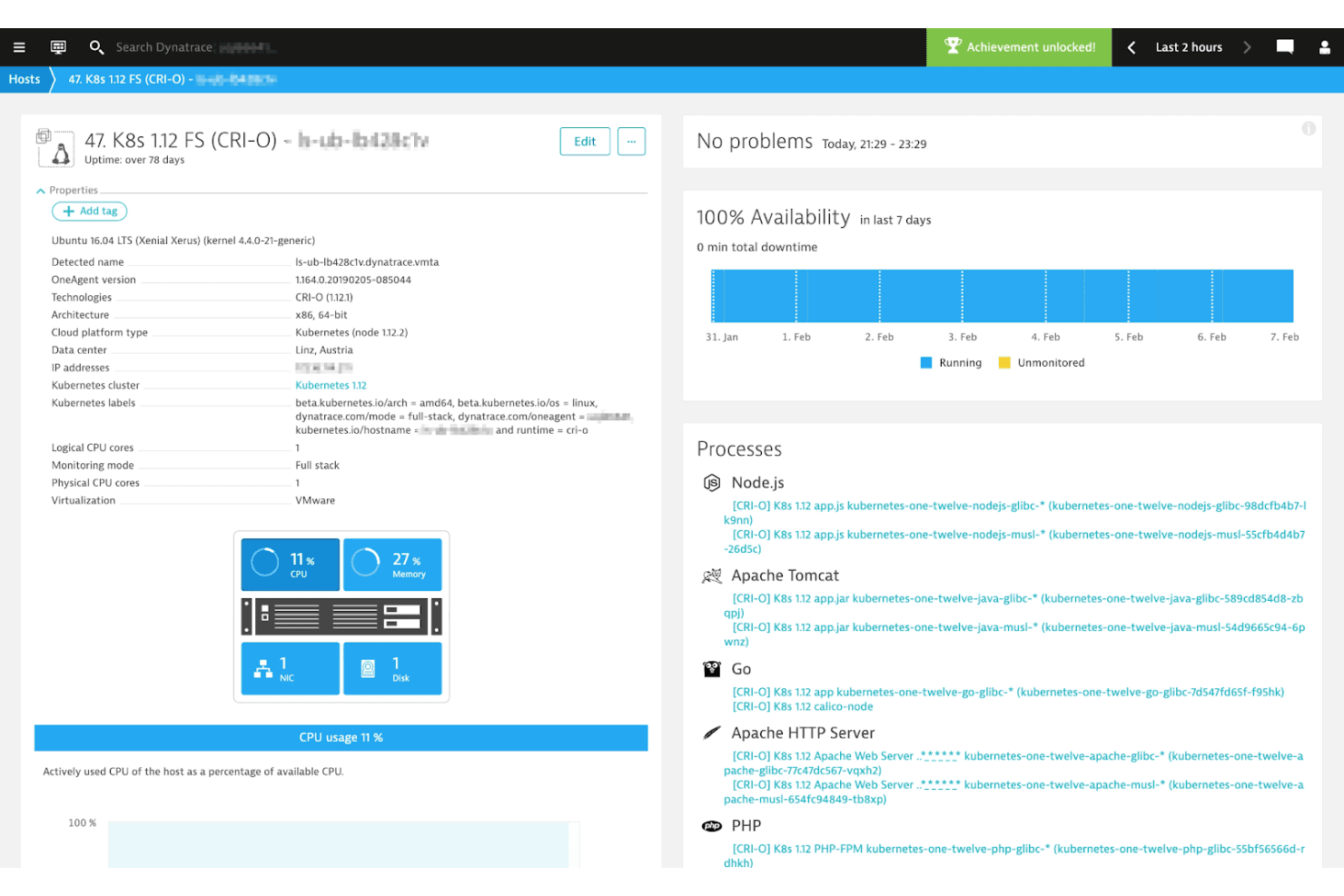
CRI-O displays host monitoring with process visibility and 100% uptime. CRI-O is an open-source container runtime for Kubernetes nodes, helping infrastructure teams run OCI containers without deploying a general-purpose Docker engine.
Who Is CRI-O Best For?
CRI-O suits Kubernetes platform teams that need an OCI container runtime built specifically for Kubernetes nodes.
Why I Picked CRI-O
I picked CRI-O because “Best for Kubernetes integration” reflects its design: it implements Kubernetes’ Container Runtime Interface (CRI), letting kubelet manage containers without a general-purpose Docker engine. I like that it runs OCI-compliant images through runtimes such as runc, keeping container execution aligned with Kubernetes node workflows.
CRI-O Key Features
- CNI networking: Connects with CNI plugins to configure container networking.
- Container monitoring: Uses
conmonto handle logs, attach clients, and detect out-of-memory events. - Linux security controls: Supports SELinux, Linux capabilities, and seccomp policies.
- Storage drivers: Supports Overlayfs, devicemapper, AUFS, and btrfs.
CRI-O Integrations
CRI-O implements Kubernetes’ CRI for kubelet and supports OCI runtimes such as runc and Kata Containers. It works with CNI plugins including Flannel, Weave, and OpenShift-SDN, and exposes a CRI gRPC API plus an unstable HTTP status API.
Pros and Cons
Pros:
- Supports OCI and Docker image formats
- Lightweight design avoids a general-purpose Docker engine
- Kubernetes-native CRI keeps node runtime focused
Cons:
- Requires separate tooling for image builds
- No standalone container management outside Kubernetes
Learn more about CRI-O:
Outras alternativas ao Docker
Eis algumas alternativas adicionais ao Docker que não entraram na minha lista restrita, mas que continuam a merecer atenção.
- 11Kata ContainersBest for VM-level security
- 12BuildahBest for building images without daemons
- 13KubernetesBest for container orchestration
- 14VagrantBest for development environment setup
- 15PortainerBest for managing Docker environments
- 16VirtualBoxBest for cross-platform virtualization
- 17LimaBest for macOS container management
How I Evaluate Docker Alternatives
I evaluate Docker alternatives on two levels: the core functionality every tool must offer and the differentiators that matter for rootless builds, CI/CD pipelines, and production clusters.
Core Functionality (Table Stakes For This List)
When I'm selecting tools for my list, I rank each one on a scale from 0 (does not offer the functionality) to 5 (excels in this area) for each core functionality listed below. Then, I calculate the tool's total score into a percentage. Each tool needs to achieve a minimum total score of 65% to be considered for inclusion.
- OCI Image & Runtime Compliance: I check whether the tool builds and runs containers that conform to OCI specs, so images move between tools like Podman and containerd without conversion issues.
- Container Build & Run: Each tool needs to support building from a Dockerfile or equivalent and running containers locally—the same workflow you'd use spinning up a dev environment.
- Image Registry Support: I evaluate push/pull support across registries like Docker Hub, GHCR, and private registries, including how each tool handles authentication and credential management.
- Container Orchestration & Networking: Multi-container setups with networking and volume mounts matter here—think running a web app, database, and cache side by side during development.
- CLI & Developer Tooling: The CLI should cover core container operations and feel familiar to Docker users. Tools like Podman and nerdctl take different approaches here, and I look at command parity.
- Isolation & Security Model: I look at the isolation model each tool provides, whether that's rootless execution, VM-level separation, or namespace hardening for running untrusted workloads.
Once I have a list of tools that meet this criteria, I consider what sets each platform apart.
Differentiating Factors (What Sets Vendors Apart)
Here's how I compare and contrast different vendors:
Standout Features
A rootless, daemonless architecture is a big differentiator—tools like Podman and Buildah let you run containers without a root-privileged background process, which matters when you're building inside locked-down CI runners. I also evaluate built-in image scanning and signing capabilities, since catching CVEs before pushing to a registry saves a lot of downstream pain. Multi-architecture build support is another factor I weigh, especially for teams shipping to both x86 and ARM64 targets from a single workflow.
Beyond Features
Licensing matters a lot in this space. Docker Desktop's shift to paid subscriptions pushed many teams to explore alternatives, so I look at whether a tool uses a permissive open-source license like Apache 2.0 or MIT. Platform compatibility is another consideration—I check for native macOS (Apple Silicon), Linux, and WSL2 support since most teams work across mixed environments. Community health also tells you a lot; active contributor bases, frequent releases, and solid migration documentation from tools like Podman or Lima signal long-term viability.
Por que procurar uma alternativa ao Docker?
Embora o Docker seja uma boa opção para conteinerização e virtualização, há vários motivos pelos quais alguns utilizadores procuram soluções alternativas. Pode estar à procura de uma alternativa ao Docker porque:
- Precisa de uma melhor integração com o Kubernetes
- A sua equipa necessita de funcionalidades de segurança reforçadas
- Está a enfrentar limitações na eficiência dos recursos
- Precisa de cumprir regulamentações específicas
- O seu projeto exige mais opções de escalabilidade
- Procura uma solução com custos gerais mais baixos
Se alguma destas situações lhe é familiar, veio ao lugar certo. A minha lista contém várias opções de software de virtualização e conteinerização mais adequadas para equipas que enfrentam estes desafios com o Docker e procuram soluções alternativas.
Principais funcionalidades do Docker
Eis algumas das principais funcionalidades do Docker para o ajudar a comparar o que este oferece com as soluções alternativas.
- Configuração fácil e mais rápida: Simplifica a configuração do sistema, permitindo-lhe implementar código mais rapidamente em diferentes ambientes.
- Maior produtividade: Simplifica as configurações técnicas e a implementação rápida de aplicações, reduzindo a utilização de recursos da sua equipa.
- Isolamento de aplicações: Utiliza contentores para executar aplicações de forma independente, garantindo o isolamento entre as suas diferentes aplicações.
- Enxame: Funciona como uma ferramenta de agrupamento e agendamento que gere vários anfitriões Docker como um único anfitrião virtual.
- Malha de encaminhamento: Direciona os pedidos recebidos para os seus contentores ativos, mesmo que não estejam a ser executadas tarefas num nó.
- Serviços: Gere tarefas num agrupamento, garantindo que os estados especificados dos contentores são mantidos para as suas aplicações.
- Gestão da segurança: Permite o armazenamento seguro de segredos e o acesso controlado aos seus serviços, reforçando a segurança.
- Docker Desktop: Um ambiente de desenvolvimento local completo para criar, testar e executar contentores.
- Ecossistema: Suporta um vasto ecossistema de ferramentas e integrações, permitindo flexibilidade e compatibilidade com fluxos de trabalho de desenvolvimento modernos.
- Motor de contentores: Fornece um ambiente de execução eficiente e leve para gerir aplicações em contentores, equipado com software de orquestração de contentores.
- Docker Compose: Simplifica a definição e a execução de aplicações com vários contentores através de um ficheiro de configuração YAML.
- Docker Engine: O componente central que executa e gere contentores Docker de forma eficiente em vários ambientes.
- Docker Hub: Um repositório baseado na nuvem que permite aos utilizadores armazenar, gerir e partilhar imagens de contentores.
- Imagens Docker: Ambientes de software pré-criados, leves e portáteis que simplificam a implementação de aplicações.
- Rancher Desktop: Uma alternativa ao Docker Desktop que fornece gestão de Kubernetes e de contentores num ambiente de desenvolvimento local.
- Docker Run: Um comando fundamental que executa contentores a partir de imagens.
- Facilidade de utilização: Concebido para simplificar a conteinerização, tornando-a acessível a programadores de todos os níveis de competência.
- Alternativa leve: Fornece uma forma eficiente em termos de recursos para executar aplicações em comparação com as máquinas virtuais tradicionais.
- Software de gestão e registo de contentores: Permite aos utilizadores armazenar, gerir e distribuir imagens de contentores de forma eficiente.
- Espaços de nomes: Fornece isolamento de processos dentro dos contentores, garantindo a segurança e evitando conflitos entre aplicações.
- Ambientes de produção: Otimizados para escalabilidade e fiabilidade, tornando-os adequados para aplicações empresariais.
- Acesso de raiz: Controla os privilégios administrativos dentro dos contentores para reforçar a segurança.
- Vulnerabilidades: Ajuda a detetar e mitigar riscos de segurança em aplicações em contentores.
- Integração com o GitHub: Simplifica os fluxos de trabalho de DevOps ao permitir a interação direta com repositórios para criar e implementar contentores.