
HelpDesk-beoordeling: voordelen, nadelen, functies en prijzen
I put HelpDesk under the microscope to see whether its clean, practical approach delivers enough depth for growing support teams—or simply keeps ticketing refreshingly uncomplicated.

We review tools independently, and commissions help fund our testing. See our transparency policy, our methodology, or suggest a tool.
HelpDesk is a ticketing help desk software for IT teams that need to centralize user requests, incident tickets, and support conversations across email, chat, Messenger, and SMS. I’d mainly consider it if you want a no-code service desk that’s quick to configure, with enough workflow rules, automation, and AI assistance to bring more structure to day-to-day IT support. I’d use it over Zendesk or Freshdesk if you want a simpler, faster-to-deploy ticketing system without the extra complexity of a broader service management suite.
HelpDesk Evaluation Summary
4.6/5
- From $34/agent/month
- 14-day free trial
Waarom u onze softwareaanbevelingen kunt vertrouwen
6,700+
Reviews
20
Industry experts
16+
Evaluation factors
14
Years
Ons team test en beoordeelt software sinds 2012. Als technologieleiders weten we zelf hoe moeilijk — en belangrijk — het is om de juiste software te kiezen.
Voor deze gids hebben we tools geëvalueerd met behulp van praktijktests en onafhankelijk onderzoek, waarbij we tools beoordeeden aan de hand van onze selectiecriteria.
Onze reviews weerspiegelen ons menselijke redactionele oordeel, geen verkooppraatje.
Deskundige beoordelaars:
- Paulo Gardini MiguelTechnisch directeur
 Tim FisherVP AI
 Gabriel RosasTech Lead & software-architect
 Christhian GruhnTech Lead & platformarchitect

HelpDesk Overview
I’d choose HelpDesk for small and growing IT teams that need a lightweight way to manage user requests, incident tickets, and support conversations without the overhead of a full ITSM suite. Its tiered plans scale from core ticketing and automation to stronger security, workflow customization, and onboarding. It offers more structure than a shared inbox, but it is less suited to teams that need deeper asset, change, and problem management.
Pros
- Reviewers praise HelpDesk’s clean interface for tracking multiple contact sources.
- AI drafts, summaries, and tagging reduce repetitive ticket handling.
- Round-robin assignment and collision detection support coordinated team queues.
Cons
- Lower tiers limit teams, rules, fields, and reporting depth.
- Advanced roles, SSO, and onboarding require Enterprise pricing.
- Reviewers report added costs for features previously included elsewhere.
Is HelpDesk Right For Your Needs?
Who Would be a Good Fit for HelpDesk?
HelpDesk suits small and growing support operations that need multichannel ticket handling without lengthy configuration. It works especially well for ecommerce, customer service, and support managers who value no-code workflows, AI assistance, integrations, and clear ticket ownership.
- Small Ecommerce BrandsShopify and WooCommerce integrations connect ecommerce support with email, chat, Messenger, and SMS tickets in one queue.
- Shared Inbox TeamsTeams moving from shared email can use round-robin assignment, collision detection, and a shared ticket queue to clarify ownership.
- Customer Service DepartmentsCustomer service teams can manage email, chat, Messenger, and SMS conversations while using AI drafts, summaries, and tagging.
- Lean Support TeamsSmall teams can configure no-code workflows and use browser or desktop apps without scripting or lengthy implementation work.
- Support ManagersSupport managers can use ticket summaries, AI Copilot, reporting, and custom fields to monitor and organize support work.
- Growing Support TeamsGrowing teams can use the Growth plan’s 10 teams, 10 AI Agents, advanced reporting, and 20 custom fields as operations expand.
Who Would be a Bad Fit for HelpDesk?
HelpDesk is less suitable for departments that need full IT service management, script-heavy automation, or extensive controls on lower-priced plans. Large organizations should also consider whether Enterprise pricing, tailored workflows, and dedicated onboarding match their purchasing requirements.
- Internal ITSM DepartmentsIT teams needing asset management, change management, or problem management should look beyond HelpDesk’s ticketing and workflow-focused feature set.
- Entry-Level Analytics TeamsTeams needing advanced reporting on the lowest tier may find Essential limiting because advanced reporting starts with the Growth plan.
- Script-Heavy OperationsDepartments that require scripted workflow logic may find HelpDesk restrictive because its workflows are designed around no-code configuration.
- Lower-Tier Compliance TeamsOrganizations requiring SSO and audit logs without Enterprise pricing may find HelpDesk unsuitable because those controls are Enterprise features.
- Fixed-Budget EnterprisesLarge companies needing multiple brands, tailored workflows, and dedicated account management must use custom-priced Enterprise rather than a fixed public plan.
- Dedicated Onboarding TeamsBusinesses requiring personalized onboarding from the start may find HelpDesk unsuitable because personalized onboarding and dedicated support are limited to Enterprise.
Our Review Methodology
How We Test & Score Tools
We’ve spent years building, refining, and improving our software testing and scoring system. The rubric is designed to capture the nuances of software selection and what makes a tool effective, focusing on critical aspects of the decision-making process.
Below, you can see exactly how our testing and scoring works across seven criteria. It allows us to provide an unbiased evaluation of the software based on core functionality, standout features, ease of use, onboarding, customer support, integrations, customer reviews, and value for money.
Core Functionality (25% of final scoring)
The starting point of our evaluation is always the core functionality of the tool. Does it have the basic features and functions that a user would expect to see? Are any of those core features locked to higher-tiered pricing plans? At its core, we expect a tool to stand up against the baseline capabilities of its competitors.
Standout Features (25% of final scoring)
Next, we evaluate uncommon standout features that go above and beyond the core functionality typically found in tools of its kind. A high score reflects specialized or unique features that make the product faster, more efficient, or offer additional value to the user.
We also evaluate how easy it is to integrate with other tools typically found in the tech stack to expand the functionality and utility of the software. Tools offering plentiful native integrations, 3rd party connections, and API access to build custom integrations score best.
Ease of Use (10% of final scoring)
We consider how quick and easy it is to execute the tasks defined in the core functionality using the tool. High scoring software is well designed, intuitive to use, offers mobile apps, provides templates, and makes relatively complex tasks seem simple.
Onboarding (10% of final scoring)
We know how important rapid team adoption is for a new platform, so we evaluate how easy it is to learn and use a tool with minimal training. We evaluate how quickly a team member can get set up and start using the tool with no experience. High scoring solutions indicate little or no support is required.
Customer Support (10% of final scoring)
We review how quick and easy it is to get unstuck and find help by phone, live chat, or knowledge base. Tools and companies that provide real-time support score best, while chatbots score worst.
Customer Reviews (10% of final scoring)
Beyond our own testing and evaluation, we consider the net promoter score from current and past customers. We review their likelihood, given the option, to choose the tool again for the core functionality. A high scoring software reflects a high net promoter score from current or past customers.
Value for Money (10% of final scoring)
Lastly, in consideration of all the other criteria, we review the average price of entry level plans against the core features and consider the value of the other evaluation criteria. Software that delivers more, for less, will score higher.
Core Features
Multichannel Ticketing
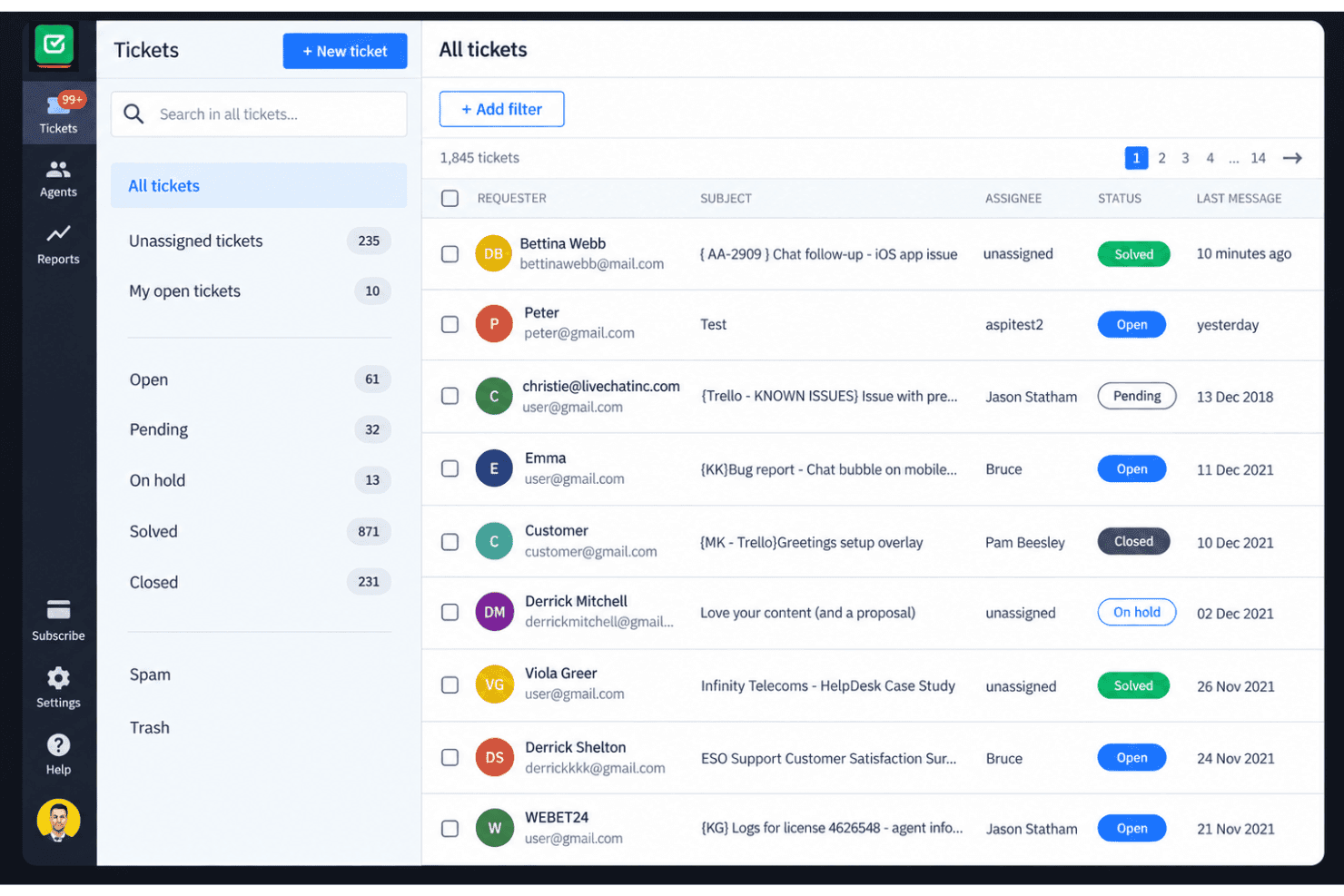
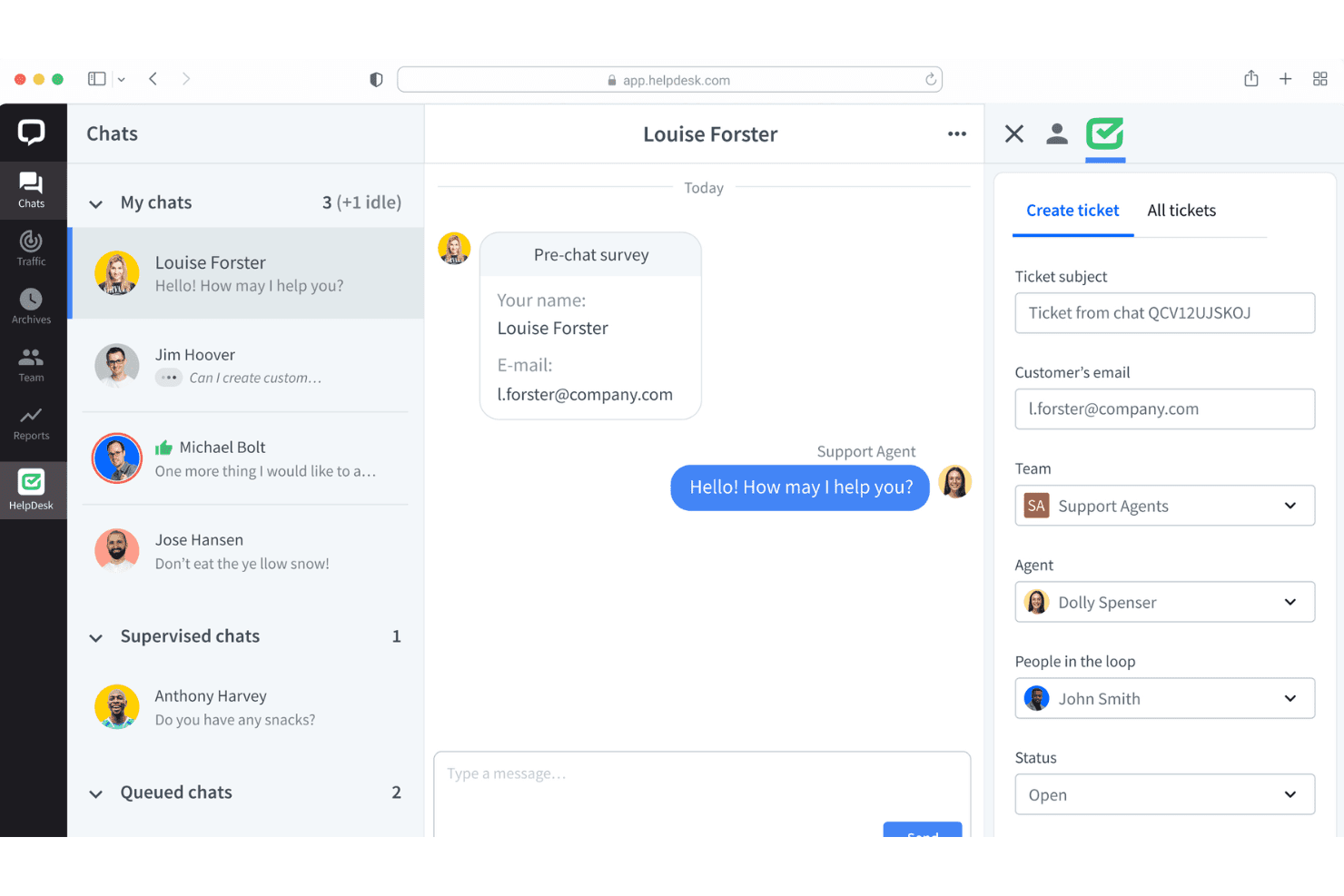
HelpDesk turns email, chat, Messenger, and SMS messages into support tickets in one workspace. This gives your team one queue for tracking customer conversations across channels.
Ticket Management
Teams can assign tickets, manage unlimited ticket volumes, and track each request through resolution. Round-robin assignment helps distribute incoming work across available agents.
No-Code Automated Workflows
No-code workflows automate ticket actions without requiring scripts or developer support. You can use them to apply consistent routing and handling rules as requests arrive.
AI Assistance
HelpDesk provides AI-generated drafts, ticket summaries, and tagging for support conversations. These tools give agents a faster starting point for replies and ticket organization.
Team Collaboration
Collision detection helps prevent multiple agents from responding to the same ticket at once. Shared ticket visibility also gives teams clearer ownership when handling busy queues.
Reporting
Built-in reporting gives teams a view of support activity and ticket performance. It helps you review queue patterns and identify where lower-tier reporting limits might affect your analysis.
Ease of Use
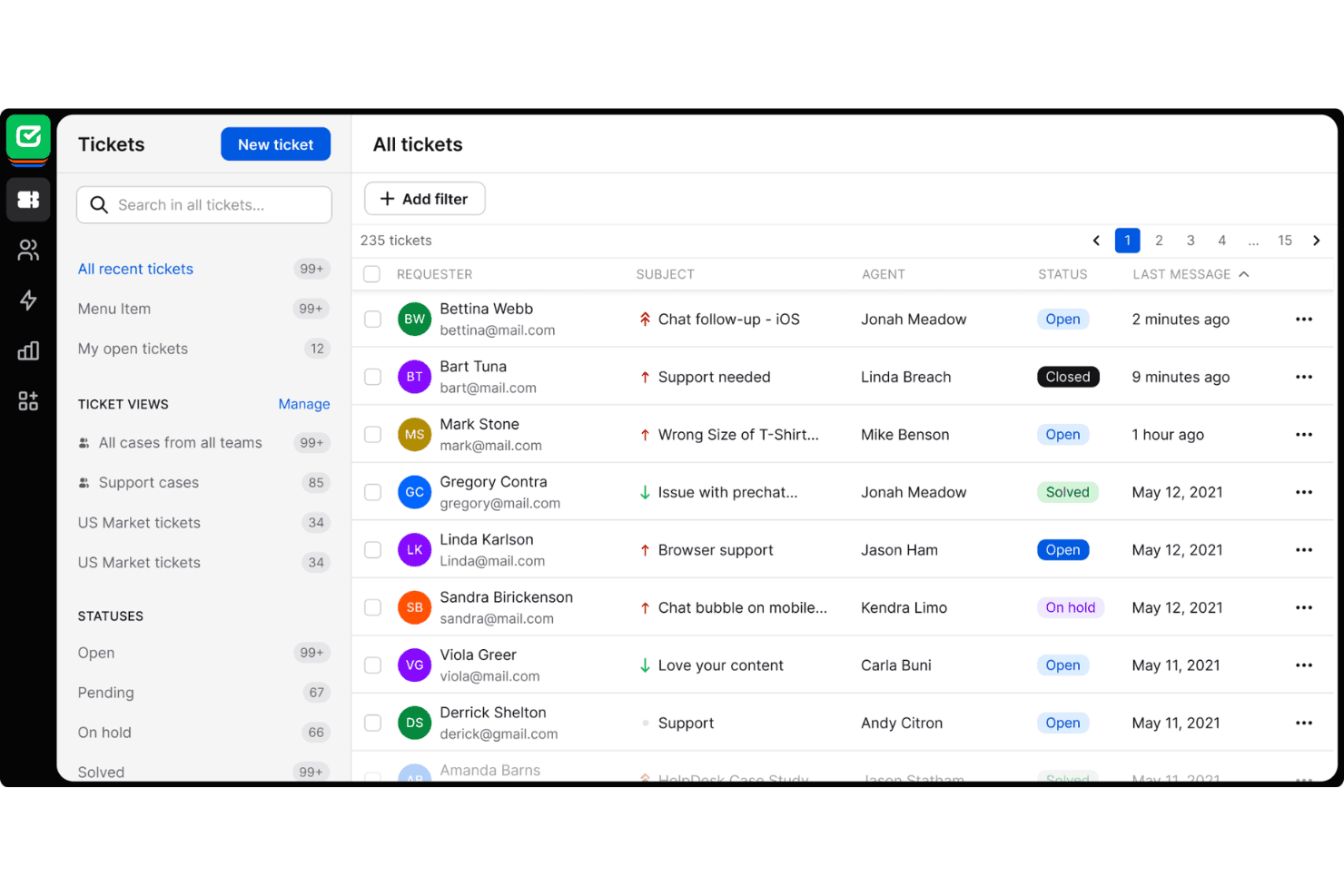
HelpDesk is one of the easier help desk tools to adopt, especially for teams moving from shared email. Reviewers praise its clean interface, while email, chat, Messenger, and SMS tickets stay in one queue. Round-robin assignment and collision detection clarify ownership, and no-code workflows avoid scripting. AI drafts, summaries, and tagging also reduce repetitive work. Usability declines on lower tiers when teams need deeper reporting, custom fields, or advanced controls.
Integrations
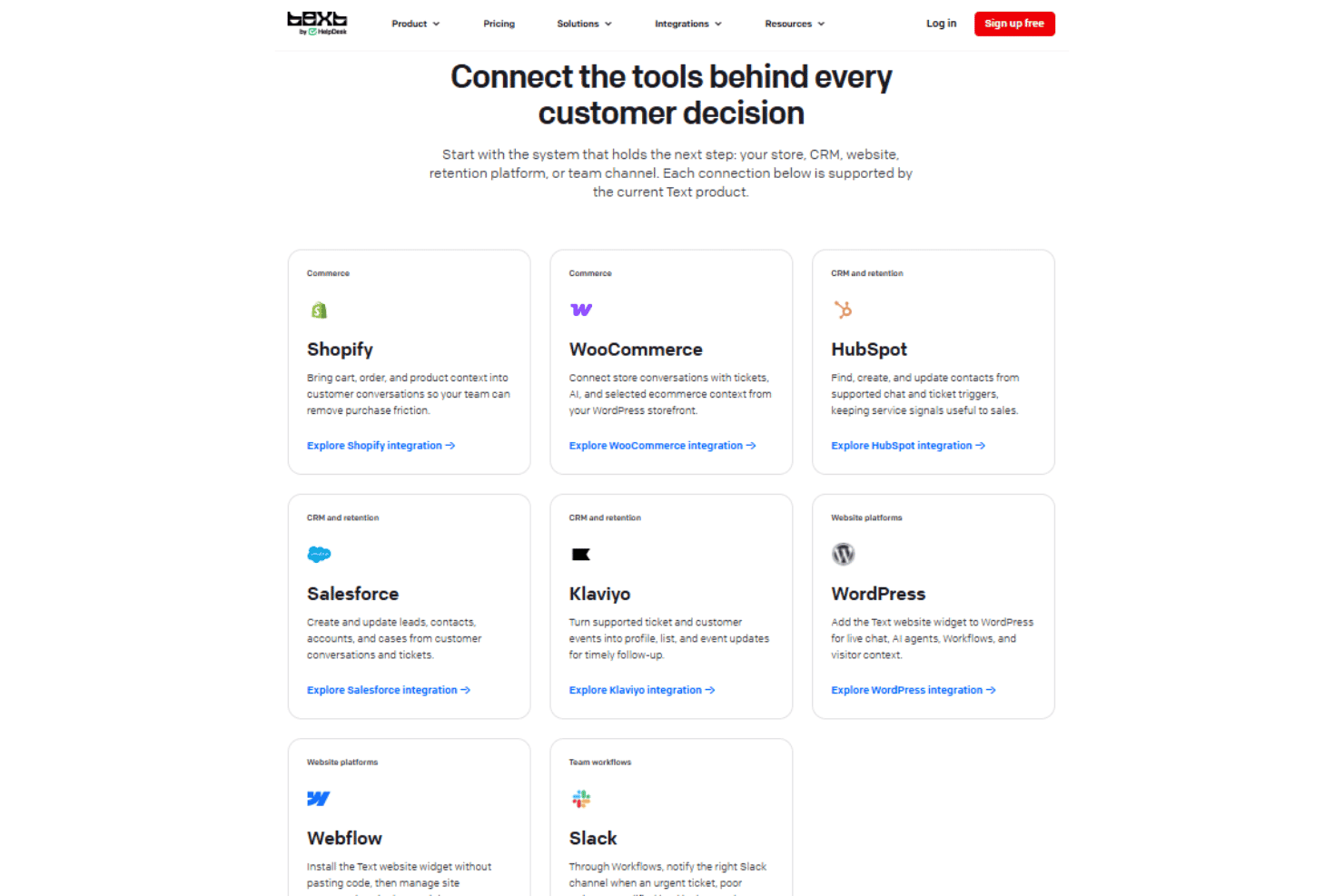
HelpDesk integrates with Shopify, WooCommerce, HubSpot, Salesforce, Klaviyo, WordPress, Webflow, and Slack.
HelpDesk also offers an API and webhooks, and connects with third-party integration tools such as Zapier.
HelpDesk Specs
- Analytics: Yes
- API: Yes
- Call Integration: Yes
- Chat: Yes
- Contact Management: Yes
- CRM Integration: Yes
- Customer Management: Yes
- Dashboard: Yes
- Data Export: Yes
- Data Import: Yes
- Data Visualization: Yes
- Email Integration: Yes
- External Integrations: Yes
- Instant Chat Integration: Yes
- Knowledge Base: Yes
- Lead Management: Yes
- Lead Scoring: Yes
- Multi-User: Yes
- Notifications: Yes
- Real-time Alerts: Yes
- Scheduling: Yes
- Self-service Portal: Yes
- Social Media Integration: Yes
- Support Forum: Yes
- Ticket Management: Yes
- Workflow Management: Yes


