

Jira Service Management-beoordeling 2026: deskundige mening
Atlassian Jira Service Management voorziet je team van efficiënte servicemanagementmogelijkheden en onderscheidt zich door zijn flexibiliteit en integratieopties.

We review tools independently, and commissions help fund our testing. See our transparency policy, our methodology, or suggest a tool.
Jira Service Management is a service management software built for IT and DevOps teams that need to handle incident management, change requests, and service requests in one place. It's worth a close look if your team already works in the Atlassian ecosystem and needs tight alignment between development and IT operations. Compared to ServiceNow, JSM delivers most of the same ITSM capabilities at a lower cost and with a faster setup—without requiring a dedicated implementation partner to get it running.
Jira Service Management Evaluation Summary

4/5
- From $25/user/month
- Free plan + 14-day free trial available
Waarom u onze softwareaanbevelingen kunt vertrouwen
6,700+
Reviews
20
Industry experts
16+
Evaluation factors
14
Years
Ons team test en beoordeelt software sinds 2012. Als technologieleiders weten we zelf hoe moeilijk — en belangrijk — het is om de juiste software te kiezen.
Voor deze gids hebben we tools geëvalueerd met behulp van praktijktests en onafhankelijk onderzoek, waarbij we tools beoordeeden aan de hand van onze selectiecriteria.
Onze reviews weerspiegelen ons menselijke redactionele oordeel, geen verkooppraatje.
Deskundige beoordelaars:
- Paulo Gardini MiguelTechnisch directeur
 Tim FisherVP AI
 Gabriel RosasTech Lead & software-architect
 Christhian GruhnTech Lead & platformarchitect

Jira Service Management Overview
Jira Service Management excels with its robust integration capabilities, making it a top choice for teams needing seamless collaboration.
Pros
- Highly customizable workflows, automations, forms, and service processes.
- Deep integration with the Atlassian ecosystem and development tools.
- Strong incident management, on-call scheduling, and alerting capabilities.
Cons
- Steeper learning curve for administrators and new users.
- Configuration and ongoing administration can become time-consuming.
- Best experience often depends on broader Atlassian adoption.
Is Jira Service Management Right For Your Needs?
Who Would be a Good Fit for Jira Service Management?
If your team manages IT services or works in customer support, Atlassian Jira Service Management is a great fit. It suits industries like technology and finance where quick response times are crucial. Its customizable workflows and strong collaboration tools make it ideal for teams needing flexible processes. Large departments with complex service management needs will benefit from its comprehensive features, helping you streamline tasks and improve efficiency.
- Large EnterprisesIt provides the scalability and comprehensive tools needed for managing extensive service operations.
- Atlassian Ecosystem UsersIf you're already using tools like Jira Software, Confluence, or Bitbucket, it integrates seamlessly into your existing workflows.
- On-Premise or Data Center EnvironmentsSupports organizations that require on-premise or self-managed deployments for compliance or infrastructure control.
- DevOps and Engineering TeamsNative connections to Jira Software, Bitbucket, and development workflows help bridge IT operations and software delivery.
- Highly Customizable Workflow Needs (JQL Users)Ideal for teams that need granular control and are comfortable using JQL and advanced configurations to tailor the platform.
- IT DepartmentsYour IT team can leverage its robust incident management features to resolve issues swiftly.
Who Would be a Bad Fit for Jira Service Management?
Small businesses or teams with limited resources might struggle with Atlassian Jira Service Management. Its complex interface and steep learning curve can overwhelm those without dedicated IT support. If your team doesn't require extensive customization or advanced features, you might find its capabilities excessive. Organizations needing quick setup and straightforward processes may find it more cumbersome than beneficial.
- Small StartupsIts complexity and resource demands can be overwhelming for small teams with fewer resources.
- Non-Technical TeamsIf your team lacks technical expertise, the learning curve may hinder effective use.
- Simple OperationsFor straightforward tasks, its advanced features may be more than you need.
- Retail BusinessesIt might not align well with the fast-paced, customer-facing nature of retail operations.
- Single-Person DepartmentsA solo operator won't likely benefit from its collaboration-focused features.
- Ad-Hoc ProjectsIf your work involves informal, quick-turnaround projects, its structured approach may slow you down.
Our Review Methodology
How We Test & Score Tools
We’ve spent years building, refining, and improving our software testing and scoring system. The rubric is designed to capture the nuances of software selection and what makes a tool effective, focusing on critical aspects of the decision-making process.
Below, you can see exactly how our testing and scoring works across seven criteria. It allows us to provide an unbiased evaluation of the software based on core functionality, standout features, ease of use, onboarding, customer support, integrations, customer reviews, and value for money.
Core Functionality (25% of final scoring)
The starting point of our evaluation is always the core functionality of the tool. Does it have the basic features and functions that a user would expect to see? Are any of those core features locked to higher-tiered pricing plans? At its core, we expect a tool to stand up against the baseline capabilities of its competitors.
Standout Features (25% of final scoring)
Next, we evaluate uncommon standout features that go above and beyond the core functionality typically found in tools of its kind. A high score reflects specialized or unique features that make the product faster, more efficient, or offer additional value to the user.
We also evaluate how easy it is to integrate with other tools typically found in the tech stack to expand the functionality and utility of the software. Tools offering plentiful native integrations, 3rd party connections, and API access to build custom integrations score best.
Ease of Use (10% of final scoring)
We consider how quick and easy it is to execute the tasks defined in the core functionality using the tool. High scoring software is well designed, intuitive to use, offers mobile apps, provides templates, and makes relatively complex tasks seem simple.
Onboarding (10% of final scoring)
We know how important rapid team adoption is for a new platform, so we evaluate how easy it is to learn and use a tool with minimal training. We evaluate how quickly a team member can get set up and start using the tool with no experience. High scoring solutions indicate little or no support is required.
Customer Support (10% of final scoring)
We review how quick and easy it is to get unstuck and find help by phone, live chat, or knowledge base. Tools and companies that provide real-time support score best, while chatbots score worst.
Customer Reviews (10% of final scoring)
Beyond our own testing and evaluation, we consider the net promoter score from current and past customers. We review their likelihood, given the option, to choose the tool again for the core functionality. A high scoring software reflects a high net promoter score from current or past customers.
Value for Money (10% of final scoring)
Lastly, in consideration of all the other criteria, we review the average price of entry level plans against the core features and consider the value of the other evaluation criteria. Software that delivers more, for less, will score higher.
Core Features
Incident Management
It helps your team respond to incidents quickly and efficiently, minimizing downtime. You can track, manage, and resolve issues with full visibility into your processes.
Change Management
This feature allows you to manage changes with minimal risk. It provides a structured workflow to help your team implement changes smoothly.
Service Request Management
You can handle customer requests effectively with a streamlined request process. This feature ensures that your team meets user needs promptly.
Problem Management
Identify and manage the root cause of incidents to prevent future issues. It supports proactive problem-solving by analyzing incident patterns.
Asset Management
Track and manage your assets through their lifecycle. This feature gives you a clear view of your resources, helping you plan and allocate effectively.
Knowledge Management
Create and share knowledge articles to empower your team and users. It facilitates self-service and reduces the workload on your service desk.
Ease of Use
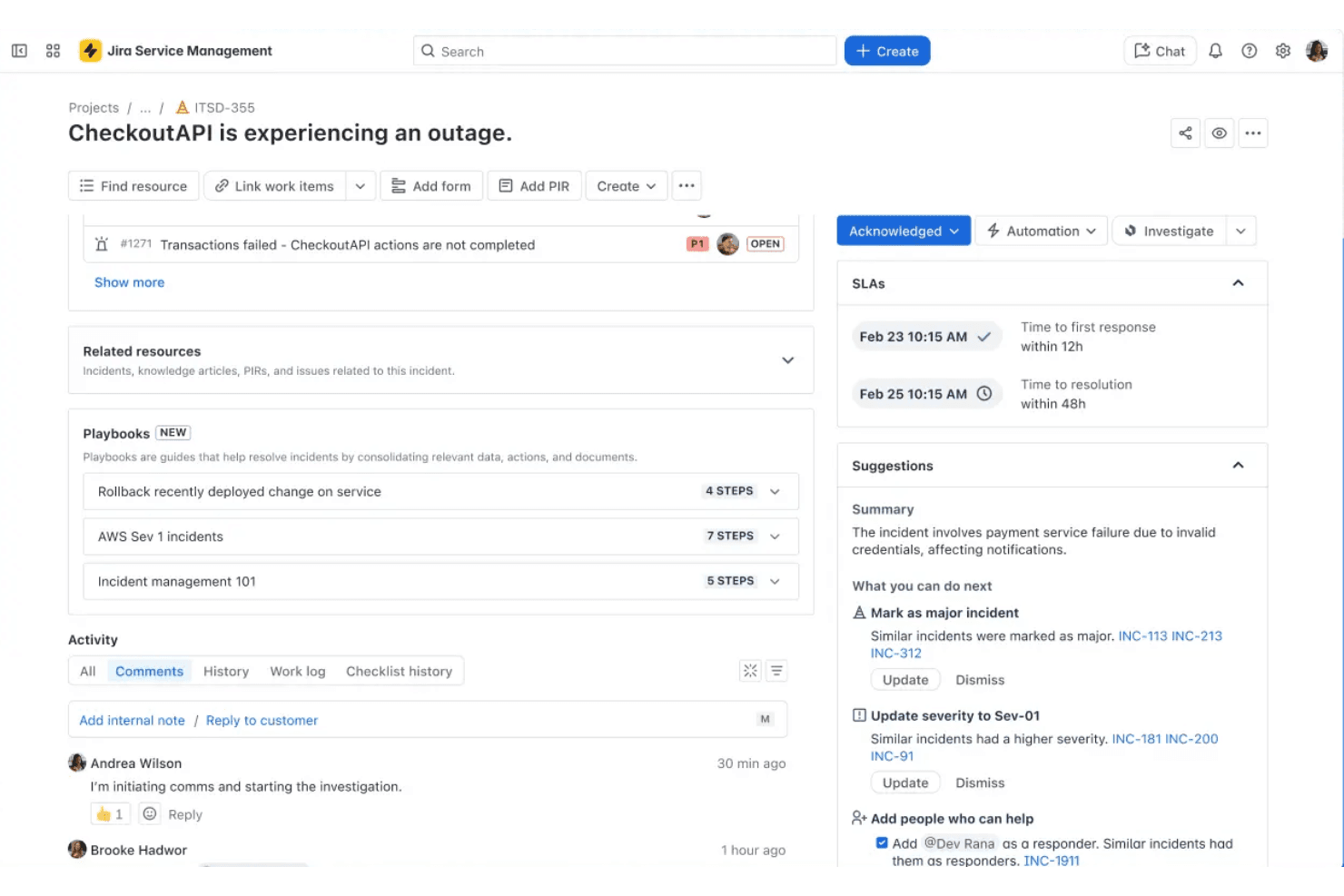
Jira Service Management offers a range of powerful features, but its complexity can be daunting for new users. The interface is rich with options, which might overwhelm those without technical expertise. While its customization capabilities are a strength, they can complicate initial setup and navigation. Once you get familiar with the system, however, you'll find its robust functionality supports efficient service management. Your team may need time to adjust, but the long-term benefits are worthwhile.
Integrations
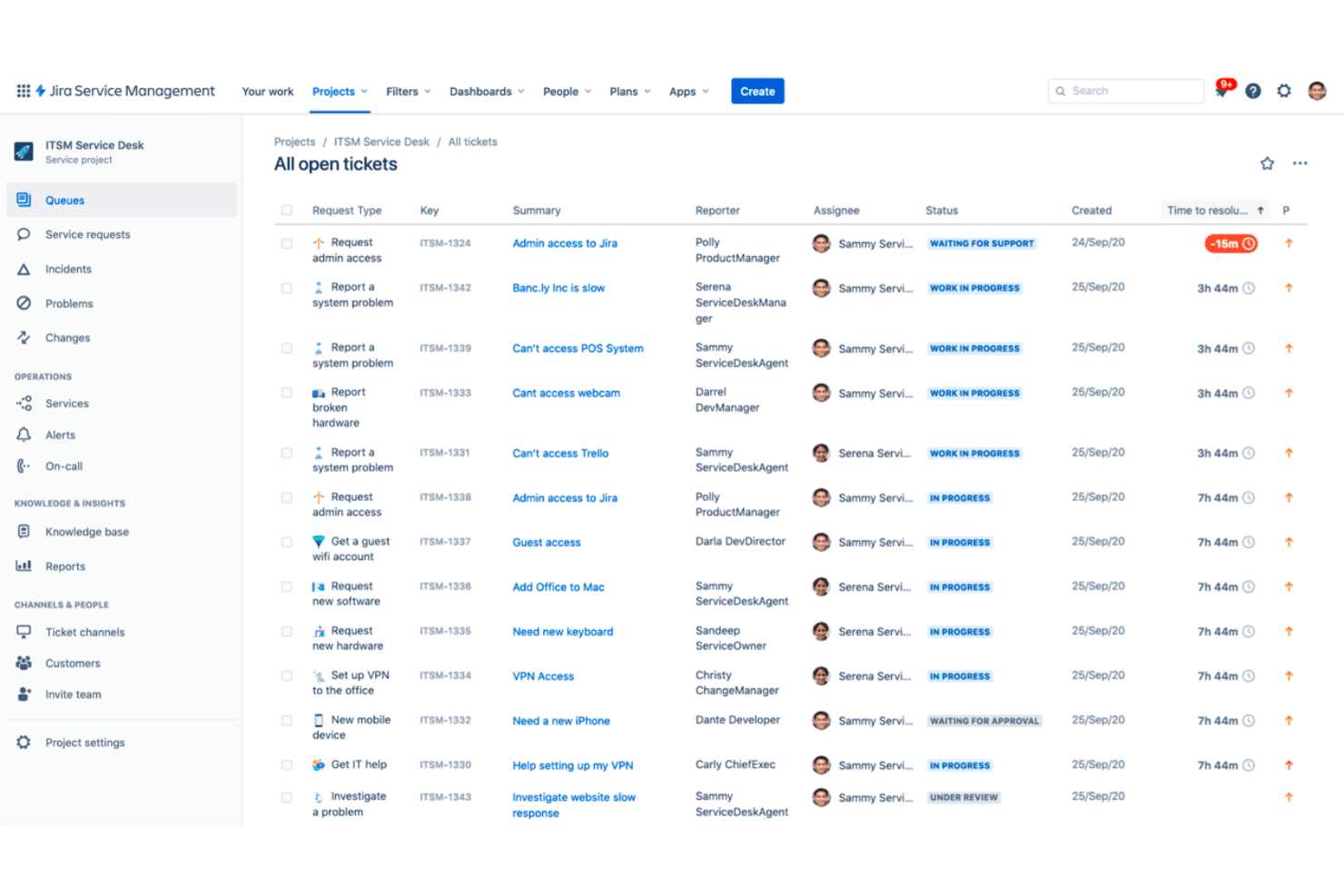
Integrations include Slack, Microsoft Teams, Confluence, Zendesk, ServiceNow, Zoom, Trello, GitHub, Bitbucket, Opsgenie, PagerDuty, and Jira Software.
Jira Service Management Specs
- 2-Factor Authentication: Yes
- Analytics: Yes
- Anti-Virus: No
- API: Yes
- Batch Permissions & Access: Yes
- Bug Tracking: Yes
- Call Integration: Yes
- Chat: Yes
- Contact Management: Yes
- CRM Integration: Yes
- Customer Management: Yes
- Data Export: Yes
- Data Import: Yes
- Email Integration: Yes
- Escalation Management: Yes
- External Integrations: Yes
- Incident Management: Yes
- Instant Chat Integration: Yes
- Knowledge Base: Yes
- Malware Protection: No
- Multi-User: Yes
- Notifications: Yes
- Organization Management: Yes
- Password & Access Management: Yes
- Project Management: Yes
- Real-time Alerts: Yes
- SAP Integration: Yes
- Self-service Portal: Yes
- Social Media Integration: Yes
- Support Forum: Yes
- Ticket Management: Yes
- Workflow Management: Yes
Alternatives to Jira Service Management


Jira Service Management FAQs
Wat is de volgende stap?
Vergroot je SaaS-groei en leiderschapsvaardigheden. Abonneer je op onze nieuwsbrief voor de nieuwste inzichten van CTO's en ambitieuze technologieleiders. We helpen je slimmer op te schalen en sterker leiding te geven met handleidingen, hulpmiddelen en strategieën van toonaangevende experts!