

Verktøy for sporing av ML-eksperimenter hjelper deg med å loggføre, organisere og sammenligne maskinlæringseksperimenter, slik at du kan håndtere resultater og gjenskape funn med trygghet. Hvis du ser etter praktiske måter å spore eksperimenter på, dele fremdrift med teamet ditt eller holde modellene og datasettene dine organisert, kan det rette verktøyet utgjøre en stor forskjell.
I denne listen finner du løsninger som er tilpasset ulike tekniske stakker og arbeidsflyter. De hjelper deg med å redusere friksjon, forenkle rapporteringen og fokusere på pålitelig håndtering av maskinlæringseksperimenter.
Why Trust Our Software Recommendations
6,700+
Reviews
20
Industry experts
16+
Evaluation factors
14
Years
Our team has been testing and reviewing software since 2012. As tech leaders ourselves, we know how difficult—and important—it is to choose the right software.
For this guide, we evaluated tools using hands-on testing and independent research, scoring tools using our selection criteria.
Our reviews reflect our human editorial judgment, not a sales pitch.
Expert reviewers:
- Paulo Gardini MiguelTech Director
 Tim FisherVP of AI
 Gabriel RosasTech Lead & Software Architect
 Christhian GruhnTech Lead & Platform Architect

Sammenligningstabell for verktøy for sporing av ML-eksperimenter
Denne sammenligningstabellen oppsummerer prisopplysningene for mine beste utvalgte verktøy for sporing av ML-eksperimenter:
| Tool | Best For | Trial Info | Price | ||
|---|---|---|---|---|---|
| 1 | Best for real-time experiment comparison | Free plan available | From $19/user/month | Website | |
| 2 | Best for customizable visualization dashboards | Free plan available | From $60/month | Website | |
| 3 | Best for automatic versioning for pipelines | 14-day free trial available | Pricing upon request | Website | |
| 4 | Best for automatic pipeline orchestration | Free plan available | From $15/user/month | Website | |
| 5 | Best for open-source model lifecycle support | Free plan available | Pricing upon request | Website | |
| 6 | Best for native support for Google Cloud tools | Free plan available | Pricing upon request | Website | |
| 7 | Best for integration with deep learning frameworks | Free forever plan available | Free forever (open-source) | Website | |
| 8 | Best for enterprise-grade security and compliance | 30-day free trial available | Pricing upon request | Website | |
| 9 | Best for Kubernetes-native workflow management | Free plan available | Free to use | Website | |
| 10 | Best for integration with AWS cloud ecosystem | Free plan available | From $0.04/credit | Website |


Anmeldelser av de beste verktøyene for sporing av ML-eksperimenter
Nedenfor finner du mine detaljerte sammendrag av de beste verktøyene for sporing av ML-eksperimenter som kom med på kortlisten min. Anmeldelsene mine gir et detaljert innblikk i funksjonene, integrasjonene og de beste bruksområdene for hver plattform, slik at du kan finne den som passer best for deg.
 Best for real-time experiment comparison
- Free plan available
- From $19/user/month
Visit WebsiteCustomer Rating:4.4/5
Tracks ML experiments, model performance, and LLM evaluation. Comet is an ML experiment tracking and model evaluation platform that logs metrics, hyperparameters, and artifacts from training runs and extends into LLM observability and agentic AI evaluation through its Opik product.
Who Is Comet Best For?
Comet is a strong fit for ML and AI teams at growth-stage or enterprise companies that run high volumes of experiments and need live visibility into training runs.
Why I Picked Comet
I picked Comet as one of the best because its live experiment tracking dashboard updates metrics as training runs, so my team can spot a diverging loss curve and kill a bad run before it wastes compute. I also use its side-by-side experiment comparison view to filter across dozens of runs by hyperparameter value and immediately isolate which configuration drove the best validation accuracy. On top of classical MLOps, Comet now extends into LLM evaluation through Opik, which means I'm not switching tools when moving from model training to production agent monitoring.
Comet Key Features
- Model registry: Store, version, and manage trained models in a centralized registry with stage labels like staging and production.
- Artifact logging: Log and version datasets, images, confusion matrices, and audio files directly alongside experiment runs.
- Custom panels: Build custom visualizations inside the Comet UI using JavaScript to go beyond default metric charts.
- System metrics tracking: Automatically captures GPU utilization, CPU load, and memory usage for every run without additional instrumentation.
Comet Integrations
Comet offers 30+ native integrations, including PyTorch, TensorFlow, Keras, Scikit-learn, XGBoost, Hugging Face Transformers, Ray, Kubeflow, Snowflake, and Vertex AI. It's available on Zapier and provides a REST API along with Python, Java, JavaScript, and R SDKs for custom integrations.
Pros and Cons
Pros:
- Tracks both ML experiments and LLMs
- Real-time training run visualization
- Automatic metric logging with minimal code
Cons:
- UI customization options are limited
- Pro plan caps teams at 10 users
Learn more about Comet: Best for customizable visualization dashboards
- Free plan available
- From $60/month

Weights and Biases tracks ML experiments, metrics, and compares model runs. Weights & Biases is an ML experiment tracking platform that logs metrics, hyperparameters, and model checkpoints and lets you visualize and compare runs through interactive dashboards.
Who Is Weights & Biases Best For?
Weights & Biases is a strong fit for data scientists and ML engineers who run frequent experiments and need detailed run comparisons across large teams.
Why I Picked Weights & Biases
Weights & Biases is one of my top picks because I love how far it goes with customizable visualization dashboards. I can pull live GPU utilization, loss curves, and sample predictions into a single interactive dashboard during a training run, which makes spotting bottlenecks fast. The Sweeps feature lets me visualize hyperparameter search results directly alongside my experiment metrics, so I'm comparing everything in one view. Reports also let my team annotate and share those dashboards without leaving the platform.
Weights & Biases Key Features
- Artifacts: Version and track datasets, models, and evaluation results across experiment runs.
- Model registry: Centralize trained models and link them directly to the experiments that produced them.
- Run grouping: Organize related runs into groups to compare results across training configurations.
- Alerts: Set automated notifications for metric thresholds, run failures, or job completion events.
Weights & Biases Integrations
Weights & Biases offers native integrations with PyTorch, Keras, TensorFlow, Scikit-learn, XGBoost, Hugging Face Transformers, and PyTorch Lightning, plus LLM tools like LangChain and LlamaIndex. It also integrates with Kubeflow, Jenkins, Airflow, GitHub Actions, AWS SageMaker, and Google Vertex AI. An API and Python SDK are available for custom integrations.
Pros and Cons
Pros:
- Rich collaborative reports with embedded charts
- Automatic git commit and config logging
- Real-time metric streaming to live dashboards
Cons:
- Documentation gaps around basic functionality
- Web UI slows with many parallel runs
Learn more about Weights & Biases: Best for automatic versioning for pipelines
- 14-day free trial available
- Pricing upon request

Valohai offers an ML platform for experiment tracking and model training. Valohai is an ML platform that combines automatic experiment tracking, dataset versioning, model lineage, and cloud compute orchestration for teams building and training models at scale.
Who Is Valohai Best For?
Valohai is a strong fit for ML engineering teams at mid-size to enterprise companies that run frequent training jobs across multiple cloud environments.
Why I Picked Valohai
I picked Valohai as one of the best because automatic versioning is genuinely baked into every run. Metrics, metadata, logs, and hyperparameters are versioned without any manual tagging, so I never have to reconstruct what ran when. I also like that Valohai tracks full dataset and model lineage, meaning I can trace exactly which dataset version produced any given model. Every run is reproducible by design, which removes the guesswork that kills experiment audits.
Valohai Key Features
- Comparative experiment view: Displays multiple runs side by side, letting you compare hyperparameters, metrics, and outputs across experiments in a single table.
- Pipeline builder: A visual editor for constructing multi-step ML pipelines, where each node maps to a versioned execution step.
- Cloud compute orchestration: Automatically provisions and terminates cloud instances across AWS, GCP, or Azure for each training run.
- Deployment triggers: Promotes trained models directly to a serving endpoint from within the same platform used for training.
Valohai Integrations
Valohai offers a small set of prebuilt integrations through its Ecosystem library, including connectors for Snowflake, BigQuery, and Redshift, a Hugging Face template, and integrations with Slurm and OVHcloud. It runs on AWS, GCP, Azure, and Oracle Cloud Infrastructure, and provides a REST API for building custom integrations.
Pros and Cons
Pros:
- Full lineage traces from model to dataset
- Runs on any cloud or on-prem hardware
- Logs metrics from printed JSON automatically
Cons:
- The main experiment view feels visually underwhelming
- Wrapping scripts into the Valohai format takes effort
Learn more about Valohai: Best for automatic pipeline orchestration
- Free plan available
- From $15/user/month

Open-source MLOps platform for ML tracking, pipelines, and model management. ClearML is an open-source MLOps platform that covers experiment tracking, dataset versioning, model management, and pipeline orchestration across the full machine learning lifecycle.
Who Is ClearML Best For?
ClearML is a strong fit for ML engineers and data scientists at organizations that self-host their MLOps infrastructure and need full control over their pipelines.
Why I Picked ClearML
ClearML earns its spot on my shortlist because its automatic pipeline orchestration is genuinely hands-off. When I add a job to a queue, ClearML containerizes it with its full environment and handles all scheduling and resource management automatically. I don't rewrite code to shift between on-prem, cloud, or HPC clusters. I also like that cached pipeline components let me skip redundant steps on re-runs, which cuts cycle time significantly on iterative training workflows.
ClearML Key Features
- Experiment auto-logging: Automatically captures metrics, hyperparameters, console output, and source code from every training run without added instrumentation.
- ClearML Data versioning: Version and manage datasets with full lineage tracking, linking each dataset version directly to the experiments that used it.
- Model registry: Store, label, and retrieve trained models with version control and stage tagging across the full development lifecycle.
- Hyperparameter optimization: Run automated HPO searches across experiments using built-in search strategies like Bayesian optimization and random search.
ClearML Integrations
ClearML offers native integrations with PyTorch, TensorFlow, Keras, Scikit-learn, XGBoost, Hugging Face Transformers, FastAI, Optuna, and Hydra, plus visualization tools like Matplotlib and TensorBoard. An API and Python SDK are available for custom integrations.
Pros and Cons
Pros:
- Modular design lets you adopt individual components
- Auto-logs code, datasets, and hyperparameters without instrumentation
- Self-hostable open-source server eliminates subscription costs
Cons:
- Navigation across modules feels disjointed at scale
- Documentation gaps slow onboarding for new users
Learn more about ClearML: Best for open-source model lifecycle support
- Free plan available
- Pricing upon request

MLflow tracks ML experiments, model versions, and deployment. MLflow is an open-source ML experiment tracking platform that covers the full model lifecycle, from experiment logging and run comparison to model packaging, versioning, and deployment.
Who Is MLflow Best For?
MLflow is a natural fit for ML engineers and data scientists at organizations that self-host their tooling and want full control over their experiment tracking infrastructure without vendor lock-in.
Why I Picked MLflow
MLflow earns its spot on my shortlist because it covers the entire model lifecycle in one open-source framework. I use the MLflow Tracking API to log parameters, metrics, and artifacts across runs, then the Model Registry to version and transition models from development through production. What I really value is that I can package models using MLflow's standard format and deploy them to any target without rewriting serving code.
MLflow Key Features
- Autologging: Automatically captures parameters, metrics, and artifacts from supported libraries like Scikit-learn, XGBoost, and PyTorch without manual logging calls.
- Run comparison UI: Visualize and compare metrics across multiple training runs side by side in MLflow's built-in web interface.
- MLflow Projects: Packages ML code with its dependencies and entry points so any run can be reproduced exactly on any machine.
- Plugin system: Extends MLflow's tracking, storage, and deployment behavior through community-built plugins without modifying core code.
MLflow Integrations
MLflow offers 60+ built-in integrations including PyTorch, TensorFlow, Scikit-learn, XGBoost, LightGBM, Hugging Face Transformers, LangChain, LlamaIndex, and OpenAI. It also supports AWS SageMaker, Azure ML, Databricks, and OpenTelemetry. A REST API and Python SDK are available for custom integrations.
Pros and Cons
Pros:
- Self-hostable on any infrastructure
- Full model versioning with stage transitions
- Framework-agnostic logging across ML libraries
Cons:
- Limited built-in hardware profiling visualization
- Requires DevOps effort for production setup
Learn more about MLflow: Best for native support for Google Cloud tools
- Free plan available
- Pricing upon request
Visit WebsiteCustomer Rating:4.3/5
Vertex AI unifies ML training, tracking, tuning, and deployment. Built on Google Cloud, Vertex AI is a managed ML platform that covers experiment tracking, dataset versioning, model training, hyperparameter tuning, and model deployment within a unified environment.
Who Is Vertex AI Best For?
Vertex AI is a natural fit for ML engineering teams running workloads on Google Cloud Platform who need experiment tracking that stays within their existing GCP infrastructure.
Why I Picked Vertex AI
Vertex AI earns its spot on my shortlist because its experiment tracking connects natively to the rest of Google Cloud in ways that genuinely change how my team works. Vertex AI Experiments logs runs directly alongside Vertex AI Pipelines, so I can trace any model back to the exact pipeline run that produced it. I also use Vertex AI TensorBoard, which is fully managed within GCP, meaning there's no separate instance to spin up or maintain.
Vertex AI Key Features
- Vertex ML Metadata: Tracks artifacts, executions, and lineage across every ML workflow automatically.
- Vertex AI Model Registry: Version, stage, and manage trained models with full metadata attached to each entry.
- Vertex AI Workbench: Managed Jupyter notebook environment for running and iterating on training experiments directly in GCP.
- Vertex AI Vizier: A standalone hyperparameter tuning service that runs optimization jobs against any training workload.
Vertex AI Integrations
Vertex AI integrates natively across the Google Cloud ecosystem, including BigQuery, Cloud Storage, Dataflow, Pub/Sub, Cloud Functions, Artifact Registry, and Cloud Logging. It also connects with TensorFlow, PyTorch, scikit-learn, and XGBoost. An API is available for custom integrations, and it connects with Zapier.
Pros and Cons
Pros:
- Direct BigQuery access for training data
- Managed TensorBoard eliminates self-hosted setup
- Autologging captures metrics with one line
Cons:
- Complex pipeline debugging requires deep GCP knowledge
- Tightly coupled to the Google Cloud ecosystem
Learn more about Vertex AI: Best for integration with deep learning frameworks
- Free forever plan available
- Free forever (open-source)
TensorFlow (Google's open-source framework) offers AI model development. TensorFlow is an open-source machine learning framework from Google that covers model design, training, evaluation, and deployment across deep learning and neural network workflows.
Who Is TensorFlow Best For?
TensorFlow is a natural fit for research teams and ML engineers building and training deep learning models at scale, particularly in production environments.
Why I Picked TensorFlow
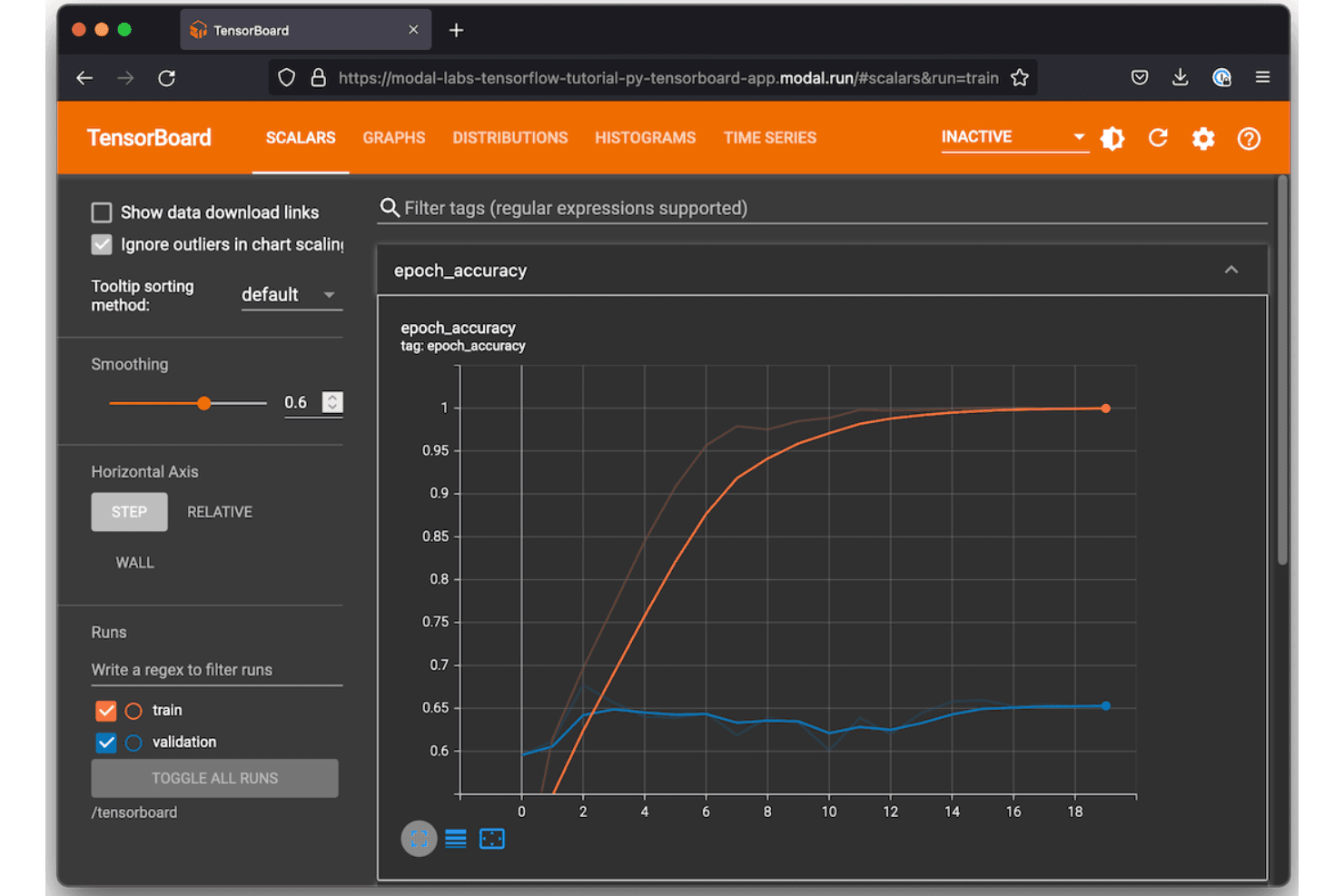
I've included TensorFlow in my top picks because its native Keras API lets me build and iterate on deep learning architectures without switching contexts or frameworks. I also rely on TensorBoard directly within TensorFlow to track training metrics, visualize computation graphs, and compare runs side by side. TensorFlow Hub gives me access to pre-trained models I can fine-tune, which cuts down significantly on training time for transfer learning experiments.
TensorFlow Key Features
- TensorFlow Extended (TFX): A production ML pipeline framework for orchestrating data validation, transformation, training, and model evaluation steps.
- tf.data API: Builds scalable input pipelines for loading, preprocessing, and batching datasets during model training runs.
- TensorFlow Serving: Deploys trained models to production via REST or gRPC endpoints without modifying model code.
- SavedModel format: Serializes trained models with full computation graphs and weights for reproducible reloading and sharing.
TensorFlow Integrations
TensorFlow is an open-source framework rather than a SaaS platform, so it doesn't offer traditional native integrations with third-party tools. Instead, its ecosystem includes built-in libraries like TensorBoard, TFX, TensorFlow.js, TensorFlow Serving, Keras, and ML Metadata that handle experiment tracking, pipeline orchestration, and model deployment within the framework itself. Third-party experiment tracking tools like MLflow and Weights & Biases provide their own integrations with TensorFlow, and a Python API is available for custom extensions.
Pros and Cons
Pros:
- Deploys across CPUs, GPUs, and TPUs
- Built-in hyperparameter tuning and optimization tools
- Real-time visualization of training metrics and graphs
Cons:
- Stores data locally without built-in collaboration
- TensorBoard slows down with many experiments
Learn more about TensorFlow: Best for enterprise-grade security and compliance
- 30-day free trial available
- Pricing upon request

Azure Machine Learning manages ML experiments, pipelines, AutoML, and models. Azure Machine Learning is Microsoft's cloud-based ML platform covering experiment tracking, pipeline orchestration, automated ML, and a centralized model registry within the Azure ecosystem.
Who Is Azure Machine Learning Best For?
Azure Machine Learning is a strong fit for enterprise ML teams in regulated industries that need audit trails, role-based access controls, and compliance with standards like HIPAA or SOC 2.
Why I Picked Azure Machine Learning
I've included Azure Machine Learning in my top picks because its security controls go deeper than most ML platforms. My team can lock down experiment workspaces using Azure Role-Based Access Control, enforce private endpoints for network isolation, and tie every training run to a managed identity. I also rely on its built-in compliance coverage across HIPAA, ISO 27001, and SOC 2, which means audit documentation for experiment runs doesn't require extra tooling.
Azure Machine Learning Key Features
- MLflow-compatible experiment tracking: Log metrics, parameters, and artifacts using the MLflow API directly within Azure ML workspaces.
- Automated ML: Runs automated model selection and hyperparameter sweeps across multiple algorithms without manual configuration.
- Model registry: Stores versioned models with linked run metadata, making it easy to trace which experiment produced each registered model.
- Azure ML designer: A drag-and-drop pipeline canvas for building and visualizing multi-step training workflows without writing code.
Azure Machine Learning Integrations
Azure Machine Learning integrates natively across the Microsoft ecosystem, including Azure Synapse Analytics, Azure SQL Database, Azure Blob Storage, Azure Key Vault, Azure Arc, and Microsoft Purview. It also supports MLflow, Git, GitHub Actions, Azure DevOps, Azure Event Grid, and Apache Airflow for CI/CD and pipeline orchestration. An API and Python SDK are available for custom integrations.
Pros and Cons
Pros:
- Tracks experiments from local or multi-cloud environments
- Built-in concept and model drift monitoring
- MLflow-compatible workspaces without cloud-specific syntax
Cons:
- Slower adoption of newer MLflow 3.x features
- Many overlapping concepts slow initial team onboarding
Learn more about Azure Machine Learning:

Kubeflow offers an open-source ML platform for Kubernetes workflows. Kubeflow is an open-source ML platform built on Kubernetes that covers pipeline orchestration, experiment tracking, model training, and hyperparameter tuning natively within containerized infrastructure.
Who Is Kubeflow Best For?
Kubeflow is a natural fit for ML engineering teams that already run workloads on Kubernetes and want to keep their experiment tracking infrastructure on the same platform.
Why I Picked Kubeflow
Kubeflow earns its spot on my shortlist because it maps every pipeline step directly to a Kubernetes pod, giving experiment runs the same resource controls as any other cluster workload. I use Kubeflow Pipelines to version and replay training runs without stepping outside the Kubernetes environment. Its Katib component runs parallel hyperparameter tuning trials as native Kubernetes jobs, with no separate infrastructure required.
Kubeflow Key Features
- Multi-user namespace isolation: Separates experiments and pipelines by team or project using Kubernetes namespace-level access controls.
- Kubeflow Notebooks: Launches Jupyter notebook servers directly in the cluster, keeping data exploration within the same environment as training runs.
- Artifact lineage tracking: Records inputs, outputs, and metadata for each pipeline step, linking datasets and models back to specific runs.
- Training Operator: Manages distributed training jobs across frameworks like PyTorch, TensorFlow, and XGBoost as native Kubernetes custom resources.
Kubeflow Integrations
Kubeflow doesn't offer traditional native integrations; instead, it works within the Kubernetes ecosystem and supports ML frameworks like TensorFlow, PyTorch, JAX, XGBoost, HuggingFace, and Apache Spark through its subproject operators. You can also deploy it on managed Kubernetes services from AWS, Google Cloud, Microsoft Azure, and Red Hat OpenShift.
Pros and Cons
Pros:
- Parallel hyperparameter tuning via the Katib component
- Pipeline versioning tracks every training run
- Runs experiments directly on Kubernetes pods
Cons:
- UI feels dated compared to commercial alternatives
- Cluster setup demands deep Kubernetes expertise
Learn more about Kubeflow: Best for integration with AWS cloud ecosystem
- Free plan available
- From $0.04/credit

Amazon SageMaker manages ML training, tuning, and deployment. Amazon SageMaker is a fully managed ML platform on AWS that covers experiment tracking, model training, hyperparameter tuning, model registry, and deployment across the full machine learning lifecycle.
Who Is Amazon SageMaker Best For?
Amazon SageMaker is a natural fit for data science and ML engineering teams already running workloads on AWS infrastructure.
Why I Picked Amazon SageMaker
I've included Amazon SageMaker in my top picks because its experiment tracking is wired directly into the AWS ecosystem in ways that other tools can't replicate. SageMaker Experiments logs runs, parameters, and metrics natively alongside S3 artifact storage and IAM-controlled access, so there's no separate infrastructure to manage. My team also uses SageMaker Pipelines to chain training jobs, evaluations, and model registration into a single auditable workflow without leaving AWS.
Amazon SageMaker Key Features
- SageMaker model registry: Version, approve, and stage trained models with metadata tracking across the full model lifecycle.
- Automatic model tuning: Run hyperparameter optimization jobs using Bayesian, random, or grid search strategies at scale.
- SageMaker Debugger: Monitor training jobs in real time to detect issues like vanishing gradients or overfitting as they happen.
- SageMaker Feature Store: Store, share, and retrieve ML features across training and inference workloads from a centralized repository.
Amazon SageMaker Integrations
Amazon SageMaker integrates natively across the AWS ecosystem, including Amazon S3, Amazon Redshift, AWS Glue, Amazon EMR, Amazon Athena, Amazon ECR, AWS Lambda, Amazon CloudWatch, and MLflow. An API is available for custom integrations.
Pros and Cons
Pros:
- Built-in model monitoring alongside experiment logs
- Automatic checkpointing during long training jobs
- Tracks parameters, data, and code versions per run
Cons:
- Model artifacts use AWS-specific formats, limiting portability
- Unused resources can silently accumulate billing charges
Learn more about Amazon SageMaker:
Andre verktøy for sporing av ML-eksperimenter
Her er noen flere verktøy for sporing av ML-eksperimenter som ikke kom med på kortlisten min, men som likevel er verdt å undersøke:
- 11ZenMLBest for plugin architecture for extensibility
- 12PolyaxonBest for hybrid and on-prem deployment options
- 13DatabricksBest for unified analytics workspace for teams
- 14Domino Data LabBest for central control in collaborative research
- 15iguazioBest for real-time model monitoring at scale
- 16DagsterBest for programmatic data pipeline authoring
How I Evaluate ML Experiment Tracking Tools
I split my evaluation into two layers: what every tool must do (like auto-logging PyTorch runs) and what separates the best tools.
Core Functionality (Table Stakes For This List)
When I'm selecting tools for my list, I rank each one on a scale from 0 (does not offer the functionality) to 5 (excels in this area) for each core functionality listed below. Then, I calculate the tool's total score as a percentage. Each tool needs to achieve a minimum total score of 65% to be considered for inclusion.
- Experiment logging: I check whether the tool auto-captures metrics, hyperparameters, and system-level telemetry from training runs or requires manual SDK instrumentation for every data point.
- Run comparison and visualization: Side-by-side run tables are a starting point, but I look for interactive charts like parallel coordinate plots that help spot patterns across dozens of runs in your ML projects.
- Artifact and model versioning: I evaluate how each tool versions datasets, model checkpoints, and outputs, including whether it links artifacts back to the exact run that produced them.
- ML framework support: The tool should cover frameworks your team actually uses, from PyTorch and TensorFlow to Hugging Face Transformers and XGBoost, with minimal wrapper code.
- Reproducibility and lineage: I look for tools that capture code commits, dependency snapshots, and dataset state together so you can re-run an experiment from six months ago and get the same result.
- Collaboration and sharing: Teams working across time zones need shared workspaces, role-based access, and the ability to comment on or share specific runs without exporting CSVs back and forth.
Once I have a list of tools that meet these criteria, I consider what sets each platform apart.
Differentiating Factors (What Sets Vendors Apart)
Here's how I compare and contrast different vendors:
Standout Features
Hyperparameter optimization is a key differentiator. I look for built-in sweep functionality that automates search across distributed runs and visualizes performance across configurations in one view. Live resource monitoring adds real value too—when you can track GPU and memory utilization mid-training, you catch bottlenecks before a run wastes hours of compute. Collaborative reporting rounds things out for larger teams, where shareable dashboards replace manual spreadsheets and allow data scientists to discuss results with stakeholders without switching tools.
Beyond Features
Deployment flexibility matters more than many teams expect. I evaluate whether a tool supports self-hosted or air-gapped setups for teams working with sensitive IP or regulated data. Scalability is another factor I check—logging thousands of concurrent runs shouldn't degrade query performance or create unpredictable cost spikes. Onboarding experience also sets tools apart, where strong quick-start docs and active community forums mean your team instruments training scripts in hours, not weeks.
Slik velger du verktøy for sporing av ML-eksperimenter
Det er lett å gå seg vill i lange funksjonslister og komplekse prisstrukturer. For å hjelpe deg med å holde fokus mens du arbeider deg gjennom den unike prosessen med å velge programvare, finner du her en sjekkliste over faktorer du bør ha i tankene:
| Faktor | Hva du bør vurdere |
|---|---|
| FaktorSkalerbarhet | Hva du bør vurdereKan verktøyet håndtere mengden og hyppigheten av eksperimentene du forventer etter hvert som teamet og datamengden vokser? |
| FaktorIntegrasjoner | Hva du bør vurdereKan det kobles direkte til de foretrukne ML-rammeverkene, orkestreringsverktøyene og distribusjonssystemene dine? |
| FaktorTilpasningsmuligheter | Hva du bør vurdereKan du tilpasse metadatafelter, trinn i arbeidsflyten og rapportering slik at de passer teamets unike behov? |
| FaktorBrukervennlighet | Hva du bør vurdereVil forskerne og ingeniørene dine oppleve grensesnittet som intuitivt, eller er læringskurven bratt? |
| FaktorImplementering og oppstart | Hva du bør vurdereHvor raskt kan du gå fra kjøp til sporing av det første eksperimentet? Hvilke ressurser kreves for å sette det opp? |
| FaktorKostnad | Hva du bør vurdereEr bruksbasert prising, lagringskostnader eller nødvendige tillegg tydelige og forutsigbare for de forventede behovene dine? |
| FaktorSikkerhetstiltak | Hva du bør vurdereStøtter verktøyet kryptering, detaljerte tilgangstillatelser og autentisering for å beskytte sensitive data? |
| FaktorOverholdelseskrav | Hva du bør vurdereVil verktøyet hjelpe deg med å oppfylle bransje-, kunde- eller geografiske regelverk (SOC 2, ISO 27001, GDPR)? |
Hva er verktøy for sporing av ML-eksperimenter?
Verktøy for sporing av ML-eksperimenter er programvareplattformer som loggfører, organiserer og versjonskontrollerer eksperimenter med maskinlæringsmodeller, inkludert parametere, kode, datasett og måleverdier. Disse verktøyene hjelper teamet ditt med å lagre eksperimenthistorikk, sammenligne resultater og gjenskape tidligere kjøringer fullstendig. Det gjør samarbeid og revisjon enklere etter hvert som prosjektarbeidsflytene blir mer komplekse.
Funksjoner
Når du velger verktøy for sporing av ML-eksperimenter, bør du se etter følgende viktige funksjoner:
- Eksperimentlogging: Registrerer parametere, konfigurasjoner, kildekodereferanser og måleverdier for hver treningskjøring for å bevare et tydelig revisjonsspor.
- Sammenligning av kjøringer: Lar deg vise og analysere flere eksperimenter side om side for å forstå hvordan ulike innstillinger eller endringer påvirker resultatene dine.
- Versjonskontroll av artefakter: Versjonerer automatisk datasett, versjonerte ML-modeller og andre resultater, slik at du alltid kan gjenskape eller bygge videre på tidligere arbeid.
- Integrasjoner med rammeverk: Kobler seg direkte til populære ML-rammeverk, noe som gjør det enkelt å begynne å spore med minimale endringer i arbeidsflyten.
- Sporing av opphav: Kartlegger hele kjeden fra rådata til ferdig modell og støtter krav til reproduserbarhet og overholdelse av regelverk.
- Samarbeidsverktøy: Lar flere brukere kommentere, dokumentere innsikt og dele resultater på tvers av teamet.
- Tilpassede metadata: Lar deg legge til prosjektspesifikke felt eller etiketter, slik at du kan kategorisere eksperimenter slik arbeidsflyten din krever.
- Rollebasert tilgangskontroll: Begrenser tilgangen til sensitive data og handlinger og støtter styring og sikkerhetsstandarder på organisasjonsnivå.
- Dashbord og visualiseringer: Genererer tilpassbare rapporter og datavisualiseringer for raskt å fremheve trender og avvik i eksperimentdataene dine.
- Søk og filtrering: Lar teamet enkelt finne relevante eksperimenter, kjøringer og artefakter etter parameter, dato eller andre kriterier, noe som sparer tid etter hvert som prosjektet vokser.
Vanlige AI-funksjoner i verktøy for ML-eksperimentsporing
I tillegg til standardfunksjonene i verktøy for ML-eksperimentsporing som er nevnt ovenfor, tar mange av disse løsningene i bruk AI med funksjoner som:
- Automatisk avviksdeteksjon: Bruker AI til å overvåke eksperimentmåleverdier og markere uvanlige mønstre eller avvikere, slik at team kan oppdage datadrift eller uventet modellatferd tidlig.
- Intelligente forslag til hyperparametere: Bruker maskinlæring til å anbefale optimale hyperparameterverdier basert på historiske eksperimentdata, noe som reduserer behovet for manuell gjetting og fremskynder modelljusteringen.
- Eksperimentspørringer med naturlig språk: Lar brukere søke etter og filtrere eksperimenter ved hjelp av samtalespråk, noe som gjør det enklere for ikke-tekniske interessenter å få tilgang til og forstå eksperimentresultater.
- Prediktiv ressursallokering: Bruker AI til å forutsi behovet for datakraft og minne i kommende kjøringer, slik at team kan planlegge ressurser og unngå flaskehalser.
- Automatisk oppsummering av eksperimenter: Utnytter AI til å generere korte sammendrag av eksperimentresultater og fremheve viktige funn og trender for raskere rapportering og beslutningstaking.
Fordeler
Implementering av verktøy for ML-eksperimentsporing gir flere fordeler for teamet og virksomheten din. Her er noen av fordelene du kan se frem til:
- Reproduserbare eksperimenter: Spor parametere, datasett og miljødetaljer for enkelt å gjenskape og validere tidligere eksperimenter.
- Effektivisert samarbeid: Delte dashbord, kommentering og prosjektdokumentasjon hjelper team med å arbeide sammen og kommunisere resultater effektivt.
- Raskere modellutvikling: Sammenligning av kjøringer side om side og automatisk versjonering av artefakter fremskynder eksperimentsykluser og beslutningstaking.
- Sentralisert kunnskapsforvaltning: All prosjekthistorikk og alle eksperimentmetadata lagres på ett sted, slik at organisasjonens kunnskap bevares etter hvert som teamene vokser.
- Forbedret samsvar og etterprøvbarhet: Innebygd sporing av opphav og revisjonslogger støtter regulatoriske behov og standarder for virksomhetsstyring.
- Kontroll over ressurskostnader: Funksjoner for overvåking av ressurser i sanntid og prediktiv allokering gjør det mulig for team å optimalisere maskinvarebruken og unngå unødvendige utgifter.
- Støtte for tilpassede arbeidsflyter: Fleksible metadatafelt og arbeidsflytalternativer tilpasses teamets eksisterende prosesser og preferanser.
Kostnader og priser
Valg av verktøy for ML-eksperimentsporing krever en forståelse av de ulike prismodellene og tilgjengelige abonnementene. Kostnadene varierer basert på funksjoner, teamstørrelse, tillegg og mer. Tabellen nedenfor oppsummerer vanlige abonnementer, gjennomsnittsprisene deres og typiske funksjoner som er inkludert i verktøy for ML-eksperimentsporing:
Sammenligningstabell for abonnementer for verktøy for ML-eksperimentsporing
| Abonnementstype | Gjennomsnittspris | Vanlige funksjoner |
|---|---|---|
| AbonnementstypeGratisabonnement | Gjennomsnittspris$0 | Vanlige funksjonerGrunnleggende eksperimentsporing, begrenset antall brukere, brukerstøtte fra fellesskapet og offentlige prosjekter. |
| AbonnementstypePersonlig abonnement | Gjennomsnittspris$5-$25/bruker/måned | Vanlige funksjonerUbegrenset antall eksperimenter, økt lagringsplass, private prosjekter og grunnleggende integrasjoner. |
| AbonnementstypeForretningsabonnement | Gjennomsnittspris$30-$70/bruker/måned | Vanlige funksjonerVerktøy for teamsamarbeid, rollebasert tilgang, avanserte integrasjoner, forbedret sikkerhet og revisjonslogger. |
| AbonnementstypeBedriftsabonnement | Gjennomsnittspris$80-$150/bruker/måned | Vanlige funksjonerTilpassede distribusjonsalternativer, SSO/SAML, verktøy for samsvar, prioritert brukerstøtte og avanserte tilpasningsmuligheter. |
Vanlige spørsmål om verktøy for sporing av ML-eksperimenter
Her er noen svar på vanlige spørsmål om verktøy for sporing av ML-eksperimenter:
Krever disse verktøyene mye oppsett eller endringer i koden?
Nei, de fleste verktøy tilbyr lette SDK-er eller programtillegg som lar deg begynne å loggføre eksperimenter med minimale kodeendringer. Du kan ofte integrere sporing i skriptene dine med bare noen få linjer.
Hvordan hjelper disse verktøyene med samsvar og revisjoner i teamet?
De logger parametere, kode og resultater for hver kjøring, oppretter sporbare eksperimenthistorikker og vedlikeholder revisjonsspor – noe som gjør det enklere å dokumentere samsvar og dele bevis under gjennomganger eller revisjoner.
Fungerer disse løsningene med Jupyter-notatbøker?
Ja, de fleste verktøy for sporing av ML-eksperimenter er utviklet for å fungere direkte i Jupyter-notatbøker, i tillegg til med skript og arbeidsflyter, slik at du ikke trenger å endre arbeidsmåten din.
Hva skjer hvis teamet mitt vokser ut av gratisabonnementet?
Du kan oppgradere til et betalt nivå for flere brukere, høyere lagringsgrenser, avanserte integrasjoner og virksomhetsfunksjoner. Gå nøye gjennom prisene, slik at du ikke blir overrasket over overgangen.
Kan jeg lagre sensitive eller proprietære data med disse verktøyene?
Ja, men du bør gjennomgå leverandørens sikkerhetstiltak, som kryptering, tilgangskontroller og samsvarssertifiseringer, for å sikre at dataene dine forblir beskyttet. Lokale installasjoner eller private skyløsninger kan gi enda større kontroll.