

I jakten på å forbedre kundeopplevelsen er de riktige kundestøtteverktøyene uvurderlige. Som ekspert med omfattende erfaring med å utforske utallige verktøy har jeg satt sammen en omfattende liste over de 25 beste alternativene til Front App for kundestøtteteamet ditt. Disse SaaS-verktøyene, som er ideelle for team som kommuniserer via Android- eller iOS-mobilapper eller SMS, tilbyr robust SLA-administrasjon og varsler i tide. De samler kundekommunikasjon i én enkelt innboks for hele teamet, noe som øker effektiviteten og responshastigheten.
Flere av disse alternativene tilbyr dessuten gratisabonnementer, slik at du slipper å oppgi kredittkortopplysninger på forhånd. Dette lar deg vurdere premiumfunksjonene deres før du gjør en økonomisk forpliktelse. Hvis du ser etter et verktøy som kan løfte kundeopplevelsen og håndtere ulike forespørsler på plattformer som WhatsApp eller SMS, kan disse alternativene til Front App være akkurat det du leter etter.
Hva er Front?
Front er et utviklingsverktøy for frontend som hjelper team med å utforme og bygge brukergrensesnitt mer effektivt. Det brukes ofte av frontendutviklere, designere og produktteam som trenger å samarbeide om brukergrensesnittarbeid, samtidig som koden holdes oversiktlig og organisert. De forhåndsbygde malene, brukergrensesnittkomponentene og alternativene for responsivt design bidrar til å fremskynde utviklingen, sikre konsistens og tilpasse design til ulike skjermstørrelser. Alt i alt hjelper Front teamet ditt med å spare tid og holde fokus på de visuelle og funksjonelle delene av nettprosjektene dine.
Hvorfor du kan stole på våre programvareanbefalinger
6,700+
Reviews
20
Industry experts
16+
Evaluation factors
14
Years
Teamet vårt har testet og anmeldt programvare siden 2012. Vi er selv teknologiledere, så vi vet hvor vanskelig og hvor viktig det er å velge riktig programvare.
I denne guiden har vi vurdert verktøyene gjennom praktisk testing og uavhengig research og gitt dem poeng ut fra våre utvelgelseskriterier.
Anmeldelsene våre bygger på vår egen redaksjonelle vurdering. De er ikke et salgsargument.
Ekspertanmeldere:
- Paulo Gardini MiguelTech Director
 Tim FisherVP of AI
 Gabriel RosasTech Lead & Software Architect
 Christhian GruhnTech Lead & Platform Architect

Sammenligningstabell for Front-alternativer
Denne sammenligningstabellen oppsummerer prisopplysningene for mine beste utvalgte alternativer til Front:
| Tool | Best For | Trial Info | Price | ||
|---|---|---|---|---|---|
| 1 | Best for small teams scaling support with AI agents | Not available | Pricing upon request | Website | |
| 2 | Best for ecommerce teams on Shopify support | 7-day free trial | From $10/month | Website | |
| 3 | Best for IT teams migrating from Front with SLA tools | 14-day free trial | From $24/user/month (billed annually) | Website | |
| 4 | Best for AI-native omnichannel inbox at scale | 14-day free trial | From $29/user/month (billed annually) | Website | |
| 5 | Best for AI triage with built-in SLA escalation | Free demo available | Pricing upon request | Website | |
| 6 | Best for high-volume ticketing with AI triage | 14-day free trial | From $19/user/month (billed annually) | Website | |
| 7 | Best for ticket-based support with collision detection | 14-day free trial | From $19/user/month (billed annually) | Website | |
| 8 | Best for omnichannel support on a per-agent budget | 30-day free trial | From $15/user/month (billed annually) | Website | |
| 9 | Best for managing customer support directly from Gmail | 7-day free trial | From $25/user/month (billed annually) | Website | |
| 10 | Best for shared inbox with duplicate reply prevention | Free plan available | From $25/user/month | Website |


Anmeldelser av de beste Front-alternativene
Nedenfor finner du mine detaljerte oppsummeringer av de beste alternativene til Front som kom med på kortlisten. Anmeldelsene mine gir en detaljert gjennomgang av de viktigste funksjonene, fordelene & ulempene, integrasjonene og ideelle bruksområdene for hvert verktøy, slik at du kan finne det beste alternativet for deg.
 Best for small teams scaling support with AI agents
- Not available
- Pricing upon request
Visit WebsiteCustomer Rating:4.7/5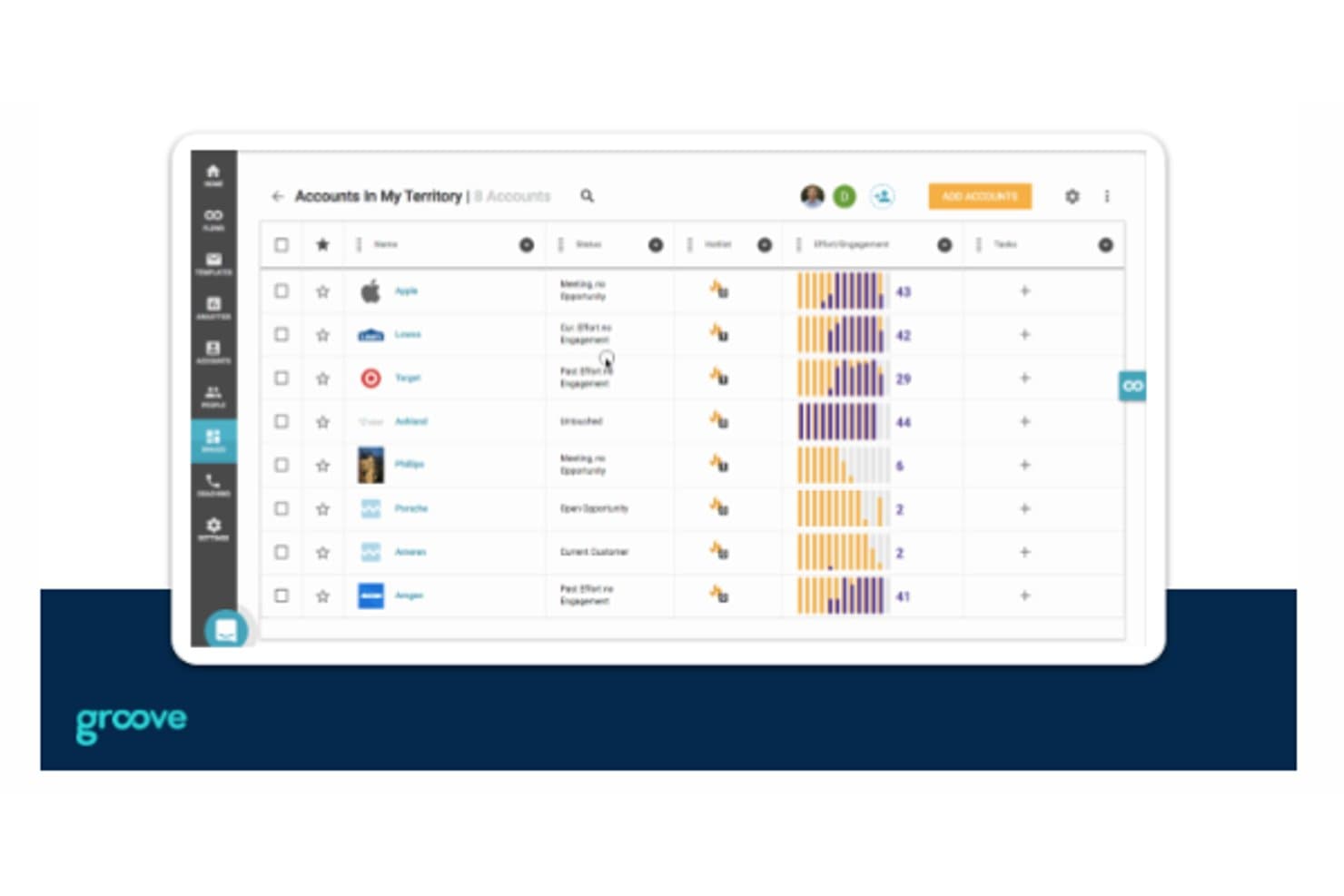
Groove lets users track accounts, engagement, and tasks in one view. Groove is a customer support help desk that helps startup teams organize incoming requests, coordinate replies, and keep customer conversations from falling through the cracks.
Who Is Groove Best For?
Groove fits startups with small customer support teams that need a simple help desk to manage customer questions.
Why I Picked Groove
I picked Groove for startups looking for a simple, intuitive customer support tool, especially when evaluating alternatives to Front. Its shared inbox helps a small team assign customer requests, while collision detection shows when a teammate is already replying. I also like that its knowledge base lets customers find answers to recurring questions without opening a ticket.
Groove Key Features
- Live chat: Add website or app chat through a customizable widget.
- Customer satisfaction ratings: Ask customers to rate closed conversations and leave comments.
- Support reports: Review conversation volume, response times, resolutions, and team activity.
- Rules: Automatically tag or assign conversations based on set criteria.
Groove Integrations
Groove documents integrations with Salesforce, Slack, Jira Cloud, GitHub, Linear, Shopify, Trello, HubSpot, and Mailchimp; it also connects with Zapier.
Pros and Cons
Pros:
- Assignment rules and private notes coordinate handoffs
- Knowledge base answers recurring customer questions
- Collision detection prevents duplicate customer replies
Cons:
- No phone support for urgent escalations
- Reporting offers limited depth for trend analysis
Learn more about Groove: Best for ecommerce teams on Shopify support
- 7-day free trial
- From $10/month
Visit WebsiteCustomer Rating:4.6/5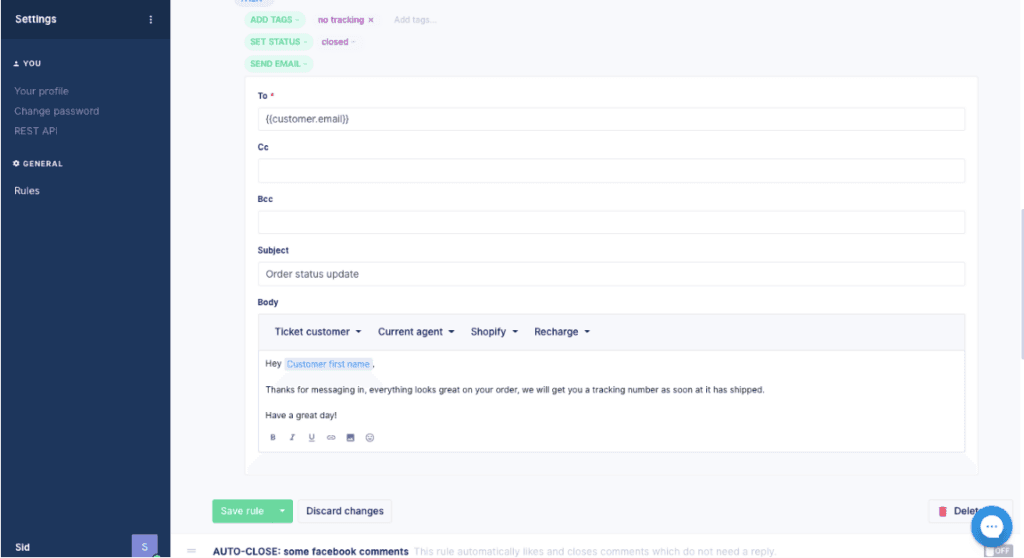
Gorgias front alternative Gorgias is customer support software for ecommerce teams that brings customer conversations and order details together to resolve issues and support purchases, making it best for e-commerce businesses requiring integrated support and sales.
Who Is Gorgias Best For?
Gorgias suits ecommerce support teams that want agents to manage service and sales conversations in one workspace.
Why I Picked Gorgias
I picked Gorgias as a Front alternative for ecommerce businesses requiring integrated support and sales. I like that agents can see order details alongside customer conversations, so they can address an order issue without losing the sales context. They can also use those conversations to support a purchase.
Gorgias Key Features
- AI Agent: Automates support replies using your policies and ecommerce knowledge.
- Omnichannel inbox: Brings email, chat, SMS, WhatsApp, Instagram, and Facebook messages into one inbox.
- Ticket routing: Assigns tickets to teammates and supports team collaboration.
- Integrations: Connects with 300+ apps, including Recharge, Klaviyo, Yotpo, and Loop.
Gorgias Integrations
Gorgias offers 100+ app integrations through its app directory, including Recharge, Loop Returns, Aircall, Facebook, and Postscript. It also supports Zapier, HTTP integrations with external APIs, and an API for custom integrations.
Pros and Cons
Pros:
- Revenue attribution connects support with sales
- Macros and rules speed repeat ecommerce replies
- Order details and refunds stay inside tickets
Cons:
- Complex routing rules become hard to troubleshoot
- Reporting offers less depth for custom analysis
Learn more about Gorgias: Best for IT teams migrating from Front with SLA tools
- 14-day free trial
- From $24/user/month (billed annually)
Visit WebsiteCustomer Rating:4.5/5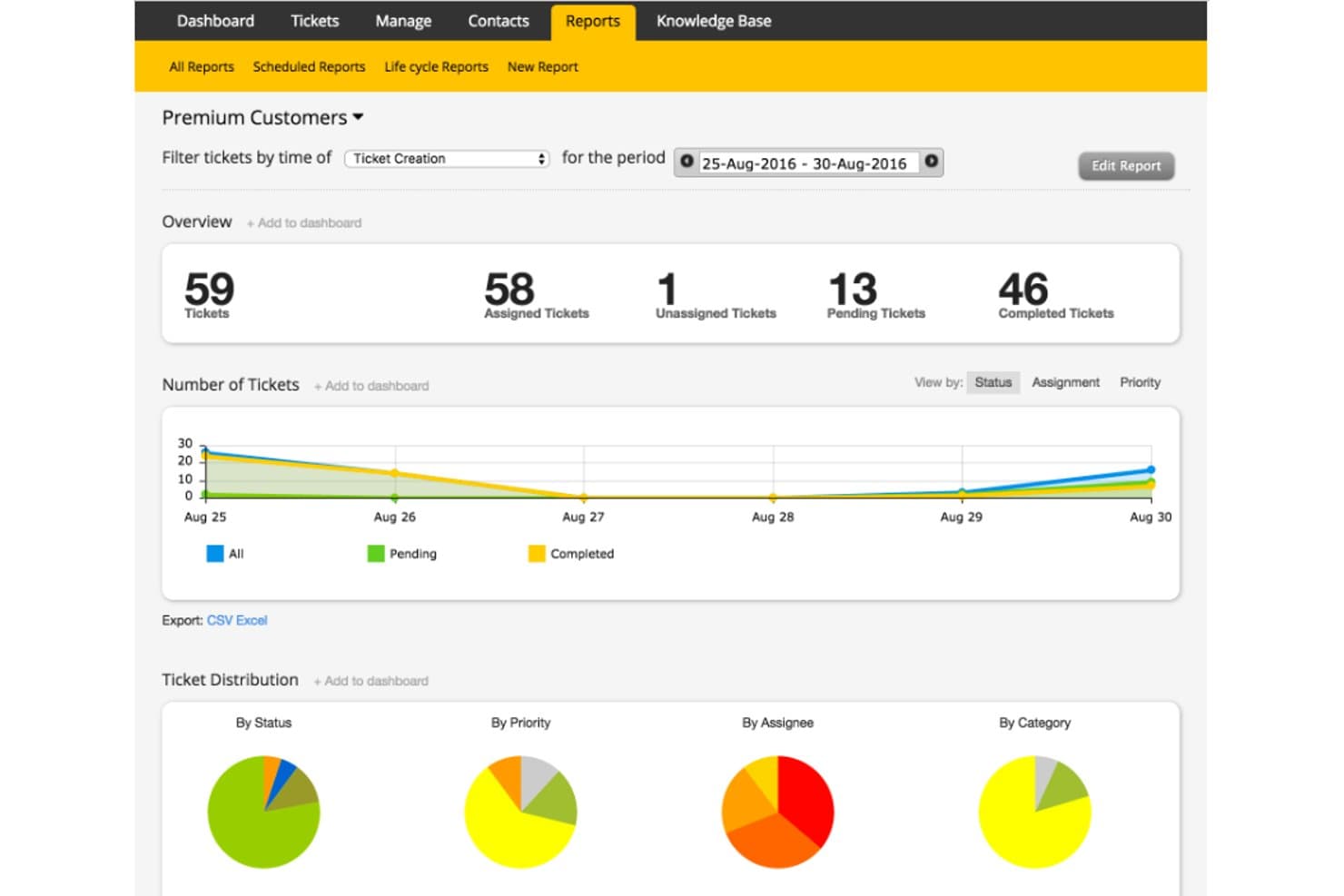
HappyFox tracks premium customer tickets with visual status reports. HappyFox is a help desk platform for IT and customer support teams that need to organize service requests, coordinate work across departments, and give users a clear path to resolution.
Who Is HappyFox Best For?
HappyFox suits customer service teams that need consistent ticket handling and clear visibility as agents manage growing inquiry volumes.
Why I Picked HappyFox
I picked HappyFox as a Front alternative for “Best for streamlining support with a multi-channel ticketing system.” I like how its unified ticket thread brings emails, chats, calls, and social messages together, so agents can follow an issue when a customer switches channels. My team can see that interaction history in one place instead of piecing together separate conversations.
HappyFox Key Features
- Smart Rules: Automate ticket assignment, escalations, and notifications based on defined conditions.
- SLA management: Set service deadlines and track tickets against response and resolution targets.
- Knowledge base: Publish searchable help articles for agents and customer self-service.
- Help desk reporting: Review ticket volume, agent activity, and support performance.
HappyFox Integrations
HappyFox lists 93 integrations, including Microsoft Teams, Slack, Jira, Azure DevOps, PagerDuty, NinjaOne, Microsoft Intune, Jamf Pro, TeamViewer, and Zapier. It also provides a REST API for custom integrations.
Pros and Cons
Pros:
- Custom fields and queues support tailored workflows
- Automates ticket assignment and SLA escalation
- Unified channel threads preserve customer context
Cons:
- Ticket merging may discard prior email context
- Ticket search can miss relevant conversations
Learn more about HappyFox: Best for AI-native omnichannel inbox at scale
- 14-day free trial
- From $29/user/month (billed annually)
Visit WebsiteCustomer Rating:4.4/5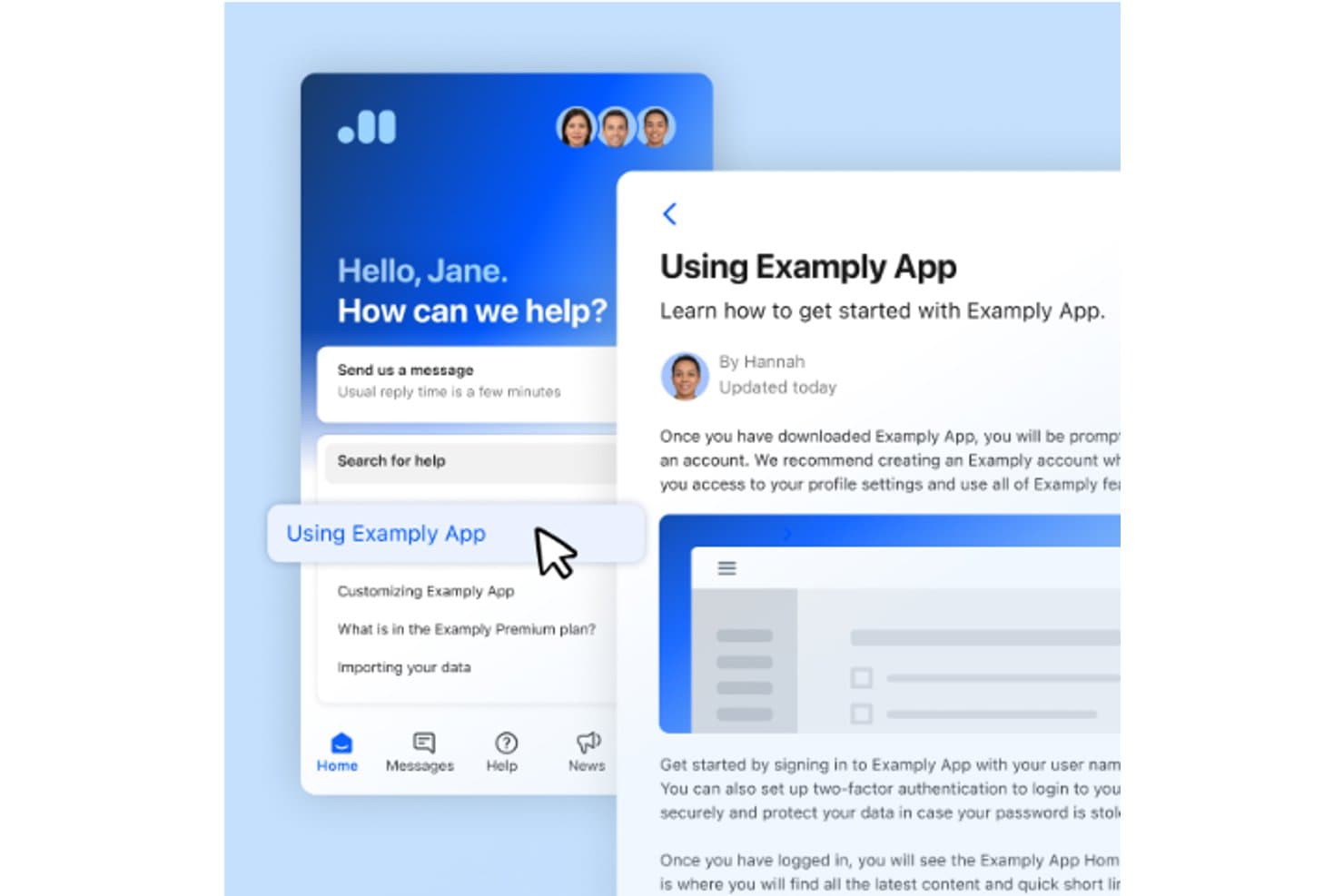
Intercom lets users access help articles and support chat in one place. Intercom is a customer service platform for digital businesses that brings customer conversations, support workflows, and self-service resources together, helping support teams resolve inquiries without losing context.
Who Is Intercom Best For?
Intercom fits support teams that rely on live chat to answer customer questions while people are using their website or app.
Why I Picked Intercom
I picked Intercom as a Front alternative for its “Best for real-time customer interaction and live chat capabilities” focus. Its Messenger lets customers start conversations on a website or app, while agents reply from a shared inbox. I like that Fin can answer questions in those conversations, with agents stepping in when a case needs human attention.
Intercom Key Features
- Ticketing system: Create and track customer support tickets.
- Workflow automation: Set rules to categorize, assign, and route tickets.
- Reporting: View prebuilt reports on support performance.
- Public help center: Publish support articles for customers.
Intercom Integrations
Intercom’s integrations directory lists 450+ apps and integrations, including Salesforce, HubSpot, Zendesk, Shopify, Stripe, Slack, Jira, GitHub, Linear, and Zapier. It also offers REST APIs and webhooks for custom integrations.
Pros and Cons
Pros:
- Shared inbox supports quick human follow-up
- Fin handles routine questions before agent handoff
- Live chat keeps customer conversations contextual
Cons:
- Weak fit for internal service desk workflows
- Limited queue depth and SLA controls
 Best for AI triage with built-in SLA escalation
- Free demo available
- Pricing upon request
Visit WebsiteCustomer Rating:4/5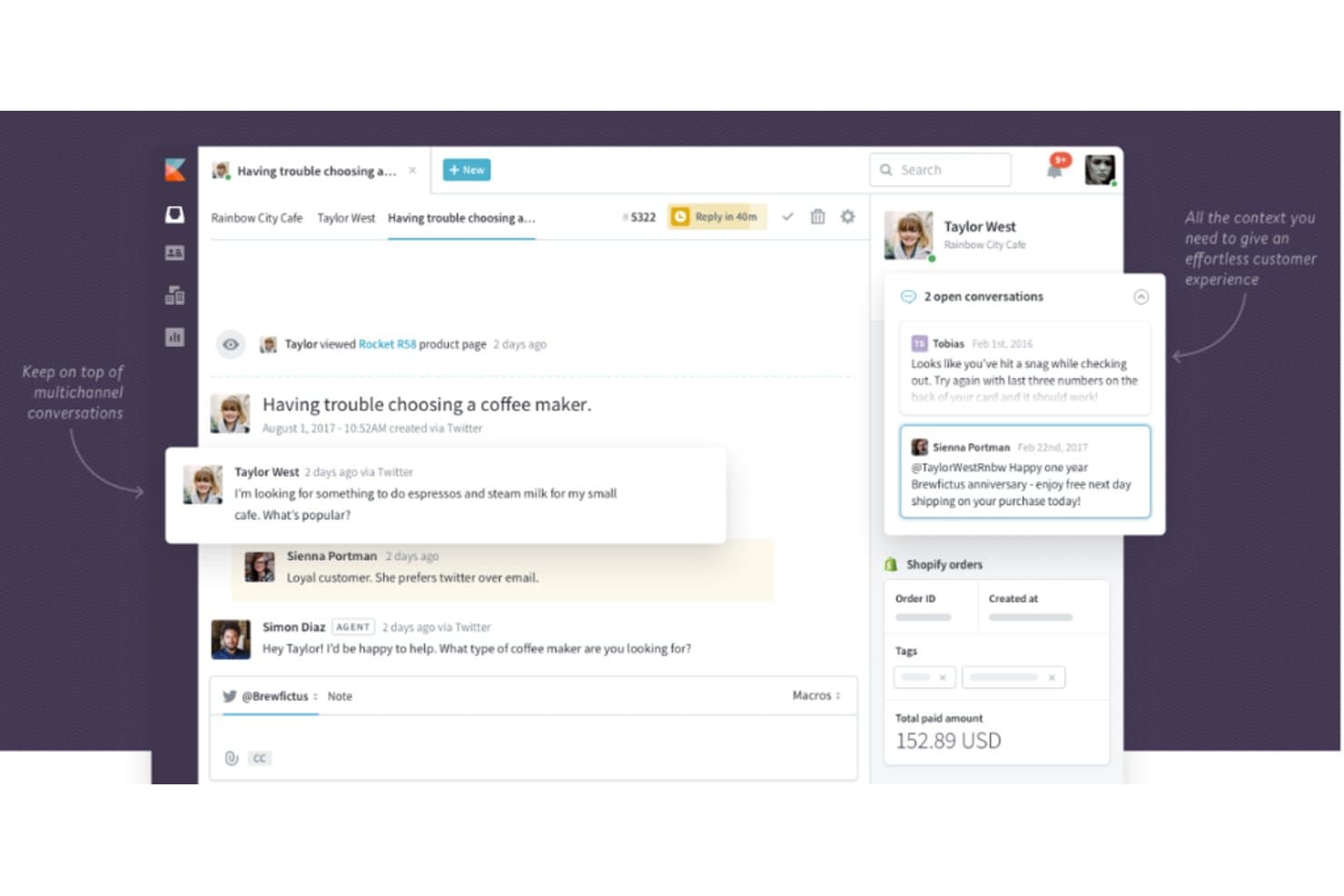
Kayako centralizes multichannel customer conversations in one view. Kayako is customer support software for teams that need to manage customer conversations and service requests in one workspace, helping growing businesses keep support work organized as demand increases.
Who Is Kayako Best For?
Kayako suits customer support and success teams that want to bring live chat into their customer service workflow.
Why I Picked Kayako
I picked Kayako for a Front alternatives guide because its shared workspace brings customer conversations and service requests together. Its fit is clear: Best for combining customer support, customer success, and live chat. I like that setup when support teams need to handle live chat alongside ongoing service work.
Kayako Key Features
- AI ticket triage: Classifies, prioritizes, and routes incoming tickets.
- No-code workflow automation: Uses triggers and conditions to automate support processes.
- Knowledge base: Publishes help articles with semantic search for customer self-service.
- Support analytics: Reports on ticket volume, resolution times, CSAT, and SLA performance.
Kayako Integrations
Kayako documents pre-built connectors for Salesforce, Slack, Microsoft Teams, WhatsApp, Shopify, Stripe, and Chargebee, and supports Zapier. It also provides APIs and webhooks for custom integrations.
Pros and Cons
Pros:
- Private notes clarify agent handoffs
- AI handles repetitive password-reset questions
- Customer timelines preserve support context
Cons:
- Slow ticket loading can delay responses
- Reporting takes extra steps to navigate
Learn more about Kayako: Best for high-volume ticketing with AI triage
- 14-day free trial
- From $19/user/month (billed annually)
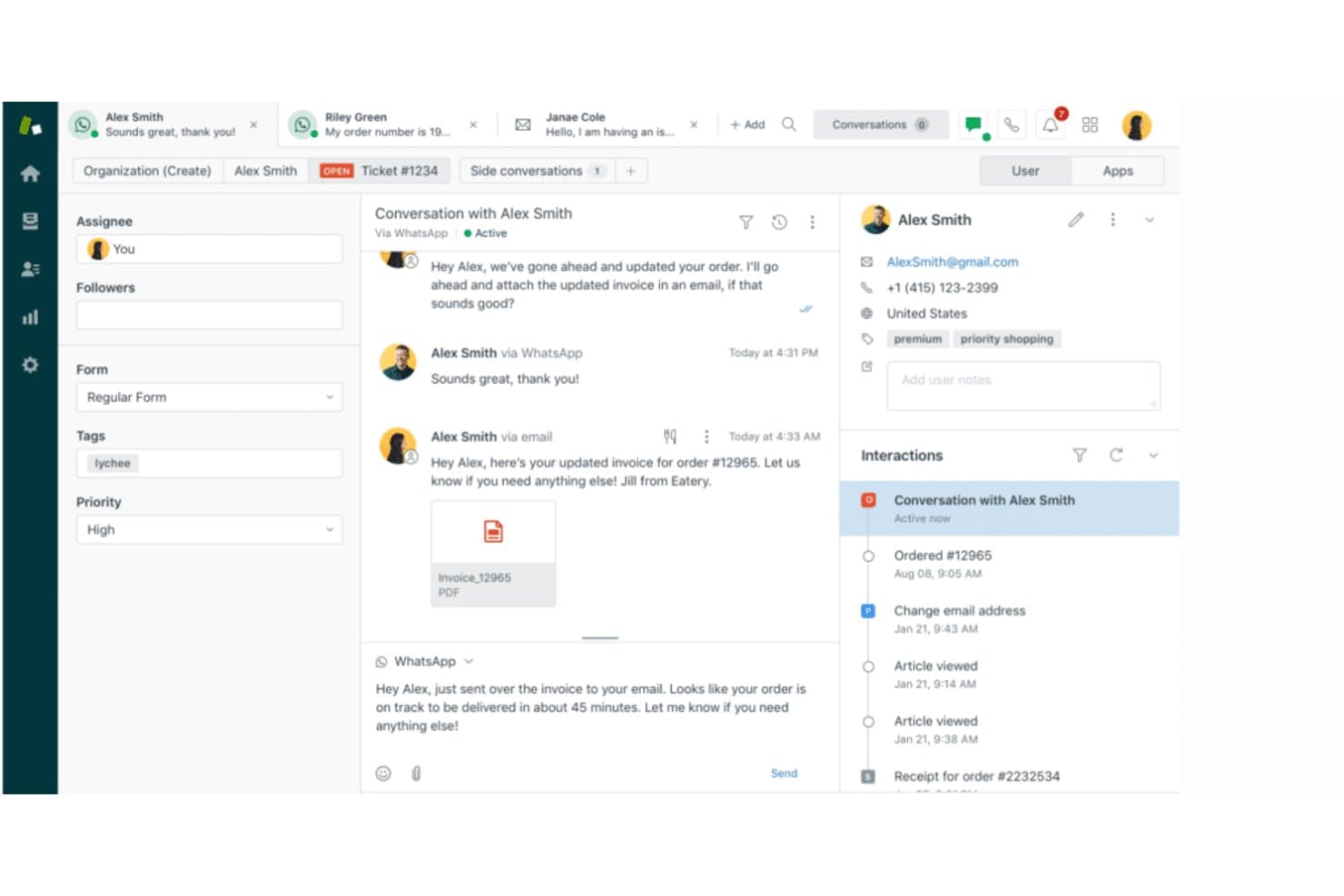
Zendesk unifies customer conversations across email and WhatsApp in one view. Zendesk is a customer service platform for support teams that need to organize requests across channels, manage agent workflows, and keep customer conversations connected as they resolve issues.
Who Is Zendesk Best For?
Zendesk suits customer service leaders who want AI-assisted tools to help their teams manage and prioritize customer requests.
Why I Picked Zendesk
Zendesk is my pick for “Best for customer service efficiency with top-tier AI assistance” among Front alternatives. Its AI agents handle routine questions, while intelligent triage classifies requests so access or outage tickets reach the right queue. Agent Copilot summarizes ticket history and suggests replies, giving staff context when they take over complex incidents.
Zendesk Key Features
- Help center: Publish a searchable knowledge base and customer FAQs.
- Macros: Apply predefined replies and ticket actions to support requests.
- SLA management: Set response and resolution targets for tickets.
- Voice support: Manage customer calls and link them to support tickets.
Zendesk Integrations
Zendesk offers marketplace integrations with Slack, Salesforce, and Jira, plus an API for custom integrations and a Zapier connection.
Pros and Cons
Pros:
- Macros and triggers cut repeat handling
- Shared customer history spans support channels
- AI triage routes complex tickets automatically
Cons:
- Out-of-box reporting misses custom support metrics
- Advanced workflow setup demands admin time
Learn more about Zendesk: Best for ticket-based support with collision detection
- 14-day free trial
- From $19/user/month (billed annually)
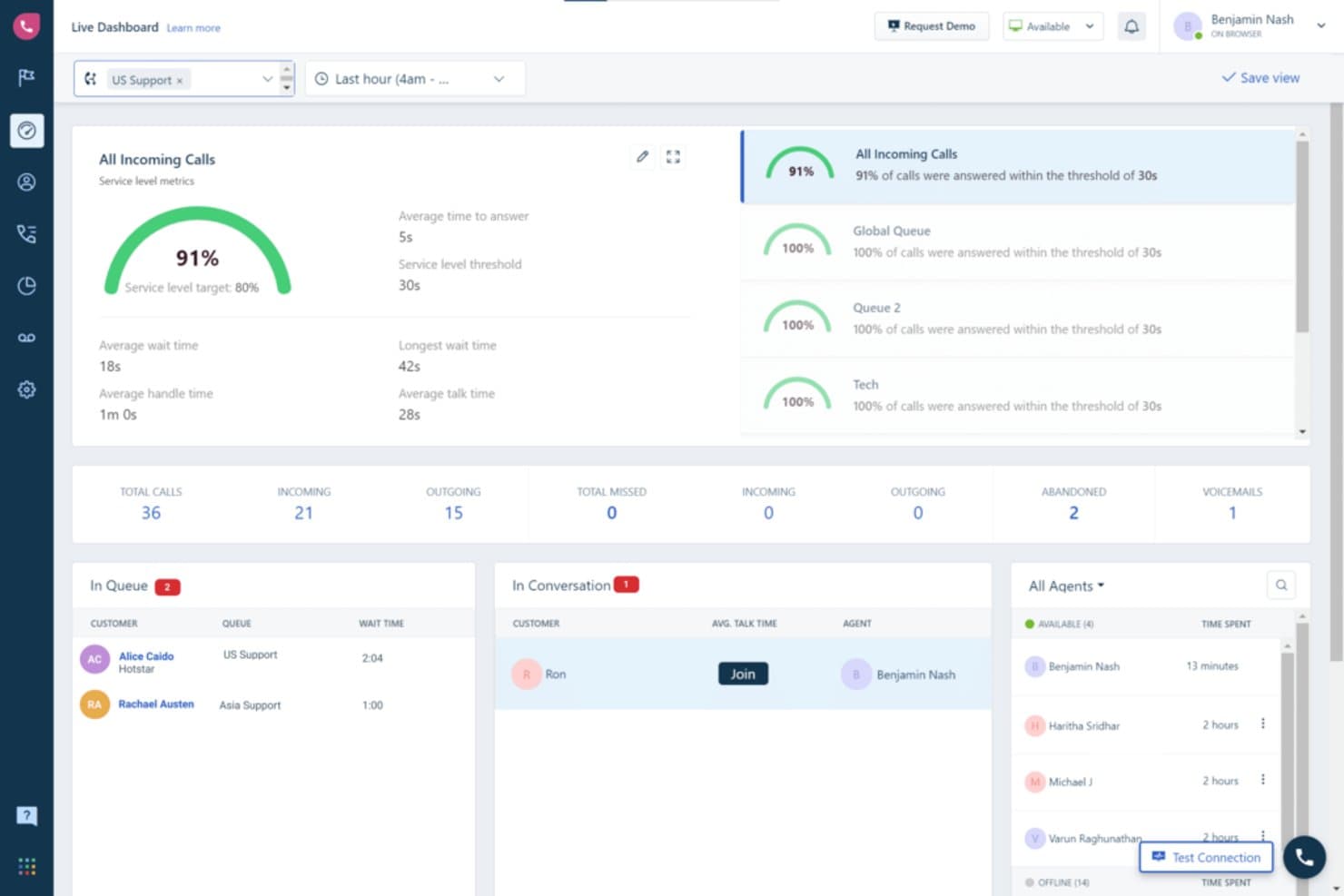
Freshdesk gives supervisors real-time call queue and agent activity visibility. Freshdesk is a customer support platform for small and midsize businesses that need to organize incoming tickets, coordinate agent responses, and resolve customer issues across support channels.
Who Is Freshdesk Best For?
Freshdesk fits small and midsize businesses looking for an affordable helpdesk for their IT or customer service teams.
Why I Picked Freshdesk
I picked Freshdesk as a Front alternative because it’s “Best for SMBs seeking robust yet affordable helpdesk solutions.” I like how it organizes incoming tickets across support channels and helps agents coordinate responses, so a small IT team can track customer issues and keep replies moving.
Freshdesk Key Features
- SLA management: Set response and resolution targets for tickets.
- Workflow automations: Trigger actions based on ticket events or conditions.
- Knowledge base: Publish help articles customers can use for self-service.
- Custom ticket fields: Capture details specific to your support process.
Freshdesk Integrations
Freshdesk offers 1,000+ ready-to-install integrations through Freshworks Marketplace, including Slack, Microsoft Teams, Jira, Salesforce, Shopify, and Playvox. It also supports Zapier and provides APIs for custom integrations.
Pros and Cons
Pros:
- Shared views clarify ownership and workload
- Automates routing, priorities, and SLA follow-ups
- Centralizes email, chat, and phone tickets
Cons:
- Email connections can create duplicate tickets
- Advanced reporting requires higher-tier plans
Learn more about Freshdesk: Best for omnichannel support on a per-agent budget
- 30-day free trial
- From $15/user/month (billed annually)
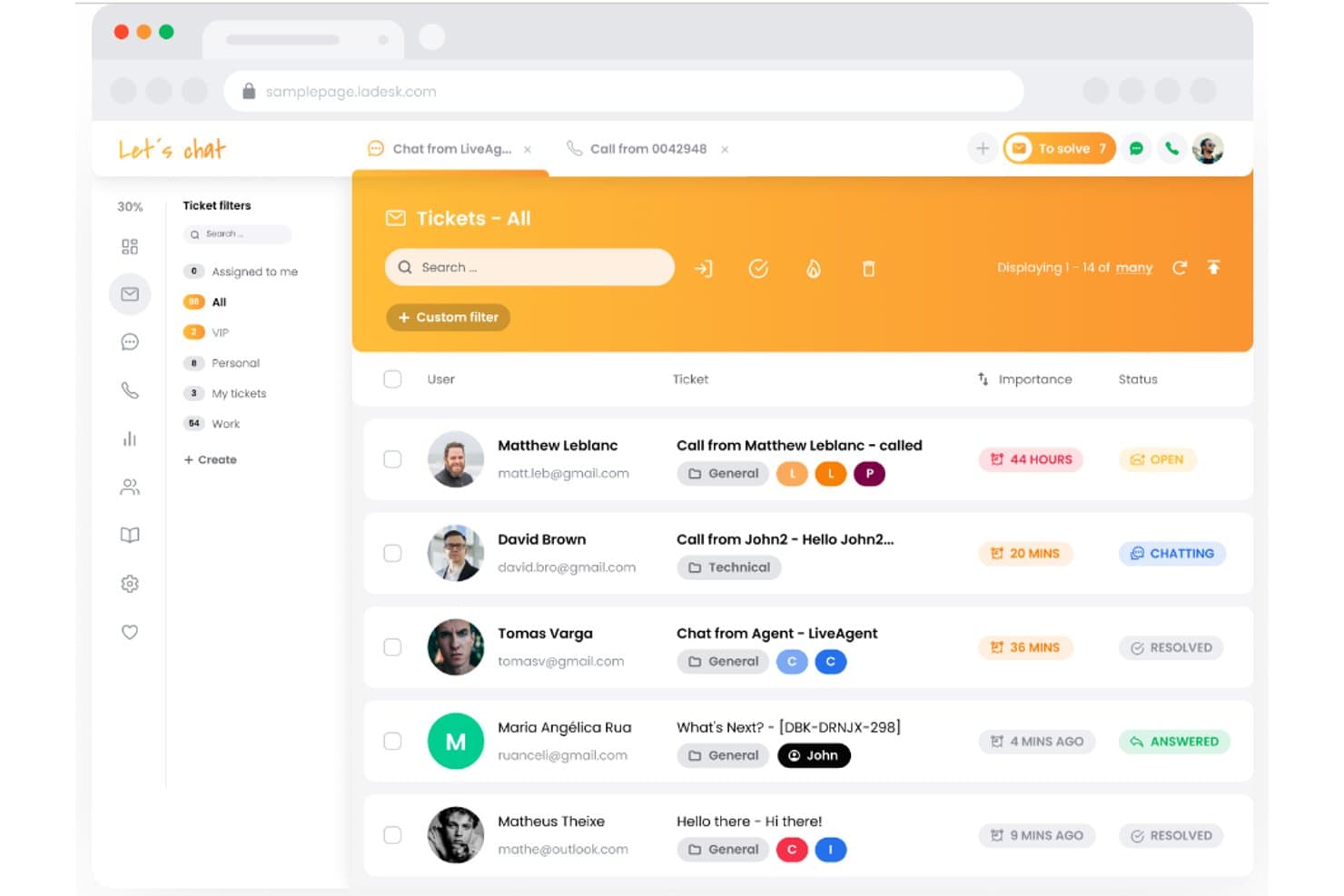
LiveAgent centralizes all support tickets in one unified inbox. LiveAgent is help desk software for IT and customer support teams that need to organize incoming requests and coordinate issue resolution across channels; it’s Best for omnichannel support, with over 200+ integrations.
Who Is LiveAgent Best For?
LiveAgent suits IT service desks and customer support teams that need a shared system to assign, track, and resolve incoming requests.
Why I Picked LiveAgent
I picked LiveAgent as a Front alternative because it’s Best for omnichannel support, with over 200+ integrations. Its universal inbox brings email, calls, social media, and chats into one dashboard, while ticketing turns incoming queries into trackable cases.
LiveAgent Key Features
- SLA management: Set service levels and rules to track response and resolution targets.
- Automation rules: Trigger actions based on ticket conditions and time rules.
- Audit logs: Review records of changes made to tickets.
- Performance reports: Track SLA compliance and evaluate performance by agent or department.
LiveAgent Integrations
LiveAgent connects with 200+ apps through Zapier, including Slack, Trello, Facebook, Messenger, Instagram, Twitter, ChargeDesk, Stripe, and Mailchimp; it also offers an API for custom integrations.
Pros and Cons
Pros:
- Combines ticket history across customer channels
- Routes tickets with department rules and SLAs
- Unifies email, chat, calls, and social tickets
Cons:
- Reporting and advanced routing have gaps
- Interface can feel dated and cluttered
Learn more about LiveAgent: Best for managing customer support directly from Gmail
- 7-day free trial
- From $25/user/month (billed annually)
Visit WebsiteCustomer Rating:5/5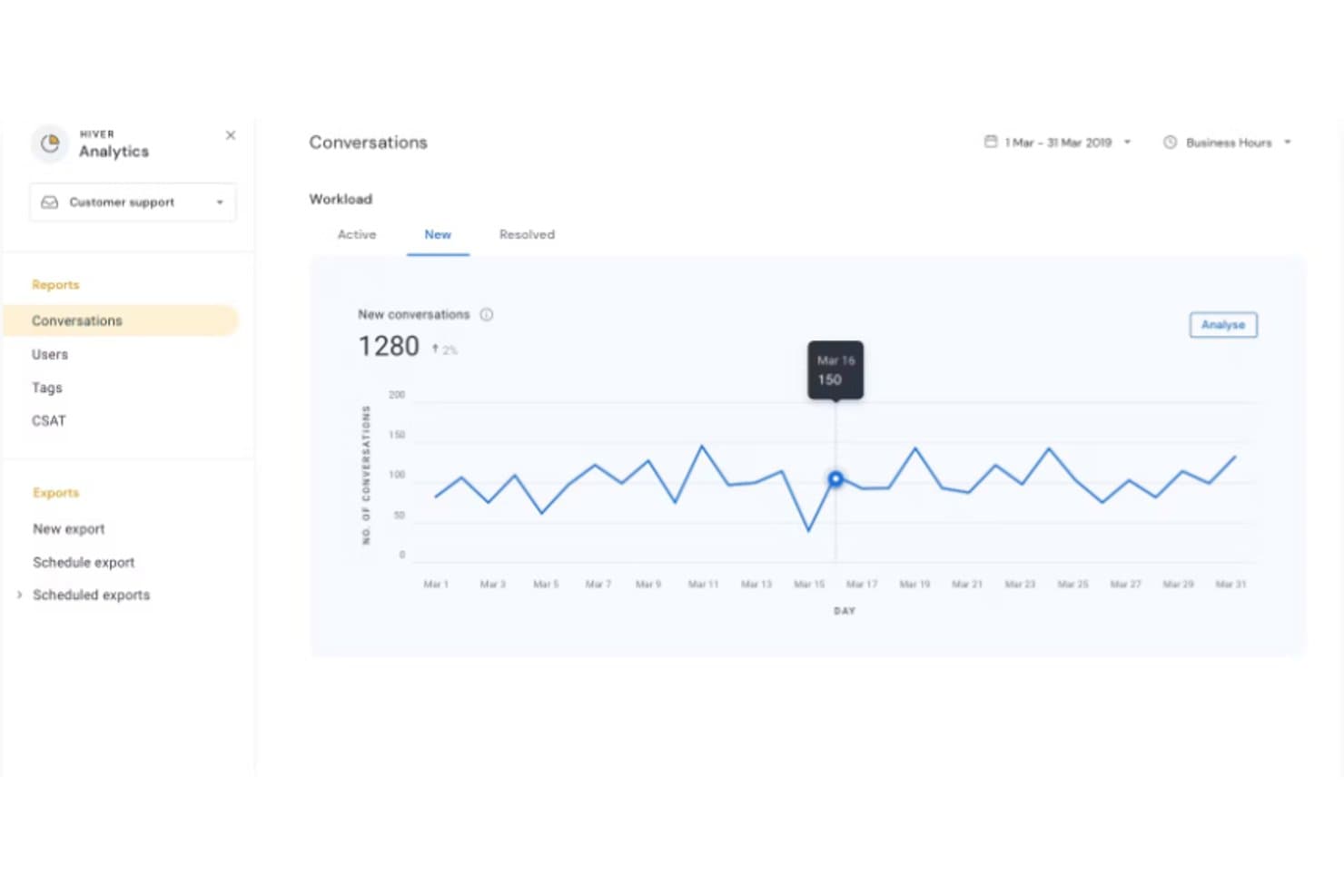
Hiver tracks new conversation volume daily across March 2019. Hiver gives customer support teams a shared workspace to assign, track, and resolve customer requests, helping businesses reduce missed handoffs and keep service work organized.
Who Is Hiver Best For?
Hiver suits customer service teams that already rely on Gmail and need a shared way to manage incoming requests.
Why I Picked Hiver
I picked Hiver as a Front alternative because its focus is “Best for managing customer support directly from Gmail.” Shared inboxes let agents assign customer emails and track their status in Gmail, while collision alerts help prevent duplicate replies. I like that workflow when support requests arrive in a team inbox.
Hiver Key Features
- No-code workflows: Automate multi-step actions across Hiver and connected tools.
- SLA tracking: Set reply and resolution goals, with alerts before breaches.
- Support analytics: View dashboards for response times, workload, and CSAT.
- Omnichannel support: Handle email, live chat, Slack, and voice in one queue.
Hiver Integrations
Hiver offers native integrations with Salesforce, HubSpot, Jira, Slack, Shopify, NetSuite, Asana, and QuickBooks; it also connects with Zapier and provides an open API for custom integrations.
Pros and Cons
Pros:
- Tracks SLAs, workload, and response times
- Assigns ownership to prevent duplicate replies
- Keeps support work inside familiar Gmail
Cons:
- Gmail dependence fragments cross-channel customer context
- Customization options trail larger help desks
Learn more about Hiver: Best for shared inbox with duplicate reply prevention
- Free plan available
- From $25/user/month
Visit WebsiteCustomer Rating:4.5/5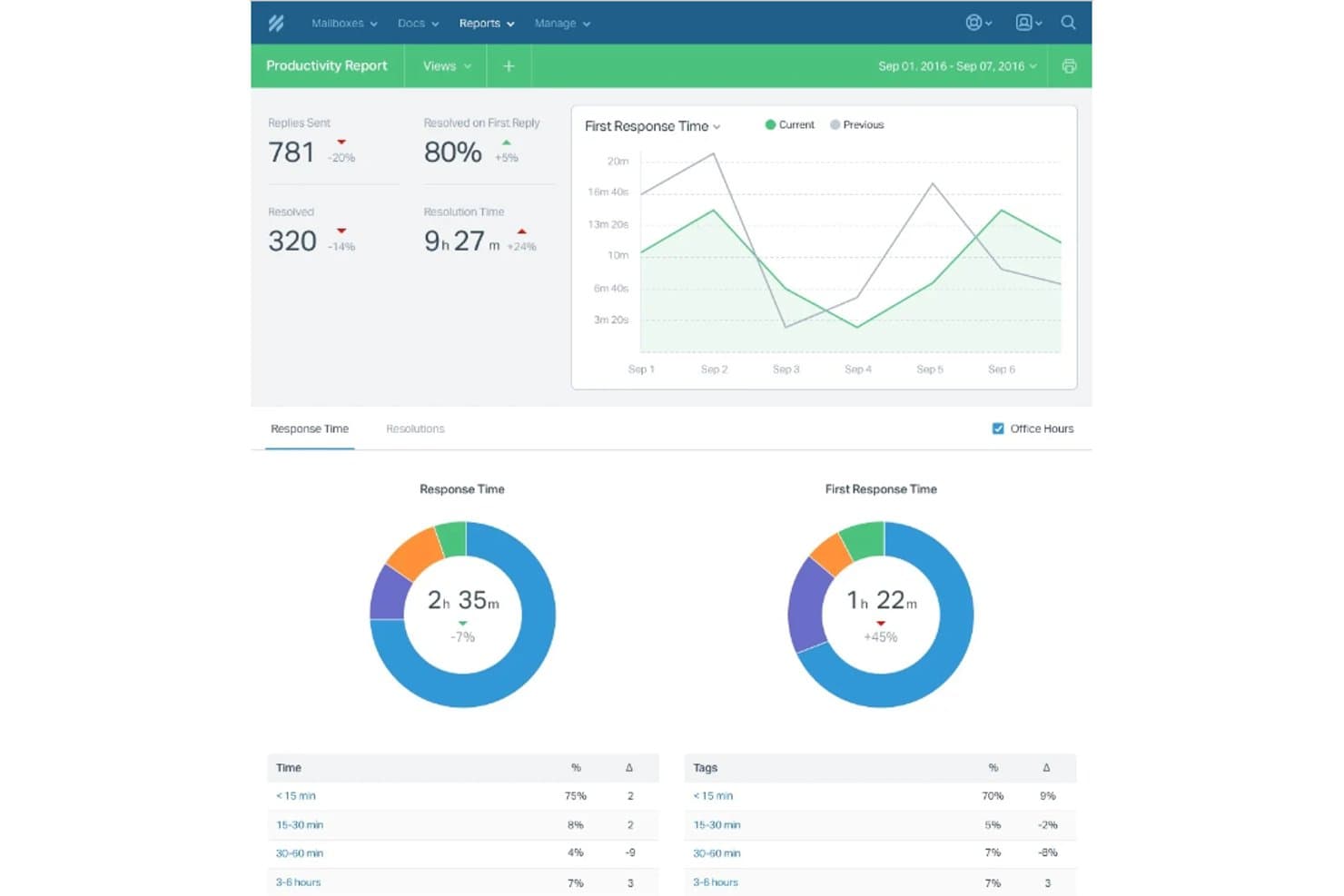
Help Scout tracks team productivity with response times and resolution rates. Help Scout is an email-focused customer support platform for growing businesses, giving support teams a shared place to manage customer requests and keep conversations from getting scattered across inboxes.
Who Is Help Scout Best For?
Help Scout fits customer service teams that want to build a searchable self-service help center and keep its articles connected to customer support.
Why I Picked Help Scout
I picked Help Scout because its Docs knowledge base lets teams publish searchable help articles, while Beacon can surface answers alongside support conversations. That makes it a fit for businesses requiring comprehensive knowledge base features: I can document recurring product questions and give customers a self-service path before they contact support.
Help Scout Key Features
- Shared inbox: Assign conversations, add private notes, and reply to customers from a team inbox.
- Workflows: Apply rules to conversations to automate actions such as assignment and tagging.
- Customer profiles: View customer details and past conversations alongside an open thread.
- Reports: Review conversation volume, response times, and team performance.
Help Scout Integrations
Help Scout’s App Directory lists 100+ integrations, including Slack, Jira, Linear, GitHub, HubSpot, Salesforce, Google Sheets, Shopify, and Zapier. Help Scout also offers an API for custom integrations.
Pros and Cons
Pros:
- Private notes and collision alerts coordinate replies
- Email-style shared inbox keeps customer context visible
- Docs and Beacon connect self-service with support
Cons:
- Complex routing controls lag enterprise-focused alternatives
- Advanced reporting lacks depth for larger teams
Learn more about Help Scout:
Andre Front-alternativer
Her er noen flere alternativer til Front som ikke kom med på kortlisten min, men som likevel er verdt å sjekke ut:
- 11ZendeskBest for customer service efficiency with top-tier AI assistance
- 12TeamSupportBest for B2B companies in need of advanced collaboration features
- 13Zoho DeskBest for integrated customer support within the Zoho ecosystem
- 14AircallGood for call center teams looking for easy setup and management
- 15UservoiceGood for product teams wanting customer input on feature development
- 16UJETGood for firms seeking a modern, smartphone-era customer support solution
- 17CrispGood for companies needing live chat with marketing automation capabilities
- 18DeskproGood for companies needing multichannel support in multiple languages
- 19KustomerGood for businesses aiming for omnichannel support and complete customer journey visibility
- 20GladlyGood for businesses requiring a people-centered approach to customer service
- 21SupportBeeGood for small businesses needing an intuitive, shared inbox for customer emails
- 22Tawk.toGood for on-site live chat and visitor monitoring
- 23JitbitGood for teams seeking an intuitive helpdesk tool with a robust self-service portal
- 24DixaGood for companies in search of a customer friendship platform for personalizing support
- 25UserEchoGood for businesses needing a community forum for customer feedback
- 26GraspGood for teams looking for a feedback collection tool with analytical features
Anmeldelser av annen programvare
How I Evaluate Front Alternatives
I split my evaluation into two layers: the baseline inbox and routing capabilities a tool must have, and the differentiators—like dev tool integrations and AI—that set one apart.
Core Functionality (Table Stakes For This List)
When I'm selecting tools for my list, I rank each one on a scale from 0 (does not offer the functionality) to 5 (excels in this area) for each core functionality listed below. Then, I calculate the tool's total score into a percentage. Each tool needs to achieve a minimum total score of 65% to be considered for inclusion.
- Shared Inbox Management: I look for unified inboxes where IT teams can assign, track, and collaborate on incoming requests—things like collision detection so two engineers don't reply to the same outage alert.
- Multi-Channel Support: Each tool should pull email, chat, SMS, and social messages into one view, so your team handles a server-down Slack thread and a vendor email in the same place.
- Workflow Automation & Routing: I evaluate how well a tool auto-routes tickets by topic, priority, or team—for example, escalating security-related messages to a specific queue with SLA timers attached.
- Internal Collaboration Tools: The ability to loop in teammates via @mentions, shared drafts, or side conversations matters. I check whether your team can troubleshoot internally without leaving the thread.
- Third-Party Integrations: I check for native connections to tools IT and dev teams already use—Jira for bug tracking, GitHub for PRs, Slack for alerts, and monitoring platforms like Datadog or PagerDuty.
- Analytics & Reporting: Dashboards should cover response times, resolution rates, and SLA compliance. I look at whether managers can track team workload and spot bottlenecks across queues.
Once I have a list of tools that meet this criteria, I consider what sets each platform apart.
Differentiating Factors (What Sets Vendors Apart)
Here's how I compare and contrast different vendors:
Standout Features
AI-powered features are a big differentiator—I look at whether a tool can draft replies, summarize long threads, or auto-categorize incoming tickets to speed up triage during incidents. A developer-friendly API also matters for IT teams that need to build custom integrations with internal monitoring or alerting systems. I evaluate whether a platform offers a native knowledge base that surfaces relevant articles mid-conversation, helping agents resolve common issues like password resets without starting from scratch.
Beyond Features
Security and compliance are top of mind—I check for SOC 2 Type II certification, SSO/SAML support, and role-based access controls, since IT teams often handle sensitive internal data. Pricing transparency matters too. I look at whether per-seat costs stay predictable as your team grows, and whether core features like automations or extra inboxes are locked behind higher tiers. I also evaluate migration support, especially for teams moving off Front who need help importing historical conversations and rebuilding existing workflows.
Hvorfor se etter et alternativ til Front?
Selv om Front er et godt valg av utviklingsverktøy for frontend, finnes det flere grunner til at enkelte brukere ser etter alternative løsninger. Det kan være lurt å se etter et alternativ til Front fordi …
- Du er begrenset av de forhåndsdesignede malene.
- Du trenger større fleksibilitet med egendefinerte komponenter.
- Teamet ditt foretrekker et annet designsystem.
- Du ønsker bedre integrasjon med utviklingsstakken din.
- Du arbeider med prosjekter som trenger bedre ytelse.
- Du trenger større kontroll over mobiltilpasningen.
Hvis noe av dette høres kjent ut, har du kommet til rett sted. Listen min inneholder flere alternativer for frontendutviklingsverktøy som passer bedre for team som møter disse utfordringene med Front og ser etter alternative løsninger.
Viktige funksjoner i Front
Her er noen av de viktigste funksjonene i Front, slik at du kan sammenligne hva alternative løsninger tilbyr:
- Ferdigbygde komponenter: Du kan bruke ferdige UI-elementer for å fremskynde utviklingen og holde designet konsekvent.
- Verktøy for responsivt design: Teamet ditt kan bygge oppsett som enkelt tilpasser seg ulike enheter uten ekstra koding.
- Tilpasset temautforming: Du kan justere skrifttyper, farger og stiler slik at de samsvarer med merkevaren din, uten å måtte bygge alt på nytt.
- Rutenettsystem: Det innebygde rutenettet hjelper deg med å justere innholdet og holde oppsettene ryddige og organiserte.
- Gjenbrukbare seksjoner: Teamet ditt kan opprette og lagre seksjoner for gjenbruk på flere sider, noe som sparer tid.
- Oppsett klart for integrasjoner: Det er enkelt å koble Front til verktøy som analyseverktøy eller skjemabehandlere.
- Interaktive elementer: Du kan legge til animasjoner, knapper og rullegardinmenyer som fungerer uten behov for ekstra biblioteker.
- Kompatibilitet på tvers av nettlesere: Plattformen sørger for at designene dine ser like ut i alle de viktigste nettleserne.