
Recensione di HelpDesk: vantaggi, svantaggi, funzionalità e prezzi
I put HelpDesk under the microscope to see whether its clean, practical approach delivers enough depth for growing support teams—or simply keeps ticketing refreshingly uncomplicated.

Recensiamo gli strumenti in modo indipendente e le commissioni ci aiutano a finanziare i nostri test. Consulta la nostra politica sulla trasparenza, la nostra metodologia, oppure suggerisci uno strumento.
HelpDesk is a ticketing help desk software for IT teams that need to centralize user requests, incident tickets, and support conversations across email, chat, Messenger, and SMS. I’d mainly consider it if you want a no-code service desk that’s quick to configure, with enough workflow rules, automation, and AI assistance to bring more structure to day-to-day IT support. I’d use it over Zendesk or Freshdesk if you want a simpler, faster-to-deploy ticketing system without the extra complexity of a broader service management suite.
HelpDesk Evaluation Summary
4.6/5
- From $34/agent/month
- 14-day free trial
Perché fidarsi dei nostri consigli sui software
6,700+
Reviews
20
Industry experts
16+
Evaluation factors
14
Years
Il nostro team testa e recensisce software dal 2012. In quanto leader tecnologici noi stessi, sappiamo quanto sia difficile — e importante — scegliere il software giusto.
Per questa guida, abbiamo valutato gli strumenti attraverso test praticie ricerche indipendenti, assegnando un punteggio agli strumenti in base ai nostri criteri di selezione.
Le nostre recensioni riflettono il nostro giudizio editoriale umano, non un discorso di vendita.
Revisori esperti:
- Paulo Gardini MiguelDirettore tecnico
 Tim FisherVP dell'IA
 Gabriel RosasTech Lead e architetto software
 Christhian GruhnTech Lead e architetto della piattaforma

HelpDesk Overview
I’d choose HelpDesk for small and growing IT teams that need a lightweight way to manage user requests, incident tickets, and support conversations without the overhead of a full ITSM suite. Its tiered plans scale from core ticketing and automation to stronger security, workflow customization, and onboarding. It offers more structure than a shared inbox, but it is less suited to teams that need deeper asset, change, and problem management.
Pros
- Reviewers praise HelpDesk’s clean interface for tracking multiple contact sources.
- AI drafts, summaries, and tagging reduce repetitive ticket handling.
- Round-robin assignment and collision detection support coordinated team queues.
Cons
- Lower tiers limit teams, rules, fields, and reporting depth.
- Advanced roles, SSO, and onboarding require Enterprise pricing.
- Reviewers report added costs for features previously included elsewhere.
Is HelpDesk Right For Your Needs?
Who Would be a Good Fit for HelpDesk?
HelpDesk suits small and growing support operations that need multichannel ticket handling without lengthy configuration. It works especially well for ecommerce, customer service, and support managers who value no-code workflows, AI assistance, integrations, and clear ticket ownership.
- Small Ecommerce BrandsShopify and WooCommerce integrations connect ecommerce support with email, chat, Messenger, and SMS tickets in one queue.
- Shared Inbox TeamsTeams moving from shared email can use round-robin assignment, collision detection, and a shared ticket queue to clarify ownership.
- Customer Service DepartmentsCustomer service teams can manage email, chat, Messenger, and SMS conversations while using AI drafts, summaries, and tagging.
- Lean Support TeamsSmall teams can configure no-code workflows and use browser or desktop apps without scripting or lengthy implementation work.
- Support ManagersSupport managers can use ticket summaries, AI Copilot, reporting, and custom fields to monitor and organize support work.
- Growing Support TeamsGrowing teams can use the Growth plan’s 10 teams, 10 AI Agents, advanced reporting, and 20 custom fields as operations expand.
Who Would be a Bad Fit for HelpDesk?
HelpDesk is less suitable for departments that need full IT service management, script-heavy automation, or extensive controls on lower-priced plans. Large organizations should also consider whether Enterprise pricing, tailored workflows, and dedicated onboarding match their purchasing requirements.
- Internal ITSM DepartmentsIT teams needing asset management, change management, or problem management should look beyond HelpDesk’s ticketing and workflow-focused feature set.
- Entry-Level Analytics TeamsTeams needing advanced reporting on the lowest tier may find Essential limiting because advanced reporting starts with the Growth plan.
- Script-Heavy OperationsDepartments that require scripted workflow logic may find HelpDesk restrictive because its workflows are designed around no-code configuration.
- Lower-Tier Compliance TeamsOrganizations requiring SSO and audit logs without Enterprise pricing may find HelpDesk unsuitable because those controls are Enterprise features.
- Fixed-Budget EnterprisesLarge companies needing multiple brands, tailored workflows, and dedicated account management must use custom-priced Enterprise rather than a fixed public plan.
- Dedicated Onboarding TeamsBusinesses requiring personalized onboarding from the start may find HelpDesk unsuitable because personalized onboarding and dedicated support are limited to Enterprise.
La Nostra Metodologia di Recensione
Come Testiamo e Valutiamo gli Strumenti
Abbiamo trascorso anni a costruire, perfezionare e migliorare il nostro sistema di testing e valutazione del software. Il nostro schema è progettato per cogliere le sfumature della selezione software e cosa rende efficace uno strumento, focalizzandosi sugli aspetti critici del processo decisionale.
Di seguito, puoi vedere esattamente come funziona il nostro testing e punteggio su sette criteri. Ci permette di offrire una valutazione imparziale del software basata su funzionalità principali, caratteristiche distintive, facilità d’uso, onboarding, assistenza clienti, integrazioni, recensioni dei clienti e rapporto qualità-prezzo.
Funzionalità Principali (25% del punteggio finale)
Il punto di partenza della nostra valutazione è sempre la funzionalità principale dello strumento. Ha le funzioni e caratteristiche base che ci si aspetta? Alcune di queste caratteristiche sono limitate ai piani tariffari superiori? Fondamentalmente, ci aspettiamo che uno strumento regga il confronto rispetto alle capacità di base dei concorrenti.
Caratteristiche Distintive (25% del punteggio finale)
Successivamente, valutiamo le caratteristiche distintive e non comuni che vanno oltre la funzionalità base tipicamente trovata negli strumenti di questa categoria. Un punteggio alto riflette funzionalità specializzate o uniche che rendono il prodotto più veloce, efficiente o offrono ulteriore valore all’utente.
Valutiamo inoltre quanto sia semplice integrare altri strumenti tipicamente utilizzati nell’infrastruttura tecnologica per espandere la funzionalità e l’utilità del software. Gli strumenti che offrono numerose integrazioni native, connessioni di terze parti e accesso API per creare integrazioni personalizzate ottengono i punteggi migliori.
Facilità d’Uso (10% del punteggio finale)
Consideriamo quanto sia rapido e semplice svolgere i compiti definiti nella funzionalità principale utilizzando lo strumento. Il software con punteggio alto è ben progettato, intuitivo da usare, offre app mobili, fornisce modelli e rende semplici attività relativamente complesse.
Onboarding (10% del punteggio finale)
Sappiamo quanto sia importante l’adozione rapida da parte del team per una nuova piattaforma, quindi valutiamo quanto sia facile imparare e utilizzare uno strumento con formazione minima. Valutiamo quanto velocemente un membro del team possa iniziare a usare lo strumento anche senza esperienza. Soluzioni con punteggio alto indicano che sono richiesti pochi o nessun supporto.
Assistenza Clienti (10% del punteggio finale)
Esaminiamo quanto sia veloce e facile ricevere assistenza e risolvere problemi tramite telefono, live chat o knowledge base. Gli strumenti e le aziende che garantiscono supporto in tempo reale ottengono il miglior punteggio, mentre i chatbot ottengono il peggiore.
Recensioni dei Clienti (10% del punteggio finale)
Oltre ai nostri test e valutazioni, prendiamo in considerazione il net promoter score dei clienti attuali e passati. Valutiamo la probabilità che, data la scelta, selezionerebbero nuovamente lo strumento per la funzionalità principale. Un software con punteggio alto riflette un alto net promoter score da parte dei clienti attuali o passati.
Rapporto Qualità-Prezzo (10% del punteggio finale)
Infine, considerando tutti gli altri criteri, analizziamo il prezzo medio dei piani base rispetto alle funzionalità principali e consideriamo il valore degli altri criteri di valutazione. Il software che offre di più a meno otterrà un punteggio più alto.
Core Features
Multichannel Ticketing
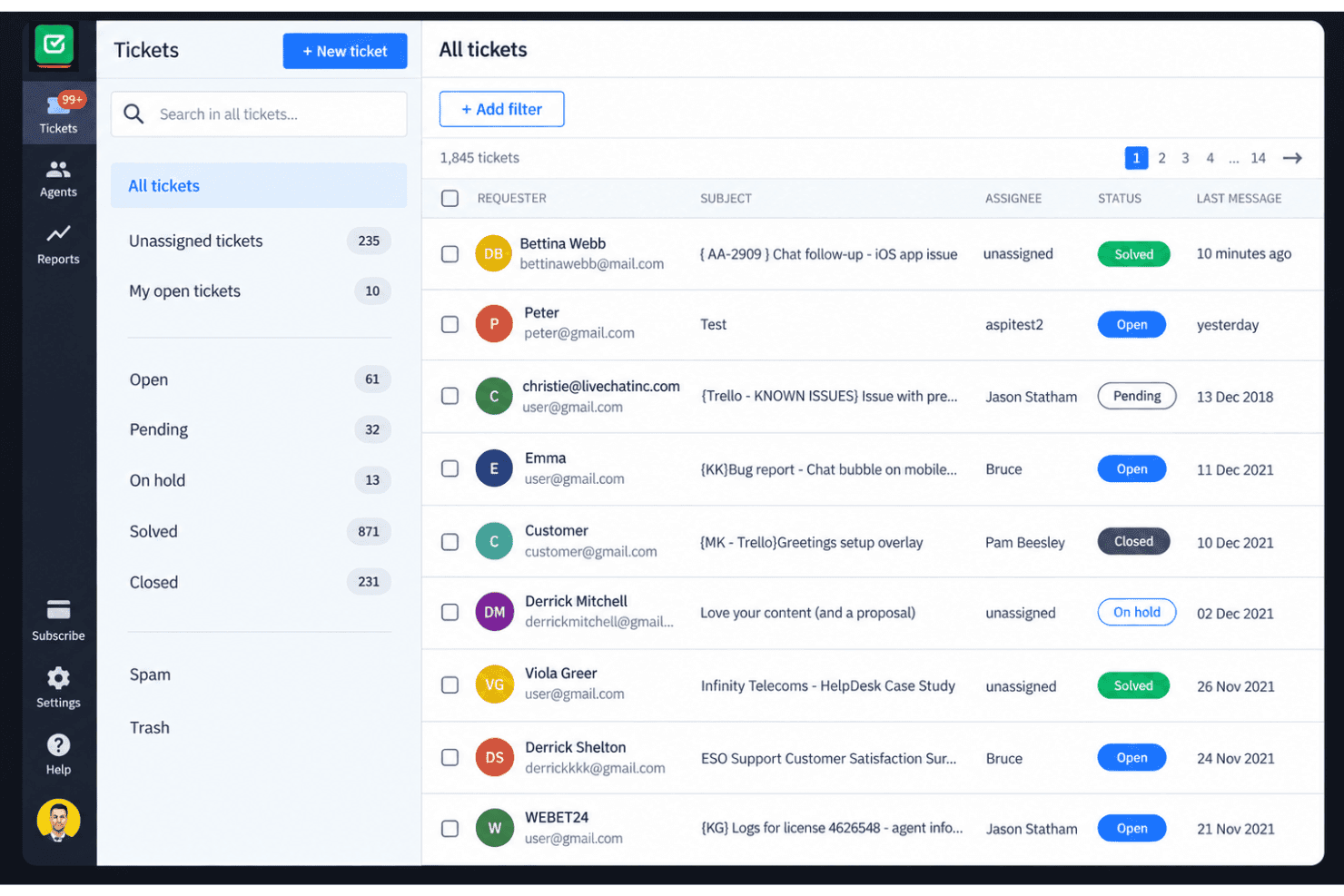
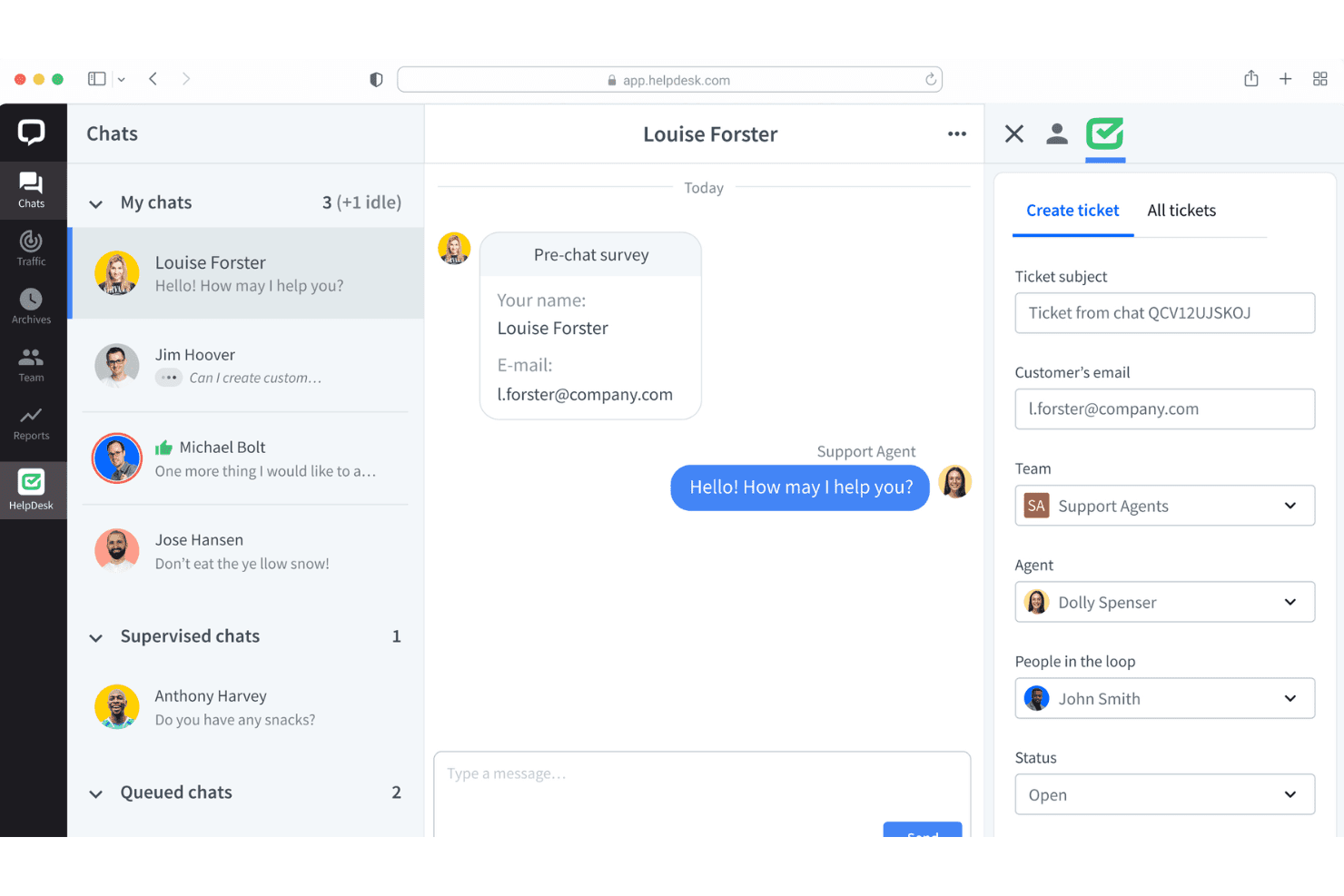
HelpDesk turns email, chat, Messenger, and SMS messages into support tickets in one workspace. This gives your team one queue for tracking customer conversations across channels.
Ticket Management
Teams can assign tickets, manage unlimited ticket volumes, and track each request through resolution. Round-robin assignment helps distribute incoming work across available agents.
No-Code Automated Workflows
No-code workflows automate ticket actions without requiring scripts or developer support. You can use them to apply consistent routing and handling rules as requests arrive.
AI Assistance
HelpDesk provides AI-generated drafts, ticket summaries, and tagging for support conversations. These tools give agents a faster starting point for replies and ticket organization.
Team Collaboration
Collision detection helps prevent multiple agents from responding to the same ticket at once. Shared ticket visibility also gives teams clearer ownership when handling busy queues.
Reporting
Built-in reporting gives teams a view of support activity and ticket performance. It helps you review queue patterns and identify where lower-tier reporting limits might affect your analysis.
Ease of Use
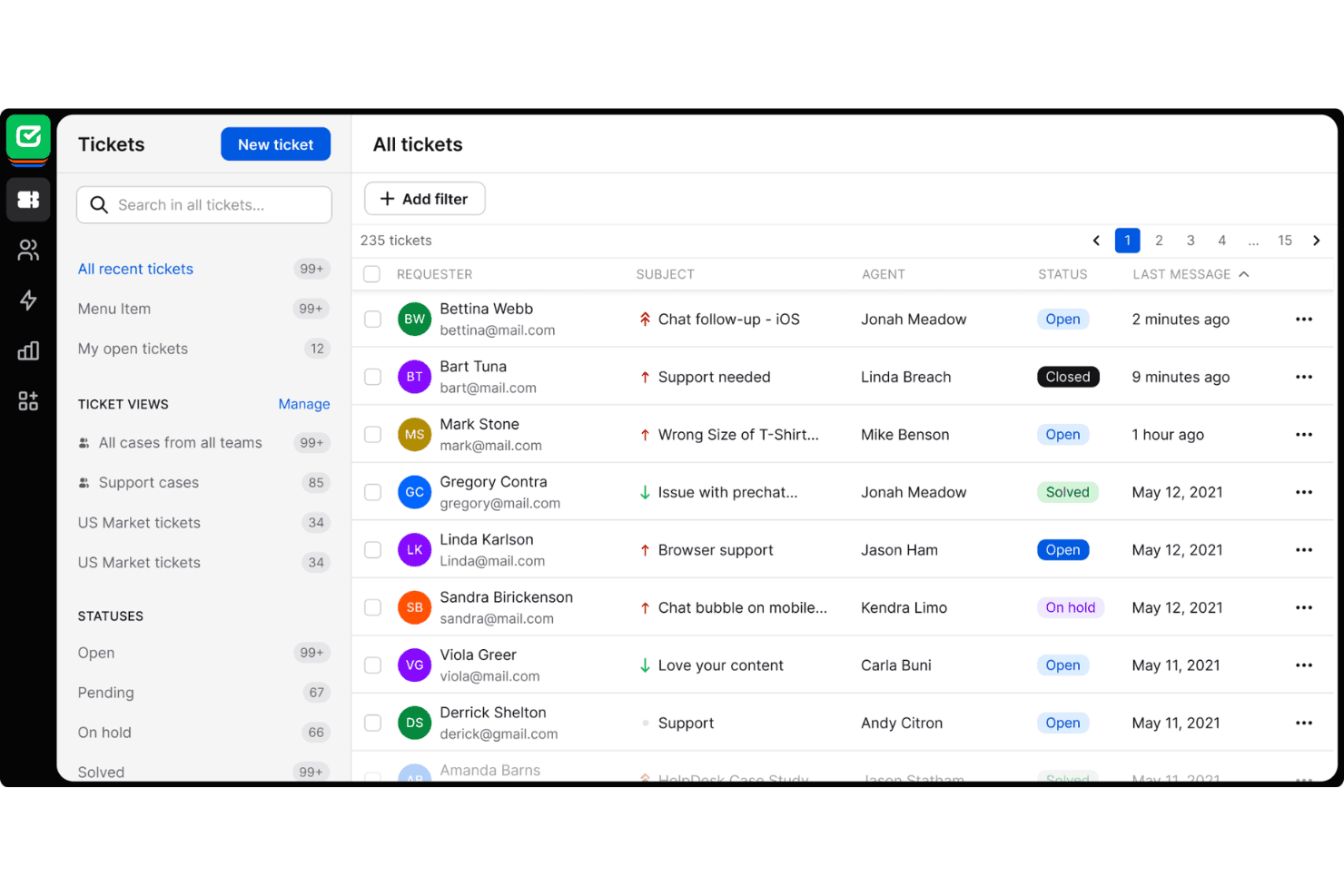
HelpDesk is one of the easier help desk tools to adopt, especially for teams moving from shared email. Reviewers praise its clean interface, while email, chat, Messenger, and SMS tickets stay in one queue. Round-robin assignment and collision detection clarify ownership, and no-code workflows avoid scripting. AI drafts, summaries, and tagging also reduce repetitive work. Usability declines on lower tiers when teams need deeper reporting, custom fields, or advanced controls.
Integrations
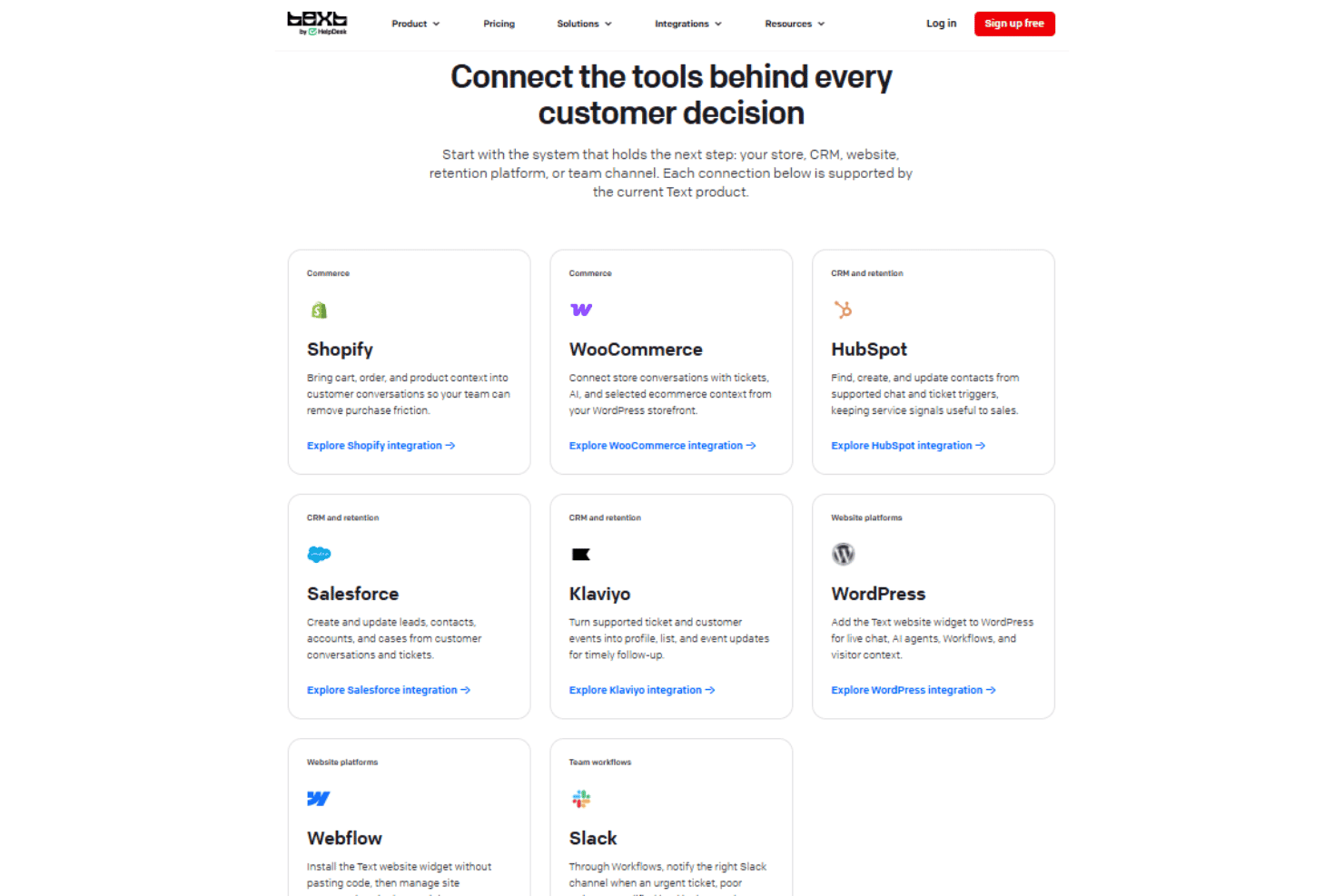
HelpDesk integrates with Shopify, WooCommerce, HubSpot, Salesforce, Klaviyo, WordPress, Webflow, and Slack.
HelpDesk also offers an API and webhooks, and connects with third-party integration tools such as Zapier.
HelpDesk Specs
- Analytics: Yes
- API: Yes
- Call Integration: Yes
- Chat: Yes
- Contact Management: Yes
- CRM Integration: Yes
- Customer Management: Yes
- Dashboard: Yes
- Data Export: Yes
- Data Import: Yes
- Data Visualization: Yes
- Email Integration: Yes
- External Integrations: Yes
- Instant Chat Integration: Yes
- Knowledge Base: Yes
- Lead Management: Yes
- Lead Scoring: Yes
- Multi-User: Yes
- Notifications: Yes
- Real-time Alerts: Yes
- Scheduling: Yes
- Self-service Portal: Yes
- Social Media Integration: Yes
- Support Forum: Yes
- Ticket Management: Yes
- Workflow Management: Yes


