

Se stai valutando alternative a Ivanti, probabilmente stai affrontando problemi che il tuo attuale software di gestione IT non riesce a risolvere. Forse hai problemi di scalabilità o magari hai bisogno di uno strumento più in linea con le esigenze specifiche del settore in cui opera il tuo team.
In base alla mia esperienza, trovare il software giusto può alleviare molti dei problemi IT più comuni, come flussi di lavoro inefficienti e questioni relative alla conformità. Ho esaminato diverse opzioni per aiutarti a trovare una soluzione adatta alle tue esigenze specifiche.
In questo articolo ti illustrerò le mie migliori scelte tra le alternative a Ivanti. Avrai un quadro chiaro di ciò che offre ciascuna opzione, aiutandoti a prendere una decisione consapevole per le esigenze del tuo team.
Che cos'è Ivanti?
Ivanti è un software di gestione IT utilizzato dai professionisti IT e dalle organizzazioni per gestire e proteggere i propri ambienti digitali. Viene comunemente utilizzato dagli amministratori IT, dai team di sicurezza e dai responsabili dei servizi per migliorare l'efficienza operativa e la sicurezza. Le funzionalità di gestione degli asset, sicurezza degli endpoint e gestione dei servizi aiutano a ottimizzare i processi, proteggere i dati e gestire efficacemente gli asset IT. Nel complesso, Ivanti offre una soluzione centralizzata per gestire e proteggere la tua infrastruttura IT.
Tabella di confronto delle alternative a Ivanti
Questa tabella di confronto riassume i dettagli sui prezzi delle mie migliori alternative a Ivanti:
| Tool | Best For | Trial Info | Price | ||
|---|---|---|---|---|---|
| 1 | Ideale per la gestione dei dispositivi collegata ai team IT e HR | Non disponibile | A partire da $8/utente/mese | Website | |
| 2 | Ideale per i team che desiderano un monitoraggio IT flessibile | Prova gratuita e demo gratuita disponibili | A partire da $15/utente/mese (con fatturazione annuale) | Website | |
| 3 | Ideale per team di medie dimensioni che necessitano di flussi di lavoro chiari | Prova gratuita + demo gratuita disponibili | A partire da $99/utente/mese (con fatturazione annuale) | Website | |
| 4 | Ideale per team numerosi che necessitano di un ampio supporto IT | Demo gratuita disponibile | Prezzi su richiesta | Website | |
| 5 | Ideale per i team di sviluppo che collegano operazioni e problemi | Prova gratuita di 7 giorni + piano gratuito disponibile | A partire da $20/mese | Website | |
| 6 | Ideale per le regole dei dispositivi negli ambienti Microsoft | Prova gratuita disponibile | A partire da $60/user/month (fatturato annualmente) | Website | |
| 7 | Ideale per grandi organizzazioni che necessitano di un controllo approfondito dell'IT | Demo gratuita disponibile | Prezzi su richiesta | Website | |
| 8 | Ideale per attività miste di amministrazione IT | Prova gratuita di 30 giorni + demo gratuita disponibile | Da $104/mese | Website | |
| 9 | Ideale per la gestione degli accessi SaaS e il controllo delle applicazioni | Demo gratuita disponibile | Prezzi su richiesta | Website | |
| 10 | Ideale per un accesso sicuro alle applicazioni di lavoro | Demo gratuita disponibile | Prezzi su richiesta | Website |


Perché fidarsi dei nostri consigli sui software
6,700+
Reviews
20
Industry experts
16+
Evaluation factors
14
Years
Il nostro team testa e recensisce software dal 2012. In quanto leader tecnologici noi stessi, sappiamo quanto sia difficile — e importante — scegliere il software giusto.
Per questa guida, abbiamo valutato gli strumenti attraverso test praticie ricerche indipendenti, assegnando un punteggio agli strumenti in base ai nostri criteri di selezione.
Le nostre recensioni riflettono il nostro giudizio editoriale umano, non un discorso di vendita.
Revisori esperti:
- Paulo Gardini MiguelDirettore tecnico
 Tim FisherVP dell'IA
 Gabriel RosasTech Lead e architetto software
 Christhian GruhnTech Lead e architetto della piattaforma

Recensioni delle migliori alternative a Ivanti
Di seguito trovi i miei riepiloghi dettagliati delle migliori alternative a Ivanti incluse nel mio elenco. Le mie recensioni offrono un’analisi approfondita delle funzionalità principali, dei pro e contro, delle integrazioni e dei casi d’uso ideali di ogni strumento, per aiutarti a trovare quello più adatto a te.
 Ideale per la gestione dei dispositivi collegata ai team IT e HR
- Non disponibile
- A partire da $8/utente/mese
Visit WebsiteCustomer Rating:4.8/5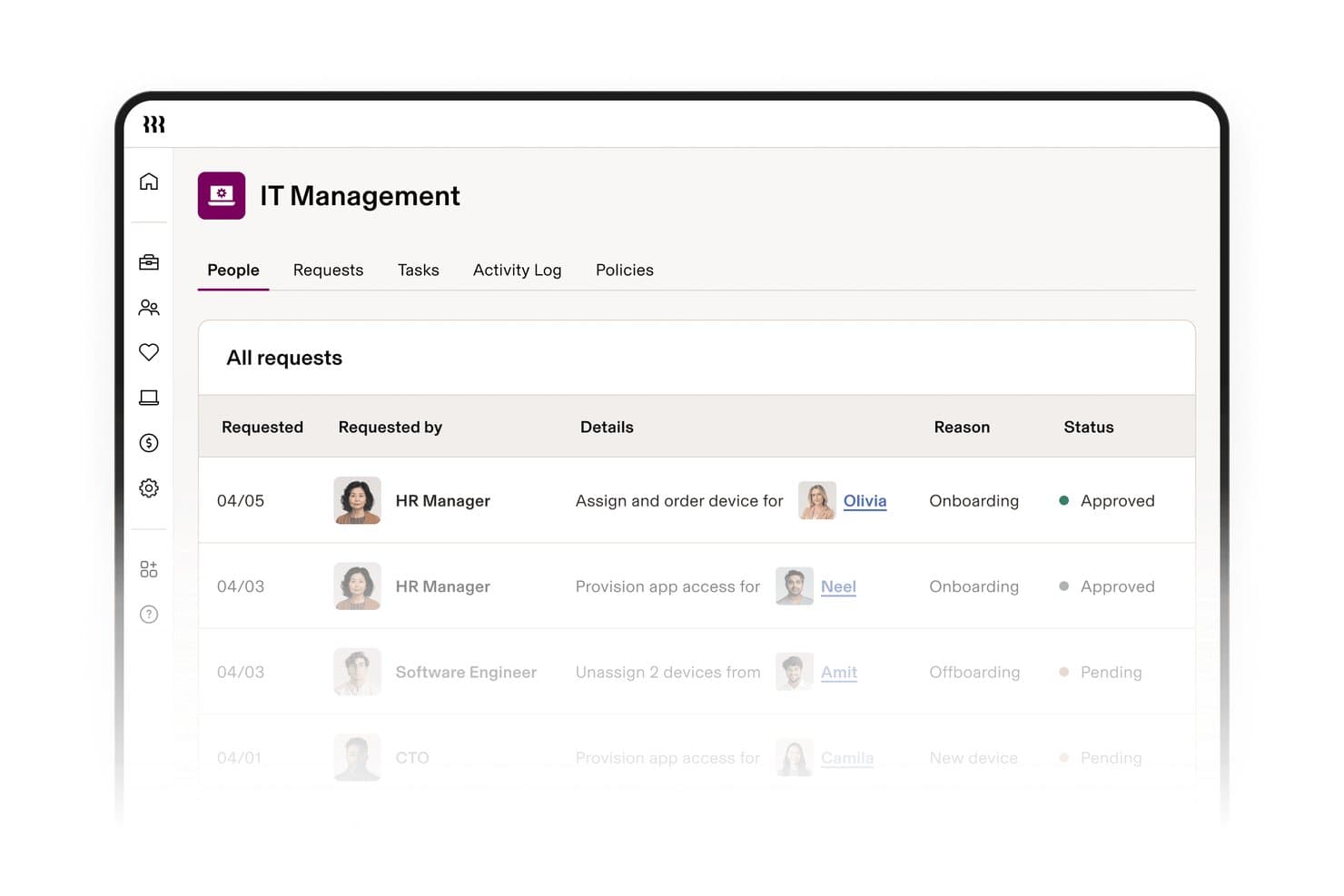
Rippling IT centralizza le richieste di distribuzione di dispositivi e applicazioni in un unico pannello di controllo. Rippling IT è un software per la gestione dei dispositivi finali destinato ai team IT che devono gestire i dispositivi dei dipendenti, gli accessi e la distribuzione delle applicazioni insieme ai flussi di lavoro HR, riducendo il lavoro manuale e i rischi durante la dismissione degli accessi.
Per chi è più indicato Rippling IT?
Rippling IT è adatto ai team IT che gestiscono i dispositivi dei dipendenti, l'accesso alle applicazioni e le attività di inserimento o uscita insieme ai flussi di lavoro HR.
Perché Rippling IT è una valida alternativa a Ivanti
Ho scelto Rippling IT perché il mio team può gestire i dispositivi dei dipendenti, gli accessi e la distribuzione delle applicazioni insieme ai flussi di lavoro HR. Quando una persona entra o lascia l'azienda, coordiniamo le attività di inserimento e uscita dallo stesso sistema, riducendo il rischio di dimenticare modifiche agli accessi. Questo lo rende una scelta solida per la gestione dei dispositivi collegata ai team IT e HR.
Funzionalità principali di Rippling IT
- Gestione multi-sistema operativo: Supporta dispositivi macOS, Windows, iOS e iPadOS.
- Monitoraggio continuo della conformità: Tiene traccia dei controlli rispetto a quadri di riferimento come SOC 2 e NIST.
- Raccolta automatizzata delle evidenze: Raccoglie le evidenze per le verifiche e supporta la correzione con un solo clic.
- Controlli di sicurezza dei dispositivi finali: Include MFA, accesso condizionale, applicazione delle patch e criteri di attendibilità dei dispositivi.
Integrazioni di Rippling IT
Rippling IT offre oltre 600 integrazioni pronte all'uso, tra cui Microsoft 365, AWS, Slack, GitHub, Jira, Zoom e Salesforce. Fornisce inoltre un'API per le integrazioni personalizzate.
Pros and Cons
Pros:
- L'inserimento attivato dalle attività HR automatizza le modifiche agli accessi dei dispositivi
- Supporta macOS, Windows, iOS e iPadOS
- Il monitoraggio della conformità include la raccolta automatizzata delle evidenze per le verifiche
Cons:
- Minore profondità nella gestione specializzata dei dispositivi finali rispetto a Ivanti
- L'adozione più ampia della piattaforma aumenta il costo totale
Learn more about Rippling IT: Ideale per i team che desiderano un monitoraggio IT flessibile
- Prova gratuita e demo gratuita disponibili
- A partire da $15/utente/mese (con fatturazione annuale)
Visit WebsiteCustomer Rating:4.9/5
SmartSuite crea sistemi di lavoro personalizzati per qualsiasi team. SmartSuite è una piattaforma di automazione dei flussi di lavoro progettata per i team che desiderano ottimizzare i propri processi aziendali. Aiuta ad automatizzare le attività, gestire i progetti e migliorare la collaborazione tra diversi reparti.
Perché è una buona alternativa a Ivanti: SmartSuite eccelle nell'automazione dei flussi di lavoro offrendo flussi personalizzabili che si adattano alle esigenze della tua azienda. La sua interfaccia di trascinamento semplifica la progettazione e l'implementazione di processi automatizzati da parte del team. La piattaforma fornisce inoltre analisi in tempo reale per monitorare le prestazioni e identificare i colli di bottiglia. Queste funzionalità rendono SmartSuite uno strumento prezioso per le organizzazioni che puntano a migliorare l'efficienza e la collaborazione.
Funzionalità e integrazioni principali:
Le funzionalità includono strumenti di gestione delle attività che consentono di organizzare e stabilire le priorità del lavoro in modo efficiente. Le funzioni di reportistica della piattaforma forniscono informazioni sull'avanzamento dei progetti e sulle prestazioni del team. Inoltre, SmartSuite offre uno spazio di lavoro collaborativo in cui i membri del team possono condividere aggiornamenti e comunicare.
Le integrazioni includono Google Workspace, Microsoft 365, Slack, Salesforce, Jira, Trello, Dropbox, Asana, Zapier e monday.com.
Pros and Cons
Pros:
- Collaborazione contestuale all'interno di record o attività specifici
- Visualizzazioni dei dati personalizzabili
- Accesso gratuito per gli ospiti che collaborano a progetti specifici
Cons:
- Le regole di governance richiedono una configurazione manuale
- Interfaccia complessa a causa dell'elevato numero di funzionalità
Learn more about SmartSuite: 3Ideale per team di medie dimensioni che necessitano di flussi di lavoro chiari
Halo
- Prova gratuita + demo gratuita disponibili
- A partire da $99/utente/mese (con fatturazione annuale)
Visit WebsiteCustomer Rating:4.7/5
HaloITSM guida i team attraverso fasi di supporto strutturate. HaloITSM è uno strumento di gestione dei servizi IT progettato per i team IT che desiderano automatizzare i flussi di lavoro e migliorare l'erogazione dei servizi. Aiuta a perfezionare le operazioni IT, le richieste di servizio e la gestione degli incidenti per aziende di tutte le dimensioni.
Perché è una buona alternativa a Ivanti: HaloITSM offre funzionalità di automazione dei flussi di lavoro che lo distinguono. La gestione automatizzata dei ticket aiuta il team a rispondere alle richieste di servizio, mentre i flussi di lavoro personalizzabili si adattano alle esigenze specifiche dell'azienda. La piattaforma fornisce inoltre strumenti completi di reportistica per monitorare le prestazioni e identificare le aree di miglioramento. Queste funzionalità rendono HaloITSM un'opzione valida per le organizzazioni interessate a migliorare l'erogazione dei servizi attraverso l'automazione.
Funzionalità e integrazioni distintive:
Le funzionalità includono un centro assistenza centralizzato per la gestione delle richieste, analisi in tempo reale per monitorare le prestazioni e un portale self-service per gli utenti finali. Queste funzionalità consentono al team di fornire un supporto più rapido e migliorare la soddisfazione degli utenti. La flessibilità nel personalizzare i processi di servizio garantisce che la piattaforma possa soddisfare diverse esigenze aziendali.
Le integrazioni includono Microsoft Teams, Slack, Azure Active Directory, Office 365, Jira, Salesforce, Azure DevOps, Google Workspace, Okta e OneLogin.
Pros and Cons
Pros:
- Basato sulle migliori pratiche della Biblioteca dell'infrastruttura IT (ITIL)
- Piattaforma altamente adattabile che consente personalizzazioni senza codice
- Supporta percorsi di approvazione chiari
Cons:
- La migrazione dei dati dai sistemi meno recenti può essere complessa e richiedere molto tempo
- Un numero ridotto di amministratori potrebbe sentirsi sovraccaricato
Learn more about Halo: Ideale per team numerosi che necessitano di un ampio supporto IT
- Demo gratuita disponibile
- Prezzi su richiesta
Visit WebsiteCustomer Rating:4.4/5
ServiceNow coordina flussi di lavoro aziendali complessi. ServiceNow è una piattaforma basata sul cloud progettata per la gestione dei servizi IT, rivolta principalmente ai team IT e ai responsabili dei servizi. Aiuta ad automatizzare e gestire un'ampia gamma di processi aziendali, dalle operazioni IT al servizio clienti.
Perché è una buona alternativa a Ivanti: ServiceNow offre soluzioni basate sull'IA che migliorano le operazioni IT e il processo decisionale. Le sue funzionalità di IA consentono di automatizzare le attività ripetitive, riducendo l'intervento manuale. L'analisi predittiva aiuta a identificare i potenziali problemi prima che si aggravino. Queste funzionalità rendono ServiceNow una scelta valida per i team alla ricerca di automazione intelligente e informazioni utili.
Funzionalità e integrazioni principali:
Le funzionalità includono l'automazione dei flussi di lavoro IT, l'analisi predittiva per la gestione proattiva dei problemi e l'automazione delle attività basata sull'IA. Queste funzionalità aiutano il team a concentrarsi sulle iniziative strategiche riducendo il carico di lavoro manuale e migliorando l'efficienza operativa. L'interfaccia intuitiva della piattaforma semplifica inoltre la gestione di ambienti IT complessi.
Le integrazioni includono Microsoft Teams, Slack, AWS, Azure, Google Cloud, SAP, Salesforce, Oracle, ServiceNow Store e Workday.
Pros and Cons
Pros:
- Centralizza la gestione di incidenti, problemi, modifiche, rilasci, richieste e conoscenze
- L'ambiente a basso codice consente l'automazione dei processi interfunzionali
- Le funzionalità di IA generativa e gli agenti IA automatizzano le attività
Cons:
- Costo totale di proprietà elevato rispetto ad altre offerte
- Richiede un'ampia personalizzazione per soddisfare le specifiche aziendali
 Ideale per i team di sviluppo che collegano operazioni e problemi
- Prova gratuita di 7 giorni + piano gratuito disponibile
- A partire da $20/mese
Visit WebsiteCustomer Rating:4/5
Atlassian Jira Service Management collega il lavoro di supporto ai cicli di sviluppo. Atlassian Jira Service Management è uno strumento di gestione dei servizi IT progettato per consentire ai team IT di gestire richieste di servizio, incidenti e modifiche. È ampiamente utilizzato dai service desk IT e dai team operativi per migliorare l'erogazione dei servizi e la collaborazione.
Perché è una buona alternativa a Ivanti: Atlassian Jira Service Management offre soluzioni IT basate sull'intelligenza artificiale che migliorano l'efficienza operativa e il processo decisionale. Le sue funzionalità di automazione riducono il lavoro manuale, consentendo al team di concentrarsi sulle iniziative strategiche. Le funzionalità di apprendimento automatico dello strumento aiutano a stabilire le priorità e a classificare le richieste di servizio in modo intelligente. Inoltre, la sua interfaccia intuitiva facilita la collaborazione tra i team e la gestione delle attività di servizio.
Funzionalità e integrazioni principali:
Le funzionalità includono report in tempo reale che forniscono informazioni sulle prestazioni del team e sull'efficienza del servizio. La piattaforma supporta inoltre flussi di lavoro personalizzabili, consentendo al team di adattare i processi a esigenze specifiche. Offre anche un portale self-service in cui gli utenti possono inviare e monitorare le proprie richieste.
Le integrazioni includono Confluence, Slack, Microsoft Teams, Zoom, GitHub, Bitbucket, Okta, Google Workspace, AWS e Azure.
Pros and Cons
Pros:
- Le richieste collegate favoriscono la collaborazione tra sviluppatori e team IT
- Il potente motore di automazione senza codice aumenta l'efficienza
- L'integrazione con Confluence fornisce articoli della base di conoscenza e funzionalità self-service
Cons:
- I progetti complessi richiedono una modellazione attenta
- Personalizzazione limitata dell'interfaccia del portale
Learn more about Jira Service Management: Ideale per le regole dei dispositivi negli ambienti Microsoft
- Prova gratuita disponibile
- A partire da $60/user/month (fatturato annualmente)
Visit WebsiteCustomer Rating:4.7/5
Intune applica regole sui dispositivi in ambienti hardware eterogenei. Microsoft Intune è un servizio basato sul cloud incentrato sulla gestione unificata degli endpoint, progettato per consentire agli amministratori IT di gestire dispositivi e app in modo sicuro. Aiuta le organizzazioni a controllare l'accesso e a proteggere i dati su vari dispositivi.
Perché è una buona alternativa a Ivanti: Microsoft Intune offre funzionalità di gestione unificata degli endpoint che garantiscono un accesso sicuro alle risorse aziendali. Le sue funzionalità di gestione dei dispositivi mobili consentono al team di gestire i dispositivi da un'unica piattaforma. I criteri di protezione delle app aiutano a salvaguardare i dati aziendali sia sui dispositivi gestiti sia su quelli non gestiti. Le impostazioni di accesso condizionale rafforzano la sicurezza consentendo solo ai dispositivi conformi di accedere alle informazioni sensibili.
Funzionalità distintive & integrazioni:
Funzionalità includono strumenti di reporting che forniscono informazioni sulla conformità e sulla sicurezza dei dispositivi. La piattaforma supporta la gestione basata sui criteri, consentendo al team di applicare criteri di sicurezza a tutti i dispositivi. Offre inoltre azioni remote come la cancellazione o il blocco dei dispositivi per mantenere la sicurezza in caso di smarrimento o furto.
Integrazioni includono Azure Active Directory, Microsoft 365, Microsoft Defender, Azure Information Protection, Microsoft Endpoint Manager, Windows Autopilot, Microsoft Graph API, Apple Business Manager, Google Workspace e Okta.
Pros and Cons
Pros:
- Integrazione profonda con l'ecosistema Microsoft
- Funzionalità di controllo granulare dei criteri
- Altamente scalabile come soluzione nativa del cloud
Cons:
- Gli amministratori IT devono tenersi aggiornati sui frequenti aggiornamenti Microsoft
- Minore flessibilità negli ambienti non Microsoft
Learn more about Microsoft Intune: Ideale per grandi organizzazioni che necessitano di un controllo approfondito dell'IT
- Demo gratuita disponibile
- Prezzi su richiesta

BMC Helix supervisiona rigorosi controlli dei servizi nelle grandi organizzazioni BMC Helix è una piattaforma di gestione dei servizi IT basata sul cloud, progettata per consentire ai team IT di automatizzare e ottimizzare l'erogazione dei servizi. Supporta la gestione degli incidenti, la gestione delle modifiche e la gestione degli asset per aziende di tutte le dimensioni.
Perché è una valida alternativa a Ivanti: BMC Helix offre soluzioni IT basate sull'intelligenza artificiale che migliorano l'efficienza operativa. Le sue funzionalità basate sull'IA automatizzano le attività di routine, consentendo al tuo team di concentrarsi su attività più strategiche. L'analisi predittiva aiuta a identificare e risolvere i potenziali problemi prima che si aggravino. L'interfaccia intuitiva della piattaforma semplifica la gestione di ambienti IT complessi.
Funzionalità e integrazioni distintive:
Le funzionalità includono un service desk che centralizza tutte le richieste di servizio per una gestione efficiente. La piattaforma offre strumenti di reportistica per fornire informazioni sulle prestazioni dei servizi e identificare le aree di miglioramento. Inoltre, supporta la gestione multi-cloud, consentendo al tuo team di gestire le risorse in diversi ambienti cloud.
Le integrazioni includono Salesforce, ServiceNow, Microsoft 365, AWS, Azure, Google Cloud, Slack, Jira, Remedy e Cisco Webex.
Pros and Cons
Pros:
- AIOps utilizza l'apprendimento automatico per facilitare la gestione proattiva dei problemi
- Un service desk centralizzato gestisce incidenti, richieste, problemi e modifiche
- Dashboard personalizzabili monitorano le prestazioni, la conformità agli SLA e l'efficienza
Cons:
- La complessità può comportare tempi di implementazione prolungati
- Richiede responsabili IT esperti
Learn more about BMC Helix: Ideale per attività miste di amministrazione IT
- Prova gratuita di 30 giorni + demo gratuita disponibile
- Da $104/mese

ManageEngine gestisce attività pratiche su dispositivi e server ManageEngine è una piattaforma software per la gestione IT progettata per amministratori IT e responsabili dei servizi. Aiuta a gestire le operazioni IT, fornire sicurezza avanzata e ottimizzare l'erogazione dei servizi.
Perché è una valida alternativa a Ivanti: ManageEngine offre soluzioni IT basate sull'intelligenza artificiale che migliorano l'efficienza operativa. Le sue funzionalità di intelligenza artificiale automatizzano le attività di routine, offrendo al tuo team più tempo da dedicare alle iniziative strategiche. L'analisi predittiva della piattaforma aiuta ad anticipare e mitigare i potenziali problemi, riducendo i tempi di inattività. Queste funzionalità rendono ManageEngine un'opzione interessante per i team alla ricerca di una gestione IT intelligente.
Funzionalità e integrazioni principali:
Le funzionalità includono il monitoraggio in tempo reale per mantenere sicuro l'ambiente IT, l'analisi delle prestazioni per ottimizzare le operazioni di sistema e dashboard intuitive per visualizzare facilmente i dati. Questi strumenti consentono al tuo team di identificare e risolvere rapidamente i problemi. La piattaforma offre inoltre report personalizzabili per adattarsi alle tue esigenze specifiche.
Le integrazioni includono Microsoft 365, Azure Active Directory, G Suite, ServiceNow, Slack, Jira, Zendesk, Salesforce, AWS e Google Cloud.
Pros and Cons
Pros:
- Suite di 120 prodotti progettata per offrire soluzioni integrate in tutti gli ambiti IT
- Automazione dei flussi di lavoro IT per ridurre il carico di lavoro manuale
- Le applicazioni mobili consentono ai team IT di gestire l'infrastruttura ovunque si trovino
Cons:
- Alcuni utenti si sentono sopraffatti dall'elevato numero di strumenti
- L'interfaccia utente può essere difficile da utilizzare senza formazione
Learn more about ManageEngine: Ideale per la gestione degli accessi SaaS e il controllo delle applicazioni
- Demo gratuita disponibile
- Prezzi su richiesta

Zluri gestisce tutti gli accessi SaaS dell'azienda. Zluri è una piattaforma di gestione SaaS progettata per aiutare i team IT a semplificare l'accesso e l'utilizzo dei software. Aiuta a gestire le licenze software, monitorare l'utilizzo e garantire la conformità alle policy aziendali.
Perché è una buona alternativa a Ivanti: Zluri si concentra sulla gestione degli accessi SaaS, offrendo visibilità su tutti i software utilizzati all'interno dell'organizzazione. Le sue funzionalità includono l'onboarding e l'offboarding automatizzati, aiutando il team a gestire in modo efficiente gli accessi degli utenti. La piattaforma offre analisi dettagliate per monitorare l'utilizzo dei software e individuare opportunità di risparmio sui costi. Queste funzionalità rendono Zluri una scelta valida per le organizzazioni che desiderano ottimizzare i propri ambienti SaaS.
Funzionalità e integrazioni distintive:
Le funzionalità includono una dashboard centralizzata per gestire tutte le applicazioni SaaS, strumenti di reporting dettagliati per monitorare l'utilizzo e la spesa per i software e la gestione della conformità per garantire il rispetto delle policy aziendali. Queste funzionalità aiutano il team a ottenere il controllo sulle operazioni software e a ridurre le spese superflue. L'interfaccia intuitiva della piattaforma semplifica la navigazione e la gestione delle risorse software.
Le integrazioni includono Microsoft 365, Google Workspace, Slack, Salesforce, Zoom, Dropbox, Okta, GitHub, AWS e Jira.
Pros and Cons
Pros:
- Individua il 100% delle applicazioni SaaS utilizzate nelle organizzazioni
- Dashboard unificata per una visione completa delle applicazioni SaaS, degli utenti, della spesa e dello stato di conformità
- Monitora l'utilizzo delle licenze e suggerisce opportunità di ottimizzazione
Cons:
- L'orientamento alle aziende può rendere la piattaforma relativamente costosa per le PMI
- Dipende dalla qualità dei dati di sistema
Learn more about Zluri: Ideale per un accesso sicuro alle applicazioni di lavoro
- Demo gratuita disponibile
- Prezzi su richiesta

Citrix Gateway protegge l'accesso remoto alle applicazioni di lavoro. Citrix Gateway è una soluzione di accesso remoto sicuro progettata per consentire ai team IT di fornire agli utenti un accesso sicuro ad applicazioni e dati. Viene utilizzata principalmente dalle organizzazioni che devono garantire una connettività sicura per le risorse che lavorano da remoto.
Perché è una buona alternativa a Ivanti: Citrix Gateway si concentra sull'accesso remoto sicuro, offrendo funzionalità che migliorano la sicurezza e la connettività. Le sue funzionalità VPN SSL garantiscono connessioni sicure alle reti aziendali, mentre la funzione di accesso singolo semplifica l'autenticazione degli utenti. La piattaforma offre inoltre controlli di accesso granulari, consentendo al team di impostare autorizzazioni precise per utenti diversi. Queste funzionalità rendono Citrix Gateway una scelta affidabile per le organizzazioni che danno priorità all'accesso sicuro.
Funzionalità principali e integrazioni:
Le funzionalità includono l'analisi degli endpoint, che verifica la conformità dei dispositivi prima di concedere l'accesso. La piattaforma supporta anche l'autenticazione a più fattori, aggiungendo un ulteriore livello di sicurezza. Inoltre, Citrix Gateway offre una gestione centralizzata per semplificare l'amministrazione delle policy di accesso remoto.
Le integrazioni includono Citrix Workspace, Microsoft Azure, AWS, Google Cloud, VMware, Okta, Ping Identity, Salesforce e Oracle.
Pros and Cons
Pros:
- Accesso remoto sicuro tramite un firewall per tutte le applicazioni
- L'autorizzazione contestuale consente policy di controllo degli accessi granulari
- Può essere implementato in ambienti locali, virtuali o ospitati nel cloud
Cons:
- Gli amministratori richiedono formazione e certificazione specializzate
- L'interfaccia di configurazione e il gergo tecnico possono risultare poco intuitivi per gli utenti
Learn more about Citrix Gateway:
Altre alternative a Ivanti
Ecco alcune ulteriori alternative a Ivanti che non sono state incluse nel mio elenco, ma che vale comunque la pena prendere in considerazione:
- 11NinjaOneIdeale per interventi rapidi sugli endpoint
- 12AteraIdeale per gli MSP che necessitano di una gestione IT completa
- 13FortiClientIdeale per la protezione dei dispositivi terminali
- 14SecOps SolutionIdeale per le operazioni di sicurezza
Come valuto le alternative a Ivanti
Valuto ogni candidato su due livelli: gli elementi fondamentali, ovvero la gestione unificata degli endpoint, la gestione dei servizi IT allineata a ITIL e l'automazione delle patch, e i fattori distintivi che rendono una piattaforma degna di essere scelta al posto di quella attuale.
Funzionalità principali (elementi fondamentali per questo elenco)
Quando seleziono gli strumenti da includere nel mio elenco, assegno a ciascuno un punteggio su una scala da 0 (non offre la funzionalità) a 5 (eccelle in quest'area) per ogni funzionalità principale elencata di seguito. Poi calcolo il punteggio totale dello strumento e lo converto in percentuale. Ogni strumento deve raggiungere un punteggio totale minimo del 75% per essere preso in considerazione.
- Gestione unificata degli endpoint: Verifico se una piattaforma è in grado di rilevare, configurare e applicare criteri a dispositivi Windows, macOS, Linux e mobili da un'unica console.
- Gestione delle patch e delle vulnerabilità: In questo caso è importante l'applicazione automatizzata delle patch del sistema operativo e di terze parti: cerco distribuzioni pianificate, definizione delle priorità basata sui CVE e report sulla conformità post-distribuzione.
- Gestione dei servizi IT: Ogni strumento dovrebbe offrire flussi di lavoro allineati a ITIL per incidenti, modifiche e richieste di servizio, insieme al monitoraggio degli SLA e a un catalogo dei servizi strutturato.
- Gestione degli asset IT: Valuto quanto efficacemente la piattaforma monitori l'inventario hardware, le licenze software e le fasi del ciclo di vita degli asset, in modo che i team possano segnalare i dispositivi a fine vita prima che diventino un rischio.
- Supporto e controllo remoto: I team dell'help desk hanno bisogno di sessioni remote sicure con trasferimento di file, accesso senza supervisione e registrazione delle sessioni, soprattutto per supportare forze lavoro distribuite.
- Automazione e integrazioni: Cerco l'automazione dei flussi di lavoro e connettori nativi per provider di identità, strumenti SIEM e suite per la produttività come Microsoft 365 o Google Workspace.
Una volta ottenuto un elenco di strumenti che soddisfano questi criteri, considero ciò che distingue ciascuna piattaforma.
Fattori distintivi (ciò che differenzia i fornitori)
Ecco come confronto i diversi fornitori:
Funzionalità di rilievo
L'automazione basata sull'intelligenza artificiale è un importante fattore distintivo: cerco piattaforme che utilizzino il ML per assegnare priorità alle patch in base al punteggio di rischio o per evitare l'apertura di ticket tramite un agente virtuale, riducendo direttamente il carico di lavoro operativo. È importante anche un portale self-service ben progettato, poiché consente ai dipendenti di risolvere problemi comuni, come la reimpostazione delle password o le richieste di accesso, senza dover mai aprire un ticket. Valuto inoltre i cruscotti per la reportistica sulla conformità, soprattutto i modelli predefiniti associati a framework come SOC 2 o ISO 27001, che fanno risparmiare ore nella preparazione degli audit.
Oltre le funzionalità
La trasparenza delle licenze è uno dei primi aspetti che valuto. I prezzi dei moduli raggruppati di Ivanti sono una fonte comune di frustrazione, quindi verifico se le alternative offrono modelli chiari per dispositivo o per tecnico, con una scalabilità prevedibile. Anche la flessibilità di distribuzione è importante: alcuni team hanno bisogno del SaaS, mentre altri richiedono opzioni on-premise o ibride per motivi normativi. Infine, valuto il supporto alla migrazione, verificando se il fornitore offre risorse dedicate per l'onboarding, strumenti per l'importazione dei dati e documentazione che renda più breve la transizione da un ambiente Ivanti esistente.
Perché cercare un'alternativa a Ivanti?
Sebbene Ivanti sia una buona scelta per la gestione IT, ci sono diversi motivi per cui alcuni utenti cercano soluzioni alternative. Potresti essere alla ricerca di un'alternativa a Ivanti perché…
- Hai bisogno di una maggiore scalabilità per la crescita
- Il tuo team richiede più opzioni di personalizzazione
- Cerchi un'interfaccia utente migliorata
- Hai bisogno del supporto per la conformità specifica del tuo settore
- Il tuo team è distribuito in più regioni
- Desideri opzioni di prezzo più convenienti
Se ti riconosci in una di queste situazioni, sei nel posto giusto. Il mio elenco contiene diverse opzioni di software per la gestione IT più adatte ai team che affrontano queste difficoltà con Ivanti e sono alla ricerca di soluzioni alternative.
Funzionalità principali di Ivanti
Ecco alcune delle funzionalità principali di Ivanti, per aiutarti a mettere a confronto ciò che offrono le soluzioni alternative:
- Gestione dei servizi aziendali: Fornisce strumenti per la gestione dei servizi e degli asset IT, sfruttando l'intelligenza artificiale generativa per migliorare l'efficienza.
- Gestione e sicurezza degli endpoint: Offre soluzioni per la gestione e la protezione dei dispositivi con la gestione delle patch basata sul rischio.
- Gestione dell'esposizione: Include servizi per la gestione proattiva delle vulnerabilità con funzionalità di autoriparazione.
- Sicurezza delle reti: Fornisce soluzioni di accesso sicuro, come l'accesso a fiducia zero e le VPN, per applicazioni e dati.
- Automazione della catena di approvvigionamento: Fornisce strumenti per ottimizzare le operazioni di magazzino e i flussi di lavoro mobili.
- Integrazioni dei flussi di lavoro: Facilitano l'integrazione fluida dei flussi di lavoro IT per migliorare l'efficienza operativa.
- Intelligenza artificiale generativa per ITSM: Utilizza l'intelligenza artificiale per migliorare i processi e il processo decisionale relativi alla gestione dei servizi IT.
- Gestione delle vulnerabilità basata sul rischio: Si concentra sull'identificazione e la mitigazione delle vulnerabilità in base alla valutazione del rischio.
- Accesso a fiducia zero: Garantisce un accesso sicuro e verificato a dati e applicazioni sensibili.
- Gestione dell'esperienza digitale: Monitora e migliora l'esperienza digitale degli utenti finali su tutti i dispositivi.