


Hiver vs. Zoho Desk: Confronto e Recensioni degli Esperti per il 2026
Se stai scegliendo tra Hiver e Zoho Desk, probabilmente stai lottando con la complessità degli strumenti, l’efficienza del team e come scalare il supporto senza caos—questa analisi ti offre chiarezza.

Recensiamo gli strumenti in modo indipendente e le commissioni ci aiutano a finanziare i nostri test. Consulta la nostra politica sulla trasparenza, la nostra metodologia, oppure suggerisci uno strumento.
Scegliere il software service desk giusto può sembrare un compito arduo quando ti trovi a gestire un volume crescente di ticket, con la pressione di velocizzare i tempi di risposta e la sfida di mantenere il team allineato. Mettere a confronto Hiver e Zoho Desk fianco a fianco ti aiuta a capire come ciascuna piattaforma approcci differenze su organizzazione, intelligenza artificiale, flussi di lavoro e attività quotidiane di supporto. Questo articolo ti guida attraverso tali differenze e somiglianze in modo che tu possa confrontare entrambi gli strumenti su funzionalità, pro e contro, strutture di prezzo e idoneità generale per le tue esigenze di service desk.
Hiver
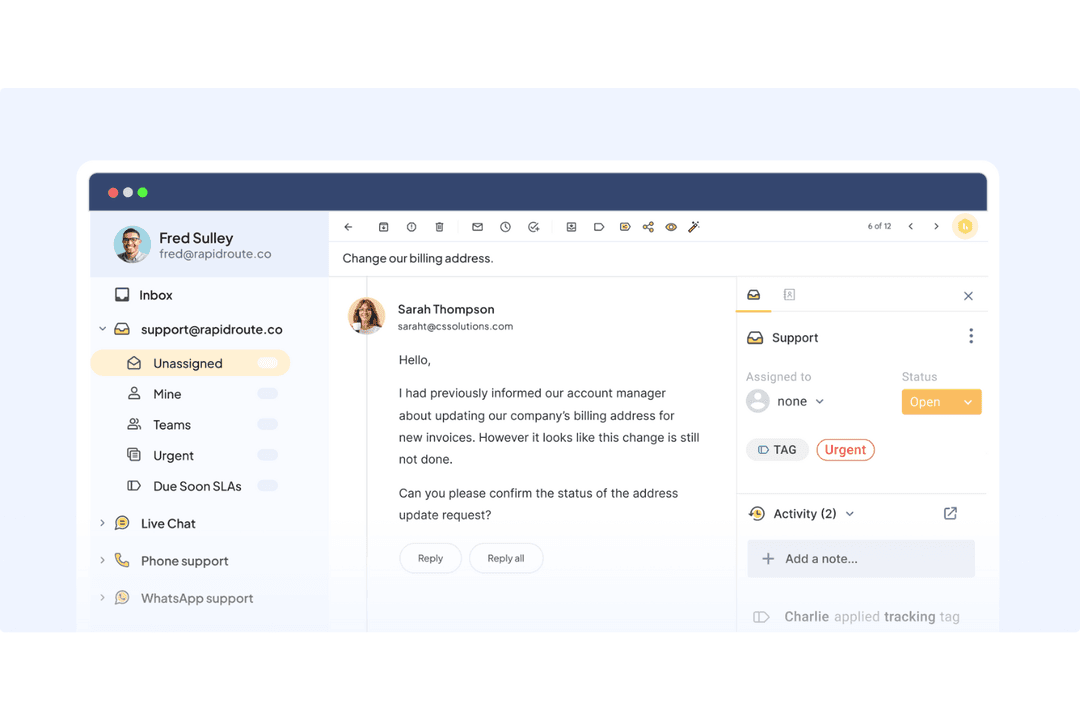
4.7/5
- Free plan available
- From $35/user/month
Zoho Desk
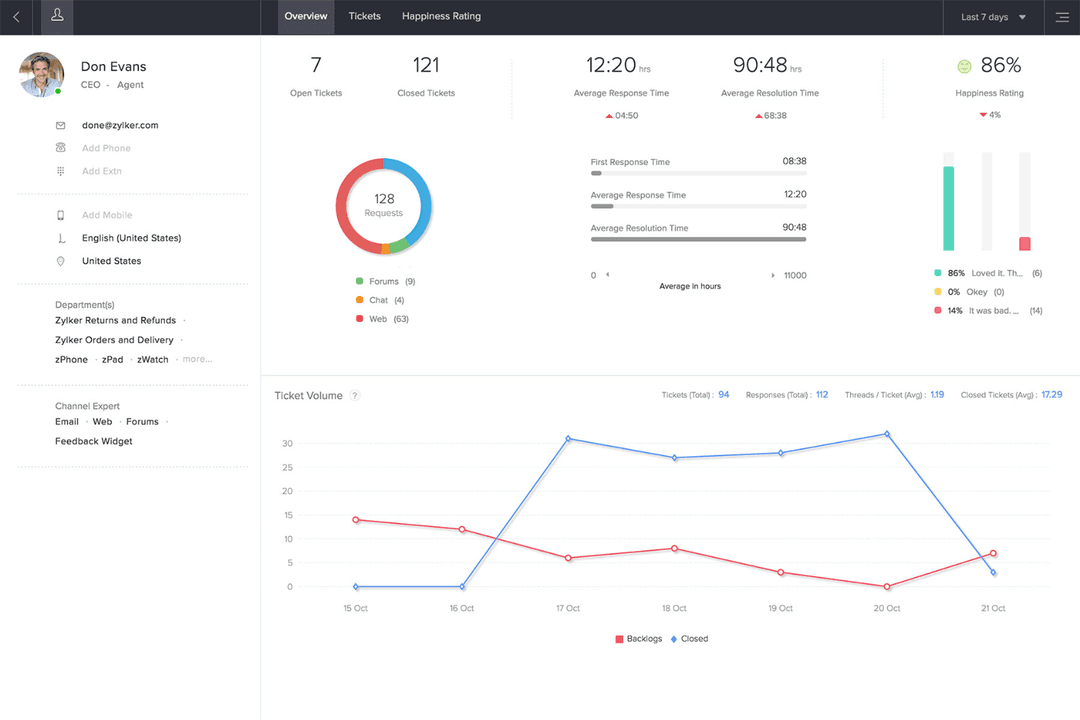

4.4/5
- 15-day free trial
- Pricing upon request
Perché fidarsi dei nostri consigli sui software
6,700+
Reviews
20
Industry experts
16+
Evaluation factors
14
Years
Il nostro team testa e recensisce software dal 2012. In quanto leader tecnologici noi stessi, sappiamo quanto sia difficile — e importante — scegliere il software giusto.
Per questa guida, abbiamo valutato gli strumenti attraverso test praticie ricerche indipendenti, assegnando un punteggio agli strumenti in base ai nostri criteri di selezione.
Le nostre recensioni riflettono il nostro giudizio editoriale umano, non un discorso di vendita.
Revisori esperti:
- Paulo Gardini MiguelDirettore tecnico
 Tim FisherVP dell'IA
 Gabriel RosasTech Lead e architetto software
 Christhian GruhnTech Lead e architetto della piattaforma

| Hiver | Zoho Desk | |
|---|---|---|
| Free Trial | Free plan available | 15-day free trial |
| Pricing | From $35/user/month | Pricing upon request |
Hiver vs. Zoho Desk: Prezzi e Costi Nascosti
Hiver utilizza un modello di prezzi a livelli che si adatta in base al piano scelto e alle funzionalità offerte. Propone un piano gratuito per sempre per i team che stanno appena iniziando. Anche Zoho Desk adotta una struttura a livelli, ma aggiunge costi man mano che si accede a personalizzazioni avanzate, telefonia e funzionalità di automazione più sofisticate.
Quando confronti gli strumenti, considera quanta configurazione è davvero necessaria per il tuo team, con quale rapidità desideri inserire nuovi operatori e se la crescita a lungo termine dipenderà maggiormente dalla semplicità o dalla personalizzazione.
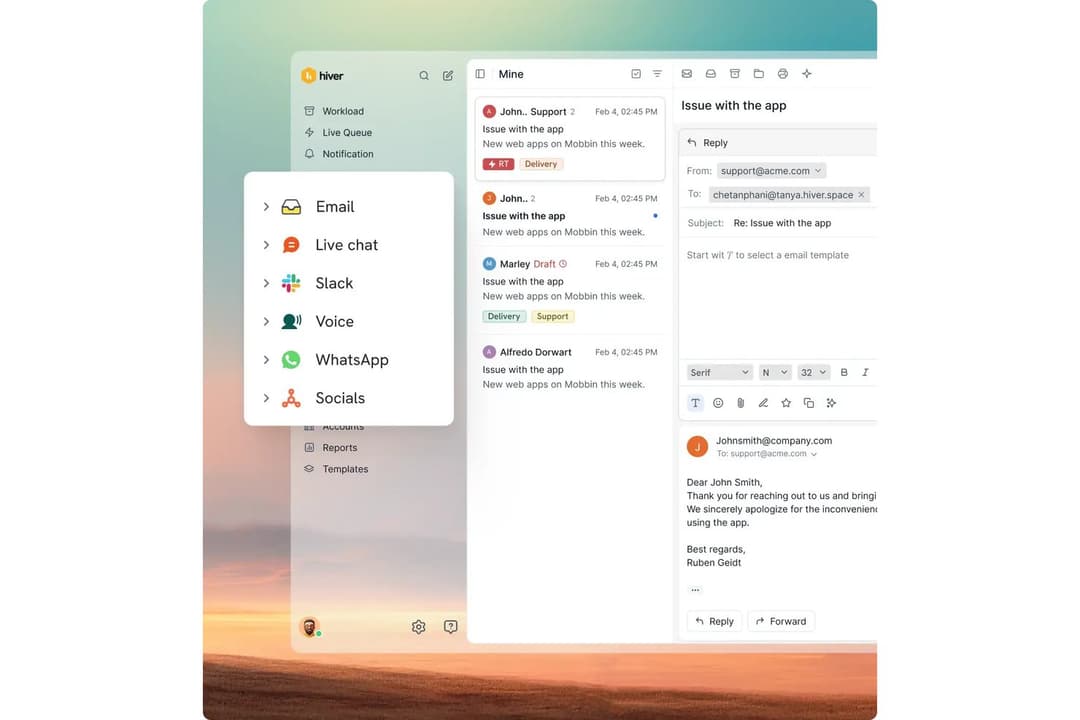
Il moderno workspace omnicanale di Hiver ti aiuta a rimanere organizzato quando il tuo team gestisce quotidianamente un elevato volume di email e chat di supporto, facilitando l’assegnazione del lavoro e risposte rapide. Gli strumenti strutturati di ticketing di Zoho Desk, i moduli personalizzati e i flussi di processo approfonditi sono perfetti per i team che dipendono da un instradamento complesso o da un supporto multi-dipartimentale. Entrambi gli strumenti risolvono bene problemi diversi, e ciascuno offre chiarezza a seconda di come lavora al meglio la tua squadra.
| Hiver | Zoho Desk | |
|---|---|---|
| Analytics | Yes | Yes |
| API | Yes | Yes |
| Batch Permissions & Access | Yes | Yes |
| Call Integration | Yes | Yes |
| Chat | Yes | Yes |
| Contact Management | Yes | Yes |
| Contact Sharing | Yes | Yes |
| CRM Integration | Yes | Yes |
| Customer Management | Yes | Yes |
| Customer Service | Yes | No |
| Dashboard | Yes | Yes |
| Data Export | Yes | Yes |
| Data Import | Yes | Yes |
| Data Visualization | Yes | Yes |
| Email Integration | Yes | Yes |
| Escalation Management | Yes | Yes |
| External Integrations | Yes | Yes |
| Instant Chat Integration | Yes | Yes |
| Knowledge Base | Yes | Yes |
| Lead Management | No | Yes |
| Lead Scoring | No | Yes |
| Multi-User | Yes | Yes |
| Notifications | Yes | Yes |
| Real-time Alerts | Yes | Yes |
| Scheduling | Yes | Yes |
| Self-service Portal | Yes | Yes |
| Social Media Integration | Yes | Yes |
| Support Forum | No | Yes |
| Third-Party Plugins/Add-Ons | Yes | Yes |
| Ticket Management | Yes | Yes |
| Workflow Management | Yes | Yes |
| Integrazione | Hiver | Zoho Desk |
| Salesforce | ✅ | ✅ |
| HubSpot | ✅ | ✅ |
| Shopify | ✅ | ❌ |
| Netsuite | ✅ | ❌ |
| Asana | ✅ | ✅ |
| Jira | ✅ | ✅ |
| Microsoft Teams | ❌ | ✅ |
| Trello | ❌ | ✅ |
| Slack | ✅ | ✅ |
| Pipedrive | ✅ | ✅ |
| API | ✅ | ✅ |
| Zapier | ✅ | ✅ |
Hiver offre una gamma semplice di integrazioni che ti permette di mantenere il contesto del cliente vicino alla casella di posta e ridurre il cambio di strumenti durante il lavoro del team. Zoho Desk, invece, si integra profondamente con l’intero ecosistema Zoho e offre più opzioni integrate per la telefonia e gli strumenti di comunicazione. Entrambe le piattaforme supportano workflow di integrazione robusti, ma ciascuna valorizza punti di forza differenti a seconda di come è impostato il tuo stack tecnologico.
| Fattore | Hiver | Zoho Desk |
| Privacy dei dati | Protegge le email e i dati dei clienti tramite crittografia, rigorosi controlli di accesso e hosting sicuro su AWS. | Utilizza autorizzazioni basate sui ruoli, sicurezza a livello di campo e rigidi controlli GDPR/HIPAA/CCPA per salvaguardare i dati. |
| Conformità | Soddisfa i requisiti ISO 27001, SOC 2 Type II, GDPR e CCPA con pratiche di sicurezza documentate. | Offre conformità a GDPR, HIPAA e CCPA con registri di audit dettagliati e permessi personalizzabili. |
| Affidabilità | Utilizza infrastruttura AWS con backup automatici e sincronizzazione dati crittografata per alta disponibilità. | Garantisce affidabilità orientata ai processi tramite log di audit, permessi multilivello e solidi controlli interni. |
| Controllo degli accessi | Utilizza SSO, OAuth e gestione granulare basata sui ruoli per login sicuri sia su Gmail che su Outlook. | Permette permessi dettagliati su ruolo, profilo e livello di campo per controllo preciso tra più reparti. |
| Infrastruttura | Funziona in ambienti AWS sicuri con isolamento tramite firewall e protezione DDoS. | Basato sul cloud privato di Zoho, con minime dipendenze da terzi per maggiore controllo. |
Hiver e Zoho Desk affrontano con serietà la sicurezza, ma Zoho Desk offre un controllo più granulare mentre Hiver si concentra su privacy e infrastruttura sicura. Puoi valutare entrambi analizzando come il tuo team gestisce i dati, quanti reparti necessitano di accesso e se ti occorrono personalizzazioni profonde dei ruoli o controlli centrali e semplici.
| Fattore | Hiver | Zoho Desk |
| Interfaccia Utente | Layout moderno e intuitivo che risulta familiare e aiuta i team a lavorare rapidamente. | Interfaccia help desk strutturata con più menu, moduli e possibilità di personalizzazione. |
| Onboarding | Configurazione rapida con formazione minima; gli agenti possono iniziare nel giro di poche ore. | Richiede una configurazione iniziale più articolata per via delle opzioni di personalizzazione più profonde. |
| Configurazione | Canali, workflow e strumenti di intelligenza artificiale sono facili e veloci da configurare. | Offre più passaggi di configurazione ma permette flessibilità per workflow complessi. |
| Supporto | Supporto via email e chat attivo 24/7 con indicazioni semplici e dirette. | Propone programmi di formazione, aiuto per la migrazione e risorse di onboarding. |
Secondo me, Hiver è più facile da usare quotidianamente grazie a un approccio intuitivo e privo di complicazioni che riduce il tempo di apprendimento, mentre le opzioni di configurazione più profonde di Zoho Desk possono rallentare la configurazione iniziale ma offrono una struttura potente se i tuoi flussi di lavoro lo richiedono.
Hiver
- Hiver AI reduces manual effort by drafting responses, auto-tagging conversations, and summarizing threads in seconds
- You deliver human-like, personalized responses without switching tabs or sounding robotic.
- Your team stays aligned with shared drafts, notes, collision alerts, and clear ownership.
- No advanced help desk forecasting, capacity planning, or predictive SLA breach modeling.
- Complex enterprise workflows may require more customization than Hiver currently offers.
- Teams with support channels outside of chat, email, and call (like social channels), may find the platform lacks features.
Zoho Desk
- Automation rules simplify repetitive ticket management tasks
- AI-powered suggestions help agents resolve tickets faster
- Multi-channel support covers email, chat, phone, and social media
- Reporting customization is limited for complex analytics needs
- Some users report slow or inconsistent customer support
- Bulk ticket updates can be slow with large ticket volumes
Hiver
- Small Support TeamsThe interface is simple enough that your team can start resolving issues within hours.
- E-Commerce BusinessesYou can access customer and order context quickly, making it easier to handle common inquiries.
- IT Help DesksSLA tracking, automations, and routing help you manage internal requests smoothly.
- Logistics & OperationsShared inboxes and clear workloads help you stay organized across high message volumes.
- Travel & HospitalityNatural, friendly replies help maintain strong relationships with customers and travelers.
- AI-Driven TeamsAI Copilot removes manual effort so your team can focus on higher-value tasks.
Zoho Desk
- Healthcare ClinicsHIPAA-compliant workflows and secure ticket handling protect patient data.
- Education InstitutionsSelf-service portals and knowledge base tools support students and staff.
- Internal IT DepartmentsCustomizable SLAs and ticket routing fit internal support needs.
- Ecommerce RetailersMulti-channel support covers email, chat, and social media inquiries.
- Managed IT ServicesCentralized ticketing and workflow automation streamline client support operations.
- SaaS StartupsZoho Desk’s automation and affordable plans help manage rapid ticket growth.
Chi dovrebbe scegliere Hiver e chi Zoho Desk?
In generale, Hiver è ideale per i team che desiderano un onboarding veloce, risposte assistite dall'IA e uno spazio di lavoro moderno e senza fronzoli che li aiuta a lavorare in modo rapido senza dover imparare una piattaforma help desk complessa. Al contrario, Zoho Desk si adatta meglio a team che necessitano di personalizzazione avanzata, workflow multi-reparto e maggiore controllo sui processi. Il mio consiglio? Scegli Hiver se il tuo team valorizza semplicità, velocità e i vantaggi dell'intelligenza artificiale, opta per Zoho Desk se ti servono instradamenti complessi, personalizzazioni spinte o una struttura multi-canale articolata.
| Hiver | Zoho Desk | |
|---|---|---|
| Artificial Intelligence | Hiver Hiver AI handles drafting, tagging, summaries, extraction, sentiment, quality evaluation, and provides insights to improve team performance. | Zoho Desk Zia for predictive insights, guided conversations, and AI agents. |
| Automation | Hiver Rule-based automations with easy setup. | Zoho Desk Advanced automations with Blueprint and custom functions. |
| Customization | Hiver Offers clean, straightforward workflows. | Zoho Desk Highly customizable with modules, blueprints, and field-level control. |
| Setup Time | Hiver Quick to onboard, often within a few hours. | Zoho Desk Takes longer to configure for full custom workflows. |
| User Interface | Hiver Modern UI that feels familiar, intuitive, and simple. | Zoho Desk Traditional help desk interface with layered modules and options. |
| Collaboration | Both support team coordination with notes, assignments, and shared workspaces. |
|---|---|
| Core Focus | Both Hiver and Zoho Desk aim to streamline customer service operations. |
| Omnichannel Support | Both platforms let you manage email, chat, voice, and social channels from one workspace, though each structures it differently. |
| Reporting | Each platform includes dashboards, metrics, and analytics to track performance and improve operations. |
| Scalability | Both Hiver and Zoho Desk can support small teams and grow with you, offering different tiers and capabilities depending on complexity. |