

Nel tentativo di migliorare l'esperienza del cliente, gli strumenti giusti per l'assistenza clienti sono preziosi. In qualità di esperto con una vasta esperienza nell'esplorazione di innumerevoli strumenti, ho compilato un elenco completo delle 25 migliori alternative a Front App per il tuo team di supporto. Questi strumenti SaaS, ideali per i team che interagiscono tramite app mobili Android o iOS o SMS, offrono una solida gestione degli SLA e notifiche tempestive. Riuniscono le comunicazioni con i clienti in un'unica casella di posta del team, aumentando efficienza e reattività.
Inoltre, molte di queste alternative offrono piani gratuiti, eliminando la necessità di fornire subito i dati della carta di credito. Ciò ti consente di valutare le loro funzionalità premium prima di assumere un impegno finanziario. Se stai cercando uno strumento per migliorare l'esperienza dei clienti e gestire richieste diverse su piattaforme come WhatsApp o SMS, queste alternative a Front App potrebbero essere proprio ciò che cerchi.
Che cos'è Front?
Front è uno strumento di sviluppo front-end che aiuta i team a progettare e creare interfacce utente in modo più efficiente. Viene comunemente utilizzato da sviluppatori front-end, designer e team di prodotto che devono collaborare alla progettazione dell'interfaccia utente mantenendo il codice gestibile e organizzato. I suoi modelli predefiniti, i componenti dell'interfaccia utente e le opzioni di progettazione responsiva contribuiscono ad accelerare lo sviluppo, garantire la coerenza e adattare i progetti a diverse dimensioni dello schermo. Nel complesso, Front aiuta il tuo team a risparmiare tempo e a concentrarsi sugli aspetti visivi e funzionali dei progetti web.
Perché fidarsi dei nostri consigli sui software
6,700+
Reviews
20
Industry experts
16+
Evaluation factors
14
Years
Il nostro team testa e recensisce software dal 2012. In quanto leader tecnologici noi stessi, sappiamo quanto sia difficile — e importante — scegliere il software giusto.
Per questa guida, abbiamo valutato gli strumenti attraverso test praticie ricerche indipendenti, assegnando un punteggio agli strumenti in base ai nostri criteri di selezione.
Le nostre recensioni riflettono il nostro giudizio editoriale umano, non un discorso di vendita.
Revisori esperti:
- Paulo Gardini MiguelDirettore tecnico
 Tim FisherVP dell'IA
 Gabriel RosasTech Lead e architetto software
 Christhian GruhnTech Lead e architetto della piattaforma

Tabella di confronto delle alternative a Front
Questa tabella di confronto riassume i dettagli sui prezzi delle mie migliori alternative a Front:
| Tool | Best For | Trial Info | Price | ||
|---|---|---|---|---|---|
| 1 | Ideale per piccoli team che ampliano l'assistenza con agenti di intelligenza artificiale | Non disponibile | Prezzi su richiesta | Website | |
| 2 | Ideale per i team di e-commerce che utilizzano l'assistenza su Shopify | Prova gratuita di 7 giorni | Da $10/mese | Website | |
| 3 | Ideale per i team IT che migrano da Front con strumenti SLA | Prova gratuita di 14 giorni | I prezzi di HappyFox partono da $29/utente/mese (con fatturazione annuale) | Website | |
| 4 | Ideale per una casella di posta omnicanale nativa per l’IA su larga scala | Prova gratuita di 14 giorni | A partire da $29/utente/mese (con fatturazione annuale) | Website | |
| 5 | Ideale per il triage basato sull'IA con escalation SLA integrata | Demo gratuita disponibile | Prezzi su richiesta | Website | |
| 6 | Ideale per la gestione di un elevato volume di ticket con triage basato sull'IA | Prova gratuita di 14 giorni | A partire da $49/utente/mese (con fatturazione annuale) | Website | |
| 7 | Ideale per l'assistenza basata sui ticket con rilevamento delle collisioni | Prova gratuita di 14 giorni | Da $19/utente/mese (con fatturazione annuale) | Website | |
| 8 | Ideale per il supporto omnicanale con un budget per agente | Prova gratuita di 30 giorni | Da $15 per utente al mese (fatturato annualmente) | Website | |
| 9 | Ideale per gestire l'assistenza clienti direttamente da Gmail | Prova gratuita di 7 giorni | A partire da $25/utente/mese (con fatturazione annuale) | Website | |
| 10 | Ideale per una casella di posta condivisa con prevenzione delle risposte duplicate | Piano gratuito disponibile | Da $25/utente/mese | Website |


Recensioni delle migliori alternative a Front
Di seguito sono riportati i miei riepiloghi dettagliati delle migliori alternative a Front incluse nel mio elenco. Le mie recensioni offrono un’analisi approfondita delle funzionalità principali, dei pro e & contro, delle integrazioni e dei casi d’uso ideali di ogni strumento, per aiutarti a trovare quello più adatto a te.
 Ideale per piccoli team che ampliano l'assistenza con agenti di intelligenza artificiale
- Non disponibile
- Prezzi su richiesta
Visit WebsiteCustomer Rating:4.7/5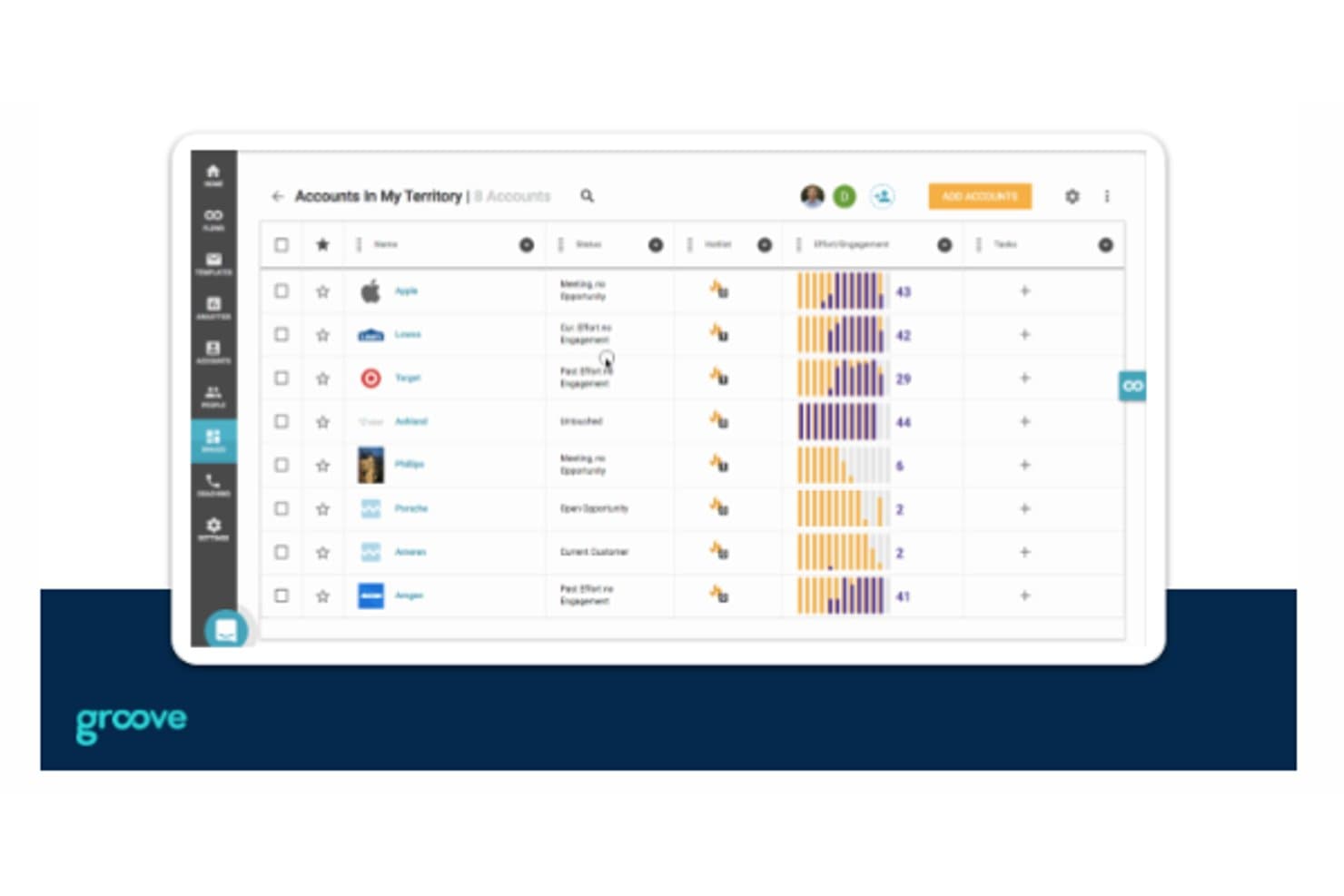
Groove consente agli utenti di monitorare account, coinvolgimento e attività in un'unica schermata. Groove è un help desk per l'assistenza clienti che aiuta i team di startup a organizzare le richieste in arrivo, coordinare le risposte e impedire che le conversazioni con i clienti vadano perse.
Per chi è più adatto Groove?
Groove è adatto alle startup con piccoli team di assistenza clienti che hanno bisogno di un help desk semplice per gestire le domande dei clienti.
Perché ho scelto Groove
Ho scelto Groove per le startup alla ricerca di uno strumento semplice e intuitivo per l'assistenza clienti, soprattutto quando valutano alternative a Front. La posta in arrivo condivisa aiuta un piccolo team ad assegnare le richieste dei clienti, mentre il rilevamento delle collisioni mostra quando un collega sta già rispondendo. Mi piace anche il fatto che la sua base di conoscenza permetta ai clienti di trovare risposte alle domande ricorrenti senza aprire un ticket.
Funzionalità principali di Groove
- Chat dal vivo: Aggiungi la chat del sito web o dell'app tramite un widget personalizzabile.
- Valutazioni della soddisfazione dei clienti: Chiedi ai clienti di valutare le conversazioni chiuse e lasciare commenti.
- Report sull'assistenza: Esamina il volume delle conversazioni, i tempi di risposta, le risoluzioni e l'attività del team.
- Regole: Applica automaticamente tag alle conversazioni o assegnale in base a criteri prestabiliti.
Integrazioni di Groove
Groove documenta le integrazioni con Salesforce, Slack, Jira Cloud, GitHub, Linear, Shopify, Trello, HubSpot e Mailchimp; inoltre si connette a Zapier.
Pros and Cons
Pros:
- Il rilevamento delle collisioni impedisce risposte duplicate ai clienti
- La base di conoscenza risponde alle domande ricorrenti dei clienti
- Le regole di assegnazione e le note private coordinano i passaggi di consegne
Cons:
- I report offrono una profondità limitata per l'analisi delle tendenze
- Nessuna assistenza telefonica per le escalation urgenti
Learn more about Groove: Ideale per i team di e-commerce che utilizzano l'assistenza su Shopify
- Prova gratuita di 7 giorni
- Da $10/mese
Visit WebsiteCustomer Rating:4.6/5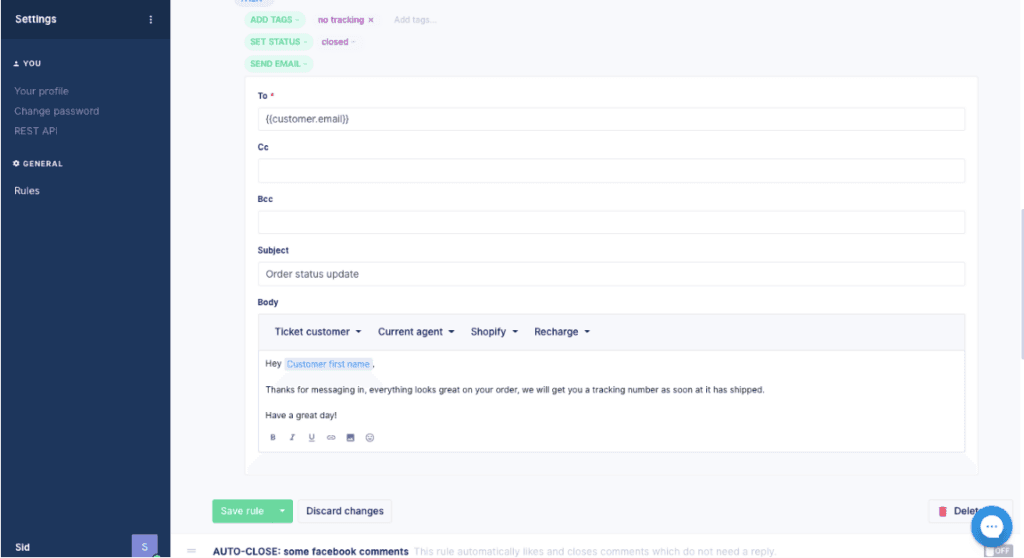
Alternativa a Front Gorgias è un software di assistenza clienti per team di e-commerce che riunisce conversazioni con i clienti e dettagli degli ordini per risolvere problemi e supportare gli acquisti, risultando ideale per le aziende di e-commerce che richiedono assistenza e vendite integrate.
Per chi è più adatto Gorgias?
Gorgias è adatto ai team di assistenza e-commerce che desiderano gestire le conversazioni relative all'assistenza e alle vendite in un unico spazio di lavoro.
Perché ho scelto Gorgias
Ho scelto Gorgias come alternativa a Front per le aziende di e-commerce che richiedono assistenza e vendite integrate. Mi piace il fatto che gli operatori possano visualizzare i dettagli degli ordini insieme alle conversazioni con i clienti, così possono affrontare un problema relativo a un ordine senza perdere il contesto della vendita. Possono inoltre utilizzare queste conversazioni per supportare un acquisto.
Funzionalità principali di Gorgias
- Agente IA: automatizza le risposte dell'assistenza utilizzando le tue policy e le conoscenze relative all'e-commerce.
- Posta in arrivo omnicanale: riunisce email, chat, SMS, WhatsApp, Instagram e Facebook in un'unica casella di posta.
- Instradamento dei ticket: assegna i ticket ai membri del team e supporta la collaborazione del team.
- Integrazioni: si collega a oltre 300 app, tra cui Recharge, Klaviyo, Yotpo e Loop.
Integrazioni di Gorgias
Gorgias offre oltre 100 integrazioni con app tramite la propria directory delle app, tra cui Recharge, Loop Returns, Aircall, Facebook e Postscript. Supporta inoltre Zapier, integrazioni HTTP con API esterne e un'API per integrazioni personalizzate.
Pros and Cons
Pros:
- I dettagli degli ordini e i rimborsi rimangono all'interno dei ticket
- Le macro e le regole velocizzano le risposte ripetitive dell'e-commerce
- L'attribuzione dei ricavi collega l'assistenza alle vendite
Cons:
- La reportistica offre meno profondità per le analisi personalizzate
- Le regole di instradamento complesse diventano difficili da risolvere
Learn more about Gorgias: Ideale per i team IT che migrano da Front con strumenti SLA
- Prova gratuita di 14 giorni
- I prezzi di HappyFox partono da $29/utente/mese (con fatturazione annuale)
Visit WebsiteCustomer Rating:4.5/5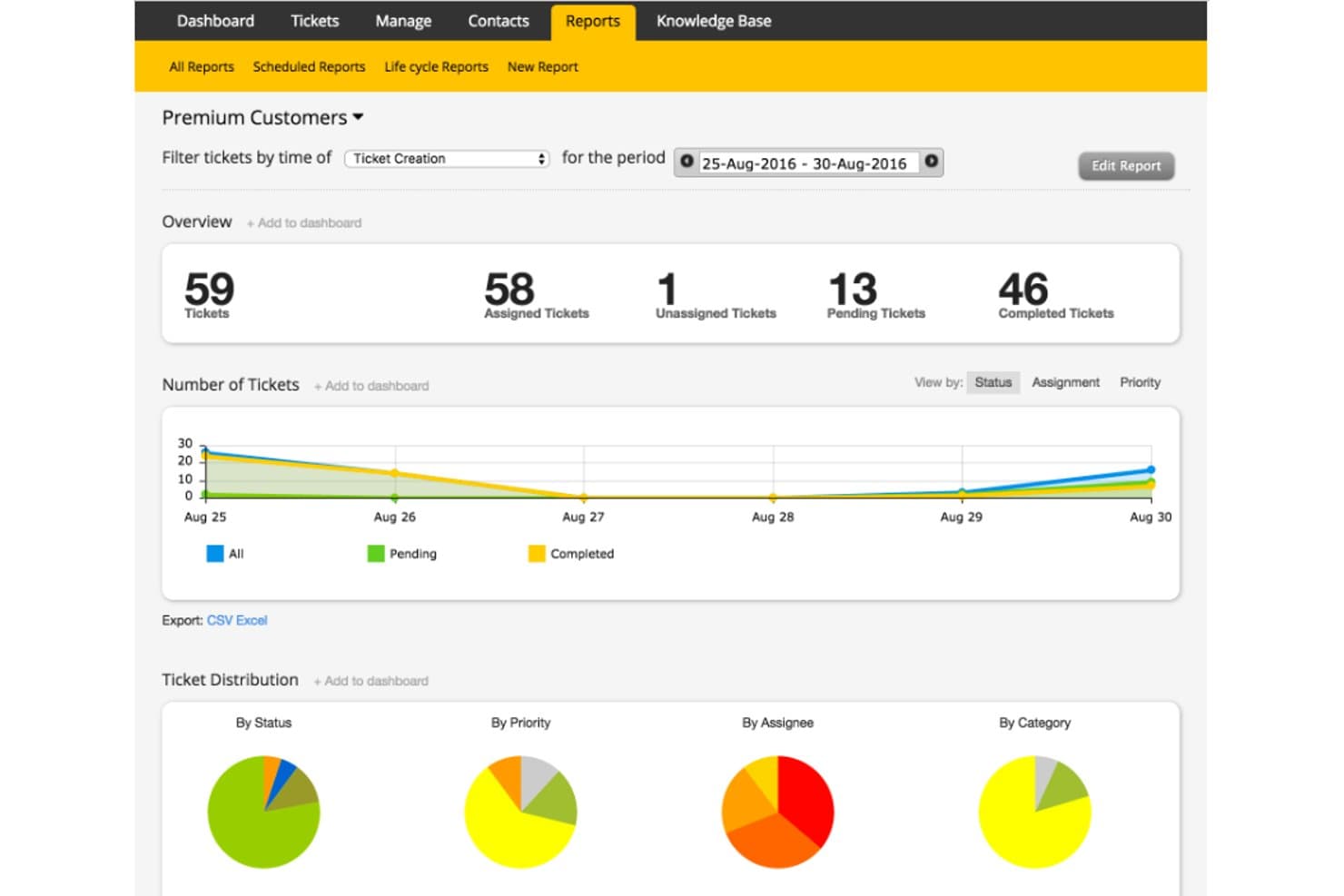
HappyFox monitora i ticket dei clienti premium con report visivi sullo stato. HappyFox è una piattaforma di assistenza tecnica per i team IT e di assistenza clienti che devono organizzare le richieste di servizio, coordinare il lavoro tra i reparti e offrire agli utenti un percorso chiaro verso la risoluzione.
Per chi è più adatto HappyFox?
HappyFox è adatto ai team del servizio clienti che necessitano di una gestione coerente dei ticket e di una visibilità chiara mentre gli agenti gestiscono volumi crescenti di richieste.
Perché ho scelto HappyFox
Ho scelto HappyFox come alternativa a Front per la categoria “Ideale per semplificare l'assistenza con un sistema di gestione dei ticket multicanale.” Mi piace il modo in cui la sua conversazione unificata dei ticket riunisce email, chat, chiamate e messaggi sui social, consentendo agli agenti di seguire un problema anche quando il cliente cambia canale. Il mio team può visualizzare la cronologia delle interazioni in un unico posto, invece di ricostruire conversazioni separate.
Funzionalità principali di HappyFox
- Regole intelligenti: automatizza l'assegnazione dei ticket, le escalation e le notifiche in base a condizioni definite.
- Gestione degli SLA: imposta le scadenze del servizio e monitora i ticket rispetto agli obiettivi di risposta e risoluzione.
- Base di conoscenza: pubblica articoli di assistenza consultabili dagli agenti e dai clienti per l'autoassistenza.
- Reportistica dell'assistenza tecnica: esamina il volume dei ticket, l'attività degli agenti e le prestazioni dell'assistenza.
Integrazioni di HappyFox
HappyFox elenca 93 integrazioni, tra cui Microsoft Teams, Slack, Jira, Azure DevOps, PagerDuty, NinjaOne, Microsoft Intune, Jamf Pro, TeamViewer e Zapier. Fornisce inoltre un'API REST per le integrazioni personalizzate.
Pros and Cons
Pros:
- Le conversazioni dei canali unificati preservano il contesto del cliente
- Automatizza l'assegnazione dei ticket e l'escalation degli SLA
- I campi personalizzati e le code supportano flussi di lavoro su misura
Cons:
- La ricerca dei ticket può non trovare conversazioni pertinenti
- L'unione dei ticket può eliminare il contesto precedente delle email
Learn more about HappyFox: Ideale per una casella di posta omnicanale nativa per l’IA su larga scala
- Prova gratuita di 14 giorni
- A partire da $29/utente/mese (con fatturazione annuale)
Visit WebsiteCustomer Rating:4.4/5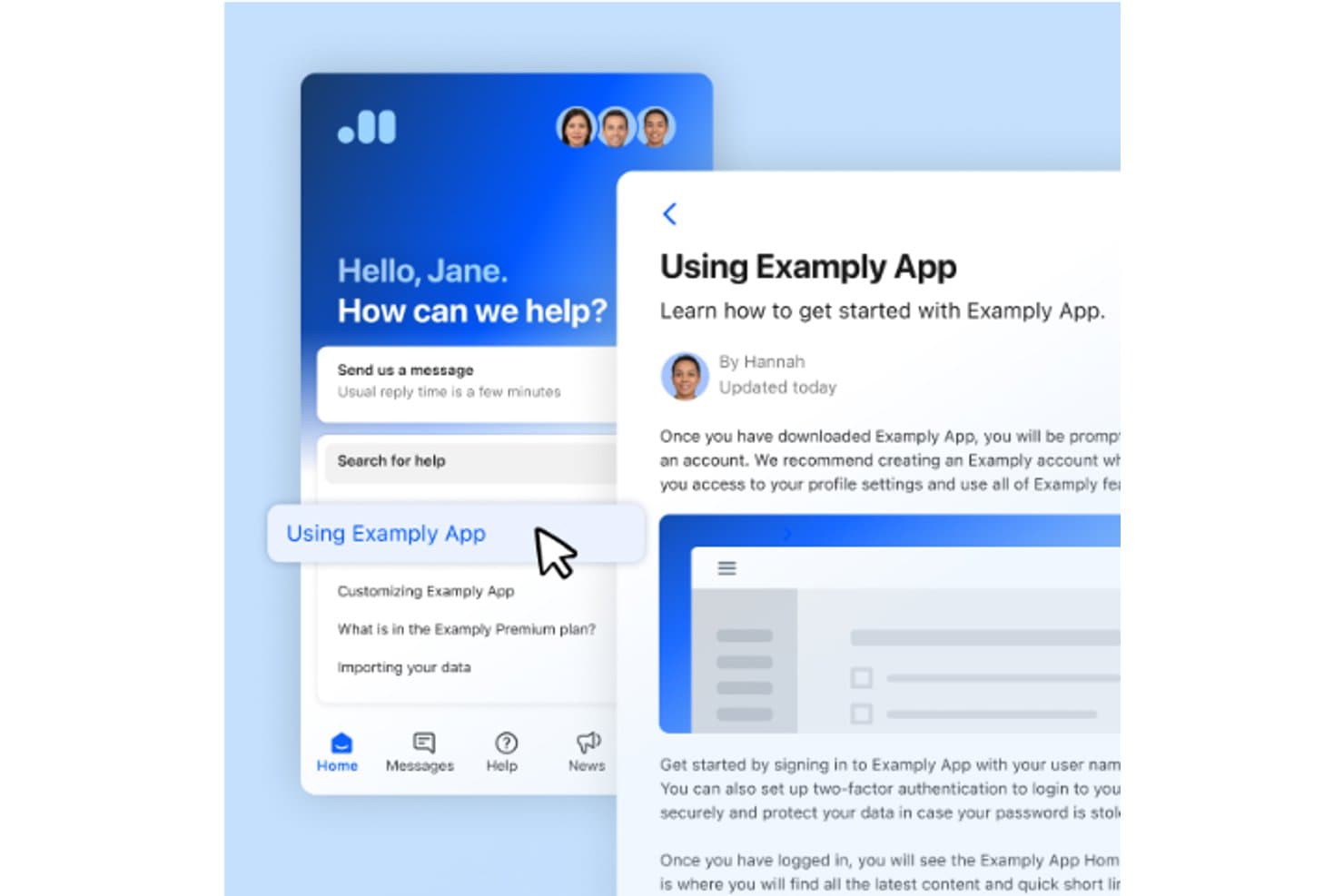
Intercom consente agli utenti di accedere agli articoli della guida e alla chat di assistenza in un unico posto. Intercom è una piattaforma di assistenza clienti per aziende digitali che riunisce conversazioni con i clienti, flussi di lavoro di supporto e risorse autonome, aiutando i team di assistenza a risolvere le richieste senza perdere il contesto.
Per chi è più adatto Intercom?
Intercom è adatto ai team di assistenza che si affidano alla chat dal vivo per rispondere alle domande dei clienti mentre utilizzano il loro sito web o la loro app.
Perché ho scelto Intercom
Ho scelto Intercom come alternativa a Front per la sua attenzione a essere la “Scelta migliore per l’interazione con i clienti in tempo reale e le funzionalità di chat dal vivo”. Il suo Messenger consente ai clienti di avviare conversazioni su un sito web o un’app, mentre gli agenti rispondono da una casella di posta condivisa. Mi piace il fatto che Fin possa rispondere alle domande all’interno di queste conversazioni, con l’intervento degli agenti quando un caso richiede l’attenzione umana.
Funzionalità principali di Intercom
- Sistema di gestione dei ticket: Crea e monitora i ticket di assistenza clienti.
- Automazione dei flussi di lavoro: Imposta regole per categorizzare, assegnare e instradare i ticket.
- Reportistica: Visualizza report predefiniti sulle prestazioni dell’assistenza.
- Centro assistenza pubblico: Pubblica articoli di assistenza per i clienti.
Integrazioni di Intercom
La directory delle integrazioni di Intercom elenca oltre 450 app e integrazioni, tra cui Salesforce, HubSpot, Zendesk, Shopify, Stripe, Slack, Jira, GitHub, Linear e Zapier. Offre inoltre API REST e webhook per integrazioni personalizzate.
Pros and Cons
Pros:
- La chat dal vivo mantiene il contesto delle conversazioni con i clienti
- Fin gestisce le domande di routine prima del passaggio a un agente
- La casella di posta condivisa consente un rapido seguito umano
Cons:
- Profondità delle code e controlli SLA limitati
- Poco adatto ai flussi di lavoro dell’assistenza interna
 Ideale per il triage basato sull'IA con escalation SLA integrata
- Demo gratuita disponibile
- Prezzi su richiesta
Visit WebsiteCustomer Rating:4/5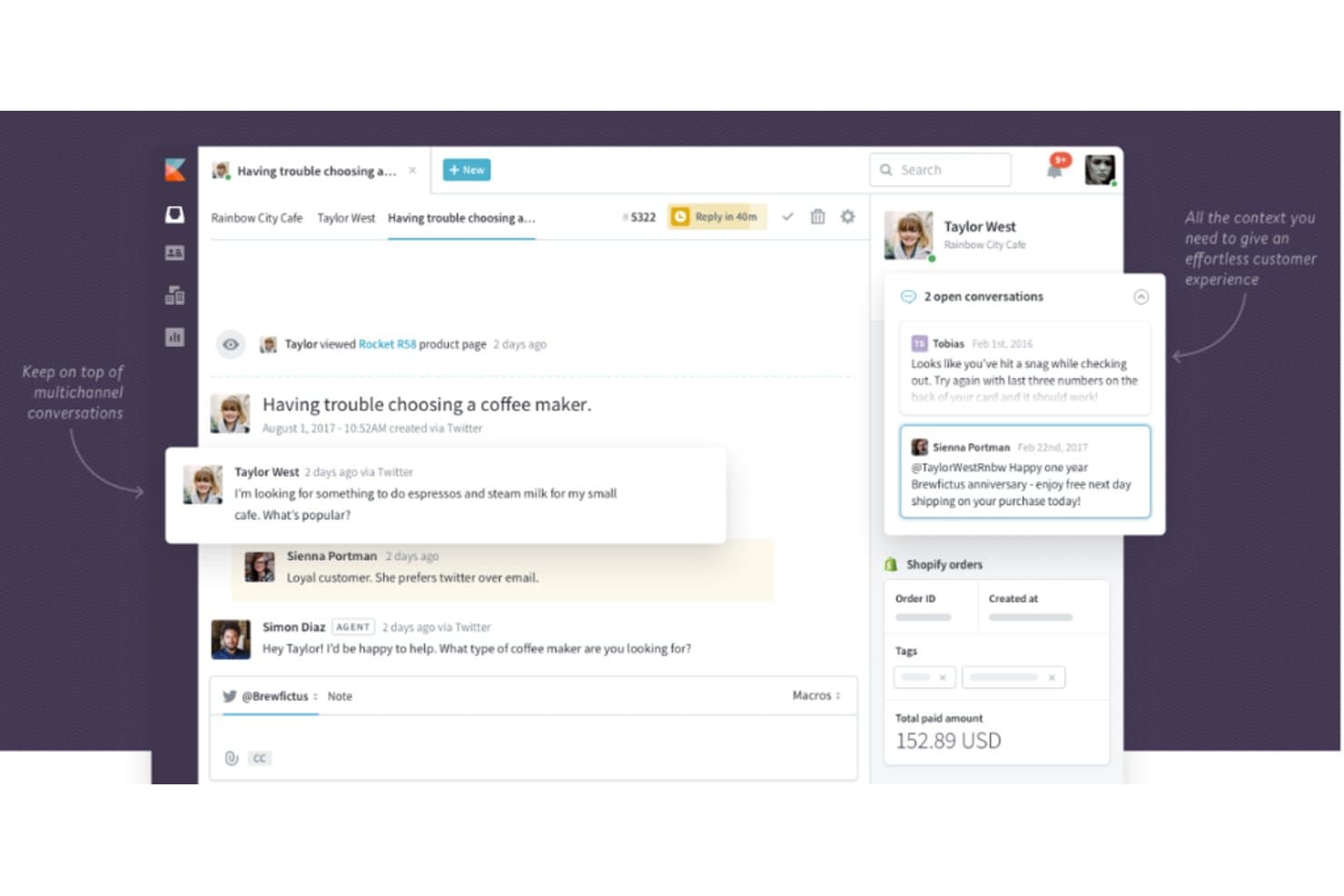
Kayako centralizza le conversazioni con i clienti provenienti da più canali in un'unica visualizzazione. Kayako è un software per l'assistenza clienti destinato ai team che devono gestire conversazioni con i clienti e richieste di assistenza in un unico spazio di lavoro, aiutando le aziende in crescita a mantenere organizzato il lavoro di assistenza all'aumentare della domanda.
Per chi è più adatto Kayako?
Kayako è adatto ai team di assistenza e di customer success che desiderano integrare la chat dal vivo nel proprio flusso di lavoro del servizio clienti.
Perché ho scelto Kayako
Ho scelto Kayako per una guida alle alternative a Front perché il suo spazio di lavoro condiviso riunisce conversazioni con i clienti e richieste di assistenza. La sua collocazione è chiara: ideale per combinare assistenza clienti, customer success e chat dal vivo. Apprezzo questa configurazione quando i team di assistenza devono gestire la chat dal vivo insieme alle attività di servizio in corso.
Funzionalità principali di Kayako
- Triage dei ticket basato sull'IA: Classifica, assegna priorità e inoltra i ticket in arrivo.
- Automazione dei flussi di lavoro senza codice: Utilizza trigger e condizioni per automatizzare i processi di assistenza.
- Base di conoscenza: Pubblica articoli di assistenza con ricerca semantica per consentire ai clienti di trovare autonomamente le risposte.
- Analisi dell'assistenza: Fornisce report sul volume dei ticket, sui tempi di risoluzione, sul CSAT e sulle prestazioni degli SLA.
Integrazioni di Kayako
Kayako documenta connettori preconfigurati per Salesforce, Slack, Microsoft Teams, WhatsApp, Shopify, Stripe e Chargebee, e supporta Zapier. Offre inoltre API e webhook per integrazioni personalizzate.
Pros and Cons
Pros:
- Le cronologie dei clienti conservano il contesto dell'assistenza
- L'IA gestisce le domande ripetitive sulla reimpostazione delle password
- Le note private chiariscono i passaggi di consegne tra gli operatori
Cons:
- Per consultare i report sono necessari passaggi aggiuntivi
- Il caricamento lento dei ticket può ritardare le risposte
Learn more about Kayako: Ideale per la gestione di un elevato volume di ticket con triage basato sull'IA
- Prova gratuita di 14 giorni
- A partire da $49/utente/mese (con fatturazione annuale)
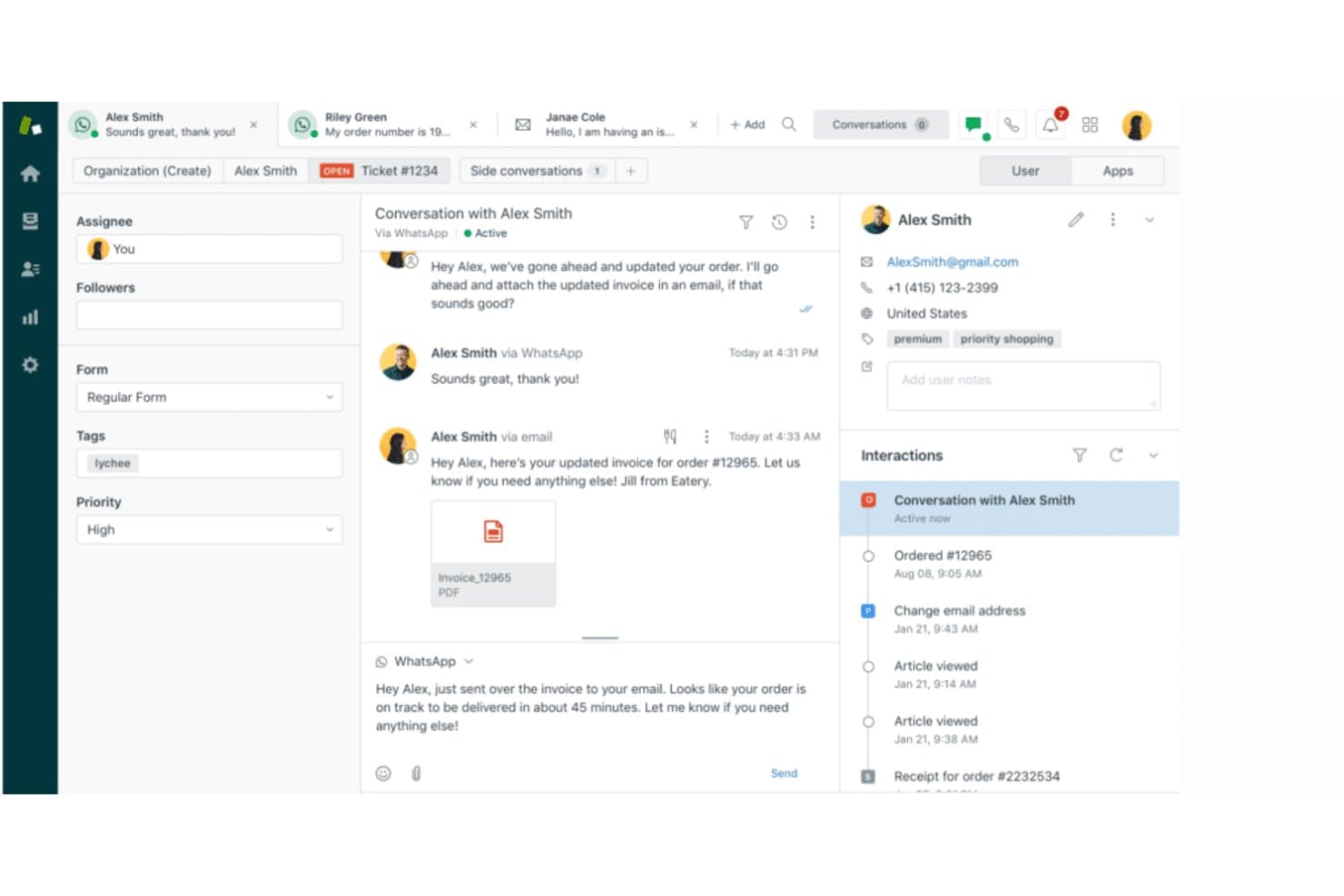
Zendesk riunisce le conversazioni con i clienti provenienti da e-mail e WhatsApp in un'unica visualizzazione. Zendesk è una piattaforma per il servizio clienti destinata ai team di supporto che devono organizzare le richieste tra i vari canali, gestire i flussi di lavoro degli agenti e mantenere collegate le conversazioni con i clienti durante la risoluzione dei problemi.
Per chi è più adatto Zendesk?
Zendesk è adatto ai responsabili del servizio clienti che desiderano strumenti assistiti dall'IA per aiutare i propri team a gestire e stabilire le priorità delle richieste dei clienti.
Perché ho scelto Zendesk
Zendesk è la mia scelta per il “migliore per l'efficienza del servizio clienti con assistenza IA di alto livello” tra le alternative a Front. I suoi agenti IA gestiscono le domande di routine, mentre il triage intelligente classifica le richieste affinché i ticket relativi all'accesso o alle interruzioni del servizio raggiungano la coda corretta. Agent Copilot riassume la cronologia dei ticket e suggerisce risposte, fornendo al personale il contesto necessario quando subentra nella gestione di incidenti complessi.
Funzionalità principali di Zendesk
- Centro assistenza: Pubblica una base di conoscenza consultabile e domande frequenti per i clienti.
- Macro: Applica risposte predefinite e azioni sui ticket alle richieste di supporto.
- Gestione degli SLA: Imposta obiettivi di risposta e risoluzione per i ticket.
- Supporto vocale: Gestisci le chiamate dei clienti e collegale ai ticket di supporto.
Integrazioni di Zendesk
Zendesk offre integrazioni dal marketplace con Slack, Salesforce e Jira, oltre a un'API per integrazioni personalizzate e una connessione a Zapier.
Pros and Cons
Pros:
- Il triage basato sull'IA indirizza automaticamente i ticket complessi
- La cronologia condivisa dei clienti si estende a tutti i canali di supporto
- Macro e trigger riducono la gestione ripetitiva
Cons:
- La configurazione dei flussi di lavoro avanzati richiede tempo da parte dell'amministratore
- I report pronti all'uso non includono metriche personalizzate del supporto
Learn more about Zendesk: Ideale per l'assistenza basata sui ticket con rilevamento delle collisioni
- Prova gratuita di 14 giorni
- Da $19/utente/mese (con fatturazione annuale)
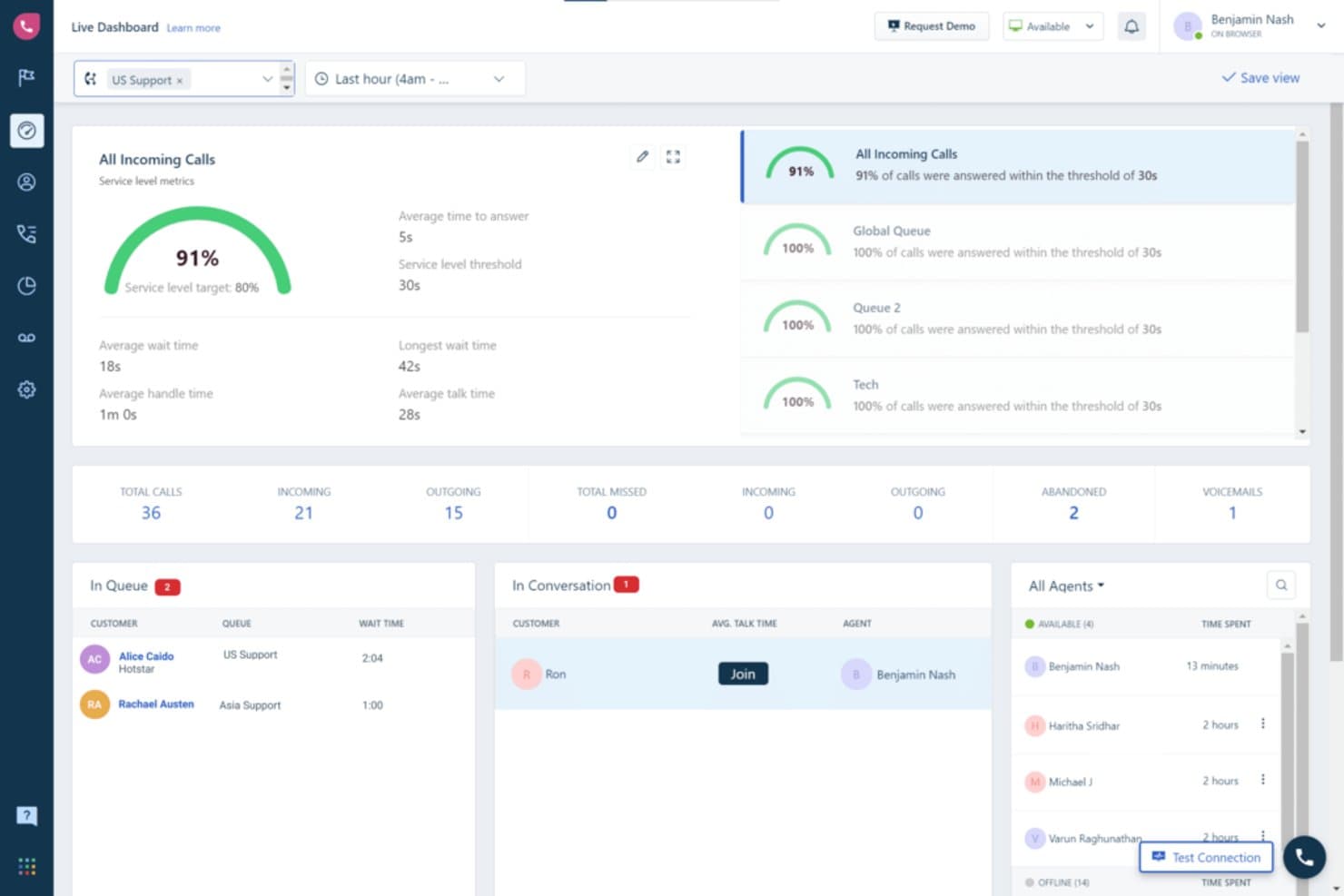
Freshdesk offre ai supervisori una visibilità in tempo reale sulla coda delle chiamate e sull'attività degli agenti. Freshdesk è una piattaforma di assistenza clienti per piccole e medie imprese che devono organizzare i ticket in arrivo, coordinare le risposte degli agenti e risolvere i problemi dei clienti attraverso i canali di assistenza.
Per chi è più adatto Freshdesk?
Freshdesk è adatto alle piccole e medie imprese che cercano un servizio di assistenza conveniente per i propri team IT o di assistenza clienti.
Perché ho scelto Freshdesk
Ho scelto Freshdesk come alternativa a Front perché è la soluzione “ideale per le PMI che cercano servizi di assistenza solidi ma convenienti”. Mi piace il modo in cui organizza i ticket in arrivo attraverso i canali di assistenza e aiuta gli agenti a coordinare le risposte, consentendo a un piccolo team IT di monitorare i problemi dei clienti e mantenere attive le risposte.
Funzionalità principali di Freshdesk
- Gestione degli SLA: Imposta obiettivi di risposta e risoluzione per i ticket.
- Automazioni dei flussi di lavoro: Attiva azioni in base agli eventi o alle condizioni dei ticket.
- Base di conoscenza: Pubblica articoli di assistenza che i clienti possono utilizzare autonomamente.
- Campi personalizzati dei ticket: Acquisisci dettagli specifici del tuo processo di assistenza.
Integrazioni di Freshdesk
Freshdesk offre oltre 1.000 integrazioni pronte per l'installazione tramite Freshworks Marketplace, tra cui Slack, Microsoft Teams, Jira, Salesforce, Shopify e Playvox. Supporta inoltre Zapier e fornisce API per integrazioni personalizzate.
Pros and Cons
Pros:
- Centralizza i ticket di posta elettronica, chat e telefono
- Automatizza l'instradamento, le priorità e i promemoria degli SLA
- Le visualizzazioni condivise chiariscono la responsabilità e il carico di lavoro
Cons:
- La reportistica avanzata richiede piani di livello superiore
- Le connessioni e-mail possono creare ticket duplicati
Learn more about Freshdesk: Ideale per il supporto omnicanale con un budget per agente
- Prova gratuita di 30 giorni
- Da $15 per utente al mese (fatturato annualmente)
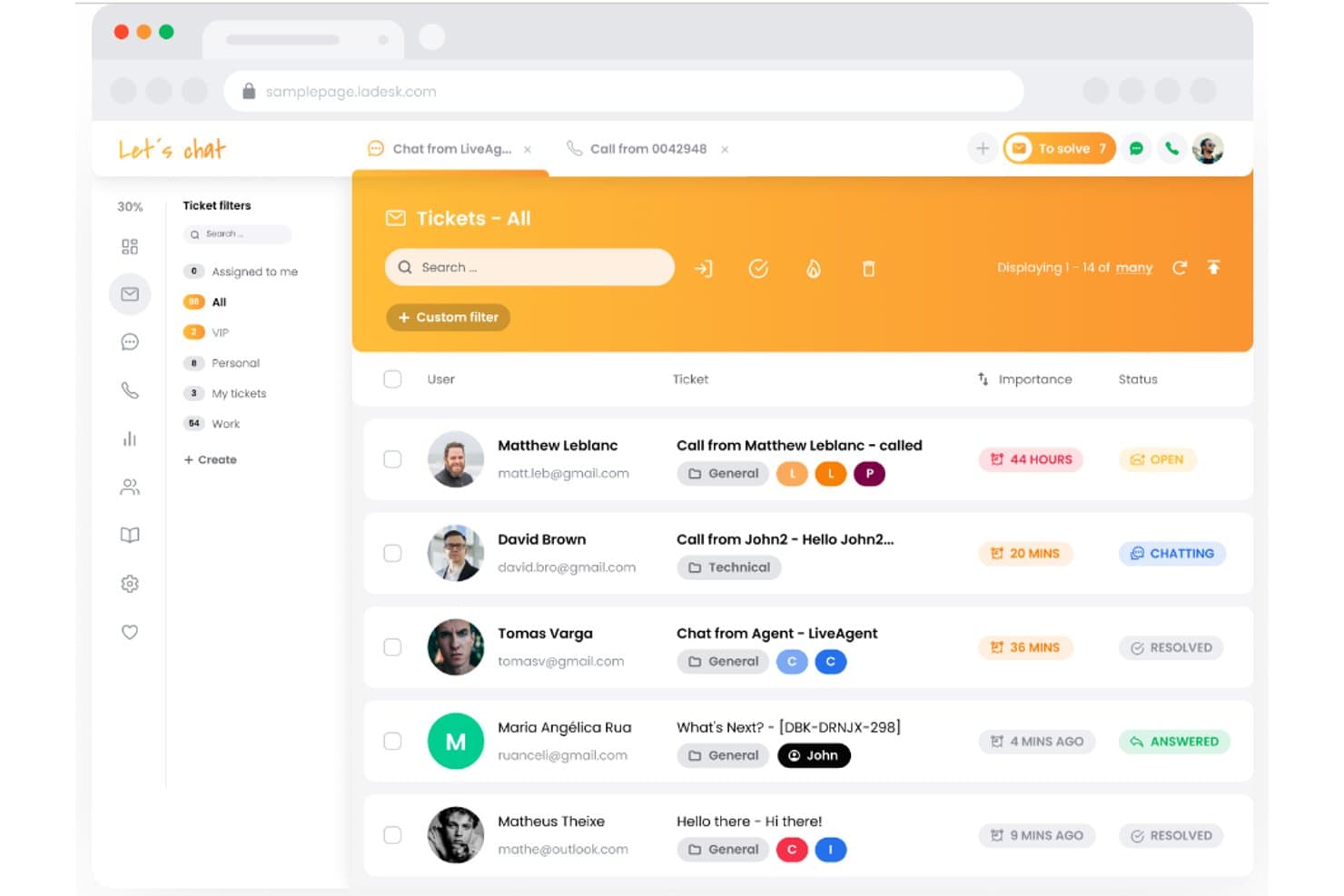
LiveAgent centralizza tutti i ticket di supporto in un'unica casella di posta unificata. LiveAgent è un software di assistenza per i team IT e di supporto clienti che devono organizzare le richieste in arrivo e coordinare la risoluzione dei problemi attraverso diversi canali; è la scelta migliore per il supporto omnicanale, con oltre 200 integrazioni.
Per chi è più adatto LiveAgent?
LiveAgent è adatto ai service desk IT e ai team di supporto clienti che necessitano di un sistema condiviso per assegnare, monitorare e risolvere le richieste in arrivo.
Perché ho scelto LiveAgent
Ho scelto LiveAgent come alternativa a Front perché è la scelta migliore per il supporto omnicanale, con oltre 200 integrazioni. La sua casella di posta universale riunisce email, chiamate, social media e chat in un'unica dashboard, mentre il sistema di ticket trasforma le richieste in arrivo in casi tracciabili.
Funzionalità principali di LiveAgent
- Gestione degli SLA: Imposta i livelli di servizio e le regole per monitorare gli obiettivi di risposta e risoluzione.
- Regole di automazione: Attiva azioni in base alle condizioni dei ticket e alle regole temporali.
- Registri di controllo: Esamina i registri delle modifiche apportate ai ticket.
- Report sulle prestazioni: Monitora la conformità agli SLA e valuta le prestazioni per agente o reparto.
Integrazioni di LiveAgent
LiveAgent si connette a oltre 200 app tramite Zapier, tra cui Slack, Trello, Facebook, Messenger, Instagram, Twitter, ChargeDesk, Stripe e Mailchimp; offre inoltre un'API per integrazioni personalizzate.
Pros and Cons
Pros:
- Unifica i ticket di email, chat, chiamate e social
- Instrada i ticket con regole di reparto e SLA
- Combina la cronologia dei ticket tra i diversi canali dei clienti
Cons:
- L'interfaccia può sembrare datata e disordinata
- La reportistica e l'instradamento avanzato presentano alcune lacune
Learn more about LiveAgent: Ideale per gestire l'assistenza clienti direttamente da Gmail
- Prova gratuita di 7 giorni
- A partire da $25/utente/mese (con fatturazione annuale)
Visit WebsiteCustomer Rating:5/5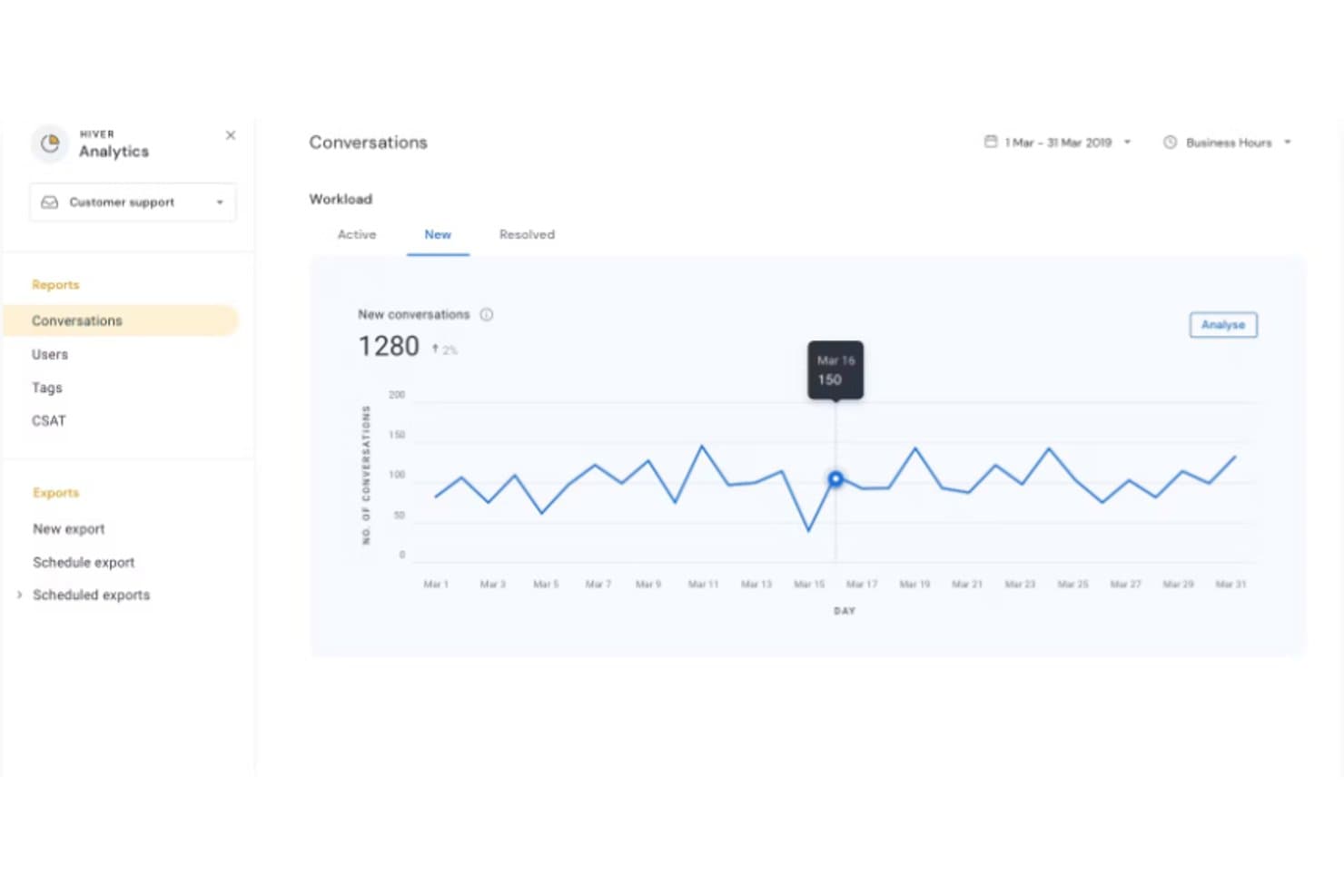
Hiver monitora quotidianamente il volume delle nuove conversazioni durante marzo 2019. Hiver offre ai team di assistenza clienti uno spazio di lavoro condiviso per assegnare, monitorare e risolvere le richieste dei clienti, aiutando le aziende a ridurre i passaggi mancati e a mantenere organizzato il lavoro di assistenza.
Per chi è più adatto Hiver?
Hiver è adatto ai team del servizio clienti che si affidano già a Gmail e hanno bisogno di un modo condiviso per gestire le richieste in arrivo.
Perché ho scelto Hiver
Ho scelto Hiver come alternativa a Front perché il suo punto di forza è “Ideale per gestire l'assistenza clienti direttamente da Gmail”. Le caselle di posta condivise consentono agli operatori di assegnare le email dei clienti e monitorarne lo stato in Gmail, mentre gli avvisi di collisione aiutano a evitare risposte duplicate. Apprezzo questo flusso di lavoro quando le richieste di assistenza arrivano in una casella di posta del team.
Caratteristiche principali di Hiver
- Flussi di lavoro senza codice: Automatizza azioni in più passaggi tra Hiver e gli strumenti collegati.
- Monitoraggio degli SLA: Imposta obiettivi per le risposte e la risoluzione, con avvisi prima delle violazioni.
- Analisi dell'assistenza: Visualizza dashboard con tempi di risposta, carico di lavoro e CSAT.
- Assistenza omnicanale: Gestisci email, chat dal vivo, Slack e voce in un'unica coda.
Integrazioni di Hiver
Hiver offre integrazioni native con Salesforce, HubSpot, Jira, Slack, Shopify, NetSuite, Asana e QuickBooks; inoltre si collega a Zapier e fornisce un'API aperta per integrazioni personalizzate.
Pros and Cons
Pros:
- Mantiene il lavoro di assistenza all'interno del familiare Gmail
- Assegna la responsabilità per evitare risposte duplicate
- Monitora SLA, carico di lavoro e tempi di risposta
Cons:
- Le opzioni di personalizzazione sono inferiori a quelle dei sistemi di assistenza più completi
- La dipendenza da Gmail frammenta il contesto dei clienti tra i diversi canali
Learn more about Hiver: Ideale per una casella di posta condivisa con prevenzione delle risposte duplicate
- Piano gratuito disponibile
- Da $25/utente/mese
Visit WebsiteCustomer Rating:4.5/5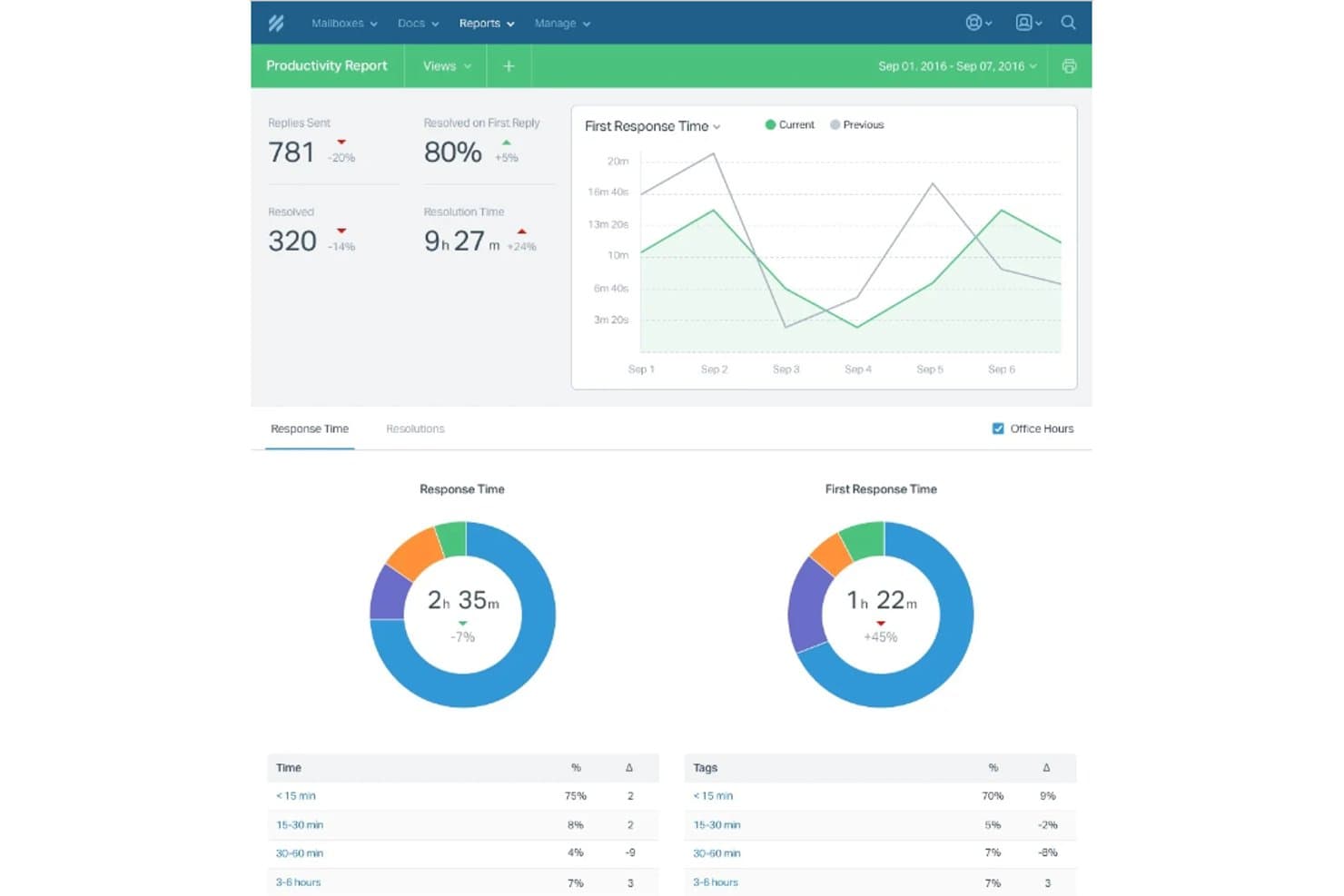
Help Scout monitora la produttività del team con i tempi di risposta e i tassi di risoluzione. Help Scout è una piattaforma di assistenza clienti focalizzata sulle email per aziende in crescita, che offre ai team di supporto uno spazio condiviso per gestire le richieste dei clienti e mantenere le conversazioni organizzate invece di disperderle in diverse caselle di posta.
A chi è più adatto Help Scout?
Help Scout è adatto ai team del servizio clienti che desiderano creare un centro assistenza consultabile in autonomia e mantenere i relativi articoli collegati all'assistenza clienti.
Perché ho scelto Help Scout
Ho scelto Help Scout perché la sua base di conoscenza Docs consente ai team di pubblicare articoli di assistenza consultabili, mentre Beacon può mostrare le risposte pertinenti accanto alle conversazioni di supporto. Questo lo rende adatto alle aziende che necessitano di funzionalità complete per la base di conoscenza: posso documentare le domande ricorrenti sui prodotti e offrire ai clienti un percorso autonomo prima che contattino l'assistenza.
Funzionalità principali di Help Scout
- Casella di posta condivisa: Assegna le conversazioni, aggiungi note private e rispondi ai clienti da una casella di posta del team.
- Flussi di lavoro: Applica regole alle conversazioni per automatizzare azioni come l'assegnazione e l'aggiunta di tag.
- Profili dei clienti: Visualizza i dettagli dei clienti e le conversazioni precedenti accanto a una discussione aperta.
- Report: Esamina il volume delle conversazioni, i tempi di risposta e le prestazioni del team.
Integrazioni di Help Scout
La directory delle app di Help Scout elenca oltre 100 integrazioni, tra cui Slack, Jira, Linear, GitHub, HubSpot, Salesforce, Google Sheets, Shopify e Zapier. Help Scout offre anche un'API per le integrazioni personalizzate.
Pros and Cons
Pros:
- Docs e Beacon collegano il self-service all'assistenza
- La casella di posta condivisa in stile email mantiene visibile il contesto del cliente
- Le note private e gli avvisi di collisione coordinano le risposte
Cons:
- I report avanzati non offrono sufficiente profondità per i team più grandi
- I controlli di instradamento complessi sono meno avanzati rispetto alle alternative focalizzate sulle aziende
Learn more about Help Scout:
Altre alternative a Front
Ecco alcune alternative aggiuntive a Front che non sono state incluse nel mio elenco, ma che vale comunque la pena prendere in considerazione:
- 11ZendeskIdeale per l'efficienza nell'assistenza clienti con supporto AI di altissimo livello
- 12TeamSupportIdeale per aziende B2B che necessitano di funzionalità avanzate di collaborazione
- 13Zoho DeskIdeale per il supporto clienti integrato nell'ecosistema Zoho
Recensioni di altri software
Come Valuto le Alternative a Front
Divido la mia valutazione in due livelli: le funzionalità di base della casella di posta e le capacità di instradamento che un tool deve avere, e i fattori differenzianti—come le integrazioni per sviluppatori e l’IA—che distinguono una soluzione dall’altra.
Funzionalità di Base (Requisiti Fondamentali per Quest’Elenco)
Quando scelgo gli strumenti per la mia lista, valuto ciascuno su una scala da 0 (non offre la funzionalità) a 5 (eccelle in quest’area) per ogni funzionalità di base elencata sotto. Poi, calcolo il punteggio totale di ogni strumento in percentuale. Ogni tool deve raggiungere un punteggio minimo del 65% per essere preso in considerazione.
- Gestione Casella di Posta Condivisa: Cerco caselle di posta unificate dove i team IT possano assegnare, tracciare e collaborare sulle richieste in arrivo—come il rilevamento delle collisioni, per evitare che due ingegneri rispondano allo stesso avviso di anomalia.
- Supporto Multicanale: Ogni strumento dovrebbe raccogliere email, chat, SMS e messaggi social in un’unica vista, così il team può gestire sia una discussione Slack su un server offline che una mail di un fornitore nello stesso posto.
- Automazione dei Flussi di Lavoro e Instradamento: Valuto quanto bene uno strumento assegni automaticamente i ticket per argomento, priorità o team—fornendo ad esempio l’escalation automatica dei messaggi di sicurezza in una specifica coda con timer SLA dedicati.
- Strumenti di Collaborazione Interna: È importante poter coinvolgere colleghi tramite @menzioni, bozze condivise o conversazioni laterali. Verifico se il team può risolvere problemi internamente senza dover abbandonare la discussione.
- Integrazioni con Terze Parti: Controllo la presenza di connessioni native con strumenti che team IT e dev usano già—Jira per il bug tracking, GitHub per le PR, Slack per gli avvisi, e piattaforme di monitoraggio come Datadog o PagerDuty.
- Analisi e Reportistica: Le dashboard dovrebbero coprire tempi di risposta, tassi di risoluzione e conformità agli SLA. Guardo se i responsabili possono tracciare il carico di lavoro del team e individuare colli di bottiglia nelle varie code.
Una volta che ho una lista di tool che soddisfano questi criteri, considero cosa distingue ciascuna piattaforma dalle altre.
Fattori Differenzianti (Cosa Distingue i Fornitori)
Ecco come confronto e metto a confronto i diversi fornitori:
Funzionalità Distintive
Le funzionalità alimentate dall’IA sono un grande elemento distintivo—verifico se uno strumento può scrivere risposte, riassumere lunghe discussioni o categorizzare automaticamente i ticket in entrata per velocizzare la triage durante gli incidenti. Anche un’API dev-friendly è importante per i team IT che devono sviluppare integrazioni personalizzate con sistemi di monitoraggio o di segnalazione interni. Valuto inoltre se la piattaforma offre una knowledge base integrata che suggerisce articoli pertinenti durante la conversazione, aiutando gli operatori a risolvere problemi comuni come il reset delle password senza dover ricominciare da zero.
Oltre le Funzionalità
Sicurezza e conformità sono aspetti cruciali—verifico la presenza di certificazioni SOC 2 Type II, supporto SSO/SAML e controlli di accesso basati sui ruoli, dato che i team IT spesso gestiscono dati interni sensibili. Anche la trasparenza dei prezzi è importante. Guardo se il costo per utente rimane prevedibile con la crescita del team e se funzionalità chiave come l’automazione o caselle aggiuntive sono bloccate nei piani superiori. Valuto inoltre il supporto alla migrazione, specialmente per i team che migrano da Front e hanno bisogno di assistenza nell’importazione delle conversazioni storiche e nella ricostruzione dei flussi di lavoro esistenti.
Perché cercare un'alternativa a Front?
Sebbene Front sia una buona scelta come strumento di sviluppo front-end, esistono diversi motivi per cui alcuni utenti cercano soluzioni alternative. Potresti cercare un'alternativa a Front perché…
- Sei limitato dai modelli predefiniti.
- Hai bisogno di maggiore flessibilità con i componenti personalizzati.
- Il tuo team preferisce un sistema di progettazione diverso.
- Vuoi una migliore integrazione con il tuo stack di sviluppo.
- Stai lavorando a progetti che richiedono prestazioni più elevate.
- Hai bisogno di un maggiore controllo sulla responsività mobile.
Se ti riconosci in una di queste situazioni, sei nel posto giusto. Il mio elenco contiene diverse opzioni di strumenti di sviluppo front-end più adatte ai team che affrontano queste difficoltà con Front e cercano soluzioni alternative.
Funzionalità principali di Front
Ecco alcune delle caratteristiche principali di Front, per aiutarti a mettere a confronto le funzionalità offerte dalle soluzioni alternative:
- Componenti predefiniti: puoi utilizzare elementi dell'interfaccia utente già pronti per velocizzare lo sviluppo e mantenere coerenti i design.
- Strumenti per il design responsivo: il tuo team può creare layout che si adattano facilmente ai diversi dispositivi senza dover scrivere codice aggiuntivo.
- Temi personalizzati: puoi modificare caratteri, colori e stili per adattarli al tuo brand senza dover ricostruire tutto.
- Sistema a griglia: la griglia integrata ti aiuta ad allineare i contenuti e a mantenere i layout ordinati e organizzati.
- Sezioni riutilizzabili: il tuo team può creare e salvare sezioni da riutilizzare in più pagine, risparmiando tempo.
- Layout predisposto per le integrazioni: è facile collegare Front a strumenti di analisi o di gestione dei moduli.
- Elementi interattivi: puoi aggiungere animazioni, pulsanti e menu a discesa che funzionano senza dover ricorrere a librerie aggiuntive.
- Compatibilità tra browser: la piattaforma garantisce che i tuoi design abbiano lo stesso aspetto su tutti i principali browser.