

Avis sur FortiDDoS : Avantages, Inconvénients, Fonctionnalités et Tarification
FortiDDoS excelle dans la fourniture d'une protection robuste contre les attaques DDoS, ce qui en fait un choix précieux pour les entreprises ayant besoin d'une sécurité fiable.

Nous évaluons les outils indépendamment ; les commissions aident à financer nos tests. Consultez notre politique de transparence et notre méthodologie.
FortiDDoS is an internet security software built for on-premises DDoS mitigation, designed for network teams that need to detect and block volumetric, protocol, and application-layer attacks without routing traffic through a third-party cloud. I'd consider it over Cloudflare if your team needs appliance-based protection with sub-second detection that doesn't rely on external infrastructure—especially in environments where data sovereignty requirements or latency constraints make cloud-based scrubbing a poor fit.
FortiDDoS Evaluation Summary
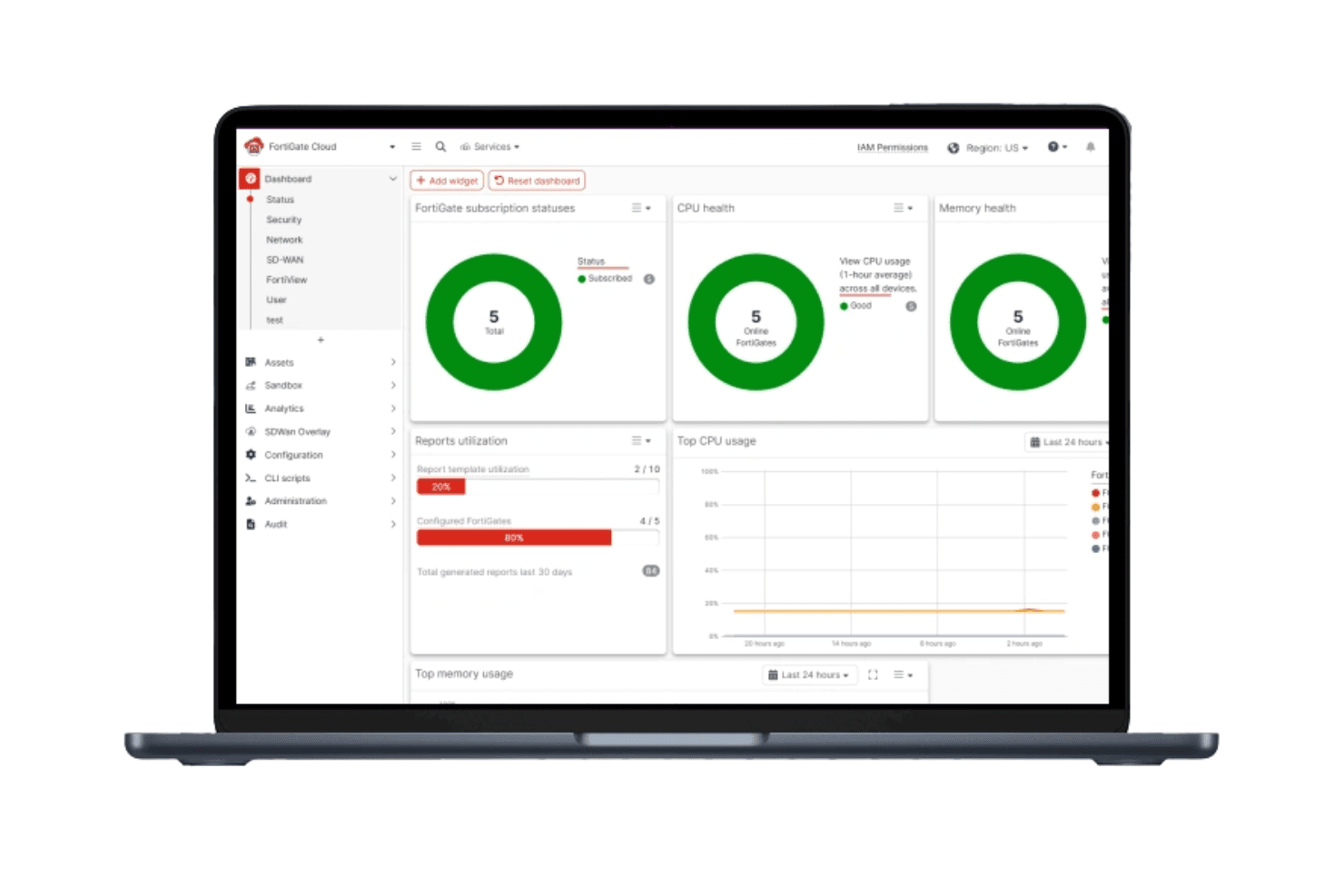
4.5/5
- Pricing upon request
- Free demo available
Pourquoi faire confiance à nos recommandations de logiciels
6,700+
Reviews
20
Industry experts
16+
Evaluation factors
14
Years
Notre équipe teste et évalue des logiciels depuis 2012. En tant que leaders technologiques nous-mêmes, nous savons à quel point il est difficile — et important — de choisir le bon logiciel.
Pour ce guide, nous avons évalué les outils grâce à des tests pratiques et une recherche indépendante, en notant les outils selon nos critères de sélection.
Nos avis reflètent notre jugement éditorial humain, et non un argumentaire de vente.
Réviseurs experts:
- Paulo Gardini MiguelDirecteur technique
 Tim FisherVP de l'IA
 Gabriel RosasTech Lead et architecte logiciel
 Christhian GruhnTech Lead et architecte plateforme

FortiDDoS Overview
In my opinion, FortiDDoS is a solid choice for enterprises needing strong protection against DDoS attacks. It is a high-performance DDoS mitigation appliance built on custom FortiASIC processors and designed for Tier-1 networks, large data centers, and internet-facing infrastructure.
FortiDDoS relies entirely on heuristic and behavior-based analysis rather than signatures, which allows it to stop zero-day attacks, low-volume Layer 7 anomalies, and volumetric floods with precise accuracy. Although the upfront cost and tuning complexity make it impractical for small businesses, it delivers industry-leading speed and highly reliable protection for environments facing continuous, sophisticated DDoS threats.
Pros
- It offers reliable protection against DDoS attacks.
- Full packet inspection and sub-50-microsecond attack response.
- Behavioral zero-day defense detects unknown and low-and-slow.
- Layer 7 attacks Surgical IP scoring blocks malicious IPs while minimizing false positives.
- Your team can benefit from its customizable security settings.
- It provides detailed traffic analysis for better threat management.
- Supports hybrid cloud mitigation with an open API.
Cons
- Some users find the interface less intuitive than competitors.
- Your team might experience a steep learning curve during onboarding.
- It lacks certain advanced reporting features found in other tools.
- High capital cost for advanced models and required FortiCare contracts.
- High overall TCO as it requires complementary security tools and firewalls.
Is FortiDDoS Right For Your Needs?
Who Would be a Good Fit for FortiDDoS?
FortiDDoS is well-suited for large enterprises and IT departments that need to manage complex network security. If your team deals with high-volume traffic and requires robust DDoS protection, FortiDDoS's customizable security settings and detailed traffic analysis make it a strong choice. It provides the necessary tools to effectively handle threats and maintain network integrity.
- Large EnterprisesFortiDDoS handles high traffic volumes and offers strong protection against DDoS attacks, making it ideal for large enterprises.
- IT DepartmentsYour team will benefit from its customizable security settings to manage complex network security.
- Financial ServicesFortiDDoS provides detailed traffic analysis, crucial for financial services needing to protect sensitive transactions. The 100% behavioral analysis is essential for protecting sensitive, high-value web and API services from complex, stealthy Layer 7 SSL-based attacks that bypass cloud provider filters.
- TelecommunicationsIdeal for telco organizations with high-throughput pipes (10G/40G+) that require continuous, sub-50 microsecond latency mitigation and the ability to provision multi-tenant DDoS protection policies.
- Healthcare ProvidersFortiDDoS ensures the protection of sensitive patient data with its strong security features.
- E-commerce PlatformsYour e-commerce business can maintain uptime and security with FortiDDoS's reliable DDoS protection.
- Cloud Data CentersIts ability to monitor more than 230,000 traffic parameters at once enables effective DNS DDoS mitigation and supports multi-vector attacks across multiple protected tenants.
Who Would be a Bad Fit for FortiDDoS?
FortiDDoS isn't a great fit for small businesses or startups with limited budgets. Its complex onboarding and less intuitive interface can be challenging for teams without dedicated IT staff. If your team doesn't handle high traffic volumes or requires advanced reporting features, you might find other solutions more aligned with your needs.
- Small BusinessesThe complexity and cost of FortiDDoS may not suit small businesses with limited resources.
- StartupsThe high capital cost and complex configuration are unnecessary for most users, who are better served by simpler, subscription-based cloud scrubbing services like Cloudflare or Akamai.
- FreelancersFreelancers typically don't need the extensive DDoS protection FortiDDoS offers.
- Non-IT TeamsTeams without IT expertise may find the interface and setup challenging.
- Educational InstitutionsSchools and universities gain little from FortiDDoS unless they face major traffic-based threats. If their main risk is Layer 7 attacks on a website, a Cloud WAF or FortiWeb typically offers better protection and simpler deployment than a full network appliance.
- Local RetailersLocal retailers usually don't require the level of DDoS protection that FortiDDoS provides.
Notre méthodologie d'évaluation
Comment nous testons et notons les outils
Nous avons passé des années à développer, affiner et améliorer notre système de test et de notation des logiciels. Cette grille d’évaluation est conçue pour saisir les subtilités de la sélection des logiciels et ce qui rend un outil efficace, en se concentrant sur les aspects critiques du processus de décision.
Vous trouverez ci-dessous le détail de notre processus de test et de notation sur sept critères. Cela nous permet de fournir une évaluation impartiale du logiciel basée sur les fonctionnalités principales, les caractéristiques distinctives, la facilité d’utilisation, l’intégration, l’accompagnement lors de la prise en main, le support client, les avis utilisateurs et le rapport qualité-prix.
Fonctionnalité principale (25% de la note finale)
Le point de départ de notre évaluation est toujours la fonctionnalité principale de l’outil. Possède-t-il les fonctions de base auxquelles un utilisateur s’attend ? Certaines de ces fonctionnalités principales sont-elles limitées à des forfaits plus chers ? Nous attendons d’un outil qu’il soit au moins à la hauteur des capacités de base de ses concurrents.
Fonctionnalités remarquables (25% de la note finale)
Ensuite, nous évaluons les fonctionnalités exceptionnelles qui dépassent la fonctionnalité de base habituellement trouvée dans ce type d’outil. Un score élevé reflète des fonctionnalités spécialisées ou uniques rendant le produit plus rapide, plus efficace ou apportant une valeur ajoutée à l’utilisateur.
Nous évaluons aussi la facilité d’intégration avec d’autres outils courants dans la pile technologique pour élargir les fonctionnalités et l’utilité du logiciel. Les outils dotés de nombreuses intégrations natives, de connexions tierces et d’un accès API facilitant des intégrations personnalisées obtiennent les meilleurs scores.
Facilité d’utilisation (10% de la note finale)
Nous considérons la rapidité et la simplicité d’exécution des tâches principales avec l’outil. Les logiciels les mieux notés sont bien conçus, intuitifs, proposent des applications mobiles, offrent des modèles et rendent des tâches relativement complexes très simples.
Accompagnement lors de la prise en main (10% de la note finale)
Nous savons que l’adoption rapide d’une nouvelle plateforme au sein d’une équipe est cruciale. Nous évaluons donc la facilité avec laquelle un nouvel utilisateur peut apprendre et utiliser un outil avec un minimum de formation. Les meilleures solutions permettent une mise en route rapide, sans nécessité de support.
Support client (10% de la note finale)
Nous analysons la facilité et la rapidité avec lesquelles il est possible d’obtenir de l’aide par téléphone, chat en direct ou base de connaissances. Les outils et entreprises offrant une assistance en temps réel obtiennent les meilleurs scores, tandis que les chatbots sont moins bien notés.
Avis utilisateurs (10% de la note finale)
Au-delà de nos propres tests et évaluations, nous tenons compte du net promoter score des utilisateurs actuels et passés. Nous regardons la probabilité qu’ils choisiraient à nouveau l’outil pour ses fonctionnalités principales. Un logiciel bien noté reflète un net promoter score élevé.
Rapport qualité-prix (10% de la note finale)
Enfin, en tenant compte de tous les autres critères, nous examinons le prix moyen des forfaits d’entrée de gamme par rapport aux fonctionnalités principales et à la valeur des autres critères. Un logiciel offrant plus, pour moins cher, obtiendra un meilleur score.
Core Features
DDoS Protection
FortiDDoS uses FortiASIC-TP2/TP3 processors to inspect all inbound and outbound traffic at line rate. This enables instant attack detection and mitigation without impacting CPU performance.
Traffic Analysis
The system analyzes hundreds of thousands of Layer 3, 4, and 7 parameters in parallel against a continuously learned traffic baseline to identify anomalies and stop threats in under two seconds.
Customizable Security Settings
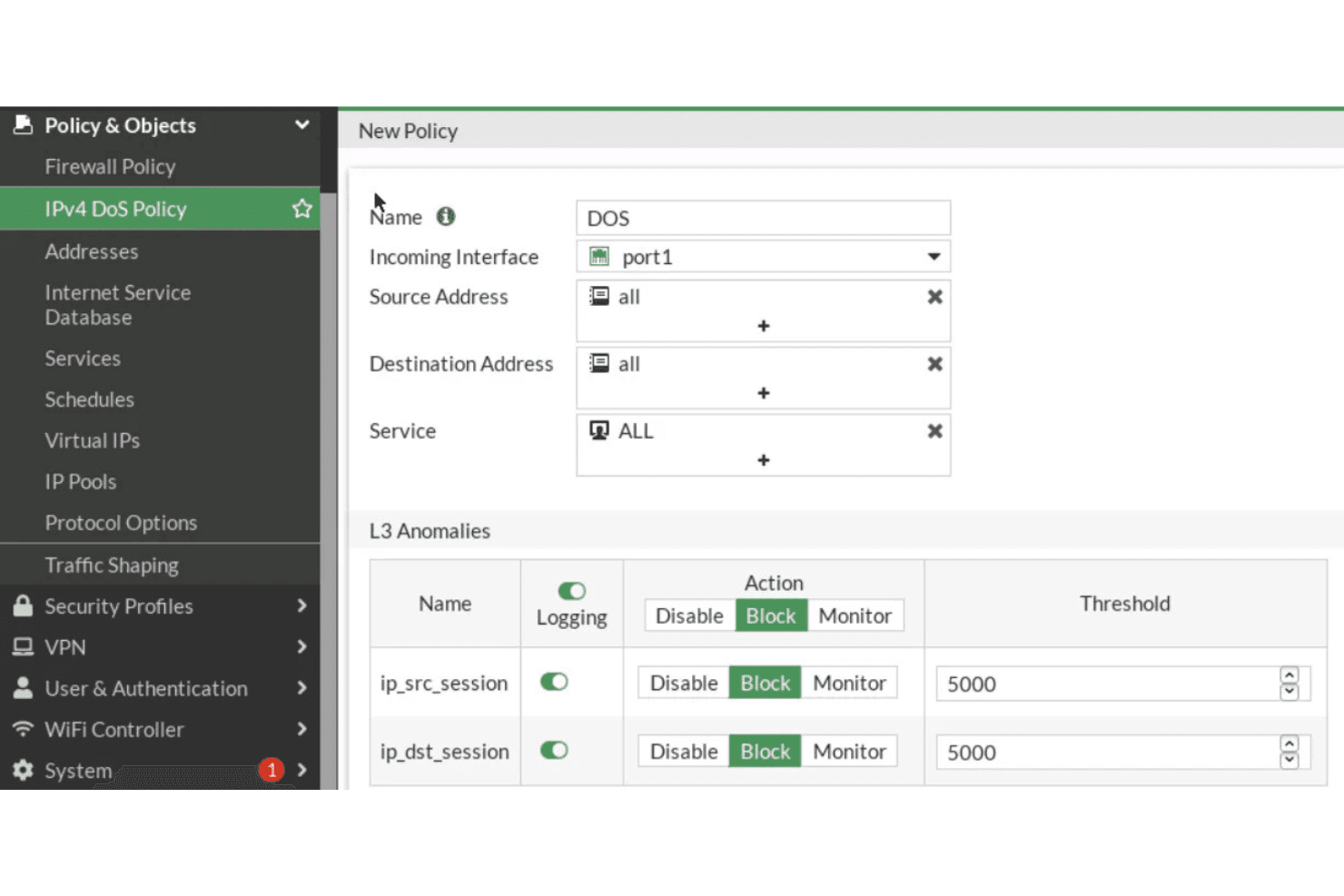
FortiDDoS allows you to tailor its security settings to fit your specific needs. IT teams can create granular SPPs for each network segment or tenant, set resource limits and control whitelisting and blacklisting down to the port level.
Real-Time Monitoring
Stay informed with real-time alerts and monitoring, ensuring your team can respond quickly to any issues. This feature helps maintain the integrity of your network.
Scalability
FortiDDoS scales with your business, making it suitable for growing enterprises. Appliances support full-duplex throughput up to 36+ Gbps and are engineered to prevent link saturation during high-volume flood attacks.
User-Friendly Dashboard
The dashboard provides a clear overview of your network's security status. Your team can easily navigate and manage security settings.
Ease of Use
FortiDDoS has a learning curve that might challenge teams without dedicated IT staff. While its user-friendly dashboard provides a clear overview, some users find the interface less intuitive compared to other solutions. Managing the many customizable settings requires strong knowledge of traffic baselines and security policy tuning, which can be difficult for teams without dedicated security analysts. However, once familiar, it offers powerful tools for managing your network's security effectively.
Integrations
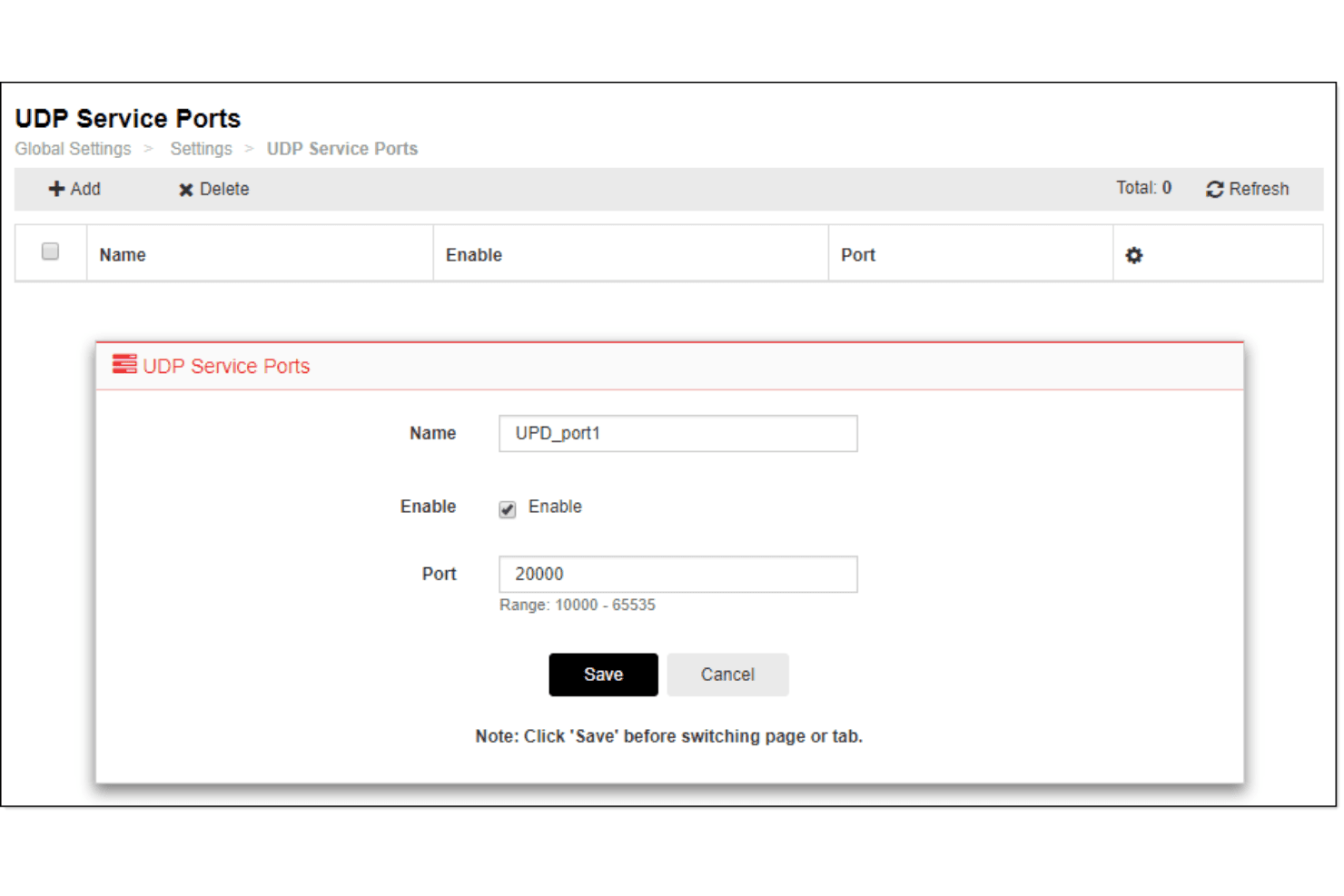
FortiDDoS integrates with FortiGate, FortiAnalyzer, FortiManager, FortiWeb, FortiADC, FortiSIEM, FortiMail, FortiSandbox, FortiToken, and FortiAuthenticator. FortiDDoS also provides a REST API for integration and connects with third-party integration tools.
FortiDDoS Specs
- 2-Factor Authentication: Yes
- Access Management: No
- Anti-Virus: Yes
- API: Yes
- Audit Trail: Yes
- Bug Tracking: Yes
- Calendar Management: No
- Customer Management: No
- Dashboard: Yes
- Data Export: Yes
- Data Import: Yes
- Data Visualization: No
- Email Integration: No
- External Integrations: Yes
- File Sharing: Yes
- File Transfer: Yes
- Firewall: Yes
- Google Apps Integration: No
- Inventory Tracking: No
- Malware Protection: Yes
- Multi-User: Yes
- Network Device Performance Monitoring: Yes
- Network Traffic Monitoring: Yes
- Network Visualization: Yes
- Notifications: No
- Project Management: No
- Remote Access: Yes
- Risk Assessment: Yes
- SAP Integration: Yes
- Scheduling: No
- Software Integration: Yes
- Third-Party Plugins/Add-Ons: Yes
- Ticket Management: No


