

Avis sur Sendmarc : avantages, inconvénients, fonctionnalités clés et guide des tarifs
I break down how Sendmarc stands out in the DMARC crowd, delivering straightforward compliance and visibility—even for teams who’d rather be focusing on growth than email security.

Nous évaluons les outils indépendamment ; les commissions aident à financer nos tests. Consultez notre politique de transparence et notre méthodologie.
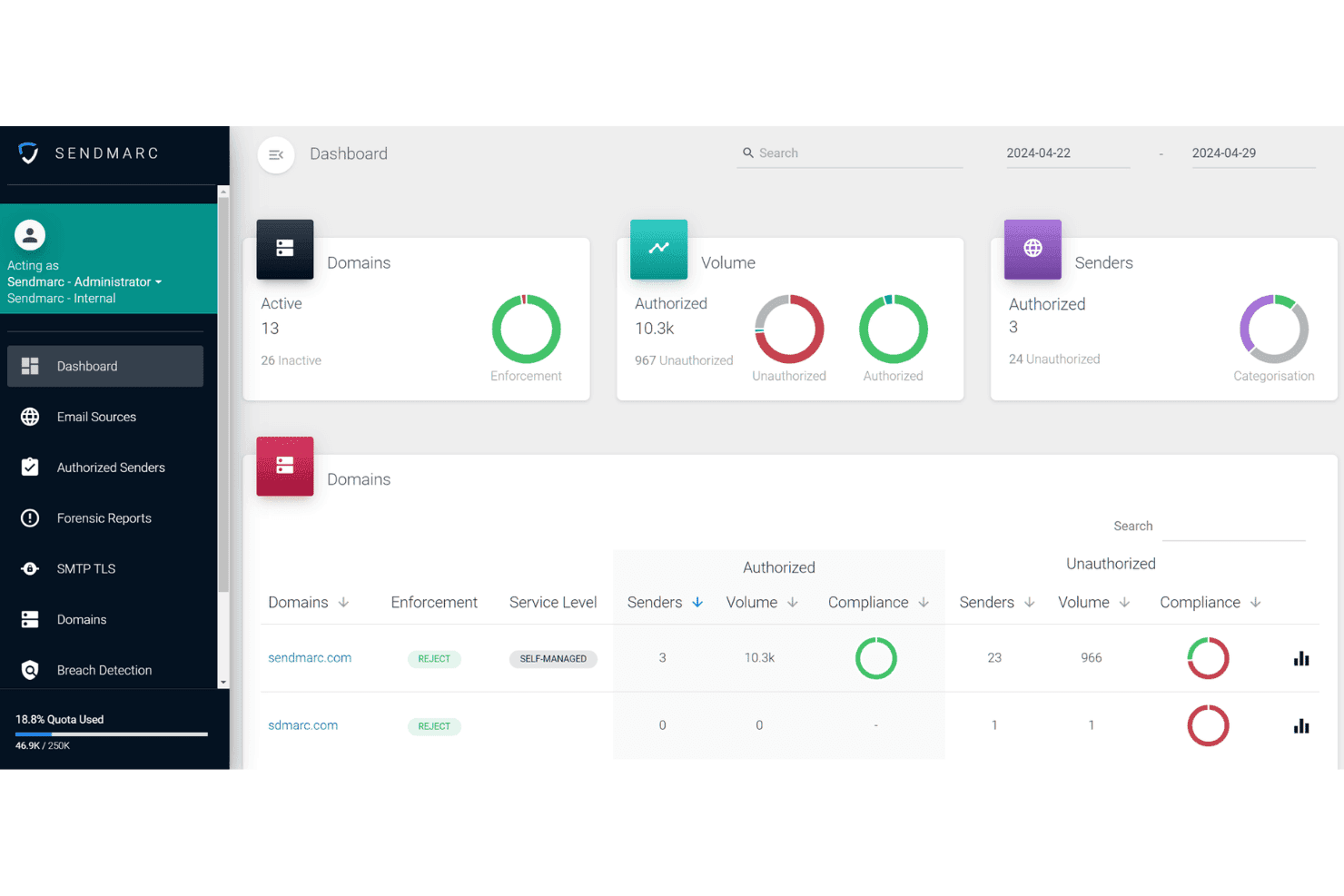
Sendmarc is a DMARC software for organizations that need to reach full DMARC enforcement, protect their domains from spoofing, and get visibility into who's sending email on their behalf. I'd point you to it if you want a more automated, partner-friendly path to enforcement than the incumbent enterprise platforms, with guided workflows that suit MSPs and internal IT teams managing multiple domains. As a DMARC solution it also covers the adjacent standards—SPF, DKIM, MTA-STS, and TLS-RPT—rather than leaving them for a second vendor.
Sendmarc Evaluation Summary
4.9/5
- Pricing upon request
- 21-day free trial
Pourquoi faire confiance à nos recommandations de logiciels
6,700+
Reviews
20
Industry experts
16+
Evaluation factors
14
Years
Notre équipe teste et évalue des logiciels depuis 2012. En tant que leaders technologiques nous-mêmes, nous savons à quel point il est difficile — et important — de choisir le bon logiciel.
Pour ce guide, nous avons évalué les outils grâce à des tests pratiques et une recherche indépendante, en notant les outils selon nos critères de sélection.
Nos avis reflètent notre jugement éditorial humain, et non un argumentaire de vente.
Réviseurs experts:
- Paulo Gardini MiguelDirecteur technique
 Tim FisherVP de l'IA
 Gabriel RosasTech Lead et architecte logiciel
 Christhian GruhnTech Lead et architecte plateforme

Sendmarc Overview
I think Sendmarc stands out if you're judging DMARC tools on automation, support, and MSP features. Its guided onboarding makes it easy to adopt, while automated reporting and troubleshooting help you reach enforcement faster. Expert support is the differentiator here more than raw feature count, and getting to enforcement cleanly tends to help deliverability rather than hurt it. The interface is clean and intuitive—something you can hand to a client or non-technical stakeholder without worries. You might find fewer direct integrations, but if you're choosing for a multi-client environment or want hands-on support, Sendmarc is a solid pick.
Pros
- Automated DMARC enforcement simplifies reaching full compliance.
- Guided workflows help MSPs manage many domains efficiently.
- Hands-on customer support responds quickly and speaks plainly.
Cons
- Thin PSA integration and few direct connections to SIEM or alerting platforms.
- Limited analytics drill-down compared to some competing tools.
- Smaller knowledge base than larger email security providers.
Is Sendmarc Right For Your Needs?
Who Would be a Good Fit for Sendmarc?
Sendmarc makes sense for organizations with complex email environments, public-facing brands, or compliance-driven needs. It works well for IT and security teams who want expert-backed onboarding, responsive support, and detailed reporting. I think companies handling confidential data, multi-domain management, or external partners will see the most value from Sendmarc’s strong DMARC automation, monitoring, and incident response features. If deliverability of transactional and marketing mail matters to revenue, enforcement is the floor rather than the ceiling.
- Financial ServicesSendmarc offers advanced threat protection, audit-friendly reporting, and critical support demanded by highly regulated financial institutions.
- Healthcare OrganizationsIts detailed incident notifications and compliance-driven tools help healthcare teams quickly meet strict security standards and spot email impersonation attempts.
- Mid-Size EnterprisesThe platform scales DMARC enforcement and analytics as companies grow and add domains, making it easier for IT departments to maintain oversight.
- Managed Service ProvidersSendmarc’s multi-client features, bulk management tools, and reseller options help MSPs deliver DMARC protection as a polished, value-added service.
- Retail/Ecommerce BrandsPublic-facing brands benefit from Sendmarc’s strong impersonation detection, sender monitoring, and customizable reports for managing brand reputation.
- Government AgenciesThe combination of guided onboarding, dedicated support, and security controls makes Sendmarc well-suited to agencies prioritizing phishing defense and regulatory compliance.
Who Would be a Bad Fit for Sendmarc?
Sendmarc may not be right for organizations with basic email environments, small teams without technical resources, or those who only need minimal DMARC oversight. Its richer capabilities can feel unnecessary for less complex needs and entry pricing might not appeal to low-risk email users or those focused only on SPF/DKIM setup. If email fraud isn’t a live risk for your brand, a lighter tool will do the job.
- Small StartupsLean teams with one domain and few users often don’t need Sendmarc’s advanced controls and may find its full platform more than they require.
- Nonprofits With Minimal ITResource-limited nonprofits running a single public domain could find Sendmarc’s platform excessive for their simple authentication needs.
- Freelancers/Sole ProprietorsIndividuals or single-person businesses usually require basic DMARC records, not advanced policy management, analytics, or high-touch support.
- Internal-Only IT DepartmentsTeams who restrict all email use to inside the organization may not need outside threat monitoring or DMARC enforcement at Sendmarc’s level.
- Temporary Project GroupsShort-term projects with limited external communication will see little value from ongoing monitoring and policy enforcement tools.
- Educational Clubs/AssociationsStudent groups or academic clubs often don’t need sophisticated DMARC platforms due to low stakes and minimal public-facing risk.
Notre méthodologie d'évaluation
Comment nous testons et notons les outils
Nous avons passé des années à développer, affiner et améliorer notre système de test et de notation des logiciels. Cette grille d’évaluation est conçue pour saisir les subtilités de la sélection des logiciels et ce qui rend un outil efficace, en se concentrant sur les aspects critiques du processus de décision.
Vous trouverez ci-dessous le détail de notre processus de test et de notation sur sept critères. Cela nous permet de fournir une évaluation impartiale du logiciel basée sur les fonctionnalités principales, les caractéristiques distinctives, la facilité d’utilisation, l’intégration, l’accompagnement lors de la prise en main, le support client, les avis utilisateurs et le rapport qualité-prix.
Fonctionnalité principale (25% de la note finale)
Le point de départ de notre évaluation est toujours la fonctionnalité principale de l’outil. Possède-t-il les fonctions de base auxquelles un utilisateur s’attend ? Certaines de ces fonctionnalités principales sont-elles limitées à des forfaits plus chers ? Nous attendons d’un outil qu’il soit au moins à la hauteur des capacités de base de ses concurrents.
Fonctionnalités remarquables (25% de la note finale)
Ensuite, nous évaluons les fonctionnalités exceptionnelles qui dépassent la fonctionnalité de base habituellement trouvée dans ce type d’outil. Un score élevé reflète des fonctionnalités spécialisées ou uniques rendant le produit plus rapide, plus efficace ou apportant une valeur ajoutée à l’utilisateur.
Nous évaluons aussi la facilité d’intégration avec d’autres outils courants dans la pile technologique pour élargir les fonctionnalités et l’utilité du logiciel. Les outils dotés de nombreuses intégrations natives, de connexions tierces et d’un accès API facilitant des intégrations personnalisées obtiennent les meilleurs scores.
Facilité d’utilisation (10% de la note finale)
Nous considérons la rapidité et la simplicité d’exécution des tâches principales avec l’outil. Les logiciels les mieux notés sont bien conçus, intuitifs, proposent des applications mobiles, offrent des modèles et rendent des tâches relativement complexes très simples.
Accompagnement lors de la prise en main (10% de la note finale)
Nous savons que l’adoption rapide d’une nouvelle plateforme au sein d’une équipe est cruciale. Nous évaluons donc la facilité avec laquelle un nouvel utilisateur peut apprendre et utiliser un outil avec un minimum de formation. Les meilleures solutions permettent une mise en route rapide, sans nécessité de support.
Support client (10% de la note finale)
Nous analysons la facilité et la rapidité avec lesquelles il est possible d’obtenir de l’aide par téléphone, chat en direct ou base de connaissances. Les outils et entreprises offrant une assistance en temps réel obtiennent les meilleurs scores, tandis que les chatbots sont moins bien notés.
Avis utilisateurs (10% de la note finale)
Au-delà de nos propres tests et évaluations, nous tenons compte du net promoter score des utilisateurs actuels et passés. Nous regardons la probabilité qu’ils choisiraient à nouveau l’outil pour ses fonctionnalités principales. Un logiciel bien noté reflète un net promoter score élevé.
Rapport qualité-prix (10% de la note finale)
Enfin, en tenant compte de tous les autres critères, nous examinons le prix moyen des forfaits d’entrée de gamme par rapport aux fonctionnalités principales et à la valeur des autres critères. Un logiciel offrant plus, pour moins cher, obtiendra un meilleur score.
Core Features
Automated DMARC Record Setup
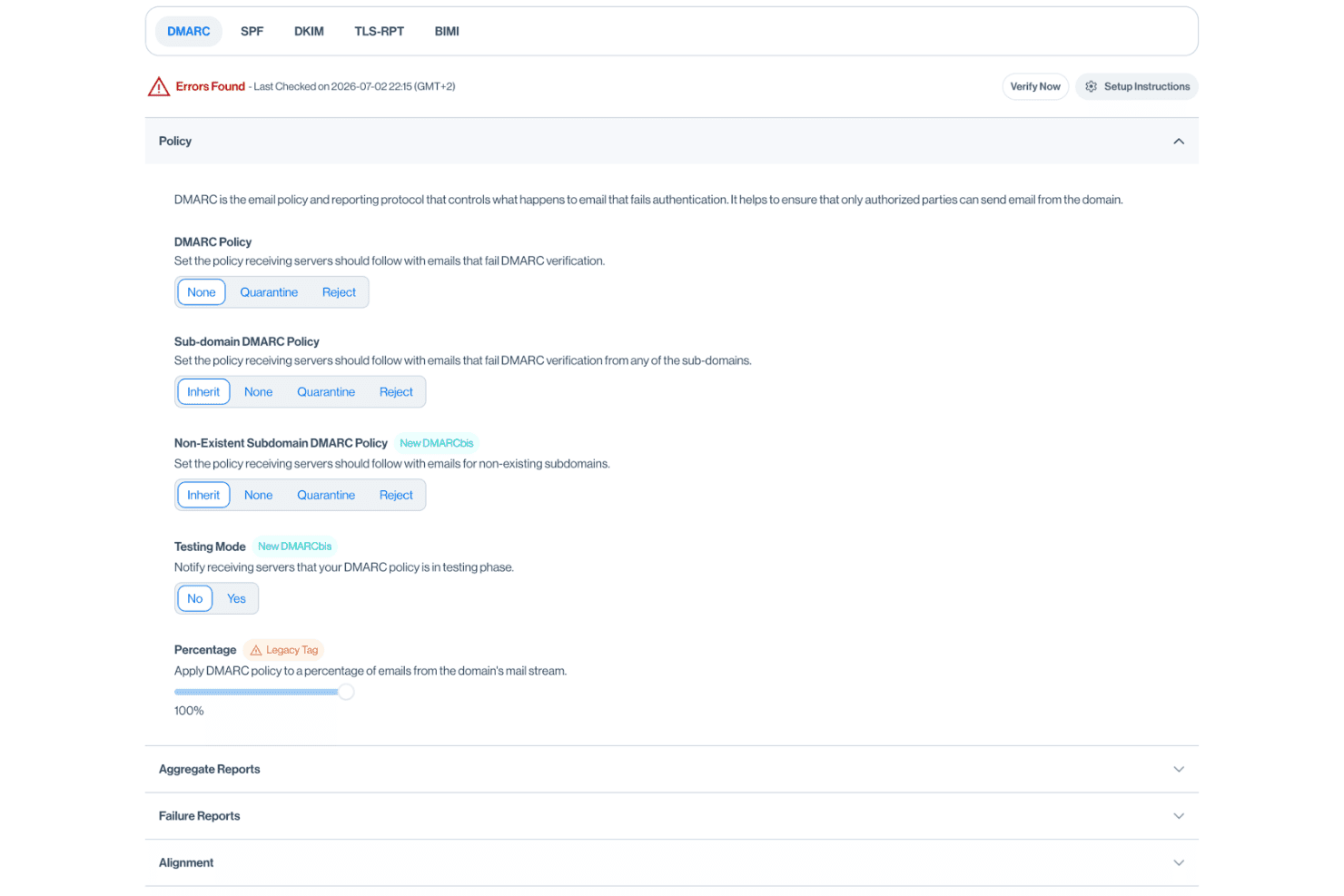
Sendmarc generates and checks DMARC records, including the rua tag that routes aggregate reports. This automation speeds compliance and cuts manual errors.
Threat and Spoofing Detection
Get alerts when unauthorized sources send email using your domains. Real-time notifications help you stop phishing, spoofing, and email fraud fast.
Guided Enforcement Path
Sendmarc provides a step-by-step workflow to reach DMARC enforcement safely. Teams see exactly what actions to take next, avoiding email disruptions.
Email Source Discovery
The platform maps all legitimate email senders in your environment. SPF flattening keeps you under the ten-lookup limit as that list grows.
Personalized Report Summaries
You get regular DMARC reporting that highlights trends and issues. The summaries break data into plain language for business and IT stakeholders.
Managed Service Provider Dashboard
MSPs get a unified dashboard to monitor multiple client domains. This multi-tenant view lets you handle many customers without jumping between accounts.
Ease of Use
Sendmarc is especially user-friendly, thanks to its straightforward dashboards and clear, step-by-step enforcement workflow. I think IT admins appreciate not needing deep email expertise to set policies or interpret reports. If you're used to leaning on an AI assistant to decode raw DMARC XML, the plain-language summaries here cover much of the same ground. Based on user reviews, the guided onboarding and real-time alerts make for a less stressful DMARC rollout, and the reporting is business-friendly without jargon.
Integrations
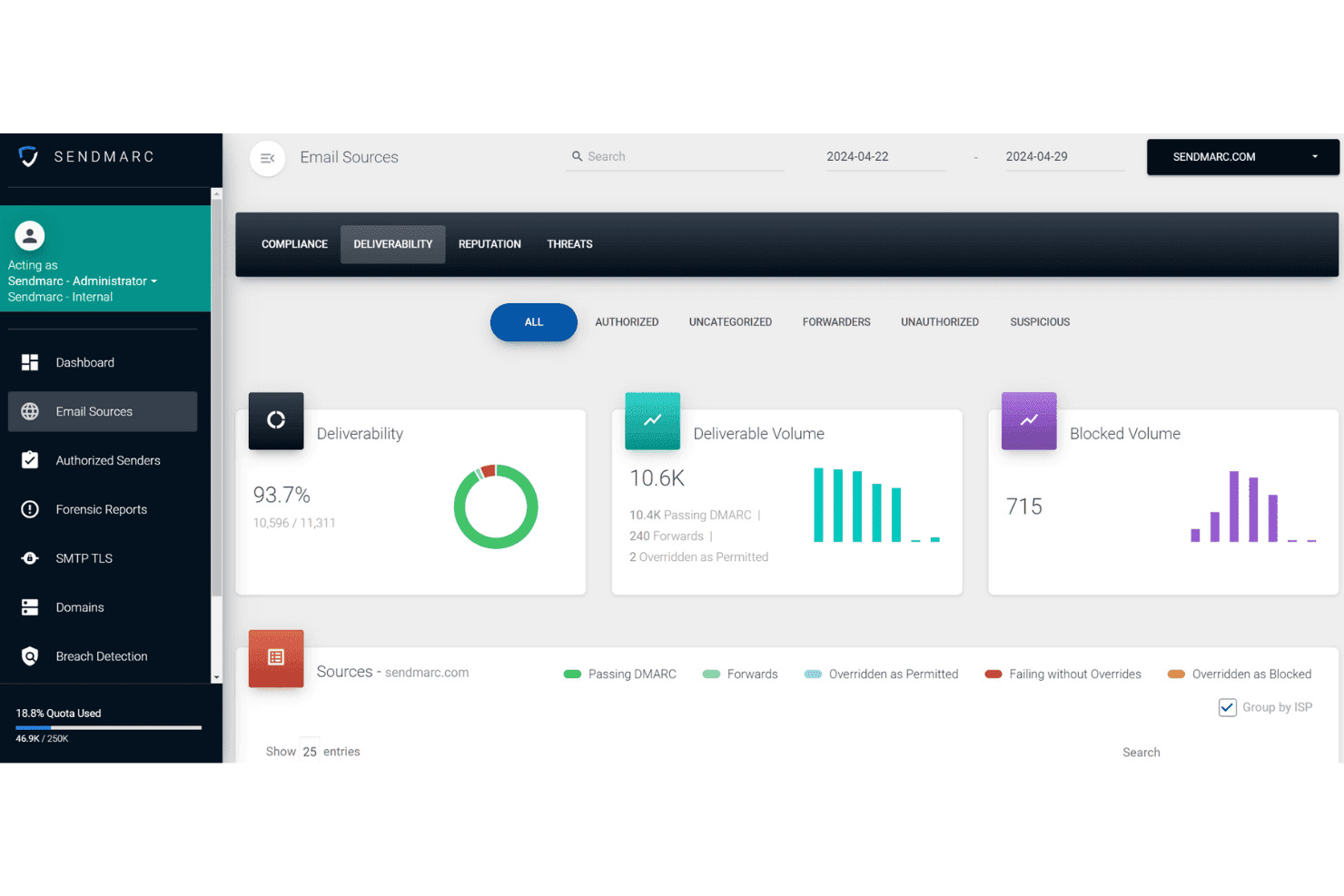
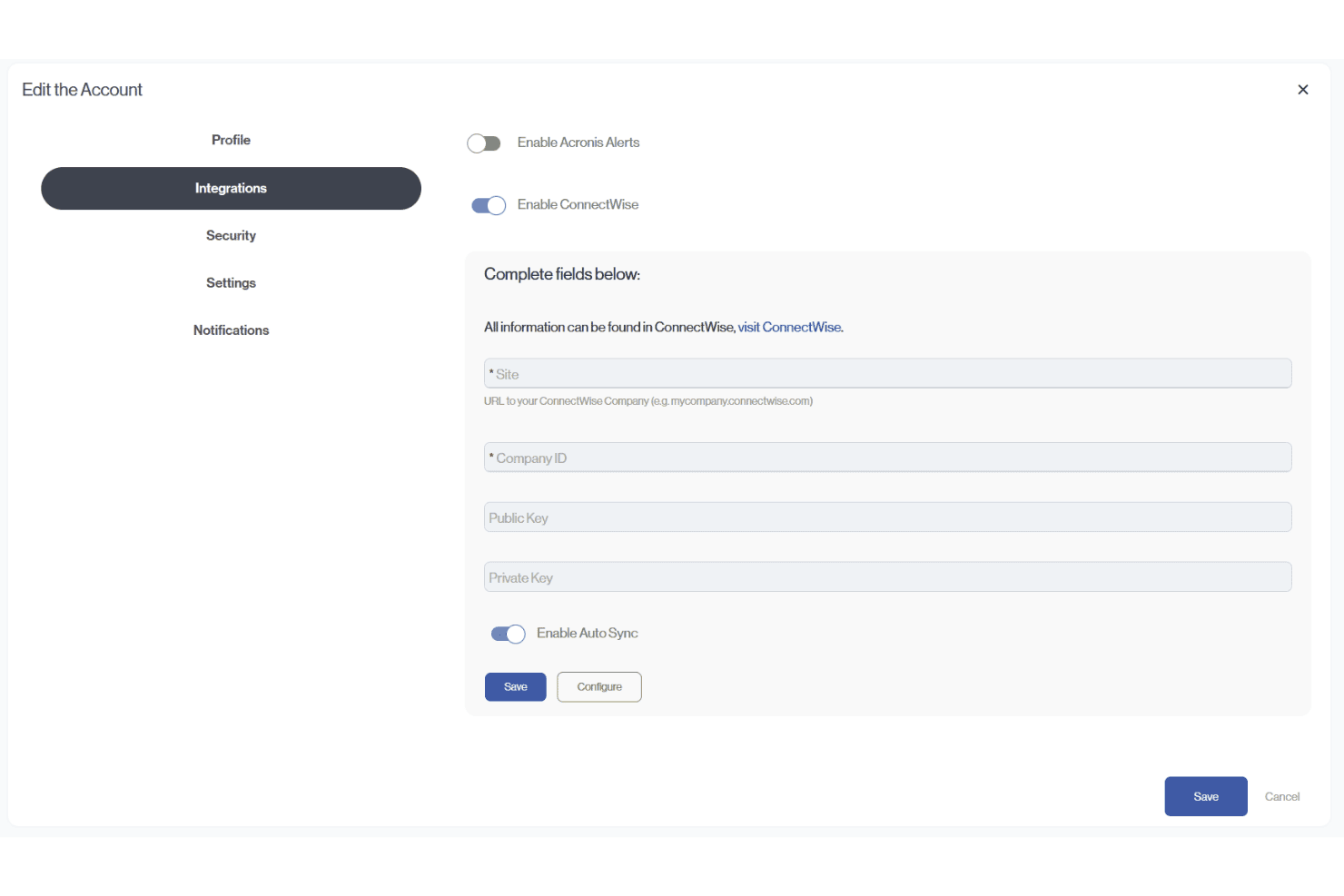
Sendmarc provides documented integrations with Abnormal Security, ConnectWise PSA, Acronis, HaloPSA, and Autotask (Datto/Kaseya). It also supports API-token creation for custom integrations, including connections with third-party platforms.
Sendmarc Specs
- 2-Factor Authentication: Yes
- Access Management: Yes
- Anti-Virus: No
- API: Yes
- Audit Trail: Yes
- Bug Tracking: Yes
- Calendar Management: Yes
- Customer Management: Yes
- Dashboard: Yes
- Data Export: Yes
- Data Import: Yes
- Data Visualization: Yes
- Email Integration: Yes
- External Integrations: Yes
- File Sharing: No
- File Transfer: No
- Firewall: No
- Google Apps Integration: Yes
- Inventory Tracking: Yes
- Malware Protection: Yes
- Multi-User: Yes
- Network Device Performance Monitoring: Yes
- Network Traffic Monitoring: Yes
- Network Visualization: Yes
- Notifications: Yes
- Project Management: Yes
- Remote Access: Yes
- Risk Assessment: Yes
- SAP Integration: Yes
- Scheduling: Yes
- Software Integration: Yes
- Third-Party Plugins/Add-Ons: Yes
- Ticket Management: Yes


