

Avis sur PDQ Connect : avantages, inconvénients, fonctionnalités et tarifs expliqués
J’analyse comment PDQ Connect simplifie la gestion des correctifs pour les professionnels IT et les administrateurs système—mettant en lumière ses points forts, ses faiblesses et pourquoi son approche pragmatique se démarque comme outil de déploiement parmi les solutions de gestion de correctifs.

Nous évaluons les outils indépendamment ; les commissions aident à financer nos tests. Consultez notre politique de transparence et notre méthodologie.
It only takes one missed update to open the door to serious trouble. Without the proper patch management software, systems fall behind, vulnerabilities pile up, and IT teams are left scrambling to keep up with constant threats. What starts as a simple delay can quickly turn into security risks, downtime, and hours of manual work just to stay afloat.
PDQ Connect is a cloud-based patch management solution designed to help IT professionals and system administrators keep workstations and servers up to date and secure. If you're wrestling with manual updates, unpredictable vulnerabilities, or time-consuming deployment processes, PDQ Connect's automation and straightforward controls could lighten your load.
In this review, I'll break down PDQ Connect's functionality and features, showcase practical use cases, and call out the pros, cons, and pricing details you need to make the right call for your environment.
PDQ Connect Evaluation Summary
4.6/5
- From $12/device/year
- Free trial + demo available
Pourquoi faire confiance à nos recommandations de logiciels
6,700+
Reviews
20
Industry experts
16+
Evaluation factors
14
Years
Notre équipe teste et évalue des logiciels depuis 2012. En tant que leaders technologiques nous-mêmes, nous savons à quel point il est difficile — et important — de choisir le bon logiciel.
Pour ce guide, nous avons évalué les outils grâce à des tests pratiques et une recherche indépendante, en notant les outils selon nos critères de sélection.
Nos avis reflètent notre jugement éditorial humain, et non un argumentaire de vente.
Réviseurs experts:
- Paulo Gardini MiguelDirecteur technique
 Tim FisherVP de l'IA
 Gabriel RosasTech Lead et architecte logiciel
 Christhian GruhnTech Lead et architecte plateforme

PDQ Connect Overview
Honestly, PDQ Connect's fast setup time, robust automations, and transparent pricing makes it stand out from other patch management solutions. If you want a simple but powerful platform with native app and OS scanning, PDQ would be the obvious choice. I'd say it's best for SMBs or midsize IT departments who value easy setup and reliable patching—regardless of company size. It should be noted, however, that PDQ Connect is designed primarily for Windows and macOS device management. For most internal teams, the trade-off is worth it—especially if fast deployment and transparency matter most.
Pros
- Automates Windows and macOS patch deployment with granular scheduling controls.
- Inventory scanning helps pinpoint unpatched or missing software.
- No remote agent required for updates on most devices.
Cons
- Limited support for Linux and mobile environments.
- RMM options are basic compared to other all-in-one platforms.
- No dedicated onboarding support.
Is PDQ Connect Right For Your Needs?
Who Would be a Good Fit for PDQ Connect?
PDQ Connect is best for IT teams managing mostly Windows and Mac workstations and servers who need quick patch cycles and minimal overhead. It's especially strong for small to midsize organizations with a few admins, departments without deep scripting skills, and distributed workforces. Simple licensing, agentless patching, and a massive package library make it easier to keep systems up to date, even with lean resources.
- Financial InstitutionsFinancial institutions can use PDQ Connect to support compliance and maintain visibility across endpoints.
- K–12 EducationSchools benefit from agentless updates, prebuilt packages, and batch deployment across many Windows PCs.
- Managed Service ProvidersService providers use PDQ's scripting options and reporting for efficient multi-client patch management.
- Healthcare ClinicsAgentless patching and minimal infrastructure keep compliance easy for smaller clinics with mostly Windows devices.
- Distributed WorkforcesRemote deployment supports offsite or hybrid employees without complex VPN or agent installs.
- SMBs With WindowsSmall and midsize businesses running mostly Windows get fast setup and coverage without advanced requirements.
Who Would be a Bad Fit for PDQ Connect?
PDQ Connect isn't as useful for organizations with mostly Linux devices, or highly specialized compliance needs. Large enterprises with thousands of endpoints, extensive automation demands, or strict integration requirements may also hit limits. If your team manages mobile devices or cross-platform environments, or needs in-depth compliance tracking, PDQ Connectmay fall short compared to competing deployment tools and IT management platforms.
- Small BusinessesFor businesses with under 100 devices, PDQ Connect may be more robust than necessary for basic patch management needs.
- Linux-First TeamsPDQ Connect focuses on Windows, so it won't support broad Linux patch deployment.
- Mobile-First OperationsThere's little support for mobile device patching or management.
- Highly Regulated SectorsOrganizations needing granular compliance workflows and certifications may need a more specialized tool.
Notre méthodologie d'évaluation
Comment nous testons et notons les outils
Nous avons passé des années à développer, affiner et améliorer notre système de test et de notation des logiciels. Cette grille d’évaluation est conçue pour saisir les subtilités de la sélection des logiciels et ce qui rend un outil efficace, en se concentrant sur les aspects critiques du processus de décision.
Vous trouverez ci-dessous le détail de notre processus de test et de notation sur sept critères. Cela nous permet de fournir une évaluation impartiale du logiciel basée sur les fonctionnalités principales, les caractéristiques distinctives, la facilité d’utilisation, l’intégration, l’accompagnement lors de la prise en main, le support client, les avis utilisateurs et le rapport qualité-prix.
Fonctionnalité principale (25% de la note finale)
Le point de départ de notre évaluation est toujours la fonctionnalité principale de l’outil. Possède-t-il les fonctions de base auxquelles un utilisateur s’attend ? Certaines de ces fonctionnalités principales sont-elles limitées à des forfaits plus chers ? Nous attendons d’un outil qu’il soit au moins à la hauteur des capacités de base de ses concurrents.
Fonctionnalités remarquables (25% de la note finale)
Ensuite, nous évaluons les fonctionnalités exceptionnelles qui dépassent la fonctionnalité de base habituellement trouvée dans ce type d’outil. Un score élevé reflète des fonctionnalités spécialisées ou uniques rendant le produit plus rapide, plus efficace ou apportant une valeur ajoutée à l’utilisateur.
Nous évaluons aussi la facilité d’intégration avec d’autres outils courants dans la pile technologique pour élargir les fonctionnalités et l’utilité du logiciel. Les outils dotés de nombreuses intégrations natives, de connexions tierces et d’un accès API facilitant des intégrations personnalisées obtiennent les meilleurs scores.
Facilité d’utilisation (10% de la note finale)
Nous considérons la rapidité et la simplicité d’exécution des tâches principales avec l’outil. Les logiciels les mieux notés sont bien conçus, intuitifs, proposent des applications mobiles, offrent des modèles et rendent des tâches relativement complexes très simples.
Accompagnement lors de la prise en main (10% de la note finale)
Nous savons que l’adoption rapide d’une nouvelle plateforme au sein d’une équipe est cruciale. Nous évaluons donc la facilité avec laquelle un nouvel utilisateur peut apprendre et utiliser un outil avec un minimum de formation. Les meilleures solutions permettent une mise en route rapide, sans nécessité de support.
Support client (10% de la note finale)
Nous analysons la facilité et la rapidité avec lesquelles il est possible d’obtenir de l’aide par téléphone, chat en direct ou base de connaissances. Les outils et entreprises offrant une assistance en temps réel obtiennent les meilleurs scores, tandis que les chatbots sont moins bien notés.
Avis utilisateurs (10% de la note finale)
Au-delà de nos propres tests et évaluations, nous tenons compte du net promoter score des utilisateurs actuels et passés. Nous regardons la probabilité qu’ils choisiraient à nouveau l’outil pour ses fonctionnalités principales. Un logiciel bien noté reflète un net promoter score élevé.
Rapport qualité-prix (10% de la note finale)
Enfin, en tenant compte de tous les autres critères, nous examinons le prix moyen des forfaits d’entrée de gamme par rapport aux fonctionnalités principales et à la valeur des autres critères. Un logiciel offrant plus, pour moins cher, obtiendra un meilleur score.
Core Features
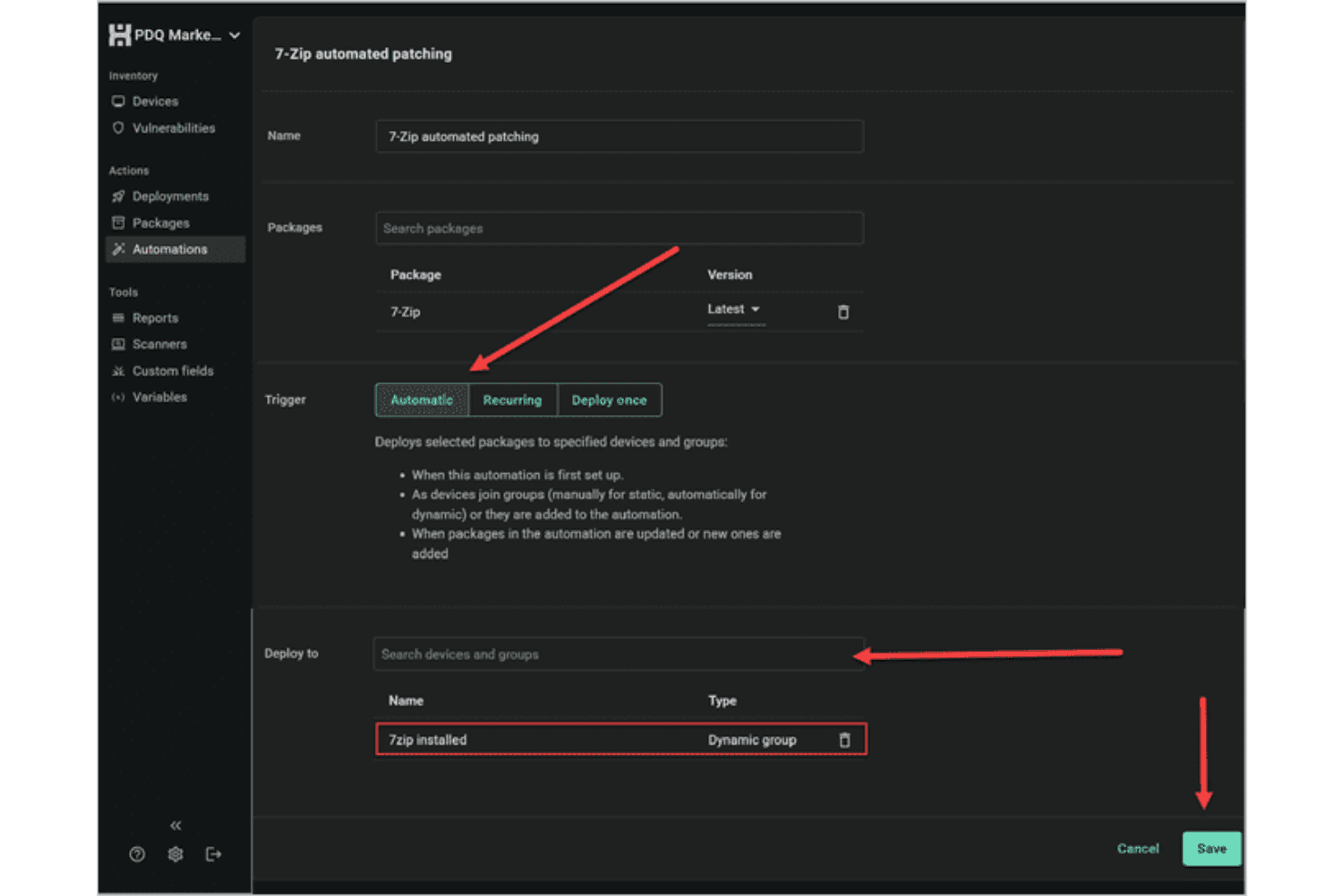
Automated Patch Deployment
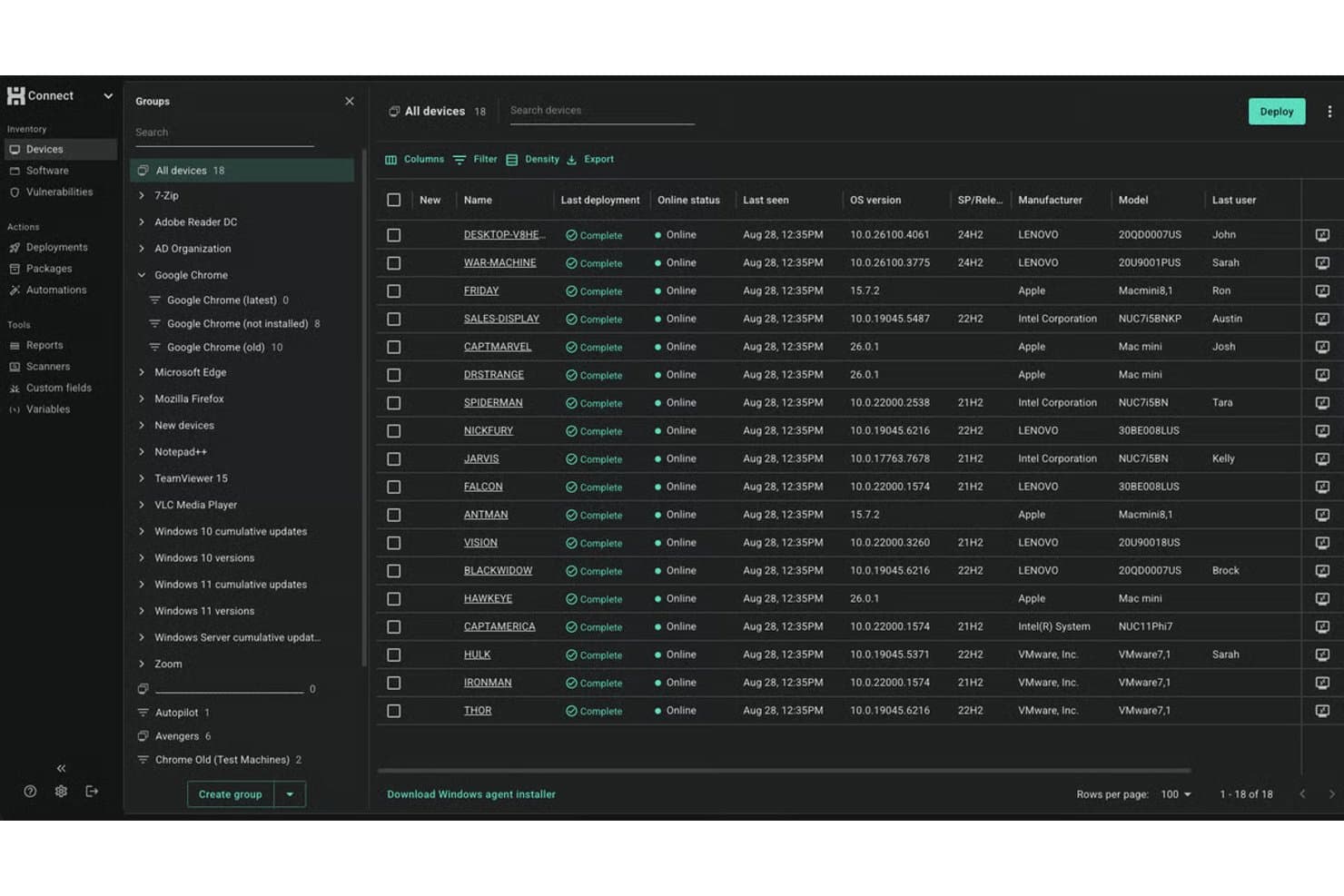
Schedule or trigger Windows software updates across devices with customizable rules. You can automate recurring patches and deployment processes to reduce manual work.
Inventory Scanning
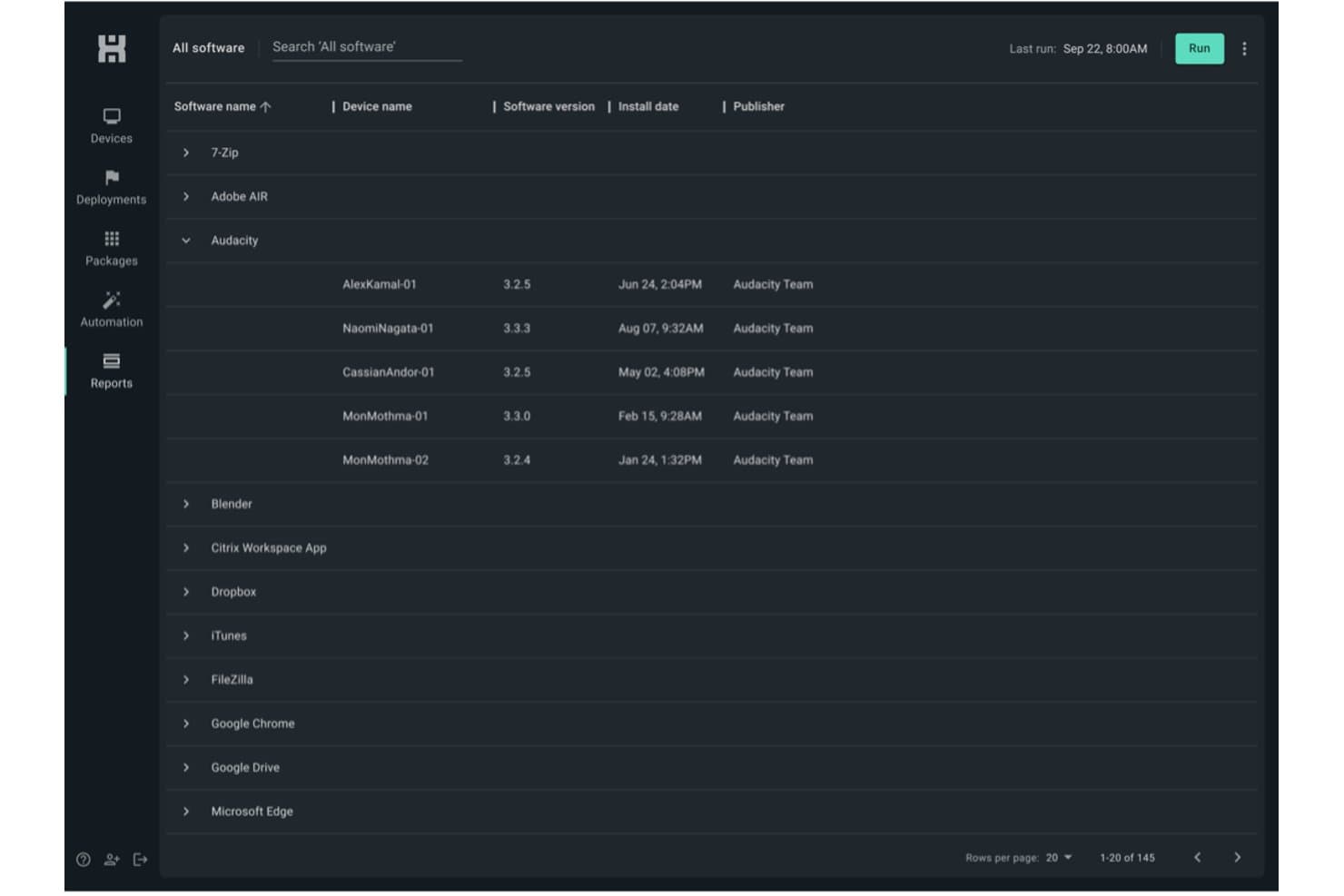
Scan all endpoints for missing or outdated software in real time. This helps you identify and target vulnerabilities quickly—while building a lightweight asset management layer across your Windows fleet.
Scripting Support
Leverage built-in scripting capabilities or create your own scripts to handle custom tasks and complex deployments. This flexibility makes it easier to automate patching processes and manage unique system requirements.
Remote Deployment
Push patches directly to remote endpoints, even if they're offsite. This keeps distributed workforces protected without manual check-ins.
Rollback and Uninstall Options
Easily uninstall or roll back patches from problematic endpoints. You get more control when updates cause unforeseen issues.
Detailed Patch Reporting
Generate reports on patch status, deployment success, and compliance—with real-time notifications on deployment activity. Track which endpoints are up to date at a glance.
Standout Features
Agentless Architecture
PDQ Connect delivers software updates without needing agents on most Windows workstations and servers. This reduces deployment headaches and eliminates another point of failure.
Extensive Package Library
PDQ Connect hosts over 500 continuously updated packages sourced directly from publishers. This extensive library helps ensure faster patching, reduces manual workload, and keeps systems consistently up to date.
Ease of Use
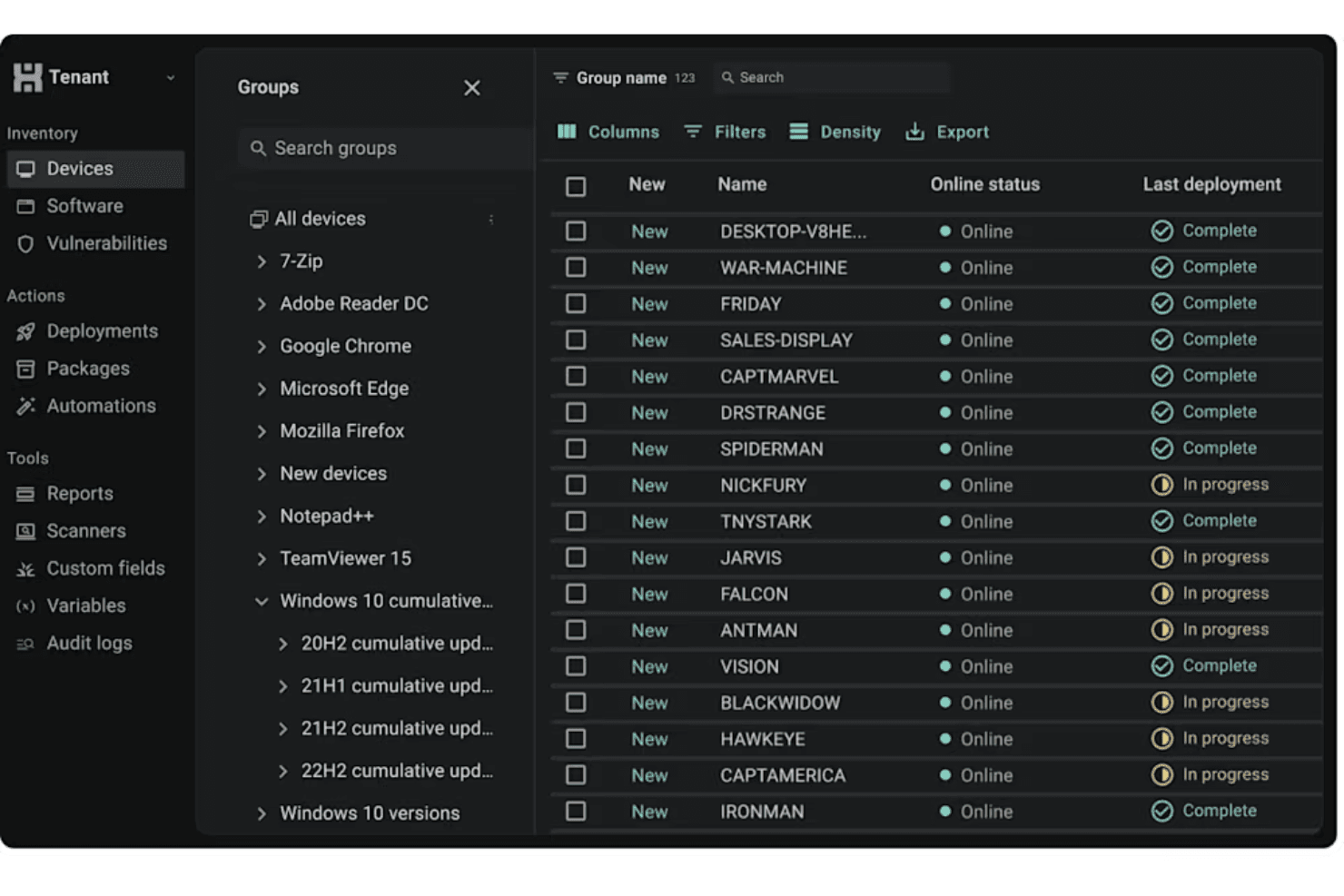
PDQ Connect's user interface is user friendly and direct, letting admins and end users with IT responsibilities launch scans, schedule updates, and review reporting without hunting through menus. I've seen sysadmins praise how quickly they can automate recurring tasks and push patches, even with bigger endpoint lists. The clear layout, built-in package library, and agentless updates help teams get patching jobs done fast, without heavy onboarding or constant troubleshooting.
Onboarding
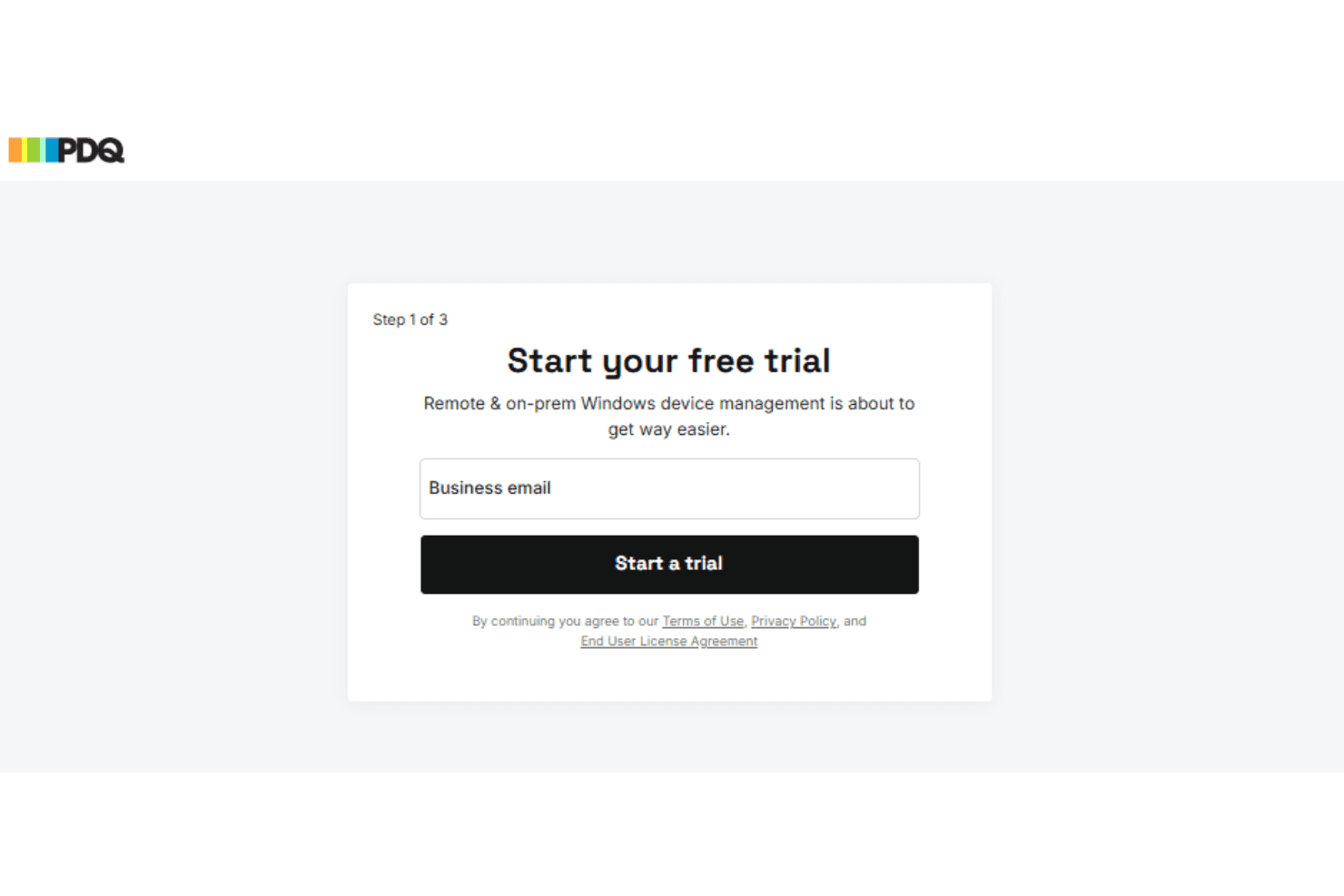
From my point of view, PDQ Connect's onboarding is quick—you can deploy your first patches in under an hour. The setup wizard, detailed video walkthroughs, and searchable knowledge base flatten the learning process. The self-service onboarding allows admin to start using the platform without the hassle of formal implementation on PDQ's end.
Customer Support
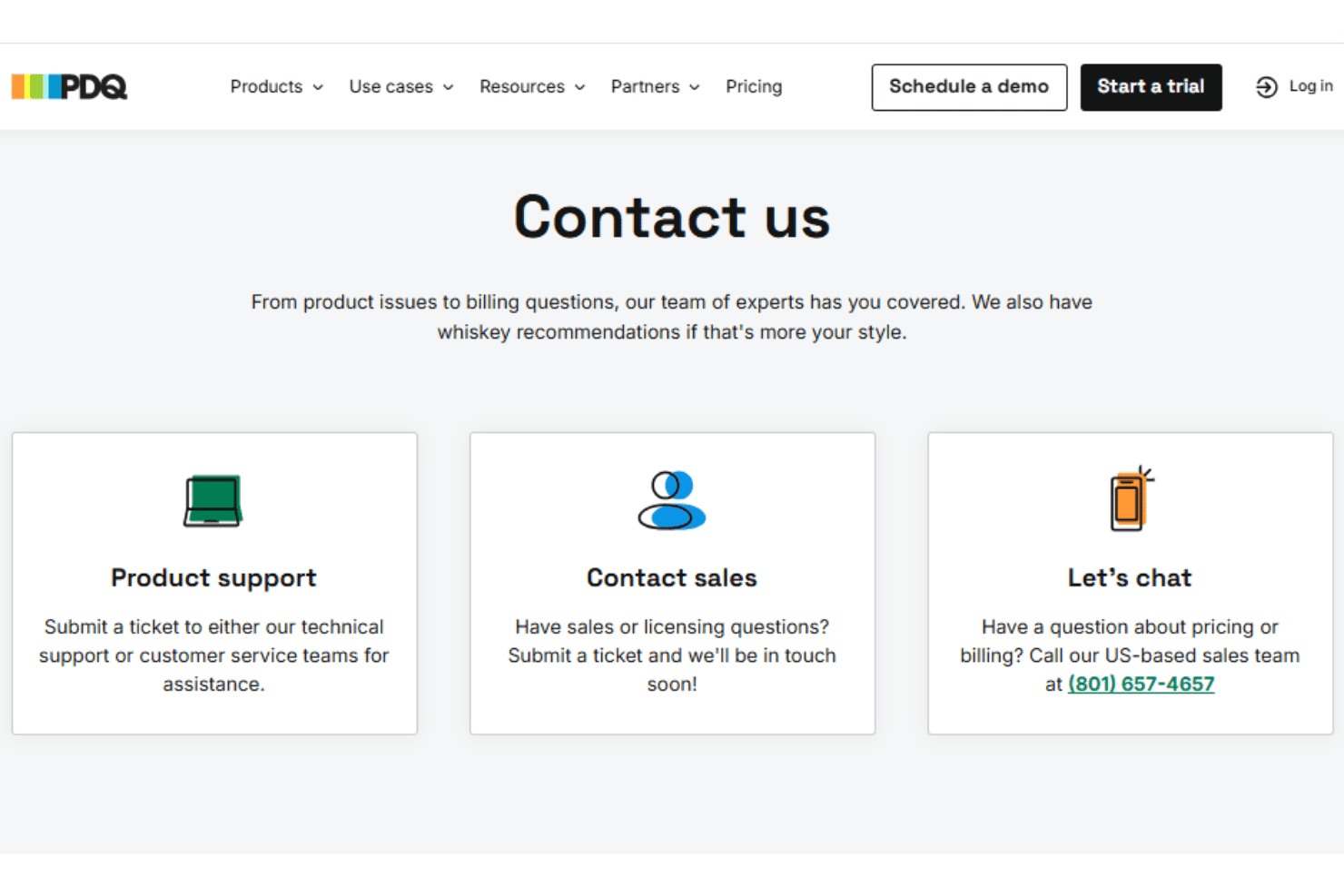
PDQ's customer support holds up well, especially for small IT teams who need quick, clear answers. User reviews regularly point to fast response times via a ticketing system, along with a deep knowledge base and active user forum. Many mention getting resolutions to patching issues in just a few hours, making it easy to keep updates on track.
Integrations
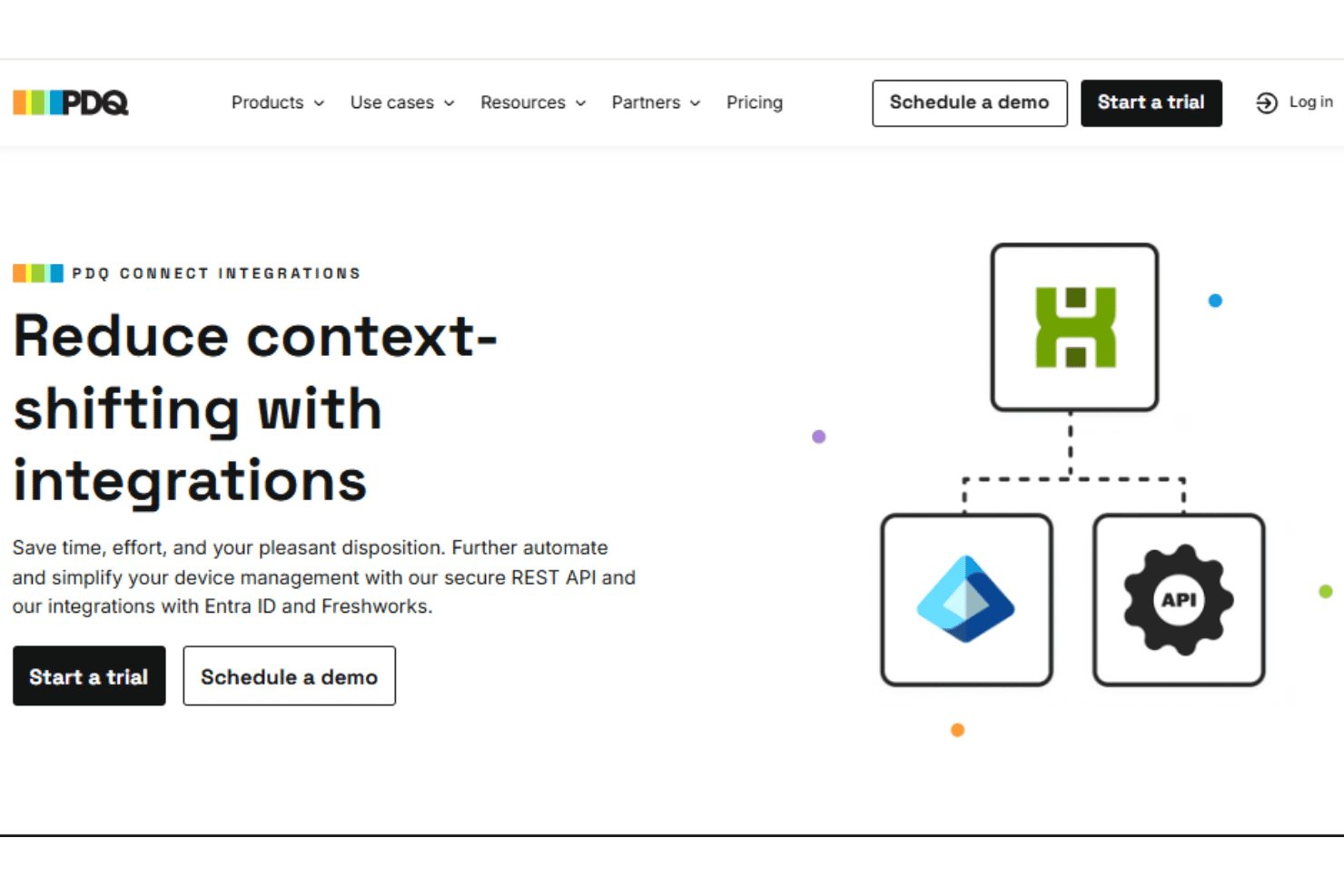
PDQ Connect integrates with Azure Active Directory, Freshdesk, Jira, and Zapier, among others.
PDQ also provides a REST-style API for custom integrations and scripting.
Value for Money
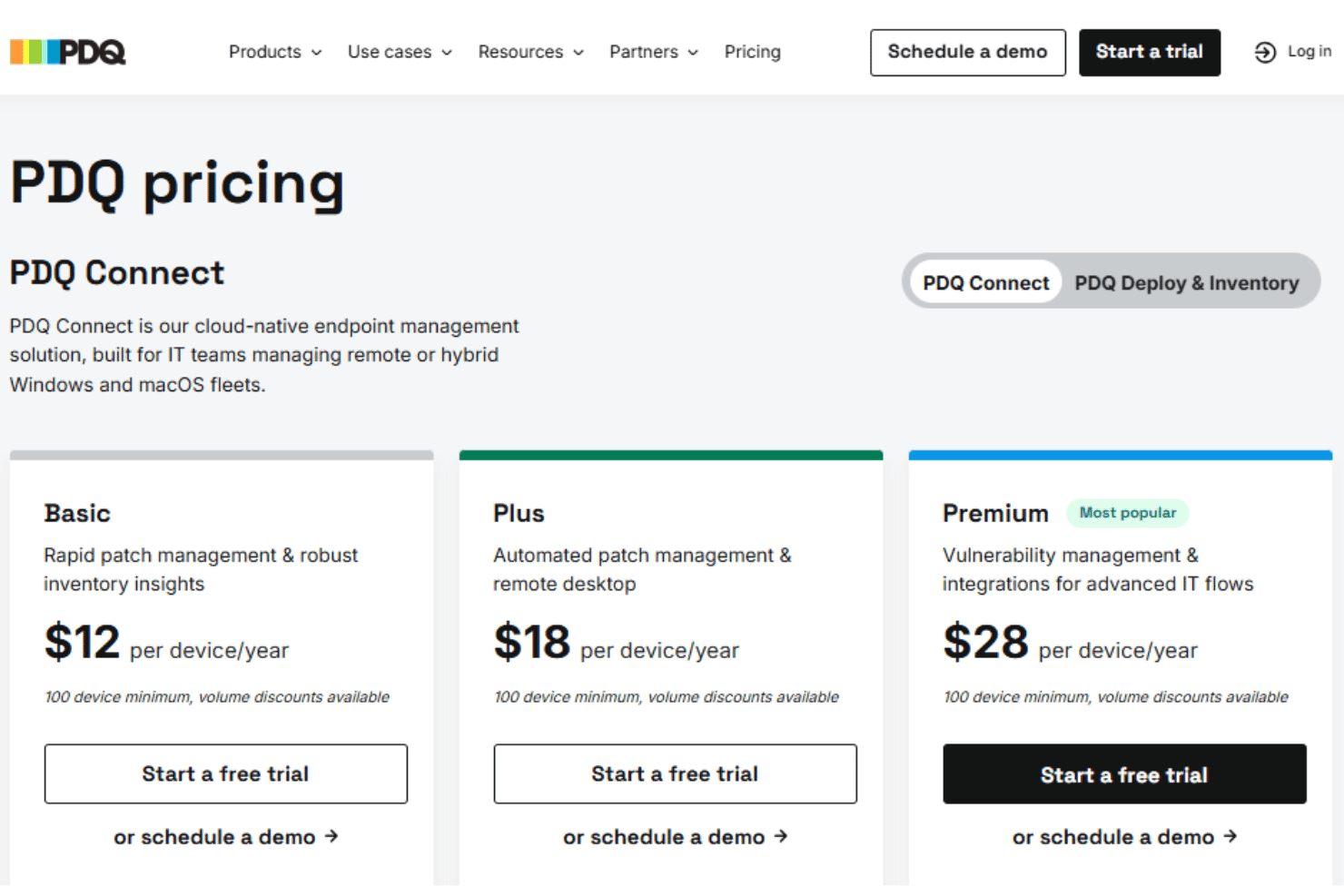
PDQ Connect's pricing is direct, with a per-device model that many users find budget-friendly for the features included. Most IT teams get strong value regardless of company size, especially since you don't pay for endpoints, and features like agentless patching and prebuilt packages are included at all tiers. For on-premise and on-prem environments, this is a notably competitive pricing structure.
- Basic: Includes device inventory, package library, reports, and core Windows & macOS device management.
- Plus: Adds automated deployments, remote desktop, and role-based access control.
- Premium: Offers vulnerability scanning, prioritization, API access, and priority support.
PDQ Connect Specs
- 2-Factor Authentication: Yes
- Analytics: No
- Anti-Virus: Yes
- API: Yes
- Batch Permissions & Access: No
- Bug Tracking: No
- Call Integration: No
- Chat: No
- Contact Management: No
- CRM Integration: No
- Customer Management: No
- Data Export: Yes
- Data Import: Yes
- Email Integration: No
- Escalation Management: Yes
- External Integrations: Yes
- Incident Management: Yes
- Instant Chat Integration: No
- Knowledge Base: Yes
- Malware Protection: Yes
- Multi-User: Yes
- Notifications: Yes
- Organization Management: Yes
- Password & Access Management: No
- Project Management: No
- Real-time Alerts: Yes
- SAP Integration: No
- Self-service Portal: Yes
- Social Media Integration: No
- Support Forum: No
- Ticket Management: Yes
- Workflow Management: Yes
PDQ Connect FAQs
PDQ Connect Company Overview & History
PDQ is headquartered in Salt Lake City, Utah. The company specializes in developing powerful patch management and IT automation tools for Windows environments. PDQ is known for its efficient, agentless deployment solutions and user-focused approach, earning a reputation for humor and approachability in IT communities. PDQ owns and develops multiple products, including PDQ Deploy, PDQ Inventory, and PDQ Connect.
PDQ Major Milestones
- 2001: PDQ founded in Salt Lake City, Utah
- 2011: PDQ Deploy and PDQ Inventory released to the public
- 2021: Acquired by a global growth private equity firm
- 2022: Launched PDQ Connect, expanding offerings for cloud-based device management