
Revue de la gestion des journaux Datadog : avantages, inconvénients, fonctionnalités et tarification
La gestion des journaux Datadog excelle dans les analyses en temps réel et l'intégration. C'est coûteux et mieux adapté aux équipes techniques ayant besoin d'une surveillance complète.

Nous évaluons les outils indépendamment ; les commissions aident à financer nos tests. Consultez notre politique de transparence et notre méthodologie.
Datadog Log Management is a log monitoring software built for teams that need centralized log collection, search, and analysis across cloud-native and distributed environments. I'd especially consider it if you want logs, metrics, and traces connected in a single platform, rather than piecing that together with the ELK Stack, which gives you more control but requires significant infrastructure management on your end.
Datadog Log Management Evaluation Summary
0/5
- From $0.10 per scanned GB
Pourquoi faire confiance à nos recommandations de logiciels
6,700+
Reviews
20
Industry experts
16+
Evaluation factors
14
Years
Notre équipe teste et évalue des logiciels depuis 2012. En tant que leaders technologiques nous-mêmes, nous savons à quel point il est difficile — et important — de choisir le bon logiciel.
Pour ce guide, nous avons évalué les outils grâce à des tests pratiques et une recherche indépendante, en notant les outils selon nos critères de sélection.
Nos avis reflètent notre jugement éditorial humain, et non un argumentaire de vente.
Réviseurs experts:
- Paulo Gardini MiguelDirecteur technique
 Tim FisherVP de l'IA
 Gabriel RosasTech Lead et architecte logiciel
 Christhian GruhnTech Lead et architecte plateforme

Datadog Log Management Overview
In my opinion, Datadog Log Management is a solid choice for teams needing detailed log insights. Its real-time monitoring and integration capabilities make it attractive for tech-driven environments. However, its pricing can be steep, especially for smaller businesses. Compared to other solutions, it excels in integration and real-time insights but may fall short in cost-effectiveness for those on tighter budgets. It's best suited for medium to large enterprises that can leverage its full feature set for comprehensive monitoring. If you're deciding on a tool, consider your team's size and budget to determine if Datadog fits your needs.
Pros
- Real-time log analysis that keeps your team informed instantly.
- Customizable dashboard and robust altering system.
Cons
- Learning the interface can be tricky for new users.
- Initial setup process may be a bit complex.
- Occasional delays in customer support response.
Is Datadog Log Management Right For Your Needs?
Who Would be a Good Fit for Datadog Log Management?
Datadog Log Management is ideal for tech-driven businesses like SaaS companies or e-commerce platforms that require real-time log insights. If your team needs detailed monitoring and alerting to keep systems running smoothly, this tool is a great choice. The out-of-the-box dashboard and robust alerts make it a strong contender for environments where quick response times are crucial.
- E-commerce PlatformsDatadog's real-time log analysis helps you catch and fix issues quickly, ensuring a smooth shopping experience.
- SaaS CompaniesYou can customize dashboards to monitor user activity and system performance effectively with Datadog.
- IT DepartmentsDatadog's alerts help your team catch system errors before they disrupt operations.
- DevOps TeamsWith robust monitoring tools, Datadog assists in maintaining uptime and reliability during deployments.
- Financial ServicesDatadog provides the detailed monitoring needed to ensure compliance and security in financial transactions.
- Healthcare ITDatadog's real-time insights help your team maintain system integrity and patient data security.
Who Would be a Bad Fit for Datadog Log Management?
Datadog Log Management might not suit small businesses or startups with limited budgets and simpler needs. If your team doesn't require advanced monitoring and real-time analysis, the complexities and cost of Datadog may outweigh its benefits. Basic operations or teams with minimal tech infrastructure might find the tool's features excessive and challenging to implement effectively.
- Small BusinessesThe cost and complexity of Datadog can be overwhelming and unnecessary for your straightforward operations.
- StartupsYou might find Datadog's advanced features excessive if your tech stack is still evolving.
- Non-Tech IndustriesIf your industry doesn't rely heavily on tech infrastructure, Datadog's capabilities might be overkill.
- FreelancersFor solo work, Datadog's extensive monitoring features are often more than you need.
- Local Retail ShopsWithout a significant online presence, the real-time insights Datadog offers may not add value to your business.
- Basic IT TeamsIf your team handles only fundamental system maintenance, Datadog's advanced tools could be unnecessary.
Notre méthodologie d'évaluation
Comment nous testons et notons les outils
Nous avons passé des années à développer, affiner et améliorer notre système de test et de notation des logiciels. Cette grille d’évaluation est conçue pour saisir les subtilités de la sélection des logiciels et ce qui rend un outil efficace, en se concentrant sur les aspects critiques du processus de décision.
Vous trouverez ci-dessous le détail de notre processus de test et de notation sur sept critères. Cela nous permet de fournir une évaluation impartiale du logiciel basée sur les fonctionnalités principales, les caractéristiques distinctives, la facilité d’utilisation, l’intégration, l’accompagnement lors de la prise en main, le support client, les avis utilisateurs et le rapport qualité-prix.
Fonctionnalité principale (25% de la note finale)
Le point de départ de notre évaluation est toujours la fonctionnalité principale de l’outil. Possède-t-il les fonctions de base auxquelles un utilisateur s’attend ? Certaines de ces fonctionnalités principales sont-elles limitées à des forfaits plus chers ? Nous attendons d’un outil qu’il soit au moins à la hauteur des capacités de base de ses concurrents.
Fonctionnalités remarquables (25% de la note finale)
Ensuite, nous évaluons les fonctionnalités exceptionnelles qui dépassent la fonctionnalité de base habituellement trouvée dans ce type d’outil. Un score élevé reflète des fonctionnalités spécialisées ou uniques rendant le produit plus rapide, plus efficace ou apportant une valeur ajoutée à l’utilisateur.
Nous évaluons aussi la facilité d’intégration avec d’autres outils courants dans la pile technologique pour élargir les fonctionnalités et l’utilité du logiciel. Les outils dotés de nombreuses intégrations natives, de connexions tierces et d’un accès API facilitant des intégrations personnalisées obtiennent les meilleurs scores.
Facilité d’utilisation (10% de la note finale)
Nous considérons la rapidité et la simplicité d’exécution des tâches principales avec l’outil. Les logiciels les mieux notés sont bien conçus, intuitifs, proposent des applications mobiles, offrent des modèles et rendent des tâches relativement complexes très simples.
Accompagnement lors de la prise en main (10% de la note finale)
Nous savons que l’adoption rapide d’une nouvelle plateforme au sein d’une équipe est cruciale. Nous évaluons donc la facilité avec laquelle un nouvel utilisateur peut apprendre et utiliser un outil avec un minimum de formation. Les meilleures solutions permettent une mise en route rapide, sans nécessité de support.
Support client (10% de la note finale)
Nous analysons la facilité et la rapidité avec lesquelles il est possible d’obtenir de l’aide par téléphone, chat en direct ou base de connaissances. Les outils et entreprises offrant une assistance en temps réel obtiennent les meilleurs scores, tandis que les chatbots sont moins bien notés.
Avis utilisateurs (10% de la note finale)
Au-delà de nos propres tests et évaluations, nous tenons compte du net promoter score des utilisateurs actuels et passés. Nous regardons la probabilité qu’ils choisiraient à nouveau l’outil pour ses fonctionnalités principales. Un logiciel bien noté reflète un net promoter score élevé.
Rapport qualité-prix (10% de la note finale)
Enfin, en tenant compte de tous les autres critères, nous examinons le prix moyen des forfaits d’entrée de gamme par rapport aux fonctionnalités principales et à la valeur des autres critères. Un logiciel offrant plus, pour moins cher, obtiendra un meilleur score.
Core Features
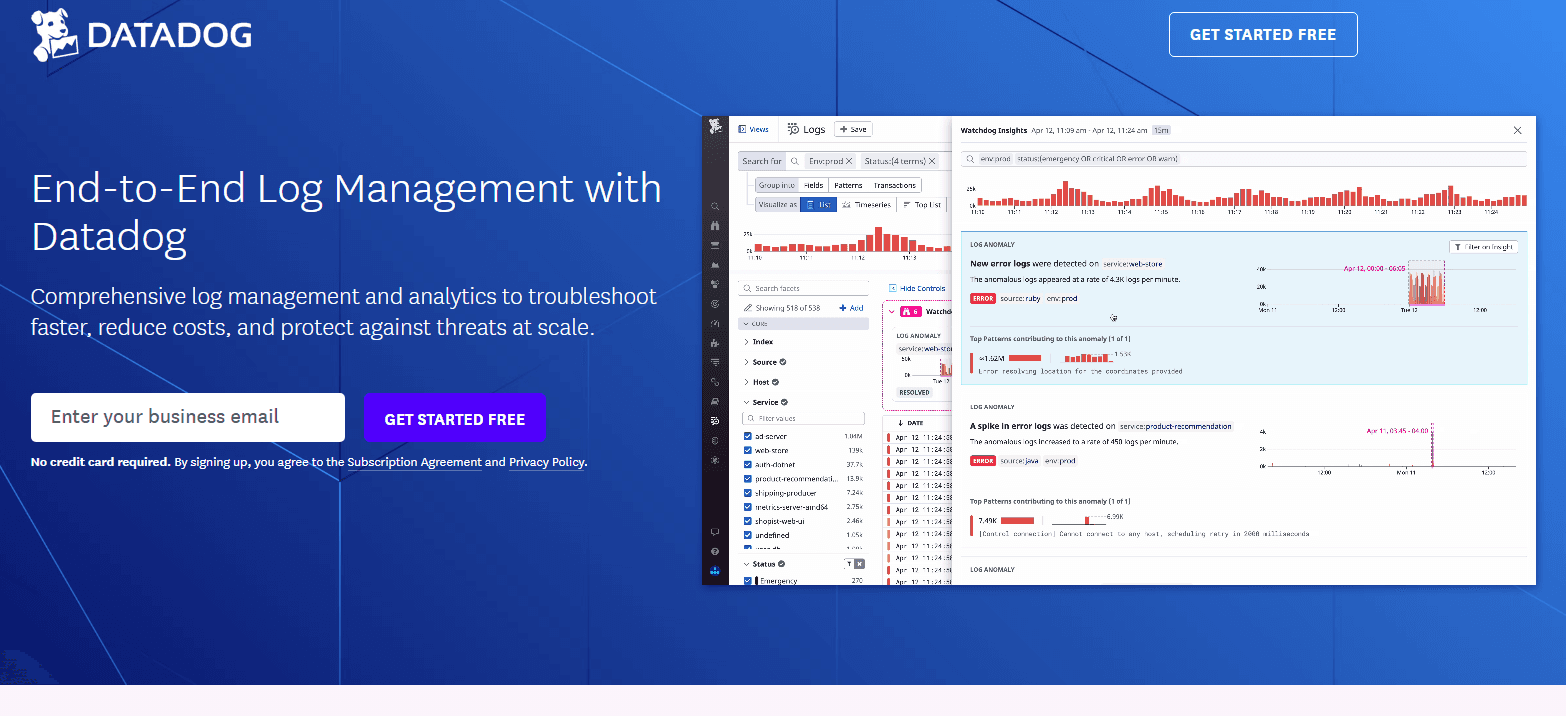
Real-Time Log Analysis: Datadog lets you monitor logs as they happen, giving your team immediate insights into system performance. It helps you catch and address issues quickly.
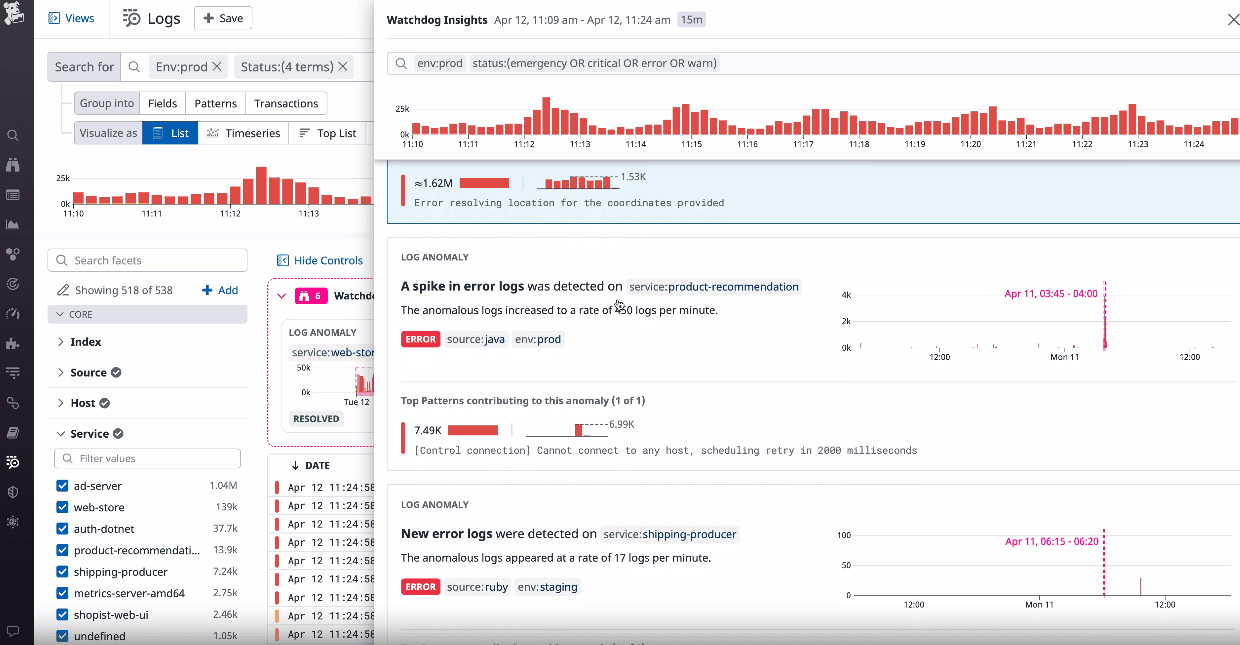
Customizable Dashboards: You can tailor dashboards to display the metrics most important to your team. This flexibility ensures you focus on what matters most.
Alerting System: Datadog's alerts notify you of potential problems before they escalate. These notifications keep your team proactive rather than reactive.
Log Search and Filtering: You can easily search and filter logs to find specific data to debug issues. This makes troubleshooting faster and more efficient.
Log Retention: Datadog stores logs for a set period, allowing you to review historical data. This is valuable for audits and long-term analysis.
Scalability: Datadog grows with your business, managing increased data loads without losing efficiency. It's perfect for SRE teams monitoring microservices.
Ease of Use
Datadog Log Management offers a user-friendly interface, but the learning curve can be steep for new users. The customizable dashboards and intuitive search functions make navigation easier once you get the hang of it. Some users find the initial setup complex, but the clear alerting system and real-time monitoring compensate for this. If your team spends time exploring its features, you'll find it a powerful tool that enhances your monitoring capabilities.
Integrations
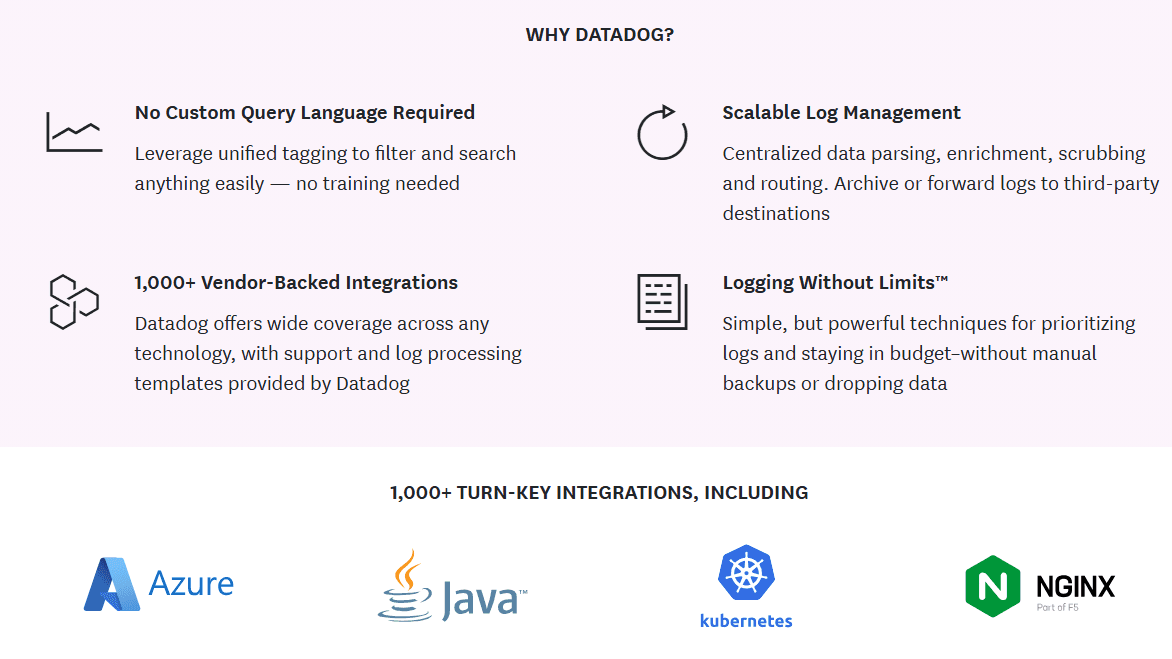
Datadog Log Management integrates with AWS, Azure, Google Cloud, Slack, Jira, Kubernetes, Docker, GitHub, Microsoft Teams, Splunk, and PagerDuty.
Datadog Log Management also provides an API for custom integrations and connects with third-party integration tools to expand its capabilities.
Datadog Log Management Specs
- 2-Factor Authentication: Yes
- Access Management: Yes
- Anti-Virus: No
- API: Yes
- Audit Trail: Yes
- Bug Tracking: No
- Calendar Management: No
- Customer Management: No
- Dashboard: Yes
- Data Export: Yes
- Data Import: No
- Data Visualization: Yes
- Email Integration: Yes
- External Integrations: Yes
- File Sharing: No
- File Transfer: No
- Firewall: No
- Google Apps Integration: No
- Inventory Tracking: No
- Malware Protection: No
- Multi-User: Yes
- Network Device Performance Monitoring: Yes
- Network Traffic Monitoring: Yes
- Network Visualization: Yes
- Notifications: Yes
- Project Management: No
- Remote Access: No
- Risk Assessment: No
- SAP Integration: No
- Scheduling: No
- Software Integration: Yes
- Third-Party Plugins/Add-Ons: Yes
- Ticket Management: Yes


