

Zoho Desk -arvostelu 2026: hyvät ja huonot puolet, ominaisuudet ja hinnoittelu
Olen testannut Zoho Deskiä perusteellisesti – tässä syy siihen, miksi se erottuu edukseen joustavan automaation ja hyvän hinta-laatusuhteen ansiosta, mutta ei silti sovi parhaiten jokaiselle tukitiimille. Perehdytään siihen, missä se todella loistaa.

We review tools independently, and commissions help fund our testing. See our transparency policy, our methodology, or suggest a tool.
Zoho Desk is a help desk software built for IT and support teams that need to manage customer tickets across email, chat, phone, and social channels—with business context baked in. I'd consider it most seriously if your organization is already running on the Zoho ecosystem. Its native integration with Zoho CRM surfaces customer data directly inside support tickets, something Freshdesk can only approximate through third-party connectors. If that kind of out-of-the-box data connectivity matters to your team, Zoho Desk is worth a close look.
Zoho Desk Evaluation Summary
4.4/5
- Pricing upon request
- 15-day free trial
Miksi luottaa ohjelmistosuosituksiimme
6,700+
Reviews
20
Industry experts
16+
Evaluation factors
14
Years
Tiimimme on testannut ja arvioinut ohjelmistoja vuodesta 2012 lähtien. Teknologiajohtajina tiedämme itse, kuinka vaikeaa — ja tärkeää — oikean ohjelmiston valitseminen on.
Tätä opasta varten arvioimme työkaluja käytännön testauksen ja itsenäisen tutkimuksen avulla, pisteyttäen työkalut valintakriteeriemme perusteella.
Arvostelumme perustuvat inhimilliseen toimitukselliseen harkintaamme, eivät myyntipuheeseen.
Asiantuntija-arvioijat:
- Paulo Gardini MiguelTech Director
 Tim FisherVP of AI
 Gabriel RosasTech Lead & Software Architect
 Christhian GruhnTech Lead & Platform Architect

Zoho Desk Overview
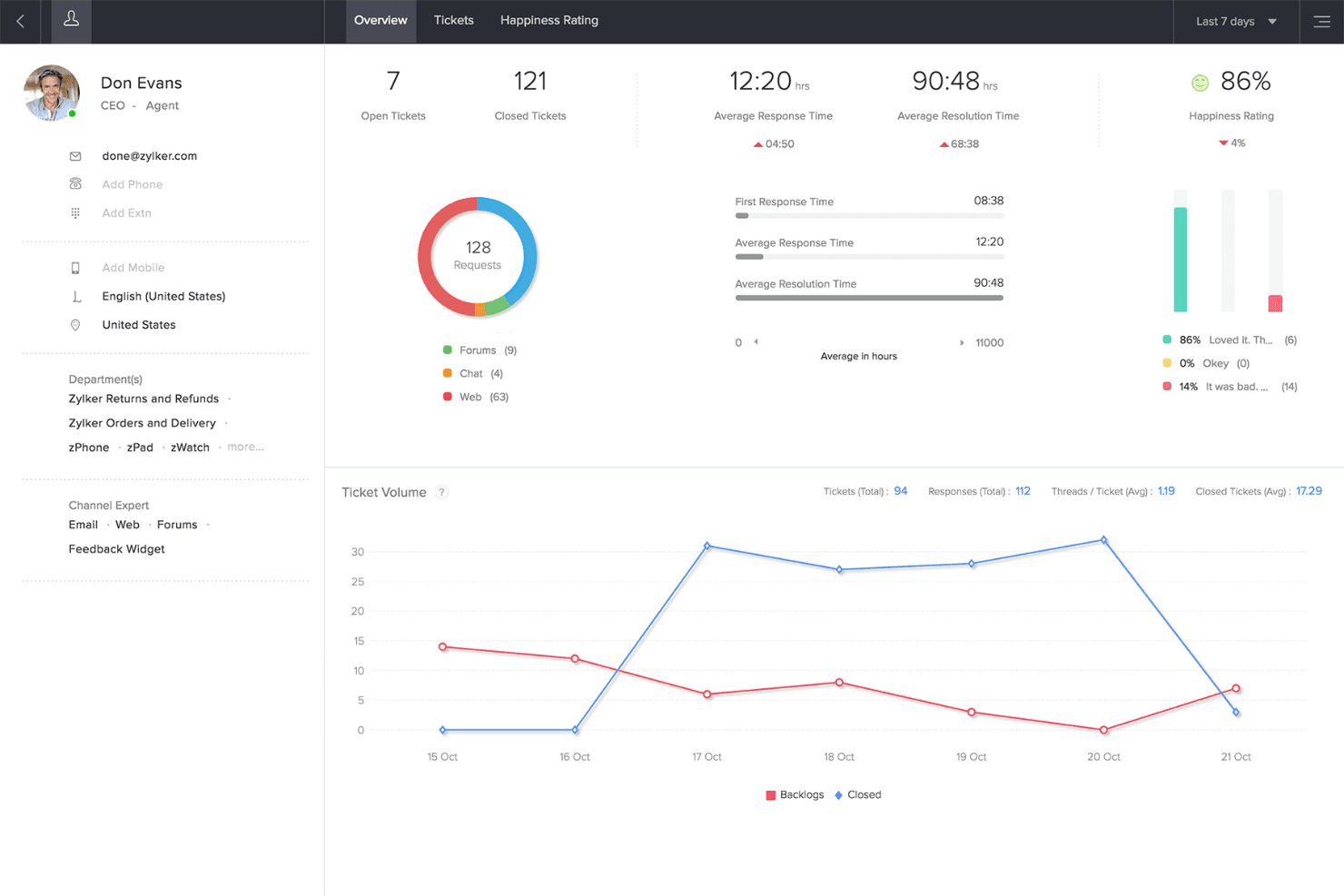
When I compare Zoho Desk to other help desk software, I think its automation, customizable ticket views, and affordable pricing make it a strong choice for IT teams who want flexibility without a steep learning curve. The interface is clean, onboarding is straightforward, and integrations with tools like Slack and Microsoft Teams are easy to set up. However, advanced analytics and some workflow options can feel limited if you’re running a large, complex support operation.
I’d suggest Zoho Desk for small to midsize teams who want a balance of features and value without sacrificing usability.
Pros
- Automation rules simplify repetitive ticket management tasks
- AI-powered suggestions help agents resolve tickets faster
- Multi-channel support covers email, chat, phone, and social media
Cons
- Reporting customization is limited for complex analytics needs
- Some users report slow or inconsistent customer support
- Bulk ticket updates can be slow with large ticket volumes
Is Zoho Desk Right For Your Needs?
Who Would be a Good Fit for Zoho Desk?
Zoho Desk is a strong choice for teams that need multi-channel support, automation, and easy onboarding without a high price tag. I think it’s especially well-suited for small to midsize businesses, IT departments, and customer service teams that want to centralize requests and automate repetitive tasks.
Its AI-powered features and customizable ticket views make it a practical option for industries with moderate complexity and a focus on fast, consistent support.
- Healthcare ClinicsHIPAA-compliant workflows and secure ticket handling protect patient data.
- Education InstitutionsSelf-service portals and knowledge base tools support students and staff.
- Internal IT DepartmentsCustomizable SLAs and ticket routing fit internal support needs.
- Ecommerce RetailersMulti-channel support covers email, chat, and social media inquiries.
- Managed IT ServicesCentralized ticketing and workflow automation streamline client support operations.
- SaaS StartupsZoho Desk’s automation and affordable plans help manage rapid ticket growth.
Who Would be a Bad Fit for Zoho Desk?
Zoho Desk isn’t ideal for organizations with highly complex workflows, strict compliance needs, or those requiring deep analytics and custom integrations. Large enterprises, government agencies, and teams with advanced reporting or automation needs may find its limitations frustrating. If you need granular control over every aspect of your help desk, you’ll likely want to look elsewhere.
- Large EnterprisesAdvanced analytics and workflow customization are too limited for scale.
- Government AgenciesStrict compliance and audit requirements aren’t fully supported.
- Financial ServicesGranular security controls and regulatory features are lacking.
- Telecom ProvidersHigh ticket volumes and complex SLAs can overwhelm the platform.
- Field Service TeamsMobile app features and offline capabilities are less robust.
- Global Support CentersMulti-language support and localization options are not extensive.
Our Review Methodology
How We Test & Score Tools
We’ve spent years building, refining, and improving our software testing and scoring system. The rubric is designed to capture the nuances of software selection and what makes a tool effective, focusing on critical aspects of the decision-making process.
Below, you can see exactly how our testing and scoring works across seven criteria. It allows us to provide an unbiased evaluation of the software based on core functionality, standout features, ease of use, onboarding, customer support, integrations, customer reviews, and value for money.
Core Functionality (25% of final scoring)
The starting point of our evaluation is always the core functionality of the tool. Does it have the basic features and functions that a user would expect to see? Are any of those core features locked to higher-tiered pricing plans? At its core, we expect a tool to stand up against the baseline capabilities of its competitors.
Standout Features (25% of final scoring)
Next, we evaluate uncommon standout features that go above and beyond the core functionality typically found in tools of its kind. A high score reflects specialized or unique features that make the product faster, more efficient, or offer additional value to the user.
We also evaluate how easy it is to integrate with other tools typically found in the tech stack to expand the functionality and utility of the software. Tools offering plentiful native integrations, 3rd party connections, and API access to build custom integrations score best.
Ease of Use (10% of final scoring)
We consider how quick and easy it is to execute the tasks defined in the core functionality using the tool. High scoring software is well designed, intuitive to use, offers mobile apps, provides templates, and makes relatively complex tasks seem simple.
Onboarding (10% of final scoring)
We know how important rapid team adoption is for a new platform, so we evaluate how easy it is to learn and use a tool with minimal training. We evaluate how quickly a team member can get set up and start using the tool with no experience. High scoring solutions indicate little or no support is required.
Customer Support (10% of final scoring)
We review how quick and easy it is to get unstuck and find help by phone, live chat, or knowledge base. Tools and companies that provide real-time support score best, while chatbots score worst.
Customer Reviews (10% of final scoring)
Beyond our own testing and evaluation, we consider the net promoter score from current and past customers. We review their likelihood, given the option, to choose the tool again for the core functionality. A high scoring software reflects a high net promoter score from current or past customers.
Value for Money (10% of final scoring)
Lastly, in consideration of all the other criteria, we review the average price of entry level plans against the core features and consider the value of the other evaluation criteria. Software that delivers more, for less, will score higher.
Core Features
Ticket Management
Organize, assign, and track support requests from multiple channels in one dashboard. Use custom views and filters to prioritize urgent tickets.
Workflow Automation
Automate repetitive tasks like ticket assignment, escalation, and notifications. Set up rules to trigger actions based on ticket properties or events.
AI-Powered Zia Assistant
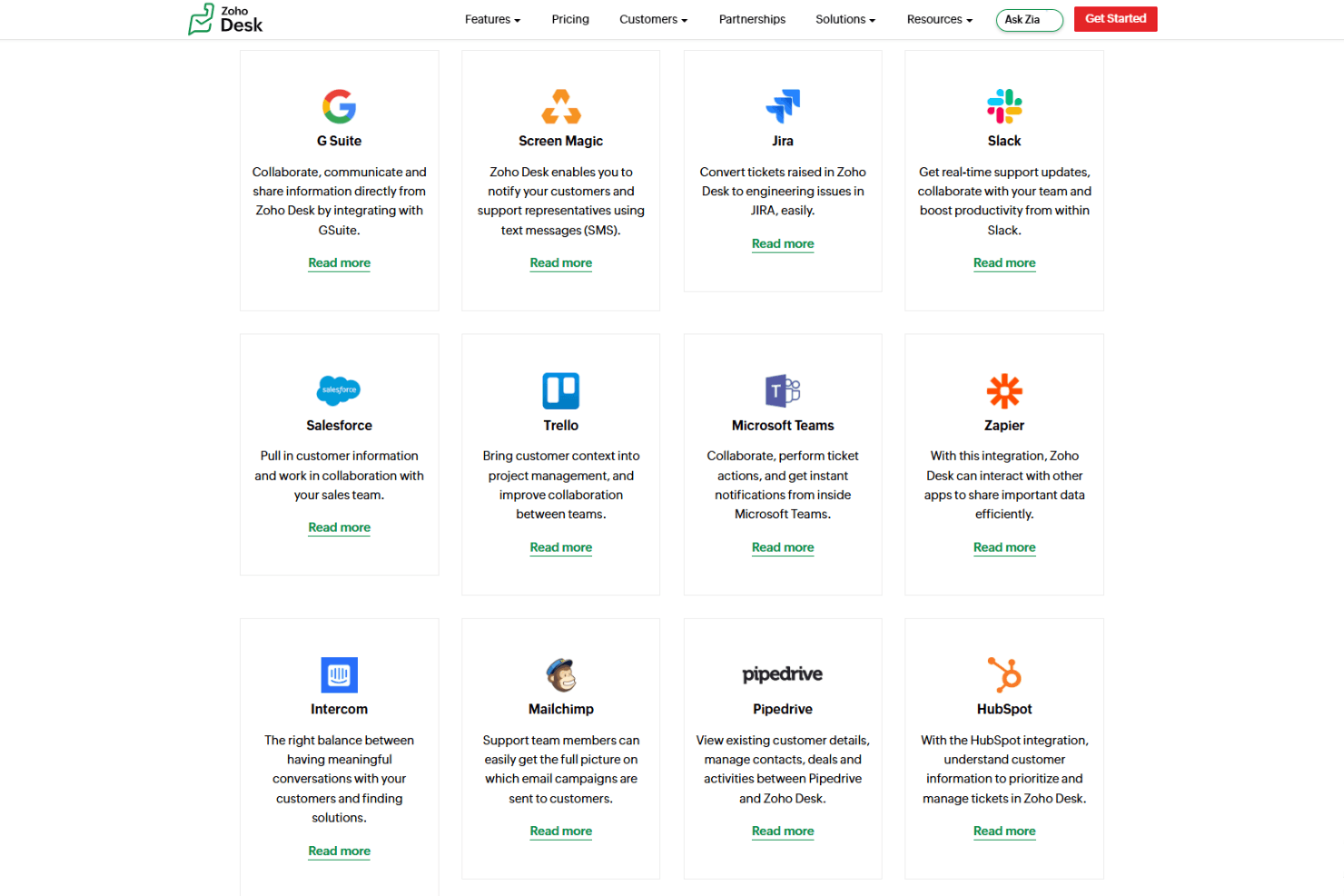
Get AI-driven suggestions for ticket responses and knowledge base articles. Zia also analyzes sentiment and flags unusual activity.
Multi-Channel Support
Handle tickets from email, chat, phone, social media, and web forms in a unified interface. Route conversations automatically to the right agents.
Self-Service Portal
Let customers submit tickets, track status, and find answers in a branded portal. Build a searchable knowledge base for common questions.
SLA Management
Define and monitor service level agreements for different ticket types or clients. Get alerts when tickets approach or breach SLA deadlines.
Ease of Use
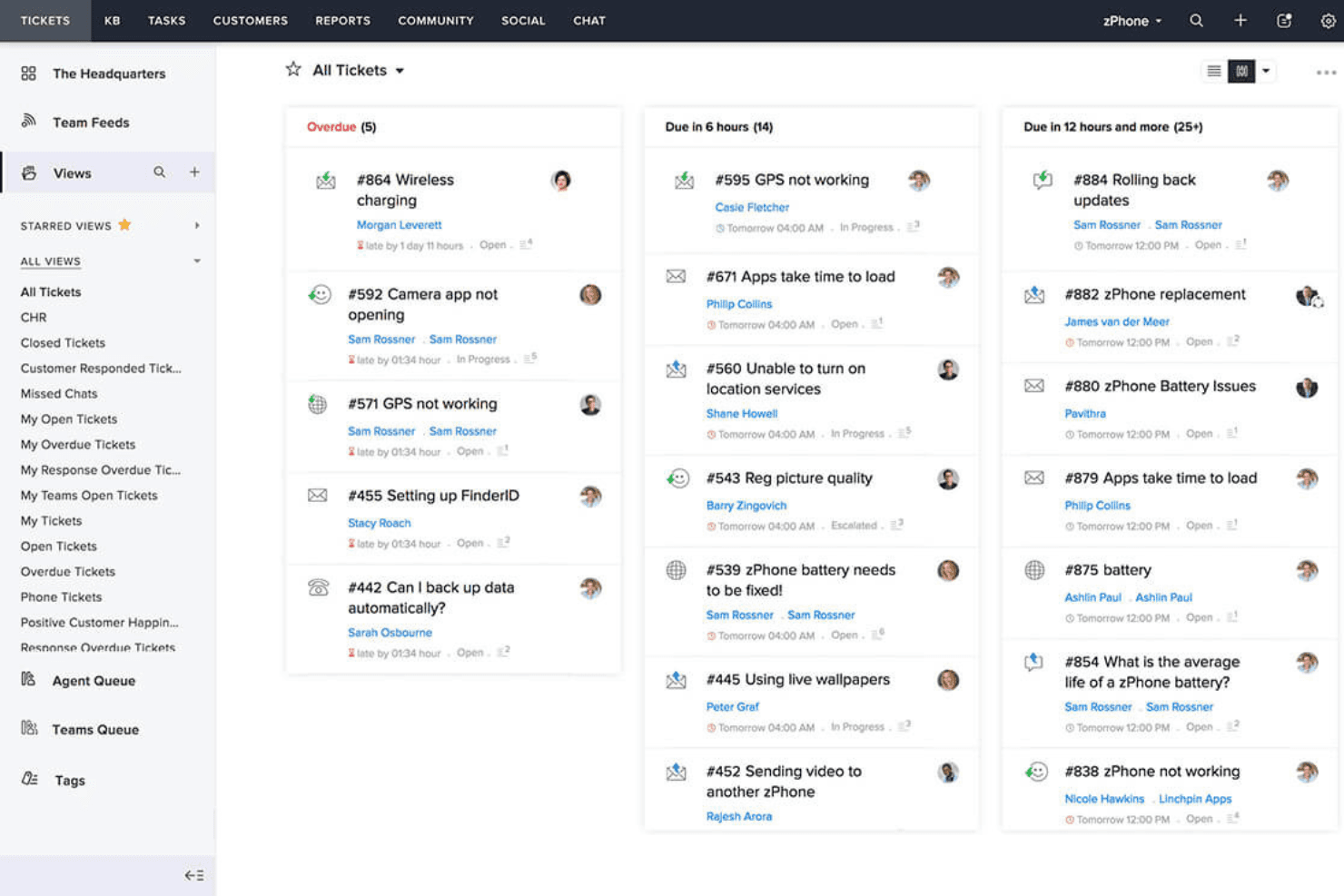
Zoho Desk is easy to navigate, with a clean interface and logical menu structure that helps new users get up to speed quickly. Most users say ticket creation, workflow setup, and dashboard customization are straightforward, even for non-technical staff. The built-in onboarding guides and contextual help make it simple to configure core features.
However, some advanced settings and reporting options can take extra time to master if your team has complex needs.
Integrations
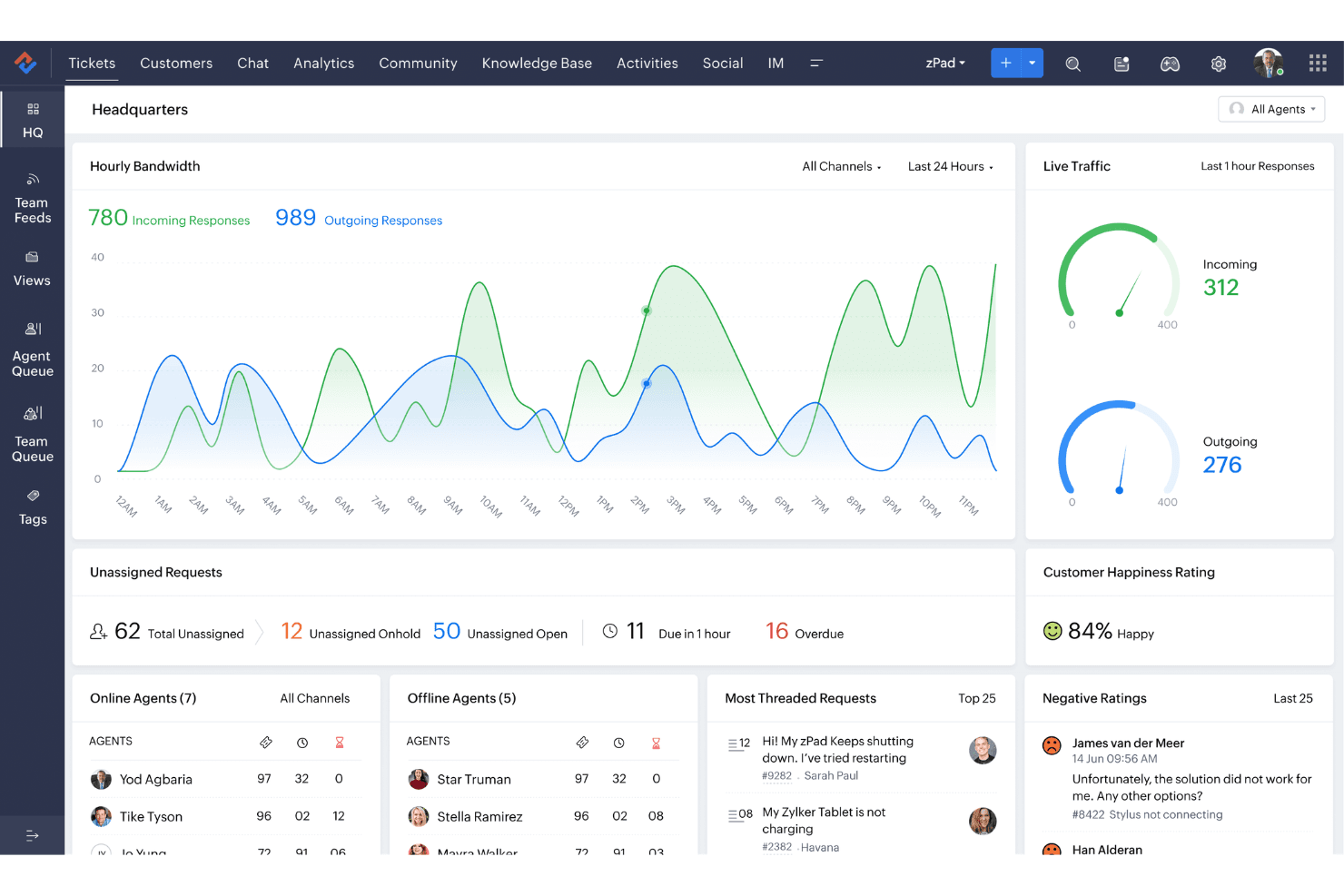
Zoho Desk integrates with Zoho CRM, Slack, Jira, Salesforce, Microsoft Teams, Trello, Google Workspace, Mailchimp, WhatsApp, and Zapier, among others.
Zoho Desk also offers a robust API and connects with third-party integration tools for expanded functionality.
Zoho Desk Specs
- Analytics: Yes
- API: Yes
- Batch Permissions & Access: Yes
- Call Integration: Yes
- Chat: Yes
- Contact Management: Yes
- Contact Sharing: Yes
- CRM Integration: Yes
- Customer Management: Yes
- Customer Service: No
- Dashboard: Yes
- Data Export: Yes
- Data Import: Yes
- Data Visualization: Yes
- Email Integration: Yes
- Escalation Management: Yes
- External Integrations: Yes
- Instant Chat Integration: Yes
- Knowledge Base: Yes
- Lead Management: Yes
- Lead Scoring: Yes
- Multi-User: Yes
- Notifications: Yes
- Real-time Alerts: Yes
- Scheduling: Yes
- Self-service Portal: Yes
- Social Media Integration: Yes
- Support Forum: Yes
- Third-Party Plugins/Add-Ons: Yes
- Ticket Management: Yes
- Workflow Management: Yes


