
Reseña de Sauce Labs: Ventajas, Desventajas, Características y Precios Explicados
Si buscas pruebas cruzadas en diferentes navegadores de forma fiable y a escala, Sauce Labs destaca, pero no es la opción más barata ni la más sencilla. Aquí te comparto mi opinión sobre sus verdaderos puntos fuertes (y sus debilidades).

Revisamos herramientas de forma independiente y las comisiones ayudan a financiar nuestras pruebas. Consulta nuestra política de transparencia, nuestra metodología o sugiere una herramienta.
Sauce Labs is an end to end testing tool for engineering teams that run automated tests across browsers, devices, and operating systems at scale. It's worth a close look if your team runs large test suites in CI/CD pipelines and needs detailed visibility into test failures and flakiness. If you're deciding between Sauce Labs and BrowserStack, Sauce Labs goes further on test observability and pipeline orchestration. BrowserStack covers cross-browser testing well, but Sauce Labs gives you more when diagnosing what's breaking and why.
Sauce Labs Evaluation Summary
4.3/5
- From $39/month (billed annually)
- 28-day free trial + free demo available
Por qué confiar en nuestras recomendaciones de software
6,700+
Reviews
20
Industry experts
16+
Evaluation factors
14
Years
Nuestro equipo lleva probando y evaluando software desde 2012. Como líderes tecnológicos, sabemos lo difícil —y lo importante— que es elegir el software adecuado.
Para esta guía, evaluamos las herramientas mediante pruebas prácticas e investigación independiente, puntuando las herramientas según nuestros criterios de selección.
Nuestras reseñas reflejan nuestro criterio editorial humano, no un discurso de ventas.
Revisores expertos:
- Paulo Gardini MiguelDirector técnico
 Tim FisherVP de IA
 Gabriel RosasTech Lead y arquitecto de software
 Christhian GruhnTech Lead y arquitecto de plataforma

Sauce Labs Overview
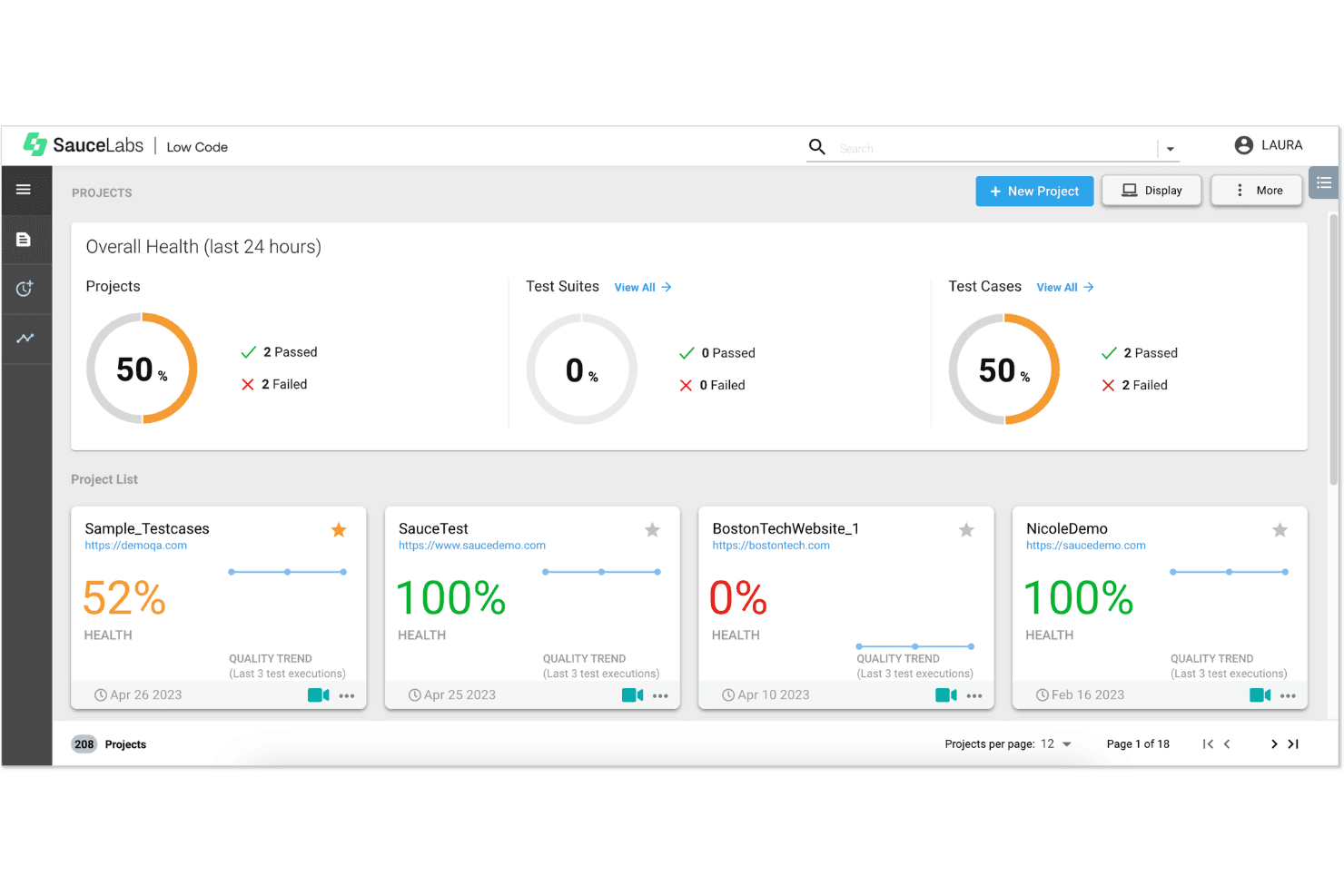
When I compare Sauce Labs to other end-to-end testing tools, I think its real device cloud, wide browser coverage, and strong integration options set it apart. The interface is straightforward, and onboarding is quick for most teams. Pricing can be higher, especially for large-scale mobile testing, but the reliability and support justify it for many. I’d suggest Sauce Labs for teams who need to test across multiple environments without managing hardware. If you’re judging by scalability and ecosystem fit, Sauce Labs is a top pick for enterprise and fast-moving QA teams.
Pros
- Provides extensive cross-browser and real device testing without internal infrastructure.
- Includes rich debugging artifacts like video recordings, logs, and screenshots for failed tests.
- Offers secure testing of private environments via encrypted tunneling and enterprise VPN options.
Cons
- Pricing can become expensive quickly, especially for small teams or limited testing needs.
- Advanced configurations and scaling automation workflows introduce a noticeable learning curve.
- Less direct control over test code when using AI/low-code workflows.
Is Sauce Labs Right For Your Needs?
Who Would be a Good Fit for Sauce Labs?
Sauce Labs is a strong choice for teams that need to test across many browsers, devices, and operating systems without managing their own infrastructure. It’s especially well-suited for organizations with complex web or mobile applications, high release velocity, or strict security requirements. With its combination of cloud infrastructure, AI-driven testing, and end-to-end quality coverage, Sauce Labs works best for teams that need scalable, automated, and enterprise-ready testing workflows.
- Enterprise QA TeamsRun high-volume parallel tests with detailed reporting across complex application workflows.
- Regulated IndustriesSecure, compliant testing infrastructure supports strict regulatory and data protection requirements.
- Mobile App DevelopersTest across thousands of real devices and OS versions to ensure broad compatibility and consistent user experience.
- Ecommerce & High-Traffic PlatformsCatch cross-browser and device issues before impacting revenue or customer experience.
- Global SaaS ProvidersSupport frequent releases with scalable automation across distributed users and environments.
- DevOps & CI/CD-Driven TeamsIntegrate automated testing directly into pipelines to accelerate continuous delivery cycles and reduce deployment risks significantly.
Who Would be a Bad Fit for Sauce Labs?
Sauce Labs is not ideal for teams with simple testing needs, limited budgets, or minimal automation requirements. Its pricing model, platform complexity, and enterprise-focused features can be excessive for smaller teams or those not running tests at scale. Organizations that don’t need cross-device coverage, parallel execution, or advanced AI-driven workflows may find lighter-weight or local testing solutions more practical and cost-effective.
- Small Software Development TeamsLimited testing needs don’t justify platform cost, complexity, and unused enterprise-level testing capabilities.
- Budget-Constrained StartupsHigh pricing and concurrency-based scaling can quickly exceed tight budgets without consistent testing demand.
- Projects With Minimal Browser Coverage NeedsSimple applications targeting few browsers or devices can be tested efficiently with local tools.
- Teams Without Test Automation ExperienceLack of automation expertise makes setup, scaling, and maintenance difficult without internal testing knowledge.
- Teams Requiring Extensive Code-Level CustomizationNot ideal for teams that need full control over test architecture, custom logic, and low-level debugging.
- Local-First Development WorkflowsTeams relying heavily on local environments may find cloud execution slower and less efficient.
Nuestra metodología de revisión
Cómo probamos y puntuamos las herramientas
Hemos invertido años construyendo, refinando y mejorando nuestro sistema de pruebas y puntuación de software. La rúbrica está diseñada para captar los matices de la selección de software y lo que hace a una herramienta efectiva, enfocándose en aspectos críticos del proceso de toma de decisiones.
A continuación, puedes ver exactamente cómo nuestro sistema de prueba y puntuación funciona a través de siete criterios. Esto nos permite ofrecer una evaluación imparcial del software basada en funcionalidad central, características destacadas, facilidad de uso, incorporación, soporte al cliente, integraciones, reseñas de clientes y relación calidad-precio.
Funcionalidad principal (25% de la puntuación final)
El punto de partida de nuestra evaluación siempre es la funcionalidad central de la herramienta. ¿Tiene las características y funciones básicas que un usuario esperaría encontrar? ¿Alguna de esas funciones principales está limitada a planes de precios superiores? Esperamos que una herramienta esté a la altura de las capacidades básicas de sus competidores.
Características destacadas (25% de la puntuación final)
Luego, evaluamos las características poco comunes y sobresalientes que van más allá de la funcionalidad principal que normalmente se encuentra en herramientas de su tipo. Una puntuación alta refleja características especializadas o únicas que hacen el producto más rápido, eficiente o que ofrecen valor adicional al usuario.
También evaluamos qué tan fácil es integrar con otras herramientas que normalmente forman parte del ecosistema tecnológico para expandir la funcionalidad y utilidad del software. Las herramientas que ofrecen abundantes integraciones nativas, conexiones de terceros y acceso API para crear integraciones personalizadas obtienen la mejor puntuación.
Facilidad de uso (10% de la puntuación final)
Consideramos cuán rápido y sencillo es ejecutar las tareas definidas por la funcionalidad principal usando la herramienta. El software con mejor puntuación está bien diseñado, es intuitivo, ofrece aplicaciones móviles, proporciona plantillas y hace que tareas relativamente complejas parezcan sencillas.
Incorporación (10% de la puntuación final)
Sabemos lo importante que es la adopción rápida por parte del equipo para una nueva plataforma, por lo que evaluamos cuán fácil es aprender y usar una herramienta con entrenamiento mínimo. Evaluamos cuán rápido un miembro del equipo puede configurarla y comenzar a utilizarla sin experiencia previa. Las soluciones con mayor puntuación requieren poco o ningún soporte.
Soporte al cliente (10% de la puntuación final)
Revisamos qué tan rápido y sencillo es resolver dudas y encontrar ayuda por teléfono, chat en vivo o base de conocimientos. Las herramientas y compañías que proporcionan soporte en tiempo real obtienen la mejor puntuación, mientras que los chatbots obtienen la peor.
Reseñas de clientes (10% de la puntuación final)
Además de nuestras pruebas y evaluaciones, consideramos la puntuación neta de promotores por parte de clientes actuales y anteriores. Revisamos la probabilidad de que elijan la herramienta de nuevo para la funcionalidad principal. Una puntuación alta refleja una alta puntuación neta de promotores actuales o pasados.
Relación calidad-precio (10% de la puntuación final)
Por último, considerando todos los demás criterios, revisamos el precio promedio de los planes de nivel básico comparado con las funciones principales y consideramos el valor de los demás criterios de evaluación. El software que ofrezca más, por menos, obtendrá una puntuación mayor.
Core Features
Cross-Browser and Cross-Device Testing
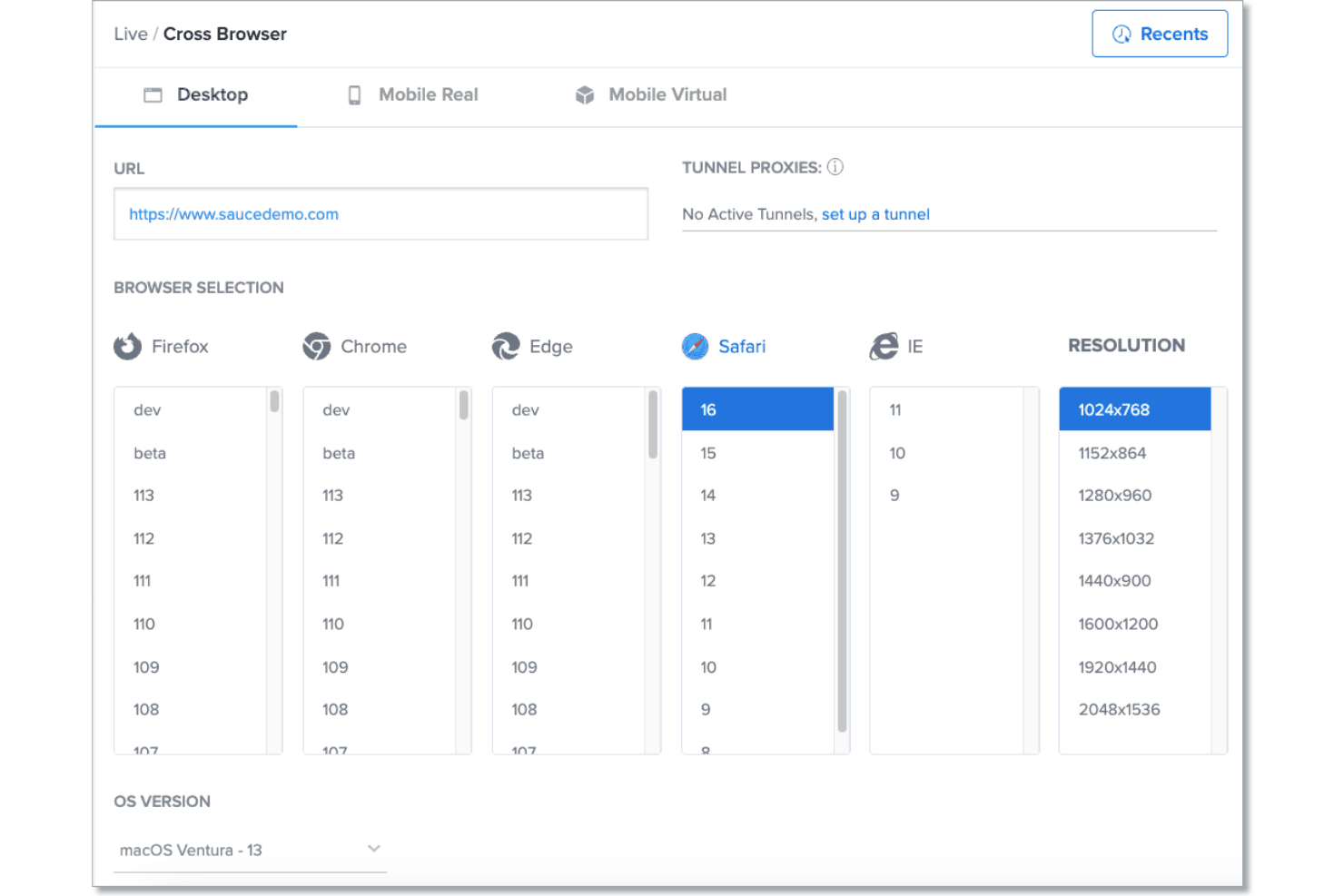
Test web and mobile applications across thousands of browsers, devices, and operating systems reliably.
Real and Virtual Device Cloud
Access real devices, emulators, and simulators without maintaining expensive in-house testing infrastructure.
Parallel Test Execution
Run multiple automated tests simultaneously to accelerate feedback cycles and improve release velocity significantly.
CI/CD Integrations & Framework Support
Integrate seamlessly with CI/CD pipelines and frameworks like Selenium, Appium, Cypress, and Playwright.
Debugging Artifacts and Test Observability
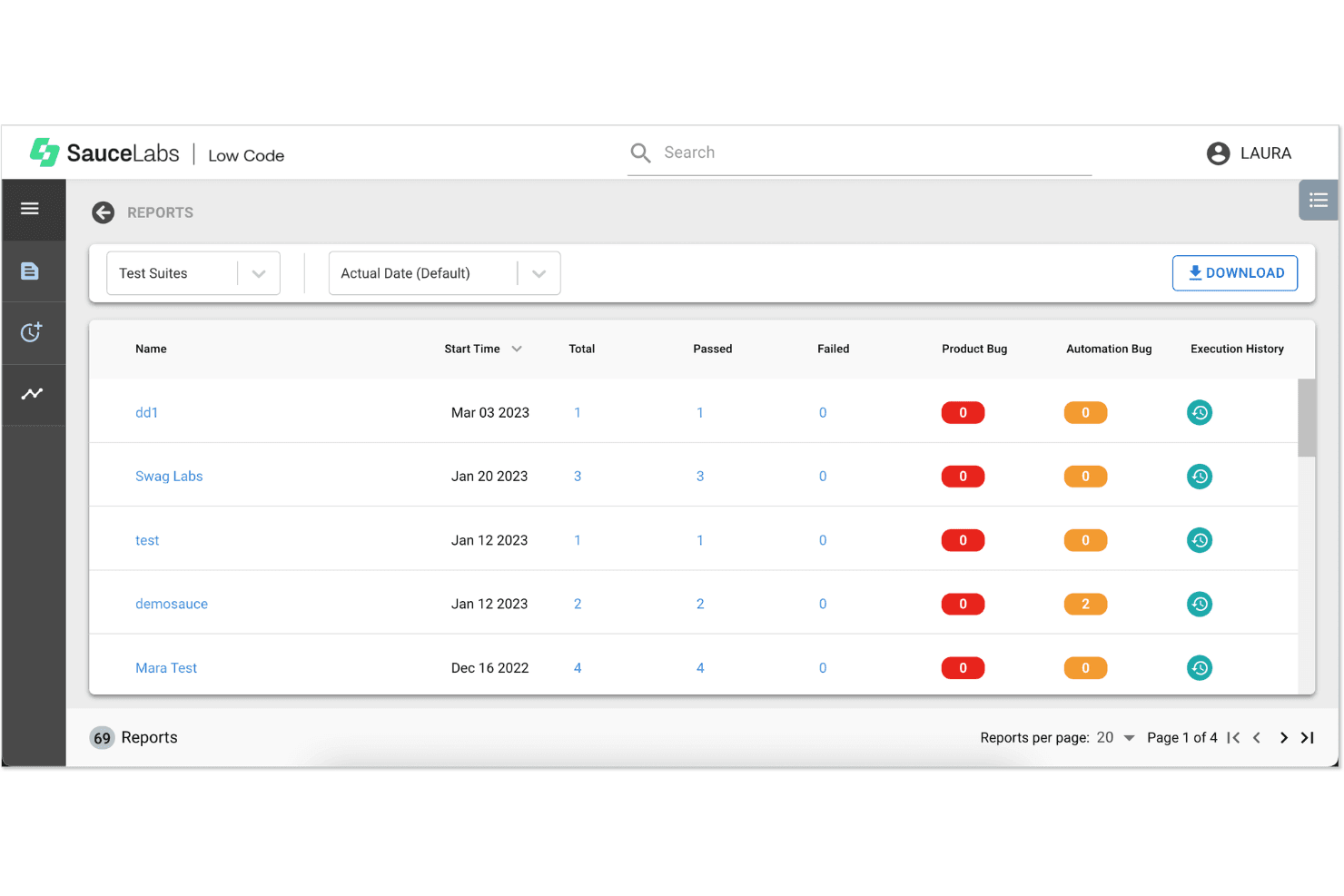
Capture videos, screenshots, logs, and metadata for every test to simplify debugging and collaboration.
Unified Platform Across the SDLC
Combine testing, analytics, distribution, and production monitoring into a single continuous quality platform.
Ease of Use
Sauce Labs is user-friendly for both new and experienced QA teams, with a clean dashboard and clear test result reporting. I think the onboarding process is straightforward, and the documentation is thorough, which helps teams get started quickly. Users often mention that setting up parallel tests and accessing real devices is intuitive. However, some advanced features require more technical setup, so teams with complex needs may need extra ramp-up time.
Integrations
Sauce Labs integrates with Jenkins, CircleCI, GitHub Actions, GitLab CI, Azure DevOps, Bitbucket Pipelines, TeamCity, Slack, Jira, and Selenium, among others.
Sauce Labs also offers a REST API for custom integrations and workflow extensions.

Sauce Labs Specs
- A/B Testing: No
- API: Yes
- Automated Testing: Yes
- Browser Compatibility Testing: Yes
- Bug Tracking: Yes
- Calendar Management: No
- CI/CD Integration: Yes
- Dashboard: Yes
- Data Export: Yes
- Data Import: Yes
- Data Visualization: Yes
- Developer Tools: Yes
- External Integrations: Yes
- History/Version Control: Yes
- Manual Testing: Yes
- Multi-User: Yes
- Notifications: Yes
- Performance Testing: Yes
- Regression Testing: Yes
- Scheduling: No
- Status Notifications: Yes
- Third-Party Plugins/Add-Ons: Yes


