
Reseña de Red Sift: ventajas, desventajas, funciones y precios explicados
Dive into my hands-on take: here’s how Red Sift’s DMARC platform doesn’t just crunch email data—it actually transforms how you spot, investigate, and resolve email threats in 2026.

Revisamos herramientas de forma independiente y las comisiones ayudan a financiar nuestras pruebas. Consulta nuestra política de transparencia, nuestra metodología o sugiere una herramienta.
Red Sift is a DMARC software for security and IT teams that need to authenticate outbound email, monitor sending sources, and enforce DMARC, SPF, DKIM, and BIMI across their domains. I'd reach for it over a tool like Valimail when you want deeper visibility into your email ecosystem paired with broader domain and certificate discovery, rather than a narrower DMARC-only workflow. Red Sift OnDMARC is the piece that drives DMARC enforcement, and it arrives bundled with the wider domain-security tooling rather than sold separately.
Red Sift Evaluation Summary
4.8/5
- From $9/month (billed annually)
- Free trial available
Por qué confiar en nuestras recomendaciones de software
6,700+
Reviews
20
Industry experts
16+
Evaluation factors
14
Years
Nuestro equipo lleva probando y evaluando software desde 2012. Como líderes tecnológicos, sabemos lo difícil —y lo importante— que es elegir el software adecuado.
Para esta guía, evaluamos las herramientas mediante pruebas prácticas e investigación independiente, puntuando las herramientas según nuestros criterios de selección.
Nuestras reseñas reflejan nuestro criterio editorial humano, no un discurso de ventas.
Revisores expertos:
- Paulo Gardini MiguelDirector técnico
 Tim FisherVP de IA
 Gabriel RosasTech Lead y arquitecto de software
 Christhian GruhnTech Lead y arquitecto de plataforma

Red Sift Overview
I think Red Sift stands out for its rich reporting, automated DMARC setup, and unified visibility across multiple domains, making it easy to judge your compliance posture at a glance. I find its clear interface and responsive support make initial onboarding smooth. It writes and validates the DNS records for you, which is where most rollouts stall and where email deliverability quietly suffers. Pricing lands on the higher end, and you might miss granular API integrations available elsewhere, but if you’re selecting a solution for complex enterprise or multi-brand environments, Red Sift is a strong, reliable choice.
Pros
- Offers BIMI automation and hosted MTA-STS management
- Gives detailed reporting for threat detection and source analysis
- Supports monitoring multiple domains and subdomain activity in a single dashboard
Cons
- Most plans require a quote
- Can overwhelm small teams with the feature set
- Lacks in-depth guided remediation for advanced authentication issues
Is Red Sift Right For Your Needs?
Who Would be a Good Fit for Red Sift?
Teams in regulated industries, companies managing a high volume of external email, and those with limited IT resources are going to see real value with Red Sift. Its guided onboarding, automation, and clear dashboards help lean security teams, while deep integrations appeal to organizations with complex compliance or reporting needs. If email impersonation is a live threat to your brand rather than a theoretical one, the breadth here starts to justify itself. If email authentication is non-negotiable or you prioritize proactive security, Red Sift stands out.
- Financial Services FirmsRed Sift delivers visual DMARC analytics and granular reporting that support industry regulatory requirements and help prevent phishing attacks.
- Midsize EnterprisesFeature-rich plans and API access suit businesses with multiple domains, supporting IT teams that need scalable and hands-off DMARC management.
- Public SectorGovernment and education organizations get value from Red Sift’s automation and compliance tools, which streamline reporting and lower management workload.
- Managed Service ProvidersThe multi-tenant support and automated alerts allow MSPs to serve multiple customers and reduce overhead.
- Security Operations TeamsSIEM and SOAR integrations enable proactive incident detection and response directly from the same interface.
- Companies With No Security StaffAutomated workflows, easy onboarding, and strong support mean non-specialists can set up and manage DMARC fast.
Who Would be a Bad Fit for Red Sift?
Red Sift isn’t ideal if you just need one-off DMARC lookups, operate at a very small scale, or want total hands-on script control. Organizations with advanced in-house capabilities or teams outside traditional corporate environments may also find it limiting. If you have no subdomain estate to protect and domain takeovers aren’t on your risk register, the breadth is wasted. If you work in a niche sector, it pays to confirm compatibility first.
- FreelancersThe feature set and cost overshoot what solo users or tiny businesses typically require for basic domain monitoring.
- Startups With No DomainsWithout multiple domains or established sending infrastructure, Red Sift’s tools go underused.
- DIY Security TeamsTeams that build and script everything themselves may find Red Sift’s managed platform too restrictive.
- Manufacturing With No Email FocusIndustries that rarely use outbound email for customer contact won’t benefit from DMARC analytics or reporting.
- Small CharitiesOrganizations with little to no security budget may struggle to justify the spend, even with entry-level plans.
- Informal Clubs or GroupsRed Sift is overpowered for volunteer groups or clubs that don’t deal with sophisticated email infrastructure or threat models.
Nuestra metodología de revisión
Cómo probamos y puntuamos las herramientas
Hemos invertido años construyendo, refinando y mejorando nuestro sistema de pruebas y puntuación de software. La rúbrica está diseñada para captar los matices de la selección de software y lo que hace a una herramienta efectiva, enfocándose en aspectos críticos del proceso de toma de decisiones.
A continuación, puedes ver exactamente cómo nuestro sistema de prueba y puntuación funciona a través de siete criterios. Esto nos permite ofrecer una evaluación imparcial del software basada en funcionalidad central, características destacadas, facilidad de uso, incorporación, soporte al cliente, integraciones, reseñas de clientes y relación calidad-precio.
Funcionalidad principal (25% de la puntuación final)
El punto de partida de nuestra evaluación siempre es la funcionalidad central de la herramienta. ¿Tiene las características y funciones básicas que un usuario esperaría encontrar? ¿Alguna de esas funciones principales está limitada a planes de precios superiores? Esperamos que una herramienta esté a la altura de las capacidades básicas de sus competidores.
Características destacadas (25% de la puntuación final)
Luego, evaluamos las características poco comunes y sobresalientes que van más allá de la funcionalidad principal que normalmente se encuentra en herramientas de su tipo. Una puntuación alta refleja características especializadas o únicas que hacen el producto más rápido, eficiente o que ofrecen valor adicional al usuario.
También evaluamos qué tan fácil es integrar con otras herramientas que normalmente forman parte del ecosistema tecnológico para expandir la funcionalidad y utilidad del software. Las herramientas que ofrecen abundantes integraciones nativas, conexiones de terceros y acceso API para crear integraciones personalizadas obtienen la mejor puntuación.
Facilidad de uso (10% de la puntuación final)
Consideramos cuán rápido y sencillo es ejecutar las tareas definidas por la funcionalidad principal usando la herramienta. El software con mejor puntuación está bien diseñado, es intuitivo, ofrece aplicaciones móviles, proporciona plantillas y hace que tareas relativamente complejas parezcan sencillas.
Incorporación (10% de la puntuación final)
Sabemos lo importante que es la adopción rápida por parte del equipo para una nueva plataforma, por lo que evaluamos cuán fácil es aprender y usar una herramienta con entrenamiento mínimo. Evaluamos cuán rápido un miembro del equipo puede configurarla y comenzar a utilizarla sin experiencia previa. Las soluciones con mayor puntuación requieren poco o ningún soporte.
Soporte al cliente (10% de la puntuación final)
Revisamos qué tan rápido y sencillo es resolver dudas y encontrar ayuda por teléfono, chat en vivo o base de conocimientos. Las herramientas y compañías que proporcionan soporte en tiempo real obtienen la mejor puntuación, mientras que los chatbots obtienen la peor.
Reseñas de clientes (10% de la puntuación final)
Además de nuestras pruebas y evaluaciones, consideramos la puntuación neta de promotores por parte de clientes actuales y anteriores. Revisamos la probabilidad de que elijan la herramienta de nuevo para la funcionalidad principal. Una puntuación alta refleja una alta puntuación neta de promotores actuales o pasados.
Relación calidad-precio (10% de la puntuación final)
Por último, considerando todos los demás criterios, revisamos el precio promedio de los planes de nivel básico comparado con las funciones principales y consideramos el valor de los demás criterios de evaluación. El software que ofrezca más, por menos, obtendrá una puntuación mayor.
Core Features
Automated DMARC Report Analysis
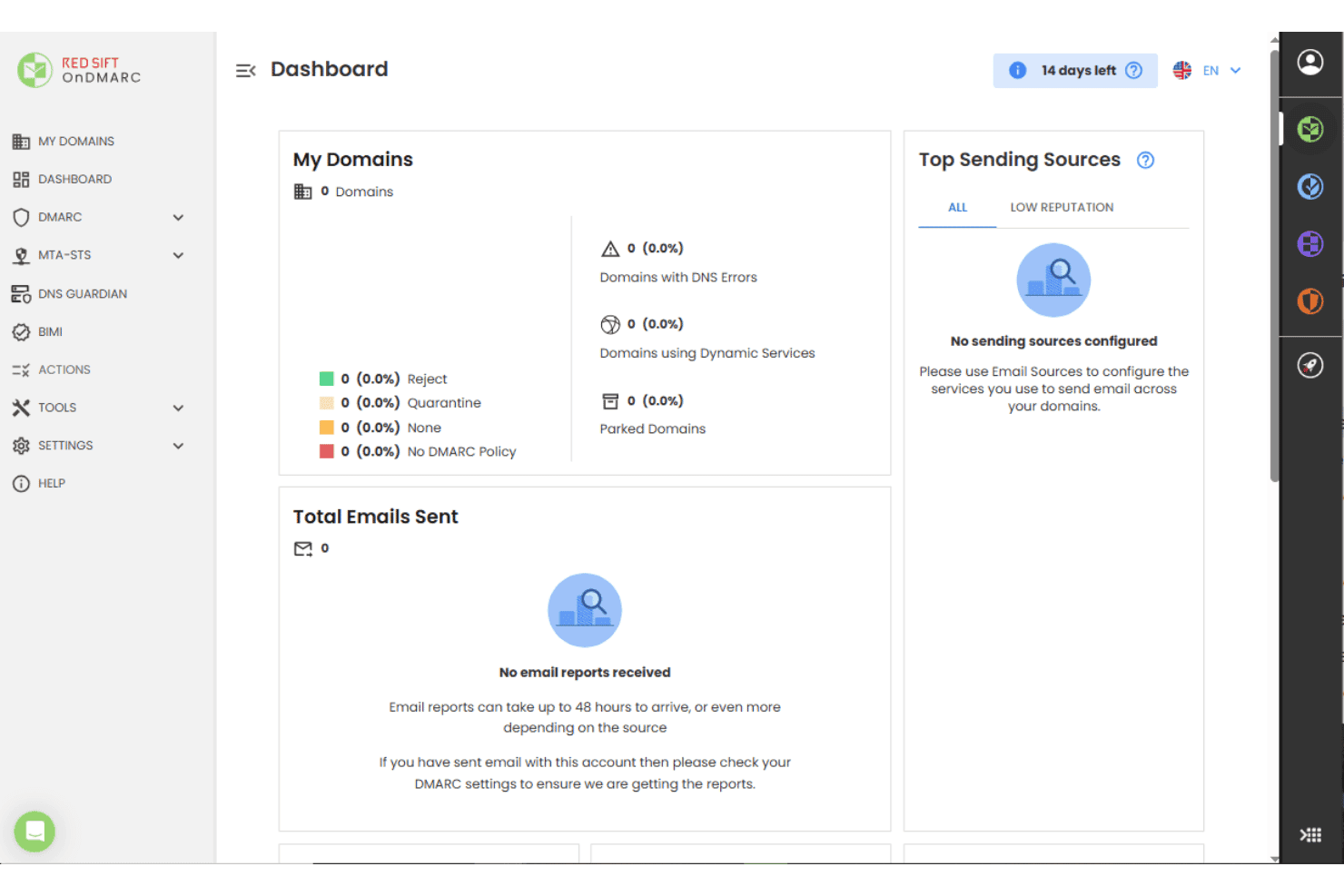
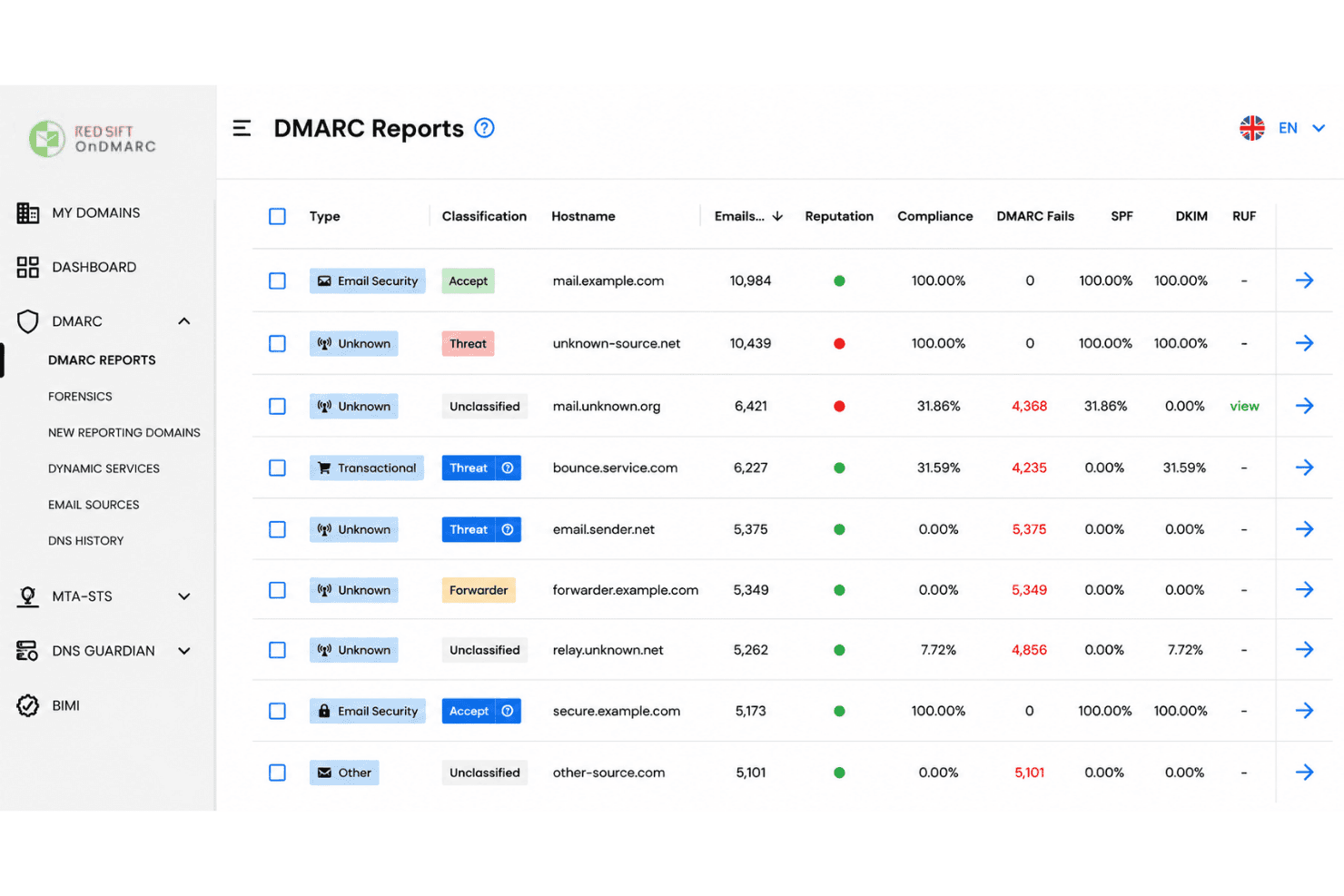
Red Sift auto-collects, aggregates, and analyzes DMARC reports to surface threat trends. You see source-specific insights without needing manual parsing.
BIMI and MTA-STS Automation
The platform manages BIMI records, VMC provisioning, and hosted MTA-STS policies out of the box. This streamlines brand authentication and transport security.
Multi-Domain Monitoring
Monitor and compare authentication activity across all domains in one dashboard. DNS Guardian watches for subdomain takeover attempts as that estate grows.
Threat Intelligence Integration
Red Sift correlates report data with global threat feeds to identify malicious senders fast. Teams spot business email compromise sooner than with raw logs.
Visual Policy Builder
A drag-and-drop interface lets you create and update DMARC, SPF records, and DKIM policies. This reduces misconfigurations and simplifies enforcement for non-experts.
Real-Time Alerts and Recommendations
Actionable alerts and practical guidance land when new risks, policy failures, or lookalike domains appear. This helps you remediate before issues escalate.
Ease of Use
Red Sift feels approachable for both technical and non-technical users thanks to its clear dashboards, guided setup flows, and policy wizards. I think the real value shows up in how quickly you can move from DMARC data to prioritized actions, with plenty of context provided in alerts and reports. Dynamic SPF is a small mercy here too, since it keeps you inside the 10 SPF lookup limit without hand-editing records every time a vendor changes. Some users say the breadth of features can be a bit much early on, but most find it intuitive after initial onboarding.

Integrations
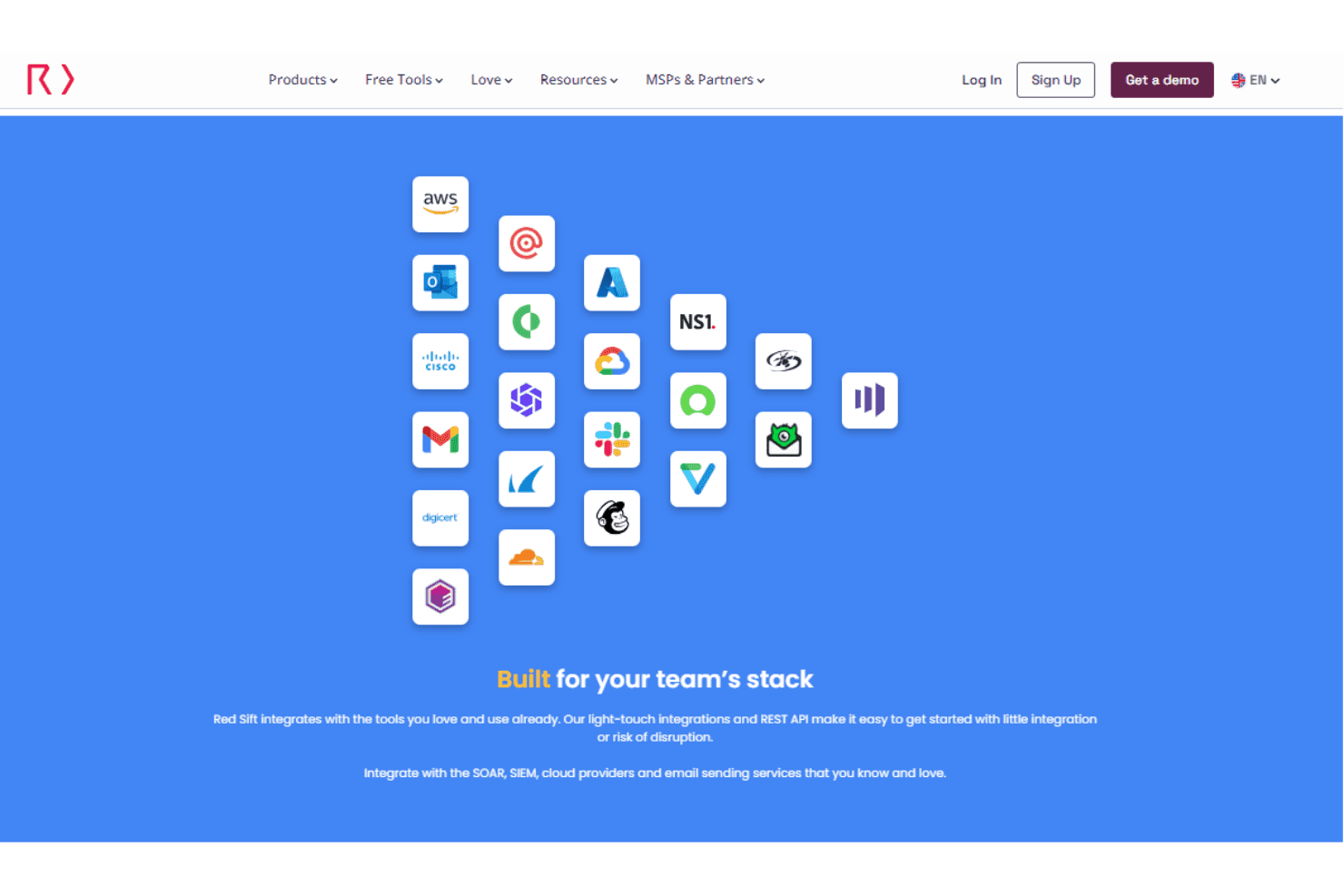
Red Sift integrates with AWS, Microsoft Outlook, Cisco, Gmail, DigiCert, Cloudflare, and NS1, alongside supported SIEM, SOAR, cloud, and email-sending services.
Red Sift also provides light-touch integrations and a REST API for connecting its platform with external tools and custom workflows.
Red Sift Specs
- 2-Factor Authentication: Yes
- Access Management: Yes
- Anti-Virus: No
- API: Yes
- Audit Management: Yes
- Audit Trail: Yes
- Batch Permissions & Access: No
- Compliance Tracking: Yes
- Dashboard: Yes
- Data Export: Yes
- Data Import: Yes
- DDoS Protection: No
- External Integrations: Yes
- File Sharing: No
- File Transfer: No
- Firewall: No
- Incident Management: No
- Malware Protection: No
- Multi-User: Yes
- Notifications: Yes
- Password & Access Management: Yes
- Policy Management: Yes
- Real-time Alerts: Yes
- Report & Compliance: Yes
- Risk Assessment: Yes
- Security Migration: No
- Threat Detection: Yes
- Workflow Management: No


