

Reseña de IBM MaaS360: Pros, Contras, Características y Precios
IBM MaaS360 destaca por ofrecer soluciones MDM intuitivas basadas en la nube con perspectivas impulsadas por IA, lo que lo hace ideal para equipos que buscan una gestión inteligente de dispositivos en portátiles, iPhones y iPads.

Revisamos herramientas de forma independiente y las comisiones ayudan a financiar nuestras pruebas. Consulta nuestra política de transparencia, nuestra metodología o sugiere una herramienta.
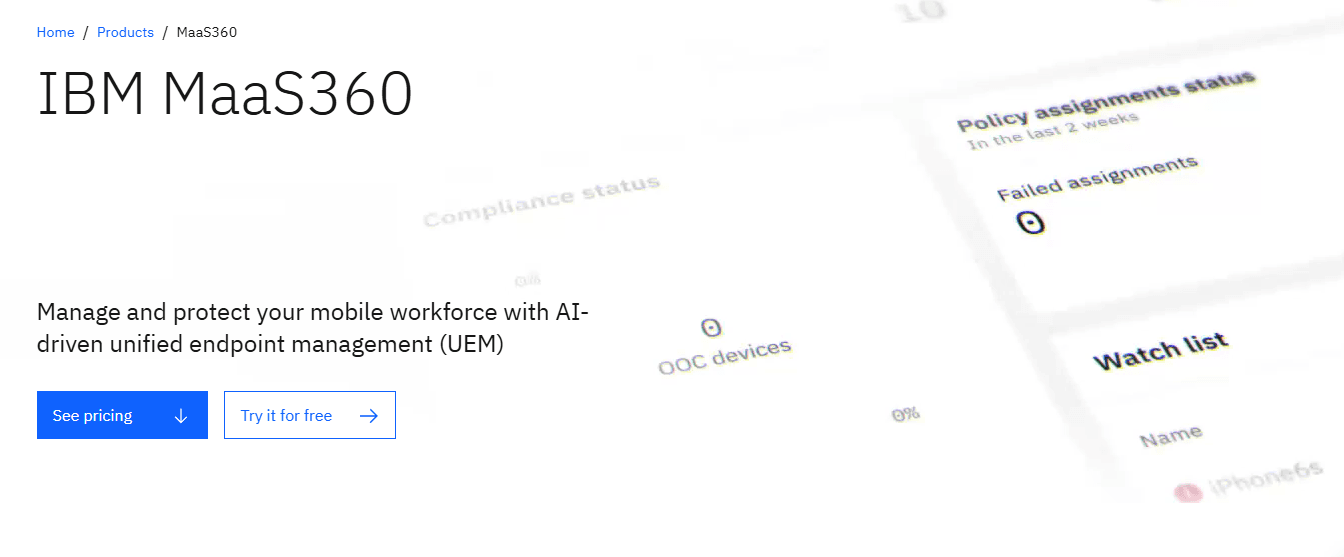
IBM MaaS360 is MDM software that manages and secures mobile devices, laptops, and other endpoints across Apple, Windows, Android, and Linux environments. It's ideal for healthcare, finance, and retail industries needing strict compliance. IBM MaaS360 offers secure, flexible device management for any organization while protecting corporate data.
IBM MaaS360 helps IT departments address device protection and compliance by supporting enrollment, security policies, and patch management. In this article, I'll cover IBM MaaS360's features, pros and cons, use cases, and pricing to help you decide if it aligns with your organization's needs and goals.
IBM MaaS360 Evaluation Summary
4.2/5
- From $4/client device/month
- 30-day free trial available
Por qué confiar en nuestras recomendaciones de software
6,700+
Reviews
20
Industry experts
16+
Evaluation factors
14
Years
Nuestro equipo lleva probando y evaluando software desde 2012. Como líderes tecnológicos, sabemos lo difícil —y lo importante— que es elegir el software adecuado.
Para esta guía, evaluamos las herramientas mediante pruebas prácticas e investigación independiente, puntuando las herramientas según nuestros criterios de selección.
Nuestras reseñas reflejan nuestro criterio editorial humano, no un discurso de ventas.
Revisores expertos:
- Paulo Gardini MiguelDirector técnico
 Tim FisherVP de IA
 Gabriel RosasTech Lead y arquitecto de software
 Christhian GruhnTech Lead y arquitecto de plataforma

IBM MaaS360 Overview
In my opinion, IBM MaaS360 stands out with its powerful security features and flexible management options, including remote wipe and location tracking. This makes it an excellent choice for industries such as healthcare and finance, where compliance is key. Its ease of use and onboarding process are generally smooth, but its customer support could be improved. Compared to other MDM solutions, such as Intune, IBM MaaS360 offers solid value for money, especially for larger enterprises needing comprehensive device management. However, smaller businesses may find its extensive features overwhelming and may prefer simpler alternatives. IBM MaaS360 is worth considering if you prioritize security and compliance.
Pros
- It offers strong security capabilities.
- The compliance management tools help your team meet industry standards.
- You can easily manage devices, notifications, and security policies from a single dashboard.
Cons
- Customer support can be slow to respond to your issues.
- The advanced interface may feel overwhelming at first.
- It may require a learning curve for your IT staff.
Is IBM MaaS360 Right For Your Needs?
Who Would be a Good Fit for IBM MaaS360?
IBM MaaS360 is ideal for industries such as healthcare and finance, where compliance and security are top priorities. It offers strong security features, automation, and compliance tools that help meet industry standards. Large enterprises with complex device management needs will find its centralized dashboard efficient for managing multiple devices. IBM MaaS360 is ideal if your business requires strict data protection and regulatory compliance.
- HealthcareYou can ensure compliance with healthcare regulations using IBM MaaS360’s powerful security and management tools.
- FinanceYour finance team benefits from strong data protection, expense management integrations, and compliance solutions to keep sensitive information secure.
- RetailWith IBM MaaS360, retail businesses can manage and secure multiple devices across locations using kiosk mode, keeping customer data safe.
- Large EnterprisesLarge enterprises will find IBM MaaS360's centralized dashboard helpful for effective device fleet and patch management.
- IT DepartmentsIT departments can use IBM MaaS360 to simplify device management, apply security policies, and enhance protection across your organization.
- EducationEducational institutions can manage and secure student and staff devices, including iPhones, iPads, Android phones, and laptops, ensuring a safe digital environment.
Who Would be a Bad Fit for IBM MaaS360?
IBM MaaS360 may not suit small businesses or startups with limited IT resources. Its extensive capabilities and complex interface can be overwhelming for teams without dedicated IT staff. If your team needs simple device management without the need for strict compliance or advanced security features, you may find IBM MaaS360 too complex and costly for your needs.
- Small StartupsSmall startups with limited resources may struggle with IBM MaaS360's complexity and find it unnecessary for basic needs.
- FreelancersFreelancers don't need IBM MaaS360's extensive features and may find it overly complex for individual use.
- Non-Technical TeamsNon-technical teams could find IBM MaaS360's interface overwhelming and challenging to manage without IT support.
- Local BusinessesLocal businesses with minimal device management needs may find IBM MaaS360's capabilities excessive.
- Small RetailersSmall retailers without complex security needs may not require the advanced ability of IBM MaaS360.
- Creative AgenciesCreative agencies focusing on design rather than technical compliance may find IBM MaaS360 unnecessary.
Nuestra metodología de revisión
Cómo probamos y puntuamos las herramientas
Hemos invertido años construyendo, refinando y mejorando nuestro sistema de pruebas y puntuación de software. La rúbrica está diseñada para captar los matices de la selección de software y lo que hace a una herramienta efectiva, enfocándose en aspectos críticos del proceso de toma de decisiones.
A continuación, puedes ver exactamente cómo nuestro sistema de prueba y puntuación funciona a través de siete criterios. Esto nos permite ofrecer una evaluación imparcial del software basada en funcionalidad central, características destacadas, facilidad de uso, incorporación, soporte al cliente, integraciones, reseñas de clientes y relación calidad-precio.
Funcionalidad principal (25% de la puntuación final)
El punto de partida de nuestra evaluación siempre es la funcionalidad central de la herramienta. ¿Tiene las características y funciones básicas que un usuario esperaría encontrar? ¿Alguna de esas funciones principales está limitada a planes de precios superiores? Esperamos que una herramienta esté a la altura de las capacidades básicas de sus competidores.
Características destacadas (25% de la puntuación final)
Luego, evaluamos las características poco comunes y sobresalientes que van más allá de la funcionalidad principal que normalmente se encuentra en herramientas de su tipo. Una puntuación alta refleja características especializadas o únicas que hacen el producto más rápido, eficiente o que ofrecen valor adicional al usuario.
También evaluamos qué tan fácil es integrar con otras herramientas que normalmente forman parte del ecosistema tecnológico para expandir la funcionalidad y utilidad del software. Las herramientas que ofrecen abundantes integraciones nativas, conexiones de terceros y acceso API para crear integraciones personalizadas obtienen la mejor puntuación.
Facilidad de uso (10% de la puntuación final)
Consideramos cuán rápido y sencillo es ejecutar las tareas definidas por la funcionalidad principal usando la herramienta. El software con mejor puntuación está bien diseñado, es intuitivo, ofrece aplicaciones móviles, proporciona plantillas y hace que tareas relativamente complejas parezcan sencillas.
Incorporación (10% de la puntuación final)
Sabemos lo importante que es la adopción rápida por parte del equipo para una nueva plataforma, por lo que evaluamos cuán fácil es aprender y usar una herramienta con entrenamiento mínimo. Evaluamos cuán rápido un miembro del equipo puede configurarla y comenzar a utilizarla sin experiencia previa. Las soluciones con mayor puntuación requieren poco o ningún soporte.
Soporte al cliente (10% de la puntuación final)
Revisamos qué tan rápido y sencillo es resolver dudas y encontrar ayuda por teléfono, chat en vivo o base de conocimientos. Las herramientas y compañías que proporcionan soporte en tiempo real obtienen la mejor puntuación, mientras que los chatbots obtienen la peor.
Reseñas de clientes (10% de la puntuación final)
Además de nuestras pruebas y evaluaciones, consideramos la puntuación neta de promotores por parte de clientes actuales y anteriores. Revisamos la probabilidad de que elijan la herramienta de nuevo para la funcionalidad principal. Una puntuación alta refleja una alta puntuación neta de promotores actuales o pasados.
Relación calidad-precio (10% de la puntuación final)
Por último, considerando todos los demás criterios, revisamos el precio promedio de los planes de nivel básico comparado con las funciones principales y consideramos el valor de los demás criterios de evaluación. El software que ofrezca más, por menos, obtendrá una puntuación mayor.
Core Features
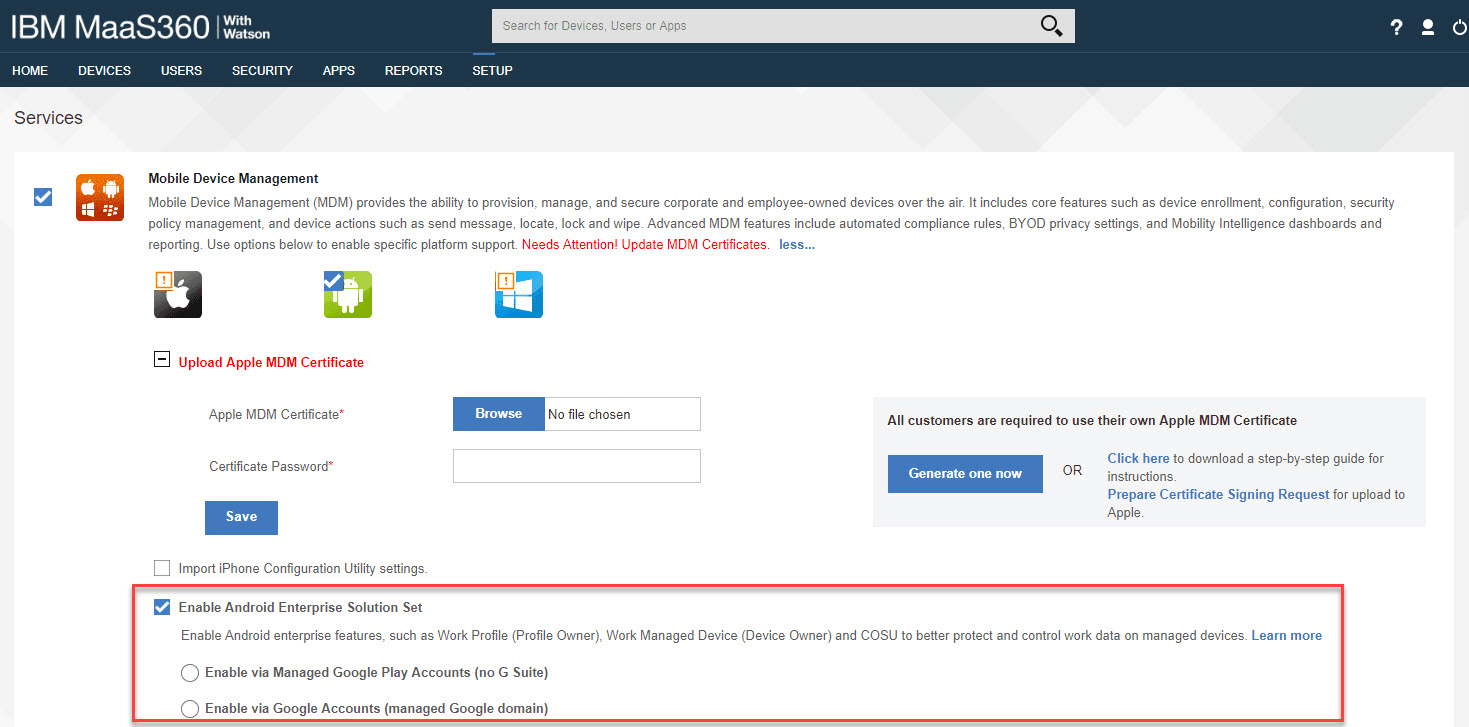
Device Management: IBM MaaS360 lets you control and secure all mobile devices from a single dashboard. Your team can deploy apps, enforce policies, and monitor devices efficiently.
Security Management: This allows you to protect your data with advanced security protocols, ensuring your devices stay compliant with industry standards.
Compliance Management: You can easily set and enforce compliance rules across your organization's devices, helping your business meet regulatory requirements without hassle.
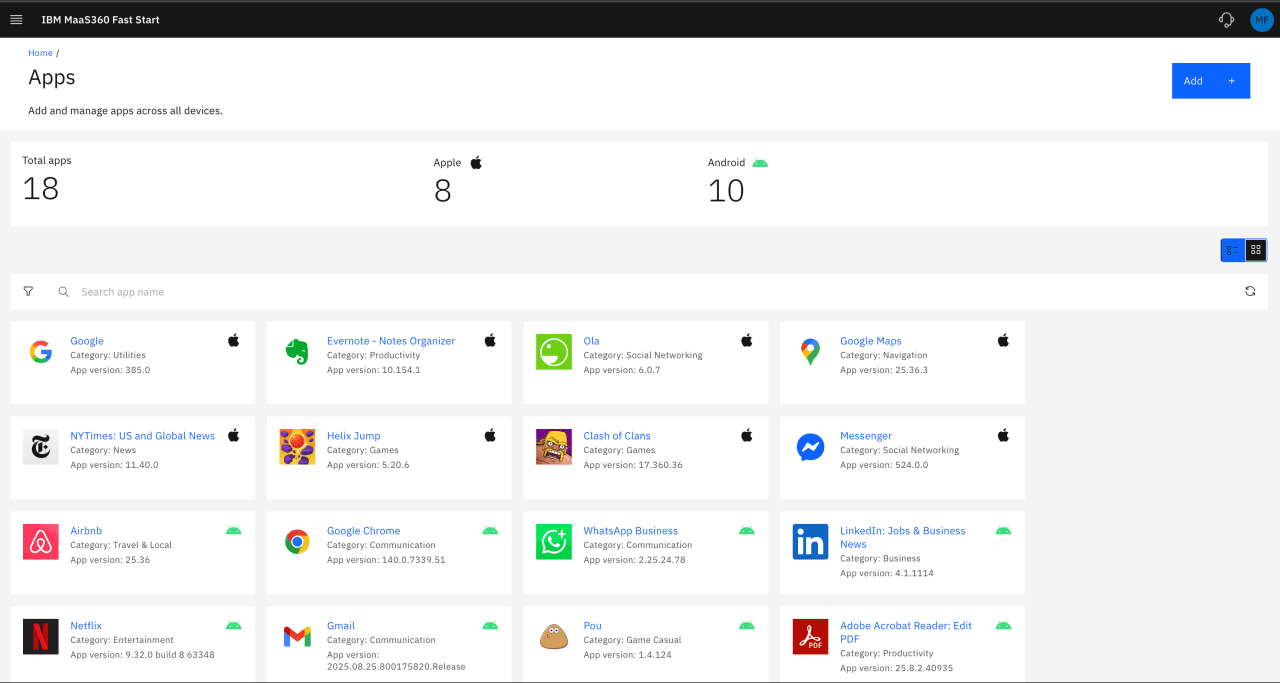
Application Management: IBM MaaS360 allows you to manage and distribute apps securely. You can control app usage and updates to keep everything running smoothly.
Content Management: Your team can safely share and access documents with IBM MaaS360 content management. It ensures that sensitive information stays protected while remaining accessible.
User Management: This lets you manage user roles and access levels, providing the flexibility to assign permissions based on your team's needs.
Ease of Use
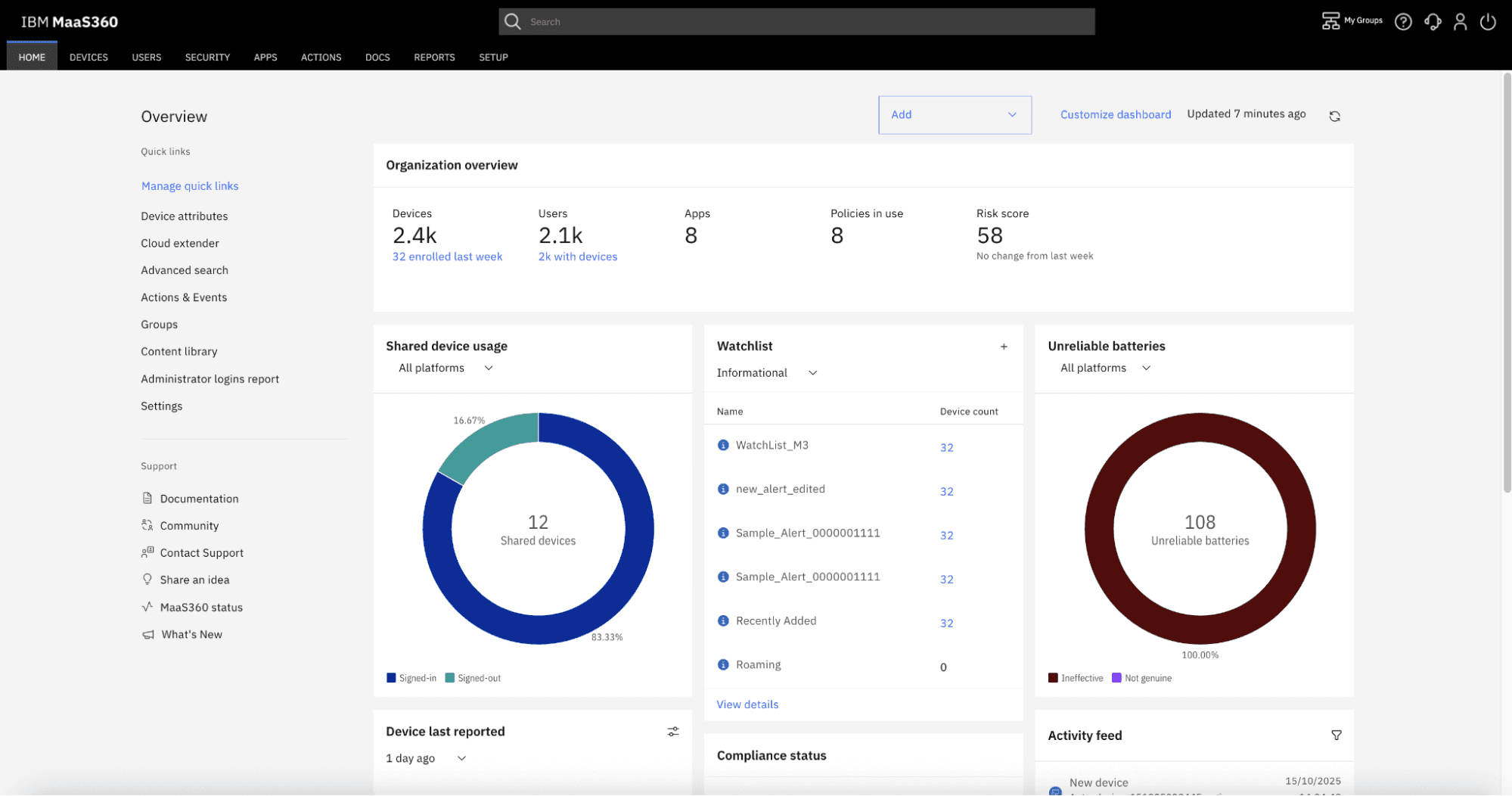
Although IBM MaaS360 offers a user-friendly interface, it may initially feel overwhelming due to its extensive capabilities. Once you get past the learning curve, managing devices becomes straightforward with its centralized dashboard. The intuitive design helps you quickly access the tools you need to secure and manage your devices. Compared to other MDM solutions, IBM MaaS360 offers balanced functionalities that can accommodate your IT team's needs effectively.
Integrations
IBM MaaS360 integrates with IBM Verify, IBM QRadar EDR, IBM QRadar XDR, SOAR and SIEM, IBM Cloud Pak for Security, TeamViewer, Zscaler, Microsoft Azure, Microsoft 365, and Google Workspace.
It also offers an API and connects with third-party integration tools.
IBM MaaS360 Specs
- 2-Factor Authentication: Yes
- Analytics: Yes
- API: Yes
- Batch Permissions & Access: Yes
- Collaboration Support: No
- CRM Integration: No
- Customer Service: No
- Dashboard: Yes
- Data Export: Yes
- Data Import: No
- Data Visualization: Yes
- Developer Tools: Yes
- Email Integration: Yes
- External Integrations: Yes
- File Sharing: Yes
- Forecasting: No
- Marketing Automation: No
- Multi-User: Yes
- Notifications: Yes
- Project Management: No
- Resource Management: No
- Sales Automation: No
- Task Scheduling/Tracking: Yes
- Third-Party Plugins/Add-Ons: Yes
- Time Management: No
- Visualization: No

