

Reseña de FortiDDoS: Ventajas, Desventajas, Características y Precios
FortiDDoS se destaca por brindar una protección robusta contra ataques DDoS, lo que lo convierte en una opción valiosa para las empresas que necesitan seguridad confiable.

Revisamos herramientas de forma independiente y las comisiones ayudan a financiar nuestras pruebas. Consulta nuestra política de transparencia, nuestra metodología o sugiere una herramienta.
FortiDDoS is an internet security software built for on-premises DDoS mitigation, designed for network teams that need to detect and block volumetric, protocol, and application-layer attacks without routing traffic through a third-party cloud. I'd consider it over Cloudflare if your team needs appliance-based protection with sub-second detection that doesn't rely on external infrastructure—especially in environments where data sovereignty requirements or latency constraints make cloud-based scrubbing a poor fit.
FortiDDoS Evaluation Summary
4.5/5
- Pricing upon request
- Free demo available
Por qué confiar en nuestras recomendaciones de software
6,700+
Reviews
20
Industry experts
16+
Evaluation factors
14
Years
Nuestro equipo lleva probando y evaluando software desde 2012. Como líderes tecnológicos, sabemos lo difícil —y lo importante— que es elegir el software adecuado.
Para esta guía, evaluamos las herramientas mediante pruebas prácticas e investigación independiente, puntuando las herramientas según nuestros criterios de selección.
Nuestras reseñas reflejan nuestro criterio editorial humano, no un discurso de ventas.
Revisores expertos:
- Paulo Gardini MiguelDirector técnico
 Tim FisherVP de IA
 Gabriel RosasTech Lead y arquitecto de software
 Christhian GruhnTech Lead y arquitecto de plataforma

FortiDDoS Overview
In my opinion, FortiDDoS is a solid choice for enterprises needing strong protection against DDoS attacks. It is a high-performance DDoS mitigation appliance built on custom FortiASIC processors and designed for Tier-1 networks, large data centers, and internet-facing infrastructure.
FortiDDoS relies entirely on heuristic and behavior-based analysis rather than signatures, which allows it to stop zero-day attacks, low-volume Layer 7 anomalies, and volumetric floods with precise accuracy. Although the upfront cost and tuning complexity make it impractical for small businesses, it delivers industry-leading speed and highly reliable protection for environments facing continuous, sophisticated DDoS threats.
Pros
- It offers reliable protection against DDoS attacks.
- Full packet inspection and sub-50-microsecond attack response.
- Behavioral zero-day defense detects unknown and low-and-slow.
- Layer 7 attacks Surgical IP scoring blocks malicious IPs while minimizing false positives.
- Your team can benefit from its customizable security settings.
- It provides detailed traffic analysis for better threat management.
- Supports hybrid cloud mitigation with an open API.
Cons
- Some users find the interface less intuitive than competitors.
- Your team might experience a steep learning curve during onboarding.
- It lacks certain advanced reporting features found in other tools.
- High capital cost for advanced models and required FortiCare contracts.
- High overall TCO as it requires complementary security tools and firewalls.
Is FortiDDoS Right For Your Needs?
Who Would be a Good Fit for FortiDDoS?
FortiDDoS is well-suited for large enterprises and IT departments that need to manage complex network security. If your team deals with high-volume traffic and requires robust DDoS protection, FortiDDoS's customizable security settings and detailed traffic analysis make it a strong choice. It provides the necessary tools to effectively handle threats and maintain network integrity.
- Large EnterprisesFortiDDoS handles high traffic volumes and offers strong protection against DDoS attacks, making it ideal for large enterprises.
- IT DepartmentsYour team will benefit from its customizable security settings to manage complex network security.
- Financial ServicesFortiDDoS provides detailed traffic analysis, crucial for financial services needing to protect sensitive transactions. The 100% behavioral analysis is essential for protecting sensitive, high-value web and API services from complex, stealthy Layer 7 SSL-based attacks that bypass cloud provider filters.
- TelecommunicationsIdeal for telco organizations with high-throughput pipes (10G/40G+) that require continuous, sub-50 microsecond latency mitigation and the ability to provision multi-tenant DDoS protection policies.
- Healthcare ProvidersFortiDDoS ensures the protection of sensitive patient data with its strong security features.
- E-commerce PlatformsYour e-commerce business can maintain uptime and security with FortiDDoS's reliable DDoS protection.
- Cloud Data CentersIts ability to monitor more than 230,000 traffic parameters at once enables effective DNS DDoS mitigation and supports multi-vector attacks across multiple protected tenants.
Who Would be a Bad Fit for FortiDDoS?
FortiDDoS isn't a great fit for small businesses or startups with limited budgets. Its complex onboarding and less intuitive interface can be challenging for teams without dedicated IT staff. If your team doesn't handle high traffic volumes or requires advanced reporting features, you might find other solutions more aligned with your needs.
- Small BusinessesThe complexity and cost of FortiDDoS may not suit small businesses with limited resources.
- StartupsThe high capital cost and complex configuration are unnecessary for most users, who are better served by simpler, subscription-based cloud scrubbing services like Cloudflare or Akamai.
- FreelancersFreelancers typically don't need the extensive DDoS protection FortiDDoS offers.
- Non-IT TeamsTeams without IT expertise may find the interface and setup challenging.
- Educational InstitutionsSchools and universities gain little from FortiDDoS unless they face major traffic-based threats. If their main risk is Layer 7 attacks on a website, a Cloud WAF or FortiWeb typically offers better protection and simpler deployment than a full network appliance.
- Local RetailersLocal retailers usually don't require the level of DDoS protection that FortiDDoS provides.
Nuestra metodología de revisión
Cómo probamos y puntuamos las herramientas
Hemos invertido años construyendo, refinando y mejorando nuestro sistema de pruebas y puntuación de software. La rúbrica está diseñada para captar los matices de la selección de software y lo que hace a una herramienta efectiva, enfocándose en aspectos críticos del proceso de toma de decisiones.
A continuación, puedes ver exactamente cómo nuestro sistema de prueba y puntuación funciona a través de siete criterios. Esto nos permite ofrecer una evaluación imparcial del software basada en funcionalidad central, características destacadas, facilidad de uso, incorporación, soporte al cliente, integraciones, reseñas de clientes y relación calidad-precio.
Funcionalidad principal (25% de la puntuación final)
El punto de partida de nuestra evaluación siempre es la funcionalidad central de la herramienta. ¿Tiene las características y funciones básicas que un usuario esperaría encontrar? ¿Alguna de esas funciones principales está limitada a planes de precios superiores? Esperamos que una herramienta esté a la altura de las capacidades básicas de sus competidores.
Características destacadas (25% de la puntuación final)
Luego, evaluamos las características poco comunes y sobresalientes que van más allá de la funcionalidad principal que normalmente se encuentra en herramientas de su tipo. Una puntuación alta refleja características especializadas o únicas que hacen el producto más rápido, eficiente o que ofrecen valor adicional al usuario.
También evaluamos qué tan fácil es integrar con otras herramientas que normalmente forman parte del ecosistema tecnológico para expandir la funcionalidad y utilidad del software. Las herramientas que ofrecen abundantes integraciones nativas, conexiones de terceros y acceso API para crear integraciones personalizadas obtienen la mejor puntuación.
Facilidad de uso (10% de la puntuación final)
Consideramos cuán rápido y sencillo es ejecutar las tareas definidas por la funcionalidad principal usando la herramienta. El software con mejor puntuación está bien diseñado, es intuitivo, ofrece aplicaciones móviles, proporciona plantillas y hace que tareas relativamente complejas parezcan sencillas.
Incorporación (10% de la puntuación final)
Sabemos lo importante que es la adopción rápida por parte del equipo para una nueva plataforma, por lo que evaluamos cuán fácil es aprender y usar una herramienta con entrenamiento mínimo. Evaluamos cuán rápido un miembro del equipo puede configurarla y comenzar a utilizarla sin experiencia previa. Las soluciones con mayor puntuación requieren poco o ningún soporte.
Soporte al cliente (10% de la puntuación final)
Revisamos qué tan rápido y sencillo es resolver dudas y encontrar ayuda por teléfono, chat en vivo o base de conocimientos. Las herramientas y compañías que proporcionan soporte en tiempo real obtienen la mejor puntuación, mientras que los chatbots obtienen la peor.
Reseñas de clientes (10% de la puntuación final)
Además de nuestras pruebas y evaluaciones, consideramos la puntuación neta de promotores por parte de clientes actuales y anteriores. Revisamos la probabilidad de que elijan la herramienta de nuevo para la funcionalidad principal. Una puntuación alta refleja una alta puntuación neta de promotores actuales o pasados.
Relación calidad-precio (10% de la puntuación final)
Por último, considerando todos los demás criterios, revisamos el precio promedio de los planes de nivel básico comparado con las funciones principales y consideramos el valor de los demás criterios de evaluación. El software que ofrezca más, por menos, obtendrá una puntuación mayor.
Core Features
DDoS Protection
FortiDDoS uses FortiASIC-TP2/TP3 processors to inspect all inbound and outbound traffic at line rate. This enables instant attack detection and mitigation without impacting CPU performance.
Traffic Analysis
The system analyzes hundreds of thousands of Layer 3, 4, and 7 parameters in parallel against a continuously learned traffic baseline to identify anomalies and stop threats in under two seconds.
Customizable Security Settings
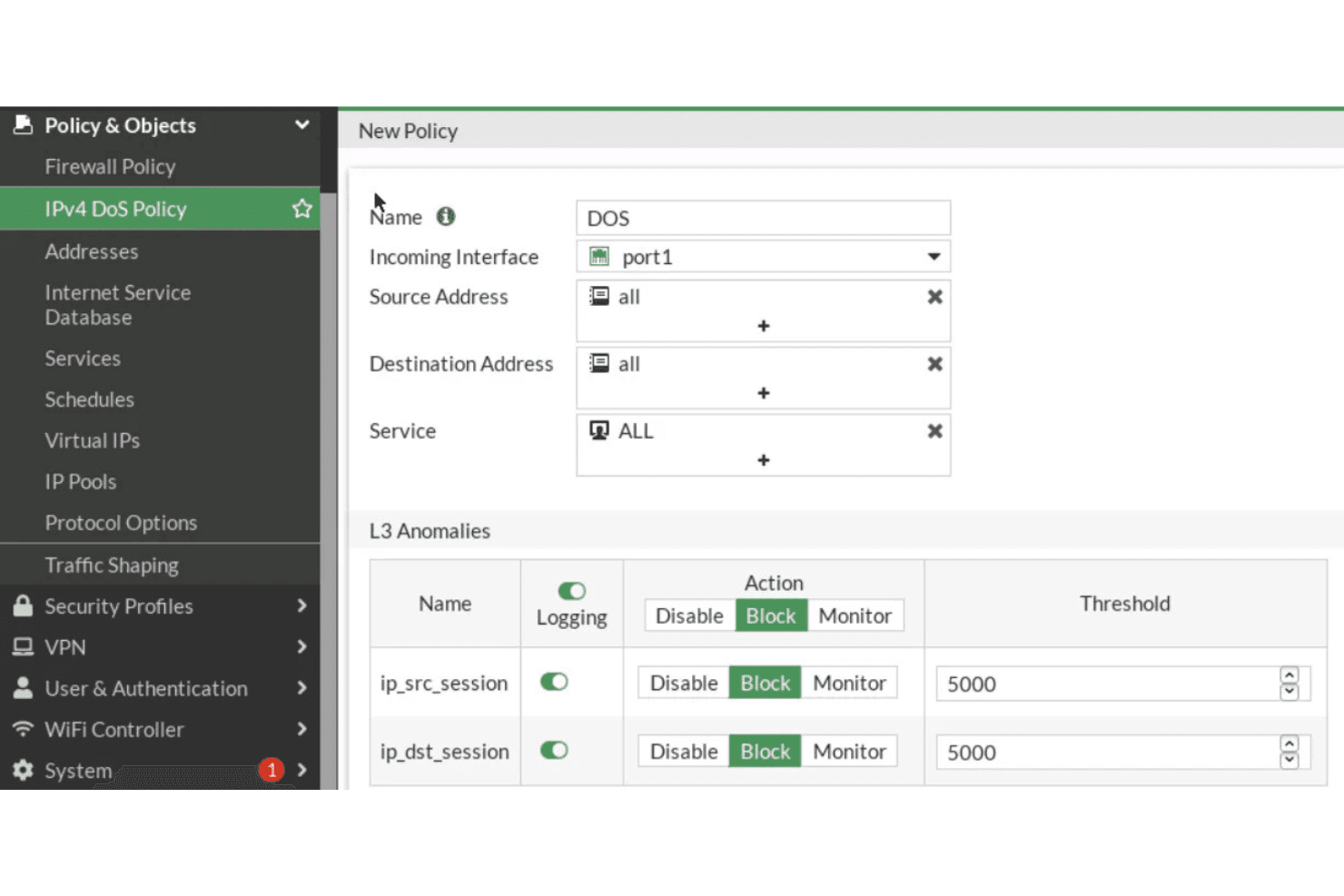
FortiDDoS allows you to tailor its security settings to fit your specific needs. IT teams can create granular SPPs for each network segment or tenant, set resource limits and control whitelisting and blacklisting down to the port level.
Real-Time Monitoring
Stay informed with real-time alerts and monitoring, ensuring your team can respond quickly to any issues. This feature helps maintain the integrity of your network.
Scalability
FortiDDoS scales with your business, making it suitable for growing enterprises. Appliances support full-duplex throughput up to 36+ Gbps and are engineered to prevent link saturation during high-volume flood attacks.
User-Friendly Dashboard
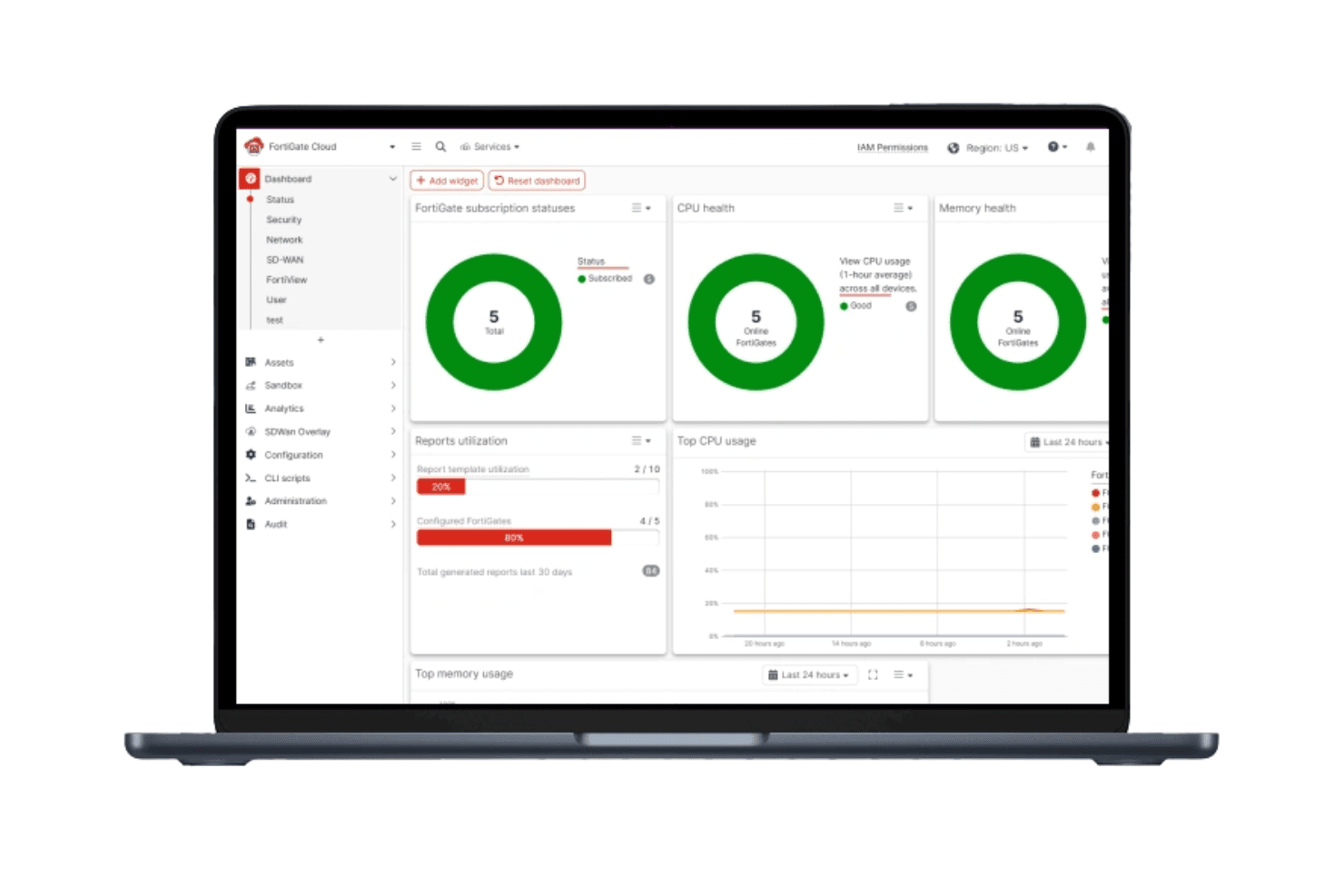
The dashboard provides a clear overview of your network's security status. Your team can easily navigate and manage security settings.
Ease of Use
FortiDDoS has a learning curve that might challenge teams without dedicated IT staff. While its user-friendly dashboard provides a clear overview, some users find the interface less intuitive compared to other solutions. Managing the many customizable settings requires strong knowledge of traffic baselines and security policy tuning, which can be difficult for teams without dedicated security analysts. However, once familiar, it offers powerful tools for managing your network's security effectively.
Integrations
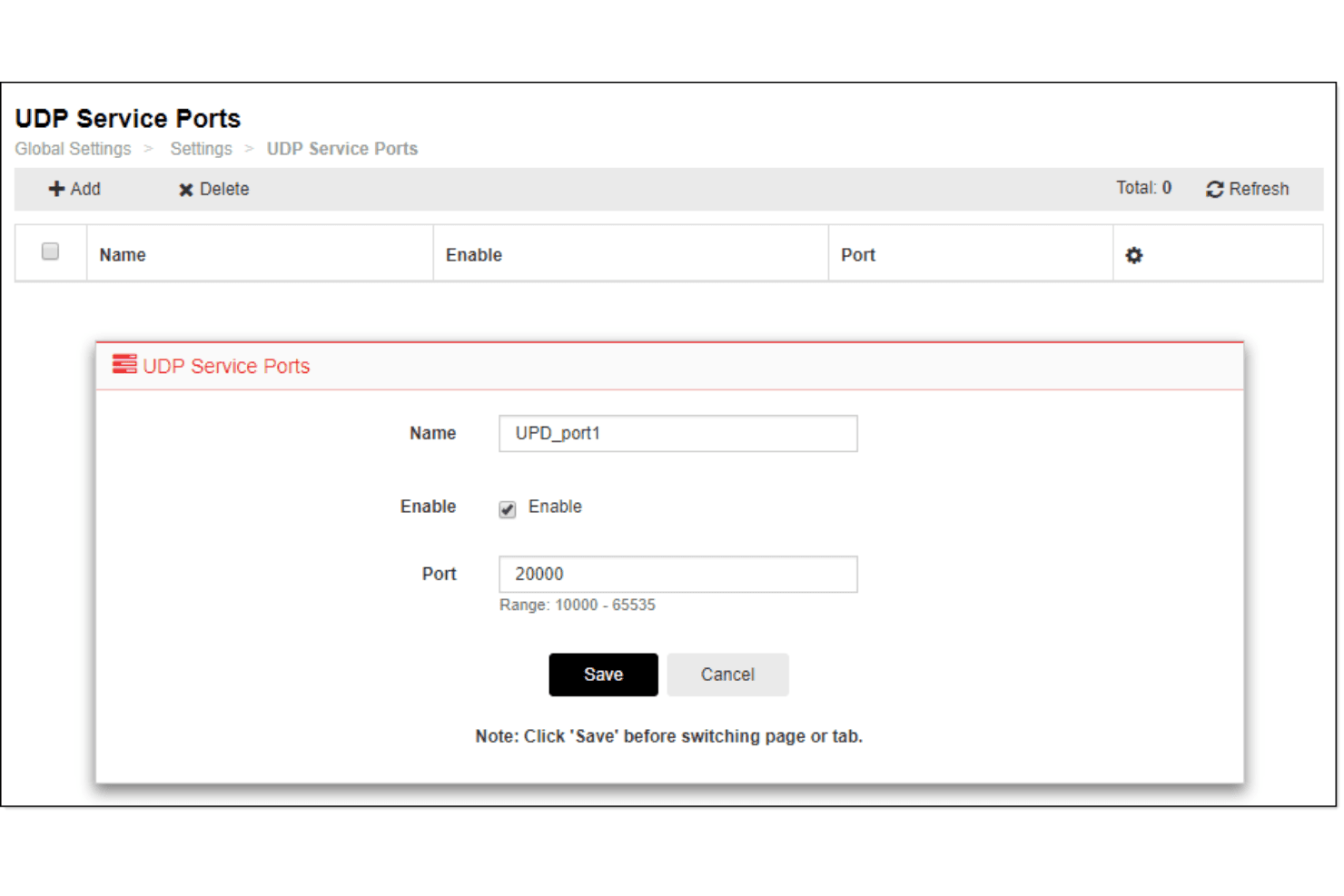
FortiDDoS integrates with FortiGate, FortiAnalyzer, FortiManager, FortiWeb, FortiADC, FortiSIEM, FortiMail, FortiSandbox, FortiToken, and FortiAuthenticator. FortiDDoS also provides a REST API for integration and connects with third-party integration tools.
FortiDDoS Specs
- 2-Factor Authentication: Yes
- Access Management: No
- Anti-Virus: Yes
- API: Yes
- Audit Trail: Yes
- Bug Tracking: Yes
- Calendar Management: No
- Customer Management: No
- Dashboard: Yes
- Data Export: Yes
- Data Import: Yes
- Data Visualization: No
- Email Integration: No
- External Integrations: Yes
- File Sharing: Yes
- File Transfer: Yes
- Firewall: Yes
- Google Apps Integration: No
- Inventory Tracking: No
- Malware Protection: Yes
- Multi-User: Yes
- Network Device Performance Monitoring: Yes
- Network Traffic Monitoring: Yes
- Network Visualization: Yes
- Notifications: No
- Project Management: No
- Remote Access: Yes
- Risk Assessment: Yes
- SAP Integration: Yes
- Scheduling: No
- Software Integration: Yes
- Third-Party Plugins/Add-Ons: Yes
- Ticket Management: No


