

Reseña de Valimail: ventajas, desventajas, características y precios explicados
I dive into how Valimail turns DMARC from a technical headache into a streamlined solution, revealing where it truly stands out—and what you should watch for before you commit.

Revisamos herramientas de forma independiente y las comisiones ayudan a financiar nuestras pruebas. Consulta nuestra política de transparencia, nuestra metodología o sugiere una herramienta.
Valimail is DMARC software for organizations that need to authenticate outbound email, prevent domain spoofing, and reach DMARC enforcement without manually managing SPF and DKIM records. I'd consider it over a tool like Proofpoint Email Fraud Defense if you want automated DNS-based authentication and a faster path to enforcement without the heavier configuration and consulting overhead that enterprise suites often bring. As a DMARC solution it leans on automation rather than consulting hours, which is the main reason DMARC management stops being a standing quarterly project.
Valimail Evaluation Summary
4.5/5
- Pricing upon request
- Free plan available
Por qué confiar en nuestras recomendaciones de software
6,700+
Reviews
20
Industry experts
16+
Evaluation factors
14
Years
Nuestro equipo lleva probando y evaluando software desde 2012. Como líderes tecnológicos, sabemos lo difícil —y lo importante— que es elegir el software adecuado.
Para esta guía, evaluamos las herramientas mediante pruebas prácticas e investigación independiente, puntuando las herramientas según nuestros criterios de selección.
Nuestras reseñas reflejan nuestro criterio editorial humano, no un discurso de ventas.
Revisores expertos:
- Paulo Gardini MiguelDirector técnico
 Tim FisherVP de IA
 Gabriel RosasTech Lead y arquitecto de software
 Christhian GruhnTech Lead y arquitecto de plataforma

Valimail Overview
I think Valimail is a top pick if you want DMARC enforcement that minimizes manual work and accelerates deployment. Its automation, clear interface, and integration with Microsoft 365 make it easier for IT teams to roll out quickly compared to tools that require more hands-on management. Getting from monitoring to p=reject is the whole job, and the way it parses DMARC reports for you is what shortens that path. You give up some advanced customization and reporting, and pricing is on the premium side, but I’d select it when you need to protect a complex mail environment without sinking lots of hours into DNS management or training.
Pros
- Automates SPF and DKIM management for rapid DMARC enforcement
- Provides detailed sender discovery diagnostics for unknown sources
- Responsive support team assists with complex domain configurations
Cons
- Limited customization for advanced reporting dashboards
- Premium pricing compared to direct competitors in the market
- Some users report delays in processing DNS changes
Is Valimail Right For Your Needs?
Who Would be a Good Fit for Valimail?
Valimail is a great fit for organizations that have broad, multi-domain email infrastructures and need end-to-end visibility of third-party senders. I think IT and security teams working at scale get a lot from Valimail’s automated sender discovery and guided policy enforcement. The platform’s focus on compliance and in-depth support makes it valuable for regulated sectors, growing enterprises, and teams that don’t want to allocate extra resources to DMARC administration. If Brand Indicators for Message Identification is on your roadmap, reaching enforcement first is mandatory, and a VMC follows from there.
- Financial ServicesValimail’s focus on compliance and automation helps financial institutions secure customer communications and meet regulatory standards.
- Large EnterprisesCentralized management of sender policies, scalability, and workflow delegation tools support complex IT environments with many domains and stakeholders.
- Higher EducationEasy onboarding and discovery features simplify DMARC adoption for universities with distributed IT and diverse email sources.
- Healthcare ProvidersAutomated compliance monitoring and granular reporting address HIPAA-driven security and privacy mandates in medical organizations.
- IT DepartmentsValimail automates sender discovery and policy setup, which saves manual effort and reduces ongoing maintenance.
- SaaS ProvidersFrequent integration with multiple platforms and outbound tools makes Valimail’s third-party sender management especially useful.
Who Would be a Bad Fit for Valimail?
Valimail may not be ideal for organizations with very simple or highly specialized email environments, or for those unwilling to invest in enterprise-grade solutions. I think businesses with resource constraints or narrow DMARC needs could find Valimail’s advanced features unnecessary for what they require. Smaller teams or industries with limited compliance focus might prefer a lighter DMARC vendor with fewer features or lower pricing.
- Very Small BusinessesThe platform’s rich features and enterprise plans can exceed the needs and budgets of small firms with only one or two email domains.
- Nonprofit OrganizationsOrganizations with minimal compliance requirements may find Valimail’s advanced controls unnecessary for simple sender setups.
- FreelancersValimail’s cost and multipoint management tools aren’t right for individuals who only manage their own domain.
- Ecommerce StartupsEarly-stage businesses without dedicated IT might struggle with the commitment Valimail’s platform expects.
- Marketing AgenciesAgencies that mainly need basic SPF and DKIM checking may find Valimail’s automation tools more than they need.
- Government Agencies With Custom ProtocolsPublic sector organizations using non-standard or legacy protocols might not find seamless support for non-mainstream infrastructures.
Nuestra metodología de revisión
Cómo probamos y puntuamos las herramientas
Hemos invertido años construyendo, refinando y mejorando nuestro sistema de pruebas y puntuación de software. La rúbrica está diseñada para captar los matices de la selección de software y lo que hace a una herramienta efectiva, enfocándose en aspectos críticos del proceso de toma de decisiones.
A continuación, puedes ver exactamente cómo nuestro sistema de prueba y puntuación funciona a través de siete criterios. Esto nos permite ofrecer una evaluación imparcial del software basada en funcionalidad central, características destacadas, facilidad de uso, incorporación, soporte al cliente, integraciones, reseñas de clientes y relación calidad-precio.
Funcionalidad principal (25% de la puntuación final)
El punto de partida de nuestra evaluación siempre es la funcionalidad central de la herramienta. ¿Tiene las características y funciones básicas que un usuario esperaría encontrar? ¿Alguna de esas funciones principales está limitada a planes de precios superiores? Esperamos que una herramienta esté a la altura de las capacidades básicas de sus competidores.
Características destacadas (25% de la puntuación final)
Luego, evaluamos las características poco comunes y sobresalientes que van más allá de la funcionalidad principal que normalmente se encuentra en herramientas de su tipo. Una puntuación alta refleja características especializadas o únicas que hacen el producto más rápido, eficiente o que ofrecen valor adicional al usuario.
También evaluamos qué tan fácil es integrar con otras herramientas que normalmente forman parte del ecosistema tecnológico para expandir la funcionalidad y utilidad del software. Las herramientas que ofrecen abundantes integraciones nativas, conexiones de terceros y acceso API para crear integraciones personalizadas obtienen la mejor puntuación.
Facilidad de uso (10% de la puntuación final)
Consideramos cuán rápido y sencillo es ejecutar las tareas definidas por la funcionalidad principal usando la herramienta. El software con mejor puntuación está bien diseñado, es intuitivo, ofrece aplicaciones móviles, proporciona plantillas y hace que tareas relativamente complejas parezcan sencillas.
Incorporación (10% de la puntuación final)
Sabemos lo importante que es la adopción rápida por parte del equipo para una nueva plataforma, por lo que evaluamos cuán fácil es aprender y usar una herramienta con entrenamiento mínimo. Evaluamos cuán rápido un miembro del equipo puede configurarla y comenzar a utilizarla sin experiencia previa. Las soluciones con mayor puntuación requieren poco o ningún soporte.
Soporte al cliente (10% de la puntuación final)
Revisamos qué tan rápido y sencillo es resolver dudas y encontrar ayuda por teléfono, chat en vivo o base de conocimientos. Las herramientas y compañías que proporcionan soporte en tiempo real obtienen la mejor puntuación, mientras que los chatbots obtienen la peor.
Reseñas de clientes (10% de la puntuación final)
Además de nuestras pruebas y evaluaciones, consideramos la puntuación neta de promotores por parte de clientes actuales y anteriores. Revisamos la probabilidad de que elijan la herramienta de nuevo para la funcionalidad principal. Una puntuación alta refleja una alta puntuación neta de promotores actuales o pasados.
Relación calidad-precio (10% de la puntuación final)
Por último, considerando todos los demás criterios, revisamos el precio promedio de los planes de nivel básico comparado con las funciones principales y consideramos el valor de los demás criterios de evaluación. El software que ofrezca más, por menos, obtendrá una puntuación mayor.
Core Features
Automated DMARC Enforcement
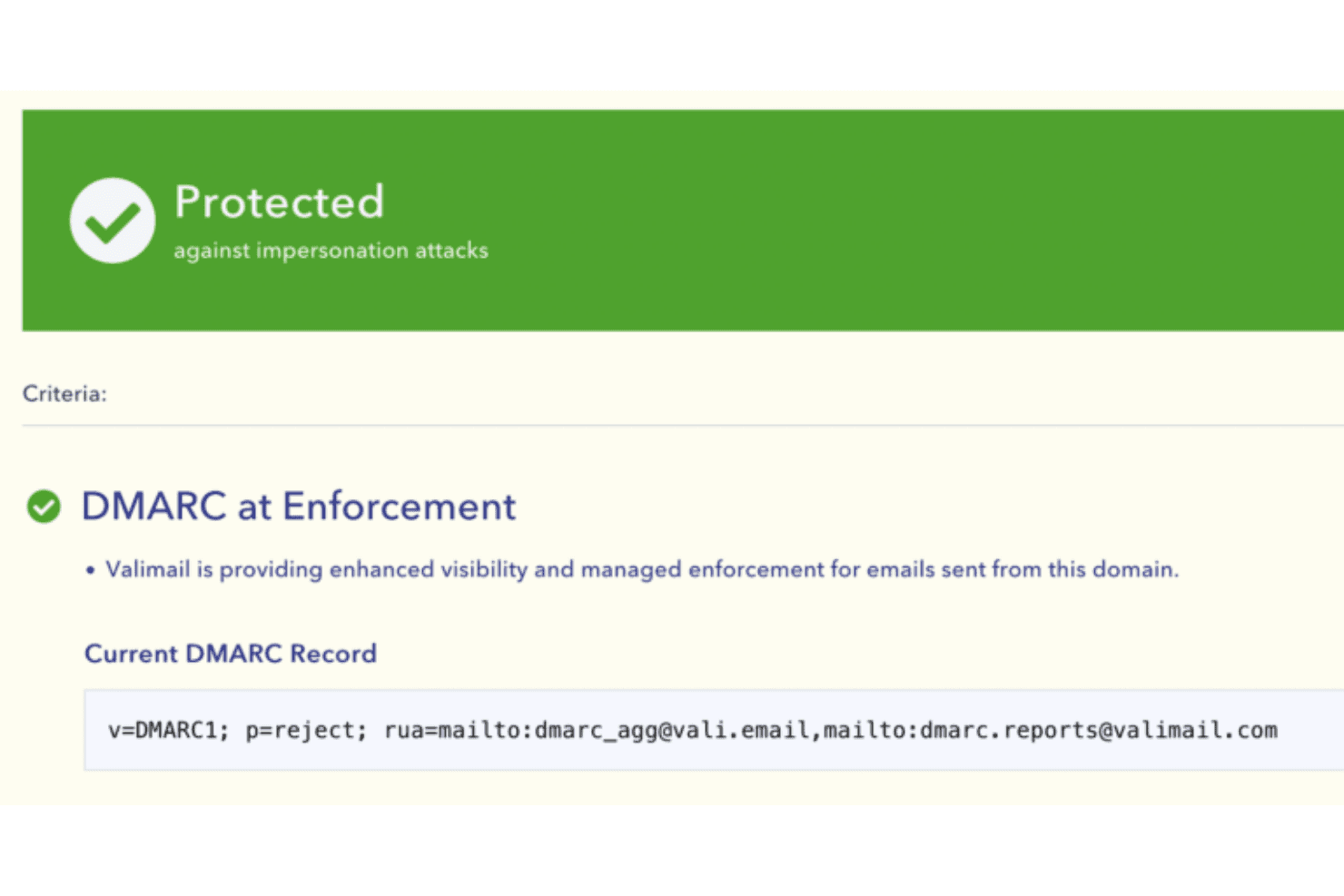
Automatically moves domains to DMARC enforcement using proprietary automation. This helps organizations quickly achieve full protection without manual policy updates.
Sender Discovery and Analysis
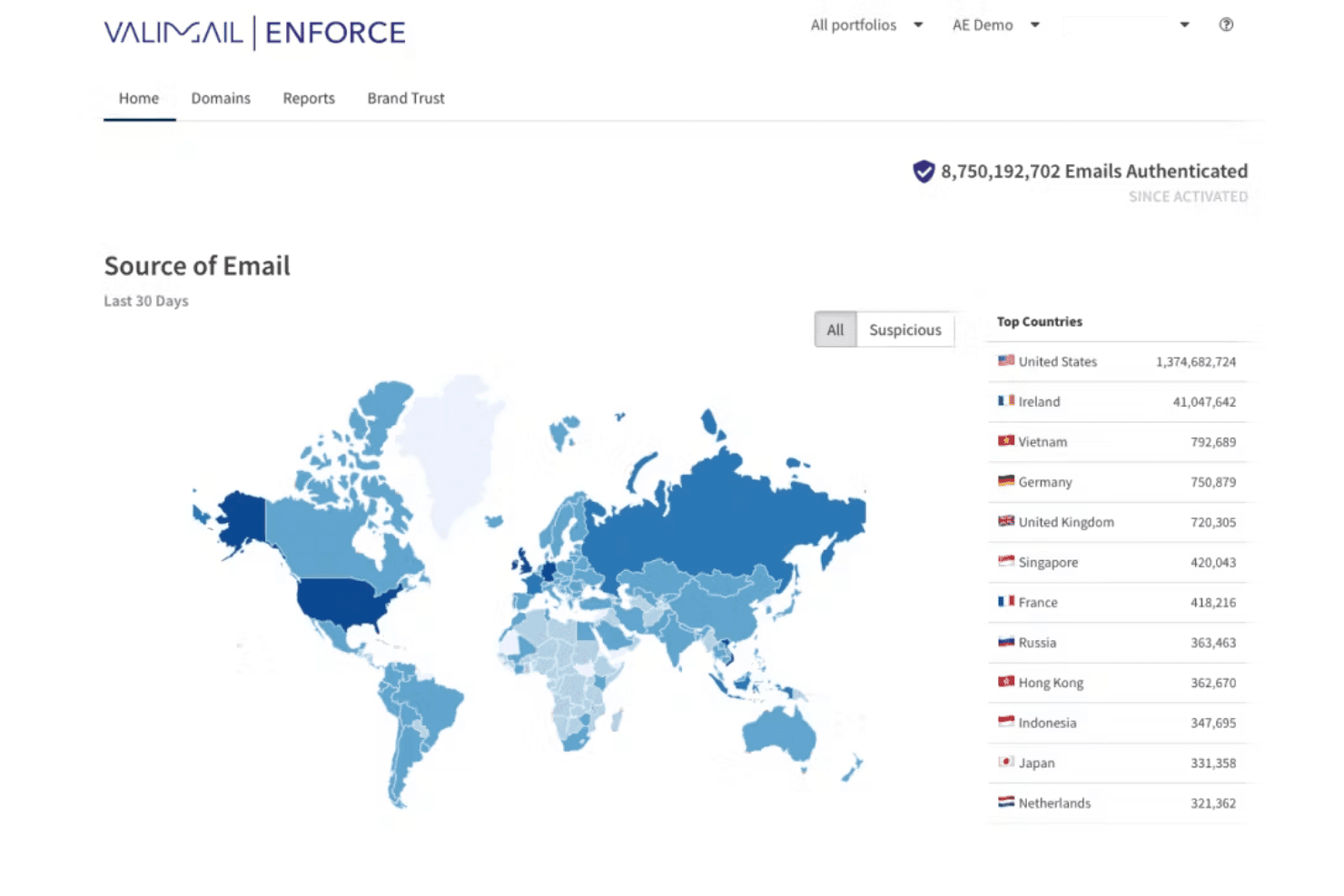
Finds and maps every legitimate and unauthorized email sender for your domains. Users get a clear list of each source, IP address, and service to eliminate blind spots.
Self-Service Policy Management
Update, enforce, or relax DMARC policies with a few clicks. DMARC monitoring runs alongside, so you never touch a DNS TXT record directly.
Real-Time Monitoring and Alerts
Valimail Monitor delivers ongoing visibility into authentication status through a live dashboard. It notifies you immediately about authentication failures or threats.
Identity-Based Email Authentication
Ties authentication to identities instead of IPs or mail servers. This makes it easier to keep up with complex and changing cloud or hybrid environments.
Guided Onboarding and Support
Guides users step by step to full DMARC enforcement with in-app help and expert support. Even teams with limited email security experience can reach compliance swiftly.
Ease of Use
Valimail stands out for user-friendliness, thanks to its automated enforcement workflows and visual tools that simplify complex DMARC tasks. I’ve seen users highlight how its sender discovery feature and guided onboarding save time, while the clear dashboard helps spot authentication issues fast. As a DMARC platform it also nudges email deliverability in the right direction, since properly authenticated mail lands more reliably. Even teams with limited email security experience say they’re able to reach compliance without outside consultants.

Integrations
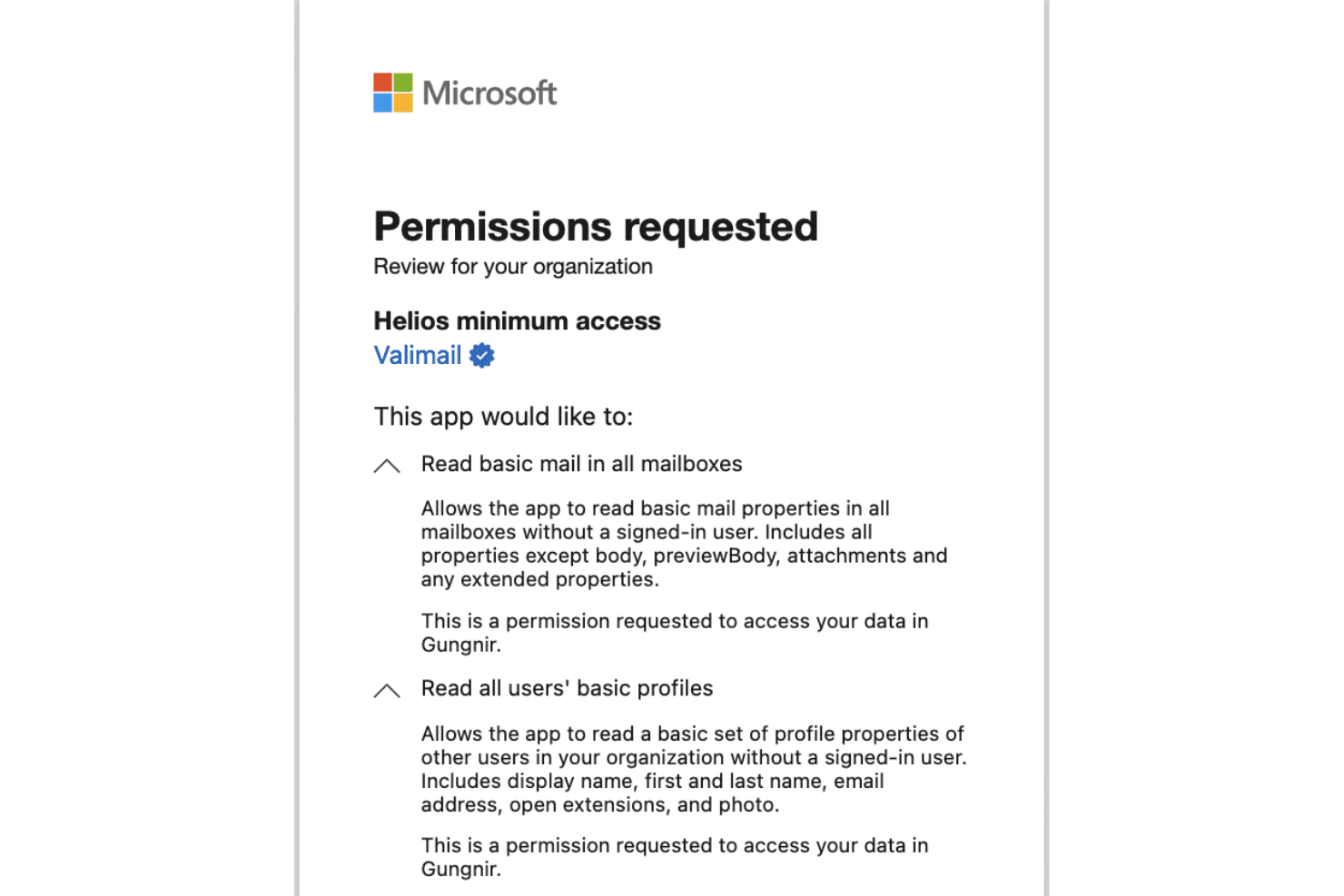
Valimail offers documented integrations with Microsoft 365, Google Workspace, and Microsoft Sentinel. It also provides APIs that support custom workflows, reporting, and configuration.
Valimail Specs
- 2-Factor Authentication: Yes
- Accounts Payable: Yes
- Accounts Receivable: Yes
- API: Yes
- Approval Workflows: Yes
- Balance Sheet: Yes
- Billing/Invoicing: Yes
- Budgeting: Yes
- Calendar Management: Yes
- Comparative Reporting: Yes
- CRM Integration: Yes
- Custom Reports: Yes
- Customer Management: Yes
- Dashboard: Yes
- Data Export: Yes
- Data Import: Yes
- Data Visualization: Yes
- Expense Tracking: Yes
- External Integrations: Yes
- Forecasting: Yes
- General Account Ledger: Yes
- Historical Data Analysis: Yes
- Inventory Tracking: Yes
- Multi-Currency: Yes
- Multi-User: Yes
- Notifications: Yes
- P&L: Yes
- Payroll: Yes
- Scenario Planning: Yes
- Scheduling: Yes
- Supplier Management: Yes
- Tax Management: Yes
- Time Management: Yes


