
Reseña de HelpDesk: ventajas, desventajas, funciones y precios
I put HelpDesk under the microscope to see whether its clean, practical approach delivers enough depth for growing support teams—or simply keeps ticketing refreshingly uncomplicated.

Revisamos herramientas de forma independiente y las comisiones ayudan a financiar nuestras pruebas. Consulta nuestra política de transparencia, nuestra metodología o sugiere una herramienta.
HelpDesk is a ticketing help desk software for IT teams that need to centralize user requests, incident tickets, and support conversations across email, chat, Messenger, and SMS. I’d mainly consider it if you want a no-code service desk that’s quick to configure, with enough workflow rules, automation, and AI assistance to bring more structure to day-to-day IT support. I’d use it over Zendesk or Freshdesk if you want a simpler, faster-to-deploy ticketing system without the extra complexity of a broader service management suite.
HelpDesk Evaluation Summary
4.6/5
- From $34/agent/month
- 14-day free trial
Por qué confiar en nuestras recomendaciones de software
6,700+
Reviews
20
Industry experts
16+
Evaluation factors
14
Years
Nuestro equipo lleva probando y evaluando software desde 2012. Como líderes tecnológicos, sabemos lo difícil —y lo importante— que es elegir el software adecuado.
Para esta guía, evaluamos las herramientas mediante pruebas prácticas e investigación independiente, puntuando las herramientas según nuestros criterios de selección.
Nuestras reseñas reflejan nuestro criterio editorial humano, no un discurso de ventas.
Revisores expertos:
- Paulo Gardini MiguelDirector técnico
 Tim FisherVP de IA
 Gabriel RosasTech Lead y arquitecto de software
 Christhian GruhnTech Lead y arquitecto de plataforma

HelpDesk Overview
I’d choose HelpDesk for small and growing IT teams that need a lightweight way to manage user requests, incident tickets, and support conversations without the overhead of a full ITSM suite. Its tiered plans scale from core ticketing and automation to stronger security, workflow customization, and onboarding. It offers more structure than a shared inbox, but it is less suited to teams that need deeper asset, change, and problem management.
Pros
- Reviewers praise HelpDesk’s clean interface for tracking multiple contact sources.
- AI drafts, summaries, and tagging reduce repetitive ticket handling.
- Round-robin assignment and collision detection support coordinated team queues.
Cons
- Lower tiers limit teams, rules, fields, and reporting depth.
- Advanced roles, SSO, and onboarding require Enterprise pricing.
- Reviewers report added costs for features previously included elsewhere.
Is HelpDesk Right For Your Needs?
Who Would be a Good Fit for HelpDesk?
HelpDesk suits small and growing support operations that need multichannel ticket handling without lengthy configuration. It works especially well for ecommerce, customer service, and support managers who value no-code workflows, AI assistance, integrations, and clear ticket ownership.
- Small Ecommerce BrandsShopify and WooCommerce integrations connect ecommerce support with email, chat, Messenger, and SMS tickets in one queue.
- Shared Inbox TeamsTeams moving from shared email can use round-robin assignment, collision detection, and a shared ticket queue to clarify ownership.
- Customer Service DepartmentsCustomer service teams can manage email, chat, Messenger, and SMS conversations while using AI drafts, summaries, and tagging.
- Lean Support TeamsSmall teams can configure no-code workflows and use browser or desktop apps without scripting or lengthy implementation work.
- Support ManagersSupport managers can use ticket summaries, AI Copilot, reporting, and custom fields to monitor and organize support work.
- Growing Support TeamsGrowing teams can use the Growth plan’s 10 teams, 10 AI Agents, advanced reporting, and 20 custom fields as operations expand.
Who Would be a Bad Fit for HelpDesk?
HelpDesk is less suitable for departments that need full IT service management, script-heavy automation, or extensive controls on lower-priced plans. Large organizations should also consider whether Enterprise pricing, tailored workflows, and dedicated onboarding match their purchasing requirements.
- Internal ITSM DepartmentsIT teams needing asset management, change management, or problem management should look beyond HelpDesk’s ticketing and workflow-focused feature set.
- Entry-Level Analytics TeamsTeams needing advanced reporting on the lowest tier may find Essential limiting because advanced reporting starts with the Growth plan.
- Script-Heavy OperationsDepartments that require scripted workflow logic may find HelpDesk restrictive because its workflows are designed around no-code configuration.
- Lower-Tier Compliance TeamsOrganizations requiring SSO and audit logs without Enterprise pricing may find HelpDesk unsuitable because those controls are Enterprise features.
- Fixed-Budget EnterprisesLarge companies needing multiple brands, tailored workflows, and dedicated account management must use custom-priced Enterprise rather than a fixed public plan.
- Dedicated Onboarding TeamsBusinesses requiring personalized onboarding from the start may find HelpDesk unsuitable because personalized onboarding and dedicated support are limited to Enterprise.
Nuestra metodología de revisión
Cómo probamos y puntuamos las herramientas
Hemos invertido años construyendo, refinando y mejorando nuestro sistema de pruebas y puntuación de software. La rúbrica está diseñada para captar los matices de la selección de software y lo que hace a una herramienta efectiva, enfocándose en aspectos críticos del proceso de toma de decisiones.
A continuación, puedes ver exactamente cómo nuestro sistema de prueba y puntuación funciona a través de siete criterios. Esto nos permite ofrecer una evaluación imparcial del software basada en funcionalidad central, características destacadas, facilidad de uso, incorporación, soporte al cliente, integraciones, reseñas de clientes y relación calidad-precio.
Funcionalidad principal (25% de la puntuación final)
El punto de partida de nuestra evaluación siempre es la funcionalidad central de la herramienta. ¿Tiene las características y funciones básicas que un usuario esperaría encontrar? ¿Alguna de esas funciones principales está limitada a planes de precios superiores? Esperamos que una herramienta esté a la altura de las capacidades básicas de sus competidores.
Características destacadas (25% de la puntuación final)
Luego, evaluamos las características poco comunes y sobresalientes que van más allá de la funcionalidad principal que normalmente se encuentra en herramientas de su tipo. Una puntuación alta refleja características especializadas o únicas que hacen el producto más rápido, eficiente o que ofrecen valor adicional al usuario.
También evaluamos qué tan fácil es integrar con otras herramientas que normalmente forman parte del ecosistema tecnológico para expandir la funcionalidad y utilidad del software. Las herramientas que ofrecen abundantes integraciones nativas, conexiones de terceros y acceso API para crear integraciones personalizadas obtienen la mejor puntuación.
Facilidad de uso (10% de la puntuación final)
Consideramos cuán rápido y sencillo es ejecutar las tareas definidas por la funcionalidad principal usando la herramienta. El software con mejor puntuación está bien diseñado, es intuitivo, ofrece aplicaciones móviles, proporciona plantillas y hace que tareas relativamente complejas parezcan sencillas.
Incorporación (10% de la puntuación final)
Sabemos lo importante que es la adopción rápida por parte del equipo para una nueva plataforma, por lo que evaluamos cuán fácil es aprender y usar una herramienta con entrenamiento mínimo. Evaluamos cuán rápido un miembro del equipo puede configurarla y comenzar a utilizarla sin experiencia previa. Las soluciones con mayor puntuación requieren poco o ningún soporte.
Soporte al cliente (10% de la puntuación final)
Revisamos qué tan rápido y sencillo es resolver dudas y encontrar ayuda por teléfono, chat en vivo o base de conocimientos. Las herramientas y compañías que proporcionan soporte en tiempo real obtienen la mejor puntuación, mientras que los chatbots obtienen la peor.
Reseñas de clientes (10% de la puntuación final)
Además de nuestras pruebas y evaluaciones, consideramos la puntuación neta de promotores por parte de clientes actuales y anteriores. Revisamos la probabilidad de que elijan la herramienta de nuevo para la funcionalidad principal. Una puntuación alta refleja una alta puntuación neta de promotores actuales o pasados.
Relación calidad-precio (10% de la puntuación final)
Por último, considerando todos los demás criterios, revisamos el precio promedio de los planes de nivel básico comparado con las funciones principales y consideramos el valor de los demás criterios de evaluación. El software que ofrezca más, por menos, obtendrá una puntuación mayor.
Core Features
Multichannel Ticketing
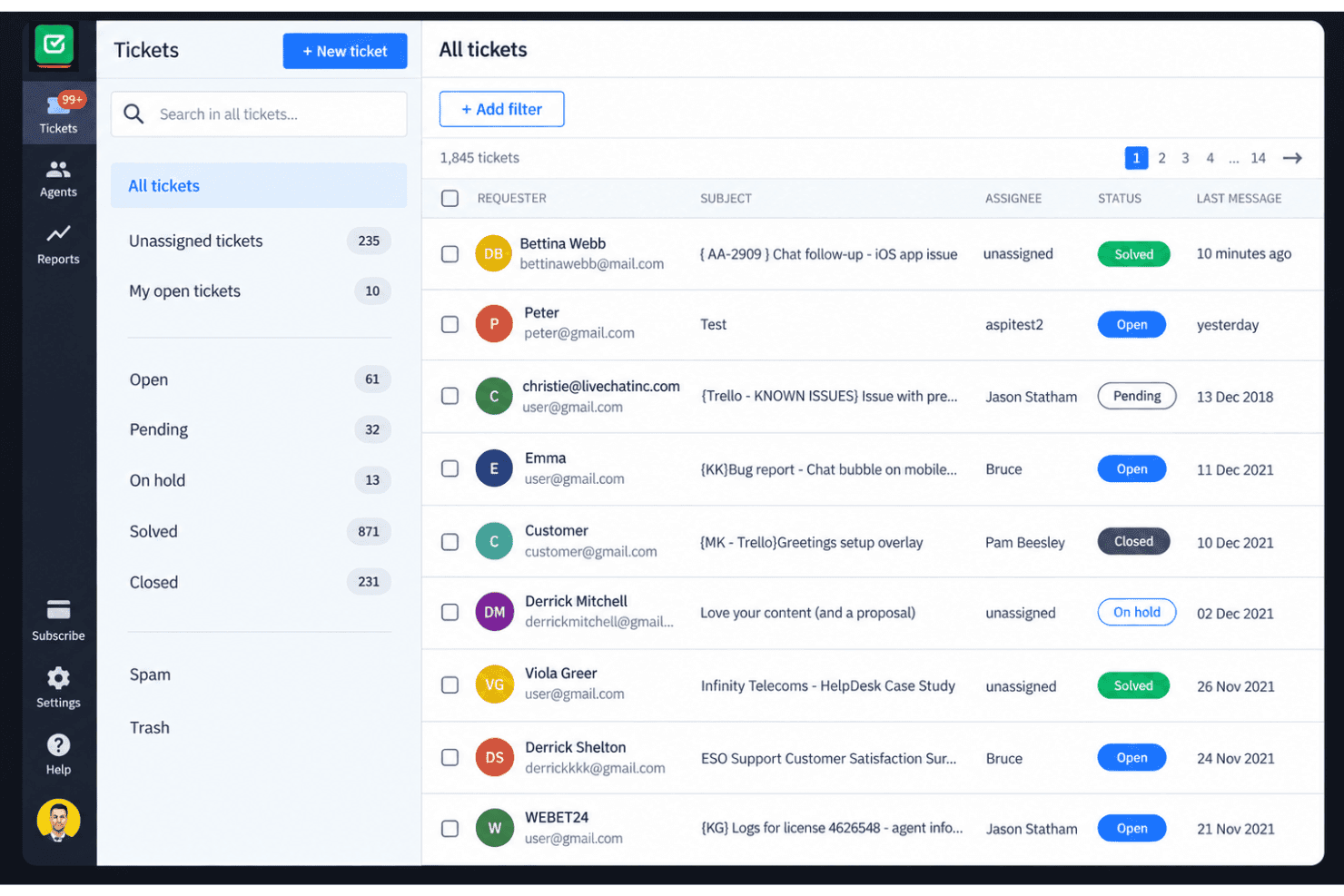
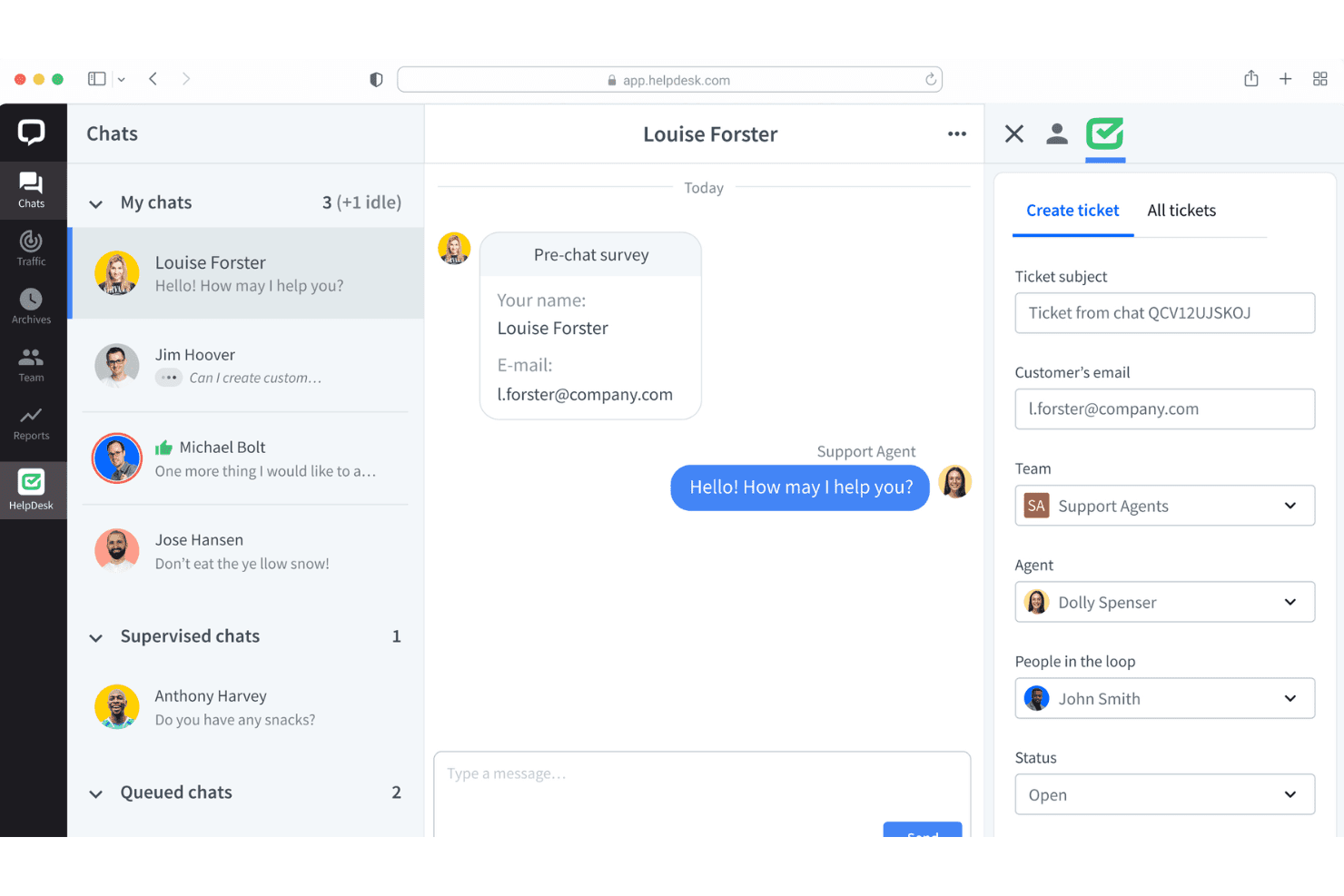
HelpDesk turns email, chat, Messenger, and SMS messages into support tickets in one workspace. This gives your team one queue for tracking customer conversations across channels.
Ticket Management
Teams can assign tickets, manage unlimited ticket volumes, and track each request through resolution. Round-robin assignment helps distribute incoming work across available agents.
No-Code Automated Workflows
No-code workflows automate ticket actions without requiring scripts or developer support. You can use them to apply consistent routing and handling rules as requests arrive.
AI Assistance
HelpDesk provides AI-generated drafts, ticket summaries, and tagging for support conversations. These tools give agents a faster starting point for replies and ticket organization.
Team Collaboration
Collision detection helps prevent multiple agents from responding to the same ticket at once. Shared ticket visibility also gives teams clearer ownership when handling busy queues.
Reporting
Built-in reporting gives teams a view of support activity and ticket performance. It helps you review queue patterns and identify where lower-tier reporting limits might affect your analysis.
Ease of Use
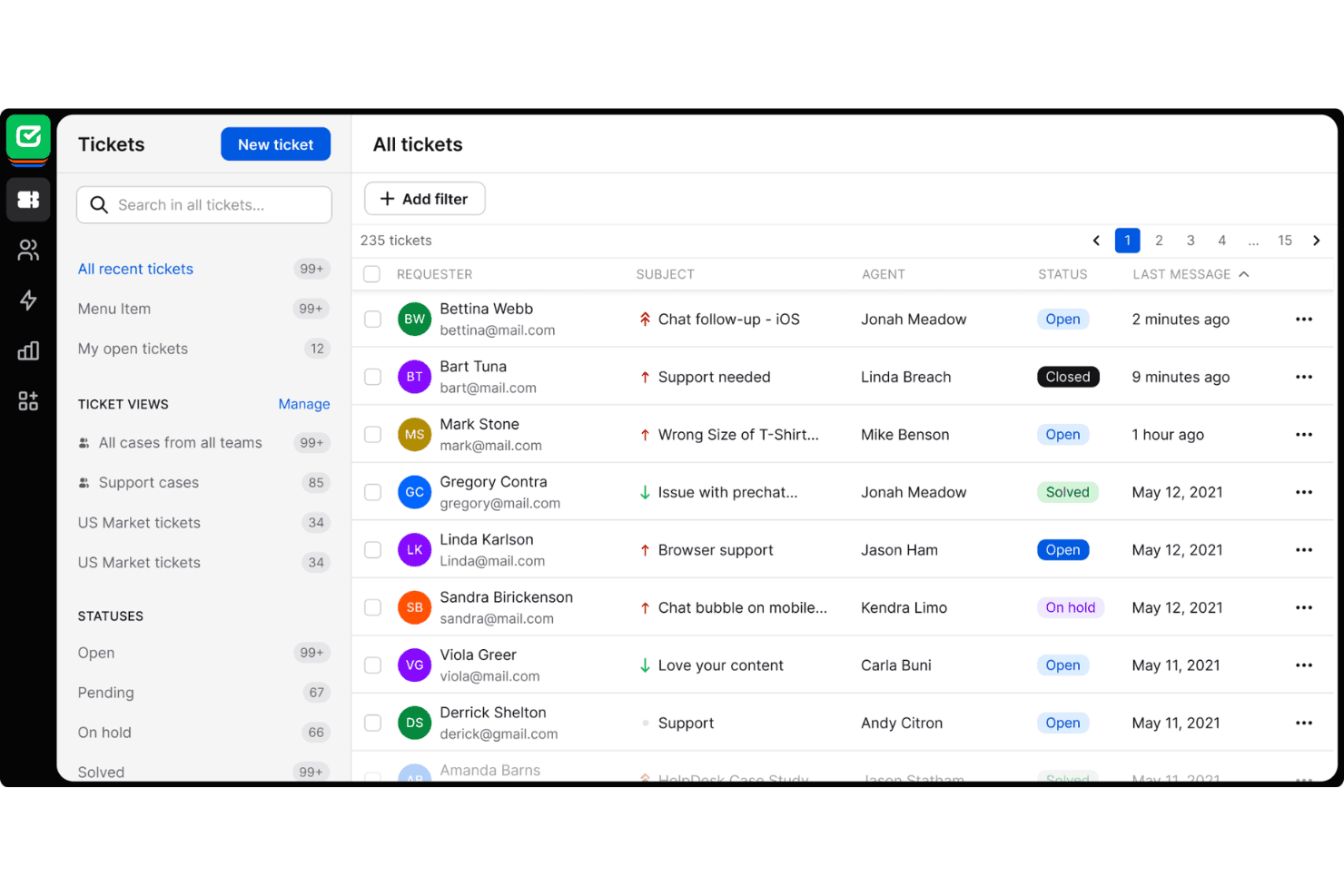
HelpDesk is one of the easier help desk tools to adopt, especially for teams moving from shared email. Reviewers praise its clean interface, while email, chat, Messenger, and SMS tickets stay in one queue. Round-robin assignment and collision detection clarify ownership, and no-code workflows avoid scripting. AI drafts, summaries, and tagging also reduce repetitive work. Usability declines on lower tiers when teams need deeper reporting, custom fields, or advanced controls.
Integrations
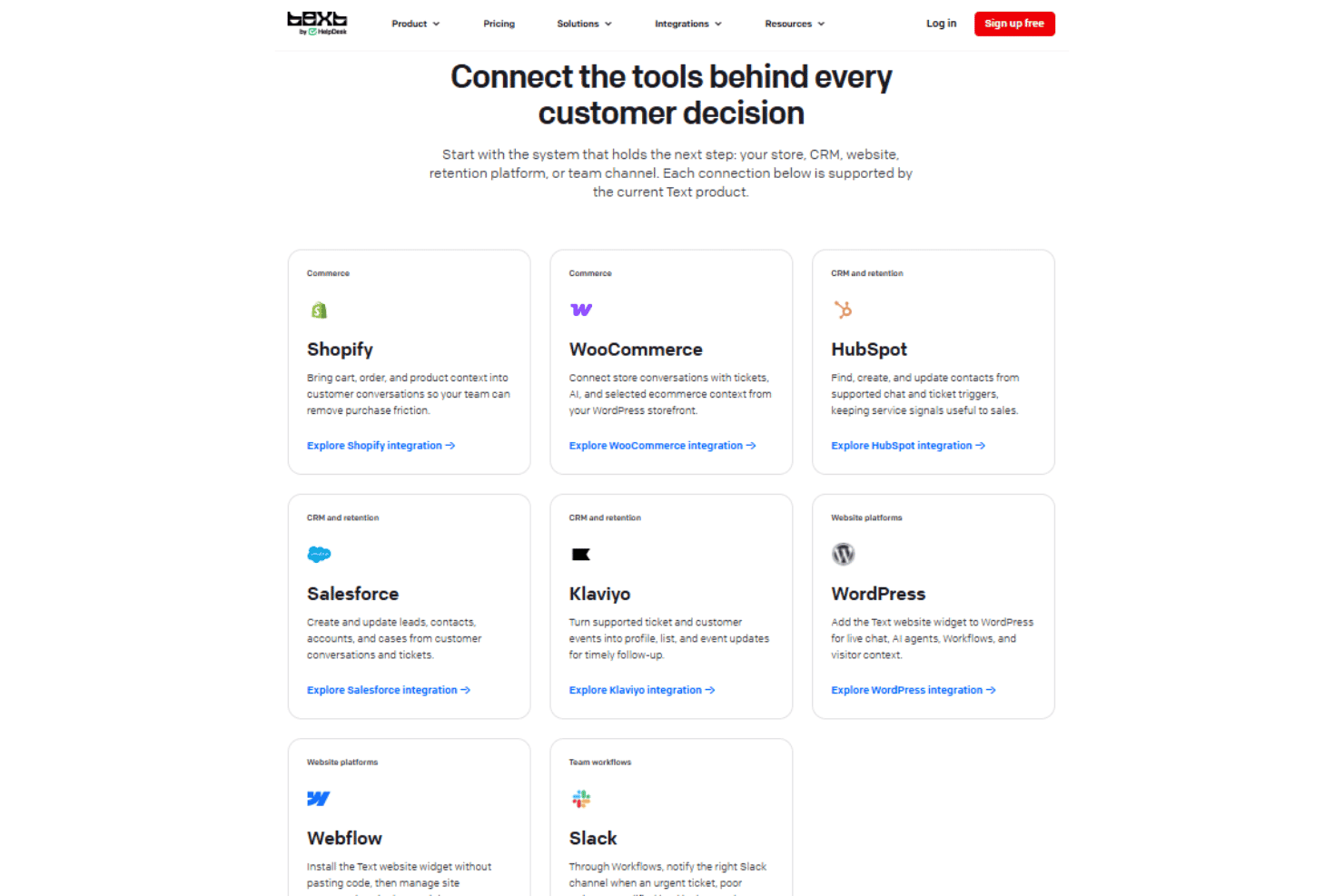
HelpDesk integrates with Shopify, WooCommerce, HubSpot, Salesforce, Klaviyo, WordPress, Webflow, and Slack.
HelpDesk also offers an API and webhooks, and connects with third-party integration tools such as Zapier.
HelpDesk Specs
- Analytics: Yes
- API: Yes
- Call Integration: Yes
- Chat: Yes
- Contact Management: Yes
- CRM Integration: Yes
- Customer Management: Yes
- Dashboard: Yes
- Data Export: Yes
- Data Import: Yes
- Data Visualization: Yes
- Email Integration: Yes
- External Integrations: Yes
- Instant Chat Integration: Yes
- Knowledge Base: Yes
- Lead Management: Yes
- Lead Scoring: Yes
- Multi-User: Yes
- Notifications: Yes
- Real-time Alerts: Yes
- Scheduling: Yes
- Self-service Portal: Yes
- Social Media Integration: Yes
- Support Forum: Yes
- Ticket Management: Yes
- Workflow Management: Yes


