
Reseña de Dataiku 2026: características principales, ventajas, desventajas y precios explicados
I’ve put Dataiku to the test—here’s what makes it stand out (and trip up) as a cloud ML platform, with real insight into its features, fit, and hidden tradeoffs for your 2026 decisions.

Revisamos herramientas de forma independiente y las comisiones ayudan a financiar nuestras pruebas. Consulta nuestra política de transparencia, nuestra metodología o sugiere una herramienta.
Dataiku is a machine learning cloud platform for data science teams that need to build, deploy, and monitor AI and analytics projects across a shared environment. I'd consider it when your organization has a mix of data engineers, analysts, and business users who all need to collaborate on the same pipelines, without forcing everyone into a code-first workflow. Compared to a tool like Databricks, which leans heavily on notebooks and Spark expertise, Dataiku gives you a visual flow interface alongside Python, R, and SQL, so IT teams can support both citizen data scientists and advanced ML engineers on one governed platform.
Dataiku Evaluation Summary
4.6/5
- Pricing upon request
- 14-day free trial
Por qué confiar en nuestras recomendaciones de software
6,700+
Reviews
20
Industry experts
16+
Evaluation factors
14
Years
Nuestro equipo lleva probando y evaluando software desde 2012. Como líderes tecnológicos, sabemos lo difícil —y lo importante— que es elegir el software adecuado.
Para esta guía, evaluamos las herramientas mediante pruebas prácticas e investigación independiente, puntuando las herramientas según nuestros criterios de selección.
Nuestras reseñas reflejan nuestro criterio editorial humano, no un discurso de ventas.
Revisores expertos:
- Paulo Gardini MiguelDirector técnico
 Tim FisherVP de IA
 Gabriel RosasTech Lead y arquitecto de software
 Christhian GruhnTech Lead y arquitecto de plataforma

Dataiku Overview
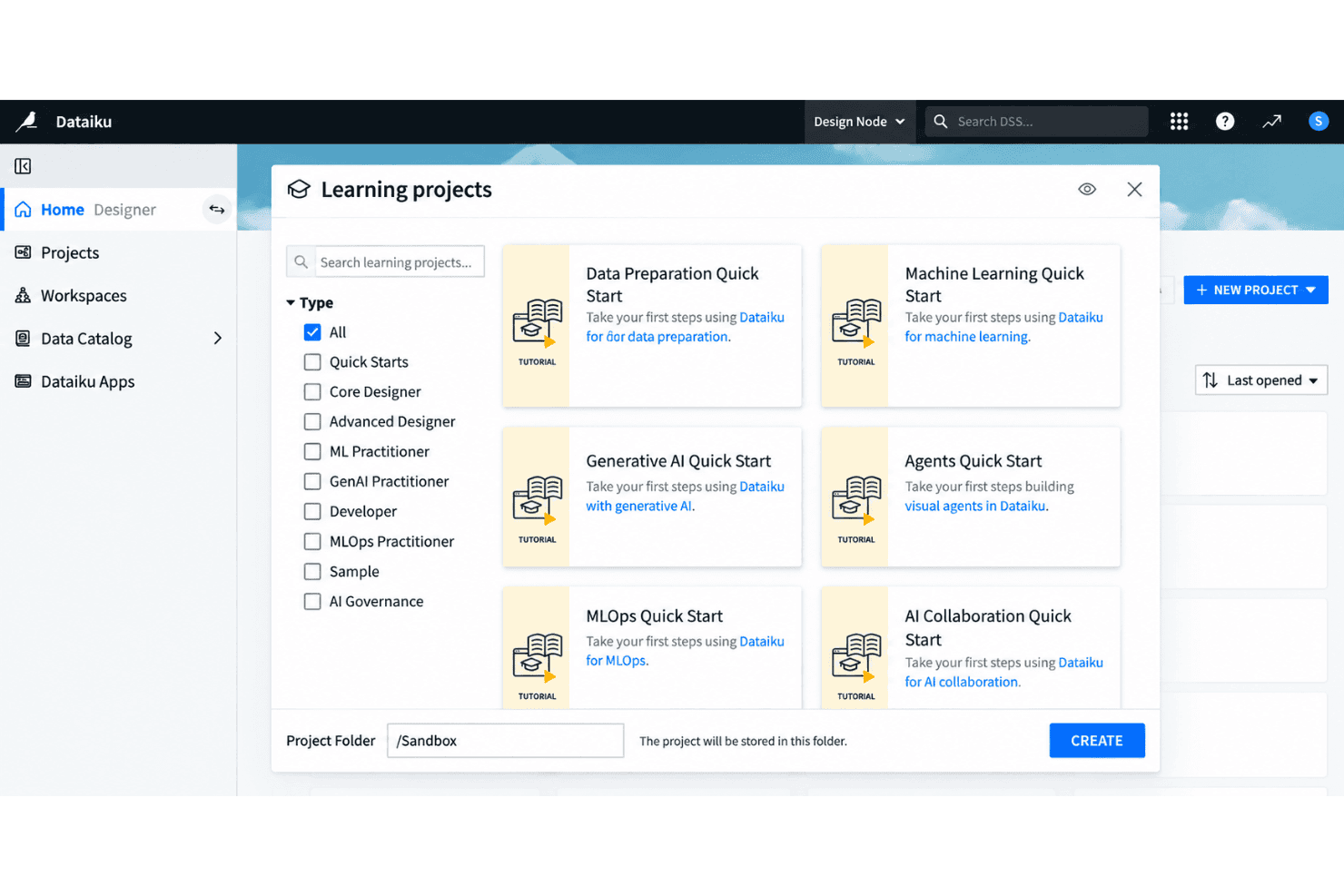
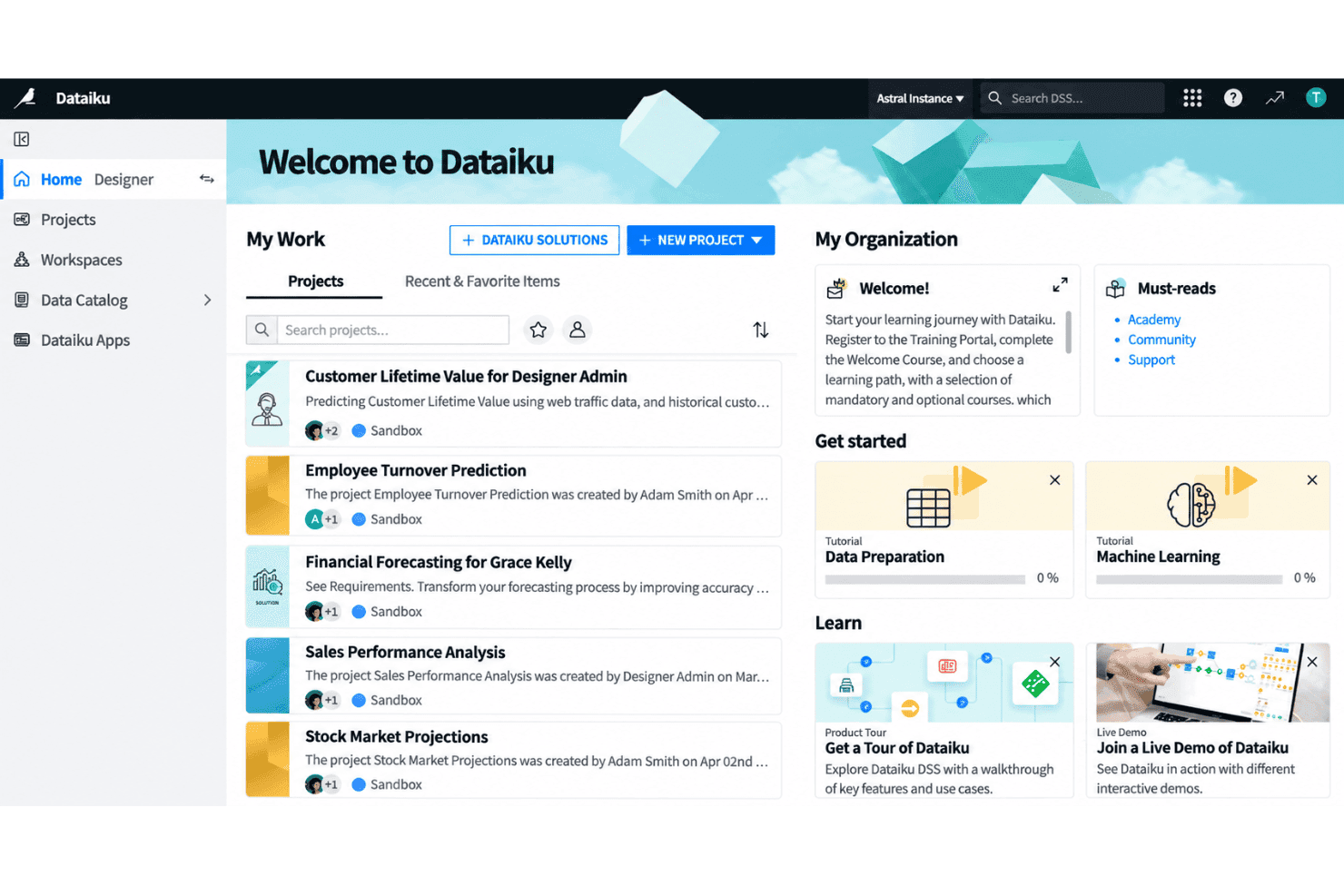
Choosing Dataiku as your machine learning cloud platform means you get an intuitive visual interface and solid collaboration tools that suit cross-functional teams. I think Dataiku’s low-code flexibility lets a broader group dig in, while its granular controls support technical customization when you need it. Onboarding is friendlier than most, with extensive docs and guided flows. Dataiku’s prebuilt integrations cover all the major data sources, but real-time production use cases can feel less mature compared to some. I’d recommend it for organizations balancing strong governance and diverse user skill sets.
Pros
- Visual workflow enables collaboration between technical and non-technical users
- Supports both code and no-code data science projects within one platform
- Offers governed project management with strong version control options
Cons
- Real-time deployment capabilities lag behind competitors like Databricks
- Pricing can be high for large-scale production use
- Interface performance slows with extremely complex pipelines
Is Dataiku Right For Your Needs?
Who Would be a Good Fit for Dataiku?
Dataiku suits teams and organizations with mixed technical skills that need a collaborative environment for analytics, automation, and governed AI. The visual interface, strong SQL and Python support, and wide cloud and database integrations make it ideal for regulated industries, enterprise data teams, and those needing scalable, responsible AI. Users benefit from guided onboarding, extensive support, and template-driven workflows that accelerate time to insight—whether you’re tackling large-scale data prep or deploying machine learning models to production.
- Financial ServicesDataiku’s security controls, rich audit trails, and integrations with enterprise databases support strict compliance and large, multi-user data teams.
- Retail AnalyticsThe visual flow and data prep features simplify shopper behavior analysis, inventory optimization, and omni-channel reporting for retail BI departments.
- Healthcare ProvidersCollaboration tools and responsible AI features help clinicians and administrators securely build predictive models using sensitive health data.
- Large EnterprisesSupport for governance, workspace management, and automation at scale is designed for organizations with hundreds of users and complex data environments.
- Data Science TeamsPython, R, and SQL integration, combined with visual ML model building, suit data professionals needing flexible, repeatable workflows.
- Manufacturing OperationsNo-code tools and strong cloud integrations help process engineers and analysts optimize supply chain, sensor, and production data without heavy scripting.
Who Would be a Bad Fit for Dataiku?
Dataiku can be overkill for businesses with minimal analytics needs, limited resources, or highly specialized requirements that fall outside typical cloud ML workflows. Small teams without dedicated data staff, firms needing highly custom modeling pipelines, or those locked into vendor-specific environments may find Dataiku’s architecture too broad, rigid, or resource-intensive for their needs.
- Small StartupsHigh pricing and feature complexity don’t match small budgets or lean teams just starting with analytics.
- Freelance ConsultantsSolo practitioners rarely need enterprise collaboration, multi-user security, or full-scale automation baked into Dataiku.
- Edge-Only DeploymentsIf your use case demands running models entirely at the edge or offline, Dataiku’s cloud-first approach doesn’t fit.
- Marketing AgenciesTeams focused purely on marketing automation or campaign analytics will find Dataiku’s full-featured data science stack excessive.
- Real-Time TradingDataiku isn’t designed for ultra-low latency, real-time prediction—trading platforms may need more specialized, speed-optimized tools.
- Open-Source-Only ShopsOrganizations requiring open source software and full code transparency will be limited by Dataiku’s proprietary platform structure.
Nuestra metodología de revisión
Cómo probamos y puntuamos las herramientas
Hemos invertido años construyendo, refinando y mejorando nuestro sistema de pruebas y puntuación de software. La rúbrica está diseñada para captar los matices de la selección de software y lo que hace a una herramienta efectiva, enfocándose en aspectos críticos del proceso de toma de decisiones.
A continuación, puedes ver exactamente cómo nuestro sistema de prueba y puntuación funciona a través de siete criterios. Esto nos permite ofrecer una evaluación imparcial del software basada en funcionalidad central, características destacadas, facilidad de uso, incorporación, soporte al cliente, integraciones, reseñas de clientes y relación calidad-precio.
Funcionalidad principal (25% de la puntuación final)
El punto de partida de nuestra evaluación siempre es la funcionalidad central de la herramienta. ¿Tiene las características y funciones básicas que un usuario esperaría encontrar? ¿Alguna de esas funciones principales está limitada a planes de precios superiores? Esperamos que una herramienta esté a la altura de las capacidades básicas de sus competidores.
Características destacadas (25% de la puntuación final)
Luego, evaluamos las características poco comunes y sobresalientes que van más allá de la funcionalidad principal que normalmente se encuentra en herramientas de su tipo. Una puntuación alta refleja características especializadas o únicas que hacen el producto más rápido, eficiente o que ofrecen valor adicional al usuario.
También evaluamos qué tan fácil es integrar con otras herramientas que normalmente forman parte del ecosistema tecnológico para expandir la funcionalidad y utilidad del software. Las herramientas que ofrecen abundantes integraciones nativas, conexiones de terceros y acceso API para crear integraciones personalizadas obtienen la mejor puntuación.
Facilidad de uso (10% de la puntuación final)
Consideramos cuán rápido y sencillo es ejecutar las tareas definidas por la funcionalidad principal usando la herramienta. El software con mejor puntuación está bien diseñado, es intuitivo, ofrece aplicaciones móviles, proporciona plantillas y hace que tareas relativamente complejas parezcan sencillas.
Incorporación (10% de la puntuación final)
Sabemos lo importante que es la adopción rápida por parte del equipo para una nueva plataforma, por lo que evaluamos cuán fácil es aprender y usar una herramienta con entrenamiento mínimo. Evaluamos cuán rápido un miembro del equipo puede configurarla y comenzar a utilizarla sin experiencia previa. Las soluciones con mayor puntuación requieren poco o ningún soporte.
Soporte al cliente (10% de la puntuación final)
Revisamos qué tan rápido y sencillo es resolver dudas y encontrar ayuda por teléfono, chat en vivo o base de conocimientos. Las herramientas y compañías que proporcionan soporte en tiempo real obtienen la mejor puntuación, mientras que los chatbots obtienen la peor.
Reseñas de clientes (10% de la puntuación final)
Además de nuestras pruebas y evaluaciones, consideramos la puntuación neta de promotores por parte de clientes actuales y anteriores. Revisamos la probabilidad de que elijan la herramienta de nuevo para la funcionalidad principal. Una puntuación alta refleja una alta puntuación neta de promotores actuales o pasados.
Relación calidad-precio (10% de la puntuación final)
Por último, considerando todos los demás criterios, revisamos el precio promedio de los planes de nivel básico comparado con las funciones principales y consideramos el valor de los demás criterios de evaluación. El software que ofrezca más, por menos, obtendrá una puntuación mayor.
Core Features
Visual Flow Interface
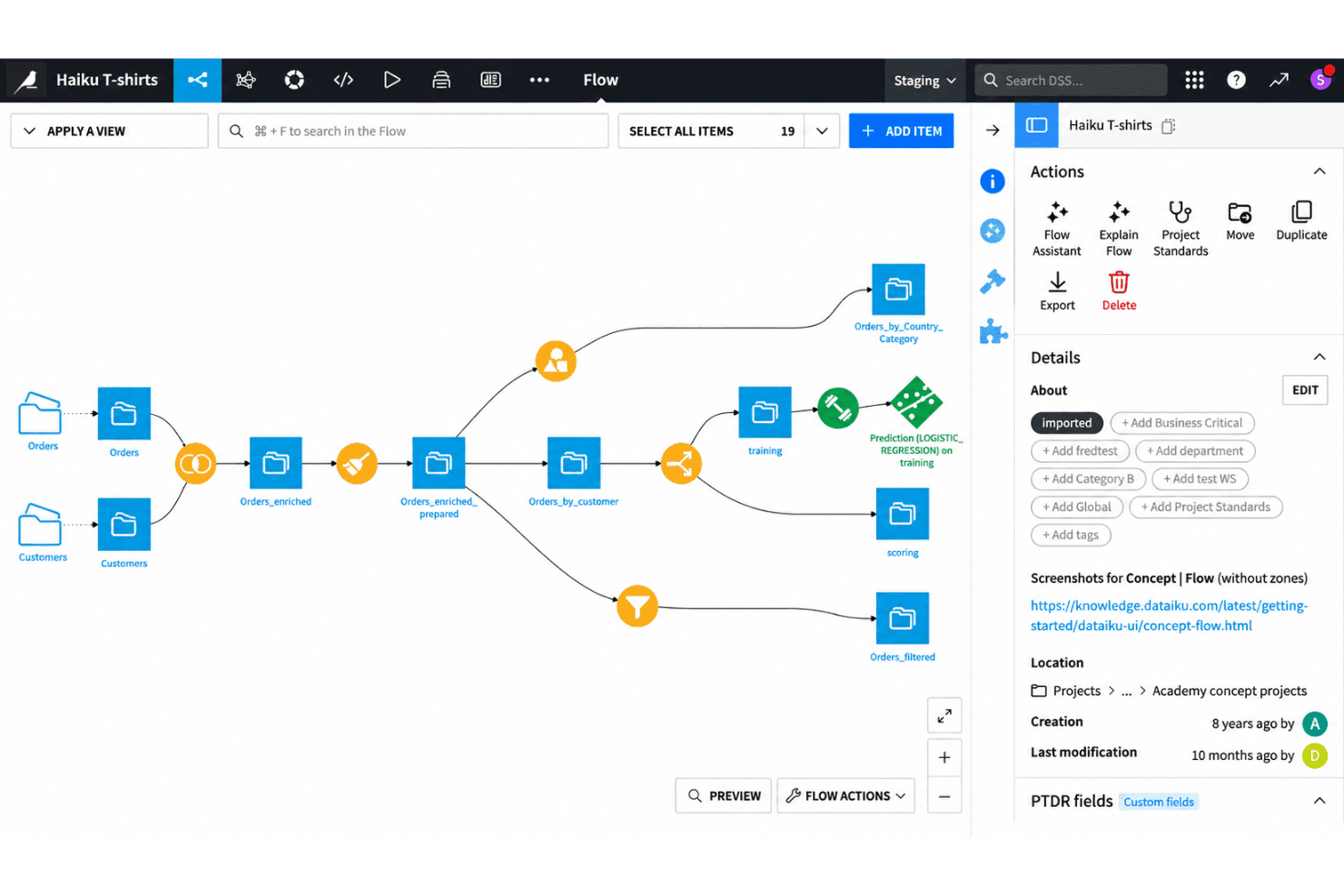
Design, manage, and monitor end-to-end data workflows using a drag-and-drop canvas. This lets both technical and non-technical users build pipelines without writing code.
AutoML for Model Building
Train, compare, and deploy machine learning models using automated workflows. You can adjust algorithms, feature engineering, and validation steps in a visual environment.
Code and No-Code Collaboration
Switch between code-based (Python, R, SQL) and no-code interfaces in the same project. This helps mixed-skill teams contribute to the same workflows without friction.
Governed Project Management
Control versioning, documentation, and project permissions to keep workflows audit-ready. Every step in a pipeline is tracked for transparency and compliance.
Integrated Data Preparation
Clean, enrich, and merge datasets with built-in visual recipes and transformation tools. You can profile data and explore statistics on the fly while prepping for modeling.
Model Deployment and Monitoring
Deploy models to production as APIs or batch jobs directly from the platform. Monitor performance drift and get alerts when retraining is needed.
Ease of Use
Dataiku is easy for new users to pick up, thanks to its visual flow interface and intuitive drag-and-drop tools. You can manage data prep, modeling, and collaboration without heavy scripting or setup. Users regularly highlight the clear onboarding experience and guided analytics flows. Some mention the interface slows down on very large projects, but most say it strikes a good balance between flexibility and user-friendliness, especially in mixed-skill teams.
Integrations
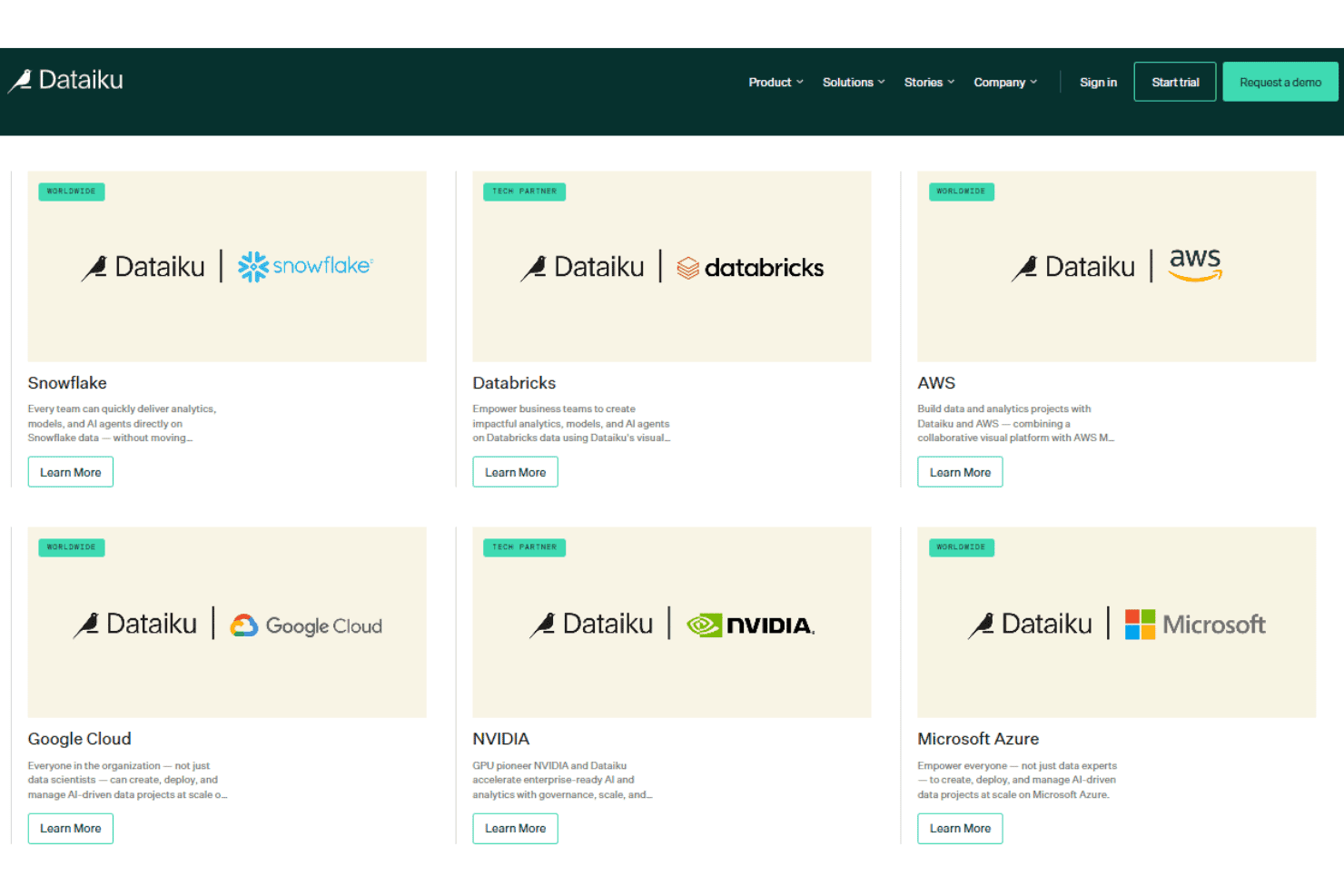
Dataiku integrates with Snowflake, Google BigQuery, Microsoft Azure Blob Storage, Amazon Redshift, Databricks, PostgreSQL, MySQL, Google Cloud Storage, Microsoft SQL Server, and Amazon S3, among others.
Dataiku also supports connections with third-party tools and provides a public API for integrating with external systems and programmatically accessing platform features.
Dataiku Specs
- 2-Factor Authentication: No
- Accounts Payable: No
- Accounts Receivable: No
- API: Yes
- Approval Workflows: No
- Balance Sheet: No
- Billing/Invoicing: No
- Budgeting: No
- Calendar Management: No
- Comparative Reporting: No
- CRM Integration: Yes
- Custom Reports: Yes
- Customer Management: No
- Dashboard: Yes
- Data Export: Yes
- Data Import: Yes
- Data Visualization: Yes
- Expense Tracking: No
- External Integrations: Yes
- Forecasting: Yes
- General Account Ledger: No
- Historical Data Analysis: Yes
- Inventory Tracking: No
- Multi-Currency: No
- Multi-User: Yes
- Notifications: Yes
- P&L: No
- Payroll: No
- Scenario Planning: No
- Scheduling: Yes
- Supplier Management: No
- Tax Management: No
- Time Management: No


