

Reseña de Bitdefender Total Security: Ventajas, Desventajas, Características y Precios
Bitdefender Total Security destaca por su compatibilidad multiplataforma y sólidas funciones de seguridad, lo que lo convierte en una de las mejores opciones para la protección integral de dispositivos.

Revisamos herramientas de forma independiente y las comisiones ayudan a financiar nuestras pruebas. Consulta nuestra política de transparencia, nuestra metodología o sugiere una herramienta.
Bitdefender Total Security is an internet security software that covers Windows, macOS, iOS, and Android devices under a single license. It's a strong choice if you're securing a mixed-device environment and need real-time threat detection, a built-in VPN, anti-theft tools, and parental controls in one place. If you've looked at Norton 360, Bitdefender Total Security tends to deliver comparable protection with a noticeably lighter impact on system performance—which matters when you're running it across endpoints that people actually use for work.
Bitdefender Total Security Evaluation Summary
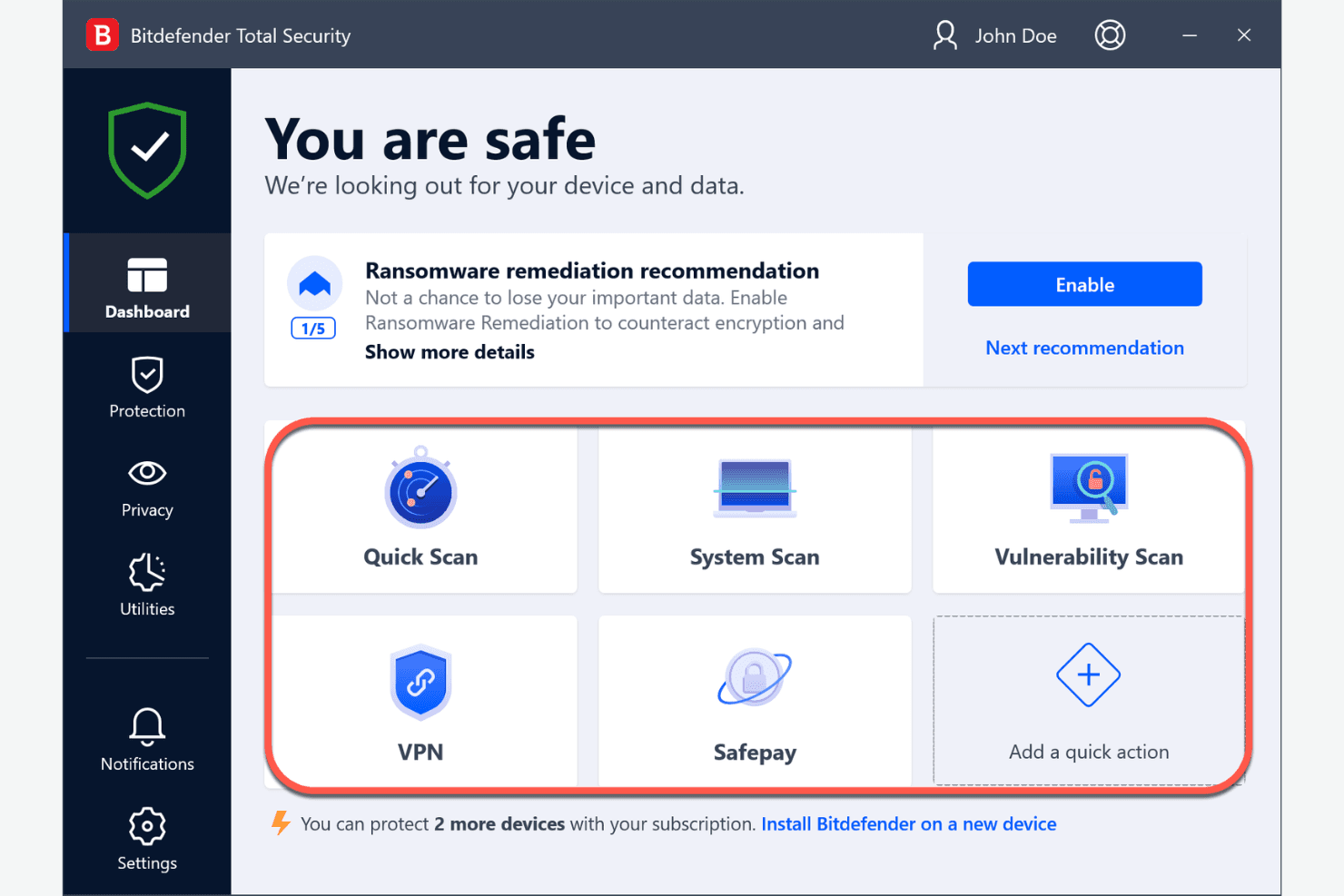
0/5
- From $49.99/1 user - 5 devices/yearly
- 30-day free trial
Por qué confiar en nuestras recomendaciones de software
6,700+
Reviews
20
Industry experts
16+
Evaluation factors
14
Years
Nuestro equipo lleva probando y evaluando software desde 2012. Como líderes tecnológicos, sabemos lo difícil —y lo importante— que es elegir el software adecuado.
Para esta guía, evaluamos las herramientas mediante pruebas prácticas e investigación independiente, puntuando las herramientas según nuestros criterios de selección.
Nuestras reseñas reflejan nuestro criterio editorial humano, no un discurso de ventas.
Revisores expertos:
- Paulo Gardini MiguelDirector técnico
 Tim FisherVP de IA
 Gabriel RosasTech Lead y arquitecto de software
 Christhian GruhnTech Lead y arquitecto de plataforma

Bitdefender Total Security Overview
In my opinion, Bitdefender Total Security is a solid choice for businesses seeking a reliable internet security solution. It offers excellent protection features and a user-friendly interface, making it suitable for IT departments and security teams. Compared to other options, it excels in malware protection and value for money. However, Bitdefender’s onboarding process might not be the quickest for all users, especially when requiring complex configurations. I think it's best for medium-sized enterprises needing strong security against online threats. If you're evaluating security tools, consider Bitdefender for its extensive features, helpful add-ons, and competitive pricing.
Pros
- It offers excellent malware protection to keep your devices secure.
- The interface is intuitive, making it easy for your team to use.
- It includes a wide range of security features for comprehensive protection.
Cons
- Onboarding can be slow for complex protection configurations, affecting your team's setup time.
- Customer support might not always meet your expectations.
- It can occasionally slow down device performance during scans, although the impact on the CPU is generally minimal during a quick scan.
Is Bitdefender Total Security Right For Your Needs?
Who Would be a Good Fit for Bitdefender Total Security?
Bitdefender Total Security is ideal for medium to large enterprises, especially in finance, healthcare, and IT departments. Arguably one of the best antivirus, it offers strong malware protection, which is crucial for industries handling sensitive data. If your team needs an easy-to-use interface combined with comprehensive security features, Bitdefender fits well. Its multi-platform support ensures all your devices are protected, making it a great choice for diverse IT environments.
- Healthcare ProvidersBitdefender offers ransomware protection that secures patient data against cybercriminals and hackers.
- Finance CompaniesIt safeguards financial transactions through its SafePay browser and advanced malware protection.
- IT DepartmentsYour team will appreciate the intuitive interface and wide range of security features, which help prevent data breaches. It also comes with a system optimizer that helps improve computer performance.
- Medium-Sized BusinessesBitdefender offers excellent value for money with its comprehensive protection, including anti-phishing and anti-tracker capabilities.
- Educational InstitutionsIt ensures the safety of student and faculty data with multi-layered security.
- Remote TeamsBitdefender provides consistent protection across Wi-Fi connections supporting remote work environments.
Who Would be a Bad Fit for Bitdefender Total Security?
Bitdefender Total Security might not suit small businesses or startups with limited IT resources. If your team requires quick onboarding and minimal impact on device performance, you might face challenges. Its comprehensive features could be too advanced for small teams needing real-time protection without additional complexity. Additionally, if immediate customer support is critical, you might find that Bitdefender's support might not always address urgent needs.
- Small StartupsThe advanced features might be overwhelming for teams needing only basic security.
- FreelancersYou might find the suite’s features more comprehensive than you need.
- Non-Tech Savvy TeamsThe setup could be complex for businesses without dedicated IT support.
- Retail ShopsYou may require faster onboarding and simpler solutions for quick scans.
- Temporary ProjectsShort-term projects might not justify the investment in extensive features like digital identity protection.
- Basic Home UsersFor simple online protection, the advanced capabilities might be more than what you require.
Nuestra metodología de revisión
Cómo probamos y puntuamos las herramientas
Hemos invertido años construyendo, refinando y mejorando nuestro sistema de pruebas y puntuación de software. La rúbrica está diseñada para captar los matices de la selección de software y lo que hace a una herramienta efectiva, enfocándose en aspectos críticos del proceso de toma de decisiones.
A continuación, puedes ver exactamente cómo nuestro sistema de prueba y puntuación funciona a través de siete criterios. Esto nos permite ofrecer una evaluación imparcial del software basada en funcionalidad central, características destacadas, facilidad de uso, incorporación, soporte al cliente, integraciones, reseñas de clientes y relación calidad-precio.
Funcionalidad principal (25% de la puntuación final)
El punto de partida de nuestra evaluación siempre es la funcionalidad central de la herramienta. ¿Tiene las características y funciones básicas que un usuario esperaría encontrar? ¿Alguna de esas funciones principales está limitada a planes de precios superiores? Esperamos que una herramienta esté a la altura de las capacidades básicas de sus competidores.
Características destacadas (25% de la puntuación final)
Luego, evaluamos las características poco comunes y sobresalientes que van más allá de la funcionalidad principal que normalmente se encuentra en herramientas de su tipo. Una puntuación alta refleja características especializadas o únicas que hacen el producto más rápido, eficiente o que ofrecen valor adicional al usuario.
También evaluamos qué tan fácil es integrar con otras herramientas que normalmente forman parte del ecosistema tecnológico para expandir la funcionalidad y utilidad del software. Las herramientas que ofrecen abundantes integraciones nativas, conexiones de terceros y acceso API para crear integraciones personalizadas obtienen la mejor puntuación.
Facilidad de uso (10% de la puntuación final)
Consideramos cuán rápido y sencillo es ejecutar las tareas definidas por la funcionalidad principal usando la herramienta. El software con mejor puntuación está bien diseñado, es intuitivo, ofrece aplicaciones móviles, proporciona plantillas y hace que tareas relativamente complejas parezcan sencillas.
Incorporación (10% de la puntuación final)
Sabemos lo importante que es la adopción rápida por parte del equipo para una nueva plataforma, por lo que evaluamos cuán fácil es aprender y usar una herramienta con entrenamiento mínimo. Evaluamos cuán rápido un miembro del equipo puede configurarla y comenzar a utilizarla sin experiencia previa. Las soluciones con mayor puntuación requieren poco o ningún soporte.
Soporte al cliente (10% de la puntuación final)
Revisamos qué tan rápido y sencillo es resolver dudas y encontrar ayuda por teléfono, chat en vivo o base de conocimientos. Las herramientas y compañías que proporcionan soporte en tiempo real obtienen la mejor puntuación, mientras que los chatbots obtienen la peor.
Reseñas de clientes (10% de la puntuación final)
Además de nuestras pruebas y evaluaciones, consideramos la puntuación neta de promotores por parte de clientes actuales y anteriores. Revisamos la probabilidad de que elijan la herramienta de nuevo para la funcionalidad principal. Una puntuación alta refleja una alta puntuación neta de promotores actuales o pasados.
Relación calidad-precio (10% de la puntuación final)
Por último, considerando todos los demás criterios, revisamos el precio promedio de los planes de nivel básico comparado con las funciones principales y consideramos el valor de los demás criterios de evaluación. El software que ofrezca más, por menos, obtendrá una puntuación mayor.
Core Features
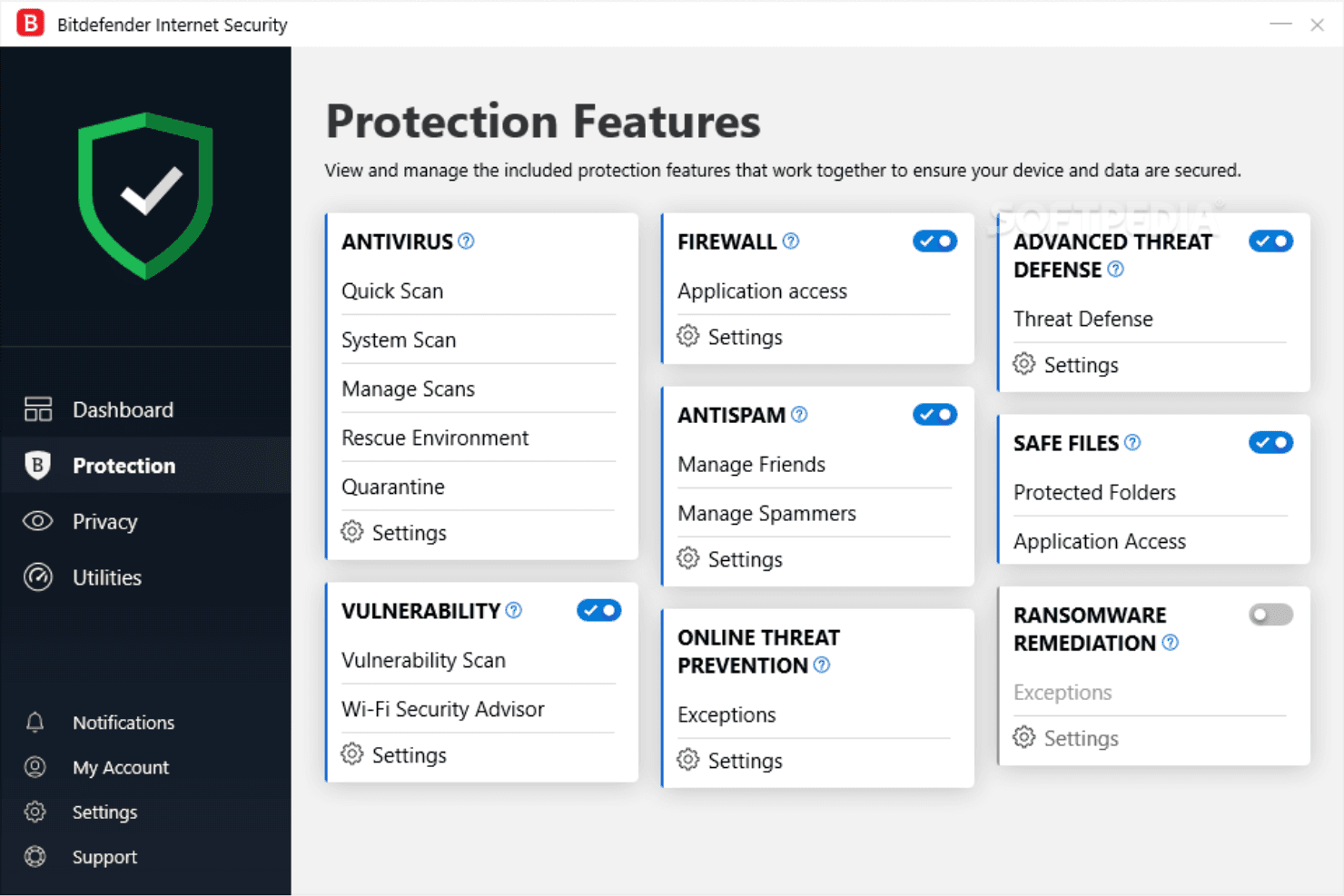
Malware Protection: Bitdefender Total Security offers strong malware protection, with accurate detection rates and low false positives. It helps your team keep sensitive information safe from spyware, identity theft and other malicious attacks.
Ransomware Remediation: This feature automatically safeguards your files from ransomware attacks by backing them up and restoring them if needed. Your work remains uninterrupted and protected from data loss.
Phishing Protection: It identifies and blocks phishing attempts, protecting your team from fraudulent websites. This keeps your credentials and sensitive information secure.
Firewall: A robust firewall monitors network traffic,blocks unauthorized access, and manage app permissions. It ensures your network remains secure from external threats.
Anti-Fraud: Bitdefender detects fraudulent sites and prevents you from accessing them. Your financial transactions and personal data stay secure.
Parental Control: This feature allows you to monitor and control online activity, making it ideal for home use. Keep your family's internet experience safe and secure.
Ease of Use
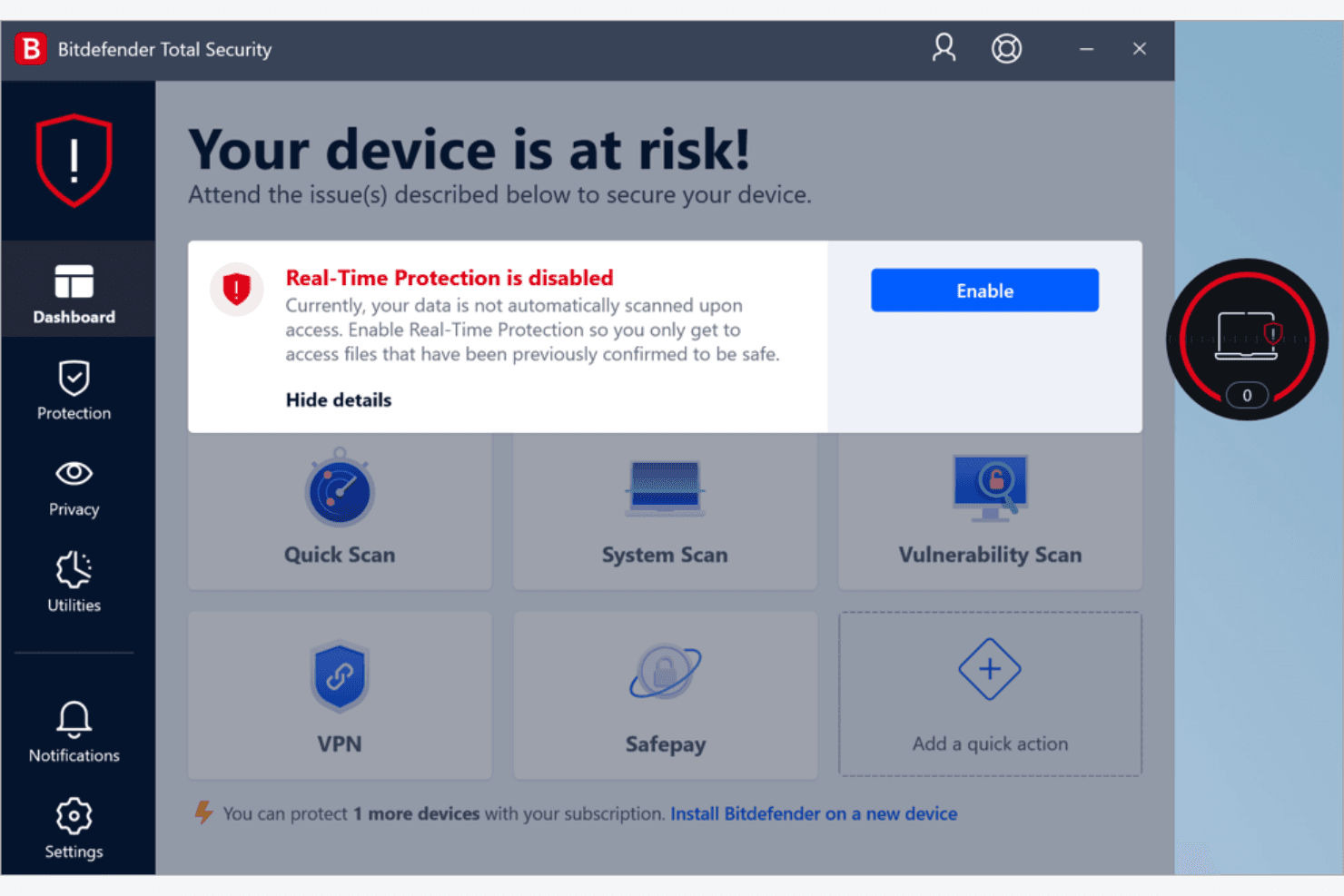
Bitdefender Total Security offers a user-friendly interface that makes navigating its features straightforward for your team. The dashboard is intuitive, allowing you to easily access and manage security settings without hassle. Compared to other solutions, its setup process might require some patience, but once configured, it simplifies ongoing management. User reviews often highlight its clean design, usability, and efficient navigation, making it accessible even for those who aren't tech-savvy. Your team will appreciate the simplicity in managing device security,including webcam protection and anti-theft features.
Integrations
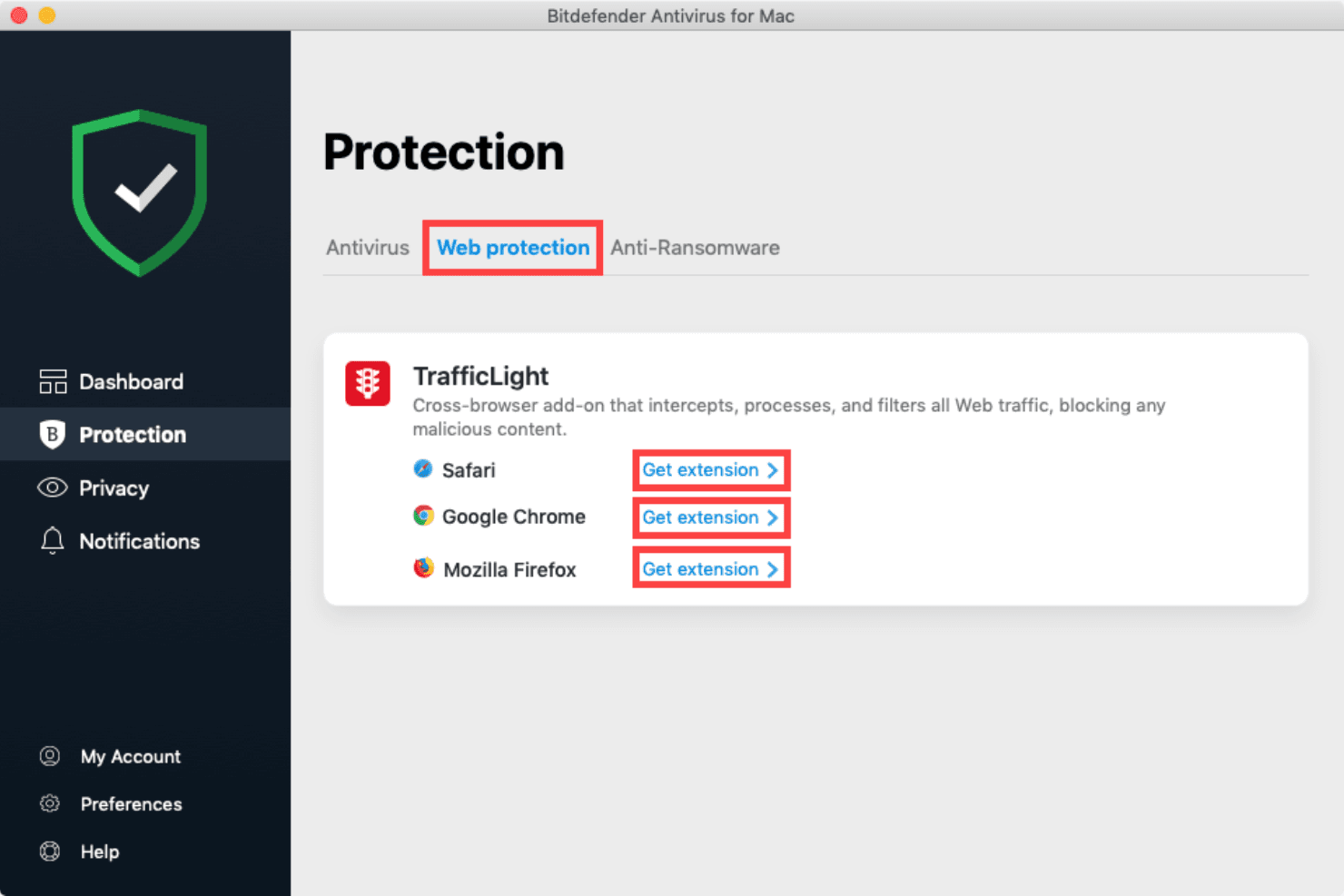
Bitdefender Total Security extends mobile security solutions for Android and iOS, and various endpoint security tools for Windows, and Mac. It also offers a browser extension for better web protection on Chrome, Firefox and major browsers.
Bitdefender Total Security Specs
- 2-Factor Authentication: Yes
- Access Management: No
- Anti-Virus: Yes
- API: No
- Audit Trail: No
- Bug Tracking: No
- Calendar Management: No
- Customer Management: No
- Dashboard: Yes
- Data Export: No
- Data Import: No
- Data Visualization: No
- Email Integration: No
- External Integrations: No
- File Sharing: No
- File Transfer: No
- Firewall: Yes
- Google Apps Integration: No
- Inventory Tracking: No
- Malware Protection: Yes
- Multi-User: No
- Network Device Performance Monitoring: No
- Network Traffic Monitoring: Yes
- Network Visualization: No
- Notifications: Yes
- Project Management: No
- Remote Access: Yes
- Risk Assessment: Yes
- SAP Integration: No
- Scheduling: No
- Software Integration: No
- Third-Party Plugins/Add-Ons: No
- Ticket Management: No


