

En el vertiginoso mundo del desarrollo de software, necesitas herramientas que estén a la altura. El software de tiempo de ejecución puede ser un salvavidas, ya que ayuda a tu equipo a gestionar los recursos y mejorar el rendimiento sin complicaciones.
Llevo años analizando software y sé lo difícil que puede ser encontrar la opción adecuada. Quieres algo que satisfaga tus necesidades sin abrumarte con funciones innecesarias.
En este artículo, compartiré mis principales opciones de software de tiempo de ejecución. Obtendrás una visión honesta e imparcial de cada opción para que puedas tomar una decisión informada para tu equipo. Vamos a ello y encontremos la mejor solución para ti.
Por qué confiar en nuestras recomendaciones de software
6,700+
Reviews
20
Industry experts
16+
Evaluation factors
14
Years
Nuestro equipo lleva probando y evaluando software desde 2012. Como líderes tecnológicos, sabemos lo difícil —y lo importante— que es elegir el software adecuado.
Para esta guía, evaluamos las herramientas mediante pruebas prácticas e investigación independiente, puntuando las herramientas según nuestros criterios de selección.
Nuestras reseñas reflejan nuestro criterio editorial humano, no un discurso de ventas.
Revisores expertos:
- Paulo Gardini MiguelDirector técnico
 Tim FisherVP de IA
 Gabriel RosasTech Lead y arquitecto de software
 Christhian GruhnTech Lead y arquitecto de plataforma

Tabla comparativa de software de tiempo de ejecución
La tabla siguiente compara los detalles de precios de mis principales selecciones de software de tiempo de ejecución.
| Tool | Best For | Trial Info | Price | ||
|---|---|---|---|---|---|
| 1 | Ideal para aplicaciones multilingües en un solo entorno de ejecución | No disponible | Plan gratuito disponible | Website | |
| 2 | Ideal para aplicaciones Java modulares | No disponible | Gratis y de código abierto | Website | |
| 3 | Ideal para ejecutar contenedores sin demonio y sin privilegios de root | Plan gratuito disponible | Plan gratuito disponible | Website | |
| 4 | El mejor para un entorno de ejecución de contenedores estándar del sector | No disponible | Precios disponibles previa solicitud | Website | |
| 5 | Más adecuado para el aislamiento de la ejecución de aplicaciones Android | No disponible | Precio bajo petición | Website | |
| 6 | Ideal para la interoperabilidad entre lenguajes | Plan gratuito disponible | Precio bajo solicitud | Website | |
| 7 | Ideal para aplicaciones de red escalables | Plan gratuito disponible | Gratuito y de código abierto | Website | |
| 8 | Ideal para la programación concurrente | No disponible | Gratuito y de código abierto | Website | |
| 9 | La mejor opción para la ejecución de funciones sin servidor basadas en eventos | Plan gratuito disponible | Desde $0.20 por 1 millón de solicitudes/mes | Website | |
| 10 | Ideal para ejecutar JS/TS de forma segura de manera predeterminada | Plan gratuito disponible | Desde $20/mes | Website |


Análisis del mejor software de tiempo de ejecución
A continuación encontrarás mis resúmenes detallados de los mejores softwares de tiempo de ejecución que han entrado en mi lista. Mis análisis ofrecen una visión detallada de las funciones clave, las ventajas y desventajas, las integraciones y los casos de uso ideales de cada herramienta para ayudarte a encontrar la mejor opción para ti.
 1Ideal para aplicaciones multilingües en un solo entorno de ejecución
.NET
- No disponible
- Plan gratuito disponible
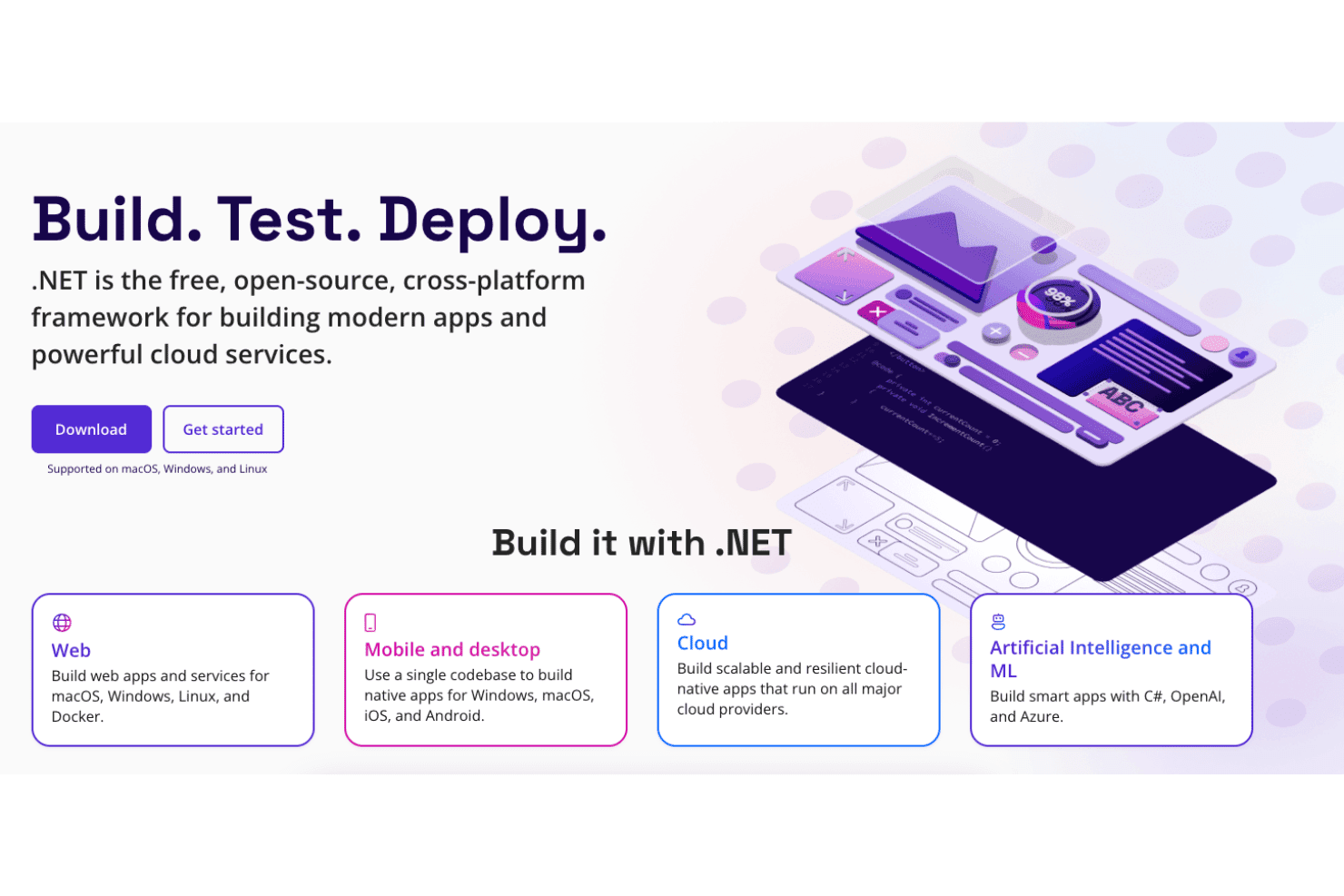
.NET admite el desarrollo de aplicaciones web, móviles, en la nube y de IA. .NET es la plataforma de ejecución gratuita y de código abierto de Microsoft que ejecuta código escrito en C#, F# y Visual Basic en cargas de trabajo web, en la nube, de escritorio, móviles y de IoT mediante un CLR compartido con opciones de ejecución JIT, Native AOT y Mono.
¿Para quién es más adecuado .NET?
.NET es una excelente opción para ingenieros de plataformas y arquitectos de software que crean sistemas con múltiples cargas de trabajo y necesitan ejecutar C#, F# o Visual Basic en un único entorno de ejecución coherente en la nube, los contenedores y los equipos de escritorio.
Por qué elegí .NET
.NET ocupa un lugar entre los mejores de mi lista porque C#, F# y Visual Basic se compilan y ejecutan en el mismo CLR, lo que significa que no tienes que gestionar entornos de ejecución independientes a medida que tu base de código crece entre distintos lenguajes. Me gusta especialmente cómo la disciplina de versiones respalda esto: las versiones con numeración par reciben tres años de soporte LTS con una fecha de finalización del soporte publicada, por lo que la planificación de producción no depende de suposiciones. Native AOT proporciona binarios ligeros y de inicio rápido cuando la sobrecarga de JIT es un problema, y el GC generacional en modo servidor escala de forma eficiente con cargas de trabajo de alto rendimiento.
Características principales de .NET
- Compilación Native AOT: Compila tu aplicación con antelación en un binario nativo independiente, eliminando la sobrecarga del calentamiento de JIT y reduciendo el tamaño de la imagen del contenedor.
- Modelo de aplicaciones distribuidas Aspire: Una capa de orquestación basada en código que configura automáticamente registros, trazas y métricas de OpenTelemetry en los servicios sin instrumentación manual.
- Ecosistema de paquetes NuGet: Te proporciona acceso a más de 300.000 paquetes versionados que abarcan desde el acceso a datos hasta las integraciones de IA.
- Versionado de entornos de ejecución en paralelo: Permite instalar y ejecutar varias versiones de .NET en el mismo equipo, de modo que diferentes aplicaciones puedan dirigirse a distintos entornos de ejecución sin conflictos.
Integraciones de .NET
.NET ofrece más de 100 integraciones seleccionadas de Aspire, incluidas PostgreSQL, Redis, Dapr y Azure Container Apps, además de integraciones nativas en todo el ecosistema de Microsoft. Admite GitHub Actions, Docker, OpenTelemetry, proveedores de datos de Entity Framework Core e integraciones personalizadas mediante API.
Pros and Cons
Pros:
- Ejecuta C#, F# y VB en un solo entorno de ejecución
- Observabilidad integrada mediante OpenTelemetry y Aspire
- Instalaciones de versiones en paralelo para realizar actualizaciones más seguras
Cons:
- No incluye un entorno aislado dentro del entorno de ejecución para código no confiable
- Las actualizaciones principales pueden introducir cambios incompatibles
Learn more about .NET: Ideal para aplicaciones Java modulares
- No disponible
- Gratis y de código abierto

Consola web de Apache Karaf Apache Karaf es un entorno de ejecución Java de código abierto que admite la implementación de aplicaciones modulares mediante el aislamiento de paquetes basado en OSGi, la implementación en caliente, la configuración dinámica y herramientas integradas de agrupación en clústeres, seguridad y observabilidad.
¿Para quién es más adecuado el entorno de ejecución Apache Karaf?
Apache Karaf es una excelente opción para arquitectos de software e ingenieros de plataformas que desarrollan aplicaciones Java modulares y necesitan un aislamiento estricto de dependencias y una configuración dinámica en entornos complejos con múltiples paquetes.
Por qué elegí el entorno de ejecución Apache Karaf
Apache Karaf ocupa un lugar en mi lista de opciones por lo bien que gestiona el verdadero aislamiento de dependencias a nivel de paquete para aplicaciones Java modulares. He trabajado con configuraciones en las que dos complementos necesitan versiones incompatibles de la misma biblioteca dentro de una sola JVM, y la carga de clases de OSGi por paquete de Karaf resuelve esto de forma limpia y sin soluciones alternativas. Su sistema de aprovisionamiento de funcionalidades también hace que la gestión de dependencias en implementaciones complejas sea mucho más predecible, ya que resuelve automáticamente los requisitos y las capacidades en el momento de la instalación.
Características principales del entorno de ejecución Apache Karaf
- Supervisión con Karaf Decanter: Un subproyecto integrado de observabilidad que recopila métricas de JMX, registros y eventos de aplicaciones, y luego los dirige a sistemas de backend como Elasticsearch, Prometheus y Grafana Loki.
- Agrupación en clústeres con Karaf Cellar: Una capa de agrupación en clústeres basada en Hazelcast que gestiona el descubrimiento de nodos, la sincronización de funcionalidades y configuraciones entre grupos del clúster, y las llamadas remotas distribuidas de OSGi.
- Acceso remoto a la consola mediante SSH: Un servidor SSHd integrado que proporciona acceso completo al shell de una instancia de Karaf en ejecución desde cualquier cliente SSH, incluido el acceso al sistema de archivos mediante SFTP y SCP.
- Seguridad RBAC basada en JAAS: Un sistema de control de acceso basado en roles construido sobre JAAS que regula los comandos del shell y los objetos JMX, con compatibilidad con módulos de inicio de sesión LDAP para la integración con identidades empresariales.
Integraciones del entorno de ejecución Apache Karaf
El entorno de ejecución Apache Karaf cuenta con integraciones documentadas con Apache Felix, Eclipse Equinox, Apache Camel, Spring, Spring Boot, CDI, Blueprint, Pax Web, Pax JDBC y Pax Logging. También admite repositorios Maven, empaquetado Docker, JMX, SSH y servicios OSGi personalizados.
Pros and Cons
Pros:
- Aislamiento de paquetes OSGi para dependencias incompatibles
- SSH y JMX integrados para la gestión remota
- Cambios de configuración dinámica sin reiniciar el entorno de ejecución
Cons:
- Exclusivo para JVM, sin compatibilidad con la ejecución en varios lenguajes
- No ofrece SLA oficial del proveedor ni asistencia de pago
Learn more about Apache Karaf Runtime: Ideal para ejecutar contenedores sin demonio y sin privilegios de root
- Plan gratuito disponible
- Plan gratuito disponible
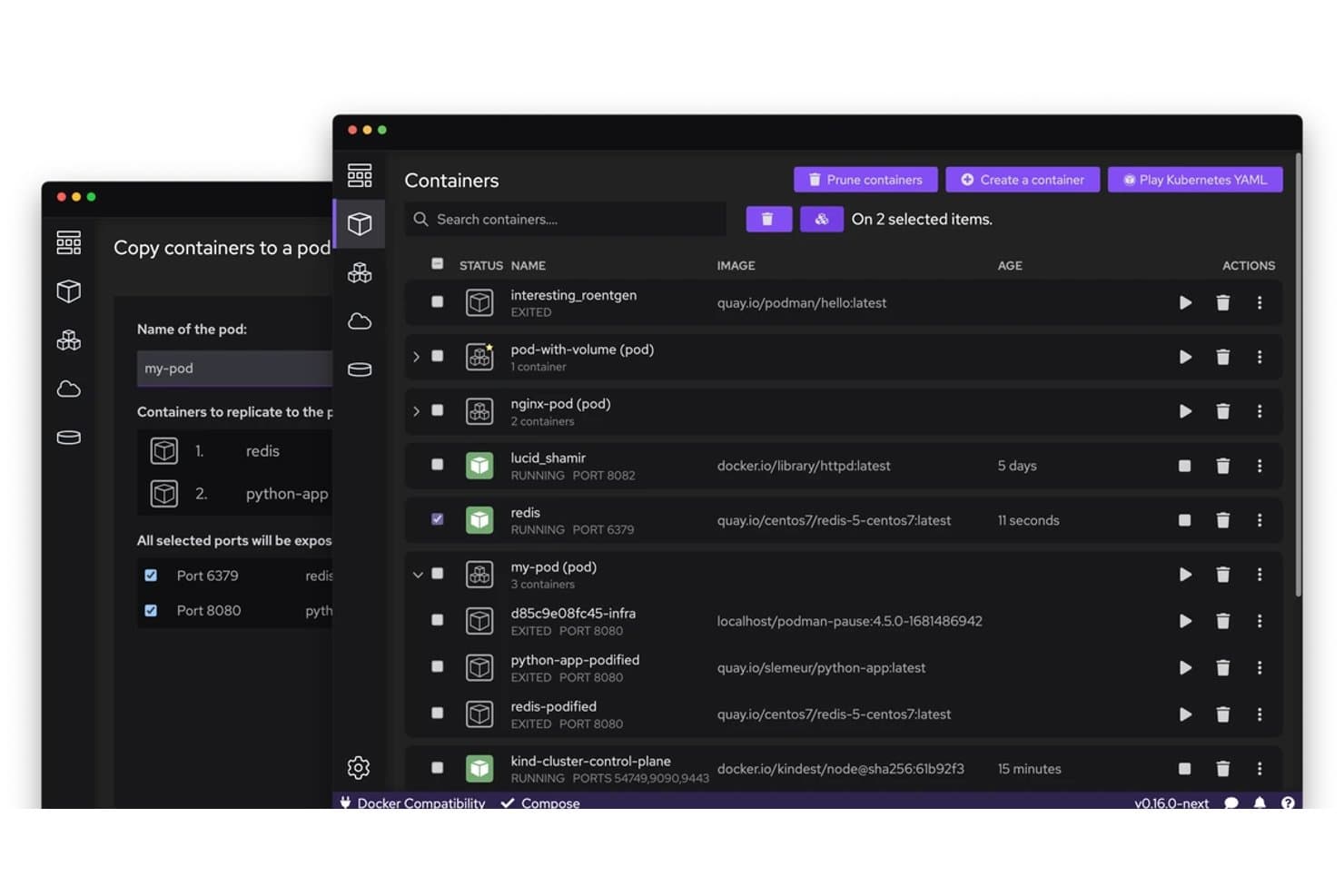
Podman permite a los usuarios copiar y gestionar contenedores en pods visualmente. Podman es un motor de ejecución de contenedores de código abierto que permite ejecutar, gestionar y orquestar contenedores y pods OCI mediante una arquitectura sin demonio y sin privilegios de root, con comandos de CLI compatibles con Docker y una integración profunda con systemd mediante Quadlet.
¿Para quién es más adecuado Podman?
Podman es una excelente opción para ingenieros de DevOps y equipos de plataformas que ejecutan cargas de trabajo de Linux y necesitan un entorno de ejecución compatible con Docker sin los riesgos de seguridad asociados a un demonio con privilegios.
Por qué elegí Podman
Elegí Podman como una de las mejores opciones porque su arquitectura sin demonio y sin privilegios de root cambia realmente la postura de seguridad de la ejecución de contenedores: los contenedores se ejecutan como procesos secundarios de la sesión de tu usuario, no bajo un demonio root con privilegios. Esto significa que un contenedor comprometido no puede escalar privilegios a través de un socket del demonio como puede hacerlo en Docker. También confío en Quadlet para la fiabilidad en producción, ya que permite declarar contenedores como unidades de systemd que se inician durante el arranque, respetan las dependencias y se reinician en caso de fallo sin necesidad de scripts envolventes personalizados.
Características clave de Podman
- CLI compatible con Docker: Podman reproduce la sintaxis de comandos de Docker casi exactamente, por lo que puedes ejecutar
podman pull,podman runypodman pssin tener que reaprender tu flujo de trabajo. - Archivos de unidad de systemd de Quadlet: Declara contenedores como archivos de unidad
.container,.podo.kubeque systemd gestiona durante el arranque con ordenación de dependencias y políticas de reinicio. - Puntos de control y restauración con CRIU: Crea una instantánea del estado completo de la memoria de un contenedor en ejecución, expórtala como un archivo y restáurala en el mismo host o en otro diferente.
- Controles de recursos con cgroups v2: Establece límites de CPU, memoria, PID y E/S por contenedor mediante indicadores estándar de la especificación OCI aplicados directamente a través de la jerarquía de cgroups v2 de Linux.
Integraciones de Podman
Podman se integra con Buildah, Skopeo, CRI-O, Kubernetes, OpenShift, GitHub Actions, Cirrus CLI, clientes compatibles con Docker y registros OCI. Su API REST compatible con Docker admite integraciones personalizadas y flujos de trabajo de CI/CD.
Pros and Cons
Pros:
- Ejecuta contenedores sin un demonio persistente con privilegios
- Permite gestionar contenedores como servicios de systemd
- Admite operaciones avanzadas de creación y restauración de puntos de control
Cons:
- Los flujos de trabajo de Compose difieren de Docker Compose estándar
- Las actualizaciones pueden romper la compatibilidad con versiones anteriores y los flujos de trabajo
Learn more about Podman: El mejor para un entorno de ejecución de contenedores estándar del sector
- No disponible
- Precios disponibles previa solicitud

función de ayuda de contenedores del entorno de ejecución de containerd containerd es un demonio de ejecución de contenedores de código abierto que gestiona todo el ciclo de vida de los contenedores, incluida la transferencia y el almacenamiento de imágenes, la ejecución de tareas mediante entornos de ejecución compatibles con OCI, los gestores de instantáneas, la gestión de entornos aislados y la multitenencia basada en espacios de nombres en Linux y Windows.
¿Para quién es mejor containerd?
containerd es una opción excelente para ingenieros de plataformas y equipos de DevOps que ejecutan Kubernetes en producción y necesitan un entorno de ejecución estable y ligero sobre el que puedan construir, en lugar de una herramienta de gestión de contenedores con todas las funciones integradas.
Por qué elegí containerd
containerd merece estar entre los mejores de mi lista porque es el entorno de ejecución real que funciona bajo Kubernetes en EKS, AKS y GKE, lo que lo convierte en el estándar de facto del sector y no simplemente en un candidato. Me gusta especialmente su arquitectura de intermediarios del entorno de ejecución v2, que mantiene un intermediario por contenedor para que el demonio pueda reiniciarse sin interrumpir las cargas de trabajo en ejecución. Su API de entorno aislado, estable desde la versión 2.0, también permite a los equipos de plataformas modelar de forma nativa la semántica de los pods de Kubernetes, incluido el aislamiento al estilo de las microVM, sin añadir abstracciones externas.
Características principales de containerd
- Marco de complementos NRI: Una interfaz independiente del entorno de ejecución para inyectar lógica personalizada de gestión de recursos —como la fijación de NUMA/CPU— en la creación de contenedores sin modificar el demonio principal.
- Seguimiento con OTel: Seguimiento integrado de OpenTelemetry en las llamadas gRPC, configurable mediante variables de entorno estándar
OTEL_*y un paquete de instrumentación manual para intervalos personalizados. - Complemento de verificación de imágenes: Un enlace a un binario externo que aprueba o bloquea la descarga de una imagen según el descriptor OCI, lo que permite aplicar políticas de firma o nomenclatura antes de almacenar el contenido.
- Puntos de control y restauración: Captura el estado de una tarea en ejecución mediante CRIU, envía el punto de control a un registro y lo restaura en un contenedor nuevo en cualquier anfitrión compatible.
Integraciones de containerd
containerd se integra de forma nativa con Kubernetes mediante su complemento CRI integrado y es compatible con Docker Engine, Docker Desktop, runc, CRIU y OpenTelemetry. Su cliente de Go y su API gRPC admiten integraciones personalizadas, mientras que nerdctl ofrece una CLI compatible con Docker.
Pros and Cons
Pros:
- Se ejecuta de forma nativa en Linux y Windows
- Aislamiento avanzado con compatibilidad con espacios de nombres de usuario
- Seguimiento de OpenTelemetry integrado directamente en el demonio
Cons:
- No incluye funciones integradas de red ni de gestión de registros
- No se ofrece asistencia comercial ni SLA
Learn more about containerd: Más adecuado para el aislamiento de la ejecución de aplicaciones Android
- No disponible
- Precio bajo petición

El entorno de ejecución de Android (ART) se encuentra dentro de la pila de software por capas de Android. El entorno de ejecución de Android (ART) es el motor de ejecución administrado de Android que ejecuta código de bytes DEX mediante un modelo híbrido de compilación AOT, JIT e interpretación, combinado con recompilación guiada por perfiles, recolección de basura concurrente y aislamiento de aplicaciones impuesto por el sistema operativo.
¿Para quién es más adecuado el entorno de ejecución de Android (ART)?
ART es una opción excelente para ingenieros de plataformas y arquitectos de software que desarrollan u optimizan imágenes del sistema Android y necesitan un control preciso sobre la ejecución, la memoria y el aislamiento de aplicaciones a nivel del sistema operativo.
Por qué elegí el entorno de ejecución de Android (ART)
ART ocupa un lugar en mi lista de favoritos porque ningún otro entorno de ejecución ofrece un aislamiento de la ejecución de aplicaciones Android tan completo. Me impresiona especialmente cómo el aislamiento se impone por debajo del propio entorno de ejecución: cada aplicación obtiene un UID único de Linux, un dominio SELinux dedicado y un filtrado de llamadas al sistema mediante seccomp-bpf, de modo que la contención no es solo una promesa del entorno de ejecución, sino una garantía a nivel del núcleo. Si a esto se suma la ejecución híbrida AOT/JIT de ART con recompilación guiada por perfiles, se obtiene un entorno de ejecución que refuerza la seguridad sin sacrificar el rendimiento.
Características principales del entorno de ejecución de Android (ART)
- Bucle de recompilación guiada por perfiles: ART combina los perfiles JIT obtenidos de la nube y registrados localmente durante los periodos de inactividad, y luego recompila los métodos más utilizados mediante un demonio en segundo plano.
- Selección del filtro de compilación: Los ingenieros de plataformas establecen estrategias de compilación por módulo —
verify,speed,speed-profile— mediante indicadores dedex2oaty variables de archivos make de dexpreopt. - Recolector de basura concurrente con copia: El recolector CC predeterminado desfragmenta el montón de forma concurrente mediante una barrera de lectura, con una única pausa de tamaño fijo que no aumenta con el tamaño del montón.
- Depurador basado en JDWP con puntos de observación de campos: ART admite el protocolo estándar de depuración de Java, incluidos puntos de observación que suspenden la ejecución al leer o escribir campos y consultas de instancias activas.
Integraciones del entorno de ejecución de Android (ART)
ART se integra con el sistema de compilación del Proyecto de Código Abierto de Android,
adb, el administrador de paquetes de Android, Perfetto, Systrace, JDWP y los perfiles en la nube de Google Play. También admite conectividad personalizada mediante JNI,libnativebridgeylibnativeloader.Pros and Cons
Pros:
- Ejecución híbrida AOT y JIT probada en producción
- Aislamiento de aplicaciones impuesto por el núcleo mediante SELinux y seccomp
- Perfilador de muestreo integrado y depuración JDWP
Cons:
- Alcance limitado a dispositivos y sistemas operativos Android
- La optimización avanzada requiere acceso de superusuario o cambios durante la compilación
Learn more about Android Runtime (ART): Ideal para la interoperabilidad entre lenguajes
- Plan gratuito disponible
- Precio bajo solicitud
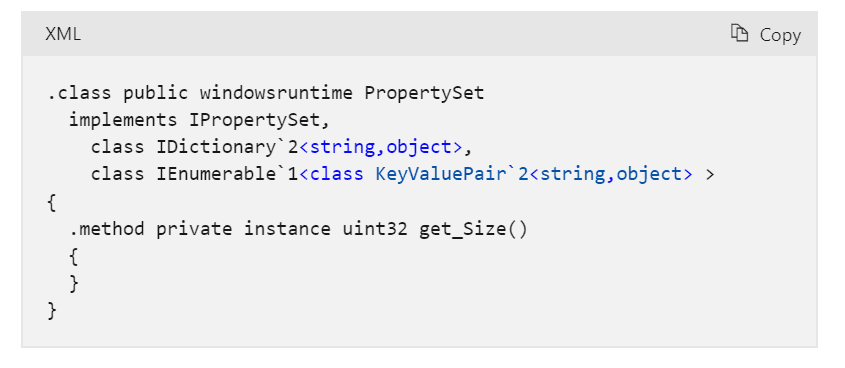
Vista parcial del conjunto de propiedades después de la proyección del Entorno de ejecución de lenguaje común El Entorno de ejecución de lenguaje común de Microsoft (CLR) es el motor de ejecución administrado en el núcleo de la plataforma .NET, que combina la compilación JIT y AOT nativa, la gestión automática de memoria, la compatibilidad con varios lenguajes y herramientas de diagnóstico integradas para ejecutar código administrado en Windows, Linux y macOS.
¿Para quién es más adecuado el Entorno de ejecución de lenguaje común de Microsoft (CLR)?
CLR es una opción sólida para equipos de desarrollo y de plataformas que crean aplicaciones .NET en varios lenguajes y necesitan un entorno de ejecución administrado multiplataforma y probado.
Por qué elegí el Entorno de ejecución de lenguaje común de Microsoft (CLR)
He incluido CLR entre mis principales opciones porque su interoperabilidad entre lenguajes es realmente incomparable: C#, F#, Visual Basic e incluso lenguajes de terceros como COBOL pueden compartir tipos, heredar de las clases de los demás y gestionar excepciones entre los límites de los lenguajes dentro de un único entorno de ejecución. El Sistema de tipos común lo impone en el nivel de la especificación, por lo que no se trata simplemente de esperar que todo funcione. También valoro mucho la profundidad de su configuración del recolector de basura, ya que los límites del montón adaptados a contenedores y el modo GC de servidor ofrecen a los equipos de plataformas un control real sobre cómo las cargas de trabajo de producción consumen memoria.
Características principales del Entorno de ejecución de lenguaje común de Microsoft (CLR)
- Compilación AOT nativa: Compila las aplicaciones .NET anticipadamente en binarios nativos autónomos que se ejecutan sin un compilador JIT ni un entorno de ejecución instalado en la máquina de destino.
- AssemblyLoadContext: Carga, aísla y descarga ensamblados dentro de un único proceso, lo que permite el versionado en paralelo de dependencias en conflicto.
- Herramientas de diagnóstico integradas: Proporciona herramientas de la CLI —
dotnet-counters,dotnet-trace,dotnet-dump— para la monitorización del rendimiento en vivo, el trazado y el análisis de memoria en producción. - Gestión estructurada de excepciones entre lenguajes: Gestiona las excepciones de manera uniforme en C#, F#, Visual Basic y lenguajes de terceros dirigidos a CLR dentro del mismo entorno de ejecución.
Integraciones del Entorno de ejecución de lenguaje común de Microsoft (CLR)
El Entorno de ejecución de lenguaje común de Microsoft (CLR) es compatible con el ecosistema de Microsoft, incluidos Azure, Visual Studio y la CLI de .NET, además de NuGet, OpenTelemetry, Docker, Kubernetes y Podman. También admite integraciones personalizadas mediante P/Invoke, interoperabilidad COM y API de interoperabilidad nativa.
Pros and Cons
Pros:
- Ejecuta código de varios lenguajes en un solo entorno de ejecución
- Ofrece opciones avanzadas de ajuste del recolector de basura
- Diagnóstico y trazado integrados de nivel de producción
Cons:
- No incluye un entorno aislado dentro del proceso para código no confiable
- La configuración del GC no puede cambiarse durante la ejecución
Learn more about Microsoft Common Language Runtime (CLR): Ideal para aplicaciones de red escalables
- Plan gratuito disponible
- Gratuito y de código abierto

Biblioteca de capturas web de Node.js Node.js es un entorno de ejecución de JavaScript gratuito y de código abierto basado en V8 que ejecuta código JS y TypeScript en el servidor, con un modelo de E/S no bloqueante y basado en eventos, un ecosistema npm incluido y herramientas integradas para pruebas, creación de perfiles y compilaciones de aplicaciones en un único ejecutable.
¿Para quién es más adecuado Node.js?
Node.js es una opción excelente para desarrolladores e ingenieros de plataformas que crean aplicaciones con un uso intensivo de E/S y orientadas a redes, y que necesitan un entorno de ejecución gratuito y ampliamente compatible, respaldado por un ecosistema enorme.
Por qué elegí Node.js
Node.js merece estar entre los mejores de mi lista porque su modelo de E/S no bloqueante y basado en eventos permite que un solo proceso gestione miles de conexiones simultáneas sin crear un subproceso por solicitud, que es precisamente lo que necesitan las aplicaciones de red escalables. Me gusta especialmente que los módulos
clusteryworker_threadspermitan distribuir la carga entre los núcleos de la CPU cuando el tráfico aumenta, sin recurrir a herramientas externas. La eliminación nativa de anotaciones de TypeScript y el ejecutor de pruebas integrado completan un entorno de ejecución que cubre desde el principio los flujos de trabajo de producción reales.Características principales de Node.js
- Ejecución nativa de TypeScript: Ejecuta directamente archivos TypeScript eliminando las anotaciones de tipos durante la ejecución, sin necesidad de un paso de compilación independiente.
- Aplicaciones de ejecutable único (SEA): Agrupa el script y los recursos en un binario independiente que se ejecuta en máquinas sin Node.js instalado.
- Ejecutor de pruebas integrado: Ejecuta pruebas de forma nativa mediante la opción
--test, con compatibilidad para informes y configuración y desmontaje globales, sin necesidad de un framework de terceros. - Modelo de permisos: Restringe el acceso al sistema de archivos, la red y los procesos secundarios durante la ejecución mediante opciones como
--allow-nety--allow-fs-read.
Integraciones de Node.js
Las integraciones nativas no están documentadas con claridad. Node.js es compatible con el ecosistema npm, Chrome DevTools mediante el protocolo V8 Inspector y las integraciones personalizadas a través de Node-API, fetch/undici, WebAssembly y WASI.
Pros and Cons
Pros:
- Gestiona miles de conexiones de red simultáneas
- Ejecución nativa de TypeScript sin paso de compilación
- Ejecutor de pruebas y automatización de scripts incluidos
Cons:
- El bucle de eventos de un solo subproceso genera cuellos de botella en tareas limitadas por la CPU
- El modelo de permisos no constituye una verdadera frontera de seguridad
Learn more about Node.js: Ideal para la programación concurrente
- No disponible
- Gratuito y de código abierto

Transacción de Mnesia simulada que escribe un registro en el software de entorno de ejecución de Erlang Erlang/OTP es un sistema de ejecución construido alrededor de la máquina virtual BEAM que ejecuta bytecode compilado con un compilador JIT, programación de procesos ligeros, distribución integrada y una biblioteca estándar completa para crear aplicaciones concurrentes tolerantes a fallos.
¿Para quién es más adecuado el entorno de ejecución de Erlang?
Erlang/OTP es una opción excelente para arquitectos de software e ingenieros de plataformas que crean sistemas distribuidos y siempre activos, donde la concurrencia y la tolerancia a fallos no son opcionales.
Por qué elegí el entorno de ejecución de Erlang
El entorno de ejecución de Erlang ocupa un lugar en mi lista de opciones porque la concurrencia no es una función que se configure, sino que está integrada en la propia máquina virtual BEAM. He trabajado con sistemas en los que la programación de procesos ligeros y los montículos por proceso permiten ejecutar cientos de miles de operaciones simultáneas sin contención de memoria compartida ni recolección de basura que detenga todo el sistema. El compilador JIT BeamAsm añade ejecución de código nativo en x86-64 y aarch64, y las actualizaciones de código en caliente mediante appup/relup permiten implementar versiones activas en nodos de producción sin tiempo de inactividad.
Características principales del entorno de ejecución de Erlang
- Compilador JIT BeamAsm: Convierte el bytecode BEAM en código nativo durante la carga en x86-64 y aarch64, con mejoras de rendimiento de hasta 4 veces respecto al intérprete, según la carga de trabajo.
- GUI Observer: Una herramienta de diagnóstico integrada que muestra la asignación de memoria en tiempo real, la utilización del programador, los detalles de los procesos, las tablas ETS y una vista general del seguimiento entre los nodos conectados.
- Indicadores de recursos del emulador: Los indicadores del entorno de ejecución como
+S,+SDcpuy+hmaxpermiten controlar directamente desde la línea de comandos los hilos del programador, los programadores para tareas pesadas y los límites del montículo por proceso. - Biblioteca de aplicaciones OTP: Incluye un amplio conjunto de bibliotecas propias, entre ellas
crypto,ssl,ssh,mnesia,snmpydiameter, para crear sistemas distribuidos listos para producción.
Integraciones del entorno de ejecución de Erlang
El entorno de ejecución de Erlang se integra con Rebar3, Hex.pm, Docker y GitHub Actions mediante
erlef/setup-beam, y ofrece interoperabilidad mediante puertos C, NIF yjinterfacede Java. También admite conectividad personalizada mediante TCP, TLS, SNMP y Erlang distribuido.Pros and Cons
Pros:
- Las actualizaciones de código en caliente permiten implementar versiones sin tiempo de inactividad
- Observer integrado proporciona un panel de diagnóstico en tiempo real
- Los procesos ligeros permiten escalar masivamente la concurrencia
Cons:
- No está diseñado para cargas de trabajo limitadas por la CPU
- No hay contratos oficiales de asistencia del proveedor disponibles
Learn more about Erlang Runtime: La mejor opción para la ejecución de funciones sin servidor basadas en eventos
- Plan gratuito disponible
- Desde $0.20 por 1 millón de solicitudes/mes

AWS Lambda permite a los usuarios fijar manualmente las funciones a una versión específica del entorno de ejecución. AWS Lambda es una plataforma de ejecución sin servidor de AWS que ejecuta funciones basadas en eventos en entornos administrados para Node.js, Python, Java, .NET y Ruby, con compatibilidad adicional para entornos de ejecución personalizados, entornos aislados MicroVM, instancias administradas de larga duración y funciones duraderas de varios pasos.
¿Para quién es más adecuado AWS Lambda?
AWS Lambda es una opción sólida para ingenieros de DevOps y desarrolladores de aplicaciones que crean cargas de trabajo basadas en eventos en AWS y quieren implementar código sin administrar la infraestructura.
Por qué elegí AWS Lambda
Elegí AWS Lambda como una de las mejores opciones porque ninguna otra plataforma iguala su profundidad para la ejecución de funciones sin servidor basadas en eventos a escala. Su aislamiento de ejecución me parece especialmente destacable: cada función se ejecuta en un entorno dedicado basado en Nitro, que nunca se comparte entre cuentas, y los entornos aislados MicroVM llevan esto un paso más allá al ofrecer aislamiento a nivel de máquina virtual para código no confiable o generado por IA. SnapStart reduce los arranques en frío de Java hasta 10 veces, lo que considero una verdadera ventaja diferencial cuando la coherencia de la latencia es importante en producción.
Características principales de AWS Lambda
- Calendario de obsolescencia de entornos de ejecución administrados: Lambda publica las fechas exactas de obsolescencia, bloqueo de creación y bloqueo de actualización para cada versión de entorno de ejecución compatible, de modo que puedas planificar las actualizaciones antes de que entre en vigor la aplicación de las restricciones.
- Capas de Lambda: Empaqueta bibliotecas compartidas, dependencias o entornos de ejecución personalizados en capas reutilizables a las que pueden hacer referencia varias funciones, manteniendo ligeros los artefactos de implementación.
- Concurrencia aprovisionada: Inicializa previamente los entornos de ejecución antes de recibir tráfico para que las funciones respondan sin retrasos por arranque en frío, algo útil para cargas de trabajo sensibles a la latencia.
- Funciones duraderas de Lambda: Ejecuta flujos de trabajo de varios pasos y larga duración con puntos de control integrados, reintentos, ramificaciones y compatibilidad con la espera de señales en ejecuciones que pueden prolongarse durante horas.
Integraciones de AWS Lambda
AWS Lambda ofrece más de 220 integraciones nativas entre servicios de AWS y aproximadamente 50 aplicaciones SaaS, incluidas Amazon S3, DynamoDB, API Gateway, EventBridge, SQS, SNS, Kinesis, Step Functions, Amazon ECR y Amazon EFS. Los SDK y las API de AWS permiten conexiones personalizadas.
Pros and Cons
Pros:
- Aislamiento de ejecución basado en Nitro que nunca se comparte
- Admite flujos de trabajo duraderos y de varios pasos de forma nativa
- Varias opciones sólidas de optimización del arranque en frío
Cons:
- Solo se ejecuta en infraestructura administrada por AWS
- Se aplican límites de recursos y tiempo de ejecución
Learn more about AWS Lambda: 10Ideal para ejecutar JS/TS de forma segura de manera predeterminada
Deno
- Plan gratuito disponible
- Desde $20/mes

Deno permite a los usuarios inspeccionar mensajes de WebSocket en el depurador del navegador. Deno es un entorno de ejecución de JavaScript y TypeScript de código abierto basado en V8 y Rust que integra la ejecución, la gestión de paquetes, las pruebas, el análisis estático, el formateo y la compilación en un único binario con un modelo de permisos seguro de forma predeterminada.
¿Para quién es más adecuado Deno?
Deno es una excelente opción para desarrolladores y equipos de plataformas conscientes de la seguridad que necesitan ejecutar TypeScript de inmediato sin ensamblar una cadena de herramientas independiente.
Por qué elegí Deno
Elegí Deno como uno de los mejores porque su modelo de permisos seguro de forma predeterminada es realmente diferente de todo lo que ofrecen Node.js o Bun. Cada acceso a archivos, redes y subprocesos requiere una concesión explícita, y el intermediario de permisos empresarial permite aplicar esas políticas de forma centralizada sin depender de indicadores
--allow-*individuales. También me encanta quedeno compileproduzca ejecutables totalmente autónomos, de modo que puedas distribuir un binario en un entorno aislado sin ninguna dependencia del entorno de ejecución en la máquina de destino.Características principales de Deno
- Instrumentación integrada de OpenTelemetry: Establece
OTEL_DENO=truepara recopilar automáticamente registros, trazas y métricas sin añadir bibliotecas adicionales. - Binario de cadena de herramientas todo en uno: Un único binario de Deno incluye un ejecutor de pruebas, un analizador estático, un formateador, un ejecutor de tareas y una herramienta de cobertura, sustituyendo varios paquetes gestionados por separado.
- Canal de versiones LTS: El canal LTS de Deno ofrece únicamente parches de seguridad y correcciones críticas durante un periodo de mantenimiento definido, lo que proporciona a los equipos un objetivo de actualización estable.
- Compatibilidad con Node.js y npm: Deno ejecuta paquetes npm mediante especificadores
npm:y admite elementos integrados denode:, lo que permite reutilizar código existente de Node.js sin una reescritura completa.
Integraciones de Deno
Deno se integra con npm, las API de Node.js, JSR, AWS Lambda, Google Cloud Run, Azure Functions, Cloudflare Workers, Docker, GitHub y servicios de backend compatibles con OpenTelemetry. También admite registros privados de npm, flujos de trabajo de CI/CD e integraciones personalizadas mediante OTLP y API de implementación.
Pros and Cons
Pros:
- Modelo de permisos seguro de forma predeterminada para la ejecución
- TypeScript nativo sin pasos de compilación
- Intermediario de permisos empresarial y registro de auditoría
Cons:
- La compatibilidad con Node.js no es completa
- Los periodos de soporte LTS son relativamente breves
Learn more about Deno:
Otros softwares de tiempo de ejecución
Estas son algunas opciones adicionales de software de tiempo de ejecución que no han entrado en mi lista, pero que merece la pena consultar:
- 11Ruby MRIBest for administrerte nettverkstjenester for europeiske hoteller
- 12Docker EngineLa mejor opción para los controles de aislamiento de seguridad de contenedores
- 13CRI-OIdeal para el seguimiento de versiones del entorno de ejecución alineadas con Kubernetes
- 14Docker RuntimeLa mejor opción para la orquestación de contenedores
- 15Red Hat RuntimesEl mejor para el desarrollo nativo de la nube
- 16PHP RuntimeIdeal para la creación de scripts en servidores web
- 17ElectronIdeal para aplicaciones de escritorio basadas en tecnologías web
Cómo evalúo el software de entornos de ejecución
Divido mi evaluación en dos capas: las capacidades esenciales de ejecución y gestión del entorno de ejecución que una herramienta debe cubrir, y los factores diferenciadores, como la optimización del rendimiento, la observabilidad y el control de versiones del entorno de ejecución, que distinguen unas opciones de otras.
Funcionalidad esencial (elementos básicos de esta lista)
Al seleccionar herramientas para mi lista, califico cada una en una escala de 0 (no ofrece la funcionalidad) a 5 (sobresale en esta área) para cada una de las funcionalidades esenciales que se indican a continuación. Después, calculo la puntuación total de la herramienta como un porcentaje, utilizando el 65 % como referencia para ayudar a evaluar su adecuación general para la lista.
- Ejecución de código y cargas de trabajo: Analizo si el entorno de ejecución ejecuta de forma fiable el código de la aplicación o las cargas de trabajo computacionales previstas, ya se trate de código específico de un lenguaje, código de bytes, contenedores u otro tipo de carga de trabajo compatible.
- Compatibilidad con plataformas y entornos: Evalúo si el entorno de ejecución admite los sistemas operativos, las arquitecturas, los entornos de infraestructura y los destinos de implementación pertinentes para su tipo de entorno de ejecución, así como la coherencia con la que se comporta en ellos.
- Gestión de recursos del entorno de ejecución: Evalúo cómo gestiona el entorno de ejecución recursos como la memoria, los procesos, los hilos, la E/S, la recolección de basura y la asignación de recursos informáticos, según lo que sea pertinente para su modelo de ejecución.
- Servicios y dependencias del entorno de ejecución: Compruebo cómo proporciona o integra el entorno de ejecución las bibliotecas, los módulos, las API, los paquetes, los servicios del sistema y los mecanismos de dependencias que necesitan sus cargas de trabajo compatibles durante la ejecución.
- Compatibilidad con el ciclo de vida de las aplicaciones: Analizo cómo gestiona el entorno de ejecución la inicialización, la ejecución, la terminación, los errores, la recuperación y otras operaciones del ciclo de vida adecuadas para las cargas de trabajo que admite.
- Controles de ejecución y aislamiento: Evalúo los permisos, los controles de procesos, los mecanismos de aislamiento, los límites de recursos y otras medidas de protección que proporciona el entorno de ejecución para su modelo de ejecución específico.
Una vez que tengo una lista de herramientas que cumplen los criterios, considero qué distingue a cada entorno de ejecución.
Factores diferenciadores (lo que distingue a los proveedores)
Así es como comparo y contrasto diferentes proveedores:
Características destacadas
La optimización del rendimiento del entorno de ejecución es un factor diferenciador importante, por lo que busco capacidades como la compilación JIT o AOT, la optimización adaptativa, el almacenamiento en caché, el ajuste de la recolección de basura y la aceleración por hardware cuando sean pertinentes. También considero la compatibilidad con varios lenguajes en los entornos de ejecución que pueden ejecutar varios lenguajes o formatos de código de bytes dentro del mismo ecosistema. El aislamiento mediante sandbox de seguridad puede proporcionar un aislamiento más sólido para cargas de trabajo no fiables o comprometidas, mientras que la observabilidad y los diagnósticos integrados, incluidos el rastreo, la creación de perfiles, la depuración, el registro y las métricas del entorno de ejecución, pueden facilitar la investigación de problemas en producción. También analizo las funciones de control de versiones y compatibilidad del entorno de ejecución, como las versiones LTS, las versiones en paralelo, la compatibilidad con versiones anteriores, las actualizaciones controladas y la compatibilidad con la reversión.
Más allá de las características
La sobrecarga de rendimiento y la huella son importantes porque el consumo de CPU, el uso de memoria y el tiempo de inicio pueden afectar a la eficiencia del entorno de ejecución en producción. También evalúo la madurez del ecosistema y de la comunidad, incluida la documentación, las bibliotecas de terceros, las herramientas de desarrollo, la gobernanza del proyecto y la disponibilidad de asistencia comercial. Las licencias y la asistencia a largo plazo son importantes para los equipos que consideran los derechos de redistribución, la asistencia empresarial, la frecuencia de los parches y el coste de mantener el entorno de ejecución con el paso del tiempo. Por último, considero las prácticas de seguridad y mantenimiento, incluida la divulgación de vulnerabilidades, la rapidez de respuesta ante parches, las versiones firmadas, la distribución segura y la compatibilidad con los requisitos de seguridad pertinentes.
Cómo elegir un software de tiempo de ejecución
Es fácil perderse entre largas listas de funciones y complejas estructuras de precios. Para ayudarte a mantener la concentración mientras avanzas en tu proceso particular de selección de software, aquí tienes una lista de factores que debes tener en cuenta:
| Factor | Qué debes tener en cuenta |
|---|---|
| FactorEscalabilidad | Qué debes tener en cuenta¿Puede el software crecer junto con tu empresa? Comprueba si admite cargas de trabajo cada vez mayores sin problemas de rendimiento. |
| FactorIntegraciones | Qué debes tener en cuenta¿Funciona con tus herramientas actuales? Busca integraciones sencillas con los sistemas existentes para evitar trabajo de configuración adicional. |
| FactorCapacidad de personalización | Qué debes tener en cuenta¿Puedes adaptarlo a tus necesidades? Evalúa si puedes ajustar la configuración y las funciones para adaptarlas al flujo de trabajo de tu equipo. |
| FactorFacilidad de uso | Qué debes tener en cuenta¿La interfaz es fácil de usar? Asegúrate de que el software sea intuitivo y no requiera una formación exhaustiva para que tu equipo lo utilice eficazmente. |
| FactorImplementación e incorporación | Qué debes tener en cuenta¿Con qué rapidez puedes empezar? Ten en cuenta el tiempo y los recursos necesarios para la configuración y si hay asistencia disponible durante esta fase. |
| FactorCoste | Qué debes tener en cuenta¿Se ajusta a tu presupuesto? Compara los planes de precios y presta atención a las tarifas ocultas o los contratos a largo plazo que podrían afectar a tus finanzas. |
| FactorMedidas de seguridad | Qué debes tener en cuenta¿Están protegidos tus datos? Verifica si el software cumple las normas de seguridad del sector y ofrece funciones como el cifrado y los controles de acceso. |
| FactorDisponibilidad del soporte | Qué debes tener en cuenta¿Recibirás ayuda cuando la necesites? Comprueba si el servicio de atención al cliente es accesible y responde con rapidez, y si ofrece varios canales, como asistencia por chat o teléfono. |
¿Qué es un software de tiempo de ejecución?
El software de tiempo de ejecución es un tipo de programa que permite que las aplicaciones se ejecuten de manera eficiente mediante la gestión de recursos y la ejecución de código. Los desarrolladores, profesionales de TI e ingenieros de software suelen utilizar estas herramientas para mejorar el rendimiento de las aplicaciones y garantizar un funcionamiento fluido. Las capacidades de gestión de errores, gestión de recursos y supervisión del rendimiento ayudan a mantener la estabilidad y la eficiencia del sistema. En general, estas herramientas proporcionan un soporte esencial para ejecutar aplicaciones de forma eficaz.
Características
Al seleccionar un software de tiempo de ejecución, presta atención a las siguientes características clave:
- Gestión de recursos: Asigna los recursos del sistema de manera eficiente para garantizar que las aplicaciones funcionen sin interrupciones.
- Gestión de errores: Detecta y gestiona los errores automáticamente para mantener la estabilidad de las aplicaciones y evitar bloqueos.
- Supervisión del rendimiento: Realiza un seguimiento de las métricas de rendimiento de las aplicaciones para identificar cuellos de botella y optimizar el uso de los recursos.
- Compatibilidad con varios lenguajes: Admite diversos lenguajes de programación para ofrecer flexibilidad a los desarrolladores que trabajan con bases de código variadas.
- Análisis en tiempo real: Proporciona información sobre el rendimiento de las aplicaciones y el estado del sistema para facilitar la toma de decisiones oportuna.
- Paneles personalizables: Permite a los usuarios adaptar la interfaz para mostrar los datos y las métricas relevantes para sus necesidades específicas.
- Capacidades de integración: Garantiza la compatibilidad con los sistemas y las herramientas existentes para agilizar los flujos de trabajo y reducir el tiempo de configuración.
- Medidas de seguridad: Ofrece funciones como el cifrado y los controles de acceso para proteger los datos confidenciales y mantener el cumplimiento de las normas de seguridad.
- Escalado automatizado: Ajusta los recursos dinámicamente en función de la demanda para mantener el rendimiento durante los periodos de máxima utilización.
- Interfaz fácil de usar: Garantiza la facilidad de uso mediante una navegación y un diseño intuitivos, lo que reduce la curva de aprendizaje de los nuevos usuarios.
Ventajas
La implementación de un software de tiempo de ejecución ofrece varias ventajas para tu equipo y tu empresa. Estas son algunas de las que puedes esperar:
- Mejora del rendimiento: Optimiza el uso de los recursos y supervisa el rendimiento para que las aplicaciones funcionen sin problemas.
- Reducción del tiempo de inactividad: Detecta y gestiona los errores automáticamente, minimizando las interrupciones y evitando bloqueos.
- Flexibilidad: Admite varios lenguajes de programación, lo que permite a los desarrolladores trabajar fácilmente con distintas bases de código.
- Toma de decisiones informada: Los análisis en tiempo real ofrecen información sobre el estado del sistema, lo que ayuda a responder de forma rápida y eficaz.
- Mayor seguridad: Proporciona cifrado y controles de acceso para proteger los datos confidenciales y cumplir las normas de conformidad.
- Escalabilidad: Ajusta automáticamente los recursos en función de la demanda para garantizar el rendimiento durante los periodos de máxima utilización.
- Facilidad de uso: Las interfaces fáciles de usar reducen la curva de aprendizaje, lo que facilita que los equipos adopten y utilicen el software de manera eficiente.
Costes y precios
La selección de un software de tiempo de ejecución requiere comprender los diversos modelos y planes de precios disponibles. Los costes varían en función de las características, el tamaño del equipo, los complementos y otros factores. La siguiente tabla resume los planes habituales, sus precios medios y las características que suelen incluir las soluciones de software de tiempo de ejecución:
Tabla comparativa de planes de software de tiempo de ejecución
| Tipo de plan | Precio medio | Características habituales |
|---|---|---|
| Tipo de planPlan gratuito | Precio medio$0 | Características habitualesGestión básica de recursos, gestión de errores limitada y asistencia de la comunidad. |
| Tipo de planPlan personal | Precio medio$5-$25/usuario/mes | Características habitualesSupervisión mejorada del rendimiento, compatibilidad con varios lenguajes y asistencia por correo electrónico. |
| Tipo de planPlan empresarial | Precio medio$30-$75/usuario/mes | Características habitualesAnálisis en tiempo real, paneles personalizables y capacidades de integración. |
| Tipo de planPlan para empresas | Precio medio$100+/usuario/mes | Características habitualesMedidas de seguridad avanzadas, escalado automatizado y asistencia al cliente exclusiva. |
Preguntas frecuentes sobre el software en tiempo de ejecución
Aquí tienes algunas respuestas a preguntas frecuentes sobre el software en tiempo de ejecución:
¿Cuál es la diferencia entre el software en tiempo de ejecución y el software de desarrollo?
El software en tiempo de ejecución gestiona la ejecución de las aplicaciones, mientras que el software de desarrollo se utiliza para crear esas aplicaciones. Como desarrollador, utilizarás herramientas de desarrollo para escribir y probar código, pero el software en tiempo de ejecución garantiza que tu código se ejecute correctamente en los sistemas de los usuarios. Piensa en el entorno de ejecución como el escenario en el que funciona tu producto terminado.
¿Necesito hardware específico para ejecutar software en tiempo de ejecución?
No, la mayoría del software en tiempo de ejecución funciona con hardware estándar y está diseñado para ser compatible con diversos sistemas. Sin embargo, consulta los requisitos específicos del sistema del software que elijas para garantizar la compatibilidad con tu infraestructura actual. Algunas funciones avanzadas pueden requerir una mayor capacidad de procesamiento o memoria.
¿Se puede utilizar el software en tiempo de ejecución para aplicaciones móviles?
Sí, muchas soluciones de software en tiempo de ejecución son compatibles con el desarrollo de aplicaciones móviles. Ofrecen funciones que ayudan a gestionar recursos específicos de los dispositivos móviles y a optimizar el rendimiento de las aplicaciones en distintos dispositivos. Si tu equipo desarrolla aplicaciones móviles, busca un software en tiempo de ejecución con compatibilidad móvil y capacidades de prueba.
¿Con qué frecuencia debe actualizarse el software en tiempo de ejecución?
Las actualizaciones periódicas son esenciales para mantener la eficiencia y la seguridad del software en tiempo de ejecución. La mayoría de los proveedores ofrecen actualizaciones periódicas para corregir errores, mejorar el rendimiento y reforzar la seguridad. Configura las actualizaciones automáticas si están disponibles o programa comprobaciones periódicas para asegurarte de que el software esté siempre actualizado.
¿Qué relación existe entre el software en tiempo de ejecución y el lenguaje de programación utilizado?
El software en tiempo de ejecución suele corresponderse con lenguajes de programación o plataformas específicos. Por ejemplo, la JVM está adaptada para Java, Ruby MRI es para Ruby y la API de tiempo de ejecución de CUDA está diseñada para la computación paralela mediante GPU compatibles con CUDA. Esta relación garantiza que el código escrito en un lenguaje específico se ejecute de forma eficiente y segura en la plataforma prevista.
¿Puede el software en tiempo de ejecución afectar al rendimiento de una aplicación?
Sí, la elección del software en tiempo de ejecución puede afectar significativamente al rendimiento de una aplicación. Funciones como las técnicas de optimización, la gestión de memoria y las capacidades de integración desempeñan un papel fundamental en el funcionamiento fluido y eficiente de una aplicación. Tomar una decisión informada basándose en las necesidades de la aplicación y en las funciones del entorno de ejecución puede conducir a un rendimiento óptimo.