

Ein Leitfaden zu den 10 besten Web-Beschleunigern 2026

10 Bester Web-Accelerator Shortlist


Ein Web-Accelerator ist ein Tool, das entwickelt wurde, um Webseiten für Besucher schneller und reibungsloser zu laden. Wenn eine Website schneller reagiert, bleiben die Nutzer eher und genießen das angebotene Angebot. Das ist besonders wichtig für Onlineshops, Service-Plattformen oder Webseiten mit vielen Inhalten.
Durch den Einsatz eines Web-Accelerators kann Ihre Website auch in hoch frequentierten Zeiten stabil und schnell bleiben. Wer Web-Accelerators versteht, kann für alle Besucher eine bessere und zuverlässigere Nutzererfahrung schaffen.
Warum Sie unseren Software-Empfehlungen vertrauen können
Unser Team testet und bewertet Software seit 2012. Als Tech-Führungskräfte wissen wir selbst, wie schwierig – und wichtig – es ist, die richtige Software auszuwählen.
Für diesen Leitfaden haben wir Tools mithilfe von praktischen Tests und unabhängiger Recherche bewertet und dabei unsere Bewertungskriterien angewendet.
Unsere Bewertungen spiegeln unser menschliches redaktionelles Urteilsvermögen wider, keine Verkaufsstrategie.
Expertenprüfer:
Bester Web-Accelerator Zusammenfassung
| Tool | Best For | Trial Info | Price | ||
|---|---|---|---|---|---|
| 1 | Am besten geeignet für programmierbares Caching dynamischer Inhalte | Kostenloser Tarif verfügbar | Ab 1.500 $/Monat | Website | |
| 2 | Am besten geeignet für EU-souveräne Edge-Auslieferung mit integriertem WAF | Kostenloser Tarif + 14-tägige kostenlose Testversion verfügbar | Ab $37/Monat | Website | |
| 3 | Am besten für die Kontrolle der Ladereihenfolge von E-Commerce-Skripten geeignet | Kostenloser Tarif verfügbar | Preise auf Anfrage | Website | |
| 4 | Am besten für die globale Bereitstellung von Inhalten und Sicherheit | Kostenlose Testversion verfügbar | Preise auf Anfrage | Website | |
| 5 | Am besten geeignet für Edge-Caching mit vorhersehbaren Kosten in großem Maßstab | 14-tägige kostenlose Testversion | Ab 1 $/Monat | Website | |
| 6 | Am besten für DDoS-Abwehr auf Netzwerkebene geeignet | Kostenloser Tarif + kostenlose Demo verfügbar | Ab $20/Nutzer/Monat (jährlich abgerechnet) | Website | |
| 7 | Am besten für API-Beschleunigung und -Schutz geeignet | 30-tägige kostenlose Testversion + kostenlose Demo verfügbar | Preis auf Anfrage | Website | |
| 8 | Am besten geeignet für die mehrschichtige Beschleunigung des Browser-Zwischenspeichers | Kostenlose Demo verfügbar | Preis auf Anfrage | Website | |
| 9 | Am besten für AWS-basierte Edge-Bereitstellung im großen Maßstab geeignet | Kostenloser Tarif verfügbar | Ab $15/Monat | Website | |
| 10 | Am besten für Conversion-Steigerungen bei Shopify durch Edge-Caching | Kostenloser Tarif + kostenlose Demo verfügbar | Ab $3,950/Monat | Website |
Bester Web-Accelerator Bewertungen

Fastly
Am besten geeignet für programmierbares Caching dynamischer Inhalte
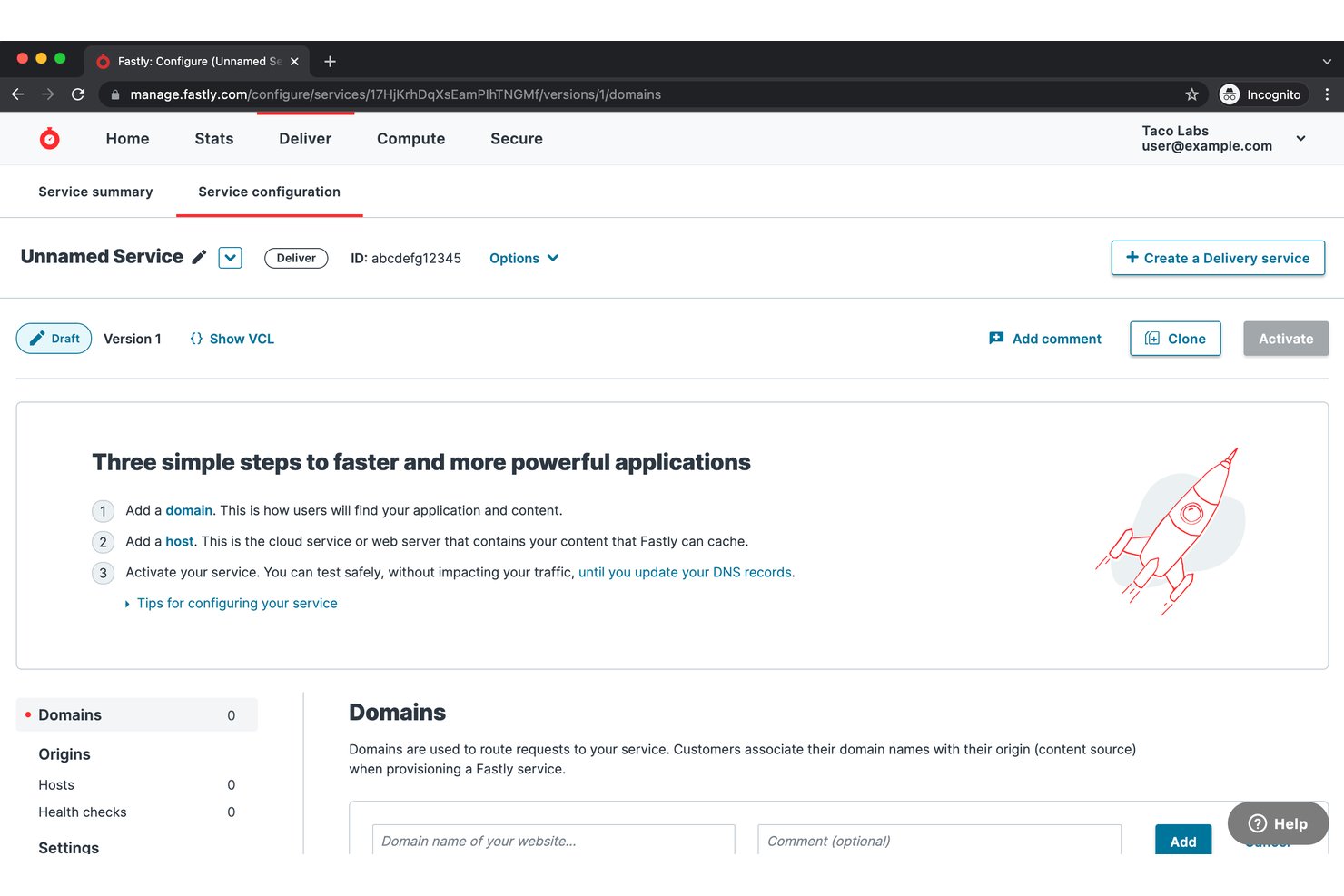
Fastly ist eine programmierbare Edge-Cloud-Plattform, die ein globales CDN, das Caching dynamischer Inhalte, Edge-Computing, Bildoptimierung und integrierte Sicherheit in einem einzigen Bereitstellungsnetzwerk vereint.
Für wen ist Fastly am besten geeignet?
Fastly ist die richtige Wahl für DevOps- und SRE-Teams in Unternehmen jeder Größe, die eine detaillierte, programmierbare Kontrolle darüber benötigen, wie dynamische Inhalte am Edge zwischengespeichert und bereitgestellt werden.
Warum ich Fastly ausgewählt habe
Fastly verdient seinen Platz auf meiner Auswahlliste, weil seine Instant-Purge™-Technologie tatsächlich verändert, welche Inhalte zwischengespeichert werden können. Ich spreche von Live-Bestandszahlen, Preisen in Echtzeit und aktuellen Nachrichtenfeeds – Inhalte, die Sie bei den meisten CDNs ohne Zwischenspeicherung bereitstellen müssen. Löschvorgänge werden weltweit in weniger als 150 ms durchgeführt, und in Kombination mit der programmierbaren Cache-Logik von VCL können Sie dynamische Inhalte zwischenspeichern, die andernfalls bei jeder Anfrage Ihre Ursprungsserver stark belasten würden.
Die wichtigsten Funktionen von Fastly
- Ursprungsserver-Abschirmung: Eine sekundäre Caching-Schicht, die zwischen Edge-PoPs und Ihrem Ursprungsserver liegt und die direkte Belastung des Ursprungsservers um bis zu 57 % reduziert.
- Edge-Computing auf Basis von WebAssembly: Mit Fastly Compute können Sie JavaScript-, Rust-, Go- oder C++-Funktionen am Edge bereitstellen, mit Kaltstarts im Mikrosekundenbereich gleichzeitig über alle PoPs hinweg.
- Protokoll-Streaming in Echtzeit: Überträgt protokollierte Anfragen auf Anfrageebene an mehr als 30 externe Anbieter – darunter Datadog, Splunk und New Relic – ohne zusätzliche Latenz.
- Beschleunigung dynamischer Websites (DSA): Beendet Endnutzerverbindungen am nächstgelegenen Edge-Knoten und optimiert die Rückverbindung zum Ursprungsserver, wodurch die Latenz für Inhalte reduziert wird, die nicht zwischengespeichert werden können.
Fastly-Integrationen
Fastly unterstützt mehr als 30 Integrationen für Protokollierung und Beobachtbarkeit, darunter Datadog, Splunk, New Relic, Honeycomb, Amazon S3, Google Cloud Storage und Azure Blob Storage sowie AWS-, GCP-, Azure-, GitHub-Actions- und Terraform-Workflows. Die REST-API und die Befehlszeilenschnittstelle unterstützen benutzerdefinierte Integrationen.
Pros and Cons
Pros:
- Instant Purge leert den globalen Cache in 150 ms
- Programmierbares VCL ermöglicht benutzerdefinierte Cache-Logik
- Protokoll-Streaming in Echtzeit an mehr als 30 Anbieter
Cons:
- Die Varnish-Konfigurationssprache erfordert spezialisiertes Fachwissen
- Keine CDN-Präsenz auf dem chinesischen Festland

Gcore
Am besten geeignet für EU-souveräne Edge-Auslieferung mit integriertem WAF
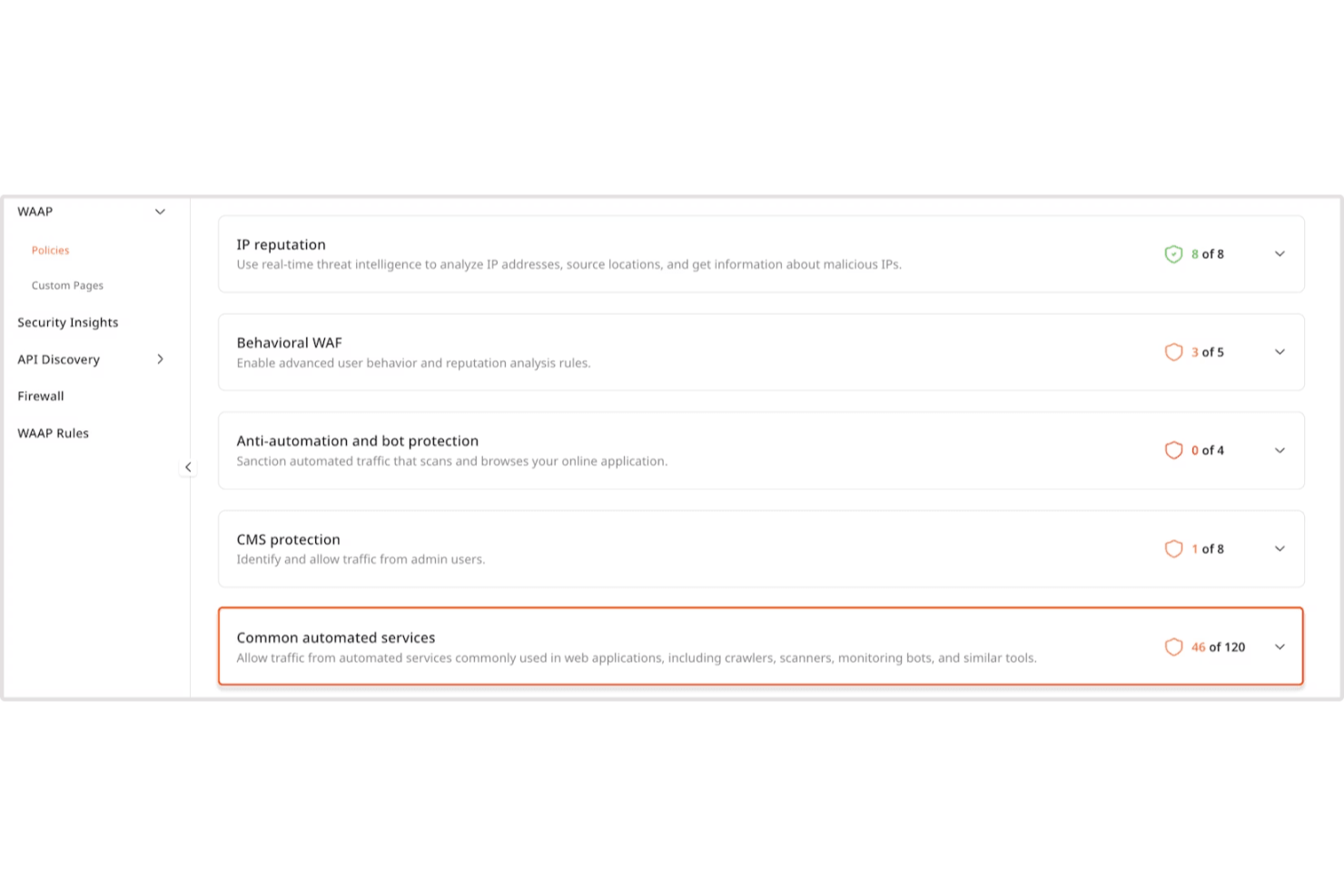
Gcore ist eine CDN- und Webbeschleunigungsplattform, die ein globales Edge-Netzwerk mit mehr als 210 PoPs und integriertem DDoS-Schutz, WAF, Bildoptimierung sowie serverlosem Edge-Computing über seine FastEdge-WebAssembly-Laufzeitumgebung kombiniert.
Für wen ist Gcore am besten geeignet?
Gcore eignet sich besonders für europäische Infrastruktur- und Sicherheitsteams, die Edge-Auslieferung mit integriertem DDoS-Schutz und WAF auf jeder Tarifstufe benötigen, ohne für diese Leistungen jeweils separat zu zahlen.
Warum ich Gcore ausgewählt habe
Gcore gehört zu meiner engeren Auswahl, weil das Unternehmen WAF sowie L3/L4/L7-DDoS-Schutz in jeden CDN-Tarif integriert, einschließlich des kostenlosen Tarifs, was in diesem Bereich selten ist. Besonders überzeugt mich das EU-souveräne Edge-Netzwerk: mit Hauptsitz in Luxemburg, nach ISO 27001 und PCI DSS zertifiziert und mit Optionen zur Datenverarbeitung, die den GDPR-Anforderungen entsprechen, ohne den Datenverkehr über US-Infrastruktur zu leiten. Die FastEdge-WebAssembly-Laufzeitumgebung ermöglicht außerdem die Ausführung von Personalisierungs- oder Authentifizierungslogik am Edge über mehr als 210 PoPs hinweg, mit Kaltstarts im Mikrosekundenbereich.
Die wichtigsten Funktionen von Gcore
- Ursprungsserver-Abschirmung: Eine zwischengeschaltete Caching-Schicht liegt zwischen Edge-Knoten und Ihrem Ursprungsserver und reduziert direkte Anfragen an den Ursprungsserver bei Verkehrsspitzen und Ereignissen mit Cache-Fehlzugriffen.
- FastEdge-WebAssembly-Laufzeitumgebung: Ermöglicht die Bereitstellung von JavaScript- oder Rust-Funktionen über mehr als 210 Edge-Standorte hinweg, mit Kaltstarts im Mikrosekundenbereich, für Logik wie Authentifizierung, Weiterleitungen und die Bearbeitung von Headern.
- Bildoptimierung im laufenden Betrieb: Konvertiert Bilder in WebP oder AVIF und wendet Größenänderungs- oder Zuschneidetransformationen über URL-Abfrageparameter an, ohne Änderungen an Ihren Ursprungsressourcen.
- Terraform-Anbieter: Ein offizieller Anbieter ermöglicht die Verwaltung von CDN-Ressourcen, Bereinigungsregeln und Sicherheitskonfigurationen als Code zusammen mit dem Rest Ihrer Infrastruktur.
Gcore-Integrationen
Gcore bietet Integrationen mit Terraform, Grafana, AWS S3, Google Cloud Storage, Cloudflare, WordPress, Magento, Joomla, PrestaShop und Django CMS. Die REST-API unterstützt benutzerdefinierte CDN-, Sicherheits-, Bereinigungs- und Überwachungsabläufe.
Pros and Cons
Pros:
- Sicherheitsfunktionen in allen Tarifstufen enthalten
- Mehr als 210 PoPs sorgen für geringe globale Latenz
- Serverloses FastEdge führt Edge-Logik schnell aus
Cons:
- Keine CDN-Auslieferung innerhalb des chinesischen Festlands
- Kein natives Tracking der Nutzererfahrung (RUM) oder der zentralen Web-Vitalwerte

YOTTAA
Am besten für die Kontrolle der Ladereihenfolge von E-Commerce-Skripten geeignet
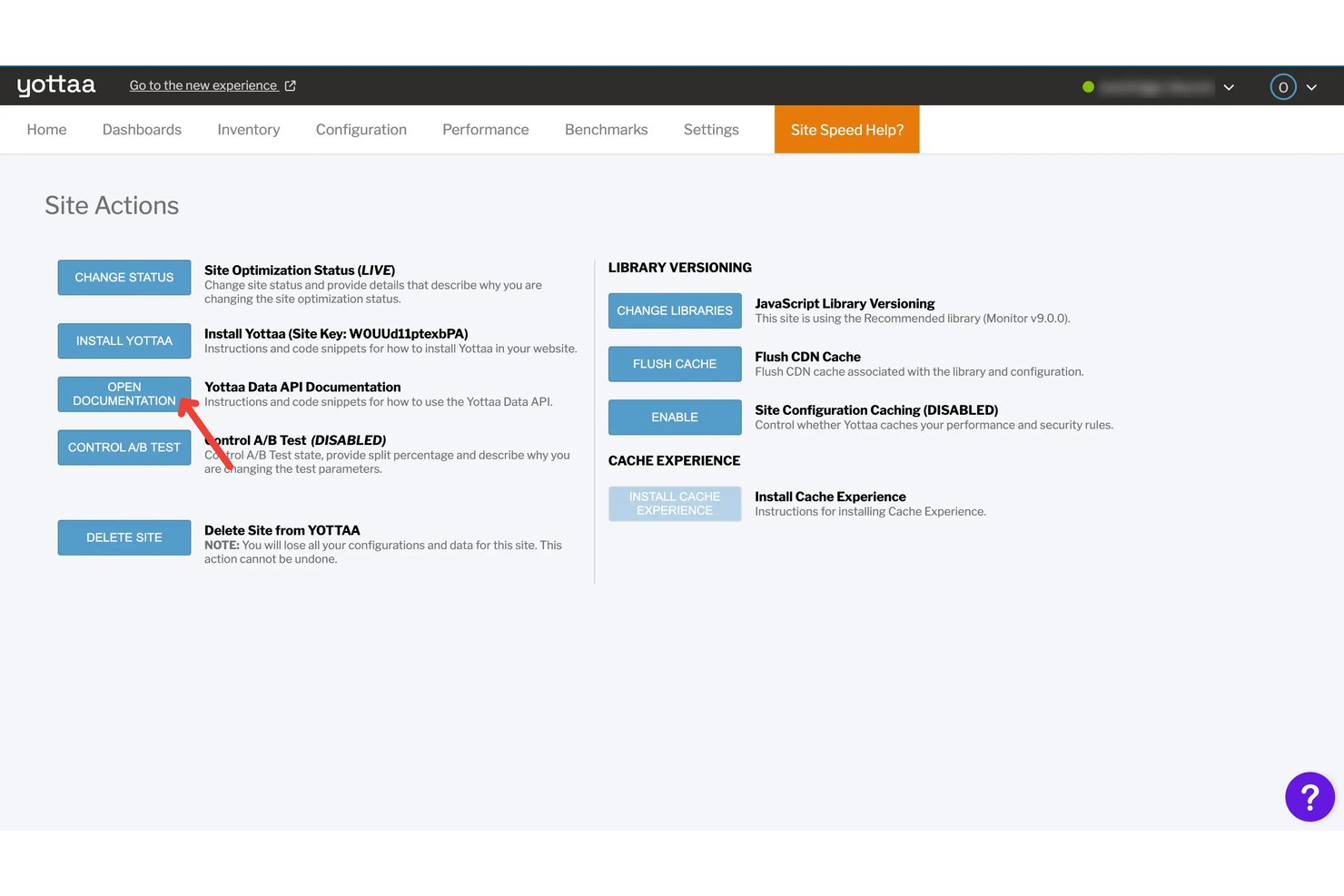
YOTTAA ist eine speziell für den E-Commerce entwickelte Webbeschleunigungsplattform, die patentierte Anwendungssequenzierung, dynamische InstantON-Seitenaufteilung, Frontend-Optimierung, Edge-Caching über das CDN von Fastly sowie die Überwachung realer Nutzer mit Diagnosen zu den Core Web Vitals kombiniert.
Für wen ist YOTTAA am besten geeignet?
YOTTAA eignet sich besonders für E-Commerce-Teams, die große Mengen an Drittanbieter-Skripten verwalten und eine präzise Kontrolle über Ladereihenfolge und Seitenleistung benötigen.
Warum ich YOTTAA ausgewählt habe
Ich habe YOTTAA als eine der besten Lösungen ausgewählt, weil die patentierte Anwendungssequenzierung E-Commerce-Teams eine direkte Kontrolle über die Ladereihenfolge von 25 bis mehr als 40 Drittanbieter-Skripten pro Seite ermöglicht, ohne eine einzige Codezeile anzufassen oder eine Website-Version zu veröffentlichen. Auch InstantON finde ich wirklich nützlich: Die Technologie teilt Seiten in eine statische Grundstruktur auf, die in weniger als 200 ms ausgeliefert wird, sowie in dynamische Fragmente, die asynchron abgerufen werden. Dadurch werden LCP und TTFB auf personalisierten Seiten direkt verbessert, die vom herkömmlichen Caching nicht erfasst werden können.
Wichtige Funktionen von YOTTAA
- Überwachung realer Nutzer (RUM): Erfasst 100 % der Einkaufssitzungen, einschließlich des Datenverkehrs, der normalerweise von Werbeblockern blockiert wird, mit einer Datenspeicherung von bis zu 13 Monaten.
- Cache-Verwaltung: Konfiguriert Edge-Caching-Regeln mit geografischer und gerätebasierter Manipulation, RegExp-Ausnahmen, Unterstützung mehrerer Ursprünge sowie dem Leeren des Caches für URLs oder die gesamte Website.
- Anomalie-KI: Nutzt maschinelles Lernen, um Leistungsanomalien anhand einer fortlaufenden zweiwöchigen Basislinie zu erkennen, und stellt priorisierte Warnungen über das Dashboard, per E-Mail oder über Slack bereit.
- Conversion-Einblicke: Ermittelt den Bereich der Seitenladezeit, in dem die Mehrheit der Conversions stattfindet, und quantifiziert die Auswirkungen von Leistungsänderungen auf den Umsatz.
YOTTAA-Integrationen
YOTTAA lässt sich in Fastly, Adobe Commerce, Salesforce Commerce Cloud, Shopify, SAP Hybris, Sitecore, Google Analytics 4, Adobe Analytics und CrUX integrieren. Der MCP-Server unterstützt Claude Code, Cursor und VS Code, während REST-APIs benutzerdefinierte Integrationen ermöglichen.
Pros and Cons
Pros:
- Besonders stark bei der Kontrolle der Ladereihenfolge von E-Commerce-Skripten
- Patentiertes InstantON beschleunigt dynamische Seiten
- Erfasst 100 % der Daten von Einkaufssitzungen
Cons:
- Seit 2024 keine eigene CDN-Infrastruktur
- Eingeschränkte Self-Service-Steuerung von Protokollen und Routing

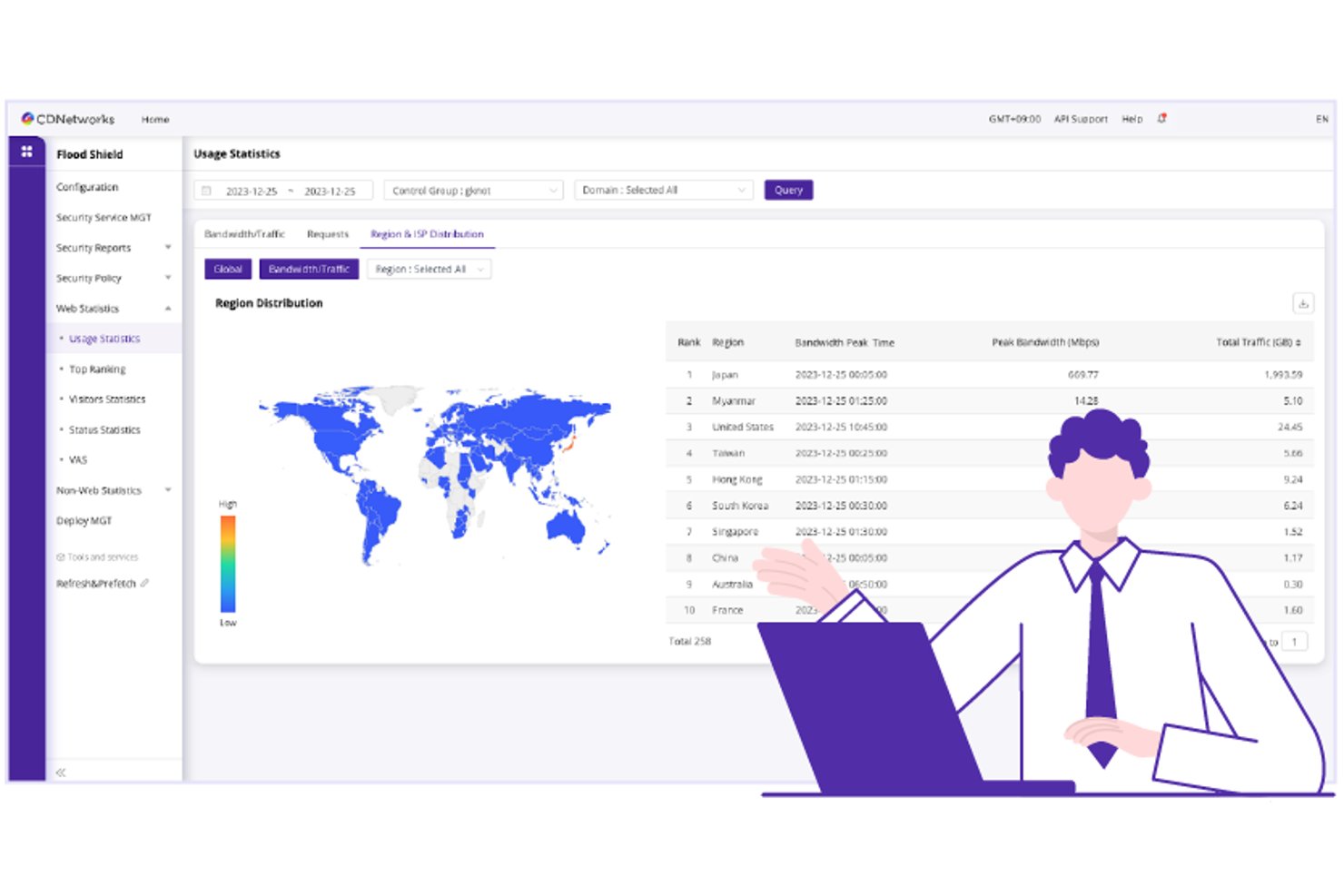
CDNetworks ist eine Plattform zur Webbeschleunigung und Edge-Bereitstellung, die die Beschleunigung dynamischer Inhalte, mehrstufiges Caching, programmierbare Edge-Logik, integrierte WAAP-Sicherheit und serverloses Edge-Computing über ein globales Netzwerk mit mehr als 3.000 PoPs und besonders umfassender Abdeckung im asiatisch-pazifischen Raum sowie in China kombiniert.
Für wen ist CDNetworks am besten geeignet?
CDNetworks eignet sich besonders für Organisationen mit großen Nutzerbasen im asiatisch-pazifischen Raum, insbesondere wenn die Reichweite auf dem chinesischen Markt oder die regionale Edge-Performance zwingend erforderlich ist.
Warum ich CDNetworks ausgewählt habe
CDNetworks steht auf meiner Auswahlliste, weil kein anderer CDN-Anbieter an die Abdeckung im asiatisch-pazifischen Raum herankommt, einschließlich Märkten wie China, in denen die meisten Wettbewerber schlicht keine nennenswerte Präsenz haben. Besonders beeindruckt mich das proprietäre Optimized Transmission Protocol, das dynamische, nicht cachebare Inhalte (etwa authentifizierte Sitzungen und Live-APIs) 30–130 % schneller als herkömmliches TCP beschleunigt. Die integrierte WAAP-Sicherheit mit einer DDoS-Bereinigungskapazität von mehr als 20 Tbps, die direkt in die Bereitstellungsschicht integriert ist, bedeutet, dass Sie keinen separaten Sicherheitsanbieter einbinden müssen, um diesen Datenverkehr zu schützen.
Wichtige Funktionen von CDNetworks
- Tag-basiertes Leeren des Caches: Macht bestimmte zwischengespeicherte Inhalte mithilfe von Tags sofort über alle PoPs hinweg ungültig, ohne den gesamten Cache zu leeren.
- Edge-KV-Speicher: Ein verteilter Schlüssel-Wert-Speicher, der global über Edge-Knoten hinweg synchronisiert wird und zustandsbehaftete serverlose Anwendungen unterstützt.
- Globaler Server-Lastenausgleich (GSLB): Leitet eingehende Anfragen basierend auf den Echtzeitbedingungen des Netzwerks und dem Zustand des Ursprungsservers an den nächstgelegenen verfügbaren PoP weiter.
- Terraform-Provider: Ein veröffentlichter Provider in der Terraform-Registry ermöglicht es Ihnen, die CDN-Konfiguration innerhalb bestehender Infrastruktur-Workflows als Code zu verwalten.
Integrationen von CDNetworks
CDNetworks bietet einen Terraform-Provider, eine Grafana-Integration, SIEM-Konnektivität, Cloud DNS+ sowie Kompatibilität mit Ursprungsservern von AWS, Google Cloud und Azure. Die REST-API unterstützt benutzerdefinierte Integrationen und CI/CD-Workflows; native CMS- und E-Commerce-Plugins sind nicht eindeutig dokumentiert.
Pros and Cons
Pros:
- Unübertroffene Edge-Reichweite im gesamten asiatisch-pazifischen Raum
- Integrierte WAAP- und DDoS-Sicherheit am Netzwerkrand
- Serverloses Edge-Computing mit programmierbaren V8-Isolaten
Cons:
- Begrenzte CMS- und Überwachungsintegrationen
- Für Preise zur dynamischen Beschleunigung ist eine Kontaktaufnahme mit dem Vertrieb erforderlich

Am besten geeignet für Edge-Caching mit vorhersehbaren Kosten in großem Maßstab
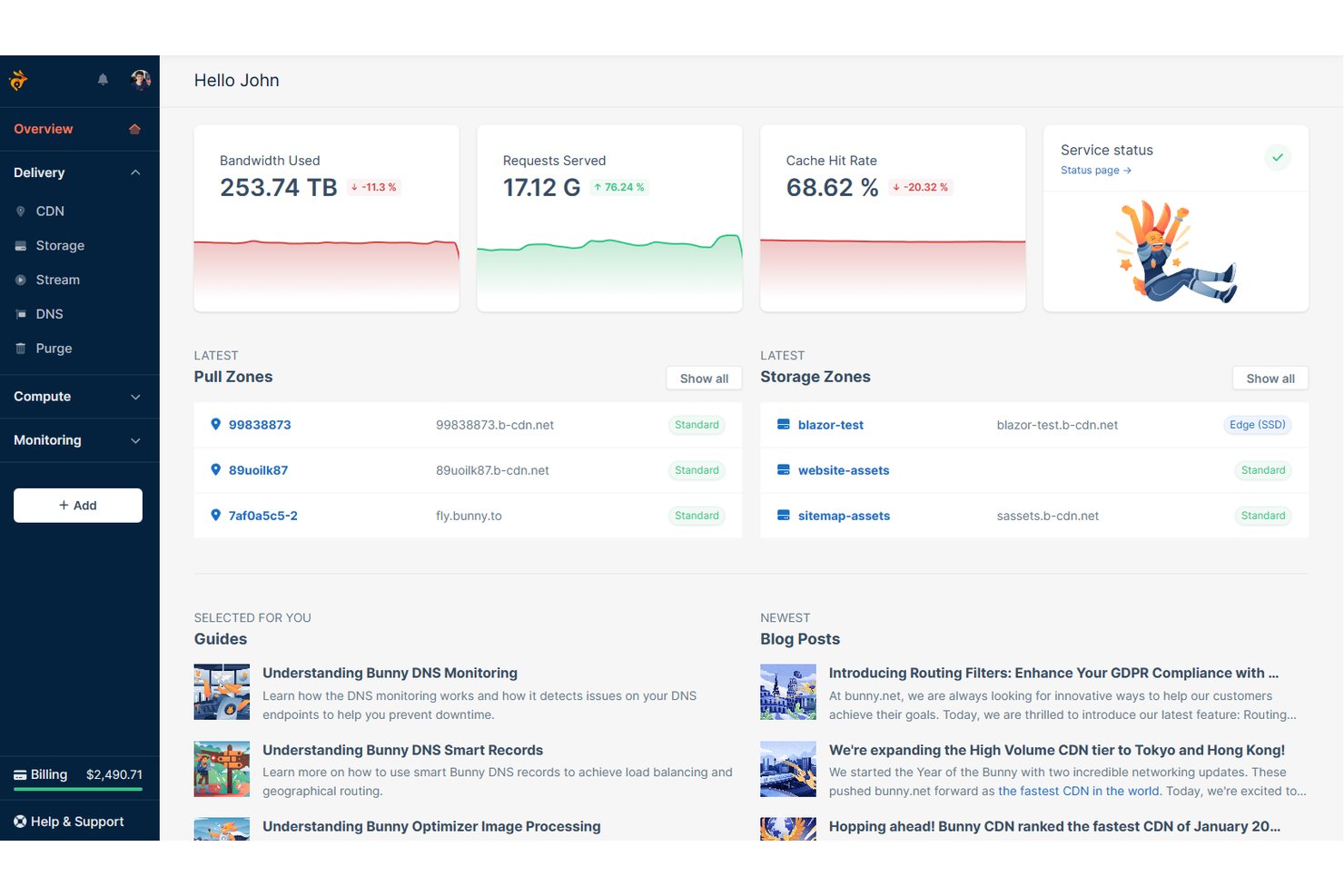
bunny.net ist eine Webbeschleunigungs- und CDN-Plattform, die Edge-Caching, intelligentes Traffic-Routing, Bild- und Videooptimierung, serverloses Edge-Computing sowie integrierten WAF- und DDoS-Schutz über 119 globale PoPs hinweg kombiniert.
Für wen ist bunny.net am besten geeignet?
bunny.net eignet sich hervorragend für Infrastruktur- und DevOps-Teams, die globales Edge-Caching zu vorhersehbaren, niedrigen Kosten benötigen, ohne dabei auf Leistung zu verzichten.
Warum ich mich für bunny.net entschieden habe
bunny.net schafft es auf meine Auswahlliste, weil sich sein Preismodell tatsächlich von dem der meisten CDN-Anbieter unterscheidet: Es gibt einen Mindestpreis von 1 $ pro Monat, einen Überlastschutz durch konfigurierbare Bandbreitenbegrenzungen und Preise von nur 0,01 $/GB für Europa und Nordamerika. Besonders beeindruckt mich Perma-Cache, das Dateien dauerhaft am Edge speichert und so eine Cache-Trefferquote von 100 % für gespeicherte Ressourcen ermöglicht. In Kombination mit dem SmartEdge-Routing, das je nach Inhaltstyp dynamisch zwischen Anycast-, GeoDNS- und latenzbasierten Pfaden auswählt, erhält man eine konstante Leistung ohne unvorhersehbare Kosten.
Wichtige Funktionen von bunny.net
- Ursprungsserver-Schutz: Eine Caching-Schicht der mittleren Ebene, die zwischen Edge-PoPs und Ihrem Ursprungsserver liegt, CDN-Traffic abfängt und die Last auf dem Ursprungsserver um bis zu 30 % reduziert.
- Bunny-Edge-Skripting: Eine serverlose Computing-Plattform, die an allen 119 PoPs Deno ausführt und TypeScript, npm-Module sowie WebAssembly für benutzerdefinierte Edge-Logik unterstützt.
- Bunny Shield WAF: Eine Web Application Firewall der nächsten Generation mit KI-gestützten Empfehlungen für Regeln, Echtzeit-Angriffsprotokollen und Schutz vor Schwachstellen aus den OWASP Top 10.
- Terraform-Anbieter: Ein offizieller Open-Source-HashiCorp-Terraform-Anbieter zur Verwaltung von CDN-, DNS-, Speicher- und Streaming-Ressourcen über Workflows für Infrastruktur als Code.
Integrationen von bunny.net
bunny.net bietet dokumentierte Integrationen mit WordPress, Drupal, Magento, Shopware, Joomla, Amazon S3, Azure Blob Storage, Backblaze B2 und DigitalOcean Spaces. Außerdem werden Terraform, Edge-Skripting-Bereitstellungen auf GitHub-Basis, CLI-Workflows und benutzerdefinierte Integrationen über die REST-API unterstützt.
Pros and Cons
Pros:
- Perma-Cache ermöglicht die dauerhafte Speicherung von Ressourcen am Edge
- Vorhersehbare Preise mit Überlastschutz
- Integrierte Optimierung von Bildern, Videos und Schriftarten
Cons:
- Keine S3-kompatible API für Speicher
- Keine nativen, vorgefertigten Integrationen für die Beobachtbarkeit

Am besten für DDoS-Abwehr auf Netzwerkebene geeignet

Cloudflare ist eine Plattform zur Webbeschleunigung und Sicherheit, die ein globales CDN, DDoS-Abwehr, Edge-Computing über Workers, intelligente Verkehrssteuerung und integriertes Caching in einem einzigen Reverse-Proxy-Netzwerk kombiniert.
Für wen eignet sich Cloudflare am besten?
Cloudflare eignet sich besonders für Infrastruktur- und Sicherheitsteams, die groß angelegte DDoS-Angriffe abwehren müssen, ohne die Bereitstellungsgeschwindigkeit für eine globale Nutzerbasis zu beeinträchtigen.
Warum ich Cloudflare ausgewählt habe
Cloudflare steht auf meiner Auswahlliste, weil kein anderer Webbeschleuniger mit seiner DDoS-Abwehrkapazität mithalten kann: mehr als 500 Tbit/s Netzwerkkapazität, die in jedem Tarif einschließlich des kostenlosen Tarifs verfügbar ist. Ich habe erlebt, wie Teams rekordverdächtige volumetrische Angriffe abwehren konnten, ohne Änderungen an der Origin-Konfiguration vornehmen zu müssen – lediglich durch einen DNS-Wechsel. Argo Smart Routing stärkt dieses Argument zusätzlich, indem es die Latenz durchschnittlich um 30 % reduziert, da der Datenverkehr über das 348 Städte umfassende Netzwerk von Cloudflare an Echtzeitüberlastungen vorbeigeleitet wird.
Wichtige Funktionen von Cloudflare
- Mehrstufiger Cache: Eine hierarchische Caching-Architektur, die Anfragen über Rechenzentren höherer Ebenen leitet, bevor sie Ihren Origin erreichen, und dadurch die Cache-Trefferraten deutlich erhöht.
- Cloudflare Workers: Serverlose Funktionen, die ohne Kaltstarts an allen Edge-Standorten ausgeführt werden und JavaScript, TypeScript, Python und Rust für dynamische Edge-Logik unterstützen.
- Cloudflare Observatory: Ein umfassendes Tool zur Leistungsüberwachung, das Monitoring echter Nutzer, Google-Lighthouse-Bewertungen und regionale synthetische Tests in einem einzigen Dashboard kombiniert.
- Lastverteilung: Verteilt den Datenverkehr über Server, Rechenzentren und Cloud-Umgebungen hinweg – mit Geo-Steuerung, aktivem/passivem Failover und Zustandsprüfungen von globalen Standorten aus.
Cloudflare-Integrationen
Cloudflare bietet Integrationen mit AWS, Google Cloud, Microsoft Azure, WordPress, GitHub, GitLab, Datadog, New Relic, Grafana und Splunk. Die REST- und GraphQL-APIs, der Terraform-Provider, Logpush und die Unterstützung des OpenTelemetry-Exports ermöglichen eine individuelle Anbindung und CI/CD-Workflows.
Pros and Cons
Pros:
- Wehrt Multi-Terabit-DDoS-Angriffe automatisch ab
- Mehrstufiges Caching erhöht die Cache-Trefferraten
- Workers ermöglichen dynamisches Edge-Computing überall
Cons:
- Die Konfiguration erweiterter Funktionen ist zeitaufwendig
- Die SSL-Terminierung gibt einigen Nutzern Anlass zu Datenschutzbedenken

Akamai
Am besten für API-Beschleunigung und -Schutz geeignet
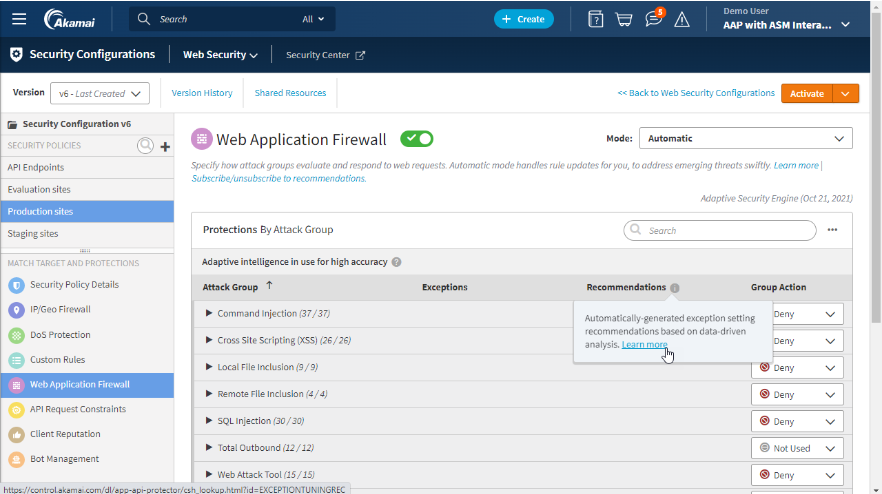
Akamai ist eine Plattform für Edge-Auslieferung und Webbeschleunigung, die CDN, dynamische Inhaltsbeschleunigung, intelligentes Traffic-Routing, Bild- und Videooptimierung, serverloses Edge-Computing über EdgeWorkers sowie integrierte API- und Anwendungssicherheit kombiniert.
Für wen ist Akamai am besten geeignet?
Akamai eignet sich besonders für Unternehmensteams, die APIs und dynamische Inhalte weltweit beschleunigen und schützen müssen, insbesondere in regulierten Branchen, in denen Compliance und Betriebszeit nicht verhandelbar sind.
Warum ich Akamai ausgewählt habe
Akamai hat sich einen Platz auf meiner engeren Auswahl verdient, weil keine andere Plattform API-Beschleunigung und -Schutz in diesem Umfang kombiniert. Besonders beeindruckt bin ich von Dynamic Site Accelerator in Verbindung mit SureRoute, das kontinuierlich in Echtzeit die Pfade mit der geringsten Latenz für nicht cachebare API-Daten identifiziert. Darüber hinaus deckt das dedizierte API-Sicherheitsprodukt die Erkennung und den Laufzeitschutz für GenAI- und LLM-Endpunkte ab – ein Bereich, den die meisten Wettbewerber bisher noch nicht berücksichtigen.
Wichtige Funktionen von Akamai
- Bild- und Videoverwaltung: Optimiert Bilder und Videos automatisch in Echtzeit und wählt abhängig von Gerät und Netzwerkbedingungen das beste Format (WebP, AVIF, HEIF) sowie die passende Qualität aus.
- EdgeWorkers: Führt JavaScript am Edge über Tausende globaler PoPs aus und ermöglicht benutzerdefinierte Routing-Logik, A/B-Tests und die Manipulation von Anfragen, ohne den Ursprung zu erreichen.
- Echtzeitüberwachung echter Nutzer mit mPulse: Erfasst mehr als 200 Leistungsmetriken aus Sitzungen echter Nutzer, einschließlich Attributions-Dashboards für zentrale Web-Vitalwerte zur Diagnose von CLS, INP und LCP.
- Globale Verkehrsverwaltung: Eine richtlinienbasierte Lösung zur Lastverteilung mit sechs Routing-Methoden, Echtzeit-Zustandsüberwachung, Multi-Cloud-Unterstützung und einer SLA mit 100 % Betriebszeit.
Akamai-Integrationen
Akamai unterstützt Integrationen mit Splunk, Datadog, New Relic, Google Cloud, Terraform und GitHub Actions. Die REST-APIs und die Akamai CLI unterstützen benutzerdefinierte Integrationen und CI/CD-Workflows.
Pros and Cons
Pros:
- Hervorragend bei API-Beschleunigung und -Sicherheit
- Echtzeit-Attributions-Dashboards für zentrale Web-Vitalwerte
- Riesiges globales Edge-Netzwerk minimiert die Latenz
Cons:
- Keine Self-Service-Anmeldung oder öffentliche Preisangaben
- Komplexer Einrichtungs- und Onboarding-Prozess

Am besten geeignet für die mehrschichtige Beschleunigung des Browser-Zwischenspeichers
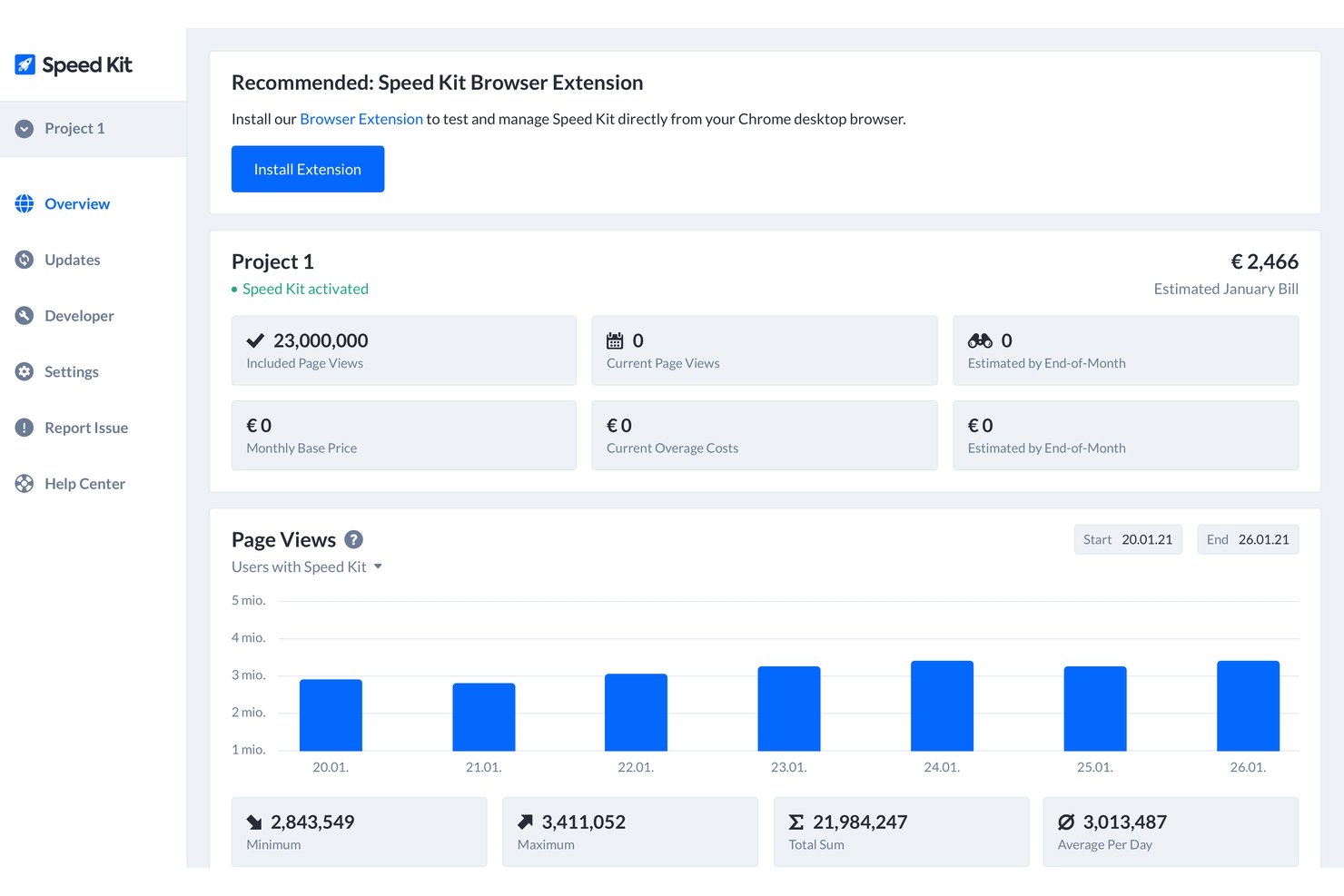
Speed Kit ist eine Plattform zur Webbeschleunigung, die mehrstufiges dynamisches Zwischenspeichern, KI-gestütztes vorausschauendes Vorladen, Komprimierungsoptimierung und die Überwachung echter Nutzer auf Ihre bestehende CDN- und Technologieumgebung aufsetzt.
Für wen eignet sich Speed Kit am besten?
Speed Kit eignet sich besonders für Experten für Webleistung und Teams für die Benutzeroberfläche in mittelständischen bis großen E-Commerce-Unternehmen, die dynamische, personalisierte Seiten beschleunigen möchten, ohne ihre bestehende Technologieumgebung neu zu strukturieren.
Warum ich Speed Kit ausgewählt habe
Speed Kit steht auf meiner Auswahlliste, weil es ein Problem beim Zwischenspeichern löst, das die meisten Webbeschleuniger einfach ignorieren: dynamisches, personalisiertes HTML. Die mehrschichtige Browser-Zwischenspeicherarchitektur kombiniert Backend-, Edge- und Service-Worker-Zwischenspeicherung, sodass selbst sitzungsspezifische Seiten aus dem Zwischenspeicher statt vom Ursprungsserver geladen werden. Außerdem beeindruckt mich das KI-gestützte vorausschauende Vorladen, das reales Nutzerverhalten nutzt, um die wahrscheinlich nächste Seite bereits vor dem Klick eines Besuchers vorab zu rendern, und dabei konstant einen LCP-Wert von unter 300 ms erreicht.
Wichtige Funktionen von Speed Kit
- Zwischenspeichern dynamischer HTML-Shells: Speichert anonymisierte, Cookie-freie HTML-Snapshots personalisierter Seiten, sodass dynamische Inhalte aus dem Zwischenspeicher statt vom Ursprungsserver geladen werden.
- Aktualisierungs-API: Ermöglicht es Ihnen, bestimmte Seiten und Ressourcen über die Übersichtsseite oder per API-Aufruf programmgesteuert zu löschen oder zu aktualisieren.
- Beschleunigung von Ressourcen Dritter: Leitet freigegebene Anfragen an Dritte über eine einzige persistente HTTP/3-Verbindung und speichert Skripte, Schriftarten und CSS am Edge zwischen.
- Live-A/B-Tests zur Geschwindigkeitssteigerung: Führt parallele Geschwindigkeitsexperimente mit echtem Datenverkehr durch und verknüpft die Ergebnisse direkt mit Geschäfts-KPIs wie Konversionsrate und Umsatz.
Speed-Kit-Integrationen
Speed Kit lässt sich in Shopify, Akamai, Cloudflare, Fastly, AWS CloudFront, Google Tag Manager und Akamai Bot Manager integrieren. Außerdem bietet es eine Aktualisierungs-API für individuelle Arbeitsabläufe zum Löschen und Aktualisieren des Zwischenspeichers.
Pros and Cons
Pros:
- Dynamisches Zwischenspeichern für personalisierte E-Commerce-Seiten
- Vorausschauendes Vorladen ermöglicht einen LCP von unter 300 ms
- Die Integration erfordert keine Änderungen an der Infrastruktur
Cons:
- Keine proprietären CDN- oder Sicherheitsfunktionen
- Das Vorab-Rendering ist auf Chromium-Browser beschränkt

Am besten für AWS-basierte Edge-Bereitstellung im großen Maßstab geeignet
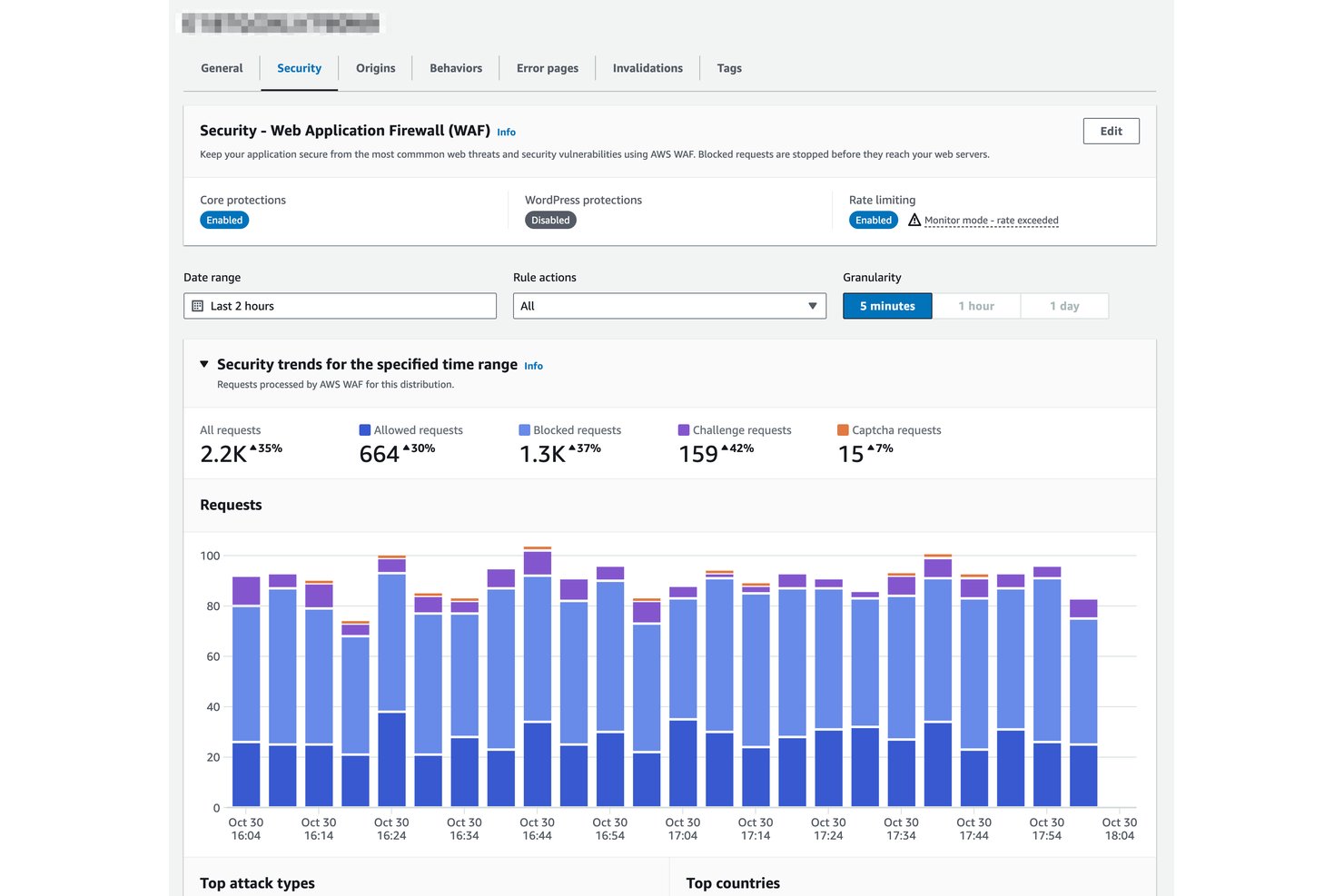
Amazon CloudFront ist ein Webbeschleuniger und CDN, das auf dem globalen Edge-Netzwerk von AWS basiert und mehrstufiges Content-Caching, die Bereitstellung dynamischer und statischer Inhalte, Edge-Computing über CloudFront Functions und Lambda@Edge sowie integrierten DDoS- und WAF-Schutz bietet.
Für wen ist Amazon CloudFront am besten geeignet?
Amazon CloudFront ist die bevorzugte Wahl für Engineering-Teams, die ihre Infrastruktur bereits auf AWS betreiben und eine Edge-Bereitstellung im Unternehmensmaßstab benötigen, ohne einen separaten CDN-Anbieter verwalten zu müssen.
Warum ich mich für Amazon CloudFront entschieden habe
Amazon CloudFront hat sich einen Platz auf meiner Auswahlliste verdient, weil es direkt in das AWS-Backbone integriert ist. Das bedeutet: Wenn Ihr Technologie-Stack bereits auf EC2, S3 oder API Gateway läuft, fallen keine Egress-Kosten zwischen Ihrem Ursprung und dem Edge an. Besonders beeindruckt mich Origin Shield, eine Caching-Zwischenschicht, die redundante Anfragen an den Ursprung zu einer einzigen zusammenfasst und dadurch die Auslastung des Ursprungs bei Bereitstellungen über mehrere Regionen hinweg erheblich reduziert. Zusammen mit mehr als 750 PoPs und mehr als 1.140 integrierten ISP-PoPs für die Zustellung auf der letzten Meile ist CloudFront für AWS-basierte Teams, die im großen Maßstab arbeiten, nur schwer zu übertreffen.
Wichtige Funktionen von Amazon CloudFront
- CloudFront Functions: Eine leichtgewichtige JavaScript-Laufzeitumgebung, die am Edge in weniger als einer Millisekunde ausgeführt wird und URL-Umschreibungen, die Bearbeitung von Headern sowie die Normalisierung von Cache-Schlüsseln im großen Maßstab übernimmt.
- Lambda@Edge: Eine vollständige Node.js- und Python-Laufzeitumgebung, die an regionalen Edge-Caches ausgeführt wird und serverseitiges Rendering, Benutzerauthentifizierung sowie die Personalisierung von Inhalten in Echtzeit ermöglicht.
- Echtzeit-Log-Streaming: Anfrageprotokolle werden innerhalb von Sekunden an Amazon Kinesis Data Streams übertragen, mit konfigurierbaren Sampling-Raten für die Analyse von Datenverkehr mit hohem Volumen.
- Verschlüsselung auf Feldebene: Verschlüsselt bestimmte POST-Felder Ende-zu-Ende vom Edge bis zu Ihrem Ursprung und schützt sensible Daten selbst innerhalb einer HTTPS-Sitzung.
Integrationen von Amazon CloudFront
Amazon CloudFront bietet native Integrationen mit Amazon S3, Amazon EC2, Elastic Load Balancing, API Gateway, AWS WAF, AWS Shield, AWS Certificate Manager, Route 53, CloudWatch und Lambda. Es unterstützt CloudFormation, AWS CDK, Terraform, CLI, SDKs sowie benutzerdefinierte API-basierte Integrationen.
Pros and Cons
Pros:
- Keine Egress-Kosten von AWS-Ursprüngen
- Gigantisches globales Edge- und ISP-PoP-Netzwerk
- Zwei Edge-Laufzeitumgebungen für benutzerdefinierte Edge-Logik
Cons:
- Keine native Optimierung von Bildern oder Assets
- Komplexe Ersteinrichtung für neue Benutzer

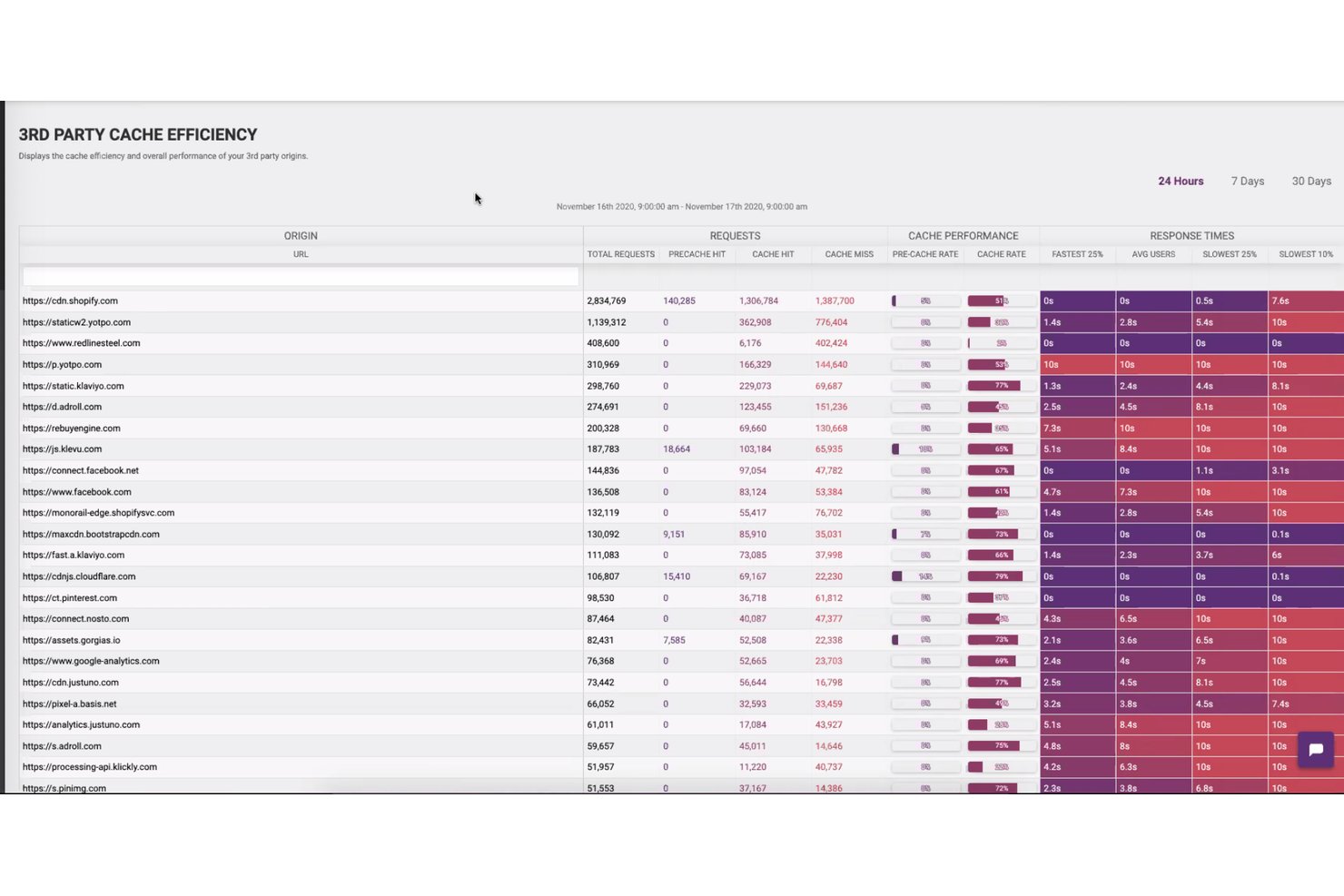
Edgemesh ist eine native Webbeschleunigungsplattform für Shopify, die Edge-Caching, die hybride Zusammensetzung statischer und dynamischer Seiten, Bot-Filterung, die Überwachung der Leistung echter Nutzer und serverseitige Analysen mit Erstanbieter-Daten kombiniert.
Für wen ist Edgemesh am besten geeignet?
Edgemesh eignet sich besonders für Shopify- und Shopify-Plus-Marken mit hohem Verkaufsvolumen, die messbare Conversion-Steigerungen durch Verbesserungen der Edge-Leistung benötigen.
Warum ich Edgemesh ausgewählt habe
Edgemesh verdient einen Platz auf meiner Auswahlliste, weil das Modell zur hybriden Seitenzusammensetzung direkt den Leistungsengpass angeht, der Shopify-Shops Conversions kostet. Mir gefällt besonders, dass der zwischengespeicherte App-Rahmen in etwa 90 ms vom Edge bereitgestellt wird, während aktuelle Preise und Bestände dynamisch abgerufen werden, sodass Käufer niemals veraltete Daten sehen. Durch den 50/50-Test mit Live-Traffic kann ich die Auswirkung auf die Conversion mit echten Besuchern statt mit synthetischen Benchmarks überprüfen, und veröffentlichte Fallstudien belegen dies mit Conversion-Steigerungen von 14–16 %.
Wichtige Funktionen von Edgemesh
- Filterung von Bots und ungültigem Traffic: Bewertet jede Anfrage in Echtzeit am Edge anhand von IP-Reputation, Geräteverhalten und Ereignisabfolge, um legitime Käufer von Bots zu unterscheiden, bevor diese den Store erreichen.
- Durch Webhooks ausgelöstes Leeren des Caches: Ermöglicht die programmgesteuerte Ungültigmachung zwischengespeicherter Inhalte über API oder Webhook, sodass Produktseiten bei Änderungen an Bestand oder Theme automatisch aktualisiert werden.
- Serverseitige Analysen mit Erstanbieter-Daten: Erfasst Daten zum Conversion-Trichter und zur Attribution auf Infrastrukturebene und umgeht Werbeblocker sowie Datenschutzbeschränkungen von Browsern, um 100 % nicht stichprobenbasierte Daten bereitzustellen.
- Ausfallsicherung bei Ausfallzeiten: Liefert Besuchern weiterhin den zwischengespeicherten Store aus, wenn der Shopify-Ursprung offline geht, und hält den Shop während Plattformausfällen zugänglich.
Integrationen von Edgemesh
Edgemesh lässt sich über MCP in Shopify, Shopify Plus, Meta, Google Ads, Layers, Claude, Cursor und Gemini integrieren. Außerdem bietet es eine REST-API und Webhooks für die benutzerdefinierte Cache-Verwaltung und Konnektivität.
Pros and Cons
Pros:
- Hybrides Caching hält Shopify-Daten stets aktuell
- 50/50-Tests bestätigen die Auswirkungen auf das reale Geschäft
- Analysen echter Nutzer umgehen Werbeblocker vollständig
Cons:
- Hauptsächlich für reine Shopify-Anwendungsfälle geeignet
- Protokoll- und Netzwerktransparenz ist begrenzt
Weitere Web-Acceleratoren
Nachfolgend finden Sie eine Liste zusätzlicher Web-Acceleratoren, die ich in die engere Auswahl genommen habe, die es aber nicht in die Top 10 geschafft haben. Sie sind auf jeden Fall einen Blick wert.
- Microsoft Azure Front Door
Am besten für einheitliche Bereitstellung und Sicherheit mit nativer Azure-Integration
- Google Cloud CDN
Am besten für GCP-natives Edge-Caching und die Bereitstellung
- CDN77
Am besten für die Medienbereitstellung über ein privates Backbone geeignet
- F5 NGINX
Am besten für leistungsstarkes Load Balancing geeignet
- Varnish Software
Am besten für VCL-gesteuerte HTTP-Cache-Kontrolle geeignet
- KeyCDN
Ideal für die globale Edge-Bereitstellung nach Verbrauch
- Imperva Secure CDN
Am besten für die CDN-Auslieferung mit integrierter Sicherheit
- QUIC.cloud
Am besten für dynamisches Edge-Caching von WordPress über HTTP/3
- W3 Total Cache
Am besten für die mehrschichtige Cache-Optimierung in WordPress


Weitere Bewertungen von Webserver-Software
Wie ich Webbeschleuniger bewerte
Ich teile meine Bewertung in grundlegende Anforderungen – wie Edge-Caching und PoP-Abdeckung – und Unterscheidungsmerkmale wie Edge-Compute und Preismodelle, die großartige Tools von durchschnittlichen abheben.
Kernfunktionen (unabdingbare Kriterien für diese Liste)
Wenn ich Tools für meine Liste auswähle, bewerte ich jedes auf einer Skala von 0 (bietet die Funktion nicht) bis 5 (hervorragend in diesem Bereich) für jede der unten aufgeführten Kernfunktionen. Anschließend berechne ich die Gesamtpunktzahl des Tools als Prozentsatz. Jedes Tool muss eine Mindestgesamtpunktzahl von 65 % erreichen, um für die Aufnahme in Betracht gezogen zu werden.
- Inhalts-Caching: Ich bewerte die Granularität des Caches, die Geschwindigkeit beim Leeren sowie die Unterstützung für dynamisches Content-Caching – zum Beispiel das Ausliefern personalisierter Produktseiten aus dem Edge-Cache statt jedes Mal die Ursprungsseite abzufragen.
- Globale Edge-Netzwerkabdeckung: Die Anzahl der PoPs allein erzählt nicht die ganze Geschichte, daher prüfe ich die geografische Verteilung und ob das Netzwerk Regionen abdeckt, in denen sich Ihre Nutzer tatsächlich befinden.
- Content-Komprimierung & -Optimierung: Ich achte auf automatische Brotli-Komprimierung, Asset-Minifizierung und Bildformat-Konvertierung (WebP, AVIF), die die Datenlast verringern, ohne manuelle Anpassungen im Build-Prozess nötig zu machen.
- Protokoll- & Verbindungsoptimierung: Unterstützung für HTTP/3, QUIC und TLS 1.3 ist hier entscheidend – besonders für mobile Nutzer mit verlustbehafteten Verbindungen, bei denen herkömmliche TCP-Handshakes spürbare Latenz verursachen.
- Routen- & Traffic-Optimierung: Intelligentes Routing, das sich an Echtzeit-Staus anpasst und Multi-Origin-Failover unterstützt, unterscheidet ein CDN von einem echten Beschleuniger. Deshalb schaue ich hier besonders genau hin.
- Performance-Analyse & Monitoring: Dashboards sollten Cache-Hit-Raten, Latenzzeiten pro PoP und echte Nutzermetriken anzeigen, damit Sie Leistungssteigerungen direkt mit Verbesserungen bei Core Web Vitals verknüpfen können.
Sobald ich eine Liste von Tools habe, die diese Kriterien erfüllen, prüfe ich, was jede Plattform einzigartig macht.
Unterscheidungsmerkmale (was Anbieter voneinander abhebt)
So vergleiche und bewerte ich verschiedene Anbieter:
Hervorstechende Merkmale
Edge-Compute ist ein wichtiges Unterscheidungsmerkmal – ich prüfe, ob eine Plattform die Ausführung benutzerdefinierter Logik wie Geolokalisierungs-Weiterleitungen oder A/B-Tests direkt am Edge ermöglicht, ohne zum Ursprungsserver zurückkehren zu müssen. Integrierte Sicherheit ist ebenfalls entscheidend, denn eine WAF und DDoS-Abwehr am Edge bieten Schutz, ohne zusätzliche Latenz zu verursachen. Bei Entwickler-Tools sehe ich die größten Unterschiede zwischen den Anbietern: Terraform-Provider, CLI-Zugriff und CI/CD-freundliche APIs machen den Unterschied, wenn Ihr Team Konfigurationen als Code über Test- und Produktivsysteme verwaltet.
Über die Funktionalität hinaus
Transparenz beim Preismodell ist eines der ersten Dinge, die ich bewerte – eine Abrechnung nach Bandbreite kann bei Lastspitzen teuer werden, deshalb prüfe ich, ob Anbieter Pauschalpreise oder Commitment-Optionen anbieten, die die Kosten vorhersehbar halten. Die Integration mit Ursprungsservern und Tech-Stack beeinflusst ebenfalls meine Bewertung; native Unterstützung für große Cloud-Anbieter und CMS-Plattformen wie WordPress oder Magento beschleunigt das Onboarding erheblich. Für Teams mit regulierten Workloads prüfe ich auf SOC 2, PCI DSS und Datenresidenz-Kontrollen, da die Wahl eines Anbieters ohne die passenden Zertifizierungen den Rollout komplett verhindern kann.
So wählen Sie einen Web-Accelerator aus
Es ist leicht, sich von langen Funktionslisten und komplexen Preisstrukturen überwältigen zu lassen. Damit Sie beim Auswahlprozess die Übersicht behalten und das für Ihre Anforderungen passende Tool finden, finden Sie hier eine Checkliste mit wichtigen Auswahlfaktoren:
| Faktor | Worauf achten? |
|---|---|
| Skalierbarkeit | Kann das Tool Ihr erwartetes Wachstum tragen? Überlegen Sie, ob steigender Traffic und mehr Daten ohne Leistungseinbußen unterstützt werden. Achten Sie auf flexible Skalierungsoptionen. |
| Integrationen | Lässt sich das Tool in Ihre bestehenden Systeme integrieren? Prüfen Sie die Kompatibilität mit Ihrer aktuellen technischen Infrastruktur, um reibungslose Abläufe und Datenaustausch zu sichern. |
| Anpassbarkeit | Können Sie das Tool individuell auf Ihre Bedürfnisse zuschneiden? Überprüfen Sie, ob sich die Lösung ohne großen Programmieraufwand an spezielle Geschäftsanforderungen anpassen lässt. |
| Benutzerfreundlichkeit | Ist die Bedienoberfläche für Ihr Team intuitiv nutzbar? Berücksichtigen Sie die Lernkurve und ob Ihr Team das Tool schnell und ohne ausgiebige Schulung einsetzen kann. |
| Implementierung und Onboarding | Wie schnell ist das Tool einsatzbereit? Schauen Sie sich den Einrichtungsprozess und Unterstützungsangebote wie Tutorials oder Support an, um Ausfallzeiten beim Wechsel zu minimieren. |
| Kosten | Passt das Preismodell zu Ihrem Budget? Vergleichen Sie die Kosten mit Ihrem Budget und bewerten Sie den zu erwartenden Mehrwert. Achten Sie auf versteckte Gebühren oder komplizierte Preisstrukturen. |
| Sicherheitsvorkehrungen | Sind Ihre Daten und Nutzerinformationen geschützt? Achten Sie auf starke Sicherheitsfunktionen wie Verschlüsselung und die Einhaltung von Branchenstandards. |
| Support-Verfügbarkeit | Wie gut ist der Kundensupport erreichbar? Prüfen Sie, ob der Anbieter zuverlässigen und schnellen Support über verschiedene Kanäle bereitstellt, um rasch Unterstützung zu erhalten. |
Was ist ein Web-Accelerator?
Ein Web-Accelerator ist ein Werkzeug zur Verbesserung der Webseiten-Performance, indem Inhalte schneller bereitgestellt und Ladezeiten verringert werden. Diese Lösungen werden oft von IT-Fachleuten, Webentwicklern und E-Commerce-Managern eingesetzt, um das Nutzungserlebnis zu optimieren und die Geschäftseffizienz zu unterstützen. Funktionen wie Caching, Content Delivery Networks (CDN) und Lastverteilung helfen, die Seitenleistung zu optimieren und den Datenverkehr zu managen. Insgesamt sorgen solche Tools für einen schnelleren und zuverlässigeren Zugriff auf Webinhalte für alle Benutzer.
Funktionen
Bei der Auswahl eines Webbeschleunigers sollten Sie auf folgende wichtige Funktionen achten:
- Caching: Speichert häufig abgerufene Daten, um Ladezeiten und Serverlast zu verringern und Websites schneller und effizienter zu machen.
- Content Delivery Network (CDN): Verteilt Inhalte über mehrere Server weltweit, um die Latenz zu minimieren und das Nutzererlebnis zu verbessern.
- Lastverteilung: Leitet eingehenden Datenverkehr auf mehrere Server, sodass kein einzelner Server überlastet wird und die optimale Leistung erhalten bleibt.
- Echtzeit-Analysen: Bietet Einblicke in die Website-Performance und das Nutzerverhalten, um Verbesserungsmöglichkeiten zu erkennen.
- Sicherheitsmaßnahmen: Schützt vor Bedrohungen wie DDoS-Angriffen und sorgt dafür, dass Daten und Nutzerinformationen sicher sind.
- Anpassbarkeit: Ermöglicht Anpassungen an spezifische Unternehmensanforderungen ohne aufwendige Programmierung und bietet flexible Implementierungsmöglichkeiten.
- Benutzerfreundlichkeit: Verfügt über eine intuitive Benutzeroberfläche, die die Einarbeitungszeit verkürzt und Teams eine schnelle Nutzung ermöglicht.
- Automatische Skalierung: Passt Ressourcen bei Verkehrsschwankungen an und gewährleistet eine gleichbleibende Leistung auch bei hoher Auslastung.
- Integrationsfähigkeit: Bindet sich nahtlos an bestehende Systeme an, um einen reibungslosen Datenfluss und abgestimmte Prozesse zu gewährleisten.
- Verkehrssteuerung: Optimiert den Pfad der Datenübertragung, reduziert Latenzzeiten und verbessert die Geschwindigkeit der Inhaltsauslieferung an die Nutzer.
Vorteile
Die Implementierung eines Webbeschleunigers bringt zahlreiche Vorteile für Ihr Team und Ihr Unternehmen. Auf diese können Sie sich freuen:
- Schnellere Ladezeiten: Caching und CDNs verkürzen die Ladezeiten von Seiten und verbessern das Nutzererlebnis sowie die Zufriedenheit.
- Höhere Nutzerbindung: Schnellere Websites halten Nutzer länger auf Ihrer Seite, was die Chance auf Konversionen und Interaktionen erhöht.
- Erhöhte Sicherheit: Funktionen wie DDoS-Schutz und SSL-Verschlüsselung sichern die Daten und stärken das Vertrauen der Nutzer.
- Effizientes Ressourcenmanagement: Lastverteilung und automatische Skalierung optimieren die Serverauslastung, reduzieren Kosten und beugen Ausfällen vor.
- Höhere Zuverlässigkeit: Verkehrssteuerung und hohe Verfügbarkeit gewährleisten eine gleichbleibende Performance – auch bei starkem Traffic.
- Verwertbare Erkenntnisse: Echtzeit-Analysen liefern Daten zur Performance und zum Nutzerverhalten, sodass fundierte Entscheidungen getroffen werden können.
- Flexible Integration: Lässt sich problemlos in bestehende Systeme einbinden und ermöglicht einen reibungslosen Übergang sowie einen konsistenten Workflow.
Kosten & Preise
Die Auswahl eines Webbeschleunigers erfordert ein Verständnis für die verschiedenen verfügbaren Preismodelle und Tarife. Die Kosten hängen von Funktionen, Teamgröße, Zusatzoptionen und mehr ab. Die folgende Tabelle bietet einen Überblick über gängige Pläne, deren Durchschnittspreise und die typischerweise enthaltenen Funktionen in Webbeschleuniger-Lösungen:
Vergleichstabelle für Webbeschleuniger-Tarife
| Tarifart | Durchschnittspreis | Typische Funktionen |
|---|---|---|
| Free Plan | $0 | Basis-Caching, begrenzter CDN-Zugang und grundlegende Sicherheitsfunktionen. |
| Personal Plan | $5-$25/user/month | Erweitertes Caching, grundlegende Analysen und standardmäßige Sicherheitsvorkehrungen. |
| Business Plan | $50-$150/user/month | Fortschrittliches CDN, Echtzeit-Analysen, benutzerdefinierte Sicherheitseinstellungen und Lastverteilung. |
| Enterprise Plan | $200+/user/month | Vollständiger Funktionsumfang, dedizierter Support, Multi-Region-Unterstützung und umfassende Analysen. |
Web Accelerator FAQs
Hier sind einige häufig gestellte Fragen zu Webbeschleunigern und wie sie funktionieren:
Worin unterscheidet sich ein Webbeschleuniger von einem CDN?
Ein Webbeschleuniger optimiert Serverantworten und reduziert die Latenz, während ein CDN Inhalte von mehreren Standorten verteilt, um Benutzer schneller zu erreichen. Viele Tools nutzen beide Technologien, um die Datenübertragung effizienter zu gestalten.
Wie geht ein Webbeschleuniger mit hohen Traffic-Volumen um?
Hohe Zugriffszahlen werden durch Lastverteilung und Zwischenspeicherung bewältigt. Anfragen werden auf mehrere Server verteilt, um eine gleichbleibende Performance zu gewährleisten.
Funktionieren Webbeschleuniger mit allen Hosting-Plattformen?
Die meisten modernen Beschleuniger sind mit führenden Hosting- und Cloud-Anbietern wie AWS, Azure und Google Cloud kompatibel. Die Kompatibilität hängt jedoch von Ihrer aktuellen Infrastruktur und Konfiguration ab.
Wie kann ich feststellen, ob mein Webbeschleuniger effektiv arbeitet?
Sie können Leistungskennzahlen wie Ladezeit, Reaktionsgeschwindigkeit und Verfügbarkeit überwachen. Die meisten Plattformen bieten Dashboards oder Analyse-Tools, mit denen Sie diese Ergebnisse verfolgen können.
Wie wird ein Webbeschleuniger typischerweise bereitgestellt?
Die Implementierung kann variieren — einige Beschleuniger sind cloudbasierte Dienste, andere werden lokal installiert oder über APIs integriert. Die beste Option hängt von der Infrastruktur und dem Umfang des Datenverkehrs Ihrer Organisation ab.
Wie geht es weiter:
Wenn Sie sich gerade mit dem Thema Webbeschleuniger beschäftigen, verbinden Sie sich mit einem SoftwareSelect-Berater für kostenlose Empfehlungen.
Sie füllen ein Formular aus und führen ein kurzes Gespräch, in dem Ihre spezifischen Anforderungen geklärt werden. Anschließend erhalten Sie eine Liste mit passenden Softwarelösungen zur Auswahl. Die Berater unterstützen Sie auch während des gesamten Kaufprozesses — einschließlich Preisverhandlungen.