

En iyi iPaaS yazılımları, ekiplerin bulut uygulamalarını birbirine bağlamasına, veri akışlarını otomatikleştirmesine ve sürekli manuel çaba gerektirmeden kritik sistemleri senkronize tutmasına yardımcı olur. Güvenilir entegrasyonlar sunan bu platformlar hataları azaltır, iş akışlarını hızlandırır ve verilerin departmanlar ile araçlar arasında paylaşılmasını kolaylaştırır.
Birçok kuruluş, API'lerin güvenilir bir şekilde senkronize olmaması, platformlar arasında verileri manuel olarak aktarmak için saatler harcanması veya bilgilerin bağlantısı olmayan sistemlere dağılması nedeniyle müşteri içgörülerinin kaybedilmesi gibi sorunlarla mücadele ettikten sonra iPaaS çözümlerine yönelir. Bu boşluklar yalnızca karar alma süreçlerini yavaşlatmakla kalmaz, aynı zamanda yinelenen işlere yol açar ve ekiplerin operasyonlarını bütünsel olarak görmesini engeller.
Esnek olmayan, tek seferlik entegrasyonlardan merkezi iPaaS çözümlerine geçiş yapan SaaS ve kurumsal ekiplerle çalıştım, bu platformları canlı üretim ortamlarında test ettim ve pazarlama, destek ve ürün araçları arasındaki karmaşık iş akışlarını ne kadar iyi yönettiklerini değerlendirdim. Bu deneyimler, hangi platformların güvenilir otomasyon sunduğunu ve hangilerinin yetersiz kaldığını açıkça ortaya koydu.
Bu kılavuzda, hangi iPaaS araçlarının entegrasyonları gerçekten basitleştirdiğini, operasyonel yükü azalttığını ve ekibin daha hızlı, daha bilinçli kararlar alması için gereken veri tutarlılığını sağladığını göreceksiniz.
Why Trust Our Software Recommendations
6,700+
Reviews
20
Industry experts
16+
Evaluation factors
14
Years
Our team has been testing and reviewing software since 2012. As tech leaders ourselves, we know how difficult—and important—it is to choose the right software.
For this guide, we evaluated tools using hands-on testing and independent research, scoring tools using our selection criteria.
Our reviews reflect our human editorial judgment, not a sales pitch.
Expert reviewers:
- Paulo Gardini MiguelTech Director
 Tim FisherVP of AI
 Gabriel RosasTech Lead & Software Architect
 Christhian GruhnTech Lead & Platform Architect

iPaaS Yazılımları Karşılaştırma Tablosu
Bu karşılaştırma tablosu, en iyi iPaaS yazılımı seçimlerimin fiyatlandırma ayrıntılarını özetlemektedir:
Sorted by: Default
| Tool | Starting Price | Website | |
|---|---|---|---|
Best for scheduled database-to-app updates | 4.9 out of 5 | $79/month Free plan + free demo available | Website |
Best for small businesses | 4.7 out of 5 | $19.99/month Free plan + 14-day trial + demo available | Book Demo |
Best for workflow automation | 4.7 out of 5 | $75/month Free plan + free demo available | Website |
Best for user-friendly interface | 4.7 out of 5 | $19.99/month Free plan + 14-day free trial available | Website |
Best for enterprise solutions | 4.5 out of 5 | Pricing upon request 30-day free trial + free demo available | Website |
Best for hybrid cloud environments | 4.4 out of 5 | $99/month 30-day free trial | Website |
Best for data integration | 4.2 out of 5 | Pricing upon request Free trial available | Website |
Best for Microsoft ecosystem users | Not rated | Pricing upon request Free trial available | Website |
Best for AI-driven integrations | Not rated | $200/month 30-day free trial + free demo available | Website |
Best for speed of deployment | Not rated | Pricing upon request Free demo available | Website |


En İyi iPaaS Yazılımları İncelemesi
Aşağıda, kısa listeme giren en iyi iPaaS yazılımlarına ilişkin ayrıntılı özetlerimi bulabilirsiniz. İncelemelerim, size en uygun aracı bulmanıza yardımcı olmak için her aracın temel özelliklerine, artılarına ve eksilerine, entegrasyonlarına ve ideal kullanım alanlarına ayrıntılı bir bakış sunmaktadır.
 Best for scheduled database-to-app updates
- Free plan + free demo available
- From $79/month (billed annually)
Visit WebsiteCustomer Rating:4.9/5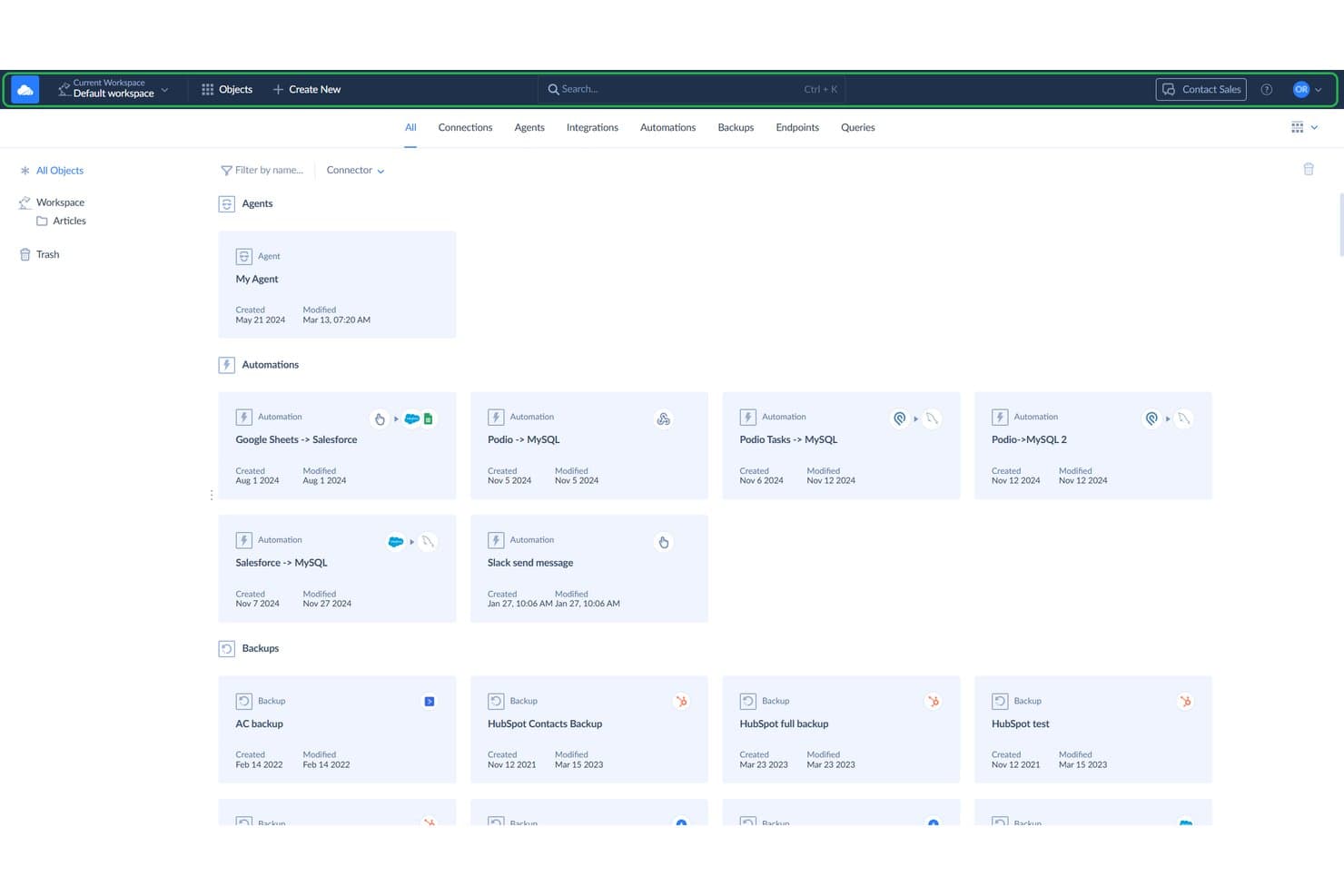
Skyvia organizes automations, agents, and backups in one workspace. Skyvia is a no-code data integration platform that covers ETL/ELT imports, data export, replication, and bidirectional synchronization across 200+ connectors spanning databases, cloud apps, and storage systems.
Who Is Skyvia Best For?
Skyvia suits IT and operations teams that need to automate recurring data loads between databases and cloud apps without writing or maintaining custom scripts.
Why I Picked Skyvia
I picked Skyvia as one of the best because its scheduling engine is built specifically for recurring, database-to-app data loads that would otherwise require custom scripts and manual maintenance. I like how it handles nightly upserts from MySQL to Salesforce or similar workflows, letting you configure insert, update, delete, or upsert operations with batch-size controls and expression-based transformations in a single job. Its per-record error logging and email alerts mean I can trust that a failed run won't go unnoticed.
Skyvia Key Features
- Bidirectional data synchronization: Sync two data sources in both directions simultaneously, with field-level mapping, expression support, and lookup configuration to keep records aligned across systems.
- Data replication with schema management: Replicate cloud app and database records to a data warehouse, with controls for incremental change tracking, nested data flattening, and sensitive field hashing or exclusion.
- Visual data flow pipelines: Build multistage data pipelines in a visual diagram that combines multiple sources, loads to multiple destinations, and applies transformations across each stage.
- Export file format and compression options: Export integrations produce CSV files with optional ZIP or GZIP compression; JSON, Avro, and Parquet files are written through the File Target component in Data Flow.
Skyvia Integrations
Skyvia offers 200+ native integrations, including Salesforce, HubSpot, NetSuite, MySQL, PostgreSQL, Google BigQuery, Snowflake, and Amazon S3. It connects to on-premises databases through Skyvia Agent and provides an API for triggering integrations and managing replication.
Pros and Cons
Pros:
- Visual pipelines coordinate multistep data flows
- Per-record logs flag failed rows
- Scheduled batch jobs replace maintained scripts
Cons:
- Scheduled runs aren’t true event-driven processing
- No custom API publishing or lifecycle management
Learn more about Skyvia: Best for small businesses
- Free plan + 14-day trial + demo available
- From $19.99/month
Visit WebsiteCustomer Rating:4.7/5
Zapier has an extensive collection of integrations. Zapier is a no-code automation platform for small businesses and individuals looking to connect their apps and automate workflows. It helps users automate repetitive tasks by creating "Zaps" that link over 8,000 applications, saving time and reducing manual effort.
Why I picked Zapier: Zapier is ideal for small businesses due to its user-friendly interface and extensive app connectivity. It allows you to automate tasks without any coding skills, making it accessible for non-technical users. Key features include customizable workflows, multi-step Zaps, and the ability to set triggers and actions for various apps. Small teams can quickly set up automations to improve productivity and operational efficiency.
Standout features & integrations:
Features include a user-friendly drag-and-drop interface that lets you build workflows without coding. You can create multi-step Zaps to automate complex processes and set filters to control when Zaps run. Zapier also offers scheduling to automate tasks at specific times.
Integrations include Salesforce, Google Sheets, Slack, Trello, Mailchimp, HubSpot, Asana, Shopify, QuickBooks, and Microsoft Teams.
Pros and Cons
Pros:
- Flexible workflow customization
- Easy to set up automations
- Wide range of app connections
Cons:
- Limited advanced features in the free plan
- Higher cost for premium features
Learn more about Zapier: Best for workflow automation
- Free plan + free demo available
- From $75/month
Visit WebsiteCustomer Rating:4.7/5
Workato can provide embedded automation customization. Workato is an integration and automation platform for businesses seeking to automate workflows across various applications. It caters to teams looking to enhance productivity by connecting systems and automating repetitive tasks.
Why I picked Workato: It excels in workflow automation, offering your team the ability to automate complex processes easily. The platform provides pre-built automation recipes, allowing you to set up workflows quickly without coding. Workato's ability to handle both simple and complex automations makes it versatile for different business needs. Its user-friendly interface ensures that even non-technical members of your team can create and manage workflows effectively.
Standout features & integrations:
Features include an intuitive drag-and-drop interface that simplifies the creation of workflows. The platform offers machine learning capabilities to optimize automation processes. You can also leverage community-shared recipes to accelerate your automation projects.
Integrations include Salesforce, Slack, ServiceNow, NetSuite, Marketo, HubSpot, Zendesk, QuickBooks, Dropbox, and Microsoft Teams.
Pros and Cons
Pros:
- Intuitive interface for non-tech users
- Community-shared resources
- Machine learning optimization
Cons:
- Advanced features need technical skills
- Limited support for niche applications
Learn more about Workato: Best for user-friendly interface
- Free plan + 14-day free trial available
- From $19.99/month (billed annually)
Visit WebsiteCustomer Rating:4.7/5
Integrately is incredibly simple and has a good amount of pre-built templates. Integrately is an integration platform aimed at businesses and individuals looking to automate workflows without complexity. It’s designed for users who need straightforward and quick automation solutions to connect their apps and services.
Why I picked Integrately: It offers a user-friendly interface that simplifies automation for everyone, especially those without technical skills. You can set up workflows in just a few clicks, making it accessible for small teams and solo entrepreneurs. The platform provides pre-built automation scenarios, so you don’t have to start from scratch. With its focus on ease of use, Integrately helps you save time and effort in managing your tasks.
Standout features & integrations:
Features include a simple setup process that allows you to create automations in a few clicks. The platform offers pre-built automation scenarios to get you started quickly. It also provides real-time monitoring to keep track of your automation performance.
Integrations include Salesforce, Slack, Trello, Google Sheets, Shopify, Mailchimp, HubSpot, QuickBooks, Microsoft Teams, and Asana.
Pros and Cons
Pros:
- Pre-built scenarios available
- Real-time monitoring for performance
- Quick automation deployment
Cons:
- May lack advanced features
- Not suited for complex workflows
Learn more about Integrately: Best for enterprise solutions
- 30-day free trial + free demo available
- Pricing upon request
Visit WebsiteCustomer Rating:4.5/5
Use MuleSoft’s AnyPoint Studio UI to support large data volumes. MuleSoft Anypoint is an integration platform designed for enterprises needing to connect applications, data, and devices. It enables large organizations to build and manage APIs and integrations at scale, offering flexibility and control over complex environments.
Why I picked MuleSoft Anypoint: It caters to enterprise solutions with its API-led connectivity approach, which is ideal for large-scale operations. The platform offers a unified solution for API management, design, and deployment. With features like API gateways and developer portals, your team can efficiently manage and monitor integrations. Its scalability ensures that as your business grows, your integration capabilities can expand without a hitch.
Standout features & integrations:
Features include a unified platform for API management, which simplifies the process of creating, publishing, and managing APIs. The platform offers a drag-and-drop interface for designing integrations, making it accessible even for those with limited coding experience. It also provides analytics to monitor API performance and usage, helping you optimize your operations.
Integrations include Salesforce, SAP, Workday, ServiceNow, Microsoft Dynamics 365, AWS, Google Cloud, Oracle, NetSuite, and Jira.
Pros and Cons
Pros:
- Developer-friendly design environment
- Strong API management capabilities
- Supports complex integration scenarios
Cons:
- Higher cost for small businesses
- Steep learning curve for beginners
Learn more about MuleSoft Anypoint:

Make development easier with Boomi’s master data hub user interface. Boomi is an integration platform as a service (iPaaS) that caters to businesses operating in hybrid cloud environments. It helps organizations connect applications, data, and people to enhance operational efficiency and data management.
Why I picked Boomi: It excels in hybrid cloud environments, offering you the flexibility to integrate both on-premise and cloud-based applications. Boomi provides a visual interface that simplifies the creation of complex integrations. With its pre-built connectors and templates, your team can accelerate the deployment process. The platform's real-time data synchronization ensures your data is always current and accessible.
Standout features & integrations:
Features include a drag-and-drop interface that makes it easy to design and manage integrations. The platform offers real-time data processing to keep your operations up-to-date. Boomi also provides extensive monitoring and analytics tools to help you optimize your integration processes.
Integrations include Salesforce, SAP, NetSuite, Oracle, Microsoft Dynamics 365, Workday, Amazon Web Services, Google Cloud, Slack, and Zendesk.
Pros and Cons
Pros:
- Strong support for hybrid environments
- Extensive monitoring and analytics
- Drag-and-drop integration design
Cons:
- High resource usage for large deployments
- Potential delays in support response


Talend is open-source and offers an intuitive graphical interface for data transformations. Talend is a data integration platform tailored for businesses that need to consolidate and manage large volumes of data. It serves organizations looking to improve their data quality and streamline data management processes.
Why I picked Talend: Talend excels in data integration with its ability to handle diverse data sources and formats. It offers a rich set of tools for data cleansing, transformation, and loading, making it perfect for businesses focused on data quality. With its open-source roots, the platform provides flexibility and extensive customization options. Talend's strong focus on data governance ensures that your data remains accurate and reliable.
Standout features & integrations:
Features include a comprehensive suite of data quality tools that help you cleanse and standardize data. The platform's drag-and-drop interface simplifies the process of designing data workflows. It also offers real-time data processing to keep your data up-to-date.
Integrations include Salesforce, SAP, AWS, Google Cloud, Microsoft Azure, Snowflake, Oracle, Hadoop, MongoDB, and Marketo.
Pros and Cons
Pros:
- Real-time data processing capabilities
- Extensive customization options
- Strong data governance features
Cons:
- Learning curve for advanced features
- Performance issues with large datasets
Learn more about Talend:

Azure Logic integrates seamlessly with other Microsoft products. Azure Logic is an integration platform for businesses operating within the Microsoft ecosystem. It helps organizations automate workflows and processes by connecting various applications and services.
Why I picked Azure Logic: It integrates seamlessly with Microsoft products, making it ideal for users already invested in the Microsoft environment. The platform offers pre-built connectors for quick setup and deployment. Its scalability allows your team to handle large-scale integrations efficiently. With its pay-as-you-go pricing model, you can control costs based on your usage.
Standout features & integrations:
Features include a visual designer that simplifies workflow creation, allowing you to drag and drop elements to build processes. The platform provides a pay-as-you-go pricing model, which helps you manage costs effectively. It also supports event-driven triggers to automate tasks based on specific conditions.
Integrations include Microsoft 365, Dynamics 365, SharePoint, Salesforce, SAP, SQL Server, Dropbox, Twitter, Google Drive, and GitHub.
Pros and Cons
Pros:
- Visual designer for easy workflow creation
- Scalable for large deployments
- Pay-as-you-go pricing model
Cons:
- Limited support for non-Microsoft services
- Complex for beginners
Learn more about Azure Logic: Best for AI-driven integrations
- 30-day free trial + free demo available
- From $200/month (billed annually)

IBM App Connect has a wide range of integration methods. IBM App Connect is an integration platform tailored for businesses looking to leverage AI in their integration processes. It serves enterprises that need to connect applications and automate workflows with intelligent insights.
Why I picked IBM App Connect: It excels in AI-driven integrations, providing your team with smart automation capabilities. The platform enables you to connect apps and data with AI-assisted mapping and recommendations. With its intuitive interface, setting up complex workflows becomes straightforward. IBM App Connect's ability to handle large volumes of data efficiently is a major advantage for enterprises.
Standout features & integrations:
Features include an AI-assisted mapping tool that simplifies the process of connecting different data sources. The platform offers real-time monitoring and alerts to keep you informed of any issues. It also provides a visual flow editor, allowing you to design integrations with ease.
Integrations include Salesforce, SAP, Oracle, Microsoft Dynamics 365, Google Cloud, Amazon Web Services, Slack, Dropbox, Box, and IBM Watson.
Pros and Cons
Pros:
- Supports intelligent automation
- Visual flow editor for design
- Efficient handling of large data volumes
Cons:
- Requires advanced technical skills
- Limited customization for specific needs
Learn more about IBM App Connect:

Jitterbit has an easy-to-use app user dashboard. Jitterbit Harmony is an integration platform designed for businesses that need rapid deployment and agile integration solutions. It serves companies looking to quickly connect applications and data across various systems.
Why I picked Jitterbit Harmony: It excels in speed of deployment, making it ideal for teams that need quick solutions. The platform offers an intuitive design, allowing your team to set up integrations without extensive training. With its pre-built templates, you can accelerate your integration projects. Jitterbit's real-time data synchronization ensures your data remains current and accessible.
Standout features & integrations:
Features include an easy-to-use graphical interface that simplifies the creation of integrations. The platform provides pre-built templates that save you time when setting up new connections. It also supports real-time data synchronization to ensure your data is always up-to-date.
Integrations include Salesforce, SAP, NetSuite, ServiceNow, Microsoft Dynamics 365, Oracle, Workday, Amazon Web Services, Google Cloud, and Slack.
Pros and Cons
Pros:
- Fast deployment for new users
- Pre-built templates available
- Real-time data synchronization
Cons:
- Limited customization options
- Requires internet for optimal performance
Learn more about Jitterbit Harmony:
Diğer iPaaS Yazılımları
Kısa listeme giremeyen ancak yine de göz atmaya değer bazı ek iPaaS yazılımı seçeneklerini burada bulabilirsiniz:
- 11CeligoBest for ecommerce integrations
- 12AppypieBest for non-tech users
- 13HightouchBest for data activation
- 14HubSpot Operations HubBest for marketing workflows
- 15SnapLogicBest for data integration
- 16TinesBest for security automation
- 17SAP Integration SuiteBest for enterprise-grade applications
- 18StarfishETLBest for CRM integrations
How I Evaluate iPaaS Software
Whether you're syncing Salesforce to NetSuite or building event-driven flows, I look at two things: the baseline every iPaaS must cover and the differentiators that separate the best from the rest.
Core Functionality (Table Stakes For This List)
When I'm selecting tools for my list, I rank each one on a scale from 0 (does not offer the functionality) to 5 (excels in this area) for each core functionality listed below. Then, I calculate the tool's total score into a percentage. Each tool needs to achieve a minimum total score of 75% to be considered for inclusion.
- Pre-Built Connectors Library: I check the breadth and depth of out-of-the-box connectors, especially for widely used systems like Salesforce, SAP, Workday, and major databases.
- Visual Integration Builder: The drag-and-drop flow designer matters a lot—I evaluate whether it supports conditional logic, loops, and reusable components.
- API Management Capabilities: I look for full API lifecycle support, including publishing, versioning, and policy enforcement, not just the ability to expose endpoints.
- Data Transformation & Mapping: Complex format conversions come up constantly, so I check how each platform handles mapping between JSON, XML, EDI, and CSV sources.
- Hybrid Deployment & Connectivity: Connecting cloud apps to on-premise ERPs or legacy databases is a core iPaaS use case—I evaluate agent/gateway options and protocol support.
- Monitoring & Governance Controls: Real-time dashboards, error alerting, RBAC, and audit logging all factor in, since integration failures can cascade across entire workflows.
Once I have a list of tools that meet this criteria, I consider what sets each platform apart.
Differentiating Factors (What Sets Vendors Apart)
Here's how I compare and contrast different vendors:
Standout Features
AI-assisted integration is a big differentiator right now—I look for platforms that auto-suggest field mappings or generate flows from natural language prompts, which cuts build time significantly. Event-driven architecture also matters when teams need real-time triggers over batch syncing, like processing webhook events from payment providers. I evaluate pre-built process templates too, since ready-made recipes for common patterns like Order-to-Cash or employee onboarding can save weeks of development.
Beyond Features
Pricing model transparency is something I always evaluate, since iPaaS costs can balloon quickly depending on whether billing is per connector, per task, or per environment. Compliance and security certifications matter just as much—if your integrations touch healthcare or financial data, I check for SOC 2 Type II, HIPAA, and GDPR adherence. I also consider the developer ecosystem, including documentation quality, CI/CD tooling, and whether there's a marketplace of community-built connectors that extends the platform's reach.
iPaaS Yazılımı Nasıl Seçilir?
Uzun özellik listeleri ve karmaşık fiyatlandırma yapıları içinde kaybolmak kolaydır. Kendinize özgü yazılım seçimi sürecinizde ilerlerken odağınızı korumanıza yardımcı olmak için göz önünde bulundurmanız gereken faktörleri aşağıda bir kontrol listesi hâlinde bulabilirsiniz:
| Faktör | Dikkat Edilmesi Gerekenler |
| Ölçeklenebilirlik | Çözümün işletmenizin ihtiyaçlarıyla birlikte büyüyebildiğinden emin olun. Artan veri ve kullanıcı yüklerini verimli bir şekilde işleyebilen platformları tercih edin. |
| Entegrasyonlar | Yazılımın ekibinizin kullandığı temel uygulamaları destekleyip desteklemediğini kontrol edin. Geniş bir yerel entegrasyon yelpazesi avantajdır. |
| Özelleştirilebilirlik | Platformun iş akışlarını ve entegrasyonları özel ihtiyaçlarınıza göre uyarlamanıza izin verdiğinden emin olun. Esnek yapılandırma seçenekleri sunan çözümleri tercih edin. |
| Kullanım Kolaylığı | Platformun kullanıcı dostu olduğundan emin olun. Öğrenme eğrisinin dik olması ekibinizin üretkenliğini yavaşlatabilir. |
| Bütçe | Bütçe kısıtlamalarınızı göz önünde bulundurun. Paranızın karşılığını aldığınızdan emin olmak için maliyetleri özellikler ve avantajlarla karşılaştırın. |
| Güvenlik Önlemleri | Platformun sektör standartlarına uygun olduğunu ve verilerinizi koruduğunu doğrulayın. Şifreleme ve düzenli güvenlik güncellemeleri sunan çözümleri tercih edin. |
| Destek | Sunulan müşteri desteğinin düzeyini değerlendirin. 7/24 destek ve kapsamlı bir bilgi tabanı değerli kaynaklar olabilir. |
| Performans | Operasyonlarınızın sorunsuz ilerlemesini sağlamak için çalışma süresi yüksek ve işlem hızları yüksek platformları tercih edin. |
iPaaS Yazılımı Nedir?
iPaaS yazılımı, farklı uygulamaları ve veri kaynaklarını birbirine bağlayan bulut tabanlı bir entegrasyon platformudur. BT profesyonelleri ve iş analistleri bu araçları genellikle iş akışlarını otomatikleştirmek ve sistemler arasındaki veri akışını iyileştirmek için kullanır.
Sürükle ve bırak arayüzleri, önceden oluşturulmuş bağlayıcılar ve gerçek zamanlı veri işleme özellikleri kullanım kolaylığına ve verimliliğe katkıda bulunur. Genel olarak iPaaS araçları, bir iş ortamında birden fazla uygulamanın bağlanmasını ve yönetilmesini kolaylaştırarak masaüstü ve MBaaS yazılımlarını tamamlar.
iPaaS Yazılımının Özellikleri
iPaaS yazılımı seçerken aşağıdaki temel özelliklere dikkat edin:
- Ölçeklenebilirlik: Platformun işletmenizle birlikte büyümesini ve artan veri ile kullanıcı yüklerini verimli bir şekilde işlemesini sağlar.
- Özelleştirilebilirlik: Özel iş ihtiyaçlarınıza ve süreçlerinize uygun iş akışları ve alanlar sunar.
- Kullanım kolaylığı: Öğrenme eğrisini azaltan ve ekibinizin verimliliğini artıran sezgisel bir arayüz sağlar.
- Güvenlik önlemleri: Verilerinizi şifrelemeyle korur ve içinizin rahat etmesi için sektör standartlarına uyar.
- Entegrasyonlar: Çok çeşitli uygulamaları ve SaaS entegrasyon platformlarını bağlayarak sorunsuz veri akışı ve iletişim sağlar.
- Gerçek zamanlı veri işleme: Verileri güncel ve erişilebilir tutar; bu da zamanında karar almak için kritik öneme sahiptir.
- Sürükle ve bırak arayüzü: İş akışlarının oluşturulmasını kolaylaştırarak otomasyonu teknik bilgisi olmayan kullanıcılar için bile erişilebilir hale getirir.
- Önceden oluşturulmuş bağlayıcılar: Popüler uygulamaları bağlamak için kullanıma hazır çözümler sunarak zaman kazandırır.
- İzleme ve analiz: Entegrasyon performansı hakkında içgörüler sunarak süreçleri optimize etmenize ve sorunları hızla çözmenize yardımcı olur.
- API yönetimi: API'lerin oluşturulmasını, yayımlanmasını ve yönetilmesini kolaylaştırarak bağlantı ve entegrasyon özelliklerini geliştirir.
iPaaS Yazılımının Faydaları
iPaaS yazılımını uygulamak, ekibiniz ve işletmeniz için çeşitli faydalar sağlar. Yararlanabileceğiniz birkaç fayda şunlardır:
- Geliştirilmiş verimlilik: Tekrarlayan görevleri otomatikleştirerek ekibinizin daha stratejik faaliyetlere odaklanması için zaman kazandırır.
- Gelişmiş bağlantı: Çeşitli uygulamaları ve veri kaynaklarını entegre ederek sistemler arasında sorunsuz iletişim ve veri akışı sağlar.
- Ölçeklenebilirlik: Performanstan ödün vermeden artan veri ve kullanıcı taleplerine uyum sağlayarak işletmenizle birlikte büyür.
- Maliyet tasarrufu: Özel geliştirme ve bakım ihtiyacını azaltarak zaman içinde operasyonel maliyetleri düşürür.
- Veri doğruluğu: Gerçek zamanlı veri işleme sunarak ekibinizin karar almak için her zaman en güncel bilgilere erişmesini sağlar.
- Kullanıcı dostu tasarım: Sürükle ve bırak arayüzleri gibi özellikler, teknik bilgisi olmayan kullanıcıların iş akışları oluşturmasını ve yönetmesini kolaylaştırır.
- Güvenlik uyumluluğu: Hassas verileri sektör standardı güvenlik önlemleriyle koruyarak işletmeniz için içinizin rahat etmesini sağlar.
iPaaS Yazılımının Maliyetleri ve Fiyatlandırması
iPaaS yazılımı seçmek, mevcut çeşitli fiyatlandırma modellerini ve planları anlamayı gerektirir. Maliyetler özelliklere, ekip büyüklüğüne, eklentilere ve daha fazlasına göre değişir. Aşağıdaki tablo, iPaaS yazılımı çözümlerinde yaygın planları, ortalama fiyatlarını ve genellikle dahil edilen özellikleri özetlemektedir:
iPaaS Yazılımı İçin Plan Karşılaştırma Tablosu
| Plan Türü | Ortalama Fiyat | Yaygın Özellikler |
| Ücretsiz Plan | $0 | Temel entegrasyonlar, sınırlı iş akışları ve topluluk desteği. |
| Kişisel Plan | $5-$25 /kullanıcı /ay | Daha fazla entegrasyon, artırılmış iş akışları ve temel analiz. |
| İşletme Planı | $30-$100 /kullanıcı /ay | Gelişmiş entegrasyonlar, sınırsız iş akışları ve gelişmiş destek. |
| Kurumsal Plan | $100+ /kullanıcı /ay | Özel entegrasyonlar, özel destek ve gelişmiş güvenlik özellikleri. |
iPaaS Yazılımı SSS
iPaaS yazılımı hakkında sık sorulan soruların bazı yanıtları:
iPaaS nasıl çalışır?
iPaaS, verileri ve uygulamaları birbirine bağlayarak verimlilik için belirli iş süreçlerini otomatikleştiren entegrasyon akışları oluşturur. Bu akışları çalışanları sisteme dahil etmek, sipariş işlemlerini yönetmek veya kredi başvurularını kolaylaştırmak için kullanabilirsiniz. Bu otomasyon, manuel çabayı azaltır ve işlemleri hızlandırır.
iPaaS'ın dezavantajları nelerdir?
iPaaS ile temel teknoloji yığını üzerinde sınırlı denetime sahip olabilirsiniz; bu da özel ihtiyaçlarınıza yönelik özelleştirme veya optimizasyon seçeneklerini kısıtlayabilir. İşletmeniz yüksek düzeyde özelleştirilmiş çözümlere ihtiyaç duyuyorsa bu durum bir zorluk oluşturabilir. Ayrıca üçüncü taraf altyapısına bağlılık, veri güvenliği ve uyumlulukla ilgili endişelere yol açabilir.
iPaaS ile PaaS arasındaki fark nedir?
iPaaS, uygulamaları, cihazları ve sistemleri birbirine entegre etmeye odaklanırken PaaS, uygulamalar oluşturmak, çalıştırmak ve yönetmek için bir platform sağlar. iPaaS mevcut sistemleri birbirine bağlamakla, PaaS ise yeni uygulamalar oluşturmakla ilgilidir. Bu farkları anlamak, ihtiyaçlarınıza uygun çözümü seçmenize yardımcı olur.
iPaaS ile gömülü iPaaS arasındaki fark nedir?
Gömülü iPaaS, müşteriye yönelik entegrasyonlar oluşturmanızı sağlarken iPaaS, dahili entegrasyonlara yardımcı olur. Bunlar farklı ekiplerin ve kullanım alanlarının ihtiyaçlarını karşılar; gömülü iPaaS, müşteri deneyimlerini iyileştirmek için genellikle ürün ekipleri tarafından kullanılır. Hangisinin işletmenizin ihtiyaçlarına uygun olduğunu bilmek, entegrasyon stratejinizi en iyi duruma getirmenize yardımcı olabilir.
Bir iPaaS platformu ne kadar güvenlidir?
iPaaS platformlarında güvenlik; veri şifreleme, sektör standartlarına uyumluluk ve düzenli güvenlik güncellemelerini kapsar. Gereksinimlerinizi karşıladığından emin olmak için herhangi bir iPaaS sağlayıcısının güvenlik önlemlerini değerlendirmek önemlidir. Bu, verilerin korunmasını sağlar ve paydaşların güvenini oluşturur.
iPaaS gerçek zamanlı veri işleme yapabilir mi?
Evet, birçok iPaaS çözümü gerçek zamanlı veri işlemeyi destekler; bu da verilerinizin karar alma süreçleri için güncel ve erişilebilir kalmasını sağlar. Bu özellik, operasyonlarını ve stratejisini zamanında elde edilen bilgilere dayandıran işletmeler için kritik öneme sahiptir. Gerçek zamanlı işleme, yanıt verme hızını ve operasyonel verimliliği artırabilir.