

Trustwave Review: Pros, Cons, Features, and Pricing
Trustwave excels with its comprehensive security features and competitive pricing, making it a strong choice for database security.

We review tools independently, and commissions help fund our testing. See our transparency policy, our methodology, or suggest a tool.
Trustwave is a database security software built around database activity monitoring, vulnerability assessment, and compliance reporting across heterogeneous database environments. It's a strong fit for security teams that need visibility into who's accessing sensitive data—and a clear audit trail to back it up. If IBM Guardium feels like more platform than your team can realistically manage and maintain, Trustwave gives you comparable detection and audit coverage with a lighter operational footprint.
Trustwave Evaluation Summary
4.1/5
- Pricing upon request
- Free demo available
Why Trust Our Software Recommendations
6,700+
Reviews
20
Industry experts
16+
Evaluation factors
14
Years
Our team has been testing and reviewing software since 2012. As tech leaders ourselves, we know how difficult—and important—it is to choose the right software.
For this guide, we evaluated tools using hands-on testing and independent research, scoring tools using our selection criteria.
Our reviews reflect our human editorial judgment, not a sales pitch.
Expert reviewers:
- Paulo Gardini MiguelTech Director
 Tim FisherVP of AI
 Gabriel RosasTech Lead & Software Architect
 Christhian GruhnTech Lead & Platform Architect

Trustwave Overview
In my opinion, Trustwave offers strong database security features that cater well to larger enterprises requiring advanced protection. Its standout features, such as threat detection and compliance, are impressive, although the onboarding process could be smoother. It provides significant value to bigger IT teams that manage an extensive amount of data. Compared to other database and security tools, Trustwave is often praised for its threat detection, but smaller teams may find some aspects of usability and integration to be challenging.
Pros
- Trustwave offers robust threat detection capabilities.
- It provides reliable compliance management for businesses handling sensitive data.
- Teams can benefit from detailed security reporting features.
Cons
- Implementation and setup can be challenging for some users.
- The interface can be less intuitive compared to other software.
- It may require more time and resources to effectively implement.
Is Trustwave Right For Your Needs?
Who Would be a Good Fit for Trustwave?
Trustwave is a great fit for mid-to-large enterprises and regulated industries such as finance and healthcare, where data security and compliance are crucial. Its strong threat detection, MDR services, and compliance reporting capabilities make it a viable SIEM solution for teams handling sensitive data and responsible for meeting regulatory requirements. If you're managing extensive databases and need reliable protection, Trustwave is worth considering for advanced security measures.
- Financial InstitutionsTrustwave provides excellent threat detection for protecting highly sensitive financial and transaction data.
- Healthcare ProvidersHealthcare teams can benefit from Trustwave's compliance management, ensuring patient data is secure and healthcare regulatory requirements are met.
- Large EnterprisesTrustwave's security reporting helps manage extensive databases in large, complex environments effectively.
- IT Security TeamsSecurity teams can leverage Trustwave's advanced threat detection capabilities, which enables proactive monitoring and remediation.
- Compliance OfficersTrustwave's compliance tools help meet industry regulations through reporting, audits, and advisory services.
- Data-Driven BusinessesCompanies that handle large volumes of sensitive or regulated data can rely on Trustwave's layered security and reporting.
Who Would be a Bad Fit for Trustwave?
Trustwave might not be the best choice for small businesses or startups with limited IT resources. The onboarding process can be challenging, and teams might find the interface less intuitive compared to simpler tools. If you're in an industry with less stringent data security requirements, Trustwave's advanced features may be excessive for your needs. Small teams that need quick, easy-to-use solutions might find other software a better fit.
- Small StartupsTrustwave's enterprise-grade security might be too complex for basic requirements.
- Non-Tech IndustriesThe software's advanced security features may be overkill for environments with minimal risk.
- Budget-Conscious TeamsTrustwave's cost may not align with limited financial resources.
- FreelancersTrustwave's vast capabilities may be unnecessary for individual projects.
- Education SectorEducation organizations with basic data protection needs might not require Trustwave's advanced tools.
- Retail BusinessesTrustwave can be too complex for straightforward data security needs.
Our Review Methodology
How We Test & Score Tools
We’ve spent years building, refining, and improving our software testing and scoring system. The rubric is designed to capture the nuances of software selection and what makes a tool effective, focusing on critical aspects of the decision-making process.
Below, you can see exactly how our testing and scoring works across seven criteria. It allows us to provide an unbiased evaluation of the software based on core functionality, standout features, ease of use, onboarding, customer support, integrations, customer reviews, and value for money.
Core Functionality (25% of final scoring)
The starting point of our evaluation is always the core functionality of the tool. Does it have the basic features and functions that a user would expect to see? Are any of those core features locked to higher-tiered pricing plans? At its core, we expect a tool to stand up against the baseline capabilities of its competitors.
Standout Features (25% of final scoring)
Next, we evaluate uncommon standout features that go above and beyond the core functionality typically found in tools of its kind. A high score reflects specialized or unique features that make the product faster, more efficient, or offer additional value to the user.
We also evaluate how easy it is to integrate with other tools typically found in the tech stack to expand the functionality and utility of the software. Tools offering plentiful native integrations, 3rd party connections, and API access to build custom integrations score best.
Ease of Use (10% of final scoring)
We consider how quick and easy it is to execute the tasks defined in the core functionality using the tool. High scoring software is well designed, intuitive to use, offers mobile apps, provides templates, and makes relatively complex tasks seem simple.
Onboarding (10% of final scoring)
We know how important rapid team adoption is for a new platform, so we evaluate how easy it is to learn and use a tool with minimal training. We evaluate how quickly a team member can get set up and start using the tool with no experience. High scoring solutions indicate little or no support is required.
Customer Support (10% of final scoring)
We review how quick and easy it is to get unstuck and find help by phone, live chat, or knowledge base. Tools and companies that provide real-time support score best, while chatbots score worst.
Customer Reviews (10% of final scoring)
Beyond our own testing and evaluation, we consider the net promoter score from current and past customers. We review their likelihood, given the option, to choose the tool again for the core functionality. A high scoring software reflects a high net promoter score from current or past customers.
Value for Money (10% of final scoring)
Lastly, in consideration of all the other criteria, we review the average price of entry level plans against the core features and consider the value of the other evaluation criteria. Software that delivers more, for less, will score higher.
Core Features
Threat Detection: Trustwave identifies potential cyber threats to your database by analyzing attack patterns, logs, and behaviors to help your team take preventive actions swiftly.
Compliance Management: It ensures your data practices align with industry regulations. Trustwave simplifies audits by providing clear compliance reports and guidance.
Security Reporting: You get detailed insights into your database's security status. This feature helps your team understand vulnerabilities and incidents and address them.
Access Oversight: Trustwave monitors and assesses who can access your data for improved security. It allows you to set permissions based on roles.
Encryption Assurance: Trustwave helps ensure encryption best practices are in place and compliant with industry standards, making it harder for unauthorized users to access sensitive information.
Incident Response: Trustwave provides tools to quickly respond to security incidents, helping your team minimize damage and recover faster.
Ease of Use
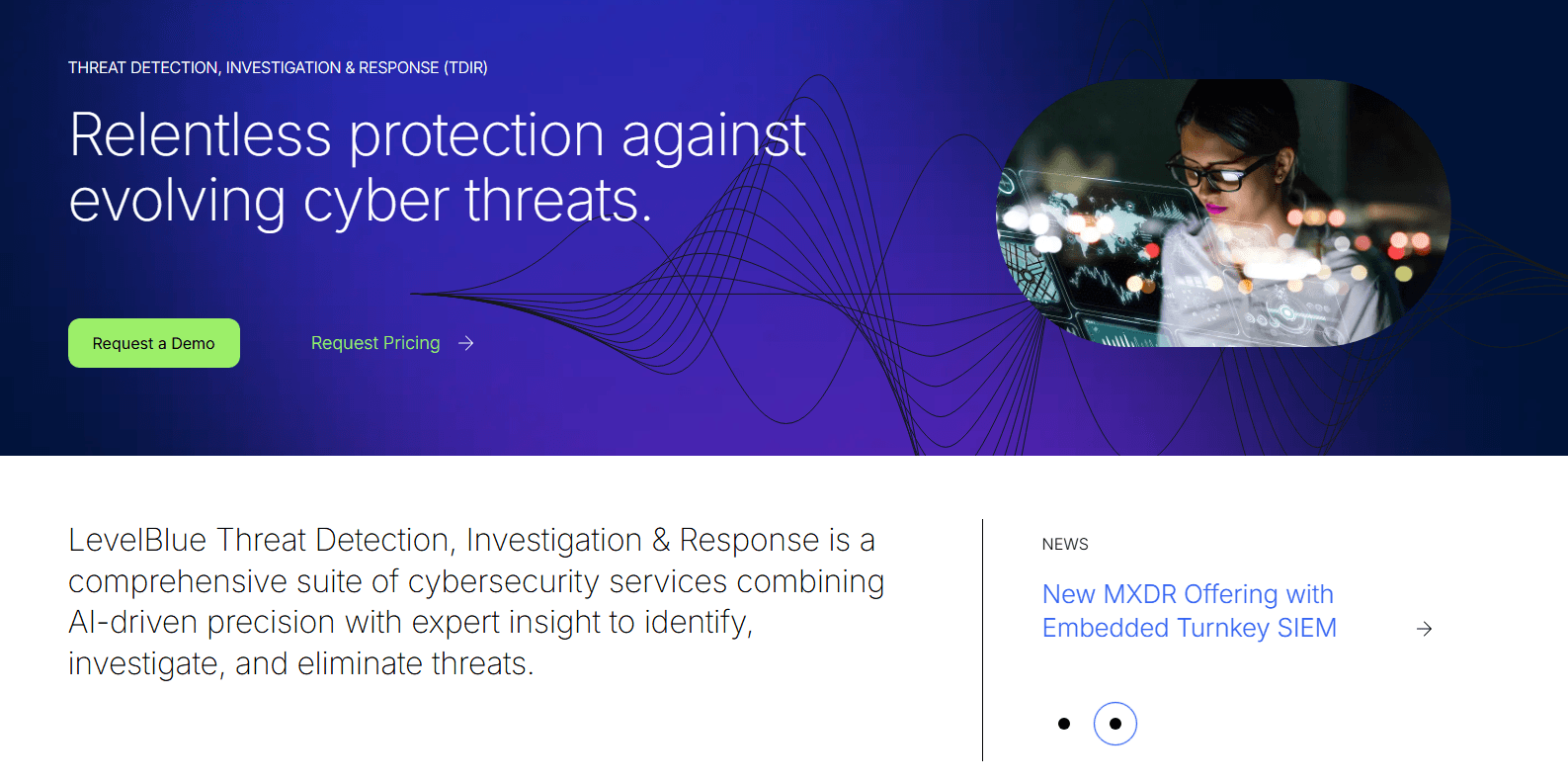
Trustwave's interface can be a bit overwhelming for new users, especially if they lack technical expertise. Some also find the software's navigation to be less intuitive compared to other options. However, once your team becomes familiar with it, features such as customizable alerts and advanced analytics can become valuable. If your team is ready to invest time in learning, Trustwave's powerful capabilities are worth the effort.
Integrations
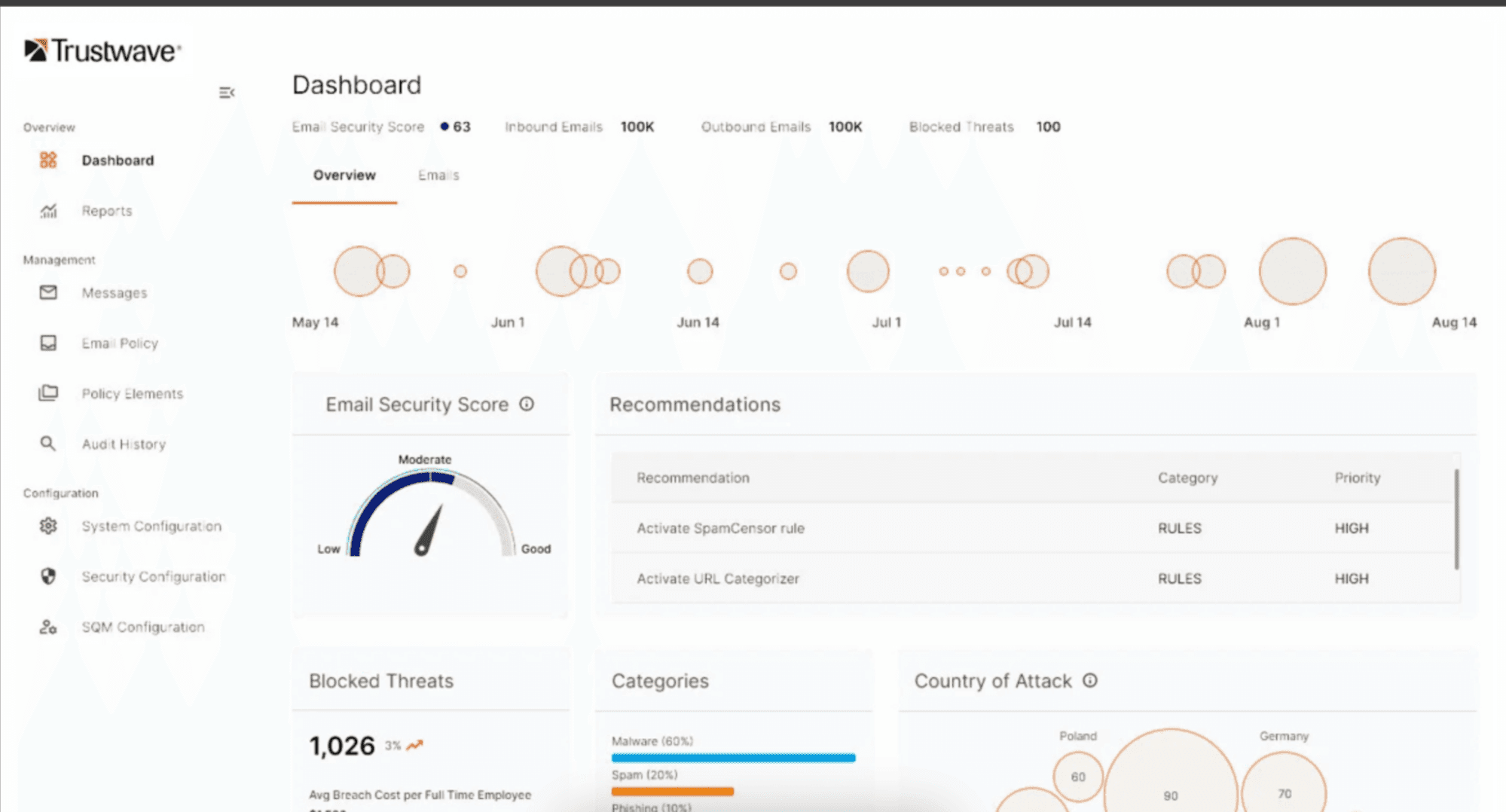
Trustwave integrates with Microsoft Security solutions, Amazon Web Services (AWS), Zscaler, Cybereason, Splunk Cloud Platform, Check Point CloudGuard, Carbon Black EDR, Cisco ACI, and several other professional services through its Global Technology Alliance Partners.
Trustwave also provides an API and connects with third-party integration tools to enhance its cybersecurity offerings.
Trustwave Specs
- 2-Factor Authentication: No
- Access Management: Yes
- Anti-Virus: Yes
- API: Yes
- Audit Trail: Yes
- Bug Tracking: No
- Calendar Management: No
- Customer Management: No
- Dashboard: Yes
- Data Export: Yes
- Data Import: Yes
- Data Visualization: Yes
- Email Integration: No
- External Integrations: Yes
- File Sharing: No
- File Transfer: No
- Firewall: Yes
- Google Apps Integration: No
- Inventory Tracking: No
- Malware Protection: Yes
- Multi-User: Yes
- Network Device Performance Monitoring: Yes
- Network Traffic Monitoring: Yes
- Network Visualization: Yes
- Notifications: Yes
- Project Management: No
- Remote Access: Yes
- Risk Assessment: Yes
- SAP Integration: No
- Scheduling: No
- Software Integration: Yes
- Third-Party Plugins/Add-Ons: No
- Ticket Management: Yes


