
MongoDB Atlas Review: Pros, Cons, Features, and Pricing
MongoDB Atlas excels in flexibility and scalability, making it ideal for developers building modern apps and seeking a versatile cloud database solution.

We review tools independently, and commissions help fund our testing. See our transparency policy, our methodology, or suggest a tool.
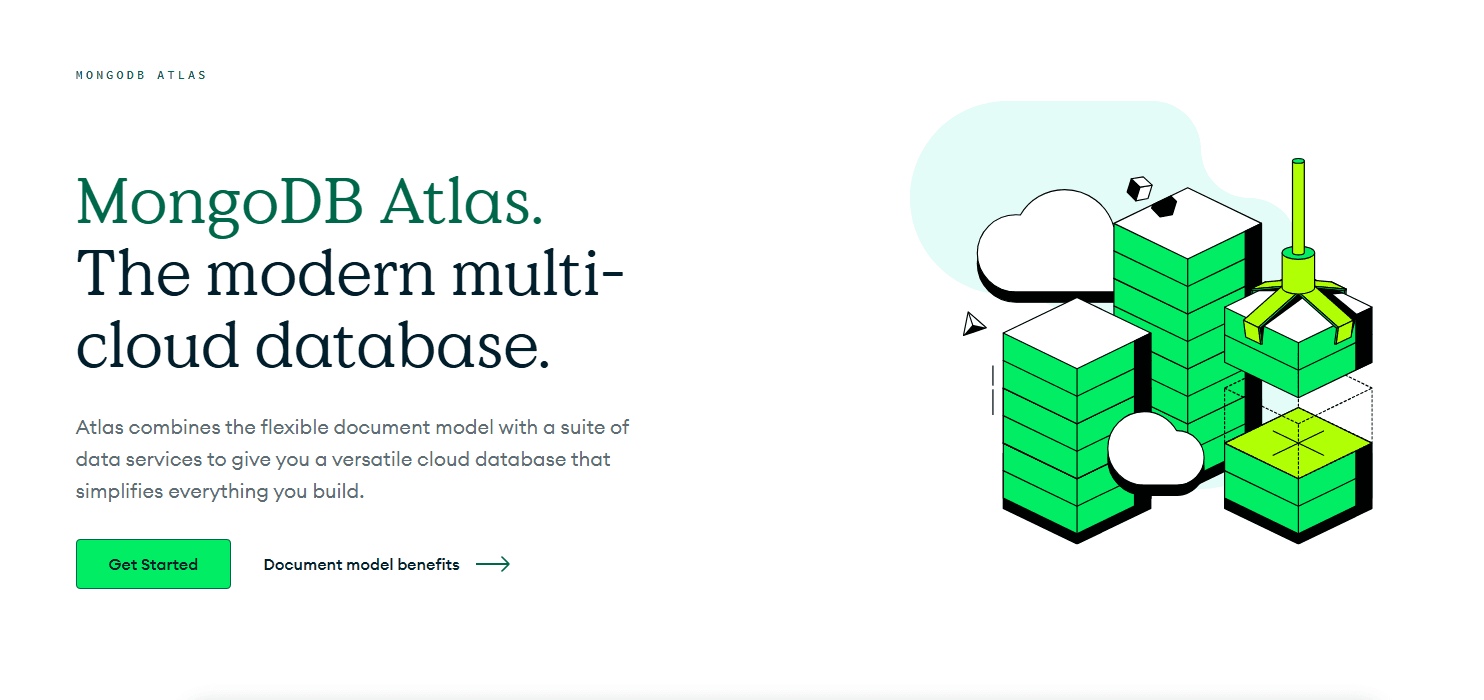
MongoDB Atlas is a fully managed database management software built on a document-based NoSQL model, designed for teams that need to store, query, and scale flexible or semi-structured data across multi-cloud environments. I'd put it at the top of your list over something like Amazon RDS when your data doesn't fit neatly into rigid relational tables—Atlas gives you far more flexibility in how you model and evolve your data structures without the schema constraints that come with a traditional relational setup.
MongoDB Atlas Evaluation Summary
4.5/5
- From $0.011/hour
- Free plan available
Why Trust Our Software Recommendations
6,700+
Reviews
20
Industry experts
16+
Evaluation factors
14
Years
Our team has been testing and reviewing software since 2012. As tech leaders ourselves, we know how difficult—and important—it is to choose the right software.
For this guide, we evaluated tools using hands-on testing and independent research, scoring tools using our selection criteria.
Our reviews reflect our human editorial judgment, not a sales pitch.
Expert reviewers:
- Paulo Gardini MiguelTech Director
 Tim FisherVP of AI
 Gabriel RosasTech Lead & Software Architect
 Christhian GruhnTech Lead & Platform Architect

MongoDB Atlas Overview
In my opinion, MongoDB Atlas is a solid choice for teams needing a scalable and flexible database solution. Its standout features, such as automated scaling, replica set configuration, and multi-cloud support for sharded cluster deployments, set it apart from other platforms. While it excels in handling complex data structures, its onboarding may require more effort. Its easy integration with popular tools and Amazon Web Services is a plus, though the Atlas UI can be a bit overwhelming for first-time users. Compared to competitors, MongoDB Atlas offers a good balance of price and performance. It's best suited for tech-driven businesses, startups, and development teams looking for a reliable cloud database solution without the hassle of managing infrastructure.
Pros
- Automated scaling and caching help your team handle traffic spikes without manual intervention.
- Multicloud support gives you flexibility to deploy across different providers.
- Advanced security capabilities protect your data with built-in encryption, authentication, and access controls.
Cons
- The Atlas UI can overwhelm new users with its complexity.
- Onboarding may take longer for teams new to this database structure.
- Customer support response times can vary.
Is MongoDB Atlas Right For Your Needs?
Who Would be a Good Fit for MongoDB Atlas?
MongoDB Atlas is a great fit for tech startups and agile development teams that need a flexible, scalable database solution. Its automated scaling, replica set architecture, high availability, and multicloud support allow your team to adapt quickly to changing demands. E-commerce platforms benefit from its advanced security and authentication capabilities, ensuring excellent customer data protection. If your work involves complex data structures, MongoDB Atlas allows efficient data management and retrieval.
- Tech StartupsMongoDB Atlas is a database-as-a-service software that provides flexibility and scalability using managed database clusters, helping your team to grow without worrying about infrastructure limits.
- E-Commerce PlatformsAdvanced security features ensure your customer data stays safe, making it ideal for online retail businesses.
- Agile DevelopmentAutomated scaling supports fast-paced projects and DevOps workflows, allowing your team to focus on coding rather than database management.
- Healthcare ProvidersMongoDB Atlas handles complex data structures and secure authentication, making it suitable for storing and retrieving medical records.
- Financial ServicesThe platform's multicloud support offers reliability and security, essential for handling sensitive financial data.
- Media and EntertainmentIts ability to manage large amounts of data makes it perfect for content-heavy industries needing quick access to media files.
Who Would be a Bad Fit for MongoDB Atlas?
MongoDB Atlas may not suit small businesses or teams with limited technical expertise. Its complex interface and advanced features can overwhelm those not familiar with database management. Traditional industries that rely on simple, structured data may find its capabilities excessive. If your team requires straightforward, out-of-the-box solutions without the need for scalability or multicloud support, MongoDB Atlas could be more than you need.
- Small BusinessesThe complexity and advanced features may overwhelm your team if you're lacking technical expertise.
- Traditional IndustriesIf your data is simple and structured, you may find MongoDB Atlas's capabilities excessive.
- Non-Technical TeamsThe interface can be daunting without a background in database management.
- Budget-Conscious CompaniesThe advanced features may not justify the cost for your limited needs.
- Educational InstitutionsIf you focus on basic database functions, simpler solutions may suit your needs better.
- Local RetailersWithout the need for multicloud support, MongoDB Atlas could be more than you need.
Our Review Methodology
How We Test & Score Tools
We’ve spent years building, refining, and improving our software testing and scoring system. The rubric is designed to capture the nuances of software selection and what makes a tool effective, focusing on critical aspects of the decision-making process.
Below, you can see exactly how our testing and scoring works across seven criteria. It allows us to provide an unbiased evaluation of the software based on core functionality, standout features, ease of use, onboarding, customer support, integrations, customer reviews, and value for money.
Core Functionality (25% of final scoring)
The starting point of our evaluation is always the core functionality of the tool. Does it have the basic features and functions that a user would expect to see? Are any of those core features locked to higher-tiered pricing plans? At its core, we expect a tool to stand up against the baseline capabilities of its competitors.
Standout Features (25% of final scoring)
Next, we evaluate uncommon standout features that go above and beyond the core functionality typically found in tools of its kind. A high score reflects specialized or unique features that make the product faster, more efficient, or offer additional value to the user.
We also evaluate how easy it is to integrate with other tools typically found in the tech stack to expand the functionality and utility of the software. Tools offering plentiful native integrations, 3rd party connections, and API access to build custom integrations score best.
Ease of Use (10% of final scoring)
We consider how quick and easy it is to execute the tasks defined in the core functionality using the tool. High scoring software is well designed, intuitive to use, offers mobile apps, provides templates, and makes relatively complex tasks seem simple.
Onboarding (10% of final scoring)
We know how important rapid team adoption is for a new platform, so we evaluate how easy it is to learn and use a tool with minimal training. We evaluate how quickly a team member can get set up and start using the tool with no experience. High scoring solutions indicate little or no support is required.
Customer Support (10% of final scoring)
We review how quick and easy it is to get unstuck and find help by phone, live chat, or knowledge base. Tools and companies that provide real-time support score best, while chatbots score worst.
Customer Reviews (10% of final scoring)
Beyond our own testing and evaluation, we consider the net promoter score from current and past customers. We review their likelihood, given the option, to choose the tool again for the core functionality. A high scoring software reflects a high net promoter score from current or past customers.
Value for Money (10% of final scoring)
Lastly, in consideration of all the other criteria, we review the average price of entry level plans against the core features and consider the value of the other evaluation criteria. Software that delivers more, for less, will score higher.
Core Features
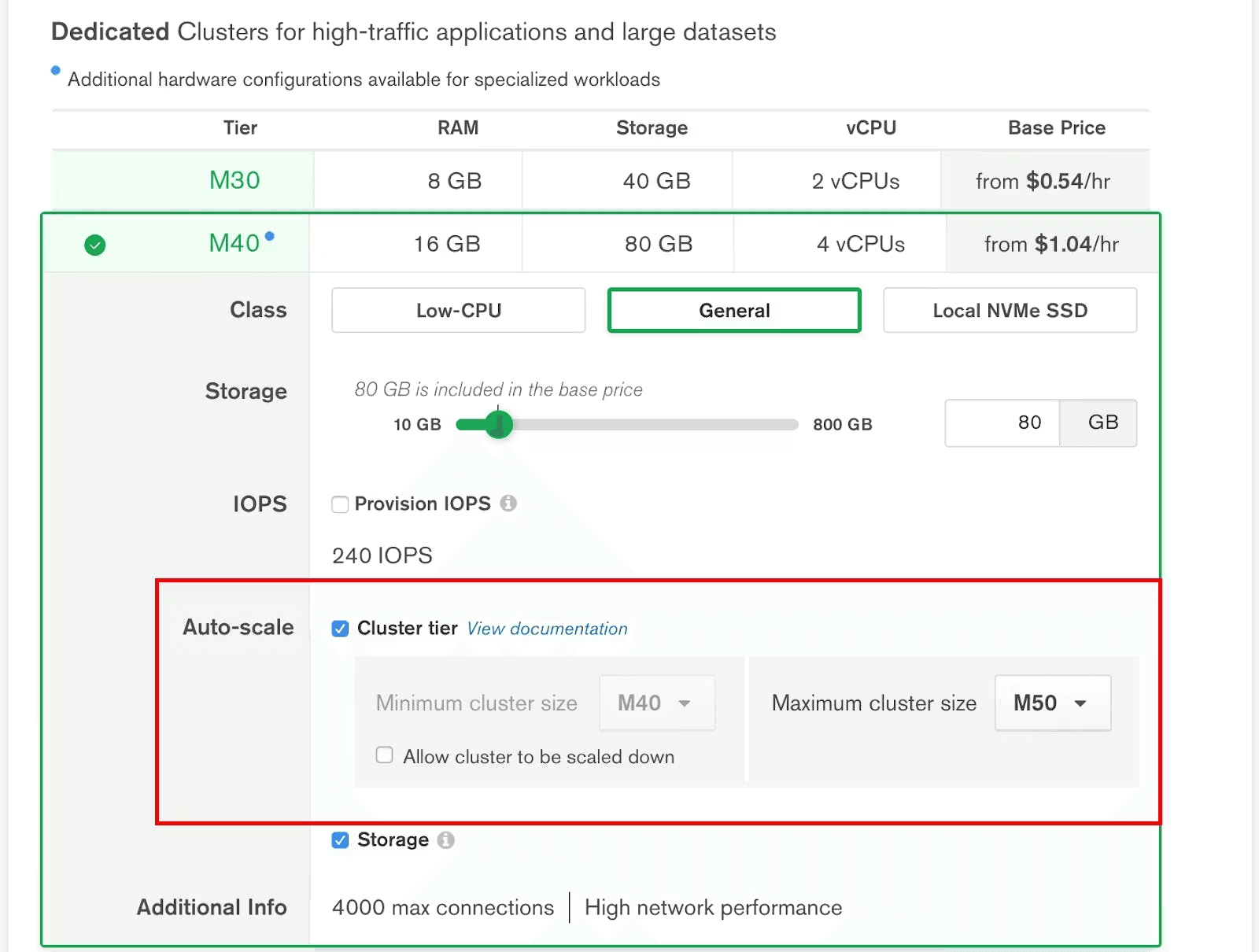
Automated Scaling: MongoDB Atlas automatically adjusts resources based on your workload, so your team doesn't have to worry about traffic spikes. This ensures your applications run smoothly without downtime.
Multicloud Support: Deploy your database across multiple cloud providers, giving your work flexibility and redundancy. It ensures your data is accessible and secure, no matter where it's stored.
Advanced Security: Built-in encryption and access controls keep your data safe from unauthorized access. Your team can focus on development, knowing that security is handled.
Data Sharding: MongoDB Atlas divides your database into smaller pieces, improving performance and scalability. This feature is valuable for large datasets needing quick access.
Backup and Recovery: Automatic backups ensure that your data is safe, and recovery options let you restore it when needed. This provides peace of mind that your work won't be lost.
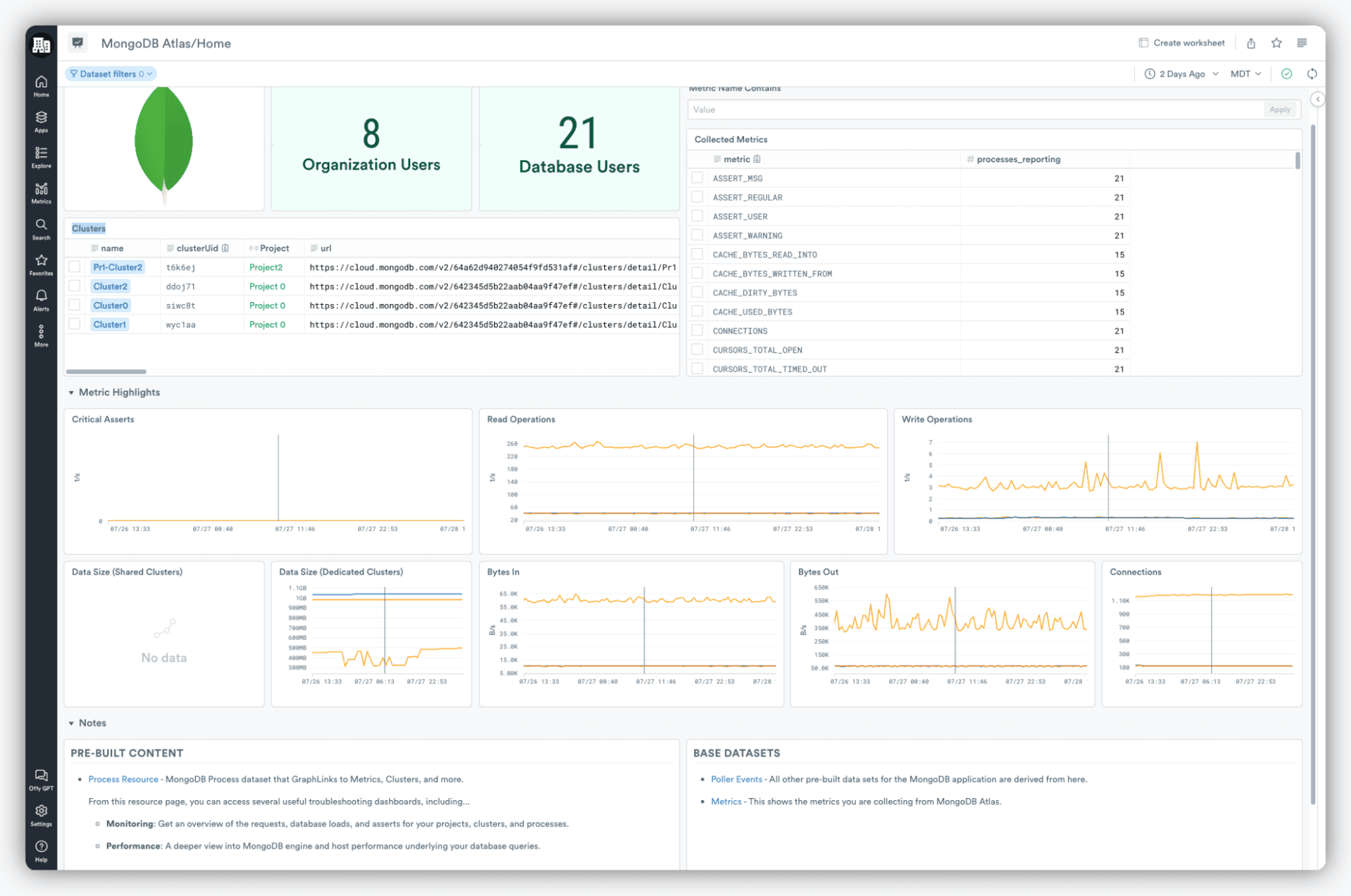
Monitoring Tools: Real-time monitoring helps you track database performance, so you can quickly address any issues. It keeps your team informed and proactive.
Ease of Use
Although MongoDB Atlas offers a user-friendly platform, its complexity can be a hurdle for beginners. The complex interface and extensive capabilities may initially overwhelm your team. However, once you're familiar with it, the intuitive design aids efficient task navigation. Automated scaling and monitoring tools simplify management, allowing your team to focus on development. Compared to other solutions, MongoDB Atlas balances powerful features with usability, though a learning curve is expected.
Integrations
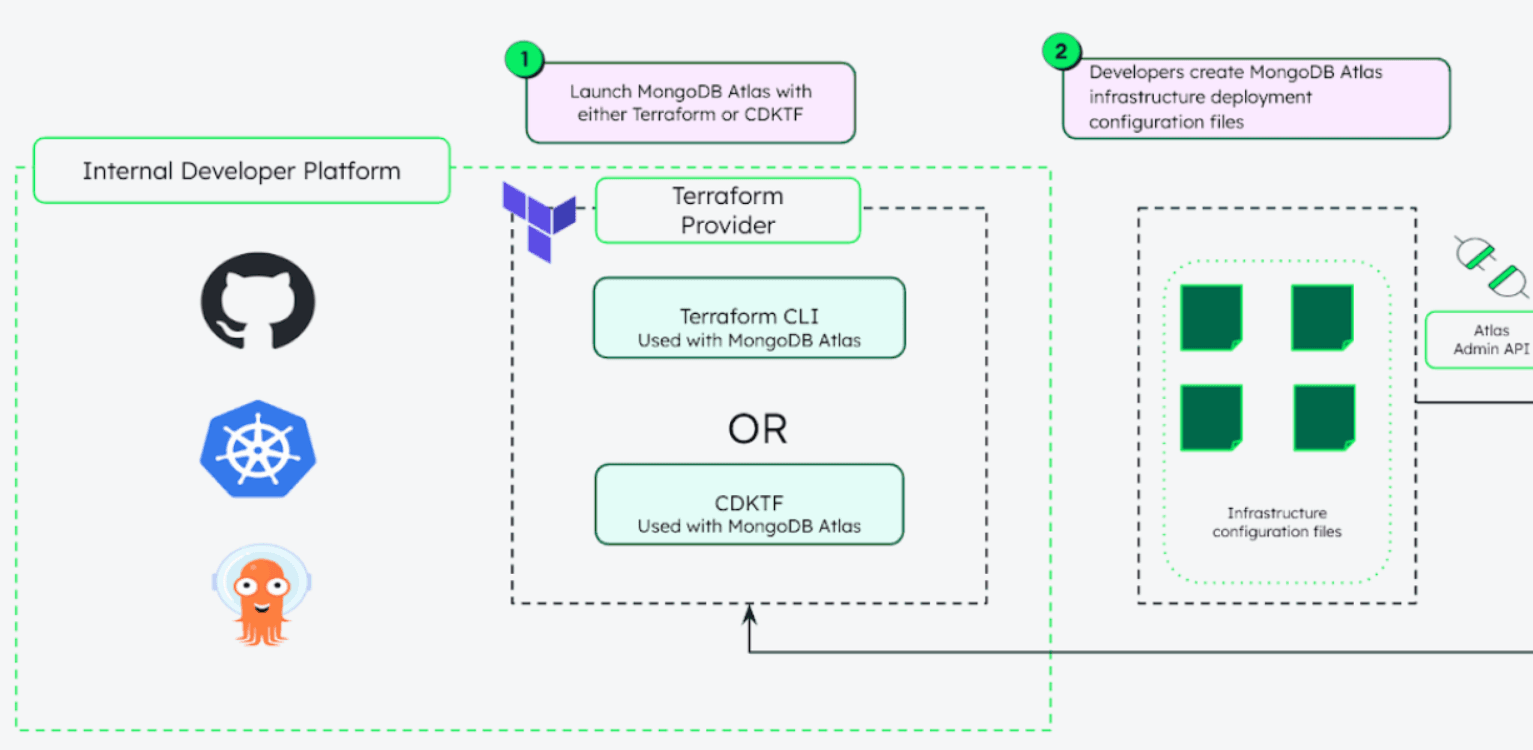
MongoDB Atlas integrates with AWS, Google Cloud, Microsoft Azure, Vercel, Netlify, Render, Datadog, Slack, HashiCorp Terraform, and Prisma.
It also has an API and connects with third-party integration tools, allowing for flexible customization and automation.
MongoDB Atlas Specs
- 2-Factor Authentication: Yes
- Access Management: Yes
- Anti-Virus: No
- API: Yes
- Audit Trail: Yes
- Bug Tracking: No
- Calendar Management: No
- Customer Management: No
- Dashboard: Yes
- Data Export: Yes
- Data Import: Yes
- Data Visualization: Yes
- Email Integration: Yes
- External Integrations: Yes
- File Sharing: No
- File Transfer: No
- Firewall: Yes
- Google Apps Integration: Yes
- Inventory Tracking: No
- Malware Protection: No
- Multi-User: Yes
- Network Device Performance Monitoring: No
- Network Traffic Monitoring: No
- Network Visualization: No
- Notifications: Yes
- Project Management: No
- Remote Access: Yes
- Risk Assessment: Yes
- SAP Integration: No
- Scheduling: No
- Software Integration: Yes
- Third-Party Plugins/Add-Ons: Yes
- Ticket Management: No


