

Iperius Backup Review: Pros, Cons, Features, and Pricing
Iperius Backup stands out for its versatility and robust online storage support, making it a reliable choice for diverse backup scenarios.

We review tools independently, and commissions help fund our testing. See our transparency policy, our methodology, or suggest a tool.
Iperius Backup is a backup software for Windows environments that handles local, cloud, database, and virtual machine backups from a single lightweight agent. I'd consider it if you're managing backups across mixed infrastructure—SQL databases, VMware or Hyper-V VMs, and multiple cloud destinations—and need that range of coverage without the per-socket licensing costs that come with something like Veeam. It's a practical fit for IT teams that want enterprise-level backup scope at a price that doesn't require a dedicated budget approval process.
Iperius Backup Evaluation Summary
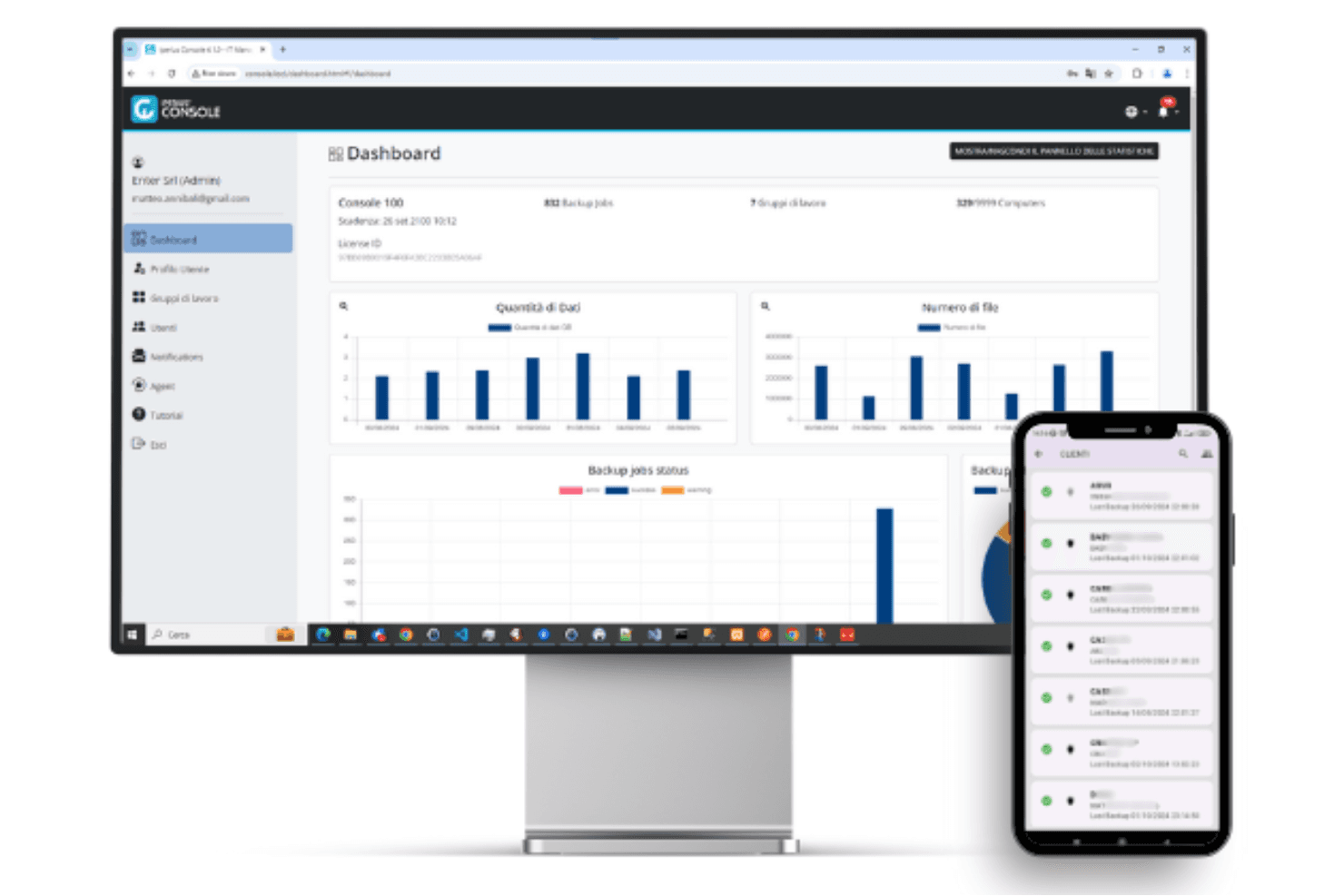
4.5/5
- EUR 59 (Perpetual)
- Free trial available
Why Trust Our Software Recommendations
6,700+
Reviews
20
Industry experts
16+
Evaluation factors
14
Years
Our team has been testing and reviewing software since 2012. As tech leaders ourselves, we know how difficult—and important—it is to choose the right software.
For this guide, we evaluated tools using hands-on testing and independent research, scoring tools using our selection criteria.
Our reviews reflect our human editorial judgment, not a sales pitch.
Expert reviewers:
- Paulo Gardini MiguelTech Director
 Tim FisherVP of AI
 Gabriel RosasTech Lead & Software Architect
 Christhian GruhnTech Lead & Platform Architect

Iperius Backup Overview
In my opinion, Iperius Backup is a solid choice for businesses needing versatile backup solutions across local hard drive, network, and cloud storage environments. It excels in customer support and offers good value for money, especially for small and midsize businesses using either the free version or the full version. However, its ease of use and onboarding process could improve. While it may not have all the bells and whistles of some competitors, such as Acronis, it provides reliable functionality for those prioritizing data protection over flashy features, including Windows backup, disk cloning, and replication. Iperius Backup suits teams looking for dependable backup software without the complexity or high cost of more feature-rich solutions.
Pros
- It offers reliable data recovery options for your team.
- You can use it across multiple platforms without hassle.
- Customer support is responsive and helpful.
Cons
- The user interface isn't as intuitive as some competitors.
- Onboarding can be a bit challenging for new users.
- It might lack some advanced functionalities found in other software.
Is Iperius Backup Right For Your Needs?
Who Would be a Good Fit for Iperius Backup?
Iperius Backup suits small to medium-sized businesses and IT departments that need reliable data protection across multiple platforms and storage destinations. It offers versatile backup options, making it ideal for teams that handle diverse data environments, including local systems, cloud services, and hybrid setups. With its responsive customer support, your team can quickly resolve issues, ensuring uninterrupted backup operations. If your work involves managing data on various systems, Iperius Backup's compatibility can be a significant advantage.
- Small BusinessesIperius Backup provides a cost-effective solution for small businesses needing dependable data protection without complex features.
- IT DepartmentsYour IT department can benefit from its versatile platform support, simplifying backup management across different systems.
- Healthcare IndustryFor healthcare data protection, Iperius Backup's reliable recovery options ensure critical information is always accessible.
- Educational InstitutionsSchools and universities can use it to secure student data and administrative records efficiently.
- Financial ServicesFinancial institutions can rely on its robust backup capabilities to safeguard sensitive financial data using secure storage services.
- Remote TeamsIf your team works remotely, Iperius Backup offers peace of mind with its reliable data recovery and platform compatibility.
Who Would be a Bad Fit for Iperius Backup?
Iperius Backup may not suit large enterprises needing advanced tools and highly intuitive interfaces. If your team requires seamless onboarding and a user-friendly interface, you might find it lacking. Enterprises demanding cutting-edge functionalities for complex data environments could find it insufficient compared to more feature-rich competitors. Its onboarding process might not meet the needs of teams needing a quick setup without a learning curve.
- Large EnterprisesIts lack of advanced functionalities may not meet the needs of large enterprises handling complex data infrastructures.
- Tech StartupsTech startups seeking cutting-edge features and innovation might find Iperius Backup's offerings too traditional.
- Creative AgenciesCreative agencies needing intuitive interfaces for quick adoption might struggle with its user experience.
- High-Tech IndustriesHigh-tech industries requiring highly customizable solutions might not find Iperius Backup flexible enough.
- Fast-Paced TeamsTeams needing rapid onboarding and minimal setup time might face challenges with its onboarding process.
- Advanced IT TeamsIT teams looking for advanced features and integrations might find Iperius Backup lacking compared to competitors.
Our Review Methodology
How We Test & Score Tools
We’ve spent years building, refining, and improving our software testing and scoring system. The rubric is designed to capture the nuances of software selection and what makes a tool effective, focusing on critical aspects of the decision-making process.
Below, you can see exactly how our testing and scoring works across seven criteria. It allows us to provide an unbiased evaluation of the software based on core functionality, standout features, ease of use, onboarding, customer support, integrations, customer reviews, and value for money.
Core Functionality (25% of final scoring)
The starting point of our evaluation is always the core functionality of the tool. Does it have the basic features and functions that a user would expect to see? Are any of those core features locked to higher-tiered pricing plans? At its core, we expect a tool to stand up against the baseline capabilities of its competitors.
Standout Features (25% of final scoring)
Next, we evaluate uncommon standout features that go above and beyond the core functionality typically found in tools of its kind. A high score reflects specialized or unique features that make the product faster, more efficient, or offer additional value to the user.
We also evaluate how easy it is to integrate with other tools typically found in the tech stack to expand the functionality and utility of the software. Tools offering plentiful native integrations, 3rd party connections, and API access to build custom integrations score best.
Ease of Use (10% of final scoring)
We consider how quick and easy it is to execute the tasks defined in the core functionality using the tool. High scoring software is well designed, intuitive to use, offers mobile apps, provides templates, and makes relatively complex tasks seem simple.
Onboarding (10% of final scoring)
We know how important rapid team adoption is for a new platform, so we evaluate how easy it is to learn and use a tool with minimal training. We evaluate how quickly a team member can get set up and start using the tool with no experience. High scoring solutions indicate little or no support is required.
Customer Support (10% of final scoring)
We review how quick and easy it is to get unstuck and find help by phone, live chat, or knowledge base. Tools and companies that provide real-time support score best, while chatbots score worst.
Customer Reviews (10% of final scoring)
Beyond our own testing and evaluation, we consider the net promoter score from current and past customers. We review their likelihood, given the option, to choose the tool again for the core functionality. A high scoring software reflects a high net promoter score from current or past customers.
Value for Money (10% of final scoring)
Lastly, in consideration of all the other criteria, we review the average price of entry level plans against the core features and consider the value of the other evaluation criteria. Software that delivers more, for less, will score higher.
Core Features
Data Backup and Recovery: Iperius Backup lets you back up and recover data across multiple platforms effortlessly. Your team can quickly restore lost files, ensuring data safety.
Disk Imaging: You can create exact copies of your disks using disk cloning, protecting your systems from data loss. This safeguards your work by allowing full system recovery.
File Synchronization: Keep your files up to date with automatic synchronization. It ensures your team always has the latest versions of important documents.
Incremental Backup: Iperius Backup saves only the changes made since the last backup. This saves time and storage space, making your work more efficient.
Scheduled Backups: Automate your backup process with scheduled backups. Your team can set it and forget it, knowing data is backed up regularly.
Encryption and Compression: Protect your data with encryption and save space with compression. It adds a layer of security and efficiency to your backup process.
Ease of Use
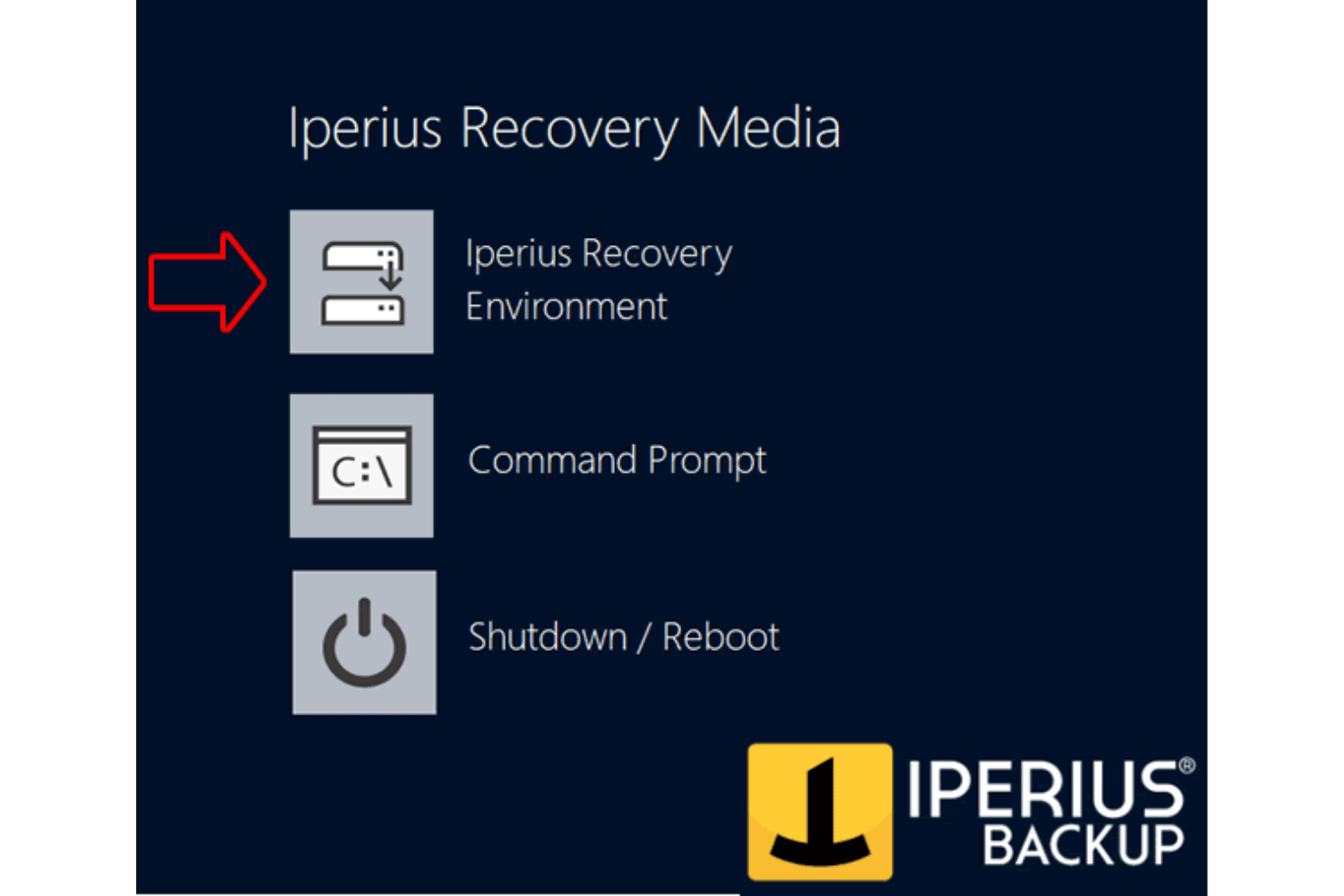
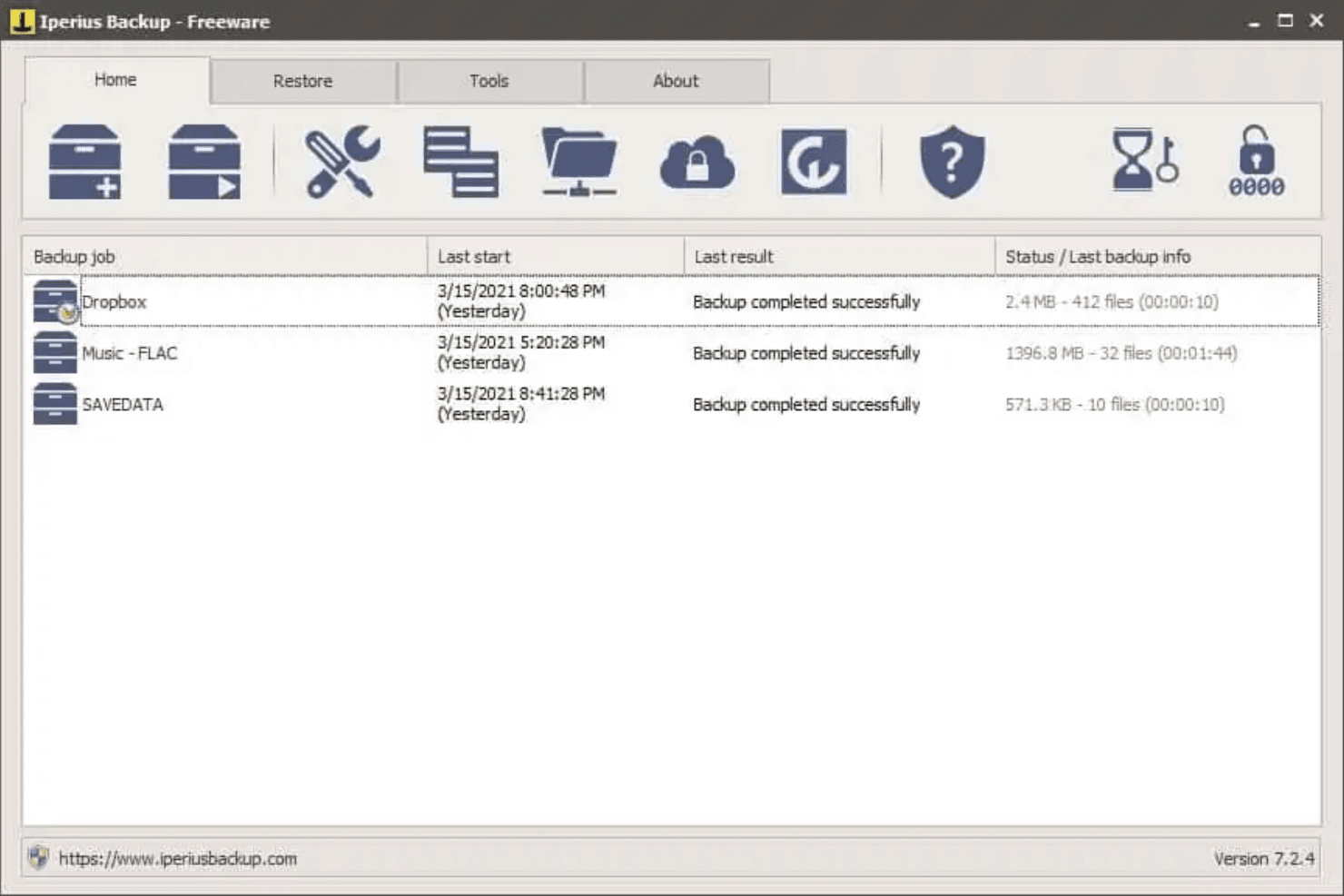
Iperius Backup's interface isn't the most intuitive, which might slow your team's adoption. While it has powerful features, navigating them can be tricky for new users, so you may need to spend extra time onboarding to get comfortable with its functionalities. However, once you master Iperius Backup, it provides reliable backup capabilities.
Integrations
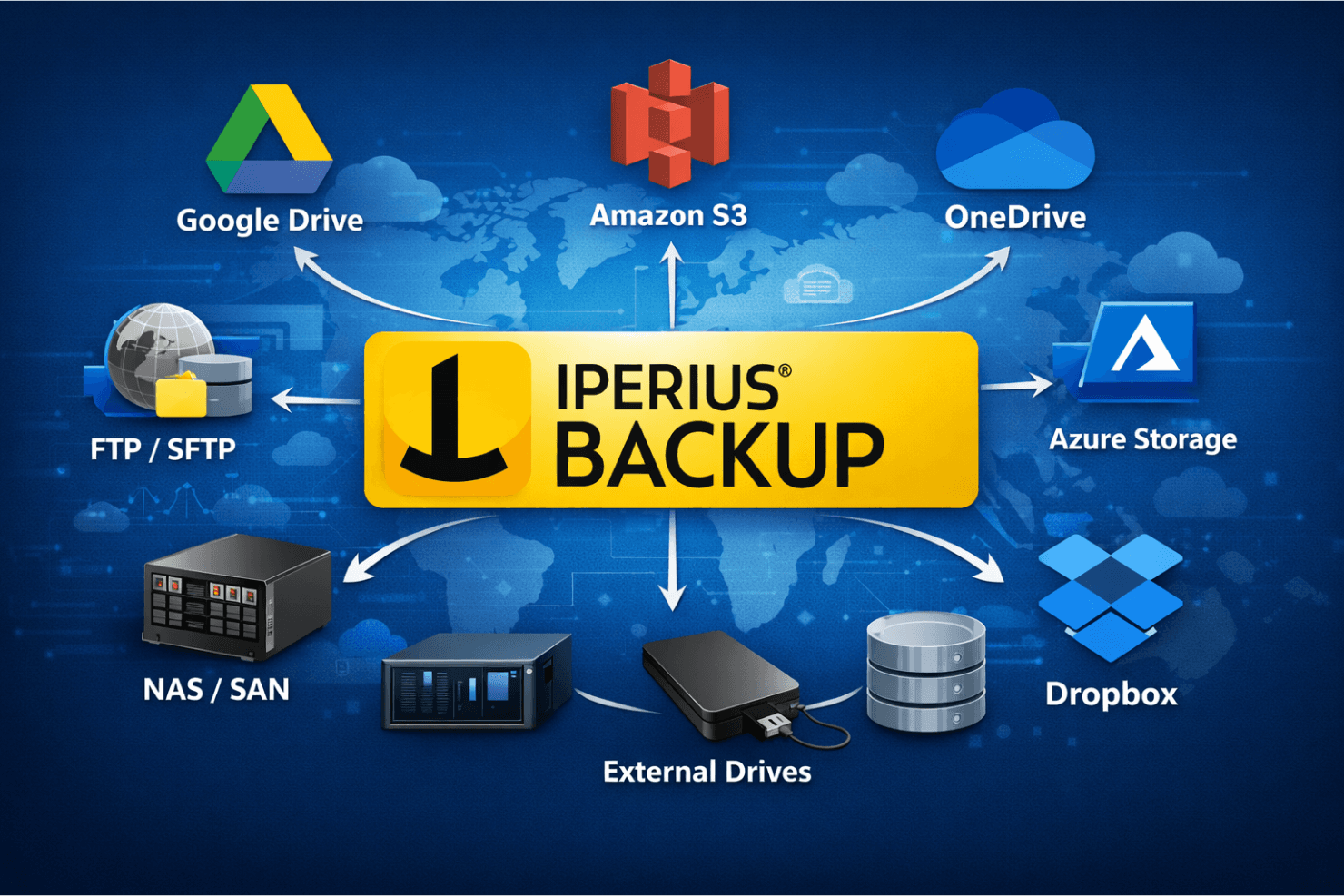
Iperius Backup integrates with Google Drive, Amazon S3, Microsoft OneDrive, Azure Storage, Dropbox, FTP/SFTP servers, NAS, SAN, and external drives.
Iperius Backup also connects with many S3-compatible solutions and provides an API for custom integrations.
Iperius Backup Specs
- Anti-Virus: No
- API: No
- Dashboard: Yes
- Data Export: Yes
- Data Import: Yes
- Document Comparison: No
- External Integrations: Yes
- File Sharing: No
- File Transfer: No
- Multi-User: No
- Notifications: Yes


