

HPE GreenLake Review: Pros, Cons, Features, and Pricing
HPE GreenLake excels in flexibility and scalability, making it a top choice for large enterprises seeking a powerful hybrid cloud solution.

We review tools independently, and commissions help fund our testing. See our transparency policy, our methodology, or suggest a tool.
HPE GreenLake is a hybrid cloud solution that delivers cloud-style consumption, management, and billing to on-premises and edge environments. It's worth considering if your infrastructure team needs the data sovereignty and low-latency of private infrastructure, but wants to avoid the rigid capacity planning that comes with traditional on-prem hardware ownership. Compared to AWS Outposts, which locks you into the AWS ecosystem, HPE GreenLake gives you more vendor flexibility and lets you run workloads across multiple environments without being tied to a single cloud provider's stack.
HPE GreenLake Evaluation Summary
4.8/5
- Pricing upon request
- Free demo available
Why Trust Our Software Recommendations
6,700+
Reviews
20
Industry experts
16+
Evaluation factors
14
Years
Our team has been testing and reviewing software since 2012. As tech leaders ourselves, we know how difficult—and important—it is to choose the right software.
For this guide, we evaluated tools using hands-on testing and independent research, scoring tools using our selection criteria.
Our reviews reflect our human editorial judgment, not a sales pitch.
Expert reviewers:
- Paulo Gardini MiguelTech Director
 Tim FisherVP of AI
 Gabriel RosasTech Lead & Software Architect
 Christhian GruhnTech Lead & Platform Architect

HPE GreenLake Overview
In my opinion, the HPE GreenLake cloud offers strong scalability and flexibility, making it a great fit for enterprises needing large-scale data management. It excels in delivering all-encompassing hybrid cloud services, but its pricing may deter smaller businesses. Compared to competitors, HPE GreenLake's features and customer support shine, but its onboarding process could be more efficient. For companies that require scalability and customization, HPE GreenLake is worth considering. However, if cost is a concern, you might explore other options.
Pros
- You can scale resources easily.
- It offers excellent support for sophisticated data management.
- Your team will benefit from its flexible deployment options.
Cons
- The onboarding process can be time-consuming.
- Your team might find the interface less intuitive than other options.
- It may require more initial setup effort than expected.
Is HPE GreenLake Right For Your Needs?
Who Would be a Good Fit for HPE GreenLake?
HPE GreenLake is ideal for large enterprises and regulated industries, such as finance and healthcare, where data control and scalability are key. Your team will benefit from its flexible provisioning and capacity to handle advanced data needs. If you require customization, HPE GreenLake's scalable resources and deployment options make it a strong choice.
- Large EnterprisesHPE GreenLake supports large-scale operations with its ability to scale resources easily.
- Finance IndustryIt offers strong data management capabilities, essential for handling sensitive financial information.
- Healthcare SectorYour team can rely on its flexibility and scalability for managing a large volume of patient data.
- IT DepartmentsThe flexibility in deployment options helps your IT team customize solutions as needed.
- Data-Heavy BusinessesCompanies dealing with large volumes of data will benefit from its in-depth data management support.
- Scalable SolutionsIf you need to adapt to changing workloads quickly, HPE ProLiant servers in conjunction with GreenLake's cloud services will provide the scalability you require.
Who Would be a Bad Fit for HPE GreenLake?
HPE GreenLake's cloud experience might not suit small businesses or startups due to its complicated setup. If your team lacks extensive IT resources or if you're looking for a straightforward, low-maintenance solution, HPE GreenLake's features could overwhelm you. It's less ideal for companies with limited budgets and those needing quick, out-of-the-box cloud solutions.
- Small StartupsThe complex setup and high costs may not be suitable if you have limited resources.
- Budget-Conscious CompaniesHPE GreenLake's pricing might not align with your budget.
- Non-Technical TeamsIf your team lacks IT expertise, the system's complexity can be challenging.
- Quick Deployment NeedsYour need for a fast, simple solution might not be met with HPE GreenLake's setup time.
- Limited IT StaffingCompanies without a dedicated IT team might find the system overwhelming.
- Simple Cloud NeedsIf you need basic cloud functions, HPE GreenLake's infrastructure management and private cloud features might be unnecessary.
Our Review Methodology
How We Test & Score Tools
We’ve spent years building, refining, and improving our software testing and scoring system. The rubric is designed to capture the nuances of software selection and what makes a tool effective, focusing on critical aspects of the decision-making process.
Below, you can see exactly how our testing and scoring works across seven criteria. It allows us to provide an unbiased evaluation of the software based on core functionality, standout features, ease of use, onboarding, customer support, integrations, customer reviews, and value for money.
Core Functionality (25% of final scoring)
The starting point of our evaluation is always the core functionality of the tool. Does it have the basic features and functions that a user would expect to see? Are any of those core features locked to higher-tiered pricing plans? At its core, we expect a tool to stand up against the baseline capabilities of its competitors.
Standout Features (25% of final scoring)
Next, we evaluate uncommon standout features that go above and beyond the core functionality typically found in tools of its kind. A high score reflects specialized or unique features that make the product faster, more efficient, or offer additional value to the user.
We also evaluate how easy it is to integrate with other tools typically found in the tech stack to expand the functionality and utility of the software. Tools offering plentiful native integrations, 3rd party connections, and API access to build custom integrations score best.
Ease of Use (10% of final scoring)
We consider how quick and easy it is to execute the tasks defined in the core functionality using the tool. High scoring software is well designed, intuitive to use, offers mobile apps, provides templates, and makes relatively complex tasks seem simple.
Onboarding (10% of final scoring)
We know how important rapid team adoption is for a new platform, so we evaluate how easy it is to learn and use a tool with minimal training. We evaluate how quickly a team member can get set up and start using the tool with no experience. High scoring solutions indicate little or no support is required.
Customer Support (10% of final scoring)
We review how quick and easy it is to get unstuck and find help by phone, live chat, or knowledge base. Tools and companies that provide real-time support score best, while chatbots score worst.
Customer Reviews (10% of final scoring)
Beyond our own testing and evaluation, we consider the net promoter score from current and past customers. We review their likelihood, given the option, to choose the tool again for the core functionality. A high scoring software reflects a high net promoter score from current or past customers.
Value for Money (10% of final scoring)
Lastly, in consideration of all the other criteria, we review the average price of entry level plans against the core features and consider the value of the other evaluation criteria. Software that delivers more, for less, will score higher.
Core Features
Scalable Resources
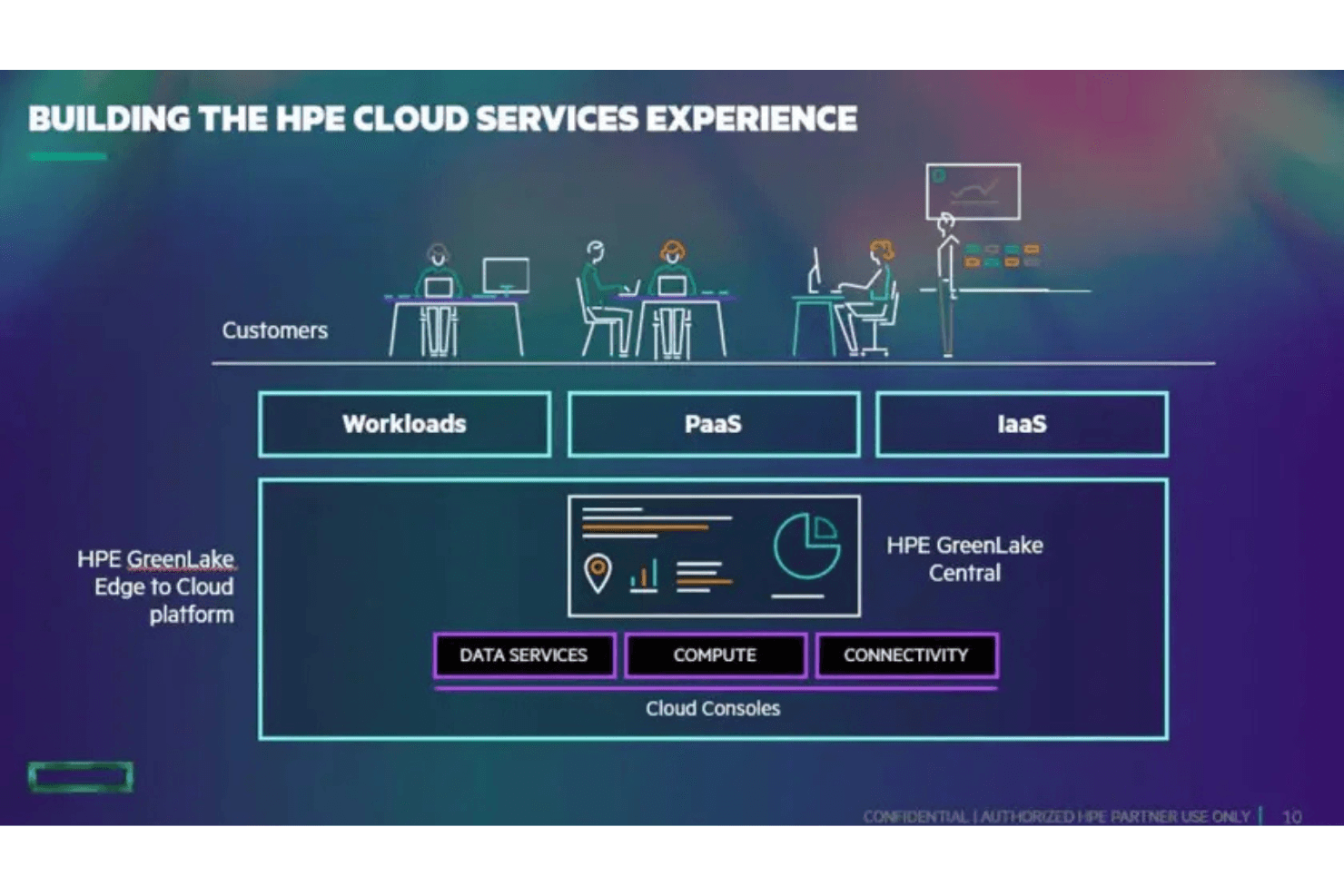
HPE GreenLake lets you scale resources to match growing demands, ensuring your team can handle increased workloads smoothly. This flexibility supports your business as it evolves.
Flexible Deployment
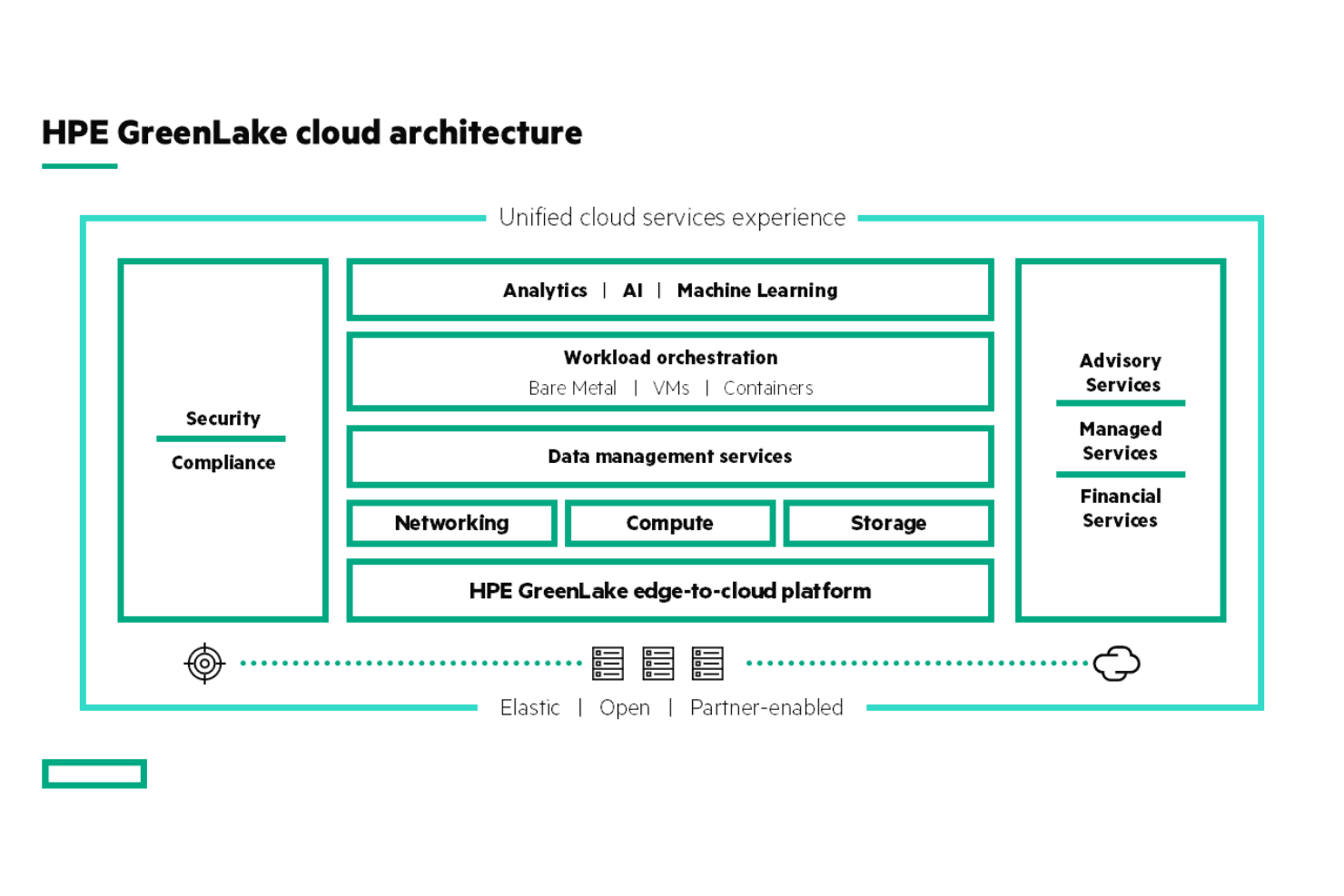
You can deploy HPE GreenLake cloud services, including hardware, firmware, and software, in various environments, giving your team the freedom to choose what best suits your infrastructure. This adaptability is key for multifaceted IT setups such as hybrid cloud environments that blend private cloud and on-premises infrastructure with public cloud services.
Data Management
You can manage large volumes of data efficiently, which is key for highly regulated sectors such as healthcare and financial services. Your team will also value the system's ability to handle sensitive information securely.
Performance Monitoring
With real-time performance monitoring and notifications, you can keep an eye on your system's health and respond promptly to issues.
Security Features
HPE GreenLake offers high-level security protocols to protect your data and maintain compliance with industry standards, providing peace of mind for your team.
Cost Control
You can track your resource usage and costs, helping your team manage budgets effectively and make informed financial decisions.
Ease of Use
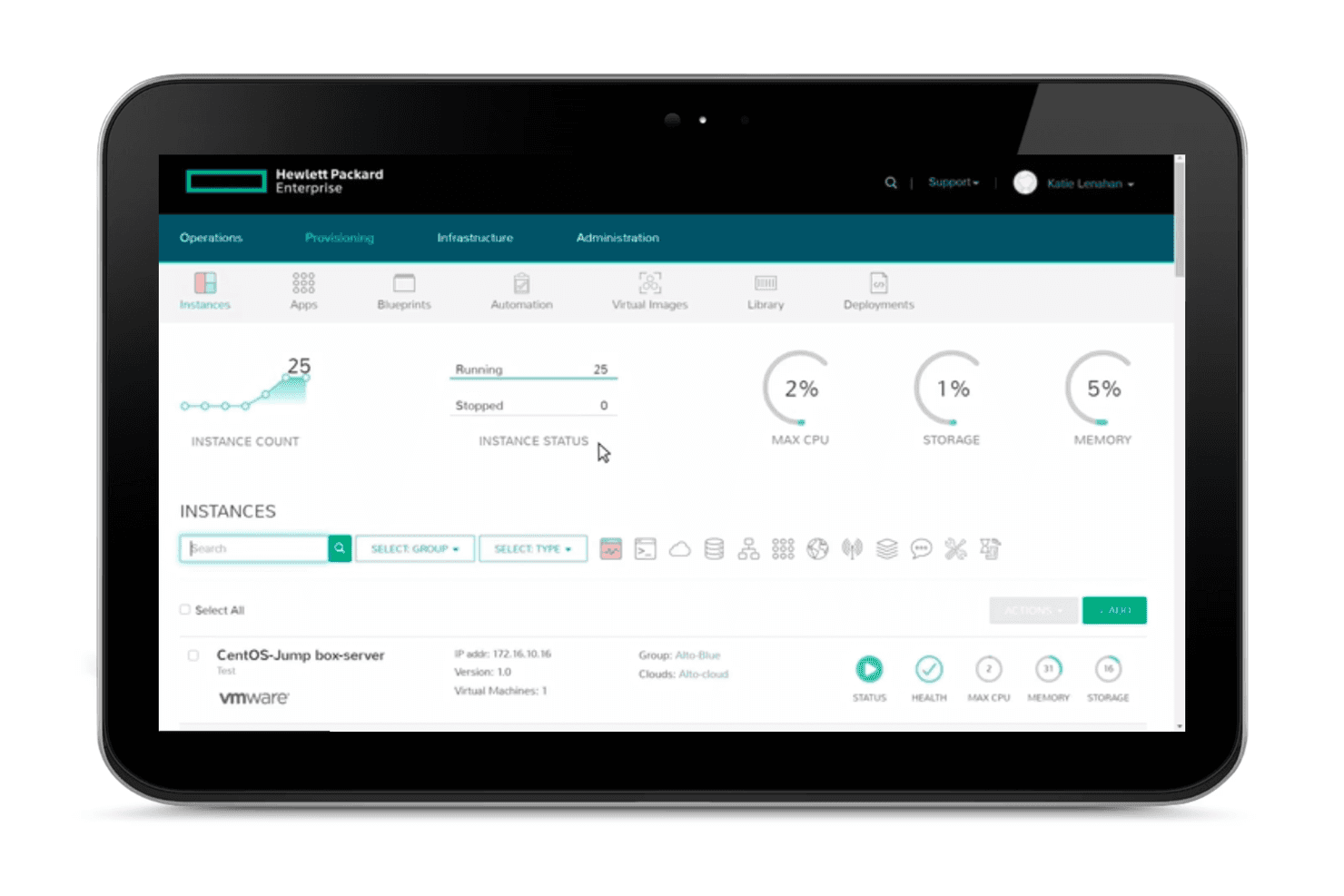
HPE GreenLake is moderately user-friendly, but its setup can be challenging for non-technical users. Your team might find the interface less intuitive compared to other solutions, requiring time to navigate effectively. However, once you are familiar with the platform, the single dashboard for remote management of your IT infrastructure simplifies workflows. Real-time monitoring and cost control features add value, but the upfront onboarding process may demand considerable effort from your IT staff. Overall, it's best suited for teams with some technical expertise.
Integrations
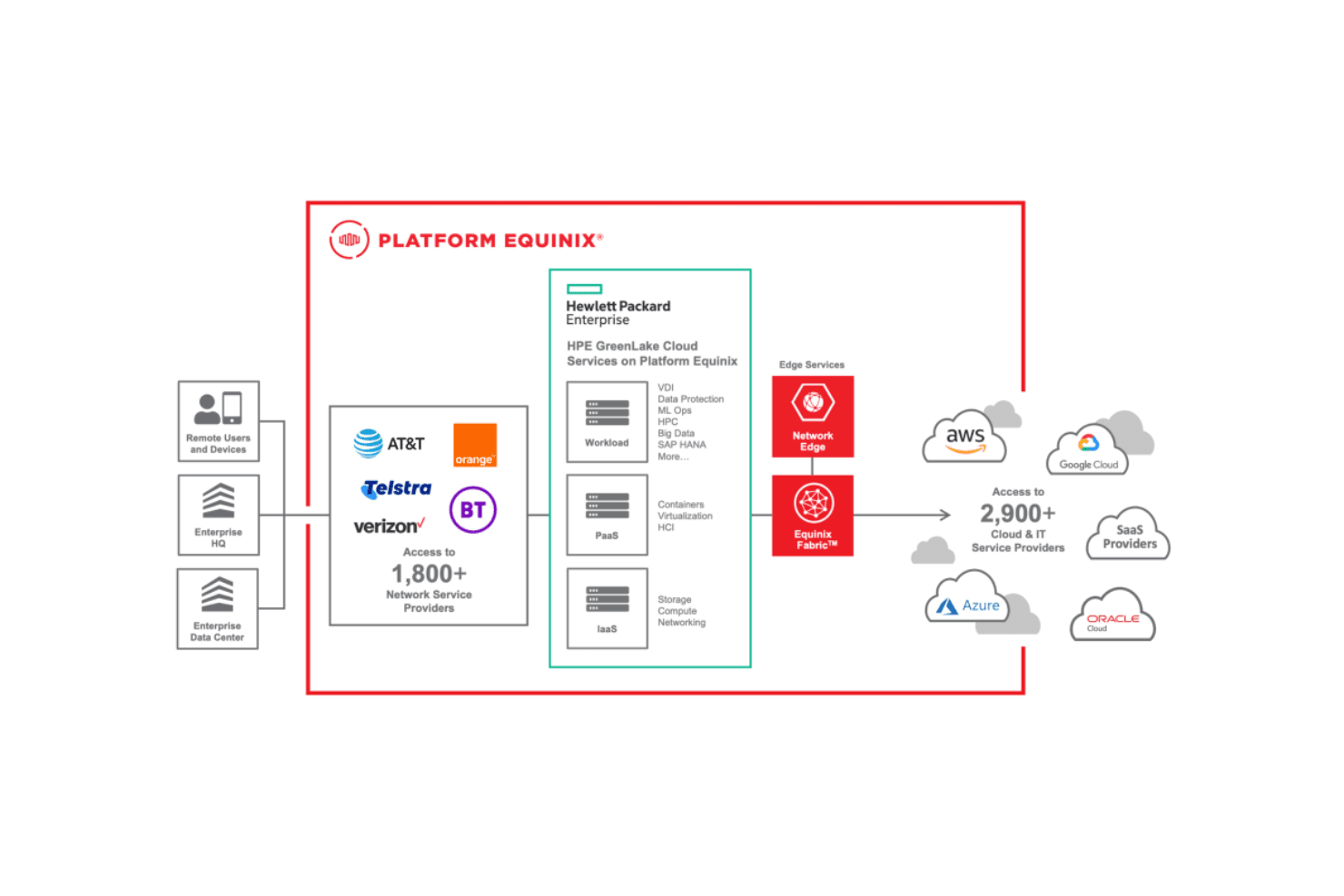
HPE GreenLake integrates with Microsoft Azure, AWS, Google Cloud, VMware, SAP, Nutanix, Red Hat OpenShift, ServiceNow, Docker, and Kubernetes. HPE GreenLake also offers an API for custom integrations and connects with third-party integration tools.
HPE GreenLake Specs
- CI/CD Integration: Yes
- Code Review: Yes
- Code Transformation: Yes
- Collaboration Support: No
- Data Export: Yes
- Data Import: Yes
- Git Integration: No
- History/Version Control: No
- IDE Plugins: No
- Local Deployment: No
- Multi-User: Yes
- Notifications: Yes
- Project Management: No
- Testing: No


