

DriveImage XML Review: Pros, Cons, Features, and Pricing
DriveImage XML excels in user-friendly disk imaging, making it a top choice for simple, reliable backup needs.

We review tools independently, and commissions help fund our testing. See our transparency policy, our methodology, or suggest a tool.
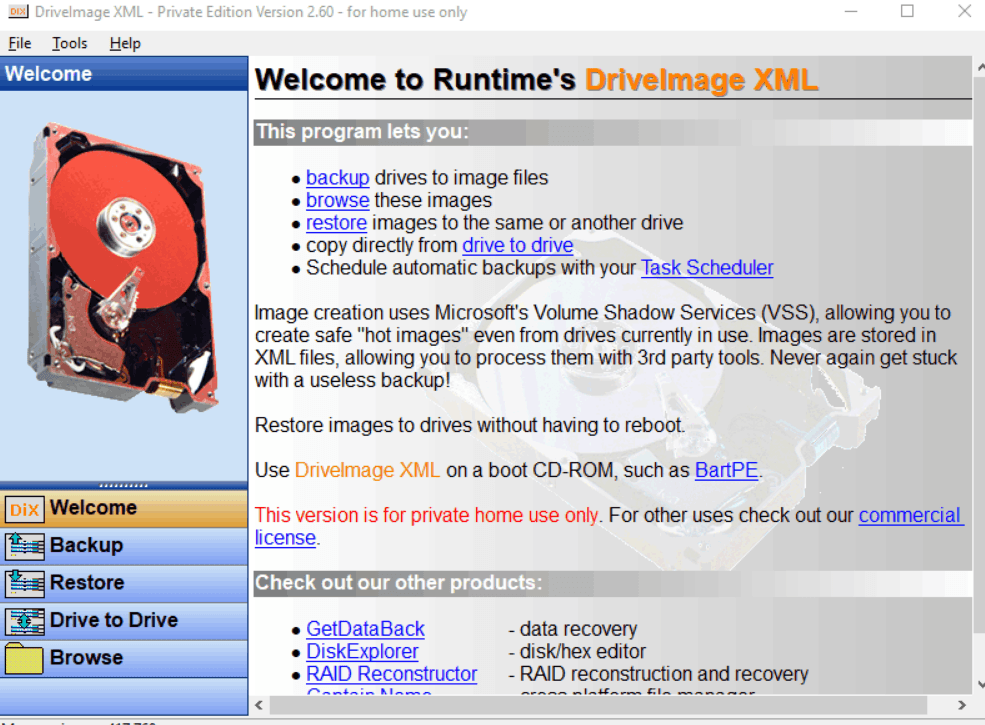
DriveImage XML is a backup software for Windows environments that creates full drive and partition images using Volume Shadow Service, letting you capture a live system without taking it offline first. It's a solid pick if your team needs dependable disk imaging and bare-metal recovery without a commercial licensing cost. If you've been comparing options, I'd choose DriveImage XML over Acronis True Image when your environment calls for straightforward imaging and restore capability without subscription overhead or feature complexity you're unlikely to use.
DriveImage XML Evaluation Summary
4.3/5
- From $100/year
- Free Download
Why Trust Our Software Recommendations
6,700+
Reviews
20
Industry experts
16+
Evaluation factors
14
Years
Our team has been testing and reviewing software since 2012. As tech leaders ourselves, we know how difficult—and important—it is to choose the right software.
For this guide, we evaluated tools using hands-on testing and independent research, scoring tools using our selection criteria.
Our reviews reflect our human editorial judgment, not a sales pitch.
Expert reviewers:
- Paulo Gardini MiguelTech Director
 Tim FisherVP of AI
 Gabriel RosasTech Lead & Software Architect
 Christhian GruhnTech Lead & Platform Architect

DriveImage XML Overview
In my opinion, DriveImage XML offers solid backup solutions for small teams and personal use. It provides essential backup functionalities at no cost for private use, making it a good choice for users who need basic disk imaging. However, its interface and customer support are limited compared to competitors like Acronis or Macrium Reflect. DriveImage XML is best suited for environments where straightforward backup processes are needed without complex integrations. If you're looking for a cost-effective backup and drive-to-drive cloning software, this is a worthy consideration.
Pros
- You can easily create disk images and backups on solid state drives (SSD) or hard disk drives (HDD).
- It offers a functional interface for simple disk imaging tasks.
- You get reliable data recovery options.
Cons
- The interface may feel outdated compared to others.
- You might find official support very limited.
- It could offer more advanced features for power users.
Is DriveImage XML Right For Your Needs?
Who Would be a Good Fit for DriveImage XML?
DriveImage XML is ideal for small businesses and IT departments that need straightforward backup solutions. If your team values ease of use and reliable disk imaging, this tool fits well. It's particularly useful for small financial firms or educational institutions where data recovery and basic backup are priorities. DriveImage XML's functional and reliable backup options make it a practical choice for environments that don't require complex integrations.
- Small BusinessesDriveImage XML's straightforward features make it perfect for small businesses needing to create or schedule backups.
- Educational InstitutionsSchools can use DriveImage XML to safeguard important data without dealing with complicated software.
- IT DepartmentsIT teams can benefit from its lightweight interface for straightforward disk imaging tasks.
- FreelancersFreelancers will find DriveImage XML easy to use for backing up important work files.
- Non-ProfitsNon-profits can rely on DriveImage XML for affordable and functional data protection.
- Personal UseIndividuals looking for simple backup solutions will find DriveImage XML effective for personal data security.
Who Would be a Bad Fit for DriveImage XML?
DriveImage XML isn't well-suited for large enterprises or businesses that need advanced backup features. If your team relies on complex integrations or cloud-based solutions, this tool may fall short. Industries like tech startups or large corporations needing sophisticated data imaging might find its capabilities too basic. DriveImage XML lacks the advanced features and modern interface that such environments often require for efficient operations.
- Large EnterprisesBig companies might find DriveImage XML's features too basic for their extensive backup needs.
- Tech StartupsStartups requiring advanced features and integrations won't find DriveImage XML sufficient.
- Data CentersData centers need robust backup solutions beyond what DriveImage XML offers.
- Cloud-Based TeamsTeams relying on cloud storage won't benefit from DriveImage XML's local-focused backup.
- Complex IT EnvironmentsDriveImage XML's simplicity doesn't cater to complex IT environments needing intricate solutions.
- Advanced UsersPower users seeking advanced customization will find DriveImage XML lacking in features.
Our Review Methodology
How We Test & Score Tools
We’ve spent years building, refining, and improving our software testing and scoring system. The rubric is designed to capture the nuances of software selection and what makes a tool effective, focusing on critical aspects of the decision-making process.
Below, you can see exactly how our testing and scoring works across seven criteria. It allows us to provide an unbiased evaluation of the software based on core functionality, standout features, ease of use, onboarding, customer support, integrations, customer reviews, and value for money.
Core Functionality (25% of final scoring)
The starting point of our evaluation is always the core functionality of the tool. Does it have the basic features and functions that a user would expect to see? Are any of those core features locked to higher-tiered pricing plans? At its core, we expect a tool to stand up against the baseline capabilities of its competitors.
Standout Features (25% of final scoring)
Next, we evaluate uncommon standout features that go above and beyond the core functionality typically found in tools of its kind. A high score reflects specialized or unique features that make the product faster, more efficient, or offer additional value to the user.
We also evaluate how easy it is to integrate with other tools typically found in the tech stack to expand the functionality and utility of the software. Tools offering plentiful native integrations, 3rd party connections, and API access to build custom integrations score best.
Ease of Use (10% of final scoring)
We consider how quick and easy it is to execute the tasks defined in the core functionality using the tool. High scoring software is well designed, intuitive to use, offers mobile apps, provides templates, and makes relatively complex tasks seem simple.
Onboarding (10% of final scoring)
We know how important rapid team adoption is for a new platform, so we evaluate how easy it is to learn and use a tool with minimal training. We evaluate how quickly a team member can get set up and start using the tool with no experience. High scoring solutions indicate little or no support is required.
Customer Support (10% of final scoring)
We review how quick and easy it is to get unstuck and find help by phone, live chat, or knowledge base. Tools and companies that provide real-time support score best, while chatbots score worst.
Customer Reviews (10% of final scoring)
Beyond our own testing and evaluation, we consider the net promoter score from current and past customers. We review their likelihood, given the option, to choose the tool again for the core functionality. A high scoring software reflects a high net promoter score from current or past customers.
Value for Money (10% of final scoring)
Lastly, in consideration of all the other criteria, we review the average price of entry level plans against the core features and consider the value of the other evaluation criteria. Software that delivers more, for less, will score higher.
Core Features
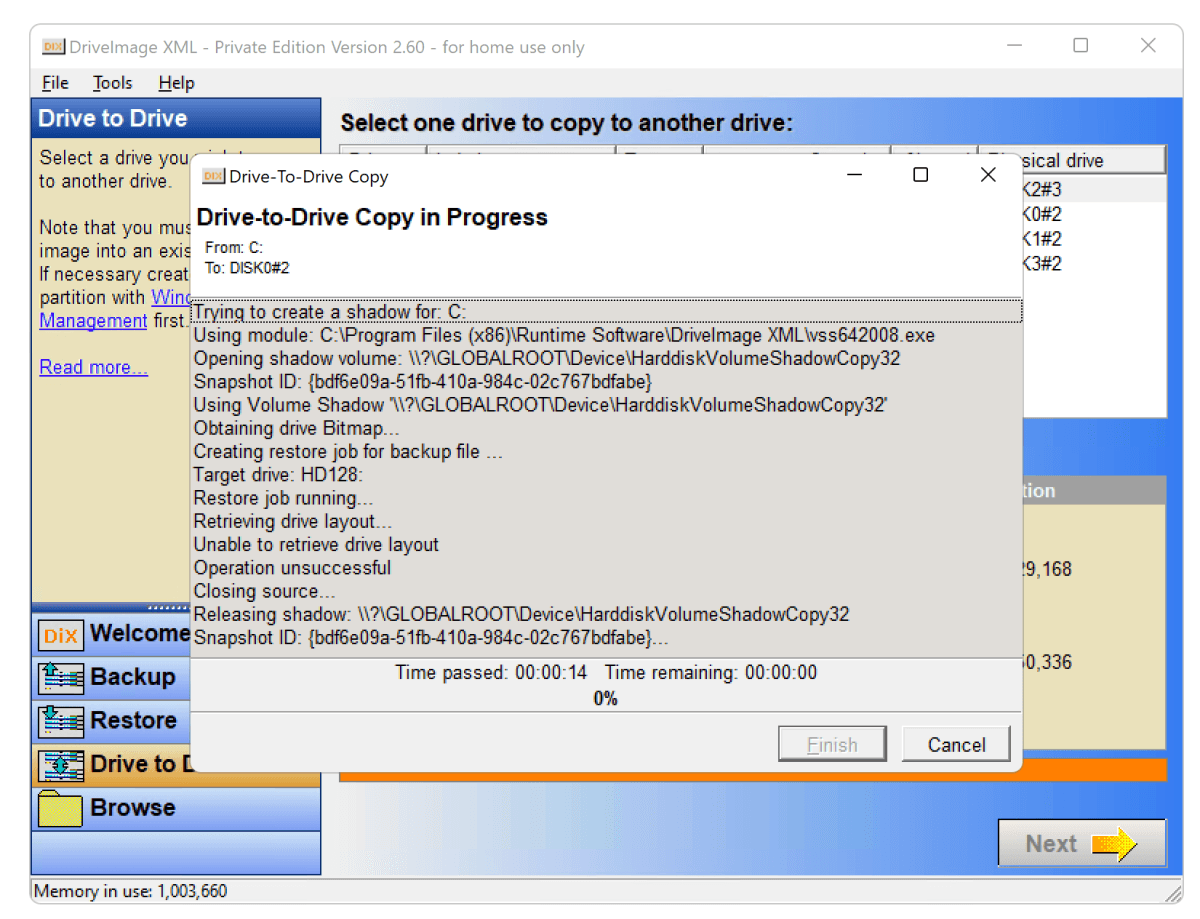
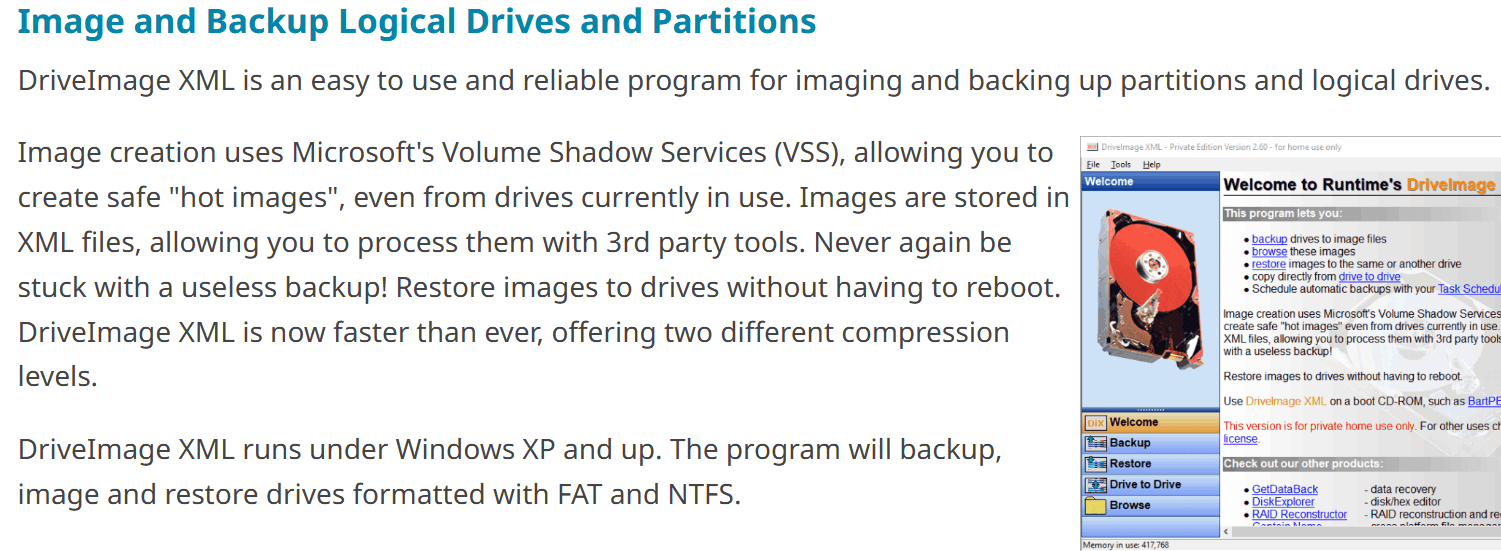
Disk Imaging: Create exact copies of your hard drive and save them as Extensible Markup Language (XML) files. This feature ensures you have a safe backup of your entire system.
File Backup: Select specific files or folders to back up to protect important documents without saving unnecessary data.
Data Recovery: Extract files from backup images to restore lost files quickly without a reboot. This ensures your team can recover from data loss without hassle.
Scheduling: Set automatic backups to run at convenient times with Windows Task Scheduler, keeping backups up to date without manual effort.
Compression: Save space by compressing backup files, helping you maximize your storage without clutter.
Partition Backup: Back up entire partitions separately. You can control how File Allocation Table (FAT) and New Technology File System (NTFS) partitions are protected.
Ease of Use
DriveImage XML is fairly user-friendly, especially for those looking for a straightforward backup solution. Its simple interface makes navigating tasks like disk imaging and file backups easy, even if you're not tech-savvy. Your team can quickly set up and manage backups without needing extensive training or support. The backup tool allows you to restore files to the same or a different drive without navigating confusing menus.
Integrations
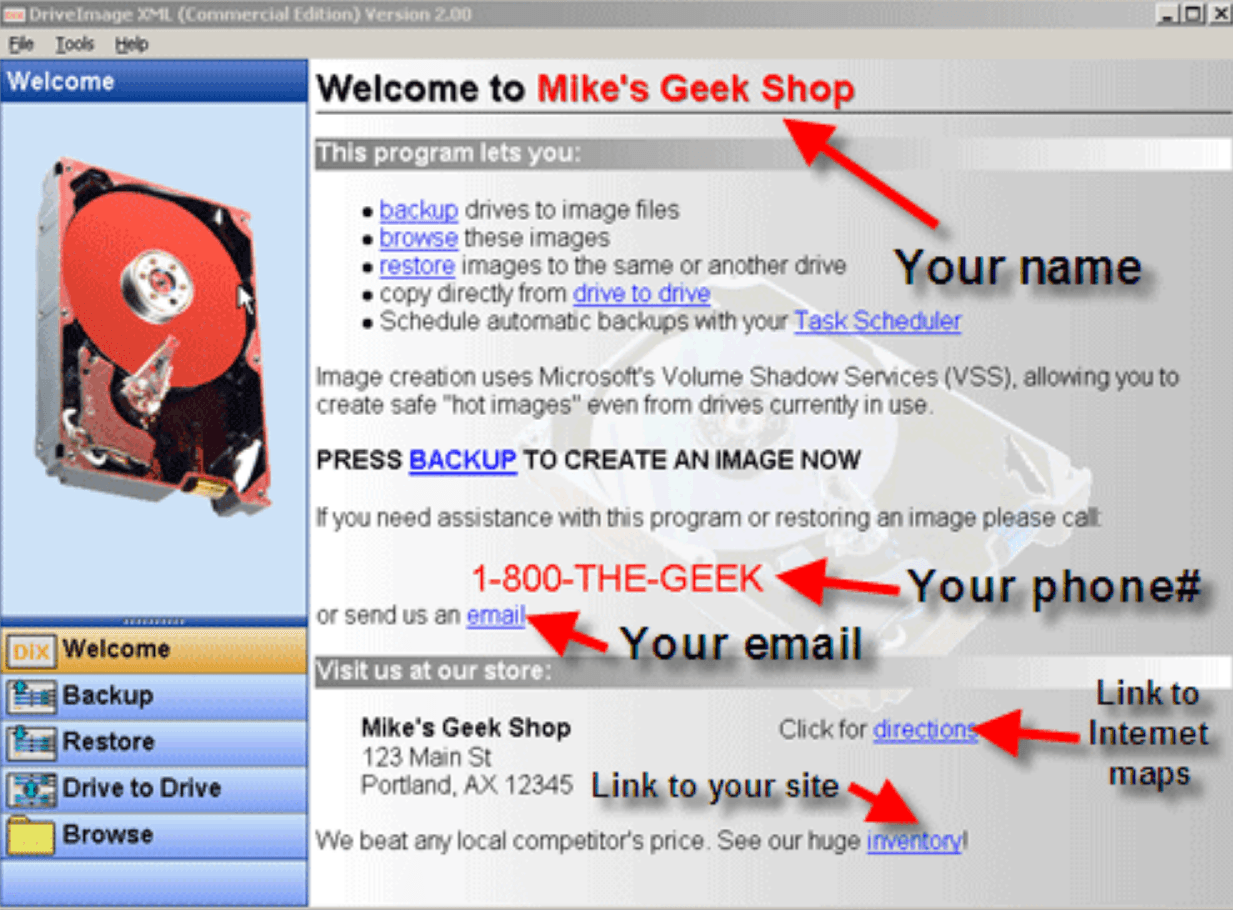
DriveImage XML integrates with Microsoft's Volume Shadow Services (VSS).
DriveImage XML Specs
- 2-Factor Authentication: No
- Access Management: No
- Anti-Virus: No
- API: No
- Audit Trail: No
- Bug Tracking: No
- Calendar Management: No
- Customer Management: No
- Dashboard: No
- Data Export: Yes
- Data Import: Yes
- Data Visualization: No
- Email Integration: No
- External Integrations: No
- File Sharing: No
- File Transfer: No
- Firewall: No
- Google Apps Integration: No
- Inventory Tracking: No
- Malware Protection: No
- Multi-User: No
- Network Device Performance Monitoring: No
- Network Traffic Monitoring: No
- Network Visualization: No
- Notifications: No
- Project Management: No
- Remote Access: No
- Risk Assessment: No
- SAP Integration: No
- Scheduling: Yes
- Software Integration: No
- Third-Party Plugins/Add-Ons: No
- Ticket Management: No


