

Datadog Review 2026: Key Features, Pros, Cons, and Pricing
Datadog stands out for its robust integrations and real-time insights, but its pricing and complexity may not suit every team. Ideal for scaling businesses needing deep observability.

We review tools independently, and commissions help fund our testing. See our transparency policy, our methodology, or suggest a tool.
Datadog is a cloud-based performance monitoring tool for IT and DevOps teams that need unified visibility across infrastructure, applications, and logs. I'd reach for it when you're operating in a multi-cloud or hybrid environment and need a single platform to correlate metrics, traces, and events. If you're weighing it against New Relic, Datadog is the stronger pick when integration breadth and infrastructure-level depth matter more than an APM-first approach.
Datadog Evaluation Summary
4.5/5
- From $5/month (billed annually)
- Free plan available and 14-day free trial
Why Trust Our Software Recommendations
6,700+
Reviews
20
Industry experts
16+
Evaluation factors
14
Years
Our team has been testing and reviewing software since 2012. As tech leaders ourselves, we know how difficult—and important—it is to choose the right software.
For this guide, we evaluated tools using hands-on testing and independent research, scoring tools using our selection criteria.
Our reviews reflect our human editorial judgment, not a sales pitch.
Expert reviewers:
- Paulo Gardini MiguelTech Director
 Tim FisherVP of AI
 Gabriel RosasTech Lead & Software Architect
 Christhian GruhnTech Lead & Platform Architect

Datadog Overview
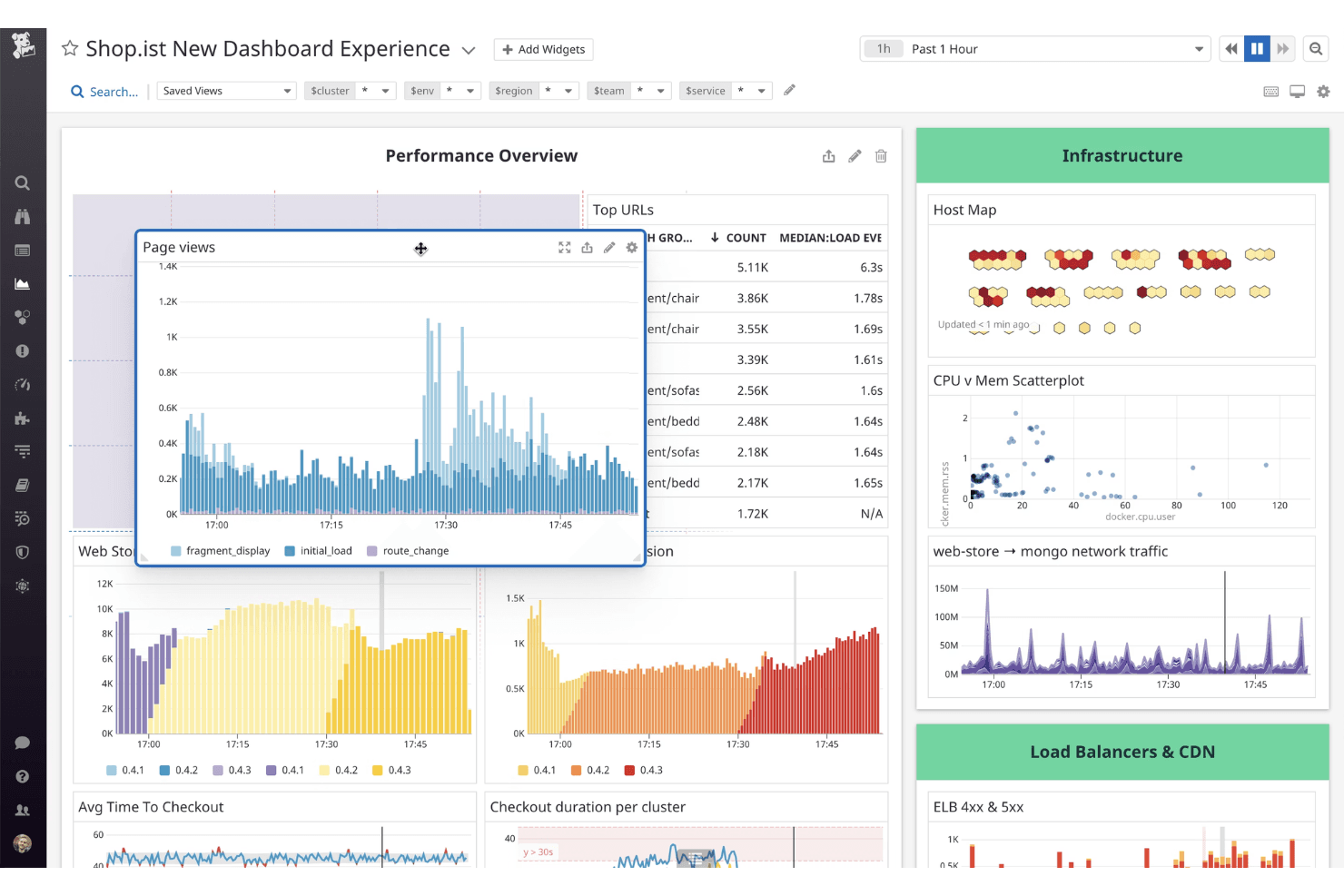
When judging Datadog against other performance monitoring tools, its integration library and customizable dashboards set it apart for teams needing unified observability. The interface is intuitive, and onboarding is straightforward for most cloud-native environments. Pricing can climb quickly as you add features, and support response times vary. Datadog excels in environments with microservices, containers, and hybrid infrastructure, but may feel complex for smaller teams.
If you’re selecting a tool for deep analytics and automation, Datadog’s real-time data and alerting make it a strong contender. For example, its log correlation and anomaly detection outperform many alternatives.
Pros
- Highly customizable dashboards for visualizing key metrics
- Advanced alerting and anomaly detection features
- Real-time monitoring across infrastructure, applications, and logs
Cons
- Setup complexity grows in large or hybrid environments
- Data retention limits can restrict historical analysis
- Pricing increases quickly with data volume and features
Is Datadog Right For Your Needs?
Who Would be a Good Fit for Datadog?
Datadog is best suited for organizations with complex, distributed systems that demand real-time visibility and granular monitoring. Teams in cloud-native environments, large-scale ecommerce, and SaaS operations benefit from Datadog’s advanced analytics, customizable dashboards, and automated alerting.
Its strengths in microservices, container orchestration, and hybrid infrastructure monitoring make it a strong choice for IT departments and DevOps teams managing dynamic workloads.
- Hybrid IT DepartmentsUnified dashboards simplify monitoring across on-premises and cloud resources.
- Ecommerce PlatformsTransaction tracing and anomaly detection support high-traffic reliability.
- SaaS ProvidersEnd-to-end application monitoring ensures uptime and user experience.
- DevOps TeamsAutomated alerting and integrations streamline incident response and troubleshooting.
- Large EnterprisesCentralized observability and advanced analytics help manage sprawling infrastructure.
- Cloud-Native StartupsDatadog’s real-time monitoring and automation support rapid scaling and deployment.
Who Would be a Bad Fit for Datadog?
Datadog may not be ideal for smaller organizations, cost-sensitive teams, or those with simple infrastructure needs. Its pricing model, data retention limits, and setup complexity can outweigh the benefits for businesses with limited monitoring requirements or static environments. Teams seeking basic uptime checks or minimal historical analysis may find Datadog’s feature set excessive and costly.
- Legacy System OperatorsLimited support for older technologies can hinder full environment coverage.
- Government AgenciesStrict data residency and compliance needs may not align with Datadog’s offerings.
- Cost-Conscious StartupsData volume-based pricing can quickly exceed tight budgets.
- Static InfrastructureDynamic monitoring features are unnecessary for rarely changing environments.
- Non-Technical TeamsAdvanced dashboards and analytics require technical expertise to configure.
- Small BusinessesPricing and feature complexity often exceed basic monitoring needs.
Our Review Methodology
How We Test & Score Tools
We’ve spent years building, refining, and improving our software testing and scoring system. The rubric is designed to capture the nuances of software selection and what makes a tool effective, focusing on critical aspects of the decision-making process.
Below, you can see exactly how our testing and scoring works across seven criteria. It allows us to provide an unbiased evaluation of the software based on core functionality, standout features, ease of use, onboarding, customer support, integrations, customer reviews, and value for money.
Core Functionality (25% of final scoring)
The starting point of our evaluation is always the core functionality of the tool. Does it have the basic features and functions that a user would expect to see? Are any of those core features locked to higher-tiered pricing plans? At its core, we expect a tool to stand up against the baseline capabilities of its competitors.
Standout Features (25% of final scoring)
Next, we evaluate uncommon standout features that go above and beyond the core functionality typically found in tools of its kind. A high score reflects specialized or unique features that make the product faster, more efficient, or offer additional value to the user.
We also evaluate how easy it is to integrate with other tools typically found in the tech stack to expand the functionality and utility of the software. Tools offering plentiful native integrations, 3rd party connections, and API access to build custom integrations score best.
Ease of Use (10% of final scoring)
We consider how quick and easy it is to execute the tasks defined in the core functionality using the tool. High scoring software is well designed, intuitive to use, offers mobile apps, provides templates, and makes relatively complex tasks seem simple.
Onboarding (10% of final scoring)
We know how important rapid team adoption is for a new platform, so we evaluate how easy it is to learn and use a tool with minimal training. We evaluate how quickly a team member can get set up and start using the tool with no experience. High scoring solutions indicate little or no support is required.
Customer Support (10% of final scoring)
We review how quick and easy it is to get unstuck and find help by phone, live chat, or knowledge base. Tools and companies that provide real-time support score best, while chatbots score worst.
Customer Reviews (10% of final scoring)
Beyond our own testing and evaluation, we consider the net promoter score from current and past customers. We review their likelihood, given the option, to choose the tool again for the core functionality. A high scoring software reflects a high net promoter score from current or past customers.
Value for Money (10% of final scoring)
Lastly, in consideration of all the other criteria, we review the average price of entry level plans against the core features and consider the value of the other evaluation criteria. Software that delivers more, for less, will score higher.
Core Features
Infrastructure Monitoring
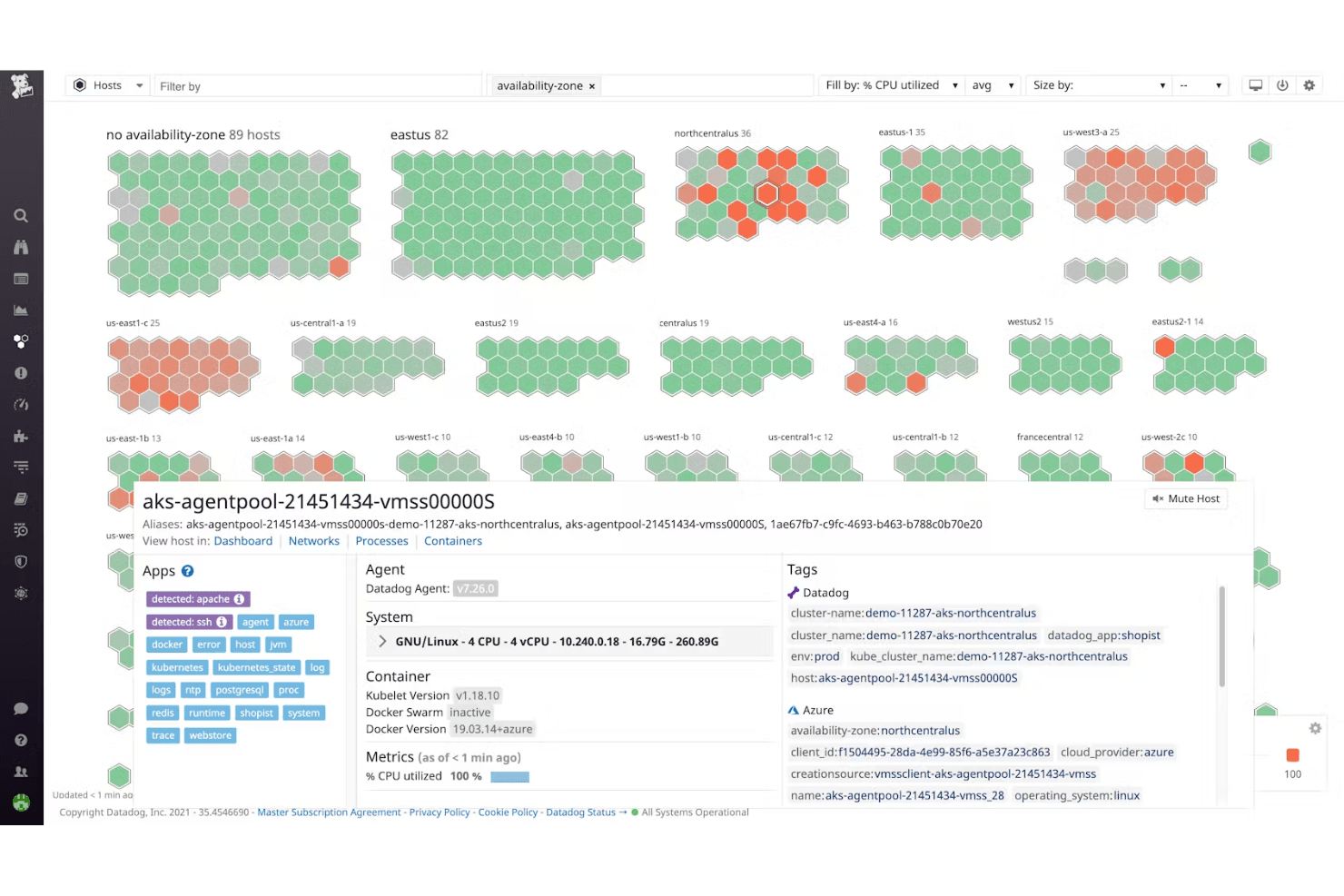
Continuously tracks servers, VMs, containers, and cloud resources in real time. Users can visualize health and performance metrics across hybrid and multi-cloud environments.
Application Performance Monitoring (APM)
Traces requests end-to-end across distributed systems and surfaces latency, errors, and bottlenecks. This helps teams quickly pinpoint and resolve application issues.
Log Management
Aggregates, searches, and correlates logs from all sources with automated tagging. Users can pivot between logs, metrics, and traces for faster troubleshooting.
Network Monitoring
Provides visibility into network flows, device health, and traffic patterns across cloud and on-premises. Teams can identify network bottlenecks and security risks instantly.
Custom Dashboards
Lets users build interactive, real-time dashboards with high-resolution metrics and events. Dashboards can be tailored for specific teams, services, or business units.
Alerting and Anomaly Detection
Delivers automated alerts on any metric or event, with advanced anomaly detection powered by AI. Teams receive notifications through multiple channels for rapid incident response.
Ease of Use
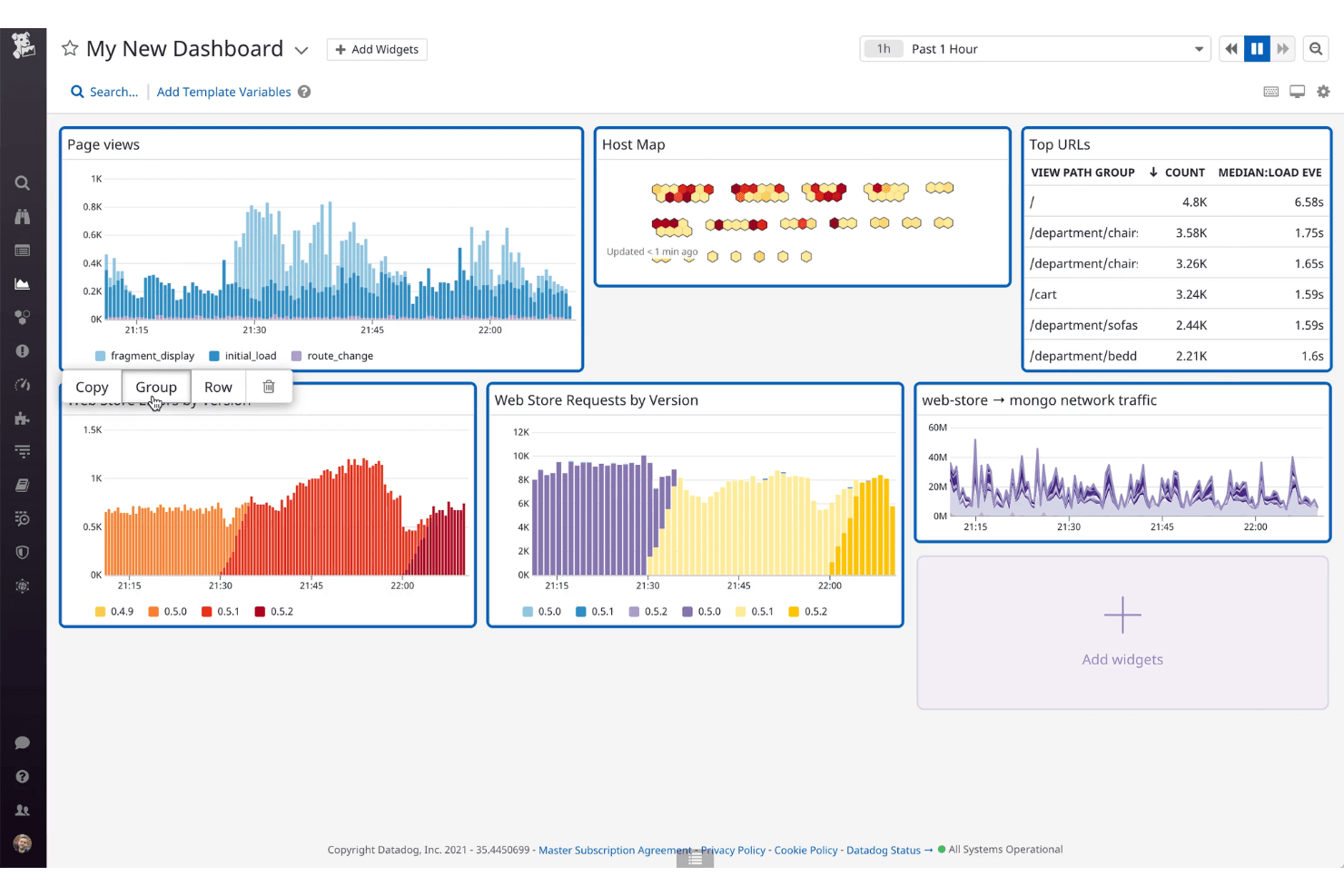
Datadog offers a clean, intuitive interface with customizable dashboards that make monitoring accessible for technical users. Many users appreciate the guided onboarding and in-app documentation, which help reduce setup friction. However, the platform’s depth and breadth can feel overwhelming for smaller teams or those new to observability.
Advanced features like custom metrics and alerting require some expertise, but overall, Datadog balances powerful capabilities with a user-friendly experience for most IT professionals.
Integrations
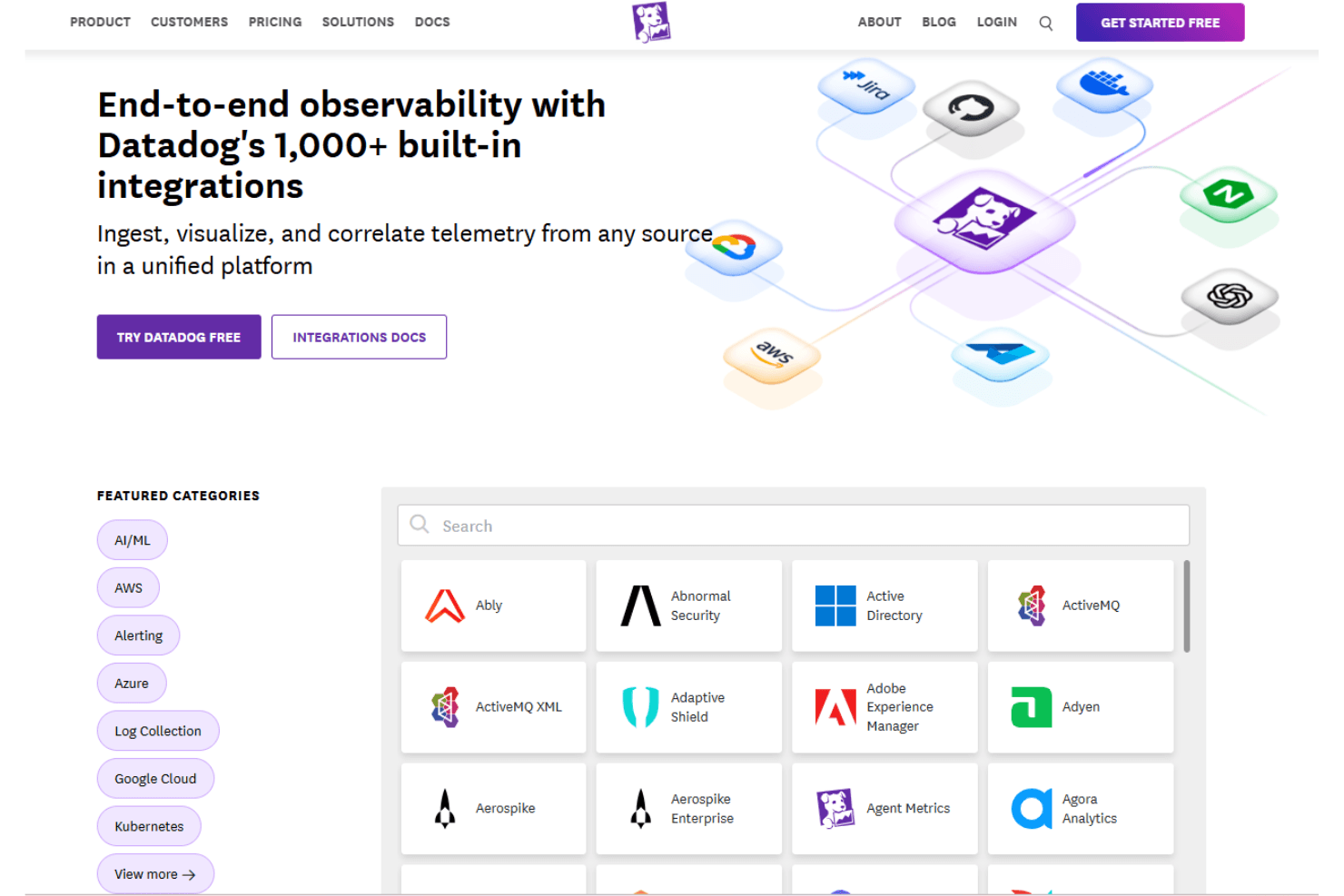
Datadog integrates with AWS, Azure, Google Cloud, Kubernetes, Slack, PagerDuty, GitHub, MongoDB, Twilio, and Elastic Cloud, among others.
Datadog also offers a robust API and supports connections with third-party integration tools.
Datadog Specs
- AI Integration: No
- API: Yes
- Automated Testing: No
- Browser Compatibility Testing: No
- Bug Tracking: Yes
- Code Review: No
- Custom Reports: Yes
- Data Export: Yes
- Data Import: Yes
- Developer Tools: Yes
- External Integrations: Yes
- Malware Protection: No
- Multi-User: Yes
- Notifications: Yes
- Performance Testing: Yes
- Process Reporting: No
- Static Analysis: No
- Status Notifications: Yes
- Workflow Management: No


