
ClickHouse Review: Pros, Cons, Features, and Pricing
ClickHouse excels in speed and efficiency, offering your team a unique advantage in real-time analytics over other DBMS options.

We review tools independently, and commissions help fund our testing. See our transparency policy, our methodology, or suggest a tool.
ClickHouse is a database management software built for real-time analytical queries on massive datasets. If your team is running high-volume event tracking, log analysis, or time-series queries, it's worth a serious look. I'd consider it over Snowflake when query speed at scale and lower cost per query are your priorities—ClickHouse handles billions of rows faster and with less overhead than most cloud data warehouses.
ClickHouse Evaluation Summary
4.3/5
- From $0.03/hour
- 30-day free trial
Why Trust Our Software Recommendations
6,700+
Reviews
20
Industry experts
16+
Evaluation factors
14
Years
Our team has been testing and reviewing software since 2012. As tech leaders ourselves, we know how difficult—and important—it is to choose the right software.
For this guide, we evaluated tools using hands-on testing and independent research, scoring tools using our selection criteria.
Our reviews reflect our human editorial judgment, not a sales pitch.
Expert reviewers:
- Paulo Gardini MiguelTech Director
 Tim FisherVP of AI
 Gabriel RosasTech Lead & Software Architect
 Christhian GruhnTech Lead & Platform Architect

ClickHouse Overview
In my opinion, ClickHouse shines in speed and efficiency, making it a solid choice for teams focused on real-time analytics. Its standout feature is the ability to handle big data quickly, which can be a game-changer for data-heavy industries like finance and e-commerce. While its onboarding could be smoother, it is cost-effective compared to other enterprise database management software. If your team values fast query processing and you have the technical know-how to navigate its setup, ClickHouse is worth considering. However, if you're looking for extensive customer support or a more beginner-friendly interface, you might find other tools more suitable.
Pros
- ClickHouse processes large volumes of data quickly, which boosts your team's efficiency.
- It excels in real-time analytics, providing immediate insights for your work.
- The software's high-speed query processing is ideal for data-driven industries.
Cons
- The onboarding process can be challenging for your team.
- Its interface might seem less intuitive compared to other tools.
- You might find the customer support lacking in responsiveness.
Is ClickHouse Right For Your Needs?
Who Would be a Good Fit for ClickHouse?
ClickHouse is perfect for data-driven industries like finance and e-commerce, where speed and real-time analytics are crucial. If your team handles large datasets and needs quick insights, ClickHouse's high-speed query processing will serve you well. It's also a great fit for IT departments with technical expertise to manage its setup and configuration. Its ability to efficiently process large volumes of time-series data makes it a valuable tool for businesses
- Financial AnalystsClickHouse's real-time analytics help your team make quick, data-driven financial decisions.
- E-commerce PlatformsThe software processes large transaction data swiftly, enhancing your customer experience.
- Data Science TeamsIt provides fast query processing, which aids in your complex data analysis tasks using advanced algorithms.
- Large EnterprisesClickHouse handles vast datasets, making it ideal for your large-scale operations.
- Tech StartupsThe speed and efficiency support your innovation and rapid growth needs.
- Business AnalystReal-time insights from ClickHouse can help your team drive business insights to make informed business decisions.
Who Would be a Bad Fit for ClickHouse?
ClickHouse isn't ideal for small businesses or teams lacking technical expertise, as its onboarding process can be challenging. If your team needs extensive customer support or prefers a more intuitive interface, you might find ClickHouse frustrating. Industries not reliant on real-time analytical databases may not benefit from its speed-focused capabilities. Additionally, if your work involves small datasets or doesn't require high-speed query processing, ClickHouse's advantages may not be necessary.
- Small BusinessesThe complexity and onboarding requirements might overwhelm your limited resources.
- Non-Tech TeamsWithout technical expertise, your team may struggle with ClickHouse's setup and use.
- Customer Service DepartmentsYou might not need the real-time analytics ClickHouse offers.
- Local Retail StoresThe high-speed processing isn't necessary for your day-to-day operations.
- Traditional IndustriesIf your industry doesn't rely on rapid data insights, ClickHouse's features could be excessive.
- Beginner UsersThe interface may be too complex if you’re new to database management.
Our Review Methodology
How We Test & Score Tools
We’ve spent years building, refining, and improving our software testing and scoring system. The rubric is designed to capture the nuances of software selection and what makes a tool effective, focusing on critical aspects of the decision-making process.
Below, you can see exactly how our testing and scoring works across seven criteria. It allows us to provide an unbiased evaluation of the software based on core functionality, standout features, ease of use, onboarding, customer support, integrations, customer reviews, and value for money.
Core Functionality (25% of final scoring)
The starting point of our evaluation is always the core functionality of the tool. Does it have the basic features and functions that a user would expect to see? Are any of those core features locked to higher-tiered pricing plans? At its core, we expect a tool to stand up against the baseline capabilities of its competitors.
Standout Features (25% of final scoring)
Next, we evaluate uncommon standout features that go above and beyond the core functionality typically found in tools of its kind. A high score reflects specialized or unique features that make the product faster, more efficient, or offer additional value to the user.
We also evaluate how easy it is to integrate with other tools typically found in the tech stack to expand the functionality and utility of the software. Tools offering plentiful native integrations, 3rd party connections, and API access to build custom integrations score best.
Ease of Use (10% of final scoring)
We consider how quick and easy it is to execute the tasks defined in the core functionality using the tool. High scoring software is well designed, intuitive to use, offers mobile apps, provides templates, and makes relatively complex tasks seem simple.
Onboarding (10% of final scoring)
We know how important rapid team adoption is for a new platform, so we evaluate how easy it is to learn and use a tool with minimal training. We evaluate how quickly a team member can get set up and start using the tool with no experience. High scoring solutions indicate little or no support is required.
Customer Support (10% of final scoring)
We review how quick and easy it is to get unstuck and find help by phone, live chat, or knowledge base. Tools and companies that provide real-time support score best, while chatbots score worst.
Customer Reviews (10% of final scoring)
Beyond our own testing and evaluation, we consider the net promoter score from current and past customers. We review their likelihood, given the option, to choose the tool again for the core functionality. A high scoring software reflects a high net promoter score from current or past customers.
Value for Money (10% of final scoring)
Lastly, in consideration of all the other criteria, we review the average price of entry level plans against the core features and consider the value of the other evaluation criteria. Software that delivers more, for less, will score higher.
Core Features
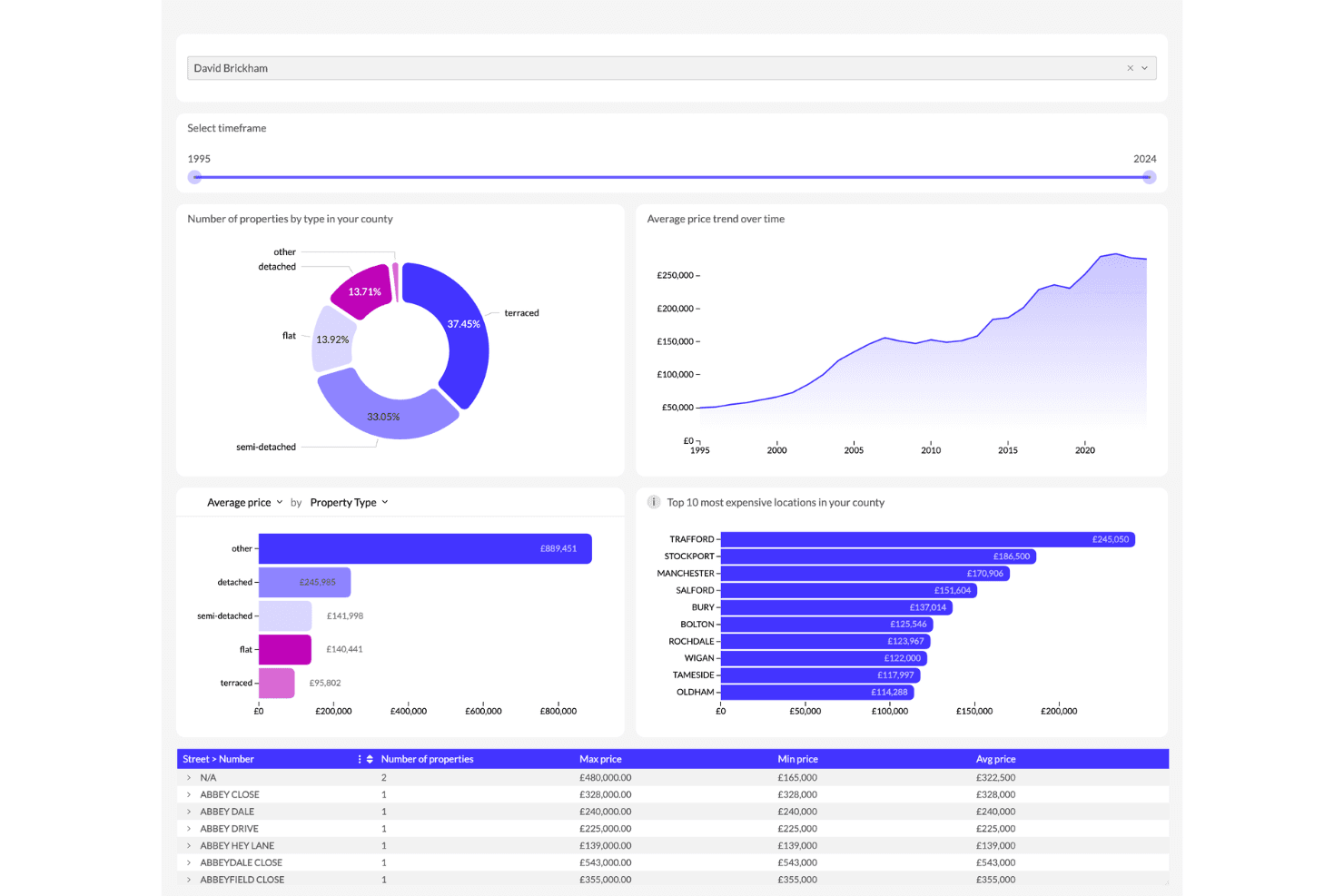
High-Speed Query Processing: ClickHouse processes queries quickly, making your data analysis tasks faster. This feature is vital for handling large datasets efficiently.
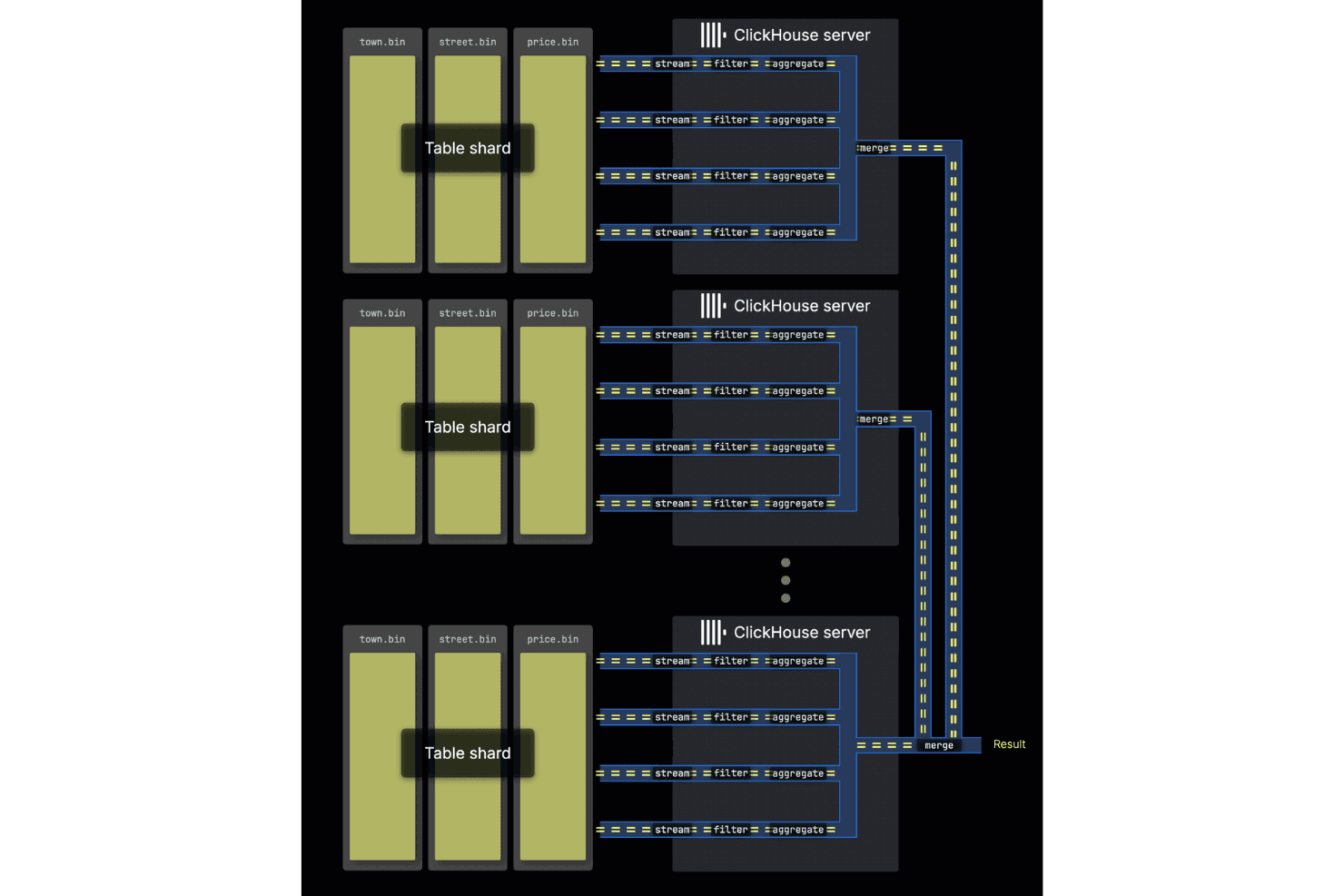
Columnar Storage: It provides a column-based data store, instead of conventional row-based data storage, which speeds up data retrieval times. You can expedite analytical queries even without the high-end resources.
Real-Time Analytics: ClickHouse provides immediate insights, allowing your team to make data-driven decisions quickly. It's perfect for industries needing fast data processing.
Scalability: You can easily scale ClickHouse to handle growing amounts of data. Businesses can offload resource-intensive workloads for their data warehousing needs.
Fault Tolerance: ClickHouse ensures data reliability even if parts of your system fail. This feature helps maintain your data integrity and continuity.
SQL Support: It supports standard Structured Query Language (SQL) queries, making it easy for your team to use without learning new languages. Most software engineers will find data manipulation with ClickHouse straightforward.
Ease of Use
ClickHouse isn't the most user-friendly database management software, especially for teams new to data management. Its dashboard is not very intuitive, requiring a learning curve to navigate its functionalities effectively. While it supports SQL, the complexity of setup and configuration might pose challenges. If your team has technical expertise, you'll likely manage fine, but beginners might struggle. Overall, it's more suited for experienced users who need sub-second data processing and real-time analytics.
Integrations
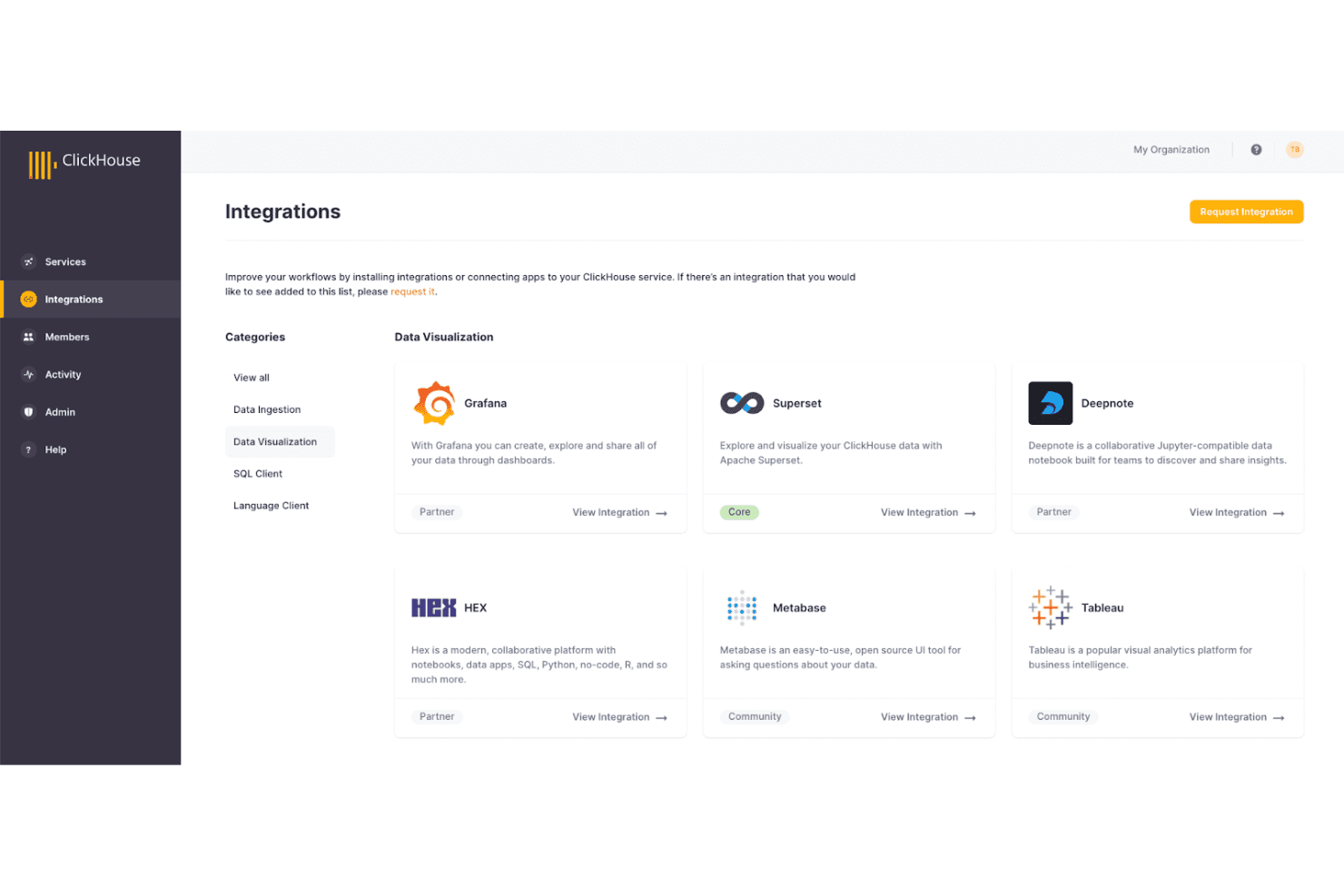
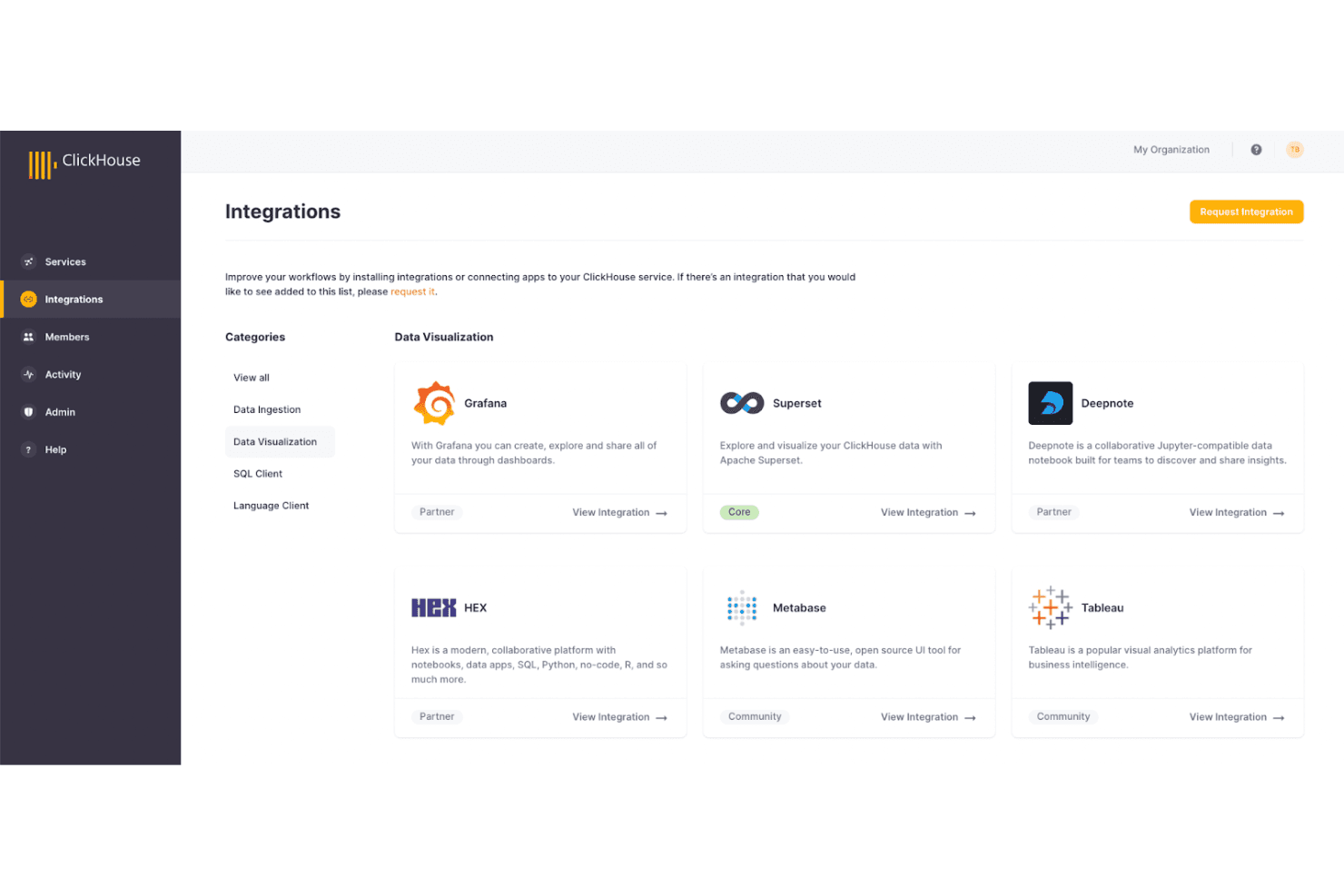
ClickHouse integrates with PowerBI, Redash, Kafka, Tableau, DataGrip, DBeaver, Amazon Kinesis, Azure Blob Storage, MySQL, PostgreSQL, MongoDB, and more.
ClickHouse also has an application programming interface (API) and supports connections with third-party integration tools.
ClickHouse Specs
- API: Yes
- Batch Permissions & Access: Yes
- Data Export: Yes
- Data Import: Yes
- External Integrations: Yes
- File Sharing: Yes
- File Transfer: Yes
- Multi-User: Yes
- Notifications: Yes
- Third-Party Plugins/Add-Ons: Yes


