
Sauce Labs-recension: Fördelar, nackdelar, funktioner och priser förklarade
Om du vill ha tillförlitlig testning över flera webbläsare i stor skala utmärker sig Sauce Labs – men det är inte det billigaste eller enklaste alternativet. Här är min syn på var tjänsten verkligen glänser (och var den inte gör det).

We review tools independently, and commissions help fund our testing. See our transparency policy, our methodology, or suggest a tool.
Sauce Labs is an end to end testing tool for engineering teams that run automated tests across browsers, devices, and operating systems at scale. It's worth a close look if your team runs large test suites in CI/CD pipelines and needs detailed visibility into test failures and flakiness. If you're deciding between Sauce Labs and BrowserStack, Sauce Labs goes further on test observability and pipeline orchestration. BrowserStack covers cross-browser testing well, but Sauce Labs gives you more when diagnosing what's breaking and why.
Sauce Labs Evaluation Summary
4.3/5
- From $39/month (billed annually)
- 28-day free trial + free demo available
Varför du kan lita på våra programvarurekommendationer
6,700+
Reviews
20
Industry experts
16+
Evaluation factors
14
Years
Vårt team har testat och recenserat programvara sedan 2012. Som teknikledare själva vet vi hur svårt — och viktigt — det är att välja rätt programvara.
För den här guiden utvärderade vi verktyg genom praktisk testning och oberoende research, och betygsatte verktygen enligt våra urvalskriterier.
Våra recensioner speglar vårt mänskliga redaktionella omdöme, inte ett säljbudskap.
Expertgranskare:
- Paulo Gardini MiguelTeknikdirektör
 Tim FisherVP för AI
 Gabriel RosasTech Lead & mjukvaruarkitekt
 Christhian GruhnTech Lead & plattformsarkitekt

Sauce Labs Overview
When I compare Sauce Labs to other end-to-end testing tools, I think its real device cloud, wide browser coverage, and strong integration options set it apart. The interface is straightforward, and onboarding is quick for most teams. Pricing can be higher, especially for large-scale mobile testing, but the reliability and support justify it for many. I’d suggest Sauce Labs for teams who need to test across multiple environments without managing hardware. If you’re judging by scalability and ecosystem fit, Sauce Labs is a top pick for enterprise and fast-moving QA teams.
Pros
- Provides extensive cross-browser and real device testing without internal infrastructure.
- Includes rich debugging artifacts like video recordings, logs, and screenshots for failed tests.
- Offers secure testing of private environments via encrypted tunneling and enterprise VPN options.
Cons
- Pricing can become expensive quickly, especially for small teams or limited testing needs.
- Advanced configurations and scaling automation workflows introduce a noticeable learning curve.
- Less direct control over test code when using AI/low-code workflows.
Is Sauce Labs Right For Your Needs?
Who Would be a Good Fit for Sauce Labs?
Sauce Labs is a strong choice for teams that need to test across many browsers, devices, and operating systems without managing their own infrastructure. It’s especially well-suited for organizations with complex web or mobile applications, high release velocity, or strict security requirements. With its combination of cloud infrastructure, AI-driven testing, and end-to-end quality coverage, Sauce Labs works best for teams that need scalable, automated, and enterprise-ready testing workflows.
- Enterprise QA TeamsRun high-volume parallel tests with detailed reporting across complex application workflows.
- Regulated IndustriesSecure, compliant testing infrastructure supports strict regulatory and data protection requirements.
- Mobile App DevelopersTest across thousands of real devices and OS versions to ensure broad compatibility and consistent user experience.
- Ecommerce & High-Traffic PlatformsCatch cross-browser and device issues before impacting revenue or customer experience.
- Global SaaS ProvidersSupport frequent releases with scalable automation across distributed users and environments.
- DevOps & CI/CD-Driven TeamsIntegrate automated testing directly into pipelines to accelerate continuous delivery cycles and reduce deployment risks significantly.
Who Would be a Bad Fit for Sauce Labs?
Sauce Labs is not ideal for teams with simple testing needs, limited budgets, or minimal automation requirements. Its pricing model, platform complexity, and enterprise-focused features can be excessive for smaller teams or those not running tests at scale. Organizations that don’t need cross-device coverage, parallel execution, or advanced AI-driven workflows may find lighter-weight or local testing solutions more practical and cost-effective.
- Small Software Development TeamsLimited testing needs don’t justify platform cost, complexity, and unused enterprise-level testing capabilities.
- Budget-Constrained StartupsHigh pricing and concurrency-based scaling can quickly exceed tight budgets without consistent testing demand.
- Projects With Minimal Browser Coverage NeedsSimple applications targeting few browsers or devices can be tested efficiently with local tools.
- Teams Without Test Automation ExperienceLack of automation expertise makes setup, scaling, and maintenance difficult without internal testing knowledge.
- Teams Requiring Extensive Code-Level CustomizationNot ideal for teams that need full control over test architecture, custom logic, and low-level debugging.
- Local-First Development WorkflowsTeams relying heavily on local environments may find cloud execution slower and less efficient.
Our Review Methodology
How We Test & Score Tools
We’ve spent years building, refining, and improving our software testing and scoring system. The rubric is designed to capture the nuances of software selection and what makes a tool effective, focusing on critical aspects of the decision-making process.
Below, you can see exactly how our testing and scoring works across seven criteria. It allows us to provide an unbiased evaluation of the software based on core functionality, standout features, ease of use, onboarding, customer support, integrations, customer reviews, and value for money.
Core Functionality (25% of final scoring)
The starting point of our evaluation is always the core functionality of the tool. Does it have the basic features and functions that a user would expect to see? Are any of those core features locked to higher-tiered pricing plans? At its core, we expect a tool to stand up against the baseline capabilities of its competitors.
Standout Features (25% of final scoring)
Next, we evaluate uncommon standout features that go above and beyond the core functionality typically found in tools of its kind. A high score reflects specialized or unique features that make the product faster, more efficient, or offer additional value to the user.
We also evaluate how easy it is to integrate with other tools typically found in the tech stack to expand the functionality and utility of the software. Tools offering plentiful native integrations, 3rd party connections, and API access to build custom integrations score best.
Ease of Use (10% of final scoring)
We consider how quick and easy it is to execute the tasks defined in the core functionality using the tool. High scoring software is well designed, intuitive to use, offers mobile apps, provides templates, and makes relatively complex tasks seem simple.
Onboarding (10% of final scoring)
We know how important rapid team adoption is for a new platform, so we evaluate how easy it is to learn and use a tool with minimal training. We evaluate how quickly a team member can get set up and start using the tool with no experience. High scoring solutions indicate little or no support is required.
Customer Support (10% of final scoring)
We review how quick and easy it is to get unstuck and find help by phone, live chat, or knowledge base. Tools and companies that provide real-time support score best, while chatbots score worst.
Customer Reviews (10% of final scoring)
Beyond our own testing and evaluation, we consider the net promoter score from current and past customers. We review their likelihood, given the option, to choose the tool again for the core functionality. A high scoring software reflects a high net promoter score from current or past customers.
Value for Money (10% of final scoring)
Lastly, in consideration of all the other criteria, we review the average price of entry level plans against the core features and consider the value of the other evaluation criteria. Software that delivers more, for less, will score higher.
Core Features
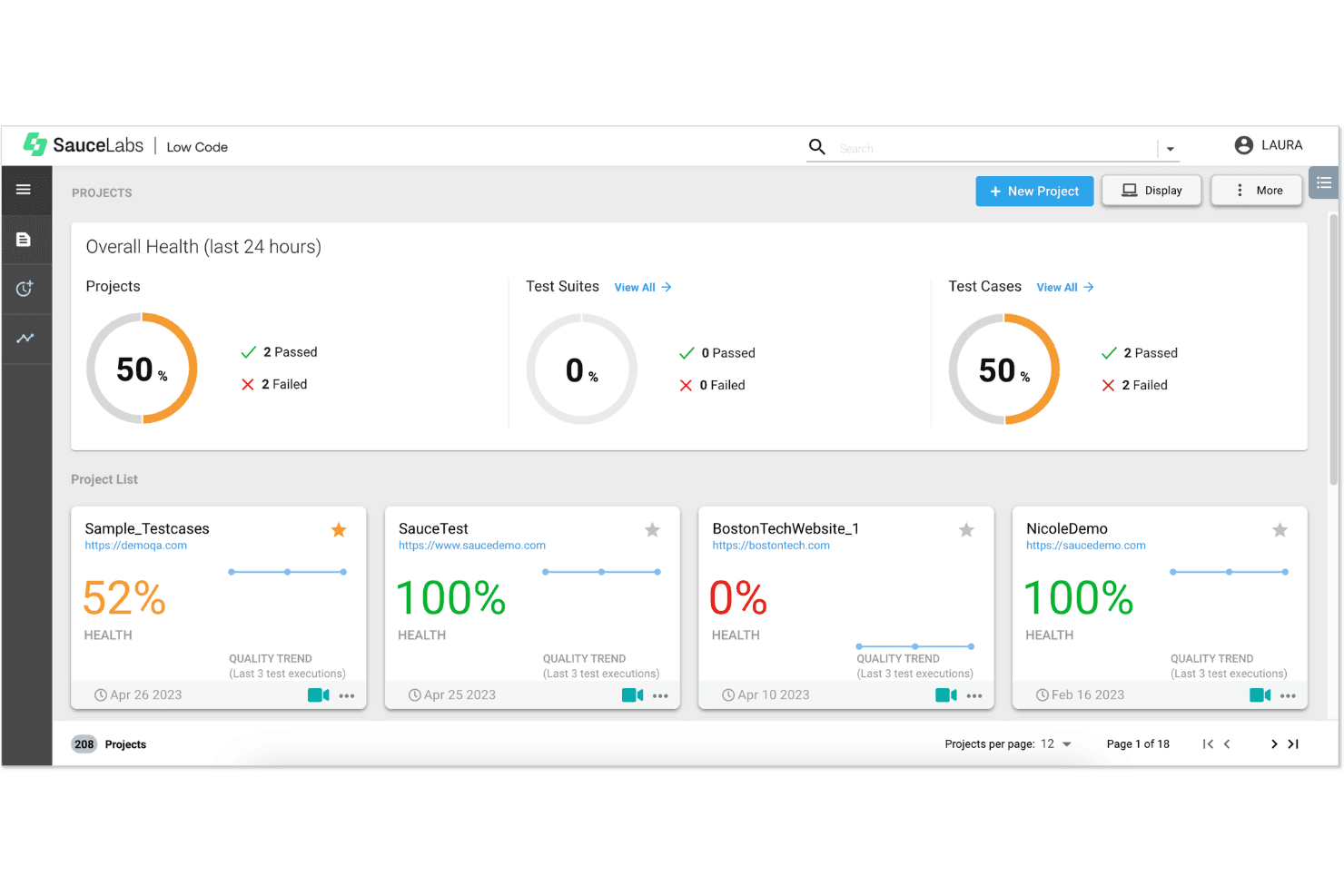
Cross-Browser and Cross-Device Testing
Test web and mobile applications across thousands of browsers, devices, and operating systems reliably.
Real and Virtual Device Cloud
Access real devices, emulators, and simulators without maintaining expensive in-house testing infrastructure.
Parallel Test Execution
Run multiple automated tests simultaneously to accelerate feedback cycles and improve release velocity significantly.
CI/CD Integrations & Framework Support
Integrate seamlessly with CI/CD pipelines and frameworks like Selenium, Appium, Cypress, and Playwright.
Debugging Artifacts and Test Observability
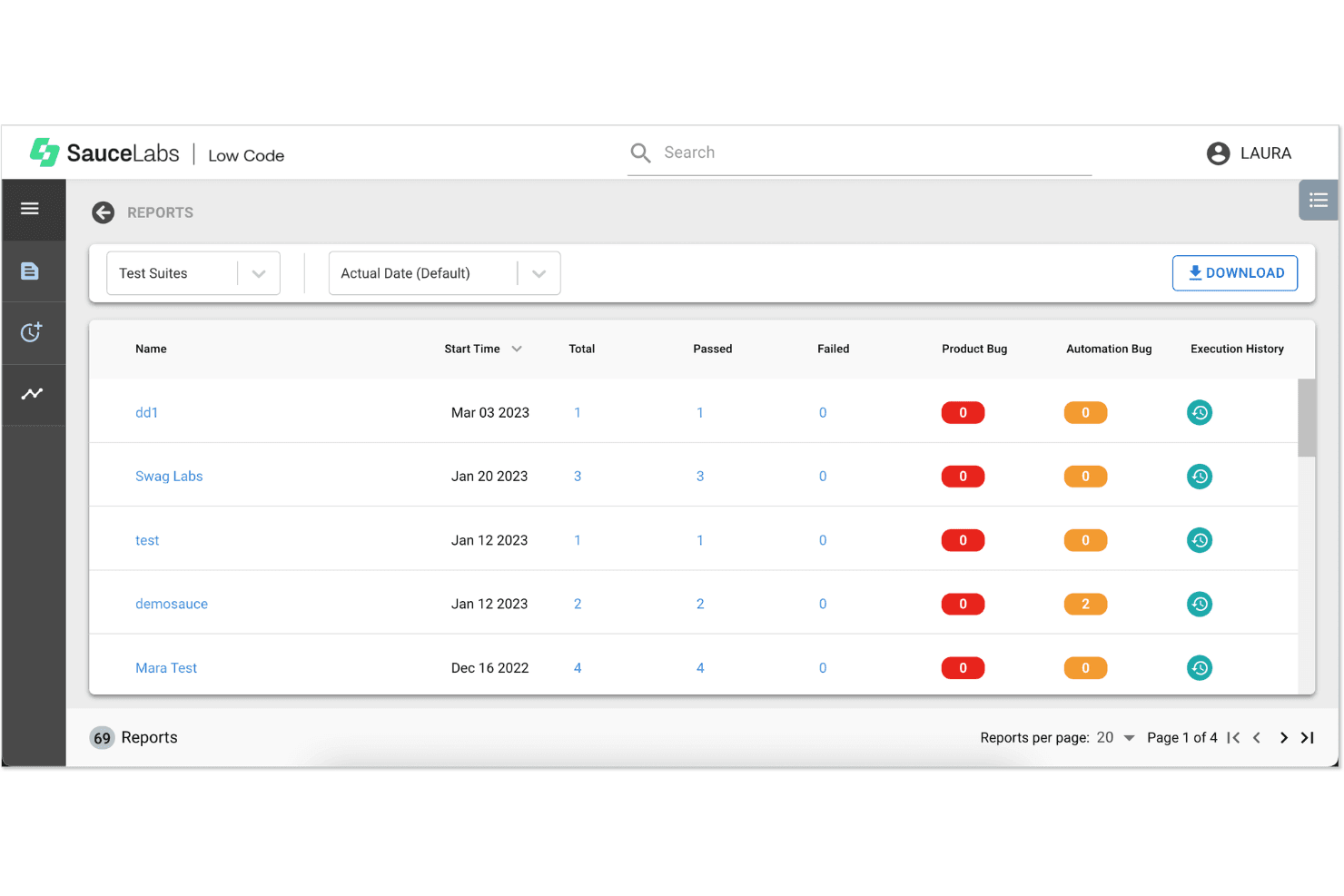
Capture videos, screenshots, logs, and metadata for every test to simplify debugging and collaboration.
Unified Platform Across the SDLC
Combine testing, analytics, distribution, and production monitoring into a single continuous quality platform.
Ease of Use
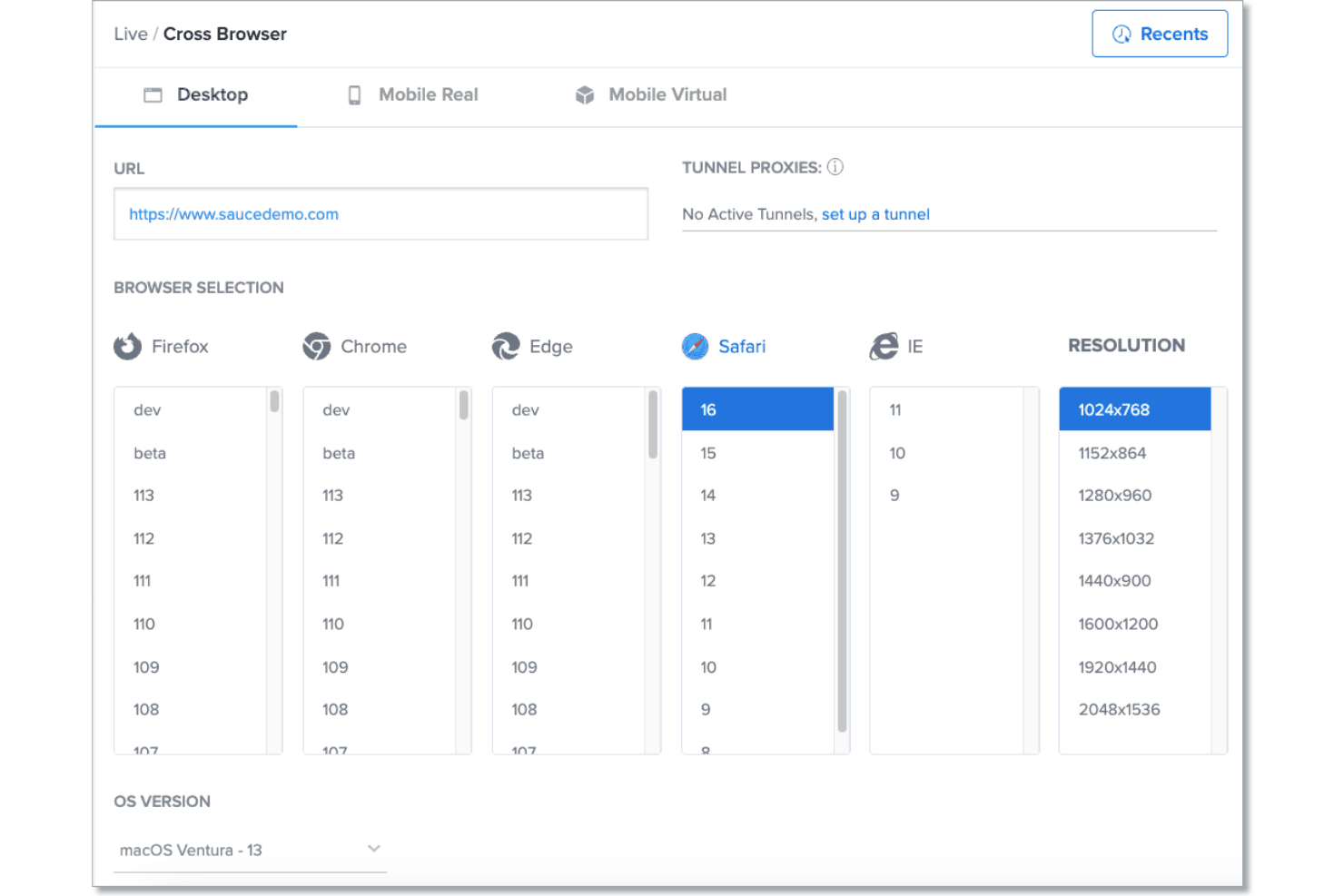
Sauce Labs is user-friendly for both new and experienced QA teams, with a clean dashboard and clear test result reporting. I think the onboarding process is straightforward, and the documentation is thorough, which helps teams get started quickly. Users often mention that setting up parallel tests and accessing real devices is intuitive. However, some advanced features require more technical setup, so teams with complex needs may need extra ramp-up time.
Integrations
Sauce Labs integrates with Jenkins, CircleCI, GitHub Actions, GitLab CI, Azure DevOps, Bitbucket Pipelines, TeamCity, Slack, Jira, and Selenium, among others.
Sauce Labs also offers a REST API for custom integrations and workflow extensions.

Sauce Labs Specs
- A/B Testing: No
- API: Yes
- Automated Testing: Yes
- Browser Compatibility Testing: Yes
- Bug Tracking: Yes
- Calendar Management: No
- CI/CD Integration: Yes
- Dashboard: Yes
- Data Export: Yes
- Data Import: Yes
- Data Visualization: Yes
- Developer Tools: Yes
- External Integrations: Yes
- History/Version Control: Yes
- Manual Testing: Yes
- Multi-User: Yes
- Notifications: Yes
- Performance Testing: Yes
- Regression Testing: Yes
- Scheduling: No
- Status Notifications: Yes
- Third-Party Plugins/Add-Ons: Yes


