

Flutter-recension: För- och nackdelar, funktioner och prissättning
Flutter utmärker sig genom sina plattformsoberoende funktioner, vilket gör det möjligt för ditt team att utveckla visuellt tilltalande appar med en enda kodbas.

We review tools independently, and commissions help fund our testing. See our transparency policy, our methodology, or suggest a tool.
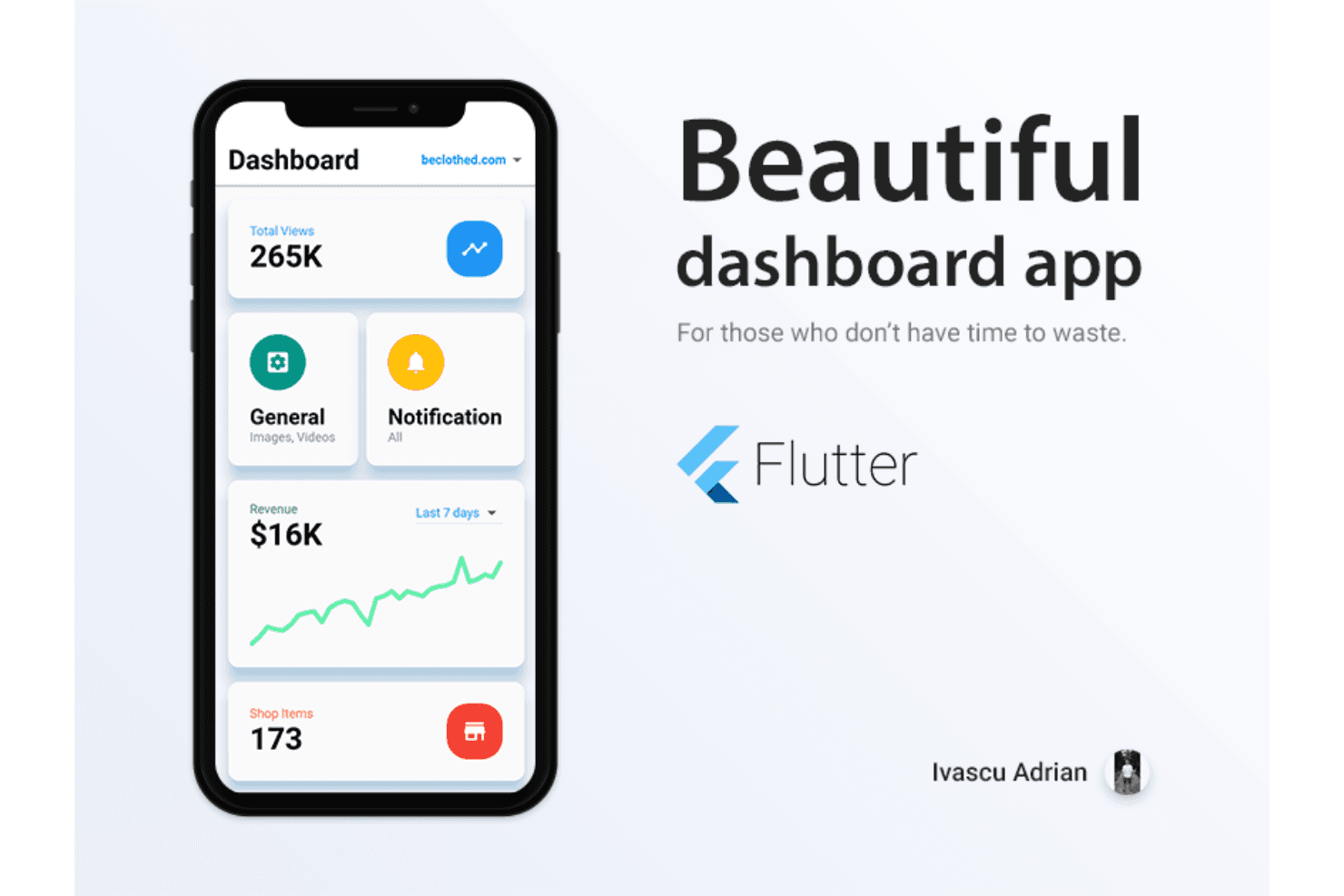
Flutter is a software development tool from Google that lets you build natively compiled apps for mobile, web, and desktop from a single Dart codebase. I'd consider it if your team needs to ship cross-platform apps without maintaining separate native codebases for each platform. Compared to a similar tool like React Native, Flutter gives you more consistent UI rendering across platforms because it uses its own rendering engine rather than relying on native components—which means fewer platform-specific visual inconsistencies to track down.
Flutter Evaluation Summary
0/5
- Free to use
- Free plan available
Varför du kan lita på våra programvarurekommendationer
6,700+
Reviews
20
Industry experts
16+
Evaluation factors
14
Years
Vårt team har testat och recenserat programvara sedan 2012. Som teknikledare själva vet vi hur svårt — och viktigt — det är att välja rätt programvara.
För den här guiden utvärderade vi verktyg genom praktisk testning och oberoende research, och betygsatte verktygen enligt våra urvalskriterier.
Våra recensioner speglar vårt mänskliga redaktionella omdöme, inte ett säljbudskap.
Expertgranskare:
- Paulo Gardini MiguelTeknikdirektör
 Tim FisherVP för AI
 Gabriel RosasTech Lead & mjukvaruarkitekt
 Christhian GruhnTech Lead & plattformsarkitekt

Flutter Overview
In my opinion, Flutter excels as a software development toolkit for its cross-platform capabilities and visual appeal within the modern app development ecosystem. It offers a unified development experience that can save your team time and resources. While its onboarding could be smoother, especially if you are not well-versed in Dart or coming from Java, Kotlin, or Swift backgrounds, the strong community support and extensive documentation help mitigate this downside. Flutter is ideal for startups and tech companies looking to build visually consistent apps across platforms and operating system requirements. In Flutter vs alternate solutions, such as React Native, it shines in performance but might lack some advanced native functionalities. If you're evaluating software for mobile or web app development, Flutter's balance of features and cost-effectiveness makes it a compelling choice.
Pros
- You can build apps for multiple platforms with a single codebase.
- Your team can create visually appealing apps with a unified UI framework.
- It offers a fast development process, saving you time and resources.
Cons
- Your team might face challenges if you need advanced native functionalities.
- It requires more effort for smooth onboarding compared to some other tools.
- The app size can be larger than apps built with other frameworks.
Is Flutter Right For Your Needs?
Who Would be a Good Fit for Flutter?
Flutter is a great fit for startups and tech companies that need to develop cross-platform apps quickly. If your team values visual consistency and a unified UI, Flutter's single codebase can be a game-changer. It's particularly useful for mobile development teams in industries such as fintech and e-commerce, where building visually appealing apps is crucial. Flutter's fast development process can save your team time and resources, making it ideal for businesses looking to launch apps across multiple platforms without compromising on quality.
- StartupsFlutter allows your startup to build and launch apps quickly with a single codebase, which saves you time and resources.
- E-commerceYour team can create visually appealing and consistent shopping apps across platforms using Material Design principles to enhance the customer experience.
- FintechFlutter's ability to deliver visually rich apps makes it ideal for financial services teams that need a polished interface.
- Small BusinessesIf your small business wants to develop an app without a large budget, Flutter’s cost-effectiveness is a major plus.
- Mobile App TeamsYour mobile app team can benefit from Flutter's fast development process, ensuring quicker time-to-market.
- Tech CompaniesTech companies looking to build cross-platform apps efficiently will find Flutter's unified UI framework advantageous.
Who Would be a Bad Fit for Flutter?
Flutter might not be the best choice for enterprises needing highly specialized native functionalities, such as those written in Objective-C or other platform-specific languages. If your team relies heavily on native features or requires the smallest possible app size, Flutter's limitations could be a hurdle. It's also not ideal for teams unfamiliar with Dart, especially those transitioning from JavaScript-centric workflows, as the learning curve could slow down development. If your work involves developing apps with specific hardware integrations, you might face challenges with Flutter's current offerings.
- Enterprise ApplicationsYour enterprise might struggle with Flutter if you need highly specialized native functionalities.
- Hardware-Intensive AppsDeveloping apps that rely on specific hardware integrations can be challenging with Flutter.
- Native Feature DependenceIf your team needs deep native integrations, Flutter might not meet your demands.
- Dart NewcomersIf your team is unfamiliar with Dart, the learning curve can slow development.
- Resource-Constrained TeamsTeams with limited resources might find Flutter's larger app size a drawback.
Our Review Methodology
How We Test & Score Tools
We’ve spent years building, refining, and improving our software testing and scoring system. The rubric is designed to capture the nuances of software selection and what makes a tool effective, focusing on critical aspects of the decision-making process.
Below, you can see exactly how our testing and scoring works across seven criteria. It allows us to provide an unbiased evaluation of the software based on core functionality, standout features, ease of use, onboarding, customer support, integrations, customer reviews, and value for money.
Core Functionality (25% of final scoring)
The starting point of our evaluation is always the core functionality of the tool. Does it have the basic features and functions that a user would expect to see? Are any of those core features locked to higher-tiered pricing plans? At its core, we expect a tool to stand up against the baseline capabilities of its competitors.
Standout Features (25% of final scoring)
Next, we evaluate uncommon standout features that go above and beyond the core functionality typically found in tools of its kind. A high score reflects specialized or unique features that make the product faster, more efficient, or offer additional value to the user.
We also evaluate how easy it is to integrate with other tools typically found in the tech stack to expand the functionality and utility of the software. Tools offering plentiful native integrations, 3rd party connections, and API access to build custom integrations score best.
Ease of Use (10% of final scoring)
We consider how quick and easy it is to execute the tasks defined in the core functionality using the tool. High scoring software is well designed, intuitive to use, offers mobile apps, provides templates, and makes relatively complex tasks seem simple.
Onboarding (10% of final scoring)
We know how important rapid team adoption is for a new platform, so we evaluate how easy it is to learn and use a tool with minimal training. We evaluate how quickly a team member can get set up and start using the tool with no experience. High scoring solutions indicate little or no support is required.
Customer Support (10% of final scoring)
We review how quick and easy it is to get unstuck and find help by phone, live chat, or knowledge base. Tools and companies that provide real-time support score best, while chatbots score worst.
Customer Reviews (10% of final scoring)
Beyond our own testing and evaluation, we consider the net promoter score from current and past customers. We review their likelihood, given the option, to choose the tool again for the core functionality. A high scoring software reflects a high net promoter score from current or past customers.
Value for Money (10% of final scoring)
Lastly, in consideration of all the other criteria, we review the average price of entry level plans against the core features and consider the value of the other evaluation criteria. Software that delivers more, for less, will score higher.
Core Features
Single Codebase: You can build apps for multiple platforms using just one codebase, allowing your team to save time and resources.
Hot Reload: Flutter lets you see changes in real-time as you code, which speeds up your development process and simplifies debugging during compilation.
Widget Library: It's easy to access a wide range of customizable Flutter widgets so you can create visually appealing apps that suit your brand's style.
Fast Development: You can utilize Flutter's efficient cross-platform frameworks to quickly develop and test your apps, reducing time to market.
Unified UI Framework: You can create consistent and visually appealing user interfaces across iOS, macOS, and Android app development platforms with Flutter's UI tools.
Open Source: A large community and extensive documentation offers support for your team in overcoming challenges and sharing solutions.

Ease of Use
Flutter stands out for its user-friendly interface and efficient development process. Your team will appreciate the hot reload feature, which lets you see changes instantly, making debugging straightforward. While the Dart language might be new to some, its clear syntax helps ease the learning curve. Compared to other tools, Flutter provides a smoother experience with its comprehensive widget library, allowing you to build visually consistent apps with less hassle. Overall, Flutter app development is simple and straightforward, making it accessible even for smaller teams.
Integrations
Flutter integrates with Firebase, Google Maps, AWS Amplify, Razorpay, and Algolia.
It also has an API that allows for connecting with third-party integration tools.
Flutter Specs
- API: Yes
- Bug Tracking: Yes
- CI/CD Integration: Yes
- Cloud Deployment: Yes
- Code Review: Yes
- Code Transformation: Yes
- Collaboration Support: Yes
- Data Export: Yes
- Data Import: Yes
- Developer Tools: Yes
- External Integrations: Yes
- Git Integration: Yes
- History/Version Control: Yes
- IDE Plugins: Yes
- Local Deployment: Yes
- Multi-User: Yes
- Notifications: Yes
- Project Management: Yes
- Release Management: Yes
- Static Analysis: Yes
- Task Scheduling/Tracking: Yes
- Testing: Yes


