

As melhores ferramentas de automação de testes baseadas em IA ajudam as equipas a identificar defeitos mais cedo, reduzir o esforço de testes manuais, aumentar a cobertura dos testes e manter a qualidade das versões à medida que as aplicações mudam. Estas ferramentas adaptam-se às alterações da interface do utilizador e do código, para que os testes continuem fiáveis durante atualizações frequentes.
As equipas adotam frequentemente ferramentas de testes baseadas em IA quando os testes manuais atrasam as versões, os scripts frágeis deixam de funcionar após pequenas alterações ou as lacunas na cobertura permitem que os defeitos cheguem à produção. Problemas como testes instáveis, tempos de execução longos e visibilidade limitada sobre as falhas reduzem a confiança e dificultam a colaboração entre as equipas de desenvolvimento e de QA.
Com mais de 20 anos de experiência no setor como Diretor de Tecnologia, testei e analisei dezenas de ferramentas de automação de testes baseadas em IA em ambientes reais, para avaliar a sua precisão, integrações e facilidade de utilização. Este guia destaca as principais ferramentas de automação de testes baseadas em IA que melhoram a eficiência dos testes, permitem versões mais rápidas e ajudam as equipas a fornecer software estável. Cada análise aborda as funcionalidades, as vantagens e desvantagens, bem como os casos de utilização mais adequados, para ajudar a escolher a ferramenta certa.
Why Trust Our Software Recommendations
6,700+
Reviews
20
Industry experts
16+
Evaluation factors
14
Years
Our team has been testing and reviewing software since 2012. As tech leaders ourselves, we know how difficult—and important—it is to choose the right software.
For this guide, we evaluated tools using hands-on testing and independent research, scoring tools using our selection criteria.
Our reviews reflect our human editorial judgment, not a sales pitch.
Expert reviewers:
- Paulo Gardini MiguelTech Director
 Tim FisherVP of AI
 Gabriel RosasTech Lead & Software Architect
 Christhian GruhnTech Lead & Platform Architect

Tabela de comparação das ferramentas de automação de testes baseadas em IA
A tabela abaixo compara os detalhes de preços das minhas principais ferramentas de automação de testes baseadas em IA.
| Tool | Best For | Trial Info | Price | ||
|---|---|---|---|---|---|
| 1 | Best with business process modeling | 14-day free trial | Pricing upon request | Website | |
| 2 | Best for unlimited users with fixed pricing | 14-day free trial + free plan available | From $99/month (billed annually) | Website | |
| 3 | Best with autonomous AI agents for PR testing | Free demo available | Pricing upon request | Website | |
| 4 | Best with AI-driven test maintenance | Free plan + 30-day free trial + free demo available | From $180/seat/month | Website | |
| 5 | Best for autonomous test maintenance | Free plan + free trial available | From $20/month | Website | |
| 6 | Best for release confidence scoring | Free demo available | Pricing upon request | Website | |
| 7 | Best for agentic AI-powered test maintenance | 14-day free trial + free demo available | Pricing upon request | Website | |
| 8 | Best for AI-powered object recognition | 30-day free trial | Pricing upon request | Website | |
| 9 | Best with AI-powered test data generation | 14-day free trial + free demo available | From $3,598/year (billed annually) | Website | |
| 10 | Best for hybrid deployment flexibility | Free demo available | Pricing upon request | Website |


Análises das melhores ferramentas de automação de testes baseadas em IA
Abaixo encontram-se os meus resumos detalhados das melhores ferramentas de automação de testes baseadas em IA que entraram na minha lista. As minhas análises apresentam uma visão detalhada das principais funcionalidades, vantagens & desvantagens, integrações e casos de utilização ideais de cada ferramenta, para ajudar a encontrar a melhor opção para si.
 Best with business process modeling
- 14-day free trial
- Pricing upon request
Visit WebsiteCustomer Rating:4.8/5
ACCELQ enables codeless test creation and execution in the cloud. ACCELQ is a codeless AI-powered test automation platform that spans web, mobile, API, desktop, and packaged app testing through a business process modeling approach to test design and execution.
Who Is ACCELQ Best For?
It's a strong fit for enterprise QA teams that need both technical and non-technical team members to contribute to test automation across complex application portfolios.
Why I Picked ACCELQ
I picked ACCELQ because its Application Blueprint approach maps your actual business processes as a visual model, then generates tests directly against that model. When an app changes, ACCELQ's locator-free self-healing adapts automatically, without requiring me to touch a single selector. I also like the Autopilot module, which uses generative AI to author full test suites from those same process models, keeping test coverage aligned to business logic rather than UI structure.
ACCELQ Key Features
- Unified multi-channel automation: Automate tests across web, mobile, API, desktop, and mainframe platforms from a single interface.
- CI/CD pipeline integrations: Connect natively with Jenkins, Bamboo, Team City, and Azure DevOps for streamlined automated test execution.
- Integrated manual test management: Manage manual test cases and planning within the same platform as automated tests.
- Cross-browser and cloud device lab: Run tests in parallel across multiple browsers and cloud-hosted mobile devices for comprehensive coverage.
ACCELQ Integrations
ACCELQ offers native integrations with Jenkins, Bamboo, Team City, Azure DevOps, Jira, and GitHub. An API is available for custom integrations.
Pros and Cons
Pros:
- Business process models map to real workflows
- Self-healing locators reduce broken test maintenance
- Codeless authoring needs no scripting knowledge
Cons:
- Steeper initial setup for complex app environments
- Reporting dashboards lack depth vs. competitors
Learn more about ACCELQ: Best for unlimited users with fixed pricing
- 14-day free trial + free plan available
- From $99/month (billed annually)
Visit WebsiteCustomer Rating:4.8/5
BugBug lets users inspect and edit individual test step details. BugBug is a low-code E2E test automation tool that uses an AI Test Recorder, Adaptive Locators, and cloud-based scheduling to automate web application testing across Chromium-based browsers.
Who Is BugBug Best For?
BugBug suits small QA teams at growing companies that need to automate regression testing before releases without hiring dedicated automation engineers.
Why I Picked BugBug
I picked BugBug as one of the best because its flat-rate PRO plan unlocks unlimited users, so QA teams can onboard developers and stakeholders without costs climbing per seat. I like how Adaptive Locators automatically picks the most stable selector during recording, reducing broken tests after UI changes. Visual Regression on PRO plans then catches screenshot-level regressions before they reach production.
BugBug Key Features
- Reusable test components: Group steps into reusable components that can be shared across multiple tests.
- Human-readable YAML export: Export and import tests as plain-text YAML files for backup or code review.
- Inbox-based email testing: Built-in email inbox for verifying sign-up and authentication flows using unique links.
- Native integrations for notifications: Connect with Slack, Discord, and Linear to send automated run alerts to your team.
BugBug Integrations
BugBug offers native integrations with GitHub, GitLab, Bitbucket, Jenkins, Travis, Slack, Discord, Linear, and Trello. An API and command line interface are available for custom integrations and CI/CD pipeline automation.
Pros and Cons
Pros:
- No-code recorder suits non-technical QA testers
- Scheduled cloud runs need no extra infrastructure
- Adaptive Locators keep tests stable after changes
Cons:
- AI generation capabilities lag behind dedicated competitors
- Limited to Chromium-based browsers only
Learn more about BugBug: Best with autonomous AI agents for PR testing
- Free demo available
- Pricing upon request
Visit WebsiteCustomer Rating:4.8/5
QA.tech AI validating dashboard updates, confirming critical user flows are tested and safe to release after automatically checking coverage and test results. QA.tech is an AI-native testing automation platform where autonomous agents crawl your application, generate test cases from natural language, and run exploratory and regression tests across web and mobile environments.
Who Is QA.tech Best For?
QA.tech is a strong fit for product and engineering teams at SaaS companies that ship frequently and rely on GitHub-based CI/CD workflows.
Why I Picked QA.tech
QA.tech earns its spot on my shortlist because its PR testing agent is genuinely first-class. When a developer opens a pull request, the agent automatically picks up the Vercel preview, runs full regression, and blocks the merge if something breaks. I also like that it separates real bugs from test instability, so my team isn't chasing false alarms on every CI run.
QA.tech Key Features
- Natural language test authoring: Create end-to-end test scenarios using plain English prompts across web, mobile, and API.
- Semantic UI agent navigation: AI agents explore applications contextually, adapting to changes in layout or flow automatically.
- Mobile and web parallel testing: Run autonomous tests simultaneously across multiple web and mobile environments on real and virtual devices.
- Playwright test import: Seamlessly migrate existing Playwright test suites into QA.tech for unified test automation management.
QA.tech Integrations
QA.tech offers native integrations with GitHub, Vercel, Playwright, and supports CI/CD orchestration through its API.
Pros and Cons
Pros:
- Filters flaky failures from genuine defects
- Agents run without manual test scripting
- PR-triggered agents catch bugs before merge
Cons:
- Smaller integration ecosystem than established competitors
- Limited to web application testing only
Learn more about QA.tech: Best with AI-driven test maintenance
- Free plan + 30-day free trial + free demo available
- From $180/seat/month
Visit WebsiteCustomer Rating:4.4/5
Katalon Studio supports web, mobile, and API test automation. Katalon Studio is an AI-powered test automation platform that spans web, mobile, API, and desktop testing, combining no-code, low-code, and full-code authoring with built-in AI agents for test generation, self-healing, and root cause analysis.
Who Is Katalon Studio Best For?
Katalon Studio is a strong fit for QA teams of mixed technical ability, where some members prefer low-code workflows and others need full scripting control.
Why I Picked Katalon Studio
I picked Katalon Studio as one of the best because its AI self-healing directly addresses the most time-consuming part of test maintenance. When a UI element shifts after a sprint release, the platform detects the change and updates the locator automatically, logging every fix applied. I also like the Root Cause Analyzer agent, which clusters related failures and pinpoints the underlying defect rather than leaving my team to triage each failure individually.
Katalon Studio Key Features
- AI-powered test case generation: Automatically build test cases from user stories or requirements using six specialized AI agents.
- Unified cross-platform automation: Run automated tests across web, mobile, API, and desktop environments within a single workspace.
- Cloud device orchestration: Access cross-browser and real mobile device testing via Katalon’s built-in cloud infrastructure.
- Native CI/CD pipeline integrations: Connect directly with popular CI/CD tools like Jenkins, GitHub Actions, Azure DevOps, and Docker for continuous testing workflows.
Katalon Studio Integrations
Katalon Studio offers native integrations with Jenkins, GitHub, GitLab, Azure DevOps, Jira, Bitbucket, Slack, TestRail, and qTest. An API is available for custom integrations.
Pros and Cons
Pros:
- Works for codeless and full-script workflows
- Supports web, mobile, API, and desktop testing
- AI self-healing reduces broken test maintenance time
Cons:
- Mobile testing lags behind dedicated mobile platforms
- AI features gated behind premium plan tiers
Learn more about Katalon Studio: Best for autonomous test maintenance
- Free plan + free trial available
- From $20/month
Visit WebsiteCustomer Rating:4.7/5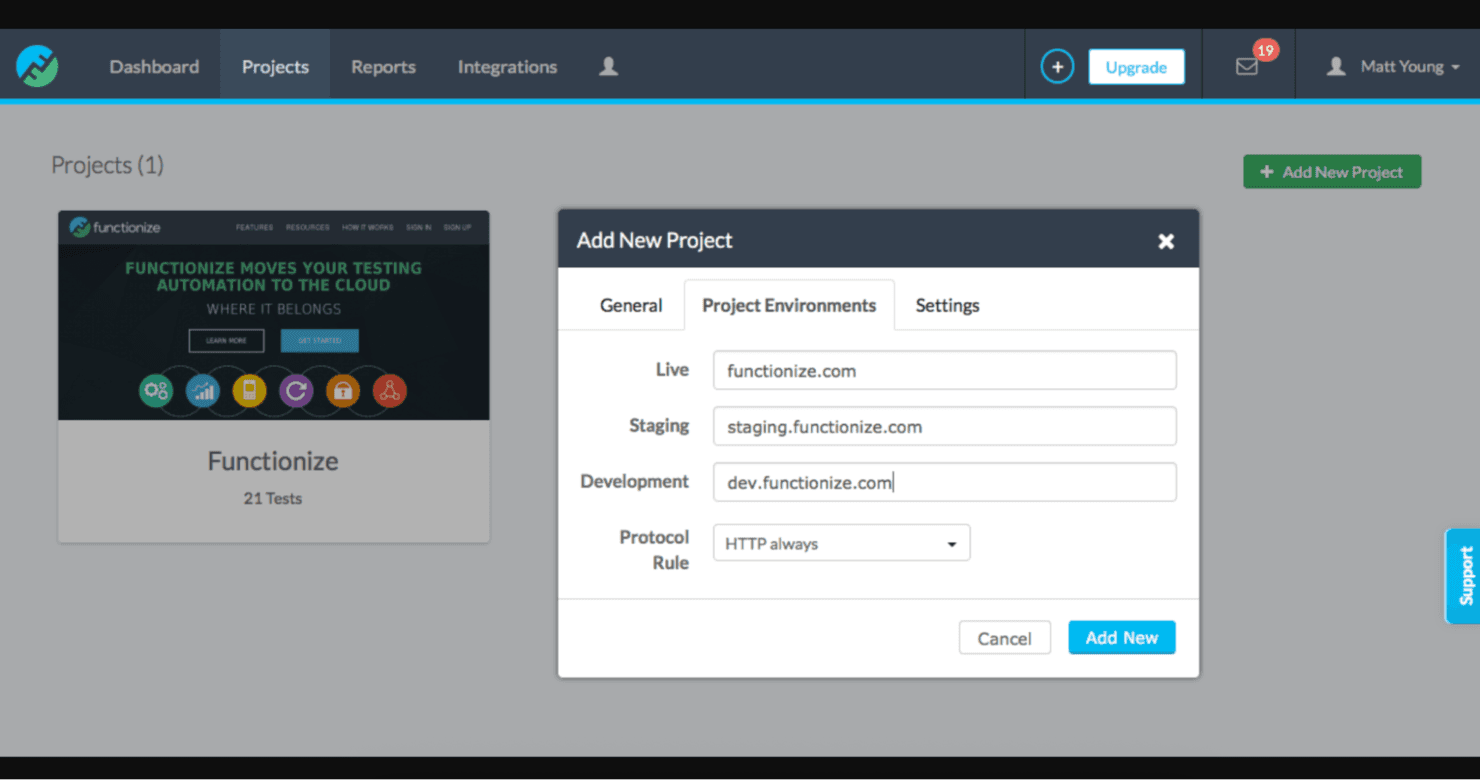
Functionize enables scalable, efficient web application testing. Functionize is an AI-based test automation platform that uses proprietary machine learning models and agentic AI to create, execute, and maintain web UI tests through natural language input and autonomous self-healing.
Who Is Functionize Best For?
Functionize suits enterprise QA teams and SDETs managing complex web application testing at scale, particularly those working with platforms like Salesforce, Workday, or ServiceNow.
Why I Picked Functionize
Functionize earns its spot on my shortlist because of how Studio handles test maintenance autonomously. When a UI element shifts, Studio re-identifies it using 200+ data points, heals the test, and reruns it to confirm the fix held. I also like that it pairs this with plain-language root-cause analysis, so my team isn't left guessing why a test failed.
Functionize Key Features
- Natural language test authoring: Allows users to describe workflows in plain English for automatic test creation.
- Proprietary AI models: Uses Functionize-built models for analysis and validation, not generic large language models.
- Native CI/CD integrations: Connects directly with tools like Jenkins, GitHub, Azure DevOps, and more.
- Element fidelity detection: Evaluates UI elements using over 200 data points for accurate identification and tracking.
Functionize Integrations
Functionize offers native integrations with Jenkins, GitHub, GitLab, Azure DevOps, CircleCI, Bamboo, Slack, PagerDuty, Jira, and TestRail. An API is available for custom integrations.
Pros and Cons
Pros:
- Deep coverage for enterprise SaaS apps
- Plain-English authoring suits non-technical testers
- Autonomous self-healing reduces manual test upkeep
Cons:
- Onboarding takes time for smaller teams
- Mobile testing support is limited
Learn more about Functionize: Best for release confidence scoring
- Free demo available
- Pricing upon request
Visit WebsiteCustomer Rating:4.4/5
Testsigma enables fast web, mobile, and API test automation. Testsigma is an agentic AI test automation platform that uses a suite of AI agents to generate, execute, and self-heal tests across web, mobile, API, desktop, and Salesforce environments.
Who Is Testsigma Best For?
Testsigma is a strong fit for QA managers and SDETs at mid-to-large engineering teams running high-frequency release cycles across multiple platforms.
Why I Picked Testsigma
I picked Testsigma because its release confidence scoring is the most direct answer I've seen to the question every QA lead asks before a deploy: is it safe to ship? Atto, Testsigma's AI coworker, combines pass rate, coverage percentage, and critical-path analysis into a single ship/hold gate. I also like that test cases are generated directly from Jira stories and Figma designs, so coverage gaps are caught before a single script is written.
Testsigma Key Features
- Natural language test authoring: Write and edit automated tests in plain English with no coding required.
- In-depth Salesforce testing: Create and execute automated tests tailored for Salesforce, including Lightning, Classic, and CPQ environments.
- Parallel execution and device grid: Run tests at scale across 800+ browser/OS combinations and 2,000+ real mobile devices.
- API and database testing support: Automate API calls and validate backend database states as part of your test workflows.
Testsigma Integrations
Testsigma offers native integrations with Jenkins, GitHub, GitLab, Jira, Azure DevOps, Slack, and CircleCI, and provides an API for custom integrations.
Pros and Cons
Pros:
- Supports codeless and coded test workflows
- Release confidence scoring guides deployment decisions
- Self-healing tests adapt across UI changes
Cons:
- Steep initial setup for complex test environments
- Occasional flakiness reported with dynamic web elements
Learn more about Testsigma: 7Best for agentic AI-powered test maintenance
Mabl
- 14-day free trial + free demo available
- Pricing upon request
Visit WebsiteCustomer Rating:4.2/5
Mabl helps teams automate visual and functional web app testing. Mabl is an AI-based testing automation platform that combines agentic test generation, self-healing test maintenance, and cross-platform coverage across web, mobile, and API testing.
Who Is Mabl Best For?
Mabl is a strong fit for enterprise QA and DevOps teams that need to scale automated test coverage without proportionally scaling headcount.
Why I Picked Mabl
Mabl earns its spot on my shortlist because its agentic approach to test maintenance is genuinely different from standard auto-healing tools. When a UI element changes, mabl's engine identifies it using alternative attributes and updates the test automatically, logging every fix it applies. What I find most useful is the agentic runtime recovery, which corrects test failures mid-run rather than waiting for a human to step in and rerun the suite.
Mabl Key Features
- Natural language authoring: Allows you to create and edit tests using plain English prompts.
- Test impact analysis: Uses AI to determine which tests are most relevant to recent code changes.
- Synthetic test data generation: Automatically produces test data for scenarios and compliance needs.
- Cross-browser and device coverage: Supports parallel testing across Chrome, Firefox, Edge, and Safari, plus cloud mobile device access.
Mabl Integrations
Mabl offers native integrations with Jenkins, GitHub, GitLab, Bitbucket, Azure DevOps, CircleCI, Bamboo, Slack, Jira, and Postman. An API is available for custom integrations.
Pros and Cons
Pros:
- No-code authoring suits non-technical QA testers
- Agentic AI detects and fixes failures mid-run
- Self-healing tests reduce manual maintenance overhead significantly
Cons:
- Execution speed slows noticeably on large test suites
- Mobile testing depth lags behind web coverage
Learn more about Mabl: Best for AI-powered object recognition
- 30-day free trial
- Pricing upon request

OpenText UFT One enables enterprise-wide automated app testing. OpenText UFT One is an AI-powered functional testing automation tool that supports test creation, self-healing, and execution across web, desktop, mobile, API, SAP, and mainframe environments.
Who Is OpenText UFT One Best For?
UFT One is a strong fit for enterprise QA teams managing complex, legacy-inclusive application portfolios spanning mainframe, SAP, and Windows-based environments.
Why I Picked OpenText UFT One
UFT One earns its spot on my shortlist because of how its AI handles object recognition under real testing pressure. When a UI element shifts or changes properties, the AI identifies it by context, image, and text rather than relying on brittle locators. I also like the AI mockup identification feature, which lets teams validate against design mockups before a full application build is in place.
OpenText UFT One Key Features
- Cross-platform automation: Supports automated testing across web, mobile, desktop, mainframe, API, and SAP environments.
- Integrated CI/CD support: Offers native integrations with Jenkins, Git, Docker, and OpenText ALM for pipeline execution.
- Data-driven testing: Enables test data parameterization using external sources like Excel and databases.
- Reusable modular test design: Provides a shared object repository and reusable components for efficient test maintenance.
OpenText UFT One Integrations
OpenText UFT One offers native integrations with Jenkins, Git, Docker, OpenText ALM/Quality Center, and Azure DevOps, and provides an API for custom integrations.
Pros and Cons
Pros:
- Self-healing tests reduce manual locator maintenance
- Supports legacy mainframe and SAP test automation
- Strong AI object recognition across UI changes
Cons:
- High resource consumption during local test execution
- Steep initial setup and configuration time required
Learn more about OpenText UFT One: Best with AI-powered test data generation
- 14-day free trial + free demo available
- From $3,598/year (billed annually)

TestComplete automates UI testing for desktop applications. TestComplete is an AI-assisted test automation platform from SmartBear that supports GUI testing across desktop, web, and mobile applications, with both script-based and codeless test authoring options.
Who Is TestComplete Best For?
TestComplete is a strong fit for enterprise QA teams in regulated or security-sensitive environments that need reliable, on-premises test automation for desktop and legacy applications.
Why I Picked TestComplete
I've included TestComplete in my top picks because its AI-powered test data generation stands out in a space where building realistic datasets is usually a major time sink. I like that it instantly produces reusable, contextually relevant test data, which makes data-driven testing far more practical at scale. Its self-healing capability and AI-driven visual testing with false-positive filtering add real depth to the AI feature set beyond just test authoring.
TestComplete Key Features
- Object recognition engine: Uses AI to identify UI elements in desktop, web, mobile, and PDF interfaces.
- Cross-platform testing: Supports automated testing for desktop, web, and mobile applications in a single solution.
- CI/CD tool integrations: Natively connects with Jenkins, Azure DevOps, GitHub Actions, and TeamCity for continuous testing.
- Support for multiple scripting languages: Allows authoring tests in JavaScript, Python, and VBScript to fit a range of development workflows.
TestComplete Integrations
TestComplete offers native integrations with Jenkins, Azure DevOps, Jira, GitHub, TeamCity, and Zephyr. An API is available for custom integrations.
Pros and Cons
Pros:
- Self-healing tests adapt to UI changes
- AI generates realistic test data automatically
- Supports desktop, web, and mobile testing
Cons:
- AI features are gated behind higher tiers
- Setup and configuration takes considerable time
Learn more about TestComplete: Best for hybrid deployment flexibility
- Free demo available
- Pricing upon request

Digital.ai Continuous Testing accelerates CI/CD software testing. Digital.ai Continuous Testing is an enterprise automated testing platform that covers functional, performance, and accessibility testing across real mobile devices and browsers, paired with AI-powered analytics and support for cloud, on-premises, and hybrid deployment configurations.
Who Is Digital.ai Continuous Testing Best For?
It's a strong fit for enterprise teams in regulated industries—such as finance, healthcare, and government—where strict data residency or air-gapped infrastructure requirements rule out cloud-only testing tools.
Why I Picked Digital.ai Continuous Testing
I picked Digital.ai Continuous Testing because no other tool on my list matches its deployment range: SaaS, on-premises, private device cloud, or fully air-gapped, all within one platform. I particularly like that it can run automated tests against hardened, production-protected app builds, which cloud-only tools simply can't do. Its Continuous Testing Lens adds real visibility between testers and stakeholders that I find genuinely useful for release sign-off decisions in high-compliance environments.
Digital.ai Continuous Testing Key Features
- Manual testing on real devices: Enable testers to interact directly with physical mobile devices and desktop browsers for exploratory or functional validation.
- Cross-browser support: Run automated tests against Chrome, Firefox, Safari, Edge, and Opera across macOS and Windows environments.
- Accessibility testing: Test and validate applications for accessibility compliance using integrations like VoiceOver, TalkBack, and Deque Axe.
- Performance testing with network simulation: Simulate different network conditions to assess application performance and user experience under variable connectivity.
Digital.ai Continuous Testing Integrations
Digital.ai Continuous Testing offers native integrations with Jenkins, Jira, GitLab, GitHub, Azure DevOps, and Selenium. An API is available for custom integrations.
Pros and Cons
Pros:
- Strong parallel execution across browsers and devices
- Flexible deployment across cloud and on-premises
- Supports real device testing at scale
Cons:
- AI test generation is less mature than competitors
- Setup complexity for on-premises deployments
Learn more about Digital.ai Continuous Testing:
Outras ferramentas de automação de testes baseadas em IA
Eis algumas opções adicionais de ferramentas de automação de testes baseadas em IA que não entraram na minha lista, mas que vale a pena conhecer:
- 11ApplitoolsBest with deterministic AI for compliance
- 12Rainforest QABest for AI-generated no-code test authoring
- 13TestimBest with AI-powered test impact analysis
- 14TestCraftBest for real-time feedback
- 15TestGridBest for on-premise deployment
- 16AutifyBest for no-code test creation
- 17ReflectBest for automated web testing
- 18SeaLightsBest for code quality insights
- 19DiffblueBest for Java code analysis
- 20EvoSuiteBest for unit test generation
How I Evaluate AI-Based Testing Automation Tools
I look at these tools in two layers: the must-haves (AI test generation, self-healing when locators break, CI/CD hooks) and the differentiators that make one tool the right fit over another.
Core Functionality (Table Stakes For This List)
When I'm selecting tools for my list, I rank each one on a scale from 0 (does not offer the functionality) to 5 (excels in this area) for each core functionality listed below. Then, I calculate the tool's total score into a percentage. Each tool needs to achieve a minimum total score of 65% to be considered for inclusion.
- AI-Driven Test Generation: I look at whether a tool can build test cases from natural language prompts, recorded sessions, or app crawling rather than requiring full manual scripting.
- Self-Healing Test Maintenance: When a dev team renames a button ID or restructures a page layout, I evaluate how well the tool auto-corrects locators to keep suites green.
- Cross-Platform Test Coverage: I check whether a single platform handles web, mobile, and API testing together, since most teams ship across all three surfaces.
- CI/CD Pipeline Integration: Tools should plug into pipelines like Jenkins, GitHub Actions, or GitLab CI with native connectors, triggering runs on every commit or merge request.
- AI-Powered Analytics and Insights: I look for intelligent failure grouping, flaky test detection, and root cause suggestions rather than just raw pass/fail logs after a run.
- Visual and Functional Validation: Beyond asserting element states, I evaluate whether the tool catches visual regressions like shifted layouts or font changes across viewports and browsers.
Once I have a list of tools that meet this criteria, I consider what sets each platform apart.
Differentiating Factors (What Sets Vendors Apart)
Here's how I compare and contrast different vendors:
Standout Features
Test impact analysis is a big differentiator for me. I look for tools that map code changes to affected tests so pipelines only run what's relevant, saving execution time on large suites. I also evaluate whether a tool offers both a no-code builder and exportable code in frameworks like Selenium or Playwright, since most teams have a mix of manual QA testers and SDETs. Natural language authoring adds further value by letting QA leads describe scenarios in plain English to generate usable tests.
Beyond Features
Ecosystem fit matters a lot. I check whether a tool connects to the test management and defect tracking platforms your team already uses, like Jira or TestRail, plus version control systems like GitHub or GitLab. Security and compliance are equally important—I look for SOC 2 and ISO 27001 certifications, SSO/SAML support, and data residency options. Pricing transparency also shapes my evaluation; I consider whether AI capabilities are included in base plans or gated behind premium tiers, and whether pricing scales by users, test runs, or parallel executions.
Como escolher ferramentas de automação de testes baseadas em IA
É fácil ficar preso a longas listas de funcionalidades e estruturas de preços complexas. Para se manter focado enquanto percorre o seu processo específico de seleção de software, eis uma lista de verificação dos fatores a ter em conta:
| Fator | O que deve considerar |
| Escalabilidade | A ferramenta consegue lidar com o aumento das exigências de testes à medida que a sua organização cresce? Considere ferramentas que suportem a execução de testes em paralelo e conjuntos de testes maiores. |
| Integrações | A ferramenta integra-se com a sua pilha tecnológica existente, como pipelines de CI/CD, sistemas de acompanhamento de erros ou controlo de versões? Verifique a compatibilidade com as principais plataformas. |
| Personalização | Pode adaptar a ferramenta ao fluxo de trabalho da sua equipa? Procure opções que permitam personalizar painéis e relatórios. |
| Facilidade de utilização | A ferramenta é fácil de utilizar pela sua equipa? Uma curva de aprendizagem acentuada pode atrasar a implementação. Opte por interfaces intuitivas e uma navegação simples. |
| Implementação e integração inicial | Com que rapidez pode a sua equipa começar a trabalhar? Avalie a disponibilidade de recursos de formação, demonstrações ou visitas guiadas para facilitar a transição. |
| Custo | O preço está dentro do seu orçamento? Considere o custo total de propriedade, incluindo taxas ocultas, e compare os planos para garantir uma boa relação qualidade-preço. |
| Medidas de segurança | A ferramenta está em conformidade com os seus padrões de segurança? Certifique-se de que disponibiliza funcionalidades como encriptação de dados e autenticação segura dos utilizadores. |
| Disponibilidade do suporte | Que nível de suporte é disponibilizado pelo fornecedor? Avalie a capacidade de resposta e a disponibilidade do apoio ao cliente, incluindo opções 24/7, se necessário. |
O que são ferramentas de automatização de testes baseadas em IA?
As ferramentas de automatização de testes baseadas em IA utilizam inteligência artificial para automatizar os testes de aplicações. Estas ferramentas são normalmente utilizadas por profissionais de QA, programadores e testadores para melhorar a eficiência e a precisão dos testes.
A geração automatizada de testes, os testes com autorreparação e a análise em tempo real ajudam a reduzir o esforço dos testes manuais, a identificar rapidamente os problemas e a manter a estabilidade dos testes. De um modo geral, estas ferramentas melhoram a rapidez e a fiabilidade do processo de desenvolvimento de software.
Funcionalidades
Ao selecionar ferramentas de automatização de testes baseadas em IA, tenha em atenção as seguintes funcionalidades principais:
- Testes com autorreparação: Ajustam automaticamente os testes quando ocorrem alterações na aplicação, reduzindo o esforço de manutenção.
- Geração automatizada de testes: Utiliza IA para criar casos de teste, poupando tempo e minimizando os erros manuais.
- Testes multiplataforma: Permitem testar em vários dispositivos e navegadores, garantindo um desempenho consistente.
- Análise em tempo real: Fornece feedback imediato sobre os resultados dos testes, permitindo uma identificação rápida dos problemas.
- Criação de testes sem código: Permite aos utilizadores criar testes sem conhecimentos de programação, tornando-os acessíveis a pessoas que não são programadoras.
- Execução de testes em paralelo: Executa vários testes em simultâneo, acelerando o processo de testes.
- Depuração visual de testes: Fornece informações visuais sobre as falhas dos testes, simplificando o processo de resolução de problemas.
- Reconhecimento inteligente de objetos: Melhora a precisão ao identificar elementos da interface do utilizador em diferentes ambientes.
- Capacidades de integração: Liga-se às ferramentas e plataformas existentes, garantindo uma integração fluida com o fluxo de trabalho.
- Manutenção inteligente: Atualiza automaticamente os testes para refletir as alterações na aplicação, reduzindo a intervenção manual.
Benefícios
A implementação de ferramentas de automatização de testes baseadas em IA proporciona vários benefícios à sua equipa e à sua empresa. Eis alguns dos benefícios que pode esperar:
- Maior eficiência: A geração e a execução automatizadas de testes poupam tempo e recursos, permitindo que a sua equipa se concentre em tarefas mais estratégicas.
- Maior precisão: Os testes com autorreparação e o reconhecimento inteligente de objetos reduzem os erros e garantem resultados de testes consistentes.
- Ciclos de lançamento mais rápidos: A execução de testes em paralelo acelera o processo de testes, ajudando-o a disponibilizar atualizações de software mais rapidamente.
- Maior cobertura de testes: Os testes multiplataforma garantem que as suas aplicações funcionam bem em diferentes dispositivos e navegadores.
- Poupança de custos: A redução do esforço dos testes manuais e dos custos de manutenção conduz a poupanças financeiras para a sua empresa.
- Informações mais úteis: A análise em tempo real e os relatórios detalhados fornecem feedback valioso sobre o desempenho e a qualidade das aplicações.
- Acessibilidade para todos os membros da equipa: A criação de testes sem código permite que pessoas que não são programadoras participem no processo de testes, promovendo a colaboração.
Custos e preços
A seleção de ferramentas de automatização de testes baseadas em IA requer uma compreensão dos vários modelos de preços e planos disponíveis. Os custos variam consoante as funcionalidades, o tamanho da equipa, os complementos e outros fatores. A tabela abaixo resume os planos mais comuns, os seus preços médios e as funcionalidades normalmente incluídas nas soluções de ferramentas de automatização de testes baseadas em IA:
Tabela de comparação de planos para ferramentas de automatização de testes baseadas em IA
| Tipo de plano | Preço médio | Funcionalidades comuns |
| Plano gratuito | $0 | Execução básica de testes, integrações limitadas e apoio da comunidade. |
| Plano pessoal | $10-$30 /utilizador /mês | Criação e execução de testes, relatórios básicos e apoio por e-mail. |
| Plano empresarial | $40-$70 /utilizador /mês | Relatórios avançados, várias integrações e apoio prioritário. |
| Plano empresarial de grande dimensão | $100-$200 /utilizador /mês | Integrações personalizadas, gestão de conta dedicada e análise abrangente. |
Perguntas frequentes sobre ferramentas de automatização de testes baseadas em IA
Eis algumas respostas a perguntas comuns sobre ferramentas de automatização de testes baseadas em IA:
Qual é uma limitação importante da utilização de ferramentas de testes com IA?
As ferramentas de testes com IA conseguem identificar padrões, mas muitas vezes não têm conhecimentos específicos do domínio. Isto significa que podem não detetar defeitos que exigem conhecimentos profundos do domínio. A sua equipa deve estar ciente desta limitação e considerar complementar os testes com IA com conhecimentos do domínio para garantir testes abrangentes.
Que ferramenta de IA é utilizada para a automatização de testes?
A ACCELQ é uma ferramenta popular de automatização de testes com tecnologia de IA. Não requer código e é baseada na nuvem, fornecendo automatização unificada para aplicações Web, móveis, API e muito mais. Se a sua equipa não tiver conhecimentos de programação, as capacidades de autorrecuperação da ACCELQ podem ser uma excelente opção para simplificar a gestão de testes.
Como irá a IA afetar a automatização de testes?
A IA transforma a automatização de testes ao acelerar a geração, a execução e a análise de casos de teste. Isto aumenta a produtividade e garante resultados de testes consistentes. Se pretende melhorar a eficiência e a fiabilidade, integrar a IA nos seus processos de automatização de testes pode ser benéfico.
Como integrar a IA na automatização de testes?
Para integrar a IA na automatização de testes, comece pela geração automatizada de casos de teste. Utilize algoritmos de IA para analisar casos de teste existentes e interações dos utilizadores, reduzindo o esforço manual e melhorando a cobertura. Considere ferramentas que ofereçam estas capacidades para melhorar a sua estratégia de testes.
Como é que a IA melhora a manutenção dos testes?
A IA melhora a manutenção dos testes através de funcionalidades como os testes de autorrecuperação. Estes testes ajustam-se automaticamente às alterações da aplicação, minimizando as atualizações manuais. Se a sua equipa tiver dificuldades em manter os scripts de teste, a manutenção orientada por IA pode poupar tempo e reduzir os erros.
As ferramentas de testes com IA podem substituir os testadores manuais?
As ferramentas de testes com IA não podem substituir totalmente os testadores manuais. Embora automatizem tarefas repetitivas e melhorem a eficiência, a supervisão humana é essencial para obter conhecimentos específicos do domínio e promover a criatividade. A sua equipa deve utilizar ferramentas de IA para complementar os testes manuais, não para os substituir.