

Open DevOps-beoordeling 2026: voor- en nadelen, functies en prijzen
Open DevOps combineert de kracht van Atlassian met flexibele integraties—ideaal als je een uniforme DevOps-toolkit wilt zonder je favoriete tools op te geven. Dit zijn de sterke punten (en wat minder goed werkt).

We review tools independently, and commissions help fund our testing. See our transparency policy, our methodology, or suggest a tool.
Open DevOps is a DevOps tool built by Atlassian that connects Jira, Bitbucket, Confluence, and third-party integrations across the full software development lifecycle. It's worth considering if your team already lives in the Atlassian ecosystem and needs to coordinate planning, coding, CI/CD, and incident response without jumping between disconnected platforms. Compared to GitLab, which keeps everything inside a single proprietary system, Open DevOps gives you more flexibility to bring in tools like GitHub, Jenkins, or PagerDuty alongside your existing Atlassian stack.
Open DevOps Evaluation Summary
4.5/5
- From $7.75/user/month
- Free plan available
Waarom u onze softwareaanbevelingen kunt vertrouwen
6,700+
Reviews
20
Industry experts
16+
Evaluation factors
14
Years
Ons team test en beoordeelt software sinds 2012. Als technologieleiders weten we zelf hoe moeilijk — en belangrijk — het is om de juiste software te kiezen.
Voor deze gids hebben we tools geëvalueerd met behulp van praktijktests en onafhankelijk onderzoek, waarbij we tools beoordeeden aan de hand van onze selectiecriteria.
Onze reviews weerspiegelen ons menselijke redactionele oordeel, geen verkooppraatje.
Deskundige beoordelaars:
- Paulo Gardini MiguelTechnisch directeur
 Tim FisherVP AI
 Gabriel RosasTech Lead & software-architect
 Christhian GruhnTech Lead & platformarchitect

Open DevOps Overview
I think Open DevOps stands out for teams that want a unified DevOps experience without losing flexibility. Its deep integration with Atlassian tools, open API, and marketplace apps makes it easy to tailor your stack. Pricing is transparent, and onboarding is smooth if you’re already using Jira or Bitbucket. The interface is familiar, but some advanced automation features lag behind niche competitors.
I’d suggest it for teams that value collaboration, need strong documentation, and want to avoid juggling disconnected tools. If you’re judging by ease of adoption and integration options, Open DevOps is a strong contender.
Pros
- Open DevOps offers a clean interface that simplifies complex tasks for your team.
- It provides advanced features for prioritization and roadmapping that enhance your project management.
- The tool improves visibility, keeping your team aligned with clear milestones and a single source of truth.
Cons
- Onboarding can be overwhelming, requiring time for your team to see value.
- The steep learning curve may initially challenge your team.
- It offers limited templates, which might slow down your project kick-off.
Is Open DevOps Right For Your Needs?
Who Would be a Good Fit for Open DevOps?
Open DevOps is ideal for agile development teams and IT departments in industries like finance and healthcare. Its robust automation and customizable architecture make it a great fit for teams managing complex projects with tight deadlines. If your work involves frequent updates and requires clear project visibility, Open DevOps can streamline your processes and enhance collaboration with its advanced roadmapping and prioritization features.
- Agile TeamsOpen DevOps supports agile workflows with features that enhance collaboration and streamline project management.
- IT DepartmentsIt offers tools for efficient project tracking and prioritization, perfect for IT teams handling multiple projects.
- Finance IndustryOpen DevOps helps manage compliance and security needs with its clear visibility and tracking features.
- Healthcare SectorThe software’s roadmapping capabilities aid in managing complex projects and regulatory requirements.
- Large EnterprisesIts robust architecture and automation features support large teams needing efficient coordination.
- Project ManagersOpen DevOps provides clear milestones and a single source of truth, aiding in effective project leadership.
Who Would be a Bad Fit for Open DevOps?
Small businesses or startups with limited resources might struggle with Open DevOps due to its complex onboarding and steep learning curve. If your team lacks experience in advanced project management tools, the initial setup and training could overwhelm you. Likewise, industries or teams that don’t require frequent updates or complex project tracking may find the software’s advanced features unnecessary and underutilized.
- Small StartupsThe complexity and learning curve could overwhelm small teams with limited resources and experience.
- Retail IndustryRetail businesses that don’t require intensive project management might not benefit from its advanced features.
- Non-Technical TeamsTeams lacking technical expertise may find it challenging to navigate Open DevOps’s robust functionalities.
- FreelancersIndividuals working solo may not need the extensive collaboration and project tracking tools offered.
- Non-Profit OrganizationsOrganizations with limited budgets might not find the investment in Open DevOps justified for their needs.
- Construction CompaniesConstruction projects with less frequent updates may not fully utilize the software’s robust tracking capabilities.
Our Review Methodology
How We Test & Score Tools
We’ve spent years building, refining, and improving our software testing and scoring system. The rubric is designed to capture the nuances of software selection and what makes a tool effective, focusing on critical aspects of the decision-making process.
Below, you can see exactly how our testing and scoring works across seven criteria. It allows us to provide an unbiased evaluation of the software based on core functionality, standout features, ease of use, onboarding, customer support, integrations, customer reviews, and value for money.
Core Functionality (25% of final scoring)
The starting point of our evaluation is always the core functionality of the tool. Does it have the basic features and functions that a user would expect to see? Are any of those core features locked to higher-tiered pricing plans? At its core, we expect a tool to stand up against the baseline capabilities of its competitors.
Standout Features (25% of final scoring)
Next, we evaluate uncommon standout features that go above and beyond the core functionality typically found in tools of its kind. A high score reflects specialized or unique features that make the product faster, more efficient, or offer additional value to the user.
We also evaluate how easy it is to integrate with other tools typically found in the tech stack to expand the functionality and utility of the software. Tools offering plentiful native integrations, 3rd party connections, and API access to build custom integrations score best.
Ease of Use (10% of final scoring)
We consider how quick and easy it is to execute the tasks defined in the core functionality using the tool. High scoring software is well designed, intuitive to use, offers mobile apps, provides templates, and makes relatively complex tasks seem simple.
Onboarding (10% of final scoring)
We know how important rapid team adoption is for a new platform, so we evaluate how easy it is to learn and use a tool with minimal training. We evaluate how quickly a team member can get set up and start using the tool with no experience. High scoring solutions indicate little or no support is required.
Customer Support (10% of final scoring)
We review how quick and easy it is to get unstuck and find help by phone, live chat, or knowledge base. Tools and companies that provide real-time support score best, while chatbots score worst.
Customer Reviews (10% of final scoring)
Beyond our own testing and evaluation, we consider the net promoter score from current and past customers. We review their likelihood, given the option, to choose the tool again for the core functionality. A high scoring software reflects a high net promoter score from current or past customers.
Value for Money (10% of final scoring)
Lastly, in consideration of all the other criteria, we review the average price of entry level plans against the core features and consider the value of the other evaluation criteria. Software that delivers more, for less, will score higher.
Core Features
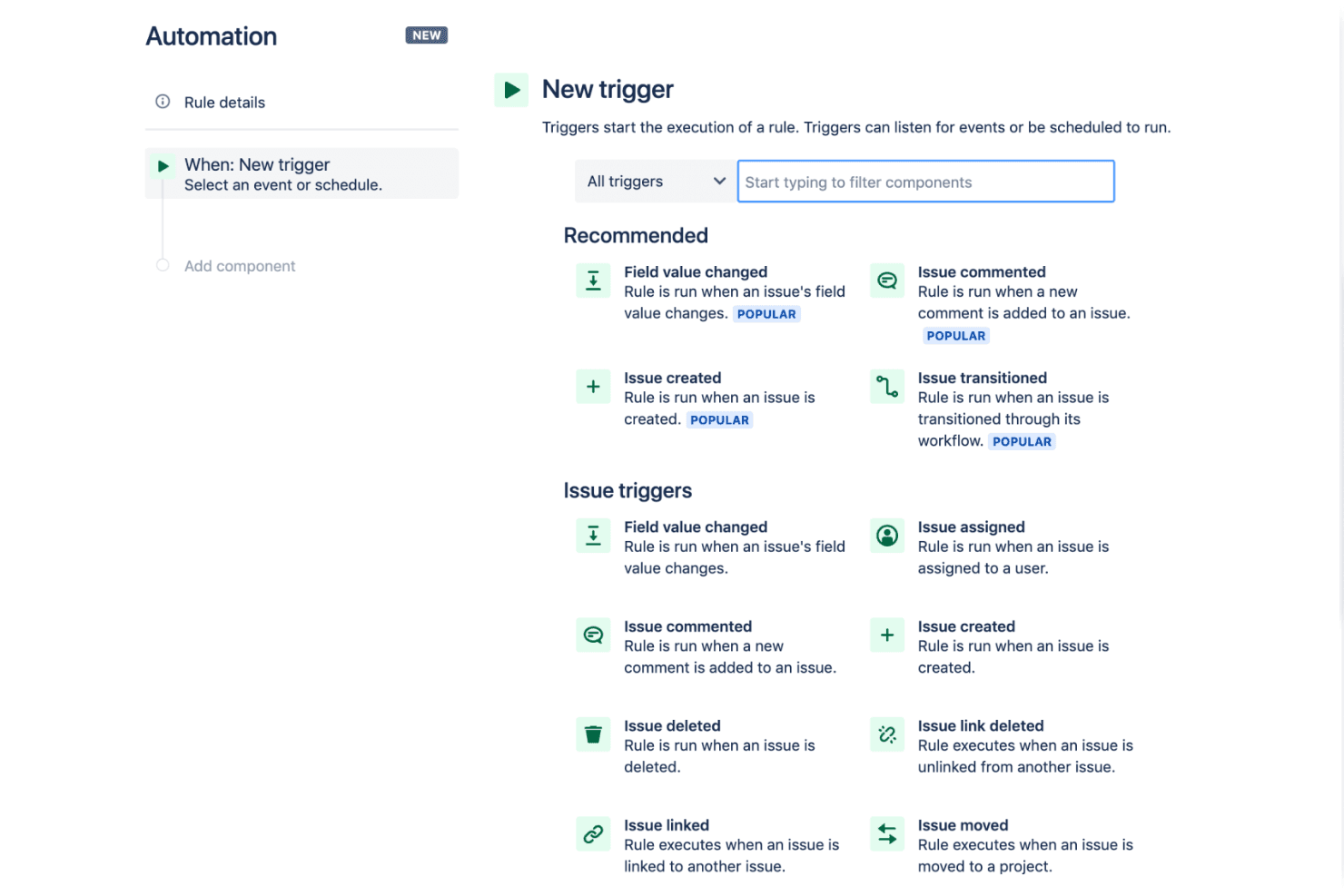
Automated Workflows
Automate code deployments, testing, and notifications across your pipeline. Users can trigger actions based on code changes or ticket updates.
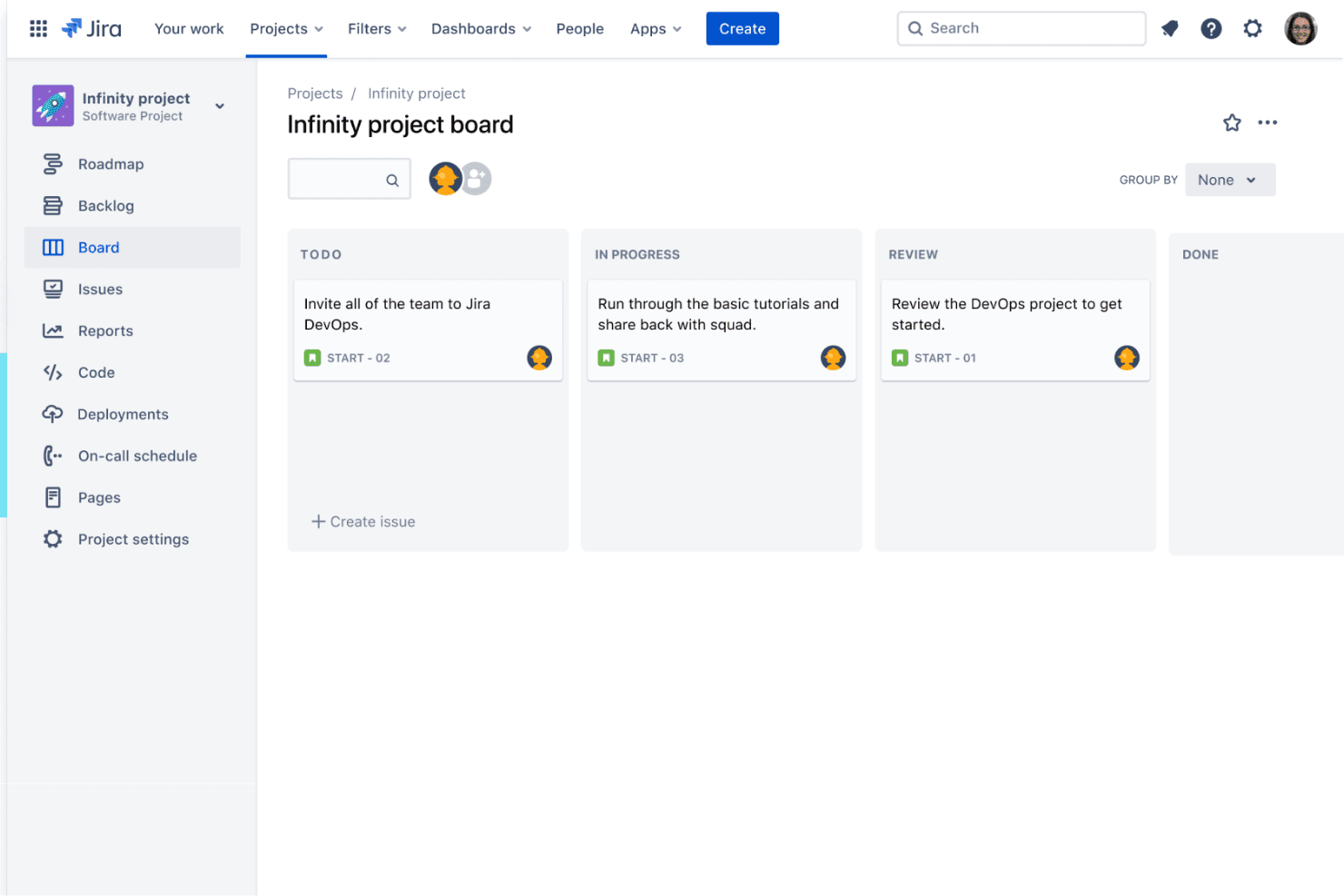
Jira Issue Tracking
Track bugs, tasks, and user stories directly within your DevOps workflow. Every code change links back to a Jira ticket for full traceability.
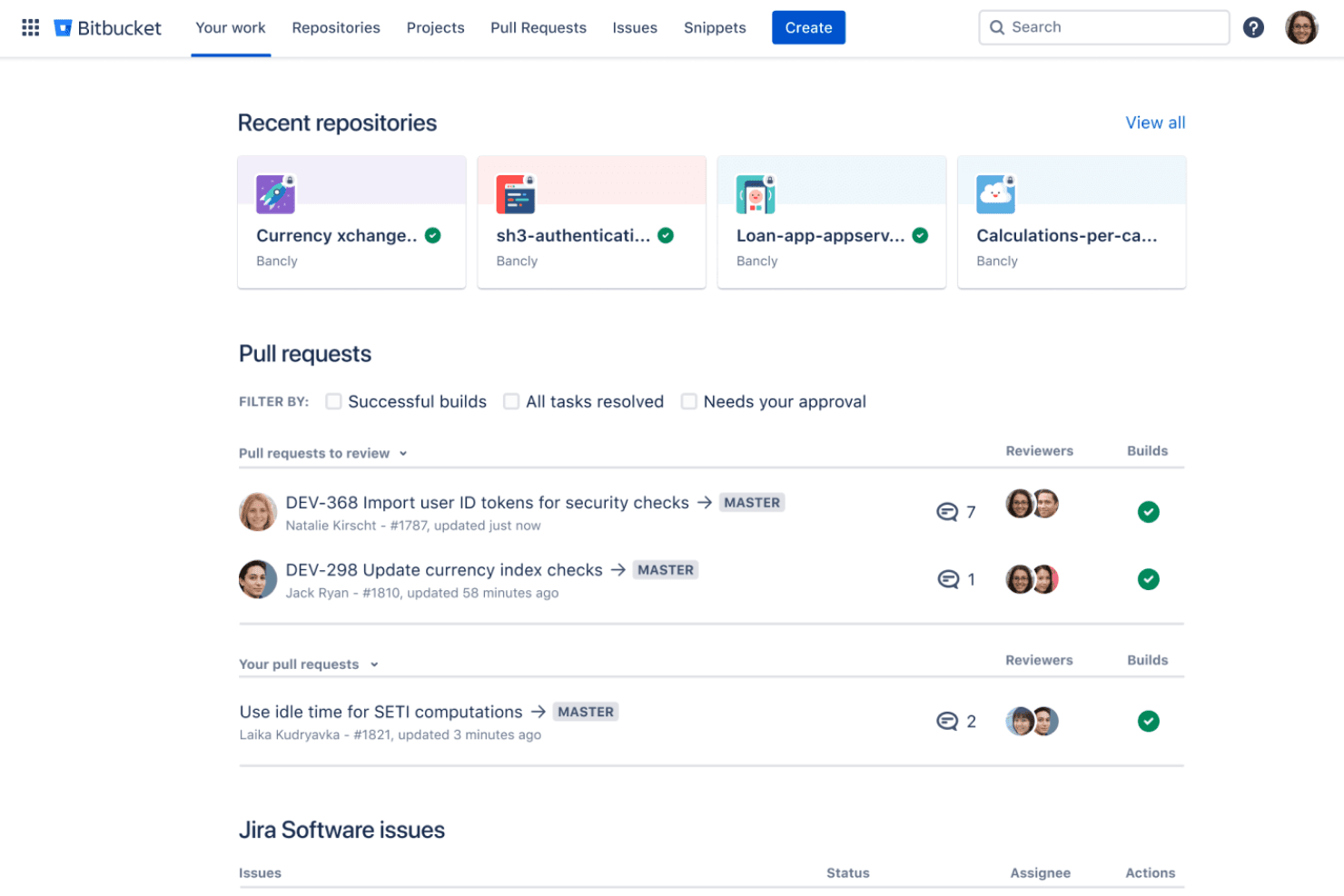
Bitbucket Code Repositories
Host, review, and manage code with built-in Git repositories. Pull requests and branch permissions help enforce code quality.
Confluence Documentation
Document processes, runbooks, and project details alongside your code and tickets. Teams can collaborate on living documentation that updates as work progresses.
CI/CD Pipelines
Build, test, and deploy automatically with integrated continuous integration and delivery. Visual pipeline editors make setup and monitoring straightforward.
Incident Management
Respond to outages and incidents with built-in alerting and tracking. Link incidents to code changes and tickets for faster root cause analysis.
Ease of Use
Open DevOps feels approachable for teams already using Atlassian tools, thanks to its familiar interface and clear navigation. Many users say onboarding is quick, especially when linking Jira and Bitbucket projects. Some workflows can get complex as you add more features, but built-in guides and documentation help smooth the process.
I think most teams will find it user-friendly, though power users may want more shortcuts and customization options.
Integrations
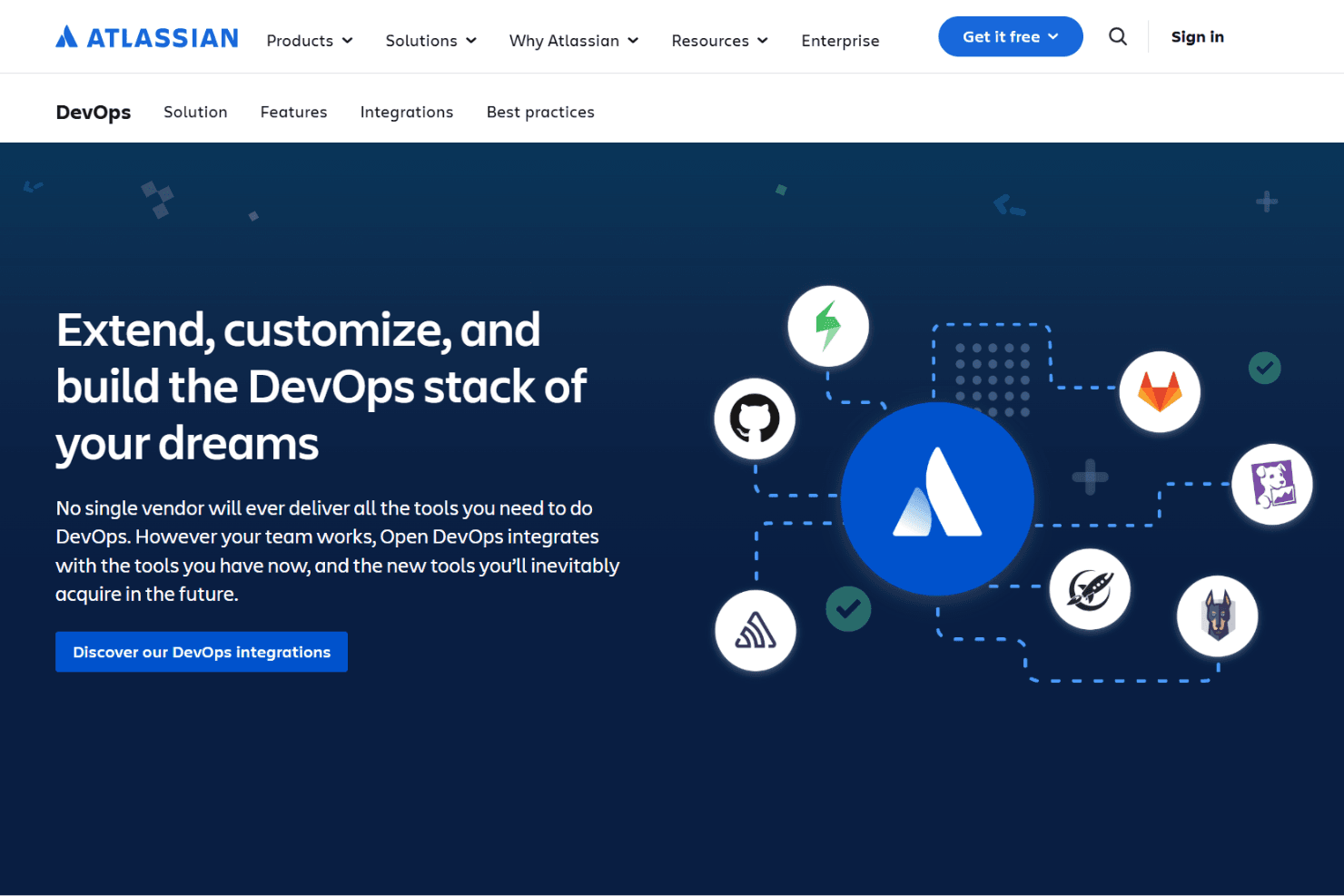
Open DevOps integrates with Jira, Bitbucket, Confluence, Jira Service Management, Trello, Loom, Compass, Rovo, Pipelines, and DX, among others.
Open DevOps also offers an open API and connects with third-party integration tools through the Atlassian Marketplace.
Open DevOps Specs
- 2-Factor Authentication: No
- Access Management: Yes
- Anti-Virus: No
- API: Yes
- Audit Trail: Yes
- Bug Tracking: Yes
- Calendar Management: No
- Customer Management: No
- Dashboard: Yes
- Data Export: No
- Data Import: No
- Data Visualization: No
- Email Integration: No
- External Integrations: Yes
- File Sharing: No
- File Transfer: No
- Firewall: No
- Google Apps Integration: No
- Inventory Tracking: No
- Malware Protection: No
- Multi-User: Yes
- Network Device Performance Monitoring: No
- Network Traffic Monitoring: No
- Network Visualization: No
- Notifications: Yes
- Project Management: Yes
- Remote Access: No
- Risk Assessment: No
- SAP Integration: No
- Scheduling: No
- Software Integration: Yes
- Third-Party Plugins/Add-Ons: Yes
- Ticket Management: Yes


