
IBM Maximo Asset Monitor-beoordeling: voordelen, nadelen, functies en prijzen
IBM Maximo Asset Monitor blinkt uit met zijn krachtige gegevensverwerking en mogelijkheden voor voorspellend onderhoud, waardoor het een uitstekende keuze is voor grote ondernemingen.

We review tools independently, and commissions help fund our testing. See our transparency policy, our methodology, or suggest a tool.
IBM Maximo Asset Monitor is a CTO asset management software built for organizations managing large-scale industrial assets across multiple sites. It's a good fit when your team needs to move beyond reactive maintenance—using IoT sensor data and AI-driven anomaly detection to track asset health in real time. I'd consider it over Fiix if you need built-in condition monitoring and predictive failure alerts, rather than a more traditional CMMS focused on work order tracking and maintenance scheduling.
IBM Maximo Asset Monitor Evaluation Summary
4.5/5
- Pricing upon request
- 14-day free trial
Waarom u onze softwareaanbevelingen kunt vertrouwen
6,700+
Reviews
20
Industry experts
16+
Evaluation factors
14
Years
Ons team test en beoordeelt software sinds 2012. Als technologieleiders weten we zelf hoe moeilijk — en belangrijk — het is om de juiste software te kiezen.
Voor deze gids hebben we tools geëvalueerd met behulp van praktijktests en onafhankelijk onderzoek, waarbij we tools beoordeeden aan de hand van onze selectiecriteria.
Onze reviews weerspiegelen ons menselijke redactionele oordeel, geen verkooppraatje.
Deskundige beoordelaars:
- Paulo Gardini MiguelTechnisch directeur
 Tim FisherVP AI
 Gabriel RosasTech Lead & software-architect
 Christhian GruhnTech Lead & platformarchitect

IBM Maximo Asset Monitor Overview
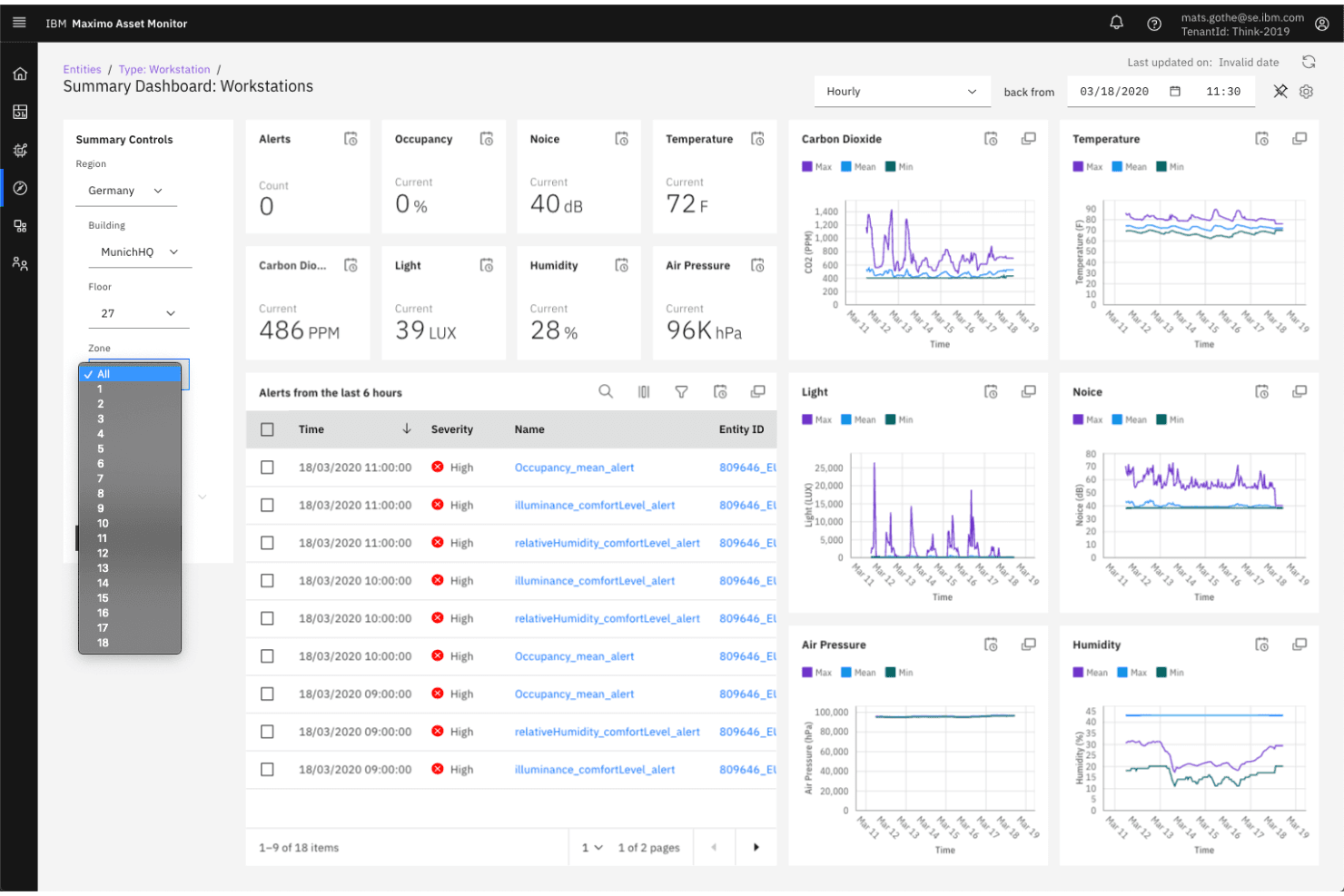
In my opinion, IBM Maximo Asset Monitor is a solid choice for large enterprises needing advanced asset management. It excels in providing detailed analytics and predictive maintenance, but its high cost might not suit small businesses. While the interface is user-friendly, onboarding can be intricate due to its extensive features. Customer support is responsive, which helps ease the learning curve. Compared to competitors, it stands out in data analytics but could improve in integration flexibility. It's best for industries like manufacturing and utilities, where asset uptime is essential. If you're managing numerous assets, this tool is worth considering.
Pros
- It offers predictive maintenance to help your team prevent unexpected downtime.
- The software provides detailed analytics for informed decision-making in your operations.
- You can monitor assets in real-time, ensuring efficient management and performance tracking.
Cons
- Onboarding can be complex, requiring significant time for your team to adapt.
- It may lack flexibility in integrations compared to other solutions.
- The interface, while user-friendly, might feel overwhelming due to its extensive features.
Is IBM Maximo Asset Monitor Right For Your Needs?
Who Would be a Good Fit for IBM Maximo Asset Monitor?
IBM Maximo Asset Monitor is ideal for large enterprises in industries like manufacturing, utilities, and transportation. These sectors require real-time asset monitoring and predictive maintenance to minimize downtime and maintain operational efficiency. Your team will benefit from its detailed analytics that support data-driven decisions. If your operations rely heavily on asset uptime, IBM Maximo Asset Monitor's capability to track and manage assets efficiently makes it a suitable choice.
- Manufacturing IndustryYour manufacturing operations will benefit from predictive maintenance, reducing downtime and optimizing asset life.
- Utility CompaniesFor utility companies, real-time monitoring ensures reliable service delivery and efficient asset management.
- Transportation SectorIn transportation, asset tracking helps maintain fleet efficiency and reduces unexpected breakdowns.
- Large EnterprisesLarge enterprises with complex asset portfolios will find value in its comprehensive data analytics for decision-making.
- Maintenance DepartmentsMaintenance teams can use its predictive features to schedule repairs proactively, avoiding costly emergency fixes.
- Operations ManagersOperations managers will appreciate the software's ability to provide insights that enhance overall asset performance.
Who Would be a Bad Fit for IBM Maximo Asset Monitor?
IBM Maximo Asset Monitor may not suit small businesses or startups with limited budgets and simpler asset management needs. Its extensive features and complex onboarding might overwhelm teams without dedicated IT support. If your operations don’t rely heavily on asset uptime or predictive maintenance, the investment in this software might not justify the benefits. For companies looking for simple, cost-effective solutions, IBM Maximo Asset Monitor's advanced analytics and real-time monitoring capabilities might be unnecessary.
- Small BusinessesSmall businesses might find its features too complex and costly for their straightforward needs.
- StartupsStartups often require more budget-friendly and simple solutions, making this a less suitable option.
- Retail IndustryRetail operations with fewer physical assets won't benefit much from its advanced monitoring capabilities.
- Non-Technical TeamsTeams without IT support might struggle with its complex setup and extensive feature set.
- FreelancersFreelancers managing minimal assets will find the software's capabilities excessive and unnecessary.
- Simple OperationsOperations that don’t rely on real-time asset tracking or predictive maintenance won’t gain much advantage.
Our Review Methodology
How We Test & Score Tools
We’ve spent years building, refining, and improving our software testing and scoring system. The rubric is designed to capture the nuances of software selection and what makes a tool effective, focusing on critical aspects of the decision-making process.
Below, you can see exactly how our testing and scoring works across seven criteria. It allows us to provide an unbiased evaluation of the software based on core functionality, standout features, ease of use, onboarding, customer support, integrations, customer reviews, and value for money.
Core Functionality (25% of final scoring)
The starting point of our evaluation is always the core functionality of the tool. Does it have the basic features and functions that a user would expect to see? Are any of those core features locked to higher-tiered pricing plans? At its core, we expect a tool to stand up against the baseline capabilities of its competitors.
Standout Features (25% of final scoring)
Next, we evaluate uncommon standout features that go above and beyond the core functionality typically found in tools of its kind. A high score reflects specialized or unique features that make the product faster, more efficient, or offer additional value to the user.
We also evaluate how easy it is to integrate with other tools typically found in the tech stack to expand the functionality and utility of the software. Tools offering plentiful native integrations, 3rd party connections, and API access to build custom integrations score best.
Ease of Use (10% of final scoring)
We consider how quick and easy it is to execute the tasks defined in the core functionality using the tool. High scoring software is well designed, intuitive to use, offers mobile apps, provides templates, and makes relatively complex tasks seem simple.
Onboarding (10% of final scoring)
We know how important rapid team adoption is for a new platform, so we evaluate how easy it is to learn and use a tool with minimal training. We evaluate how quickly a team member can get set up and start using the tool with no experience. High scoring solutions indicate little or no support is required.
Customer Support (10% of final scoring)
We review how quick and easy it is to get unstuck and find help by phone, live chat, or knowledge base. Tools and companies that provide real-time support score best, while chatbots score worst.
Customer Reviews (10% of final scoring)
Beyond our own testing and evaluation, we consider the net promoter score from current and past customers. We review their likelihood, given the option, to choose the tool again for the core functionality. A high scoring software reflects a high net promoter score from current or past customers.
Value for Money (10% of final scoring)
Lastly, in consideration of all the other criteria, we review the average price of entry level plans against the core features and consider the value of the other evaluation criteria. Software that delivers more, for less, will score higher.
Core Features
Asset Tracking
Monitor and manage your assets in real-time, giving you up-to-date information on asset location and condition. This helps your team maintain operational efficiency.
Predictive Maintenance
Use data analytics to predict when maintenance is needed, reducing unexpected downtime. Your work benefits from timely repairs and cost savings.
Work Order Management
Streamline creating, assigning, and tracking work orders, ensuring tasks are completed efficiently. This keeps your operations running smoothly.
Inventory Management
Track inventory levels and manage parts and supplies effectively, preventing stockouts. Your team can plan ahead and avoid disruptions.
Reporting and Analytics
Generate detailed reports and insights to make informed decisions about asset performance. This helps improve your strategic planning.
Mobile Access
Access asset data and perform tasks from mobile devices, keeping your team connected on the go. This flexibility enhances productivity.
Ease of Use
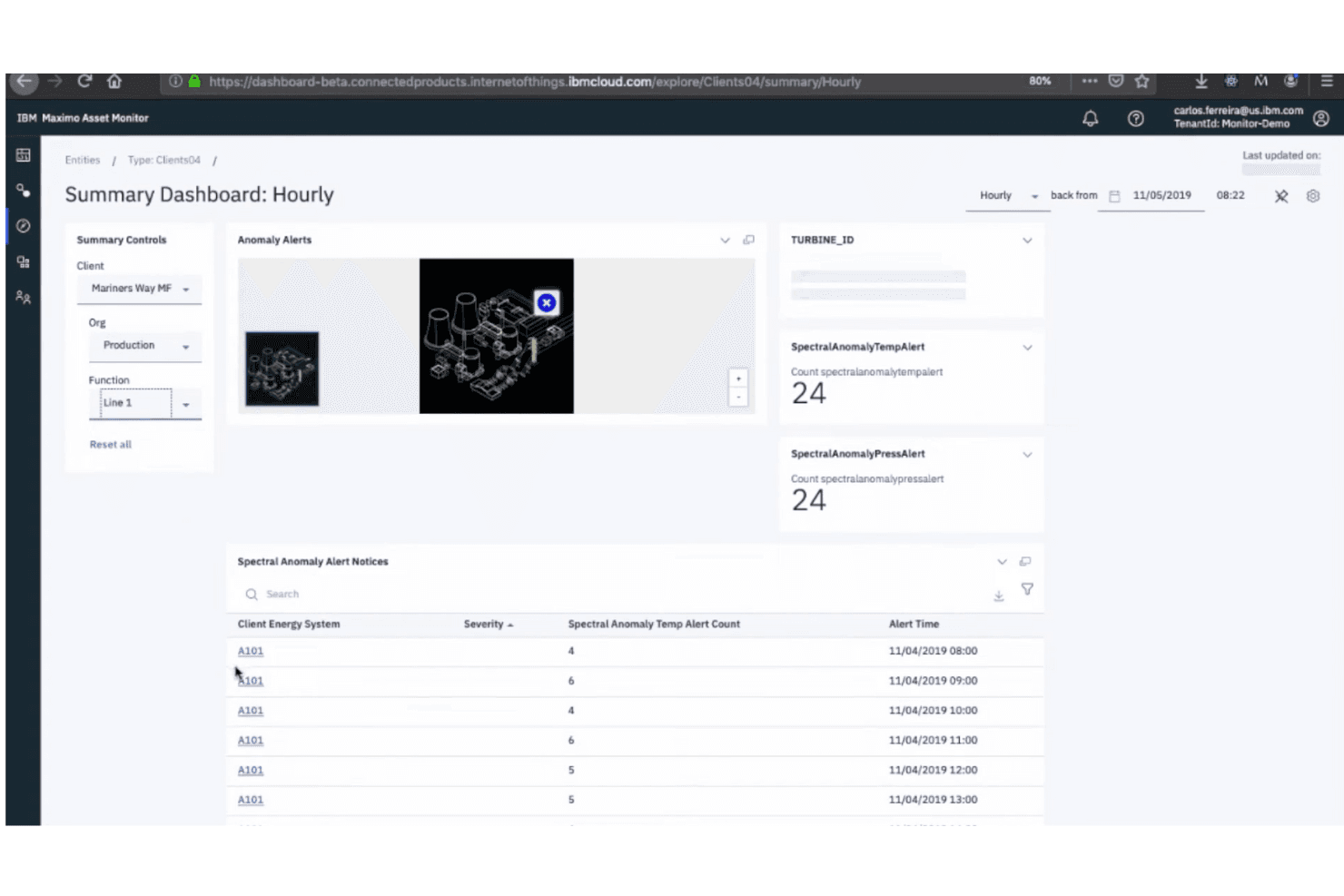
IBM Maximo Asset Monitor is user-friendly, but its extensive features can overwhelm new users. Your team might find the interface intuitive once they get familiar with it, but the initial learning curve can be steep. Compared to others, it requires more time to master its capabilities. Despite this, the mobile access and clear reporting features make daily tasks easier once you're accustomed to the system. If your team is ready for detailed analytics, it’s worth the effort.
Integrations
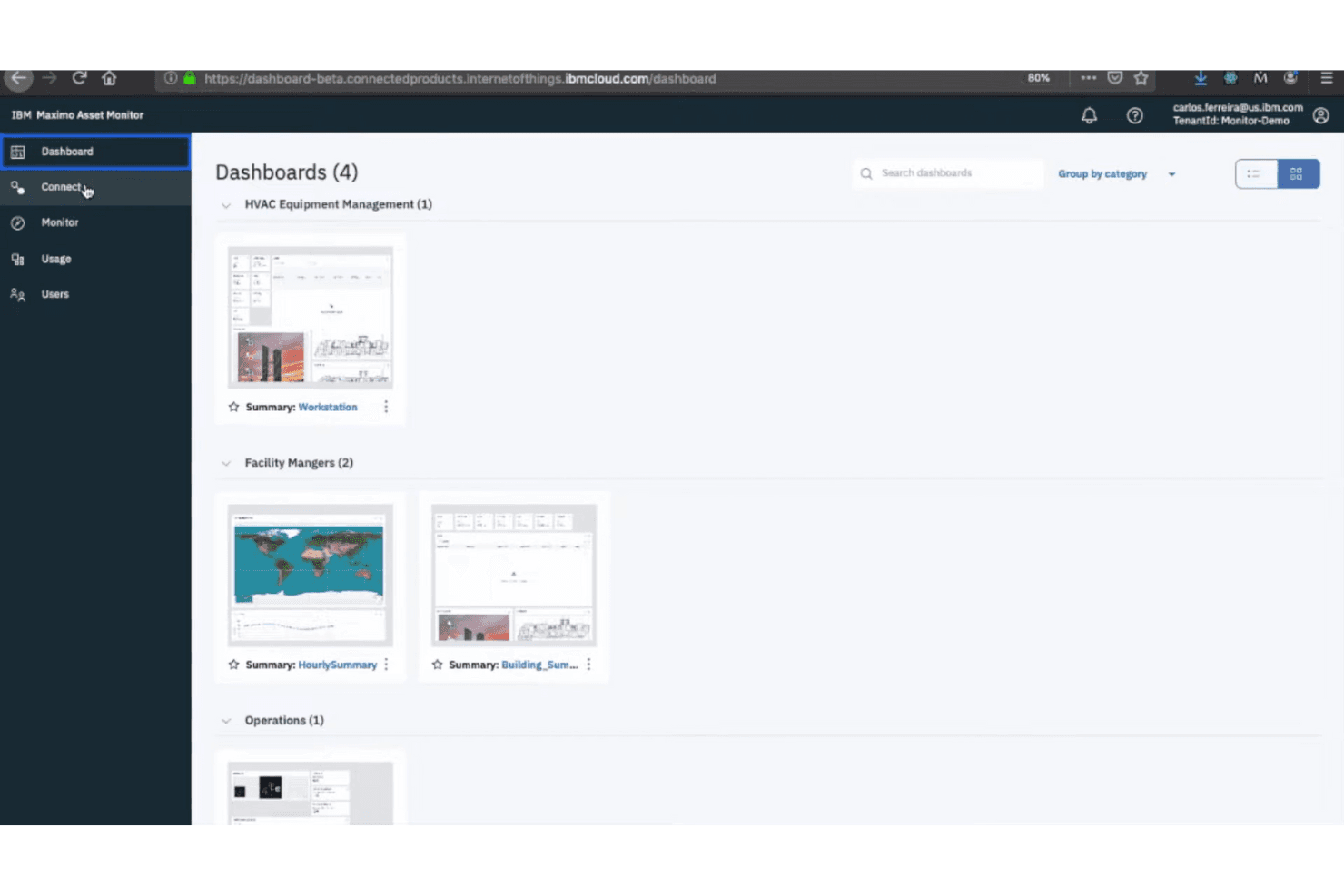
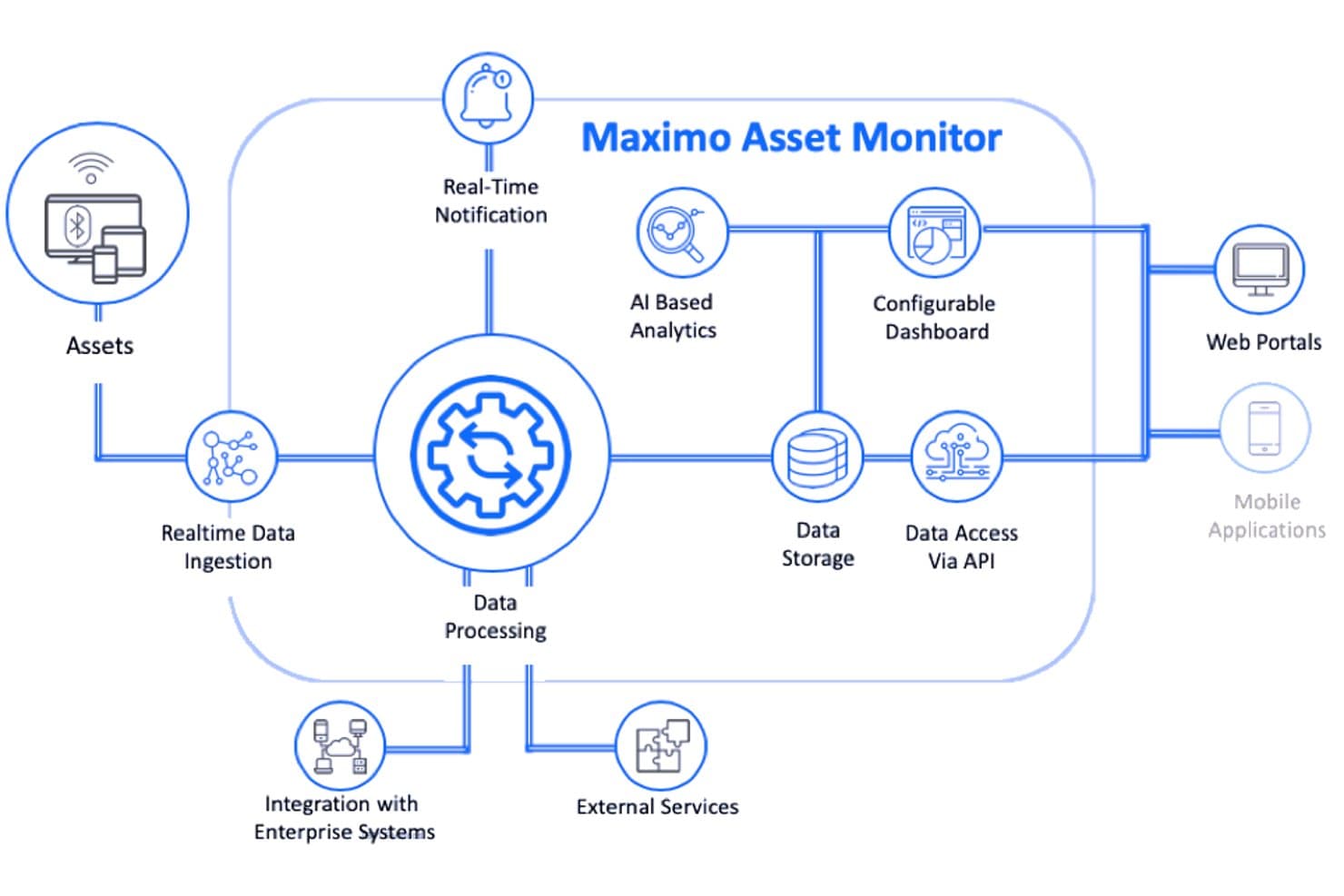
IBM Maximo Asset Monitor integrates with Maximo Health, Maximo Predict, Maximo Health and Predict - Utilities, and other EAM systems.
It also offers a REST-style API for data ingestion and external access and can connect with third-party integration tools via middleware like IBM App Connect.
IBM Maximo Asset Monitor Specs
- 2-Factor Authentication: Yes
- Access Management: Yes
- Anti-Virus: No
- API: Yes
- Audit Trail: Yes
- Bug Tracking: No
- Calendar Management: No
- Customer Management: No
- Dashboard: Yes
- Data Export: Yes
- Data Import: Yes
- Data Visualization: Yes
- Email Integration: No
- External Integrations: Yes
- File Sharing: No
- File Transfer: No
- Firewall: No
- Google Apps Integration: No
- Inventory Tracking: No
- Malware Protection: No
- Multi-User: Yes
- Network Device Performance Monitoring: No
- Network Traffic Monitoring: No
- Network Visualization: No
- Notifications: Yes
- Project Management: No
- Remote Access: No
- Risk Assessment: Yes
- SAP Integration: No
- Scheduling: Yes
- Software Integration: Yes
- Third-Party Plugins/Add-Ons: Yes
- Ticket Management: No


