


Hiver versus Zoho Desk: Vergelijking & deskundige beoordelingen voor 2026

We review tools independently, and commissions help fund our testing. See our transparency policy, our methodology, or suggest a tool.
Het kiezen van de juiste servicedesksoftware kan overweldigend aanvoelen wanneer je te maken hebt met een groeiend aantal tickets, druk om responstijden te verkorten en de uitdaging om je team op één lijn te houden. Door Hiver en Zoho Desk naast elkaar te vergelijken, zie je hoe elk platform anders omgaat met organisatie, AI, workflows en dagelijkse ondersteuningstaken. In dit artikel nemen we je mee door die verschillen en overeenkomsten, zodat je beide tools kunt vergelijken op het gebied van functies, voor- en nadelen, prijsstructuren en algemene geschiktheid voor jouw servicedeskbehoeften.
Hiver
4.7/5
- Free plan available
- From $35/user/month
Zoho Desk

4.4/5
- 15-day free trial
- Pricing upon request
Waarom u onze softwareaanbevelingen kunt vertrouwen
6,700+
Reviews
20
Industry experts
16+
Evaluation factors
14
Years
Ons team test en beoordeelt software sinds 2012. Als technologieleiders weten we zelf hoe moeilijk — en belangrijk — het is om de juiste software te kiezen.
Voor deze gids hebben we tools geëvalueerd met behulp van praktijktests en onafhankelijk onderzoek, waarbij we tools beoordeeden aan de hand van onze selectiecriteria.
Onze reviews weerspiegelen ons menselijke redactionele oordeel, geen verkooppraatje.
Deskundige beoordelaars:
- Paulo Gardini MiguelTechnisch directeur
 Tim FisherVP AI
 Gabriel RosasTech Lead & software-architect
 Christhian GruhnTech Lead & platformarchitect

| Hiver | Zoho Desk | |
|---|---|---|
| Free Trial | Free plan available | 15-day free trial |
| Pricing | From $35/user/month | Pricing upon request |
Prijzen en verborgen kosten van Hiver versus Zoho Desk
Hiver gebruikt een getrapt prijsmodel dat wordt bepaald door het abonnementsniveau en de functies. Het biedt een gratis abonnement voor altijd voor teams die net beginnen. Zoho Desk gebruikt ook een gelaagde structuur, maar brengt extra kosten met zich mee wanneer je overstapt op uitgebreidere aanpassingsmogelijkheden, telefonie en geavanceerde automatiseringsfuncties.
Let bij het vergelijken van de tools op hoeveel configuratie je team echt nodig heeft, hoe snel je nieuwe medewerkers wilt inwerken en of groei op de lange termijn meer afhankelijk zal zijn van eenvoud of aanpasbaarheid.
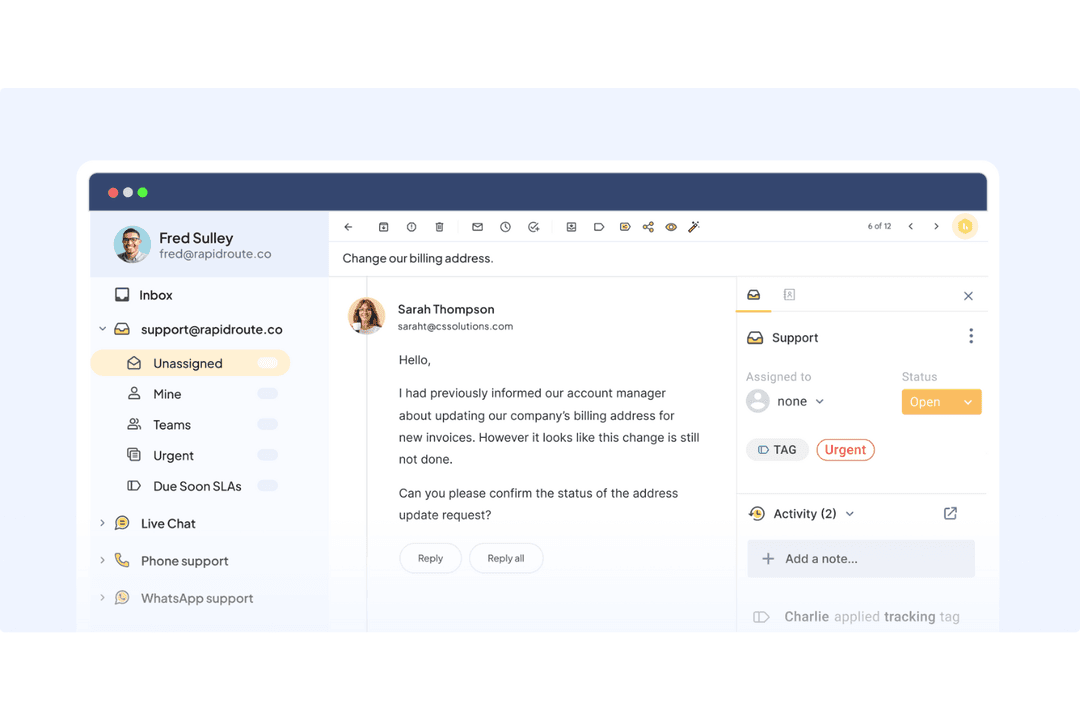
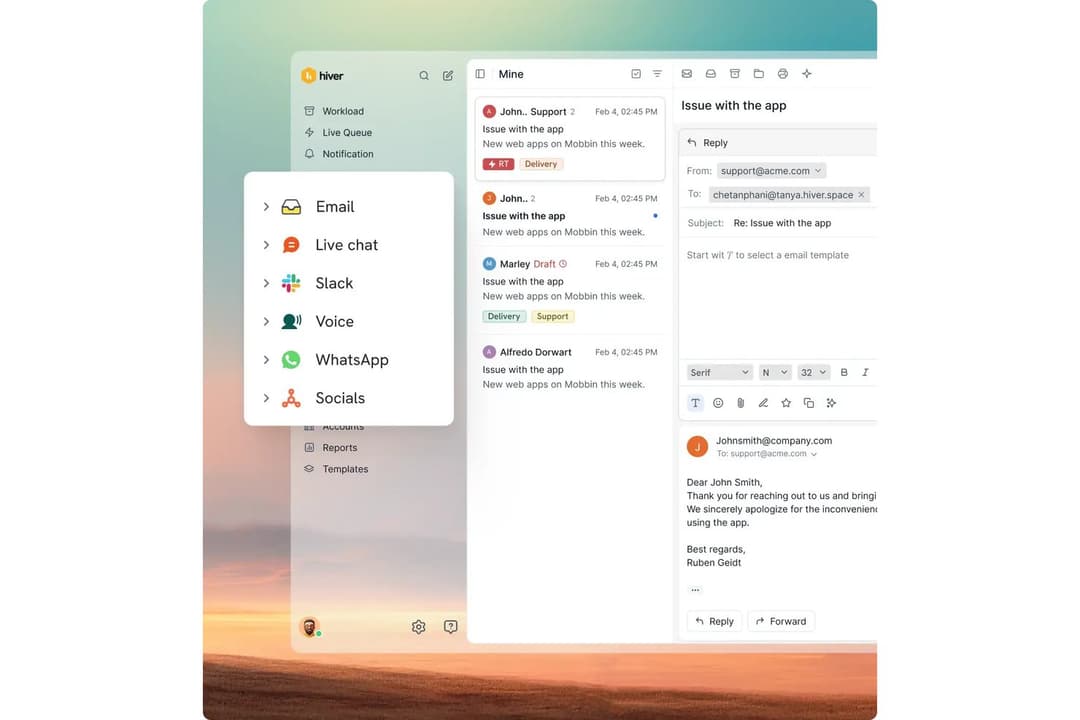
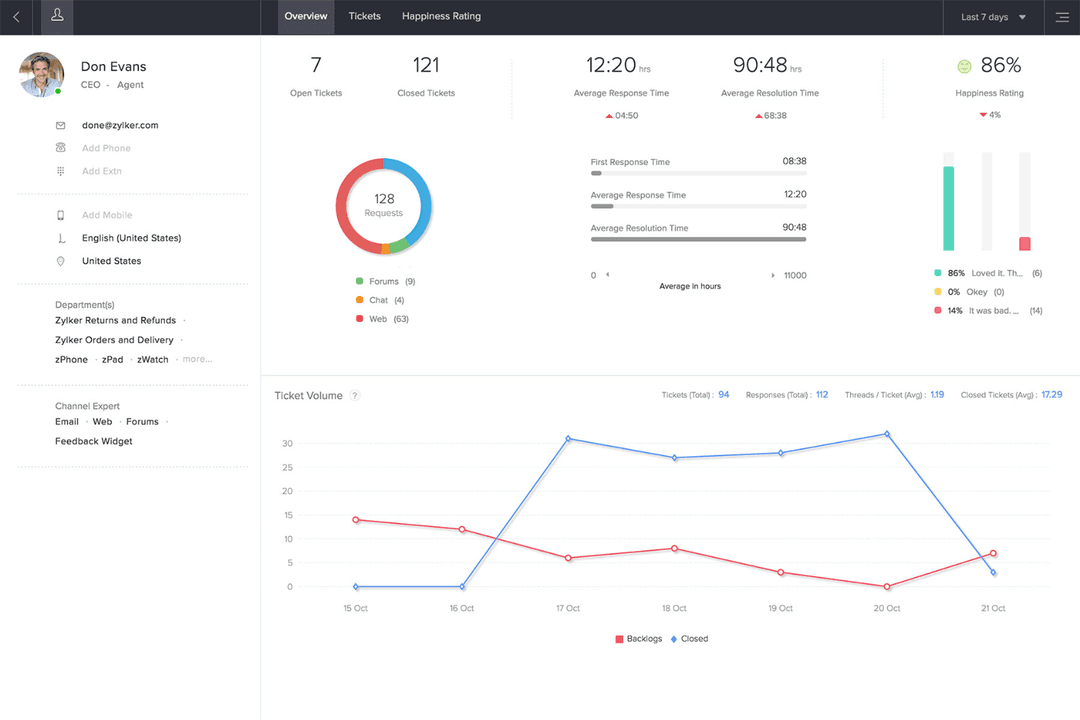
\u003cspan style=\u0022font-weight: 400\u0022\u003eDe moderne omnichannelwerkruimte van Hiver helpt je georganiseerd te blijven wanneer je team dagelijks grote hoeveelheden e-mail- en chatondersteuning verwerkt. Zo kun je werk eenvoudig toewijzen en snel antwoorden. De gestructureerde tickettools, aangepaste modules en uitgebreide processtromen van Zoho Desk zijn ideaal voor teams die afhankelijk zijn van complexe routering of ondersteuning voor meerdere afdelingen. Beide tools lossen verschillende problemen goed op en bieden inzicht, afhankelijk van de manier waarop je team het beste werkt.\u003c/span\u003e
| Hiver | Zoho Desk | |
|---|---|---|
| Analytics | Yes | Yes |
| API | Yes | Yes |
| Batch Permissions & Access | Yes | Yes |
| Call Integration | Yes | Yes |
| Chat | Yes | Yes |
| Contact Management | Yes | Yes |
| Contact Sharing | Yes | Yes |
| CRM Integration | Yes | Yes |
| Customer Management | Yes | Yes |
| Customer Service | Yes | No |
| Dashboard | Yes | Yes |
| Data Export | Yes | Yes |
| Data Import | Yes | Yes |
| Data Visualization | Yes | Yes |
| Email Integration | Yes | Yes |
| Escalation Management | Yes | Yes |
| External Integrations | Yes | Yes |
| Instant Chat Integration | Yes | Yes |
| Knowledge Base | Yes | Yes |
| Lead Management | No | Yes |
| Lead Scoring | No | Yes |
| Multi-User | Yes | Yes |
| Notifications | Yes | Yes |
| Real-time Alerts | Yes | Yes |
| Scheduling | Yes | Yes |
| Self-service Portal | Yes | Yes |
| Social Media Integration | Yes | Yes |
| Support Forum | No | Yes |
| Third-Party Plugins/Add-Ons | Yes | Yes |
| Ticket Management | Yes | Yes |
| Workflow Management | Yes | Yes |
| Integratie | Hiver | Zoho Desk |
| Salesforce | ✅ | ✅ |
| HubSpot | ✅ | ✅ |
| Shopify | ✅ | ❌ |
| Netsuite | ✅ | ❌ |
| Asana | ✅ | ✅ |
| Jira | ✅ | ✅ |
| Microsoft Teams | ❌ | ✅ |
| Trello | ❌ | ✅ |
| Slack | ✅ | ✅ |
| Pipedrive | ✅ | ✅ |
| API | ✅ | ✅ |
| Zapier | ✅ | ✅ |
Hiver biedt een overzichtelijke reeks integraties waarmee je klantcontext dicht bij je inbox houdt en het wisselen tussen tools beperkt terwijl je team werkt. Zoho Desk daarentegen maakt diepgaande verbindingen met het bredere Zoho-ecosysteem en biedt meer ingebouwde opties voor telefonie en communicatietools. Beide platforms ondersteunen krachtige integratieworkflows, maar leggen elk de nadruk op andere sterke punten, afhankelijk van de inrichting van je technologiestack.
| Factor | Hiver | Zoho Desk |
| Gebruikersinterface | Moderne, intuïtieve indeling die vertrouwd aanvoelt en teams helpt snel te werken. | Gestructureerde helpdeskinterface met meer menu's, modules en aanpassingsmogelijkheden. |
| Inwerken | Snelle installatie met minimale training; medewerkers kunnen binnen enkele uren aan de slag. | Vereist meer initiële configuratie vanwege de uitgebreidere aanpassingsmogelijkheden. |
| Configuratie | Kanalen, workflows en AI-tools zijn eenvoudig en snel te configureren. | Biedt meer configuratiestappen, maar geeft flexibiliteit voor complexe workflows. |
| Ondersteuning | 24/7 ondersteuning via e-mail en chat, met duidelijke begeleiding. | Biedt trainingsprogramma's, hulp bij migratie en hulpmiddelen voor het inwerken. |
Naar mijn mening is Hiver dagelijks gemakkelijker te gebruiken, omdat de intuïtieve aanpak met weinig afleiding natuurlijk aanvoelt en de leertijd verkort. De uitgebreidere configuratiemogelijkheden van Zoho Desk kunnen de initiële installatie vertragen, maar bieden een krachtige structuur als je workflows daar om vragen.
Hiver
- Hiver AI reduces manual effort by drafting responses, auto-tagging conversations, and summarizing threads in seconds
- You deliver human-like, personalized responses without switching tabs or sounding robotic.
- Your team stays aligned with shared drafts, notes, collision alerts, and clear ownership.
- No advanced help desk forecasting, capacity planning, or predictive SLA breach modeling.
- Complex enterprise workflows may require more customization than Hiver currently offers.
- Teams with support channels outside of chat, email, and call (like social channels), may find the platform lacks features.
Zoho Desk
- Automation rules simplify repetitive ticket management tasks
- AI-powered suggestions help agents resolve tickets faster
- Multi-channel support covers email, chat, phone, and social media
- Reporting customization is limited for complex analytics needs
- Some users report slow or inconsistent customer support
- Bulk ticket updates can be slow with large ticket volumes
Hiver
- Small Support TeamsThe interface is simple enough that your team can start resolving issues within hours.
- E-Commerce BusinessesYou can access customer and order context quickly, making it easier to handle common inquiries.
- IT Help DesksSLA tracking, automations, and routing help you manage internal requests smoothly.
- Logistics & OperationsShared inboxes and clear workloads help you stay organized across high message volumes.
- Travel & HospitalityNatural, friendly replies help maintain strong relationships with customers and travelers.
- AI-Driven TeamsAI Copilot removes manual effort so your team can focus on higher-value tasks.
Zoho Desk
- Healthcare ClinicsHIPAA-compliant workflows and secure ticket handling protect patient data.
- Education InstitutionsSelf-service portals and knowledge base tools support students and staff.
- Internal IT DepartmentsCustomizable SLAs and ticket routing fit internal support needs.
- Ecommerce RetailersMulti-channel support covers email, chat, and social media inquiries.
- Managed IT ServicesCentralized ticketing and workflow automation streamline client support operations.
- SaaS StartupsZoho Desk’s automation and affordable plans help manage rapid ticket growth.
Wie zou Hiver moeten gebruiken en wie Zoho Desk?
Over het algemeen is Hiver het beste voor teams die snel aan de slag willen, door AI ondersteunde antwoorden nodig hebben en een moderne werkruimte met weinig afleiding zoeken waarmee ze snel kunnen werken zonder een uitgebreide helpdesk te hoeven leren. Zoho Desk is daarentegen geschikt voor teams die behoefte hebben aan uitgebreide aanpassingsmogelijkheden, workflows voor meerdere afdelingen en gedetailleerdere procescontrole. Mijn mening? Kies Hiver als je team eenvoud, snelheid en de voordelen van AI wil, en kies Zoho Desk als je complexe routering, uitgebreidere aanpassingsmogelijkheden of een uitgebreide structuur voor meerdere kanalen nodig hebt.
| Hiver | Zoho Desk | |
|---|---|---|
| Artificial Intelligence | Hiver Hiver AI handles drafting, tagging, summaries, extraction, sentiment, quality evaluation, and provides insights to improve team performance. | Zoho Desk Zia for predictive insights, guided conversations, and AI agents. |
| Automation | Hiver Rule-based automations with easy setup. | Zoho Desk Advanced automations with Blueprint and custom functions. |
| Customization | Hiver Offers clean, straightforward workflows. | Zoho Desk Highly customizable with modules, blueprints, and field-level control. |
| Setup Time | Hiver Quick to onboard, often within a few hours. | Zoho Desk Takes longer to configure for full custom workflows. |
| User Interface | Hiver Modern UI that feels familiar, intuitive, and simple. | Zoho Desk Traditional help desk interface with layered modules and options. |
| Collaboration | Both support team coordination with notes, assignments, and shared workspaces. |
|---|---|
| Core Focus | Both Hiver and Zoho Desk aim to streamline customer service operations. |
| Omnichannel Support | Both platforms let you manage email, chat, voice, and social channels from one workspace, though each structures it differently. |
| Reporting | Each platform includes dashboards, metrics, and analytics to track performance and improve operations. |
| Scalability | Both Hiver and Zoho Desk can support small teams and grow with you, offering different tiers and capabilities depending on complexity. |