

I dagens hektiske teknologiverden kan det være et problem å håndtere flere pålogginger. Du må sannsynligvis holde styr på utallige passord, noe som kan utgjøre en sikkerhetsrisiko og tappe produktiviteten din. Det er her løsninger for enkel pålogging (SSO) kommer inn, og tilbyr en måte å forenkle tilgangen på uten at det går utover sikkerheten.
Jeg har testet og vurdert ulike programvarer for å gi deg de beste tilgjengelige alternativene. Etter min erfaring kan en god SSO-løsning spare deg for tid og redusere sikkerhetsbekymringer, slik at du kan føle deg tryggere.
I denne artikkelen deler jeg mine beste anbefalinger. Du får et objektivt innblikk i funksjoner, fordeler og hva som gjør hvert verktøy unikt. Enten du jobber med IT, utvikling eller et annet teknologifelt, finnes det noe her som kan hjelpe teamet ditt med å jobbe smartere.
Why Trust Our Software Recommendations
6,700+
Reviews
20
Industry experts
16+
Evaluation factors
14
Years
Our team has been testing and reviewing software since 2012. As tech leaders ourselves, we know how difficult—and important—it is to choose the right software.
For this guide, we evaluated tools using hands-on testing and independent research, scoring tools using our selection criteria.
Our reviews reflect our human editorial judgment, not a sales pitch.
Expert reviewers:
- Paulo Gardini MiguelTech Director
 Tim FisherVP of AI
 Gabriel RosasTech Lead & Software Architect
 Christhian GruhnTech Lead & Platform Architect

Sammenligningstabell for løsninger for enkel pålogging
Denne sammenligningstabellen oppsummerer prisinformasjonen for mine beste utvalgte SSO-løsninger:
| Tool | Best For | Trial Info | Price | ||
|---|---|---|---|---|---|
| 1 | Best for HR-driven app access lifecycle | 14-day free trial | From $8/user/month (billed annually) | Website | |
| 2 | Best for conditional SSO across devices & apps | 14-day free trial | From $2/device/month | Website | |
| 3 | Best for multiple SSO protocols support | Free version available (up to 50 domain users) | From $595 (500 domain users) | Website | |
| 4 | Best for directory-as-a-service | 30-day free trial | From $9/user/month (billed annually) | Website | |
| 5 | Best for SaaS platform integrations | 30 Days Free Trial | From $99/month for up to 10 multi-user accounts and 1,000 users. | Website | |
| 6 | Best for multi-factor integrations | 30-day free trial | From $3/user/month (billed annually) | Website | |
| 7 | Best for IP-based access rules | 30-day free trial | From $2/user/month | Website | |
| 8 | Best for password management integration | From $6/user/month (billed annually) | Website | ||
| 9 | Best for Azure integration | 30-day free trial | From $7.00/user/month | Website | |
| 10 | Best for workforce-specific use cases | 30-day free trial + free demo available | From $6/user/month (billed annually) | Website |


Vurderinger av de beste løsningene for enkel pålogging
Nedenfor finner du mine detaljerte sammendrag av de beste løsningene for enkel pålogging som kom med på kortlisten. Vurderingene mine gir et detaljert innblikk i de viktigste funksjonene, fordelene og ulempene, integrasjonene og de ideelle bruksområdene for hvert verktøy, slik at du kan finne det beste alternativet for deg.
 Best for HR-driven app access lifecycle
- 14-day free trial
- From $8/user/month (billed annually)
Visit WebsiteCustomer Rating:4.8/5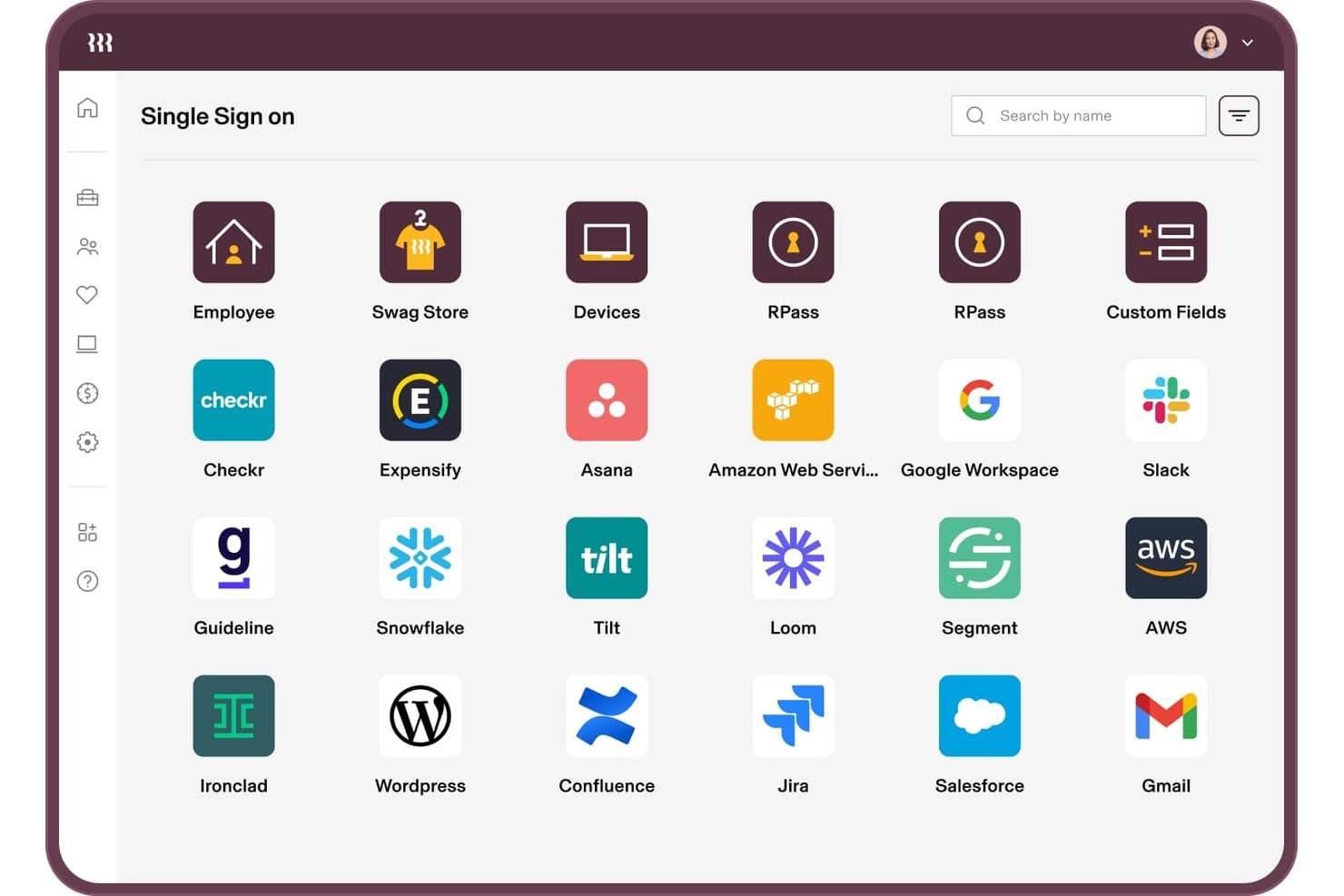
Rippling IT supports SSO connections to 20+ apps like Slack, AWS, and Jira. Rippling IT is an SSO and identity access management solution built into a unified HR-IT platform, combining federated authentication, automated lifecycle provisioning, MFA policy enforcement, device trust, and directory management.
Who Is Rippling IT Best For?
Rippling IT is a strong fit for IT teams that want app access tied directly to HR data, so onboarding and offboarding happen automatically without manual intervention.
Why I Picked Rippling IT
I picked Rippling IT as one of the best because it ties SSO directly to your HR data, so app access updates automatically when someone's role changes or they leave. Supergroups and RQL let you build self-updating access groups based on attributes like department, location, or tenure. Device Trust adds another layer by restricting logins to devices holding a Rippling-issued certificate, keeping phishing-resistant access in place without extra configuration.
Rippling IT Key Features
- Virtual LDAP directory: Lets older apps and network equipment authenticate against Rippling credentials without requiring modern protocol support.
- Cloud RADIUS server: Enables staff to log in to WiFi and VPN using their Rippling identity, centralizing network access alongside app access.
- RPass password manager: Covers apps that don't support SSO, so users have a single credential store for the full app stack.
- Shadow IT and Shadow AI detection: Surfaces unauthorized app usage and OAuth grants so you can see and manage access risks across your environment.
Rippling IT Integrations
Rippling IT offers 600+ pre-built SSO and provisioning integrations, including Microsoft 365, Google Workspace, Slack, Salesforce, GitHub, Jira, AWS, Zoom, Asana, and HubSpot. Its API and custom SAML and SCIM apps support additional integrations.
Pros and Cons
Pros:
- Passkeys reduce password-related support requests
- Device Trust blocks untrusted-device logins
- HR changes trigger automatic access updates
Cons:
- Support responses can frustrate administrators
- Complex policies require careful setup
Learn more about Rippling IT: Best for conditional SSO across devices & apps
- 14-day free trial
- From $2/device/month
Visit WebsiteCustomer Rating:4.7/5
Scalefusion OneIdP organization setup screen for entering company details and configuring login settings. Scalefusion OneIdP is a conditional access and identity management platform that integrates single sign-on (SSO) with device authentication to enhance organizational security. It ensures that both the user identity and the device’s compliance status are verified before access is granted to corporate applications.
Why I Picked Scalefusion OneIdP: I picked Scalefusion OneIdP because it prioritizes device-based authentication and real-time conditional access, which adds a valuable layer of security beyond traditional SSO. This approach helps organizations ensure that only trusted, policy-compliant devices can log in, significantly reducing security risks. I also appreciate its just-in-time admin access, which provides temporary elevated privileges only when needed, minimizing the window for potential misuse.
Standout features & integrations:
Features include its continuous access evaluation, which dynamically monitors device compliance and can revoke access if security conditions change. This helps organizations enforce Zero Trust principles throughout the entire user session. Scalefusion OneIdP also integrates multi-factor authentication (MFA) to strengthen security further. The platform integrates with Google Workspace, Microsoft Entra, Amazon Web Services (AWS), Cisco Duo, Okta, Salesforce, Bamboo HR, Slack, Notion, HubSpot, Figma, Zoom, and Asana.
Pros and Cons
Pros:
- Strong device-based security enforcement
- Supports multi-factor authentication (MFA)
- Broad third-party integration support
Cons:
- Higher pricing for some users
- Limited advanced customization options
Learn more about Scalefusion OneIdP: Best for multiple SSO protocols support
- Free version available (up to 50 domain users)
- From $595 (500 domain users)
Visit WebsiteCustomer Rating:4.4/5
The single sign-on (SSO) feature in ManageEngine ADSelfService Plus offers various settings for managing SSO across various applications. ManageEngine ADSelfService Plus is a self-service password management tool designed to enhance user experience and security. It allows users to reset their passwords and unlock accounts without needing IT assistance.
Why I Picked ManageEngine ADSelfService Plus: It offers support for multiple SSO protocols, including SAML, OAuth, and OpenID Connect. This flexibility ensures that organizations can integrate a wide range of applications, both cloud-based and on-premises, into a single authentication framework. By leveraging Active Directory credentials, ADSelfService Plus eliminates the need for multiple usernames and passwords. The use of organizational unit (OU) and group-based policies to control access further ensures that only authorized users can access specific applications, adding an extra layer of security.
Standout features & integrations:
Another notable feature is the Application Access Audit Report, which records all user activities during SSO access. This feature is crucial for maintaining compliance and auditing purposes, as it provides a detailed log of who accessed what and when. Additionally, the integration of Multi-Factor Authentication (MFA) with SSO adds an extra layer of security. The tool integrates with Spiceworks Cloud Help Desk, ManageEngine ServiceDesk Plus, and ManageEngine ADManager Plus.
Pros and Cons
Pros:
- Easy-to-navigate interface
- Supports MFA
- Offers effective password synchronization
Cons:
- For larger teams, the licensing costs can add up
- User enrollment process can be time-consuming
Learn more about ManageEngine ADSelfService Plus: Best for directory-as-a-service
- 30-day free trial
- From $9/user/month (billed annually)
Visit WebsiteCustomer Rating:4.6/5
Image 10: JumpCloud User Portal screenshot JumpCloud modernizes directory services for cloud-based environments with a directory-as-a-service solution. This simplifies user and system management for organizations across platforms and locations.
Why I Picked JumpCloud: In the process of selecting the most impactful tools, JumpCloud stood out because of its robust yet flexible directory capabilities, specially tailored for diverse and dispersed IT environments. After judging and comparing it against other platforms, it became evident that its commitment to modernizing directory services was unparalleled. Based on this, I chose JumpCloud, convinced that it is best suited for those in need of a directory-as-a-service solution.
Standout features & integrations:
JumpCloud’s standout features include its ability to manage users across various platforms like Mac, Linux, and Windows from a single console. Furthermore, it provides fine-grained control over system policies and security configurations. When it comes to integrations, JumpCloud easily connects with a plethora of IT resources, including cloud providers, legacy applications, and on-premises networks.
Pros and Cons
Pros:
- Modern approach to traditional directory services
- Comprehensive integrations with a myriad of IT resources
- Cross-platform user and system management from a centralized location
Cons:
- Migration from legacy systems may require careful planning and execution
- Certain advanced features might be available only in higher-tier plans
- Might have a learning curve for those familiar with traditional directory systems
Learn more about JumpCloud: Best for SaaS platform integrations
- 30 Days Free Trial
- From $99/month for up to 10 multi-user accounts and 1,000 users.
Visit WebsiteCustomer Rating:4.8/5
Image 6: Frontegg login box and admin portal overview Frontegg offers a suite of pre-built functionalities to accelerate SaaS platform development. It emphasizes integration features, specially designed for SaaS platforms, making it an optimal choice for businesses that prioritize deep and reliable integrations.
Why I Picked Frontegg: In the landscape of tools that cater to SaaS platforms, Frontegg distinguished itself in my selection process due to its emphasis on integrations. Through comparing and judging several tools, I steadily gravitated towards Frontegg because of its comprehensive integration capabilities. I chose it as the best for SaaS platform integrations based on its adeptness at linking various platforms together cohesively.
Standout features & integrations:
Frontegg is renowned for its authentication & authorization capabilities, allowing SaaS platforms to have granular control over user roles and access. Additionally, it introduces event-driven notifications, which provide businesses with real-time insights. Crucially, Frontegg integrates deeply with popular SaaS platforms like Salesforce, Slack, and HubSpot, ensuring a broad compatibility spectrum for businesses of all types.
Pros and Cons
Pros:
- Real-time, event-driven notifications
- Strong authentication & authorization functionalities
- Comprehensive integration with popular SaaS platforms
Cons:
- Focus on SaaS platforms may not cater to every business need
- Advanced features could be overwhelming for some users
- Might present a learning curve for beginners
Learn more about Frontegg: Best for multi-factor integrations
- 30-day free trial
- From $3/user/month (billed annually)
Visit WebsiteCustomer Rating:4.5/5
Image 5: Ping Identity applications summary dashboard Ping Identity is a top-notch IAM solution that offers strong multi-factor integration capabilities. It's a popular choice for businesses that prioritize layered security through multiple authentication measures.
Why I Picked Ping Identity: After comparing different tools for multi-factor integrations, I chose Ping Identity for its wide range of integration choices and commitment to being the best. It clearly stood out in my assessment and is a critical aspect of modern security frameworks.
Standout features & integrations:
One of Ping Identity's major strengths is its adaptive multi-factor authentication, which enables businesses to set policies that prompt users for additional verification when necessary. The tool also boasts a user-centric design, ensuring that even with multiple layers of authentication, the user experience remains fluid. On the integration front, Ping Identity is compatible with various applications and platforms, ensuring businesses can set up multi-factor authentication across their entire digital ecosystem.
Pros and Cons
Pros:
- Extensive application compatibility for integrations
- Policy-driven adaptive authentication
- Comprehensive multi-factor authentication options
Cons:
- Initial setup and customization can be intensive
- Annual billing may deter some potential users
- Might be complex for smaller organizations
Learn more about Ping Identity:

miniOrange IDP login screen highlighting secure username-based authentication with built-in social login options for centralized access control. For businesses looking to improve security and simplify authentication, miniOrange IDP provides a practical Single Sign-On solution. It’s designed for organizations that manage multiple applications and want to reduce the burden of handling separate credentials. With support for existing identity sources and multiple authentication protocols, miniOrange IDP helps organizations maintain secure access and consistent user management across varied IT environments.
Why I Picked miniOrange IDP
I chose miniOrange IDP for its strong focus on secure, efficient Single Sign-On. It supports widely used protocols such as SAML, OAuth, and OpenID Connect, making it compatible with a broad range of applications. It also includes solid security controls like Multi-Factor Authentication (MFA) and IP-based access rules to limit unauthorized access. Together, these features make miniOrange IDP a dependable option for organizations that want better security without adding complexity to user access.
miniOrange IDP Key Features
In addition to its protocol support and security measures, I also found the following features to add to its value:
- Identity Source & Protocol Support: Connects with Active Directory, LDAP, Google Workspace, and Microsoft Entra ID, and supports SAML, OAuth, OpenID Connect, JWT, and WS-Federation (WS-Fed) for compatibility across SaaS, cloud, and legacy applications.
- Adaptive & Passwordless Authentication: Adjusts authentication requirements based on user context, such as device or location, and supports MFA as well as passwordless login options, including biometrics and push notifications.
- Automated Provisioning & Access Controls: Enables automated user provisioning across applications, IP-based access rules, and centralized user access management.
- Legacy & Custom Application Support: Includes connectors, APIs, and reverse proxy options to secure legacy and in-house applications.
miniOrange IDP Integrations
Integrations include Salesforce, Google Workspace, Microsoft 365, AWS, Atlassian, ServiceNow, Zoom, Dropbox, and WordPress. The platform supports over 6,000 pre-built integrations across SaaS, cloud, on-prem, and legacy applications. Connectors and APIs are available for custom or in-house application integrations.
Pros and Cons
Pros:
- Customizable UX and automated provisioning
- Strong security (MFA, adaptive SSO)
- Broad protocol support (SAML, OAuth, OpenID)
Cons:
- Setup/configuration can be complex for non-technical users
- Fewer native integrations than some competitors
Learn more about miniOrange: Best for password management integration
- From $6/user/month (billed annually)

Image 9: LastPass Single Sign-On solutions LastPass SSO combines Single Sign-On with trusted password management to provide a comprehensive solution for easier and more secure access to business applications. It's a leading choice for organizations looking to streamline their password and access control procedures.
Why I Picked LastPass Single Sign-On (SSO): I recommend LastPass SSO as the top choice for password management. Its credibility comes from its origins in a trusted management system. LastPass SSO's integration of password management into a Single Sign-On solution sets it apart, making it the best tool for effective integration.
Standout features & integrations:
LastPass SSO stands out for its adaptive authentication, which adjusts security based on user behavior and location, adding a layer of protection. Moreover, its centralized dashboard provides clear insights into user activities and potential security risks. As for integrations, LastPass SSO supports a wide range of applications, from cloud-based solutions like Salesforce and Slack to on-premises applications, ensuring a broad scope of coverage.
Pros and Cons
Pros:
- Comprehensive integrations with both cloud-based and on-premises applications
- Adaptive authentication enhances security based on context
- Strong pedigree from a recognized leader in password management
Cons:
- Initial setup and configuration might require some time and expertise
- Larger organizations might find scalability challenging
- Might be perceived as just a password manager by some users
Learn more about LastPass Single Sign-On (SSO):

Image 12: Microsoft Entra ID single sign-on solution Microsoft Entra ID is a secure and efficient identity management platform designed for Azure users. It simplifies tasks for organizations that have invested in Microsoft's ecosystem and integrates seamlessly with Azure.
Why I Picked Microsoft Entra ID: In my quest for an identity management tool, Microsoft Entra ID's native Azure integration set it apart from other contenders. After judging and comparing various platforms, it was evident that for businesses already harnessing the power of Azure, Microsoft Entra ID offers a harmonized solution. I chose this because it is tailor-made for easy integration with Azure, making it especially valuable for Azure-centric enterprises.
Standout features & integrations:
Key features of Microsoft Entra ID encompass single sign-on, multi-factor authentication, and advanced security reporting. As expected, its integration strengths lie in its bond with Microsoft tools. Not only does it flawlessly mesh with Azure, but it also ties with other Microsoft services, from Microsoft 365 to Dynamics 365.
Pros and Cons
Pros:
- Built by Microsoft, it offers a consistent user experience for those familiar with the Microsoft ecosystem
- Provides comprehensive security features ensuring robust user identity protection
- Deep-rooted integration with Azure and other Microsoft tools
Cons:
- Potentially a steeper learning curve for those transitioning from non-Microsoft solutions
- The user interface may seem complex to those unfamiliar with Microsoft platforms
- Might not be the ideal choice for businesses not using Microsoft products
Learn more about Microsoft Entra ID: Best for workforce-specific use cases
- 30-day free trial + free demo available
- From $6/user/month (billed annually)

Image 11: Okta Workforce Identity single sign-on feature Okta Workforce Identity manages user authentication, provisioning, and lifecycle management for employees, providing secure and efficient access to the tools and data they need. It's tailored for employee use cases and ideal for workforce-specific scenarios.
Why I Picked Okta Workforce Identity: During my selection process, Okta Workforce Identity caught my attention because of its in-depth focus on the unique challenges that modern workforces face. After comparing it with other platforms, it was clear that Okta had sculpted a solution specifically addressing the nuanced needs of today's employees. I chose Okta Workforce Identity because it demonstrates a clear understanding of and caters to workforce-specific use cases better than most other platforms.
Standout features & integrations:
Key features of Okta Workforce Identity include adaptive multi-factor authentication, centralized user management, and automated provisioning. The platform’s integration capabilities are equally commendable, effortlessly connecting with numerous enterprise tools, from communication platforms like Slack to productivity suites such as Microsoft 365.
Pros and Cons
Pros:
- Advanced security features like adaptive MFA protect user identities effectively
- Offers a vast range of integrations with major enterprise applications
- In-depth focus on workforce challenges ensures specialized solutions
Cons:
- For very small businesses, the platform might offer more features than required, potentially complicating the user experience
- Integration with less popular tools might require additional configurations
- Some features may necessitate technical know-how for implementation
Learn more about Okta Workforce Identity:
Andre løsninger for enkel pålogging
Her er noen flere alternativer for SSO-løsninger som ikke kom med på kortlisten min, men som likevel er verdt å undersøke:
- 11miniOrangeBest for cross-platform compatibility
- 12ForgeRockBest for scalability in large enterprises
- 13SecureAuthBest for adaptive authentication
- 14GluuBest for open-source deployments
- 15RipplingBest for centralized employee management
- 16ScalefusionBest for zero-trust access
- 17OneLoginGood for streamlined enterprise access
- 18Duo SecurityBest for combining SSO with security
- 19DashlaneGood for user-friendly password management
- 20Auth0Good for developers seeking customization
- 21CyberArk IdentityGood for layered enterprise security
- 22IBM Security VerifyGood for robust identity analytics
- 23Google Cloud IdentityGood for Google Cloud Platform integrations
- 24WSO2 Identity ServerGood for API-driven identity management
- 25Thales SafeNet Trusted AccessGood for adaptive authentication
How I Evaluate Single Sign-On Solutions
I look at every SSO platform across two layers: the core capabilities—protocol support, MFA, and provisioning—that qualify it for the list, and the differentiators that set the best options apart.
Core Functionality (Table Stakes For This List)
When I'm selecting tools for my list, I rank each one on a scale from 0 (does not offer the functionality) to 5 (excels in this area) for each core functionality listed below. Then, I calculate the tool's total score into a percentage. Each tool needs to achieve a minimum total score of 75% to be considered for inclusion.
- Federated Authentication Protocols: I check which SSO standards each tool supports—SAML 2.0, OAuth 2.0, OIDC—and whether configuring them for apps like Salesforce or AWS is straightforward.
- Pre-Built App Integrations: The size and depth of the integration catalog matters. I evaluate whether major SaaS apps, cloud platforms, and on-prem systems have ready-made connectors.
- Multi-Factor Authentication: I look for the range of MFA methods available—push notifications, TOTP, hardware keys, biometrics—and whether admins can enforce them per app or user group.
- User Directory & Provisioning: Automated provisioning and deprovisioning through SCIM or directory sync with AD and LDAP is a key area. Manual-only user management is a red flag.
- Access Policies & Conditional Access: Granular, context-aware rules are what I evaluate here—can admins restrict access by device trust, location, or user role across connected apps?
- Audit Logging & Reporting: Detailed authentication logs with filtering, export options, and SIEM forwarding are what I look for to support incident response and compliance audits.
Once I have a list of tools that meet this criteria, I consider what sets each platform apart.
Differentiating Factors (What Sets Vendors Apart)
Here's how I compare and contrast different vendors:
Standout Features
Passwordless authentication is a big differentiator. Platforms that support FIDO2/WebAuthn and biometric login remove the biggest attack vector while giving users a faster experience. I also evaluate adaptive risk scoring, where the platform uses behavioral signals to trigger step-up authentication only when something looks unusual—like a login from an unfamiliar device. For teams building custom apps, developer-friendly SDKs and APIs matter a lot. I check whether the platform offers embeddable auth components that fit into existing CI/CD workflows.
Beyond Features
Compliance certifications are one of the first things I check. If your organization needs SOC 2 Type II, HIPAA, or FedRAMP attestation, the SSO vendor itself needs to hold those certifications. Pricing transparency matters just as much—I evaluate whether per-user costs stay predictable as you scale from a few hundred to tens of thousands of identities. I also look at ecosystem depth, specifically whether the platform connects to HRIS tools like Workday and SIEM platforms like Splunk for full lifecycle automation and security visibility.
Slik velger du en løsning for enkel pålogging
Det er lett å gå seg vill i lange funksjonslister og komplekse prismodeller. For å hjelpe deg med å holde fokus mens du går gjennom den unike programvareutvelgelsesprosessen din, får du her en sjekkliste over faktorer du bør ha i tankene:
| Faktor | Hva du bør vurdere |
|---|---|
| FaktorSkalerbarhet | Hva du bør vurdereVil løsningen vokse sammen med teamet ditt? Vurder brukerbegrensninger, ytelse under belastning og fremtidige behov for utvidelse. |
| FaktorIntegrasjoner | Hva du bør vurdereKan den kobles til de eksisterende verktøyene dine? Se etter innebygde integrasjoner og tilgjengelighet av API-er for å unngå manuelle omveier. |
| FaktorTilpasningsmuligheter | Hva du bør vurdereKan du tilpasse den slik at den passer arbeidsflytene dine? Se etter fleksibilitet i innstillinger, alternativer for profilering og brukerroller. |
| FaktorBrukervennlighet | Hva du bør vurdereEr den brukervennlig for teamet ditt? Vurder grensesnittet, læringskurven og tilbakemeldinger fra lignende brukere. |
| FaktorImplementering og innføring | Hva du bør vurdereHvor raskt kan du komme i gang? Vurder oppsettstid, tilgjengelige opplæringsressurser og støtte under overgangen. |
| FaktorKostnad | Hva du bør vurderePasser den budsjettet ditt? Sammenlign prisnivåer, skjulte gebyrer og kostnader opp mot fordelene. Vær oppmerksom på ekstra kostnader for flere brukere eller funksjoner. |
| FaktorSikkerhetstiltak | Hva du bør vurdereEr tiltakene for databeskyttelse tilstrekkelige? Se etter krypteringsstandarder, tilgangskontroller og samsvar med sikkerhetsforskrifter. |
| FaktorEtterlevelseskrav | Hva du bør vurdereOppfyller den bransjestandardene? Sørg for at den er i samsvar med juridiske eller regulatoriske krav organisasjonen din må følge. |
Hva er løsninger for enkel pålogging?
Løsninger for enkel pålogging er verktøy som gjør det mulig for brukere å få tilgang til flere applikasjoner med ett enkelt sett med påloggingsopplysninger. IT-fagfolk, sikkerhetseksperter og teamledere bruker vanligvis disse verktøyene for å forenkle brukeradministrasjonen og forbedre sikkerheten. Funksjoner som flerfaktorautentisering, brukeradministrasjon og sikker dataoverføring bidrar til å integrere systemer på en sikker og effektiv måte. Alt i alt sparer disse verktøyene tid og reduserer sikkerhetsrisikoen for organisasjoner.
Funksjoner
Når du velger løsninger for enkel pålogging, bør du se etter følgende viktige funksjoner:
- Tilgang med enkel pålogging: Gjør det mulig for brukere å logge på én gang og få tilgang til flere applikasjoner, noe som reduserer passordtretthet og forbedrer sikkerheten.
- Flerfaktorautentisering: Legger til et ekstra sikkerhetslag ved å kreve ytterligere bekreftelse utover bare et passord.
- Brukeradministrasjon: Forenkler prosessen med å legge til, fjerne og administrere brukertilgang på tvers av ulike applikasjoner.
- Sikker dataoverføring: Sikrer at alle data som utveksles mellom brukere og applikasjoner, er kryptert og beskyttet.
- Integrasjonsmuligheter: Kobler sømløst til eksisterende verktøy og applikasjoner for å gi en enhetlig brukeropplevelse.
- Tilpassbare påloggingssider: Gjør det mulig for organisasjoner å profilere påloggingsgrensesnittene sine, slik at de får et konsekvent utseende og en konsekvent brukeropplevelse.
- Avansert rapportering: Gir innsikt i brukertilgangsmønstre og potensielle sikkerhetstrusler gjennom detaljert analyse.
- Støtte for samsvar: Sikrer at bransjespesifikke regler og standarder overholdes, og minimerer juridisk risiko.
- Kompatibilitet på tvers av plattformer: Fungerer på tvers av ulike enheter og operativsystemer, slik at alle brukere får tilgang.
- AI-drevet trusseldeteksjon: Bruker kunstig intelligens til å identifisere og reagere på potensielle sikkerhetstrusler i sanntid.
Fordeler
Implementering av løsninger for enkel pålogging gir flere fordeler for teamet og virksomheten din. Her er noen av fordelene du kan se frem til:
- Forbedret sikkerhet: Ved å bruke flerfaktorautentisering og sikker dataoverføring kan du beskytte organisasjonen mot uautorisert tilgang.
- Økt produktivitet: Tilgang med enkel pålogging reduserer tiden som brukes på å administrere flere pålogginger, slik at teamet kan konsentrere seg om arbeidet.
- Forenklet brukeradministrasjon: Funksjoner for brukeradministrasjon gjør det enkelt å kontrollere tilgangen på tvers av applikasjoner, noe som sparer tid for IT-team.
- Forbedret brukeropplevelse: Tilpassbare påloggingssider og integrasjonsmuligheter skaper en konsekvent og brukervennlig opplevelse.
- Kostnadsbesparelser: Ved å samle autentiseringsprosessene kan du redusere kostnadene forbundet med administrasjon av flere systemer.
- Samsvarsforpliktelse: Støtte for samsvar hjelper organisasjonen med å oppfylle bransjeregler og minimerer juridisk risiko.
- Trusseldeteksjon i sanntid: AI-drevet trusseldeteksjon bidrar til å identifisere og begrense sikkerhetstrusler raskt, slik at dataene og systemene dine beskyttes.
Kostnader og priser
Valg av løsninger for enkel pålogging krever en forståelse av de ulike prismodellene og abonnementene som er tilgjengelige. Kostnadene varierer basert på funksjoner, teamstørrelse, tillegg og mer. Tabellen nedenfor oppsummerer vanlige abonnementer, gjennomsnittsprisene deres og typiske funksjoner som inngår i løsninger for enkel pålogging:
Sammenligningstabell for abonnementer for løsninger med enkel pålogging
| Abonnementstype | Gjennomsnittspris | Vanlige funksjoner |
|---|---|---|
| AbonnementstypeGratisabonnement | Gjennomsnittspris$0 | Vanlige funksjonerGrunnleggende brukeradministrasjon, tilgang med enkel pålogging og begrensede integrasjoner. |
| AbonnementstypePersonlig abonnement | Gjennomsnittspris$5-$15/br bruker/måned | Vanlige funksjonerFlerfaktorautentisering, tilpassbare påloggingssider og sikker dataoverføring. |
| AbonnementstypeVirksomhetsabonnement | Gjennomsnittspris$15-$25/br bruker/måned | Vanlige funksjonerAvansert rapportering, støtte for samsvar og forbedrede integrasjonsmuligheter. |
| AbonnementstypeBedriftsabonnement | Gjennomsnittspris$25-$50/br bruker/måned | Vanlige funksjonerAI-drevet trusseldeteksjon, dedikert kundestøtte og fullstendige tilpasningsmuligheter. |
Vanlige spørsmål om løsninger for enkel pålogging
Her er noen svar på vanlige spørsmål om løsninger for enkel pålogging:
Hva er de grunnleggende kravene til en typisk SSO-løsning?
En typisk SSO-løsning krever sterk autentisering, sikker kommunikasjon og tokensikkerhet. Du trenger også effektiv øktstyring og tilgangskontroll. Det er også avgjørende med revisjonslogging og beskyttelse mot vanlige angrep. Disse elementene sikrer en trygg og effektiv opplevelse med enkel pålogging
Hvordan fungerer SSO trinn for trinn?
SSO fungerer ved å omdirigere brukere til et sentralt påloggingsverktøy. Etter at brukerne har angitt påloggingsopplysningene, autentiserer systemet dem og genererer et token. Dette tokenet gir tilgang til flere applikasjoner uten gjentatte pålogginger. Det er en strømlinjeformet prosess som gjør det enklere for brukerne, samtidig som sikkerheten opprettholdes.
Hva er den største bekymringen ved enkel pålogging?
Den største bekymringen ved enkel pålogging er sikkerhet. Hvis en angriper får tilgang, kan vedkommende kanskje nå flere applikasjoner. Du bør ha tiltak for å oppdage uautorisert tilgang og raskt deaktivere kompromitterte kontoer. Sørg alltid for at SSO-løsningen din inkluderer sterk autentisering og funksjoner for overvåking.
Er SSO sikkert?
SSO kan være sikkert hvis det implementeres riktig. Det reduserer passordbelastningen og sentraliserer autentiseringen, men du bør sørge for at sterke sikkerhetstiltak er på plass. Bruk flerfaktorautentisering og overvåk tilgangen nøye for å redusere risikoen forbundet med et enkelt feilpunkt.