

De beste DevOps-sikkerhetsverktøyene hjelper team med å oppdage sårbarheter tidlig, redusere risiko i CI/CD-pipelines, håndheve sikkerhetskontroller og forhindre at feilkonfigurasjoner når produksjonsmiljøet. Disse verktøyene integrerer sikkerhetskontroller i utviklings- og distribusjonsarbeidsflyter, slik at problemer identifiseres før de fører til driftsstans eller sikkerhetsbrudd.
Team tar ofte i bruk DevOps-sikkerhetsverktøy når manuelle gjennomganger forsinker utgivelser, sikkerhetshull forblir uoppdaget i raske pipelines, eller konfigurasjonsfeil utsetter infrastruktur og applikasjoner for risiko. Disse problemene øker innsatsen som kreves for å håndtere hendelser, forsinker distribusjoner og skaper friksjon mellom utviklings-, drifts- og sikkerhetsteam.
Med over 20 år i bransjen som teknologidirektør har jeg testet og vurdert dusinvis av DevOps-sikkerhetsverktøy i virkelige miljøer for å evaluere hvor nøyaktig de oppdager problemer, integrasjonene deres og brukervennligheten. Denne veiledningen fremhever de beste DevOps-sikkerhetsverktøyene som hjelper team med å opprettholde sikre leveringspipelines. Hver anmeldelse dekker funksjoner, fordeler og ulemper samt de best egnede bruksområdene, slik at du kan velge riktig verktøy.
Hvorfor du kan stole på våre programvareanbefalinger
6,700+
Reviews
20
Industry experts
16+
Evaluation factors
14
Years
Teamet vårt har testet og anmeldt programvare siden 2012. Vi er selv teknologiledere, så vi vet hvor vanskelig og hvor viktig det er å velge riktig programvare.
I denne guiden har vi vurdert verktøyene gjennom praktisk testing og uavhengig research og gitt dem poeng ut fra våre utvelgelseskriterier.
Anmeldelsene våre bygger på vår egen redaksjonelle vurdering. De er ikke et salgsargument.
Ekspertanmeldere:
- Paulo Gardini MiguelTech Director
 Tim FisherVP of AI
 Gabriel RosasTech Lead & Software Architect
 Christhian GruhnTech Lead & Platform Architect

Sammenligningstabell for DevOps-sikkerhetsverktøy
Tabellen nedenfor sammenligner prisdetaljer for mine beste utvalgte DevOps-sikkerhetsverktøy.
| Tool | Best For | Trial Info | Price | ||
|---|---|---|---|---|---|
| 1 | Best for open-source vulnerability management | Not available | From $250/dev/year | Website | |
| 2 | Best for static application security testing | Free trial available | Pricing upon request | Website | |
| 3 | Best for AI-DevOps integration | Free plan available | From $200/month | Website | |
| 4 | Best for automated scanning | Free trial available | From $119/month | Website | |
| 5 | Best for developer-friendly security | Free plan + free demo available | From $25/contributing developer/month | Website | |
| 6 | Best for vulnerability scanning | Not available | Free forever | Website | |
| 7 | Best for cloud-native security | Free demo available | Pricing upon request | Website | |
| 8 | Best for open source compliance | Free plan | From $20/project/month (billed annually) | Website | |
| 9 | Best for real-time threat detection | Free demo available | Pricing upon request | Website | |
| 10 | Best for container security | 14-day free trial + free demo available | Pricing upon request | Website |


Anmeldelser av de beste DevOps-sikkerhetsverktøyene
Nedenfor finner du mine detaljerte sammendrag av de beste DevOps-sikkerhetsverktøyene på kortlisten min. Anmeldelsene mine gir en detaljert gjennomgang av de viktigste funksjonene, fordelene & ulempene, integrasjonene og de ideelle bruksområdene for hvert verktøy, slik at du kan finne det beste alternativet.
 Best for open-source vulnerability management
- Not available
- From $250/dev/year
Visit WebsiteCustomer Rating:4.7/5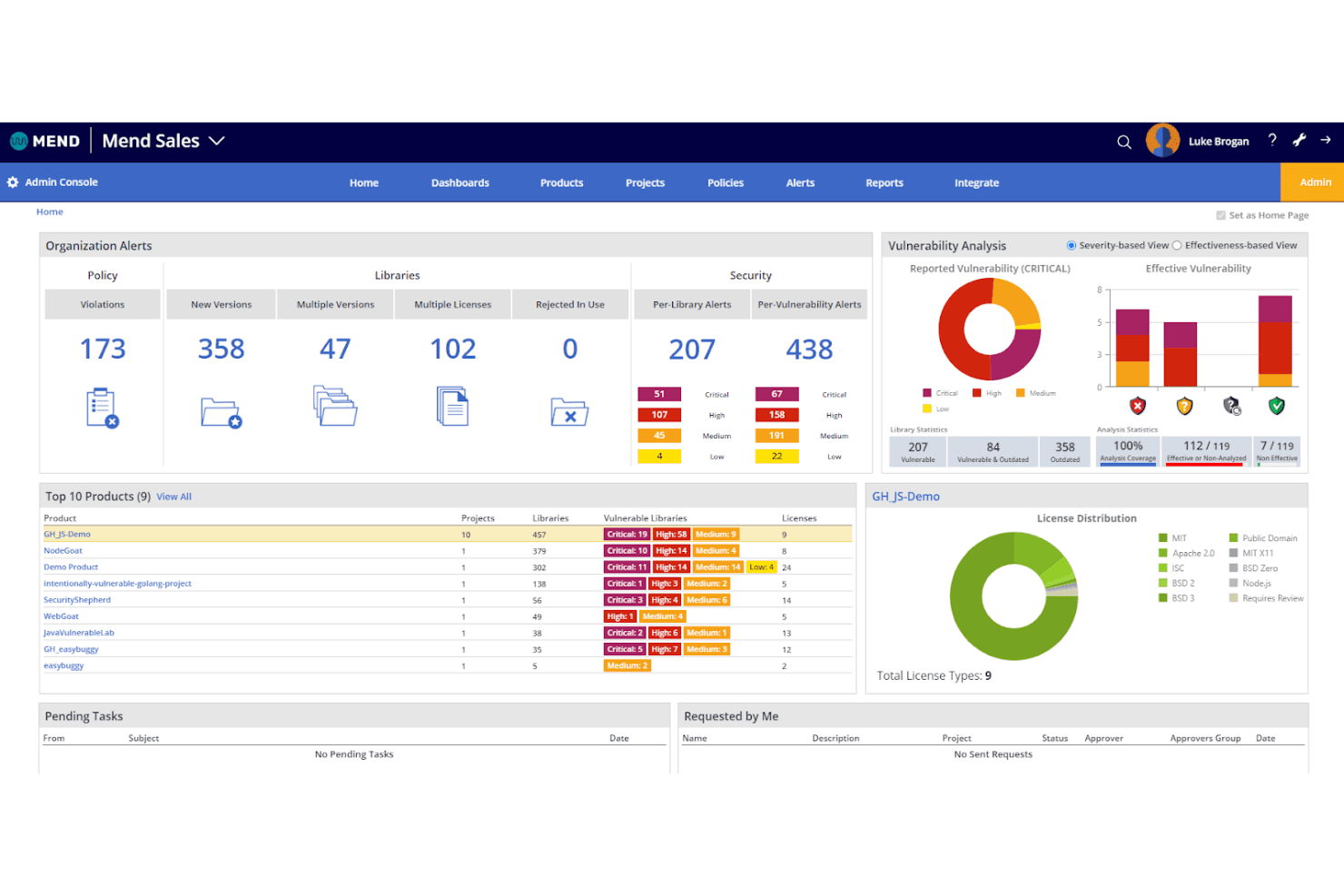
Mend.io helps IT teams manage vulnerabilities and compliance with its open-source capabilities. Mend AppSec is an application security platform that combines SAST, SCA, and container scanning with reachability-based prioritization and automated dependency updates across GitHub, GitLab, Azure DevOps, Bitbucket, and CI/CD pipelines.
Who Is Mend.io Best For?
Mend AppSec is a strong fit for security engineers and DevSecOps teams who need to catch and fix vulnerabilities directly inside developer workflows—before code ships.
Why I Picked Mend.io
I've included Mend.io in my top picks because open-source dependencies are one of the messiest, highest-volume sources of vulnerabilities teams deal with, and Mend SCA is built specifically to cut through that noise. Its reachability analysis filters findings down to vulnerabilities that are actually callable in your code, so your team isn't triaging alerts for libraries that never execute. I also like that Mend Renovate closes the loop automatically, pushing dependency update PRs so that fixing a known CVE doesn't sit on a backlog waiting for a developer to act.
Mend.io Key Features
- SAST with secrets detection: Scans source code for vulnerabilities and hardcoded credentials, API keys, and tokens across more than 30 programming languages.
- SBOM generation: Produces software bills of materials in SPDX and CycloneDX formats, with optional VEX data, at organization, application, or project scope.
- Policy-based build gating: Applies rules based on vulnerability severity, license type, and library age across global, organization, product, and project scopes, with exit codes that can fail a build.
- Container image scanning: Scans images from private registries including AWS ECR, Azure Container Registry, Docker Hub, and JFrog Artifactory for open-source vulnerabilities and license risks.
Mend.io Integrations
Mend AppSec integrates with GitHub, GitLab, Azure DevOps, Bitbucket, Jenkins, CircleCI, and TeamCity for repository and CI/CD workflows. Mend API 3.0 supports custom workflow automation.
Pros and Cons
Pros:
- Scans code, containers, and IaC before deployment
- Dependency scans surface license risks
- Reachability prioritizes callable dependency risks
Cons:
- No runtime threat detection for deployed workloads
- Some findings still need manual triage
Learn more about Mend.io: Best for static application security testing
- Free trial available
- Pricing upon request
Visit WebsiteCustomer Rating:4.4/5
SonarQube gives you visibility into project-wide code quality, security, and reliability metrics in a unified dashboard. SonarQube is ideal if you're committed to maintaining high code quality and security standards. Whether you're a developer or platform engineer, SonarQube offers a comprehensive solution to common challenges, such as identifying vulnerabilities and ensuring compliance. Its advanced features help streamline the development process, making it an appealing when you want to enhance your security posture without compromising on efficiency.
Why I Picked SonarQube
I picked SonarQube for its robust Static Application Security Testing (SAST) capabilities, which are crucial for identifying and mitigating vulnerabilities early in the development process. The tool's taint analysis feature is particularly valuable as it tracks untrusted data flow, helping your team identify potential injection vulnerabilities like SQL injection and cross-site scripting. Additionally, SonarQube's secrets detection feature ensures that sensitive information such as API keys and passwords is not inadvertently leaked, addressing a critical need in the DevOps security landscape.
SonarQube Key Features
In addition to its standout security analysis, I also like that SonarQube offers:
- Software Composition Analysis (SCA): Analyzes third-party libraries for vulnerabilities and compliance issues, providing a complete Software Bill of Materials (SBOM).
- Infrastructure as Code (IaC) Scanning: Detects misconfigurations in tools like Terraform and Kubernetes, offering actionable remediation guidance.
- Customizable Quality Gates: Allows you to set and enforce minimum quality thresholds, ensuring consistent code quality across your projects.
- Real-time Feedback: Provides immediate insights and guidance within IDEs and CI/CD pipelines, helping maintain workflow efficiency and security.
SonarQube Integrations
Integrations include GitHub, GitLab, Bitbucket, Azure DevOps, Jenkins, Bamboo, CircleCI, Travis CI, TeamCity, and Maven.
Pros and Cons
Pros:
- Supports over 35 programming languages for broad applicability.
- Integrates seamlessly with CI/CD pipelines, enhancing workflow.
- Provides real-time feedback to catch bugs early in development.
Cons:
- Can generate false positives, requiring manual verification.
- Scan times may be long on very large codebases.
Learn more about SonarQube:

ZeroPath provides a unified security dashboard that highlights scan activity, vulnerability types, issue severity, and top critical findings at a glance. ZeroPath is an AI-native code and application security platform that fits right into your DevOps workflow, particularly if you’re managing code repositories, CI/CD pipelines, and want security to keep pace with your releases. With a focus on developer-first workflows and meaningful vulnerability detection, it’s designed for DevOps engineers, application security teams, and engineering managers in fast-moving software teams who need to avoid late-stage surprises and build security earlier in the process.
Why I Picked Zeropath
I picked Zeropath for its unique ability to merge AI-driven insights with DevOps processes, which is crucial for maintaining security without slowing down development. Its deep vulnerability detection feature allows you to catch security issues before they become critical, while the contextual triage ensures you focus on the most relevant threats. Additionally, Zeropath's real-time security metrics offer continuous monitoring, giving your team the confidence to deploy code securely and swiftly.
Zeropath Key Features
In addition to its core offerings, I also found several features that enhance your team's security posture:
- Software Composition Analysis (SCA): This feature identifies and manages vulnerabilities in third-party dependencies within your code.
- Infrastructure as Code (IaC) Detection: It helps you detect and address security issues in your infrastructure configurations.
- Automated Compliance Reporting: Provides automated reports to ensure your applications meet industry compliance standards.
- Custom Code Policies: You can define rules in natural language that ZeroPath will enforce across repositories, helping your team maintain consistent standards.
Zeropath Integrations
Integrations include GitHub, GitLab, Bitbucket, Azure DevOps, and API documentation is available for custom integrations.
Pros and Cons
Pros:
- Supports mixed environments (SAST, SCA, IaC, secrets) in one platform, which simplifies tool sprawl.
- Clear dashboard and metrics for monitoring security posture across repositories.
- Generates AI-driven code patches to accelerate remediation.
Cons:
- As with any AI-powered tool, trusting the automation (patch generation, triage) requires verification.
- May be over-featured for small teams that only need basic vulnerability scanning.
Learn more about Zeropath:

Intruder automates scanning and provides insights with continuous security updates. Intruder is a cybersecurity tool designed for automated vulnerability scanning that serves IT and security teams. It helps identify weaknesses in your systems and provides actionable insights for remediation.
Why I picked Intruder: The tool specializes in automated scanning, making it ideal for teams seeking continuous security monitoring. Intruder provides proactive alerts and detailed vulnerability reports, which help your team prioritize and address security issues. The platform's regular security updates protect your systems against the latest threats. It also checks for compliance with multiple industry standards.
Standout features & integrations:
Features include continuous monitoring capabilities that keep your systems under constant watch. Intruder also offers detailed risk assessment reports that help you understand potential threats. The tool's compliance checks ensure you meet industry regulations and standards.
Integrations include AWS, Google Cloud Platform, Microsoft Azure, Slack, Jira, ServiceNow, Splunk, PagerDuty, Datadog, and Microsoft Teams.
Pros and Cons
Pros:
- User-friendly interface for streamlined operations
- Easy integration with cloud platforms like AWS, Azure, and GCP
- Continuous vulnerability scanning and monitoring
Cons:
- Can generate redundant notifications in dynamic environments
- Limited customization options for advanced users
Learn more about Intruder: 5Best for developer-friendly security
Snyk
- Free plan + free demo available
- From $25/contributing developer/month
Visit WebsiteCustomer Rating:4.6/5
Snyk integrates security with real-time issue detection in open-source environments. Snyk is a security platform focused on helping developers find and fix vulnerabilities in open-source libraries and containers. It serves development teams who want to integrate security practices directly into their workflows without disrupting productivity.
Why I picked Snyk: It offers a developer-friendly approach to security, integrating seamlessly into existing workflows. Snyk provides real-time vulnerability detection, allowing your team to address issues as they code. Its comprehensive vulnerabilities database ensures you're always protected against the latest threats. The tool's automatic fix pull requests make it easy to remediate issues quickly and effectively.
Standout features & integrations:
Features include a detailed vulnerability database that informs you about potential threats. Snyk also offers actionable security insights, helping you prioritize and address vulnerabilities efficiently. The platform's policy management tools let you enforce security standards across your projects.
Integrations include GitHub, GitLab, Bitbucket, Jenkins, Azure DevOps, Jira, Slack, AWS, Docker, and Kubernetes.
Pros and Cons
Pros:
- Comprehensive coverage for code, open-source dependencies, containers, and infrastructure as code
- Seamless integration with popular development tools and workflows
- Real-time vulnerability detection and remediation
Cons:
- Limited support for less common programming languages
- Potential for false positives in vulnerability detection
Learn more about Snyk:

Trivy provides versatile vulnerability scanning tools for teams of various sizes. Trivy is a security tool designed for scanning vulnerabilities in containers, filesystems, and Git repositories. It primarily serves DevOps teams looking to identify and manage security risks efficiently.
Why I picked Trivy: Trivy excels in vulnerability scanning, providing thorough assessments of container images. It offers quick setup and scans, making it accessible for teams of all sizes. The tool's ability to detect various vulnerabilities ensures your projects remain secure. Additionally, it supports multiple operating systems and platforms.
Standout features & integrations:
Features include extensive vulnerability databases, which help you stay informed about the latest threats. Trivy also offers customizable scanning options, allowing you to focus on specific areas of concern. Its user-friendly interface simplifies the scanning process, making it easy for your team to adopt.
Integrations include Docker, Kubernetes, GitHub Actions, GitLab CI, CircleCI, Jenkins, Travis CI, AWS, Azure, and Google Cloud Platform.
Pros and Cons
Pros:
- Supports multiple platforms
- Quick setup and scanning
- Extensive vulnerability databases
Cons:
- Requires regular updates
- Limited offline capabilities
Learn more about Trivy:

Aqua secures cloud-native apps with runtime protection for cloud-native tech. Aqua is a security platform that protects cloud-native applications, serving DevOps teams and security professionals. It provides comprehensive security for containers, serverless functions, and other cloud-native technologies.
Why I picked Aqua: The tool offers cloud-native security, offering features tailored to containerized environments. Aqua provides runtime protection and vulnerability management, ensuring your applications are secure throughout their lifecycle. It includes image scanning to identify vulnerabilities early in the development process. The platform's policy-driven security controls help your team maintain compliance with industry standards.
Standout features & integrations:
Features include real-time threat detection, which helps safeguard your applications during runtime. Aqua also offers detailed audit trails, providing security events and incident visibility. Its automated compliance checks ensure your team meets regulatory requirements without manual intervention.
Integrations include Docker, Kubernetes, AWS, Azure, Google Cloud Platform, Red Hat OpenShift, Jenkins, GitHub, GitLab, and Bitbucket.
Pros and Cons
Pros:
- Integration with popular CI/CD pipelines
- Advanced vulnerability management across the software lifecycle
- Comprehensive cloud-native application protection
Cons:
- May require customization for complex environments
- Potential performance impact during deep scans
Learn more about Aqua:

FOSSA automates open-source compliance and risk management. FOSSA is a compliance management tool designed for development teams using open-source software. It helps users automate license compliance and security testing across their software projects.
Why I picked FOSSA: It provides open-source compliance and offers automated license detection and risk assessment. Your team can manage open-source dependencies effectively with its comprehensive reporting and alerts. FOSSA's continuous monitoring ensures you remain compliant with evolving legal requirements. It also provides detailed audit trails, which are valuable for compliance audits.
Standout features & integrations:
Features include real-time dependency analysis, helping you track changes in your open-source libraries. It also offers customizable policy management, which lets you set specific rules and alerts. The tool provides comprehensive dashboards that visualize compliance and security status.
Integrations include GitHub, GitLab, Bitbucket, Jira, Slack, Azure DevOps, Docker, Jenkins, npm, and Maven.
Pros and Cons
Pros:
- Integration with major CI/CD tools
- Automated dependency tracking and analysis
- Comprehensive open-source license compliance management
Cons:
- Limited support for custom license policies
- Dependency data accuracy can vary
Learn more about FOSSA: Best for real-time threat detection
- Free demo available
- Pricing upon request

Contrast Security offers real-time detection and IAST scans for applications. Contrast Security is an application security platform designed for developers and security teams. It provides real-time threat detection and application protection, enhancing security without slowing development processes.
Why I picked Contrast Security: It focuses on real-time threat detection, allowing your team to identify and mitigate risks as they occur. The tool's interactive application security testing (IAST) feature continuously scans applications for vulnerabilities during runtime. This ensures you're immediately aware of security issues. Its self-protecting capabilities automatically block attacks, adding an extra layer of security.
Standout features & integrations:
Features include continuous application monitoring, which helps maintain security throughout the development lifecycle. Contrast Security also provides detailed vulnerability insights, enabling you to address potential issues quickly. The platform’s automated policy enforcement offers security standards across your applications.
Integrations include Jenkins, Jira, Slack, GitHub, GitLab, Bitbucket, Splunk, AWS, Azure, and Google Cloud Platform.
Pros and Cons
Pros:
- Automated security assessments
- Seamless integration into CI/CD pipelines
- Real-time vulnerability detection
Cons:
- Possible performance overhead
- Potential integration challenges with existing tools
Learn more about Contrast Security:

Anchore offers IT teams container security with detailed policies and vulnerability scanning. Anchore is a DevSecOps tool focused on container security, catering primarily to development and security teams. It helps manage vulnerabilities and ensure compliance within containerized applications.
Why I picked Anchore: Its strong focus on container security makes it invaluable for teams using Docker and Kubernetes. Anchore offers detailed security policies and vulnerability scanning tailored to container environments. The tool's ability to enforce compliance policies ensures your containers are secure and align with industry standards. It also provides real-time alerts for any security issues detected.
Standout features & integrations:
Features include detailed image inspection capabilities, which help identify vulnerabilities at various layers. Anchore's compliance checks ensure your containers meet regulatory standards. The tool also offers customizable security policies, allowing you to define specific rules for your container environments.
Integrations include Jenkins, Kubernetes, Docker, GitHub, GitLab, Bitbucket, AWS, Azure, Google Cloud Platform, and Red Hat OpenShift.
Pros and Cons
Pros:
- Integration with CI/CD pipelines and orchestration tools
- Supports SBOM (Software Bill of Materials) generation
- Comprehensive container image scanning
Cons:
- Limited functionality in air-gapped environments
- False positives can require manual review
Learn more about Anchore:
Andre DevOps-sikkerhetsverktøy
Her er noen flere alternativer for DevOps-sikkerhetsverktøy som ikke kom med på kortlisten min, men som likevel er verdt å undersøke.
- 11StackHawkBest for CI/CD integration
- 12Security OnionBest for network monitoring
- 13Qwiet AIBest for AI-driven insights
- 14GitLabBest for integrated development security
- 15CheckmarxBest for code analysis
- 16VeracodeBest for application risk management
- 17Azure DevOpsBest for streamlined CI/CD workflows
- 18JFrog XrayBest for artifact scanning
- 19GitHub Advanced SecurityBest for repository security
How I Evaluate DevOps Security Tools
I evaluate every tool against two layers: baseline requirements like pipeline-native scanning and IaC security, and differentiating factors that separate genuinely useful platforms from the rest.
Core Functionality (Table Stakes For This List)
When I'm selecting tools for my list, I rank each one on a scale from 0 (does not offer the functionality) to 5 (excels in this area) for each core functionality listed below. Then, I calculate the tool's total score into a percentage. Each tool needs to achieve a minimum total score of 65% to be considered for inclusion.
- Pipeline Security Integration: I check whether the tool plugs directly into CI/CD platforms like Jenkins, GitLab CI, or GitHub Actions with native plugins rather than requiring manual script wrappers.
- Vulnerability & Dependency Scanning: Each tool is evaluated for SAST, SCA, and DAST coverage across common languages and package ecosystems, along with how it prioritizes findings by exploitability.
- Container & IaC Security: I look for image scanning across registries plus support for Terraform, CloudFormation, and Kubernetes manifests, since most teams run a mix of IaC formats.
- Secrets Detection & Management: Beyond basic regex matching, I evaluate whether the tool scans git history for leaked credentials and validates detected secrets against live services.
- Policy-as-Code Enforcement: Tools should let you define and version custom security policies, such as blocking deployments with critical CVEs, and enforce them automatically in pipelines.
- Remediation & Developer Workflow: I look at how findings surface where developers already work, whether that's IDE extensions, PR annotations, or auto-generated fix pull requests.
Once I have a list of tools that meet this criteria, I consider what sets each platform apart.
Differentiating Factors (What Sets Vendors Apart)
Here's how I compare and contrast different vendors:
Standout Features
A unified ASPM dashboard matters when your team runs multiple scanners. I evaluate how well a tool consolidates SAST, SCA, and container findings into one risk-ranked view. AI-powered remediation is another differentiator, especially tools that generate fix PRs developers can merge directly. I also consider SBOM generation capabilities, since supply chain audits increasingly require machine-readable inventories in CycloneDX or SPDX formats.
Beyond Features
Compliance coverage is a major differentiator. I check whether a tool ships with pre-built policy packs for frameworks like SOC 2, PCI-DSS, or ISO 27001, since building those from scratch wastes weeks. Deployment flexibility also matters—teams in regulated industries often need self-hosted or air-gapped options alongside SaaS. Finally, I evaluate licensing transparency, looking at whether pricing scales by developer count, repos, or scanned assets, and whether a free tier exists for smaller teams to trial the tool meaningfully.
Slik velger du DevOps-sikkerhetsverktøy
Det er lett å gå seg vill i lange funksjonslister og kompliserte prismodeller. For å hjelpe deg med å holde fokus mens du arbeider deg gjennom den unike programvareutvelgelsesprosessen din, har jeg laget en sjekkliste over faktorer du bør huske på.
| Faktor | Hva du bør vurdere |
| Skalerbarhet | Kontroller at verktøyet kan vokse med teamet ditt. Det bør støtte økende arbeidsmengder uten at det går ut over ytelsen. |
| Integrasjoner | Kontroller om verktøyet integreres sømløst med de eksisterende systemene dine, for eksempel CI/CD-pipelines, versjonskontroll og skytjenester. |
| Tilpasningsmuligheter | Se etter verktøy som lar deg tilpasse funksjonene til teamets spesifikke behov og arbeidsflyter. |
| Brukervennlighet | Vurder hvor intuitivt verktøyet er. Teamet ditt bør ikke møte en bratt læringskurve eller trenge omfattende opplæring for å komme i gang. |
| Budsjett | Sammenlign kostnadene med den økonomiske planen din. Ta hensyn til både innledende priser og løpende utgifter, og vurder om verktøyet gir god verdi for investeringen. |
| Sikkerhetstiltak | Vurder sikkerhetstiltakene, for eksempel kryptering, samsvar med standarder og regelmessige oppdateringer for å beskytte mot sårbarheter. |
| Støtte | Vurder nivået på kundestøtten som er tilgjengelig. Pålitelig støtte kan være avgjørende når problemer eller spørsmål oppstår. |
| Ytelse | Test verktøyets ytelse under ulike forhold for å sikre at det oppfyller teamets krav til hastighet og effektivitet. |
Trender innen DevOps-sikkerhetsverktøy
I undersøkelsen min hentet jeg inn utallige produktoppdateringer, pressemeldinger og utgivelseslogger fra ulike leverandører av DevSecOps-verktøy. Her er noen av trendene som er i ferd med å vokse frem, og som jeg følger med på.
- Sikkerhet tidlig i utviklingsprosessen: Flere leverandører integrerer sikkerhet tidligere i utviklingssyklusen. Denne trenden bidrar til å oppdage sårbarheter tidligere og reduserer kostnadene ved utbedring. Noen verktøy benytter denne tilnærmingen ved å bygge sikkerhetskontroller direkte inn i kodeprosessen.
- Skybasert sikkerhet: Etter hvert som virksomheter flytter til skyen, øker etterspørselen etter verktøy som beskytter skybaserte applikasjoner. Noen selskaper tilbyr funksjoner som er tilpasset containerbaserte og serverløse miljøer, slik at sikkerheten ivaretas på tvers av oppsett med flere skyer.
- Trusselintelligens i sanntid: Leverandører forbedrer plattformene sine med trusseldata i sanntid for å kunne reagere raskt på nye sårbarheter. Noen selskaper tilbyr funksjoner som gir umiddelbar innsikt i pågående trusler, slik at virksomheter kan reagere raskere.
- Policy som kode: Denne tilnærmingen gjør det mulig å definere og administrere sikkerhetspolicyer som kode, slik at de enkelt kan versjonshåndteres og revideres. Den får stadig større utbredelse blant DevOps-team på grunn av konsistensen og den enkle integrasjonen med CI/CD-pipelines.
- Nulltillitsarkitektur: Leverandører tar i økende grad i bruk nulltillitsprinsipper, slik at ingen brukere eller systemer er klarert som standard. Denne trenden er avgjørende for å opprettholde sikkerheten i dagens komplekse, distribuerte miljøer, og noen løsninger inkluderer nulltillitsfunksjoner for å styrke det overordnede sikkerhetsnivået.
Hva er DevOps-sikkerhetsverktøy?
DevOps-sikkerhetsverktøy legger inn sikkerhetskontroller i arbeidsflyter for utvikling og distribusjon for å oppdage risikoer før koden settes i produksjon. Utviklere, driftsteam og sikkerhetspersonell bruker disse verktøyene til å redusere eksponeringen samtidig som utgivelsene kan fortsette.
Funksjoner for sårbarhetsskanning, konfigurasjonskontroller og håndheving av policyer bidrar til å finne problemer tidlig, unngå feilkonfigurasjoner og holde systemene sikrere. Alt i alt hjelper disse verktøyene team med å levere programvare med færre sikkerhetsproblemer og mindre manuelt arbeid.
Funksjoner i DevOps-sikkerhetsverktøy
Når du velger DevOps-sikkerhetsverktøy, bør du se etter følgende nøkkelfunksjoner.
- Sårbarhetsskanning: Oppdager sikkerhetssvakheter i kode og applikasjoner, slik at team kan håndtere problemer tidlig i utviklingen.
- Trusselintelligens i sanntid: Gir umiddelbar innsikt i potensielle trusler, slik at rask respons og risikoreduksjon blir mulig.
- Policy som kode: Gjør det mulig å administrere sikkerhetspolicyer som kode, noe som sikrer konsistens og enkel integrasjon med utviklingsarbeidsflyter.
- Skysikkerhet: Tilbyr spesialisert beskyttelse for containerbaserte og serverløse miljøer, noe som er avgjørende for moderne skybaserte applikasjoner.
- Interaktiv sikkerhetstesting av applikasjoner (IAST): Skanner kontinuerlig applikasjoner under kjøring for å identifisere sårbarheter etter hvert som de oppstår.
- Automatiserte varsler: Varsler team om sikkerhetsproblemer når de oppstår, slik at tiltak kan iverksettes i tide.
- Samsvarskontroller: Sikrer at applikasjoner oppfyller bransjestandarder og forskrifter, og reduserer risiko knyttet til manglende samsvar.
- Nulltillitsarkitektur: Implementerer sikkerhetstiltak som ikke automatisk stoler på brukere eller systemer, og styrker den generelle sikkerheten.
- Detaljert analyse: Gir omfattende rapporter og innsikt i sikkerhetsytelsen, slik at team kan forstå og forbedre sikkerheten.
- Prioritering av sårbarheter: Rangerer identifiserte sårbarheter basert på alvorlighetsgrad, slik at utbedringsarbeidet kan fokuseres effektivt.
- Oppdagelse av feilkonfigurering: Identifiserer konfigurasjonsfeil i infrastruktur eller applikasjoner og reduserer angrepsflaten.
- Statisk kodeanalyse: Skanner kildekoden for sikkerhetsproblemer og feil tidlig i SDLC.
- Retningslinjer for sikker koding: Integrerer anbefalinger i IDE-er for å fremme utvikling av sikker kode.
- Ende-til-ende-integrasjon av sikkerhet: Bygger inn sikkerhetskontroller gjennom hele SDLC, fra utforming til distribusjon.
- Trusselmodellering: Analyserer potensielle trusler i planleggingsfasen for å håndtere risiko proaktivt.
- Nettapplikasjonsbrannmurer (WAFs): Beskytter mot vanlige trusler som SQL-injeksjon og XSS-angrep.
- Integrasjon med OWASP ZAP: Tilbyr en robust sikkerhetsløsning for automatisert skanning etter sårbarheter i nettapplikasjoner.
- Avhengighetsskanning: Identifiserer og reduserer sårbarheter i tredjepartsbiblioteker og avhengigheter.
- Overvåking av kodebasen: Vurderer kontinuerlig kodebasen for uautoriserte endringer eller sårbarheter.
- Sikkerhet i leveringsrør: Sikrer CI/CD-leveringsrør ved å integrere automatiserte verktøy.
- Sikkert utviklingsmiljø: Tilbyr forhåndskonfigurerte IDE-er og verktøy med innebygde anbefalte sikkerhetsrutiner.
- Beskyttelse under kjøring: Sikrer produksjonsmiljøer mot aktive angrep gjennom atferdsovervåking.
- Validering av klargjøring: Automatiserer sikkerhetskontroller under klargjøring for å forhindre usikre distribusjoner.
- Verktøy for sikker skripting: Håndhever anbefalte sikkerhetsrutiner i egendefinerte skript som brukes til automatisering.
- Sikkerhetsutvidelser: Utvider DevOps-verktøy med modulære sikkerhetsfunksjoner for å dekke spesifikke behov.
- Beskyttelse av skyarbeidsbelastninger: Overvåker og sikrer arbeidsbelastninger i skymiljøer mot trusler.
- Tilgangskontrollpolicyer: Administrerer tillatelser for skytjenester og sikrer tilgang med minste privilegium.
- Integrasjon av DevSecOps-leveringsrør: Integrerer verktøy for sikkerhetstesting sømløst i DevOps-arbeidsflyten.
- Trusselmodellering av leveringsrør: Evaluerer kontinuerlig leveringsrøret for potensielle risikoer og sårbarheter.
- Avanserte verktøy for statisk analyse: Oppdager mer dyptgående sårbarheter i kildekoden, inkludert risikoer i leverandørkjeden.
- Automatisert penetrasjonstesting: Simulerer angrep på applikasjoner for å avdekke sårbarheter som kan utnyttes.
- Overvåking av leverandørkjeden: Sporer programvarekomponenter for å identifisere sårbarheter i oppstrøms- og nedstrømsavhengigheter.
- Forskyvning av sikkerhet mot venstre: Bygger inn sikkerhet tidligere i livssyklusen for å identifisere og redusere risikoer tidligere.
- Detaljert automatisering av samsvar: Verifiserer at sikkerhetsstandarder følges på tvers av verktøy og prosesser.
Fordeler med DevOps-sikkerhetsverktøy
Implementering av DevOps-sikkerhetsverktøy gir flere fordeler for teamet og virksomheten din. Her er noen av fordelene du kan se frem til.
- Tidlig oppdagelse av sårbarheter: Bidrar til å identifisere sikkerhetsproblemer på kodestadiet, noe som reduserer kostnadene og kompleksiteten ved å utbedre dem senere.
- Forbedret samsvar: Sikrer at applikasjoner oppfyller bransjestandarder gjennom automatiserte kontroller, noe som minimerer regulatoriske risikoer.
- Bedre samarbeid: Integrering av sikkerhet i utviklingslivssyklusen oppmuntrer til felles innsats mellom utviklings- og sikkerhetsteam.
- Raskere respons på trusler: Trusselintelligens i sanntid muliggjør rask handling og minimerer potensiell skade fra sårbarheter.
- Ensartede sikkerhetspolicyer: Policy som kode sikrer at sikkerhetsprotokoller brukes konsekvent på tvers av alle prosjekter, noe som forbedrer den generelle sikkerheten.
- Redusert manuelt arbeid: Automatisering av sikkerhetsoppgaver frigjør teammedlemmer, slik at de kan fokusere på andre kritiske områder innen utvikling.
- Bedre oversikt: Detaljert analyse gir innsikt i sikkerhetsytelsen og hjelper team med å forstå og forbedre sikkerhetsnivået sitt.
Kostnader og priser for DevOps-sikkerhetsverktøy
Ved valg av DevOps-sikkerhetsverktøy er det nødvendig å forstå de ulike prismodellene og tilgjengelige abonnementene. Kostnadene varierer basert på funksjoner, teamstørrelse, tillegg og mer. Tabellen nedenfor oppsummerer standardabonnementer, gjennomsnittspriser og typiske funksjoner for DevOps-sikkerhetsverktøy.
Sammenligningstabell for DevOps-sikkerhetsverktøy
| Abonnementstype | Gjennomsnittspris | Vanlige funksjoner |
| Gratisabonnement | $0 | Grunnleggende sårbarhetsskanning, begrenset støtte og overvåking av åpen kildekode. |
| Personlig abonnement | $5-$25/ bruker/måned | Forbedret skanning, grunnleggende analyse og støtte fra fellesskapet. |
| Forretningsabonnement | $25-$50/ bruker/måned | Sanntidsvarsler, samsvarskontroller, detaljert rapportering og støtte via e-post. |
| Virksomhetsabonnement | $50+/bruker/ måned | Avansert trusselintelligens, tilpassede policyer, dedikert støtte og SLA-er. |
En oversikt over abonnementstyper, kostnader og funksjoner for gratis programvare for innkjøpsordrer.