

Recensione di Workwize: vantaggi, svantaggi, funzionalità e prezzi
I put Workwize through its paces as an IT asset management platform, weighing its global device lifecycle tools, usability, and pricing against the trade-offs buyers should know.

Recensiamo gli strumenti in modo indipendente e le commissioni ci aiutano a finanziare i nostri test. Consulta la nostra politica sulla trasparenza, la nostra metodologia, oppure suggerisci uno strumento.
Workwize is an IT asset management software that handles the full device lifecycle for distributed teams, including procurement, deployment, retrieval, storage, and disposal across more than 100 countries. I'd consider it if you're an IT or ops leader supporting remote employees in multiple regions and you're tired of juggling local vendors, customs paperwork, and spreadsheets to track who has what hardware. Compared to a tool like Hofy, Workwize gives you more flexibility to bring your own inventory into its global warehouse network rather than locking you into buying devices through the platform, which is a better fit if you already have existing hardware you want to manage centrally.
Workwize Evaluation Summary
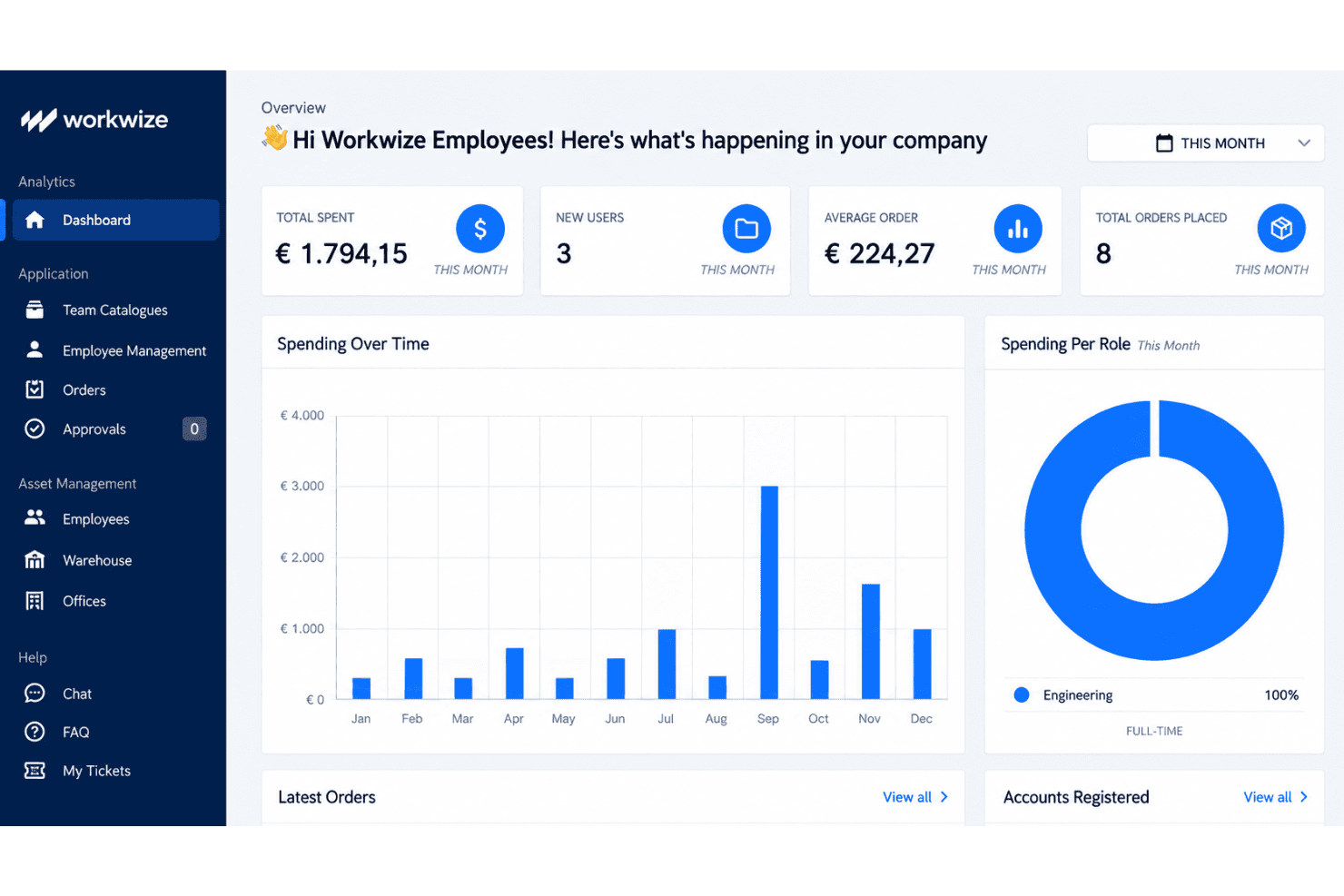
4.2/5
- From $8/month/seat (+$540 platform fee)
- Free demo available
Perché fidarsi dei nostri consigli sui software
6,700+
Reviews
20
Industry experts
16+
Evaluation factors
14
Years
Il nostro team testa e recensisce software dal 2012. In quanto leader tecnologici noi stessi, sappiamo quanto sia difficile — e importante — scegliere il software giusto.
Per questa guida, abbiamo valutato gli strumenti attraverso test praticie ricerche indipendenti, assegnando un punteggio agli strumenti in base ai nostri criteri di selezione.
Le nostre recensioni riflettono il nostro giudizio editoriale umano, non un discorso di vendita.
Revisori esperti:
- Paulo Gardini MiguelDirettore tecnico
 Tim FisherVP dell'IA
 Gabriel RosasTech Lead e architetto software
 Christhian GruhnTech Lead e architetto della piattaforma

Workwize Overview
Workwize is a strong choice for distributed teams managing hardware across several regions. Its device lifecycle coverage includes procurement, deployment, retrieval, storage, and disposal, while its warehouse network supports existing inventory instead of requiring platform-based purchases. I’d choose it over procurement-led alternatives when flexibility matters more than a tightly bundled buying process. The user-friendly interface and onboarding appeal to IT and operations teams replacing spreadsheets, local vendors, and customs paperwork.
Pros
- Global warehouses support procurement, storage, retrieval, and disposal.
- Users praise centralized equipment records and quick setup.
- Certified wiping and automated retrieval support controlled offboarding.
Cons
- Reviewers report inaccurate portal statuses during deployments.
- Regional shipping delays complicate Middle East equipment delivery.
- Microsoft Intune device-association gaps limit some fleet workflows.
Is Workwize Right For Your Needs?
Who Would be a Good Fit for Workwize?
Workwize suits distributed organizations with at least 150 users and recurring hardware operations across regions. Its asset records, equipment portal, lifecycle workflows, integrations, and seat-based pricing support teams managing procurement, deployment, repairs, retrieval, and offboarding.
- Distributed CompaniesWorkwize centralizes equipment records, shipping, repairs, and retrieval for companies supporting employees across multiple regions.
- 150 Plus TeamsWorkwize’s plans start at 150 users, making its seat-based pricing more suitable for midsize and larger organizations.
- IT OperationsIT teams can manage procurement, deployment, restocking, maintenance, and disposal from one asset management interface.
- People OperationsPeople teams can use automatic offboarding workflows to coordinate equipment retrieval when employees leave the organization.
- Remote WorkforcesRemote-first companies can give employees a self-service portal for hardware requests, repairs, maintenance, and support.
- Integrated EnvironmentsTeams using Slack, Kandji, Jamf, Okta, Microsoft Intune, or HR systems can connect Workwize to existing workflows.
Who Would be a Bad Fit for Workwize?
Workwize is a weaker choice for small organizations, single-location teams, and businesses needing highly accurate real-time deployment data. Its 150-user minimum, quote-only pricing, reported regional shipping delays, and Microsoft Intune device-association gaps require careful evaluation.
- Small BusinessesCompanies below 150 users may not meet Workwize’s Basic plan minimum, making the platform unsuitable for smaller fleets.
- Single Office TeamsA single-office business with simple equipment handoffs may not need Workwize’s regional shipping, retrieval, and lifecycle workflows.
- Intune Dependent TeamsTeams requiring dependable Microsoft Intune device associations should test Workwize first because reviewers report gaps in this integration.
- Real Time TrackingOrganizations needing consistently accurate deployment statuses should pilot Workwize because reviewers report incorrect status information.
- Local PurchasesBusinesses buying and handing out equipment locally may gain little from Workwize’s shipping and multi-region asset operations.
- Price Sensitive BuyersTeams needing transparent comparisons may reject Workwize because pricing is quote-only and plans begin at 150 users.
La Nostra Metodologia di Recensione
Come Testiamo e Valutiamo gli Strumenti
Abbiamo trascorso anni a costruire, perfezionare e migliorare il nostro sistema di testing e valutazione del software. Il nostro schema è progettato per cogliere le sfumature della selezione software e cosa rende efficace uno strumento, focalizzandosi sugli aspetti critici del processo decisionale.
Di seguito, puoi vedere esattamente come funziona il nostro testing e punteggio su sette criteri. Ci permette di offrire una valutazione imparziale del software basata su funzionalità principali, caratteristiche distintive, facilità d’uso, onboarding, assistenza clienti, integrazioni, recensioni dei clienti e rapporto qualità-prezzo.
Funzionalità Principali (25% del punteggio finale)
Il punto di partenza della nostra valutazione è sempre la funzionalità principale dello strumento. Ha le funzioni e caratteristiche base che ci si aspetta? Alcune di queste caratteristiche sono limitate ai piani tariffari superiori? Fondamentalmente, ci aspettiamo che uno strumento regga il confronto rispetto alle capacità di base dei concorrenti.
Caratteristiche Distintive (25% del punteggio finale)
Successivamente, valutiamo le caratteristiche distintive e non comuni che vanno oltre la funzionalità base tipicamente trovata negli strumenti di questa categoria. Un punteggio alto riflette funzionalità specializzate o uniche che rendono il prodotto più veloce, efficiente o offrono ulteriore valore all’utente.
Valutiamo inoltre quanto sia semplice integrare altri strumenti tipicamente utilizzati nell’infrastruttura tecnologica per espandere la funzionalità e l’utilità del software. Gli strumenti che offrono numerose integrazioni native, connessioni di terze parti e accesso API per creare integrazioni personalizzate ottengono i punteggi migliori.
Facilità d’Uso (10% del punteggio finale)
Consideriamo quanto sia rapido e semplice svolgere i compiti definiti nella funzionalità principale utilizzando lo strumento. Il software con punteggio alto è ben progettato, intuitivo da usare, offre app mobili, fornisce modelli e rende semplici attività relativamente complesse.
Onboarding (10% del punteggio finale)
Sappiamo quanto sia importante l’adozione rapida da parte del team per una nuova piattaforma, quindi valutiamo quanto sia facile imparare e utilizzare uno strumento con formazione minima. Valutiamo quanto velocemente un membro del team possa iniziare a usare lo strumento anche senza esperienza. Soluzioni con punteggio alto indicano che sono richiesti pochi o nessun supporto.
Assistenza Clienti (10% del punteggio finale)
Esaminiamo quanto sia veloce e facile ricevere assistenza e risolvere problemi tramite telefono, live chat o knowledge base. Gli strumenti e le aziende che garantiscono supporto in tempo reale ottengono il miglior punteggio, mentre i chatbot ottengono il peggiore.
Recensioni dei Clienti (10% del punteggio finale)
Oltre ai nostri test e valutazioni, prendiamo in considerazione il net promoter score dei clienti attuali e passati. Valutiamo la probabilità che, data la scelta, selezionerebbero nuovamente lo strumento per la funzionalità principale. Un software con punteggio alto riflette un alto net promoter score da parte dei clienti attuali o passati.
Rapporto Qualità-Prezzo (10% del punteggio finale)
Infine, considerando tutti gli altri criteri, analizziamo il prezzo medio dei piani base rispetto alle funzionalità principali e consideriamo il valore degli altri criteri di valutazione. Il software che offre di più a meno otterrà un punteggio più alto.
Core Features
Centralized Asset Inventory
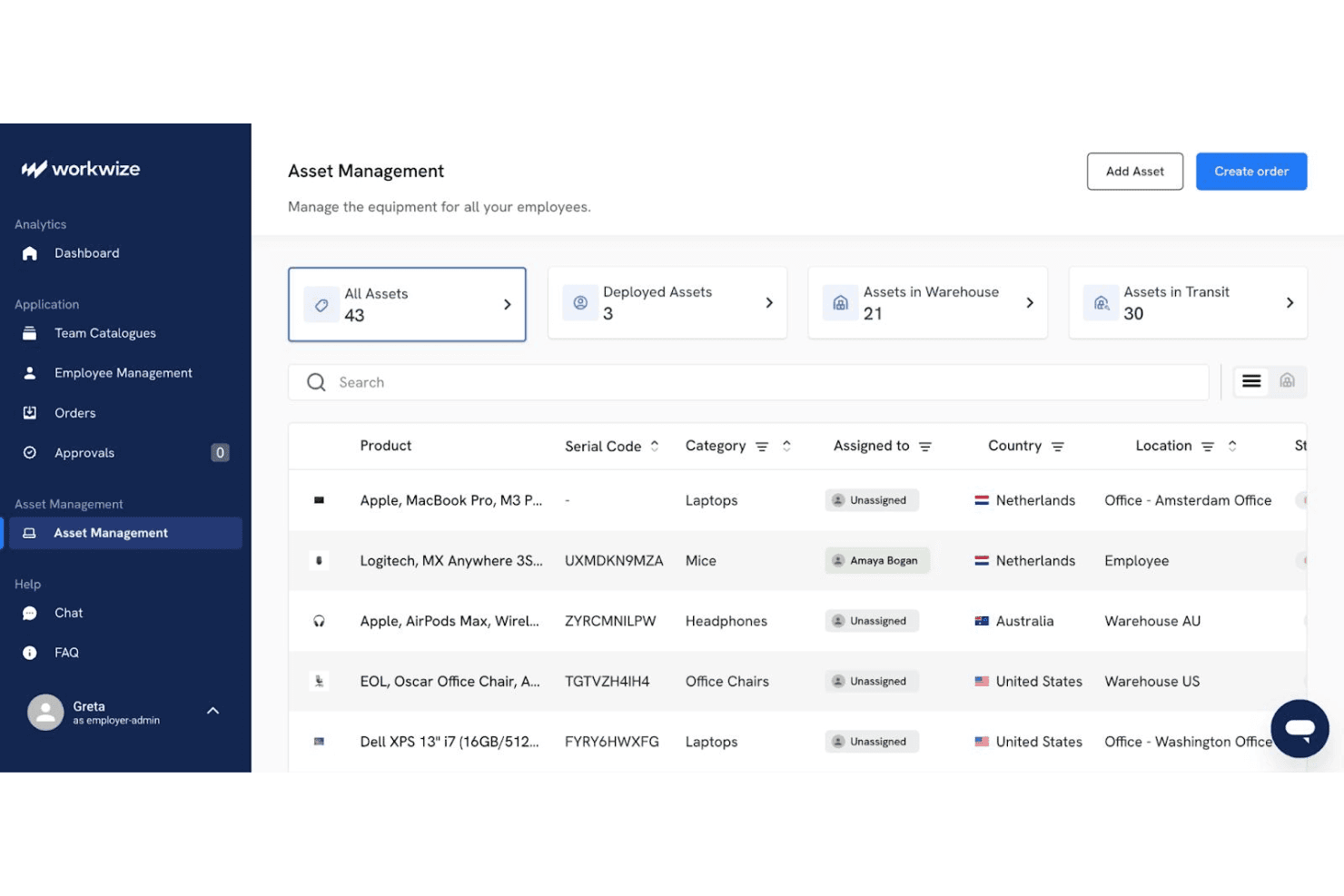
Workwize maintains a centralized record of each device, including its assignee, location, condition, and lifecycle stage. Real-time status tracking gives IT teams one place to verify ownership and identify unassigned equipment.
Global Hardware Procurement
Workwize supports international device purchasing through pre-approved catalogs, spend-based approvals, and regional warehouses. Your team can also place existing inventory into Workwize warehouses, which helps manage mixed fleets across more than 100 countries.
Zero-Touch Deployment
Workwize automates device ordering and prepares equipment with preconfigured images and enrollment workflows. Support for Apple Business Manager and Microsoft Autopilot helps employees receive configured devices without manual setup by IT.
Automated Asset Retrieval
Workwize starts retrieval workflows when employees leave or need replacement equipment. Automated shipping instructions, tracking, and warehouse returns help IT recover laptops without coordinating each handoff manually.
Repairs And Maintenance Tracking
Workwize records repairs, warranties, replacements, and maintenance events against each asset. Automated alerts help your team identify devices nearing warranty expiration or requiring service before replacement decisions become urgent.
Secure Disposal And Data Wiping
Workwize manages end-of-life workflows with certified data wiping, disposal, and recycling records. Your team receives disposal documentation while reducing the risk of retired devices retaining company data.
Ease of Use
Workwize is more approachable than many IT asset management platforms, with quick setup, centralized equipment records, and a self-service portal for hardware requests, repairs, and support. Its lifecycle workflows also keep procurement, deployment, retrieval, and disposal in one interface. However, user reviews report inaccurate deployment statuses, regional shipping delays, and Microsoft Intune device-association gaps. I’d recommend it for distributed teams prioritizing usability, but verify status accuracy during a pilot.
Integrations
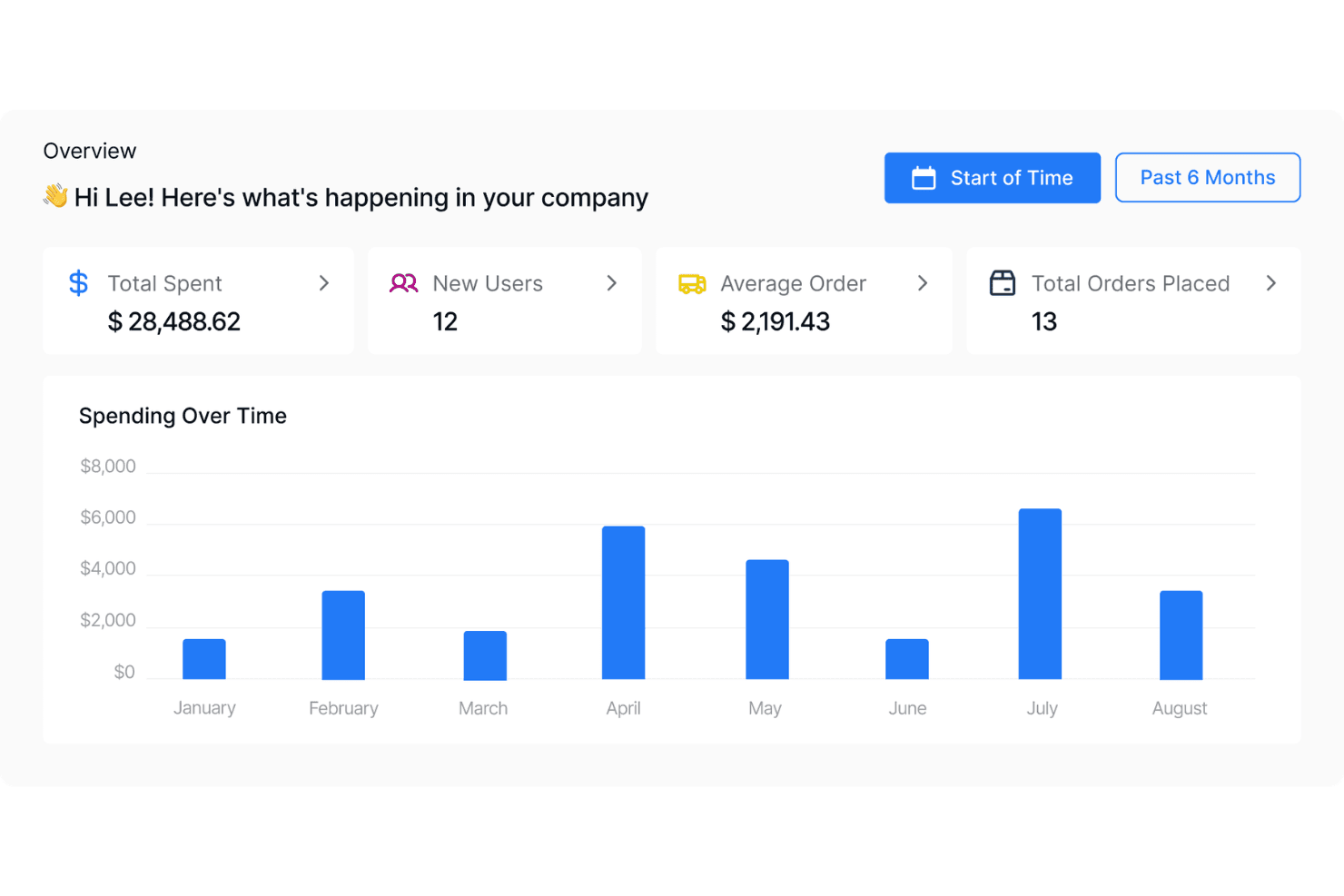
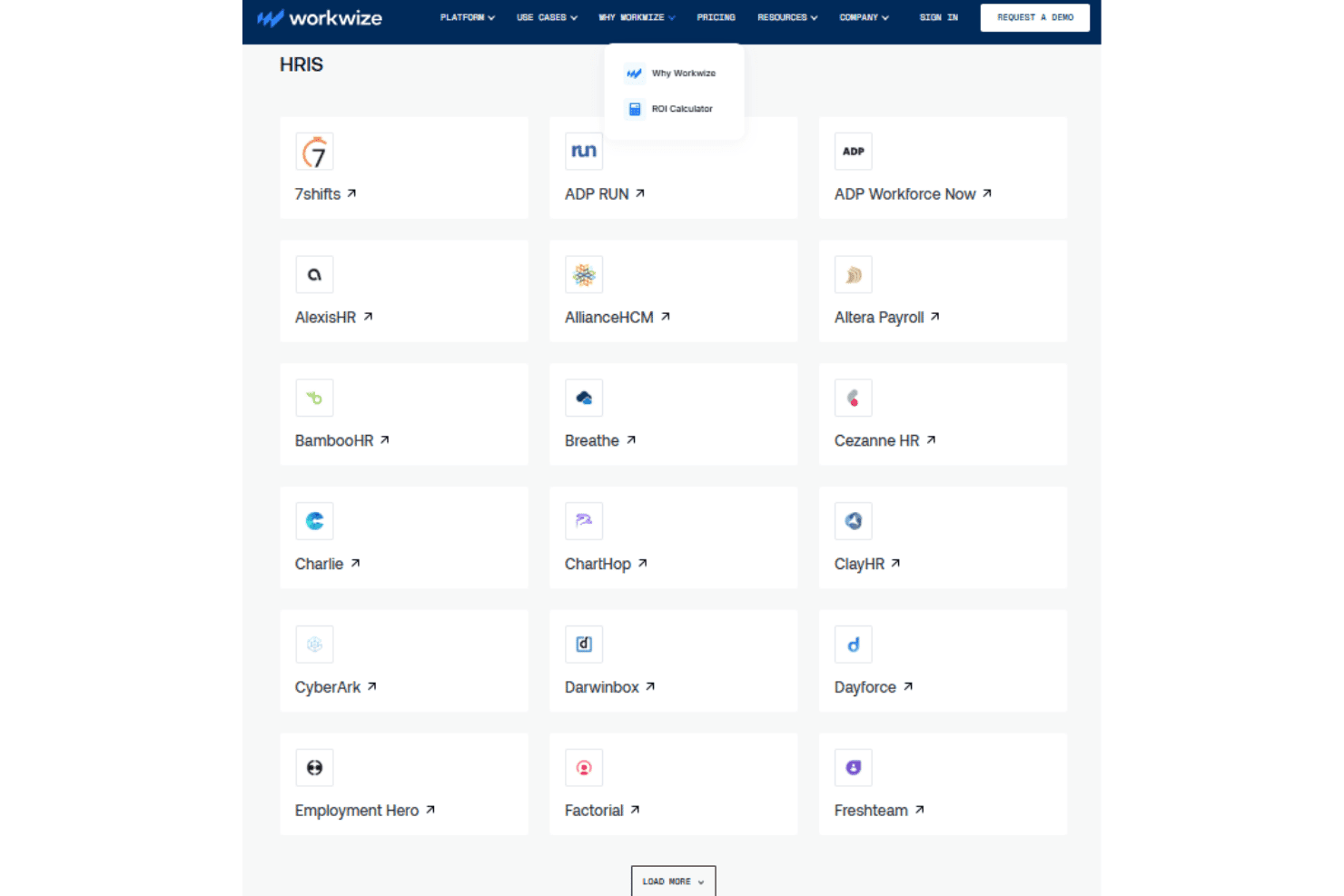
Workwize natively integrates with Slack, Kandji, Microsoft Intune, Jamf, Okta, Microsoft Entra ID, Rippling, BambooHR, Workday, and Google Workspace, among others.
Workwize also offers a public API for custom workflow connections and connects with third-party automation tools such as Zapier and Make.
Workwize Specs
- 2-Factor Authentication: Yes
- API: Yes
- Asset Tagging: Yes
- Dashboard: Yes
- Data Export: Yes
- Data Import: Yes
- Data Visualization: Yes
- Database: Yes
- Document Management: Yes
- External Integrations: Yes
- Hardware Integration: Yes
- Hardware Modernization: Yes
- Inventory Tracking: Yes
- Multi-User: Yes
- Network Device Performance Monitoring: Yes
- Network Traffic Monitoring: Yes
- Network Visualization: Yes
- Notifications: Yes
- Scheduling: Yes
- Status Notifications: Yes
- Third-Party Plugins/Add-Ons: Yes
- Workflow Management: Yes


