Recensione di PowerDMARC 2026: pro, contro, funzionalità principali e dettagli sui prezzi
PowerDMARC offers DMARC analysis, monitoring, and email authentication management, making it a strong choice for IT and security teams protecting business domains. Find out whether PowerDMARC is the right fit for your organization in my expert review.

Recensiamo gli strumenti in modo indipendente e le commissioni ci aiutano a finanziare i nostri test. Consulta la nostra politica sulla trasparenza, la nostra metodologia, oppure suggerisci uno strumento.
Email authentication can quickly become difficult to manage as organizations add more domains, third-party senders, and authentication records. Without clear visibility into what is sending on your behalf, teams can struggle to identify spoofing risks, fix authentication failures, and know when it is safe to move toward DMARC enforcement.
PowerDMARC is a DMARC software platform designed for organizations that need better visibility and control over their email authentication, combining DMARC analysis, monitoring, and reporting with tools for SPF, DKIM, BIMI, MTA-STS, TLS-RPT, and hosted record management.
In this review, I’ll assess PowerDMARC’s features, pricing, strengths, and limitations to help you decide if it’s the right fit.
PowerDMARC Evaluation Summary
4.8/5
- From $8/month (billed annually)
- Free plan available
Perché fidarsi dei nostri consigli sui software
6,700+
Reviews
20
Industry experts
16+
Evaluation factors
14
Years
Il nostro team testa e recensisce software dal 2012. In quanto leader tecnologici noi stessi, sappiamo quanto sia difficile — e importante — scegliere il software giusto.
Per questa guida, abbiamo valutato gli strumenti attraverso test praticie ricerche indipendenti, assegnando un punteggio agli strumenti in base ai nostri criteri di selezione.
Le nostre recensioni riflettono il nostro giudizio editoriale umano, non un discorso di vendita.
Revisori esperti:
- Paulo Gardini MiguelDirettore tecnico
 Tim FisherVP dell'IA
 Gabriel RosasTech Lead e architetto software
 Christhian GruhnTech Lead e architetto della piattaforma

PowerDMARC Overview
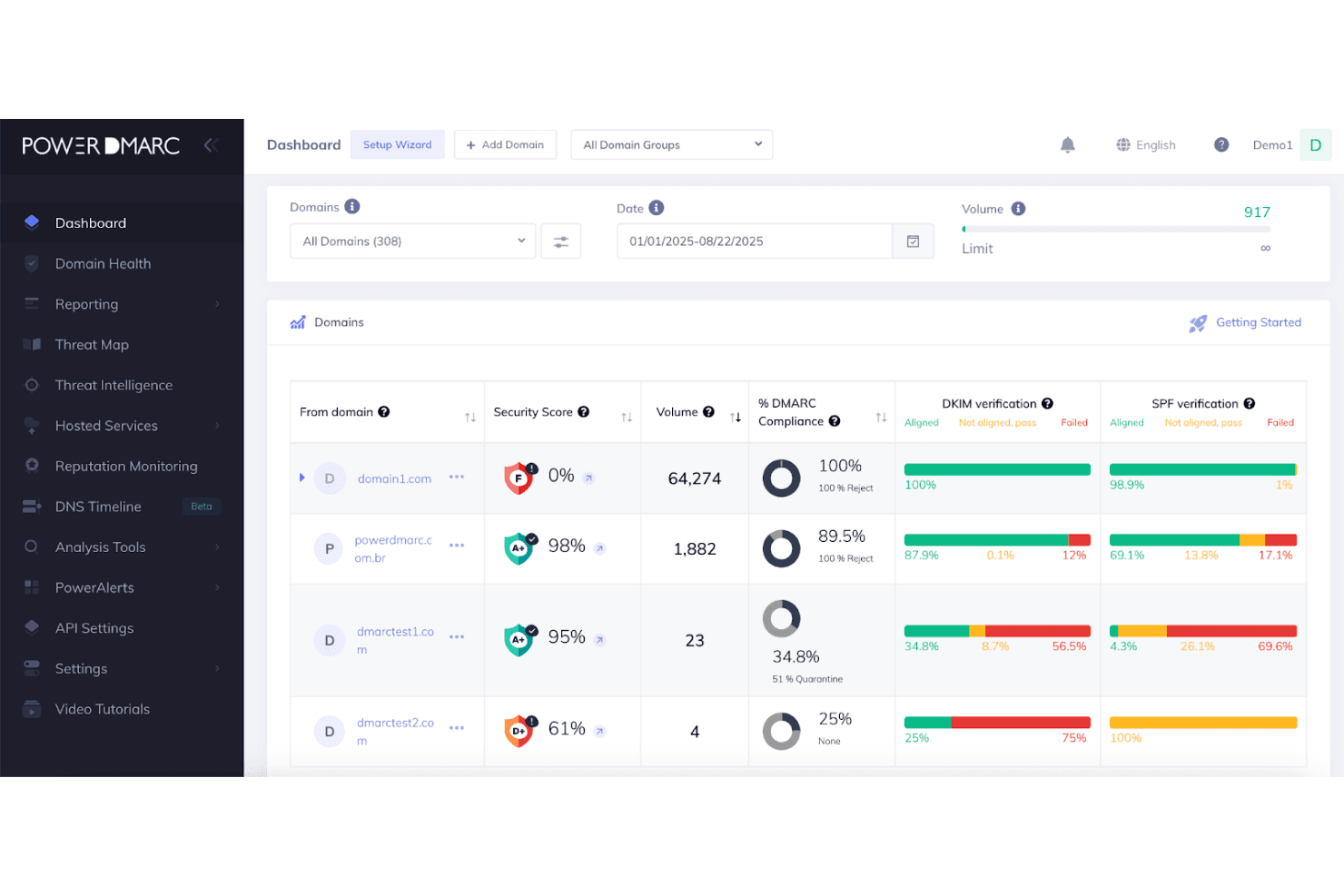
In my opinion, PowerDMARC stands out as a capable DMARC analysis, monitoring, and email authentication platform for IT and security teams managing multiple domains or more complex sending environments. Its hosted authentication services, detailed reporting, AI-assisted troubleshooting, and policy guidance give teams more control over moving from monitoring toward enforcement, while multi-tenant and role-based management make it especially useful for enterprises and MSPs. The platform is relatively easy to use despite its broad feature set, although some of its more advanced capabilities, including deeper analytics, MCP access, API access, and SIEM support, sit on higher-tier plans.
Pros
- AI-assisted analysis helps identify authentication issues, policy blockers, and unusual sending activity without requiring deep DMARC expertise.
- Hosted DMARC, PowerSPF, DKIM, BIMI, MTA-STS, and TLS-RPT reduce repeated DNS work and simplify authentication management.
- Multi-tenant controls, white labeling, domain grouping, and partner tools support MSPs and organizations managing large domain portfolios.
Cons
- The breadth of features can create a steeper learning curve for teams that only need basic DMARC reporting.
- Advanced capabilities such as MCP access, threat intelligence, reputation monitoring, API access, and SIEM support are limited to higher-tier plans.
- Teams that only need basic DMARC reporting may find the platform’s broader authentication and security feature set more than they need.
Is PowerDMARC Right For Your Needs?
Who Would be a Good Fit for PowerDMARC?
PowerDMARC is a good fit for organizations managing their own business domains that require comprehensive email authentication solutions beyond basic DMARC reporting. It is particularly suited for teams looking to monitor and manage email authentication services such as DMARC, SPF, DKIM, BIMI, MTA-STS, and TLS-RPT, or those wanting to move toward enforcement without a dedicated DMARC specialist. It is especially relevant for industries like financial services, insurance, government, healthcare, education, retail, technology, telecom, manufacturing, logistics, and MSP/MSSP environments.
- MSPs and MSSPsService providers can leverage the multi-tenant control panel, white labeling, tenant-level API, PSA integrations, and centralized domain management to manage authentication for multiple clients.
- Enterprises With Multiple DomainsLarge organizations can monitor authentication centrally, organize domains into groups, delegate access, and manage policies across complex domain portfolios.
- Financial Services and InsuranceBanks and insurers can use powerful reporting, access controls, audit logs, SIEM integrations, and PGP-protected reports to meet strict governance needs.
- Technology and SaaS CompaniesTech teams with multiple products or services can utilize hosted authentication protocols to maintain control as infrastructure changes.
- Retail and Ecommerce BrandsHigh-volume senders can track DMARC and sender reputation, gather threat intelligence, and distinguish legitimate sources from spoofing attempts.
- Teams Without Dedicated DMARC ExpertiseIT admins can use AI guidance, hosted services, and recommendations to troubleshoot and achieve enforcement without a DMARC specialist.
Who Would be a Bad Fit for PowerDMARC?
PowerDMARC is less suitable for organizations that do not own or control their domains/DNS, are seeking only basic DMARC reporting, require inbound email security instead of outbound authentication, or expect a fully hands-off solution without administrator involvement.
- Organizations Without Custom DomainsTeams using only provider-owned domains like Gmail or Outlook have no custom domain for DMARC to protect.
- Inbound Email Security BuyersPowerDMARC does not replace secure email gateways or inbound security tools such as spam filters, encryption, or DLP.
- Organizations Without DNS ControlTeams unable to make DNS changes or publish records will struggle to deploy PowerDMARC.
- Basic DMARC Reporting UsersTeams simply needing DMARC XML to readable report conversion may prefer a narrower tool.
- Hands-Off Enforcement TeamsWhile automation is strong, administrators must still approve key changes like moving to stricter policies.
- Businesses With No Email Security BudgetThe free tier is not for commercial use, so organizations with no budget for authentication are not a good fit.
La Nostra Metodologia di Recensione
Come Testiamo e Valutiamo gli Strumenti
Abbiamo trascorso anni a costruire, perfezionare e migliorare il nostro sistema di testing e valutazione del software. Il nostro schema è progettato per cogliere le sfumature della selezione software e cosa rende efficace uno strumento, focalizzandosi sugli aspetti critici del processo decisionale.
Di seguito, puoi vedere esattamente come funziona il nostro testing e punteggio su sette criteri. Ci permette di offrire una valutazione imparziale del software basata su funzionalità principali, caratteristiche distintive, facilità d’uso, onboarding, assistenza clienti, integrazioni, recensioni dei clienti e rapporto qualità-prezzo.
Funzionalità Principali (25% del punteggio finale)
Il punto di partenza della nostra valutazione è sempre la funzionalità principale dello strumento. Ha le funzioni e caratteristiche base che ci si aspetta? Alcune di queste caratteristiche sono limitate ai piani tariffari superiori? Fondamentalmente, ci aspettiamo che uno strumento regga il confronto rispetto alle capacità di base dei concorrenti.
Caratteristiche Distintive (25% del punteggio finale)
Successivamente, valutiamo le caratteristiche distintive e non comuni che vanno oltre la funzionalità base tipicamente trovata negli strumenti di questa categoria. Un punteggio alto riflette funzionalità specializzate o uniche che rendono il prodotto più veloce, efficiente o offrono ulteriore valore all’utente.
Valutiamo inoltre quanto sia semplice integrare altri strumenti tipicamente utilizzati nell’infrastruttura tecnologica per espandere la funzionalità e l’utilità del software. Gli strumenti che offrono numerose integrazioni native, connessioni di terze parti e accesso API per creare integrazioni personalizzate ottengono i punteggi migliori.
Facilità d’Uso (10% del punteggio finale)
Consideriamo quanto sia rapido e semplice svolgere i compiti definiti nella funzionalità principale utilizzando lo strumento. Il software con punteggio alto è ben progettato, intuitivo da usare, offre app mobili, fornisce modelli e rende semplici attività relativamente complesse.
Onboarding (10% del punteggio finale)
Sappiamo quanto sia importante l’adozione rapida da parte del team per una nuova piattaforma, quindi valutiamo quanto sia facile imparare e utilizzare uno strumento con formazione minima. Valutiamo quanto velocemente un membro del team possa iniziare a usare lo strumento anche senza esperienza. Soluzioni con punteggio alto indicano che sono richiesti pochi o nessun supporto.
Assistenza Clienti (10% del punteggio finale)
Esaminiamo quanto sia veloce e facile ricevere assistenza e risolvere problemi tramite telefono, live chat o knowledge base. Gli strumenti e le aziende che garantiscono supporto in tempo reale ottengono il miglior punteggio, mentre i chatbot ottengono il peggiore.
Recensioni dei Clienti (10% del punteggio finale)
Oltre ai nostri test e valutazioni, prendiamo in considerazione il net promoter score dei clienti attuali e passati. Valutiamo la probabilità che, data la scelta, selezionerebbero nuovamente lo strumento per la funzionalità principale. Un software con punteggio alto riflette un alto net promoter score da parte dei clienti attuali o passati.
Rapporto Qualità-Prezzo (10% del punteggio finale)
Infine, considerando tutti gli altri criteri, analizziamo il prezzo medio dei piani base rispetto alle funzionalità principali e consideriamo il valore degli altri criteri di valutazione. Il software che offre di più a meno otterrà un punteggio più alto.
Core Features
Hosted Email Authentication
PowerDMARC provides hosted management for DMARC, SPF, DKIM, BIMI, MTA-STS, and TLS-RPT, helping teams manage authentication policies without repeatedly editing DNS records. PowerSPF also helps address SPF's 10-DNS-lookup limit for organizations with complex sending environments.
Reporting and Analytics
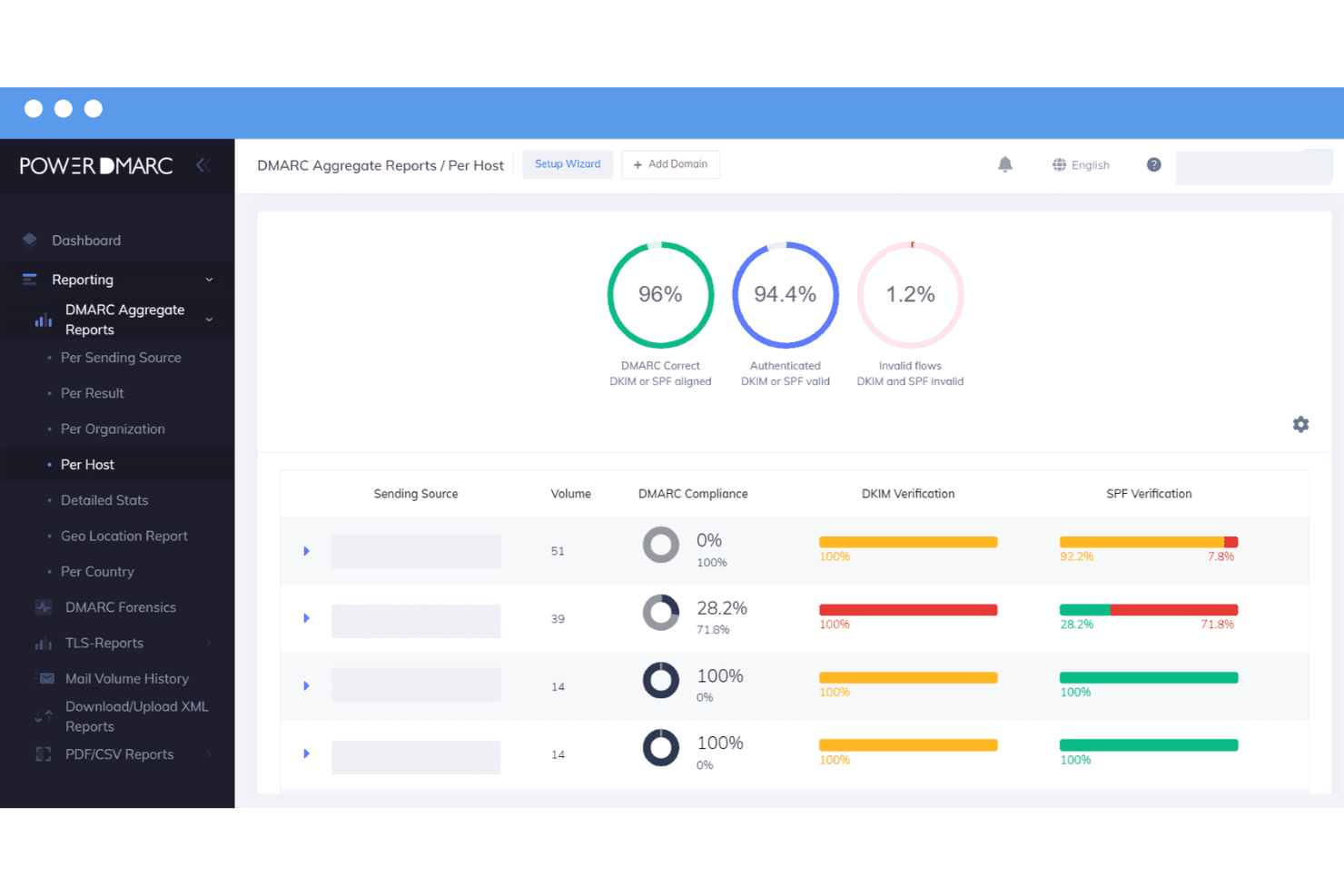
DMARC reporting turns aggregate and failure data into readable insights on sending sources and authentication results. PowerDMARC also provides dedicated SPF, DKIM, BIMI, and TLS-RPT reporting for deeper visibility across the authentication stack.
DMARC AI Agent
The in-dashboard AI Agent helps teams troubleshoot DMARC, SPF, and DKIM issues using plain-language questions. Higher-tier AI capabilities add Anomaly Detection and Smart Policy Advisor to flag unusual activity, identify enforcement blockers, and recommend next steps toward stricter DMARC policies.
MCP Server
PowerDMARC's MCP server connects live authentication data to compatible AI clients such as Claude and Cursor. Teams can query domain health, analyze reports, perform DNS and WHOIS lookups, generate records, and access supported account data from their existing AI workflows.
DNS Security and Reputation Monitoring
DNS Security Compliance checks domain and DNS configurations for security issues, while reputation monitoring tracks blocklists and sender reputation. Alerts and monitoring add visibility into changes and authentication problems that may require investigation.
API, Integrations, and Email Deliverability
APIs and integrations let teams connect PowerDMARC with existing security and operational workflows, while email deliverability tools help test authentication and inbox placement. The platform also includes developer tools for organizations that need to work with authentication data programmatically.
Standout Features
AI-Driven Threat Intelligence
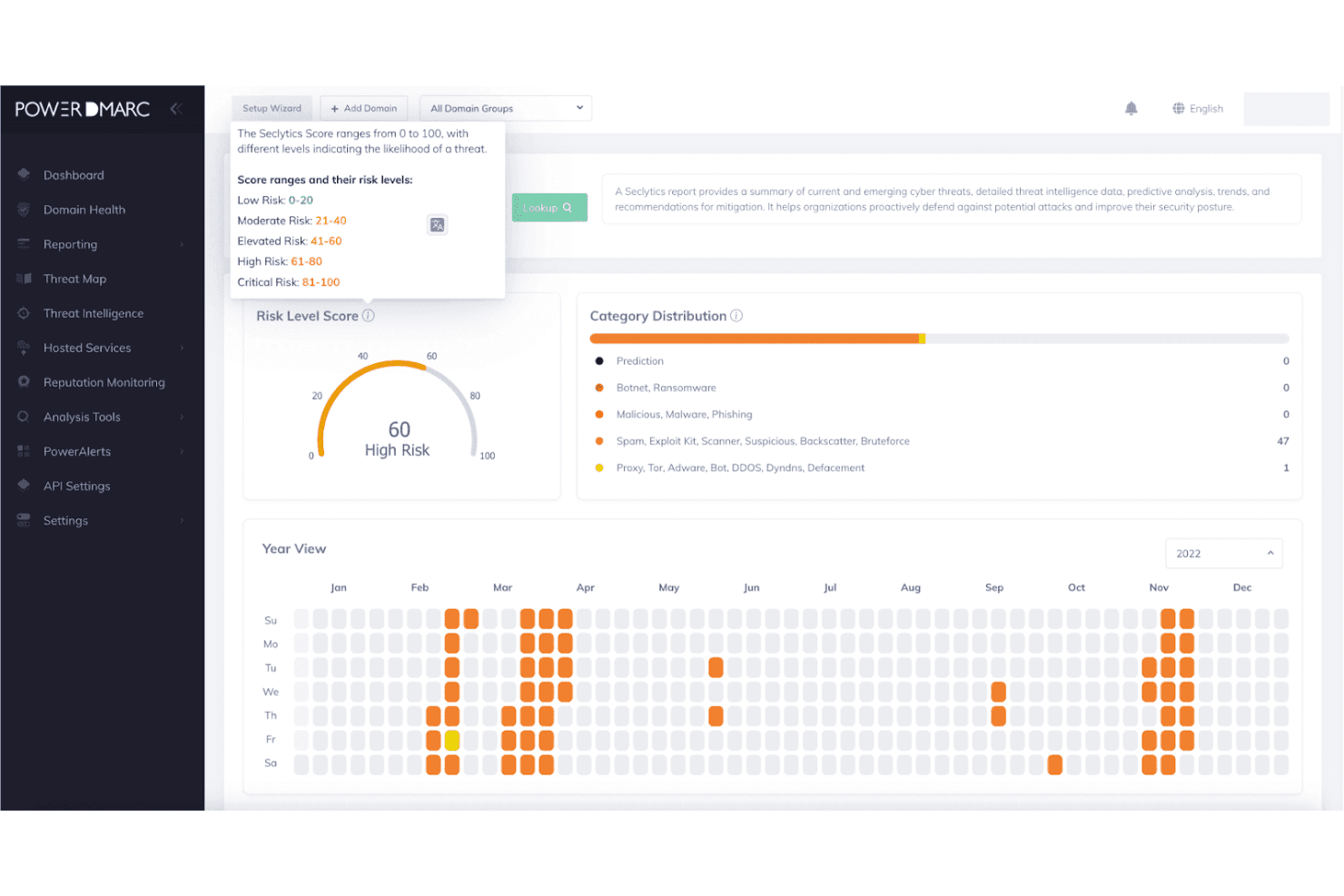
PowerDMARC analyzes sending sources to help identify spoofing, suspicious activity, and other domain-level threats. Risk analysis and threat visibility help security teams distinguish potentially malicious senders from legitimate sources that simply need authentication fixes.
MSP and MSSP Management
PowerDMARC provides multi-tenant management, white labeling, consolidated domain views, tenant-level APIs, and PSA integrations for service providers. MSPs and MSSPs can manage multiple client environments without maintaining separate PowerDMARC accounts for each organization.
Ease of Use
PowerDMARC is relatively easy to use, with a structured dashboard that keeps reports, alerts, and authentication issues organized. Inline recommendations help explain misconfigurations without forcing teams to interpret raw DMARC data, while hosted services reduce repeated DNS work. The AI Agent also makes troubleshooting more approachable by answering authentication questions in plain language. Multi-domain management and role-based access work well for larger teams, although the platform’s broad feature set may take some time to learn.
Onboarding
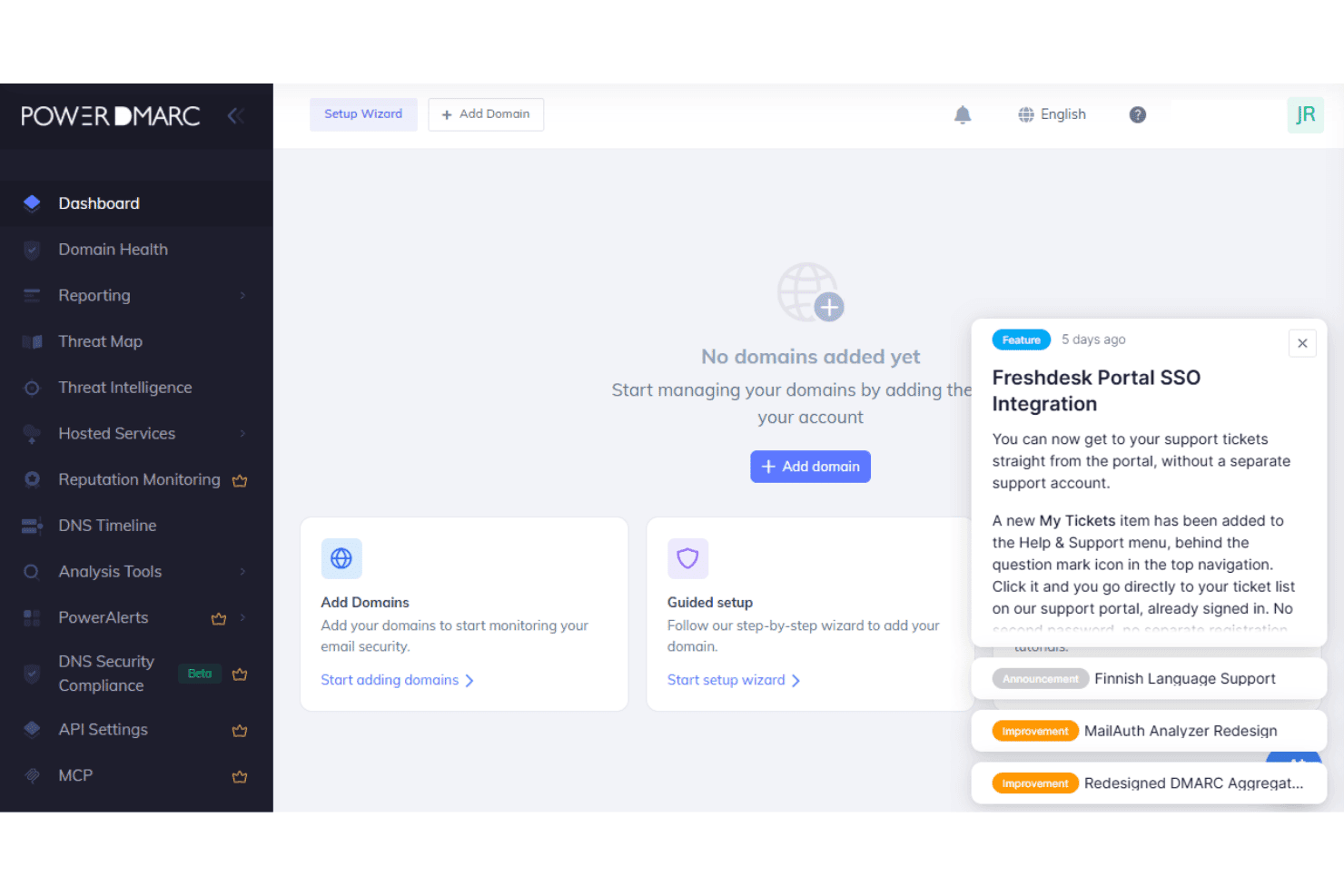
PowerDMARC offers both self-serve and guided onboarding, depending on how much help your team needs. Self-serve setup starts with a domain assessment that identifies security gaps and guides you through publishing DMARC records, with One-Click Auto DNS Publishing available for 40+ supported providers. Automatic subdomain detection, bulk domain uploads, and hosted records reduce manual setup, and there’s no historical data migration required when switching from another DMARC provider.
Initial setup can take minutes to hours, although reaching full enforcement may take weeks or longer depending on the complexity of your sending environment.
Customer Support
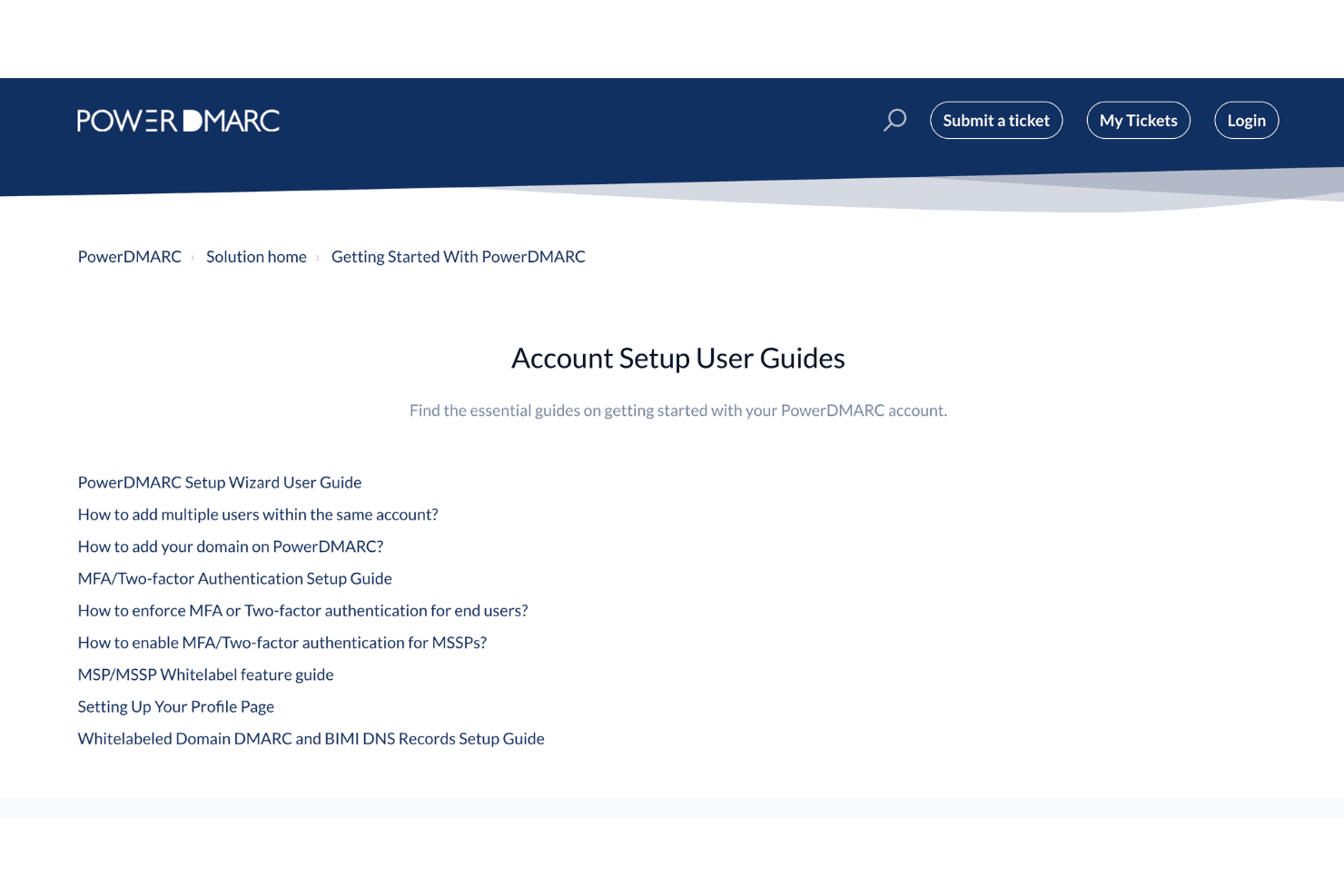
PowerDMARC offers 24/7 human support, a knowledge base, and ticket-based help for setup and troubleshooting. Higher-tier plans add dedicated account management and extended support options, while teams can also move from the in-dashboard AI Agent to human assistance for more complex authentication or DNS issues.
Integrations
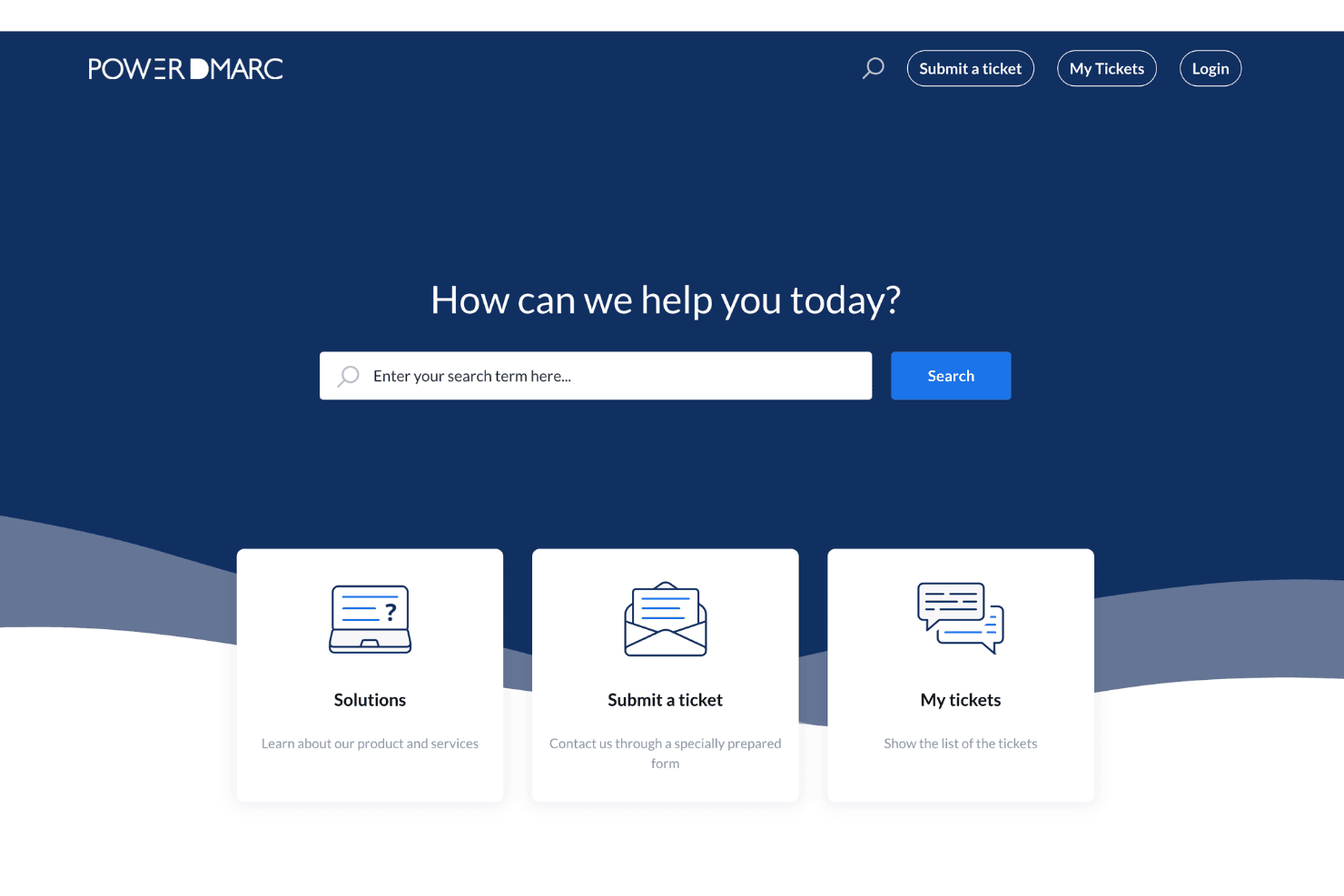
PowerDMARC integrates with Splunk, Microsoft Sentinel, Elastic, FortiSIEM, Cisco Threat Grid, Fortinet, ConnectWise, HaloPSA, Autotask PSA, AWS, Entri, and Duo Security, among others.
PowerDMARC also provides a REST API for custom integrations and supports connections with SIEM, PSA, marketplace, and threat intelligence tools.
Value for Money
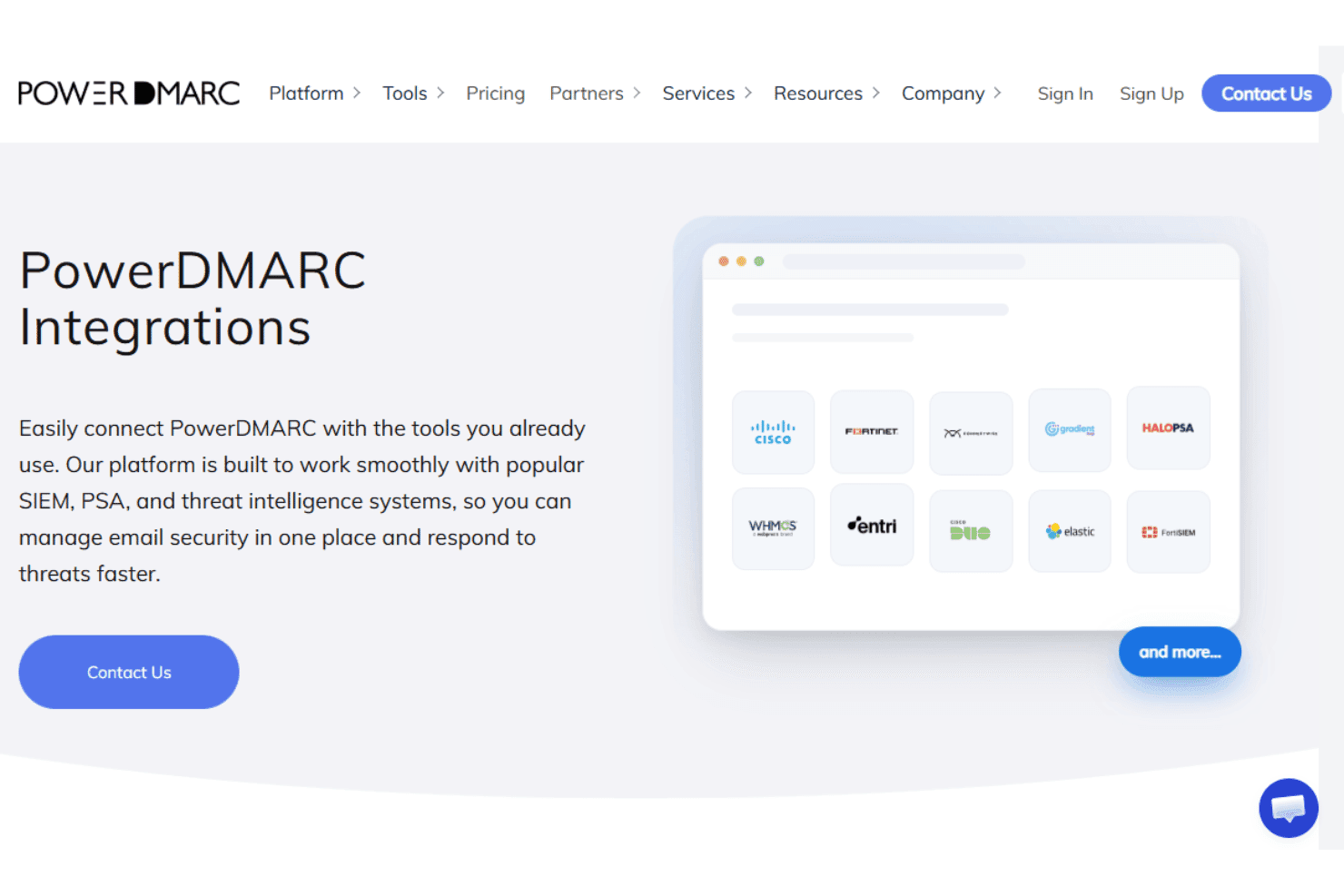
PowerDMARC offers solid value for teams that need more than basic DMARC reporting, with hosted authentication, AI assistance, and multi-domain management available before the enterprise tier. The main tradeoff is that deeper analytics, API access, SIEM support, advanced AI capabilities, and reputation monitoring sit on higher plans, so costs can rise as security and integration requirements become more complex.
- Free: Supports one active domain plus unlimited inactive domains, 10,000 compliant emails, one user, and 10 days of data history. It also includes Hosted DMARC, Hosted BIMI, RUA and RUF processing, and geolocation reports.
- Basic: Adds multiple active domains, longer data history, Hosted MTA-STS and TLS-RPT, scheduled reporting, role-based access, and the AI Agent, with Hosted SPF available as an add-on.
- Enterprise: Adds Hosted SPF and DKIM, advanced SPF and DKIM analytics, reputation monitoring, alerts, third-party integrations, advanced AI advisors, MCP access, API access, SAML SSO, SCIM, audit logs, and SIEM support.
- API: Designed for organizations that need programmatic access to PowerDMARC capabilities and authentication data through its API.
- Partner Program: Built for MSPs, MSSPs, resellers, and hosting providers with multi-tenancy, white labeling, tenant-level API access, PSA integration, unlimited platform users, and partner onboarding and training.
PowerDMARC Specs
- 2-Factor Authentication: Yes
- Access Management: Yes
- Anti-Virus: No
- API: Yes
- Audit Management: Yes
- Audit Trail: Yes
- Batch Permissions & Access: No
- Compliance Tracking: Yes
- Dashboard: Yes
- Data Export: Yes
- Data Import: Yes
- DDoS Protection: No
- External Integrations: Yes
- File Sharing: No
- File Transfer: No
- Firewall: No
- Incident Management: Yes
- Malware Protection: No
- Multi-User: Yes
- Notifications: Yes
- Password & Access Management: Yes
- Policy Management: Yes
- Real-time Alerts: Yes
- Report & Compliance: Yes
- Risk Assessment: Yes
- Security Migration: No
- Threat Detection: Yes
- Workflow Management: No
PowerDMARC FAQs
PowerDMARC Company Overview & History
Founded in 2020 and headquartered in Middletown, Delaware, PowerDMARC is a computer and network security company focused on domain and email authentication. Its SaaS platform combines DMARC, SPF, DKIM, BIMI, MTA-STS, TLS-RPT, threat intelligence, and related domain security capabilities. PowerDMARC reports serving more than 10,000 organizations and 2,000 MSPs across 130+ countries, with a growing international presence.
PowerDMARC Major Milestones
- 2020: Founded in Middletown, Delaware.
- 2024: Named a G2 Summer Leader in DMARC software.
- 2024: Recognized as a G2 Winter Leader 2025 in December.
- 2025: Included in G2’s Top 100 Fastest Growing Software Companies.
- 2025: Achieved AWS Qualified Software status after completing the AWS Foundational Technical Review, validating the platform against AWS best practices for security, reliability, and operational excellence.
- 2026: Reported serving 10,000+ organizations, 2,000+ MSPs, and protecting more than 100,000 domains across 130+ countries.
- 2026: Reported five office locations across Plano, Yerevan, Dubai, Muscat, and Doha.
PowerDMARC Partner Spotlight

10 modi in cui PowerDMARC offre conformità DMARC di livello aziendale e protezione del dominio
Gestire DMARC su decine di domini non dovrebbe richiedere ore. Scopri come PowerDMARC offre analisi basate sull’intelligenza artificiale, avvisi istantanei, SSO e integrazioni SIEM ai team aziendali.