

Recensione Mabl 2026: Pro, Contro, Funzionalità e Prezzi
Nella mia carriera, ho utilizzato molti strumenti di test automatizzati, incluso Mabl. Permettimi di accompagnarti alla scoperta delle caratteristiche di questo strumento, delle alternative e altro ancora.

Recensiamo gli strumenti in modo indipendente e le commissioni ci aiutano a finanziare i nostri test. Consulta la nostra politica sulla trasparenza, la nostra metodologia, oppure suggerisci uno strumento.
Mabl is an end to end testing tool built for teams that need to automate browser-based tests without heavy scripting overhead. It's worth considering if your QA workflow involves non-developer testers, since Mabl's low-code interface and AI-powered test auto-healing make it more accessible than developer-centric tools like Cypress—without sacrificing the depth you'd expect from a serious test automation platform.
Mabl Evaluation Summary
4.2/5
- Pricing upon request
- 14-day free trial + free demo available
Perché fidarsi dei nostri consigli sui software
6,700+
Reviews
20
Industry experts
16+
Evaluation factors
14
Years
Il nostro team testa e recensisce software dal 2012. In quanto leader tecnologici noi stessi, sappiamo quanto sia difficile — e importante — scegliere il software giusto.
Per questa guida, abbiamo valutato gli strumenti attraverso test praticie ricerche indipendenti, assegnando un punteggio agli strumenti in base ai nostri criteri di selezione.
Le nostre recensioni riflettono il nostro giudizio editoriale umano, non un discorso di vendita.
Revisori esperti:
- Paulo Gardini MiguelDirettore tecnico
 Tim FisherVP dell'IA
 Gabriel RosasTech Lead e architetto software
 Christhian GruhnTech Lead e architetto della piattaforma

Mabl Overview
When judging Mabl against other automation testing tools, its intuitive interface, AI-driven test creation, and strong cloud integrations make it a top pick for teams prioritizing speed and ease of onboarding. While its pricing may be higher and advanced scripting less flexible than some alternatives, Mabl excels in environments where rapid deployment and minimal maintenance are key. For example, teams with frequent releases or limited QA resources will find its self-healing tests and built-in analytics especially valuable when selecting a solution.
Pros
- Mabl makes automated testing accessible with its intuitive user interface.
- It reduces manual testing time, allowing your team to focus on development.
- Mabl's smart analytics help you identify and fix issues quickly.
Cons
- Some users find Mabl's advanced features require a learning curve.
- It can be less flexible for highly customized testing scenarios.
- Users sometimes report delays in receiving support responses.
Is Mabl Right For Your Needs?
Who Would be a Good Fit for Mabl?
Mabl is ideal for agile development teams in tech-driven industries like e-commerce and finance. It suits your team if you need to streamline testing and focus on fast-paced releases. Its intuitive interface and automated testing capabilities are perfect for QA departments that require efficiency without sacrificing quality. If you’re in a role where quick identification and resolution of issues are crucial, Mabl’s smart analytics will greatly benefit your workflow.
- Tech StartupsMabl’s ease of use helps small teams automate testing without needing extensive resources.
- E-Commerce PlatformsIt ensures your website functions smoothly, enhancing the customer experience.
- Financial ServicesMabl’s accuracy and reliability are vital for maintaining secure, error-free transactions.
- QA DepartmentsYour team can reduce manual testing time and focus on boosting software quality.
- Agile Development TeamsMabl supports fast-paced environments with its quick test execution and results.
- Product ManagersGain insights into software performance, helping you make informed decisions quickly.
Who Would be a Bad Fit for Mabl?
Mabl might not be suitable for teams requiring highly customized testing scenarios. If your work involves complex, non-standard testing frameworks, you might find Mabl’s capabilities limiting. Businesses with limited technical expertise or those not ready to invest time in learning advanced features might struggle with its initial complexity. Additionally, if your team requires immediate support responses, Mabl’s support delays could be a drawback.
- Large EnterprisesThey might find Mabl’s functionality insufficient for complex, large-scale testing needs.
- Highly Regulated IndustriesIndustries needing highly specialized compliance testing might find Mabl lacking in customization.
- Non-Tech Savvy TeamsMabl’s advanced features can be overwhelming without technical expertise.
- Custom Software DevelopersDevelopers needing unique testing frameworks might find Mabl too restrictive.
- Immediate Support NeedsTeams requiring quick support might face challenges with Mabl’s response times.
- Legacy System UsersMabl may not integrate well with outdated technologies, posing a challenge for legacy systems.
La Nostra Metodologia di Recensione
Come Testiamo e Valutiamo gli Strumenti
Abbiamo trascorso anni a costruire, perfezionare e migliorare il nostro sistema di testing e valutazione del software. Il nostro schema è progettato per cogliere le sfumature della selezione software e cosa rende efficace uno strumento, focalizzandosi sugli aspetti critici del processo decisionale.
Di seguito, puoi vedere esattamente come funziona il nostro testing e punteggio su sette criteri. Ci permette di offrire una valutazione imparziale del software basata su funzionalità principali, caratteristiche distintive, facilità d’uso, onboarding, assistenza clienti, integrazioni, recensioni dei clienti e rapporto qualità-prezzo.
Funzionalità Principali (25% del punteggio finale)
Il punto di partenza della nostra valutazione è sempre la funzionalità principale dello strumento. Ha le funzioni e caratteristiche base che ci si aspetta? Alcune di queste caratteristiche sono limitate ai piani tariffari superiori? Fondamentalmente, ci aspettiamo che uno strumento regga il confronto rispetto alle capacità di base dei concorrenti.
Caratteristiche Distintive (25% del punteggio finale)
Successivamente, valutiamo le caratteristiche distintive e non comuni che vanno oltre la funzionalità base tipicamente trovata negli strumenti di questa categoria. Un punteggio alto riflette funzionalità specializzate o uniche che rendono il prodotto più veloce, efficiente o offrono ulteriore valore all’utente.
Valutiamo inoltre quanto sia semplice integrare altri strumenti tipicamente utilizzati nell’infrastruttura tecnologica per espandere la funzionalità e l’utilità del software. Gli strumenti che offrono numerose integrazioni native, connessioni di terze parti e accesso API per creare integrazioni personalizzate ottengono i punteggi migliori.
Facilità d’Uso (10% del punteggio finale)
Consideriamo quanto sia rapido e semplice svolgere i compiti definiti nella funzionalità principale utilizzando lo strumento. Il software con punteggio alto è ben progettato, intuitivo da usare, offre app mobili, fornisce modelli e rende semplici attività relativamente complesse.
Onboarding (10% del punteggio finale)
Sappiamo quanto sia importante l’adozione rapida da parte del team per una nuova piattaforma, quindi valutiamo quanto sia facile imparare e utilizzare uno strumento con formazione minima. Valutiamo quanto velocemente un membro del team possa iniziare a usare lo strumento anche senza esperienza. Soluzioni con punteggio alto indicano che sono richiesti pochi o nessun supporto.
Assistenza Clienti (10% del punteggio finale)
Esaminiamo quanto sia veloce e facile ricevere assistenza e risolvere problemi tramite telefono, live chat o knowledge base. Gli strumenti e le aziende che garantiscono supporto in tempo reale ottengono il miglior punteggio, mentre i chatbot ottengono il peggiore.
Recensioni dei Clienti (10% del punteggio finale)
Oltre ai nostri test e valutazioni, prendiamo in considerazione il net promoter score dei clienti attuali e passati. Valutiamo la probabilità che, data la scelta, selezionerebbero nuovamente lo strumento per la funzionalità principale. Un software con punteggio alto riflette un alto net promoter score da parte dei clienti attuali o passati.
Rapporto Qualità-Prezzo (10% del punteggio finale)
Infine, considerando tutti gli altri criteri, analizziamo il prezzo medio dei piani base rispetto alle funzionalità principali e consideriamo il valore degli altri criteri di valutazione. Il software che offre di più a meno otterrà un punteggio più alto.
Core Features
Automated Test Creation
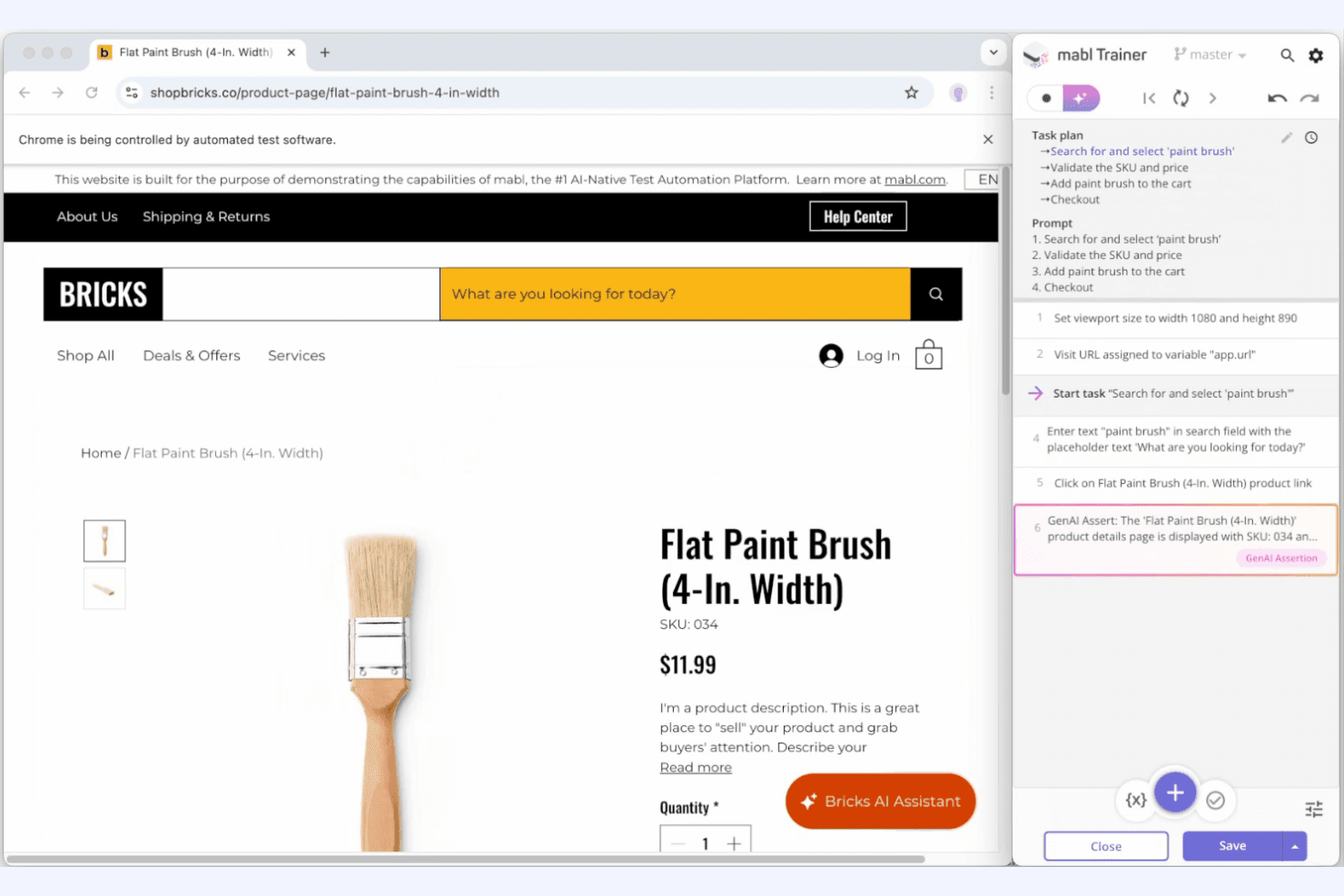
Mabl lets you create tests without coding, using a simple, intuitive interface. This feature helps your team save time and reduces the need for specialized skills.
Smart Analytics
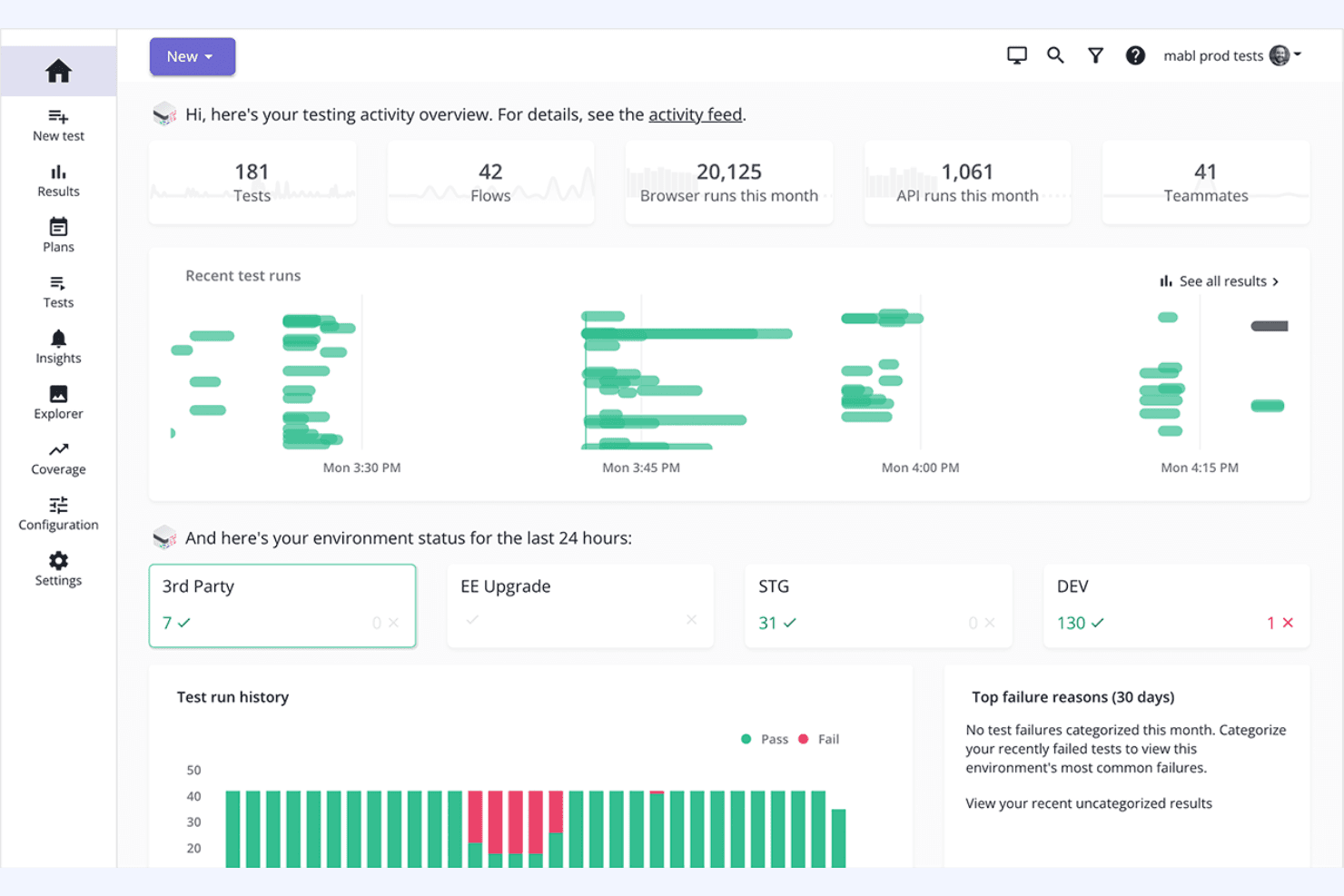
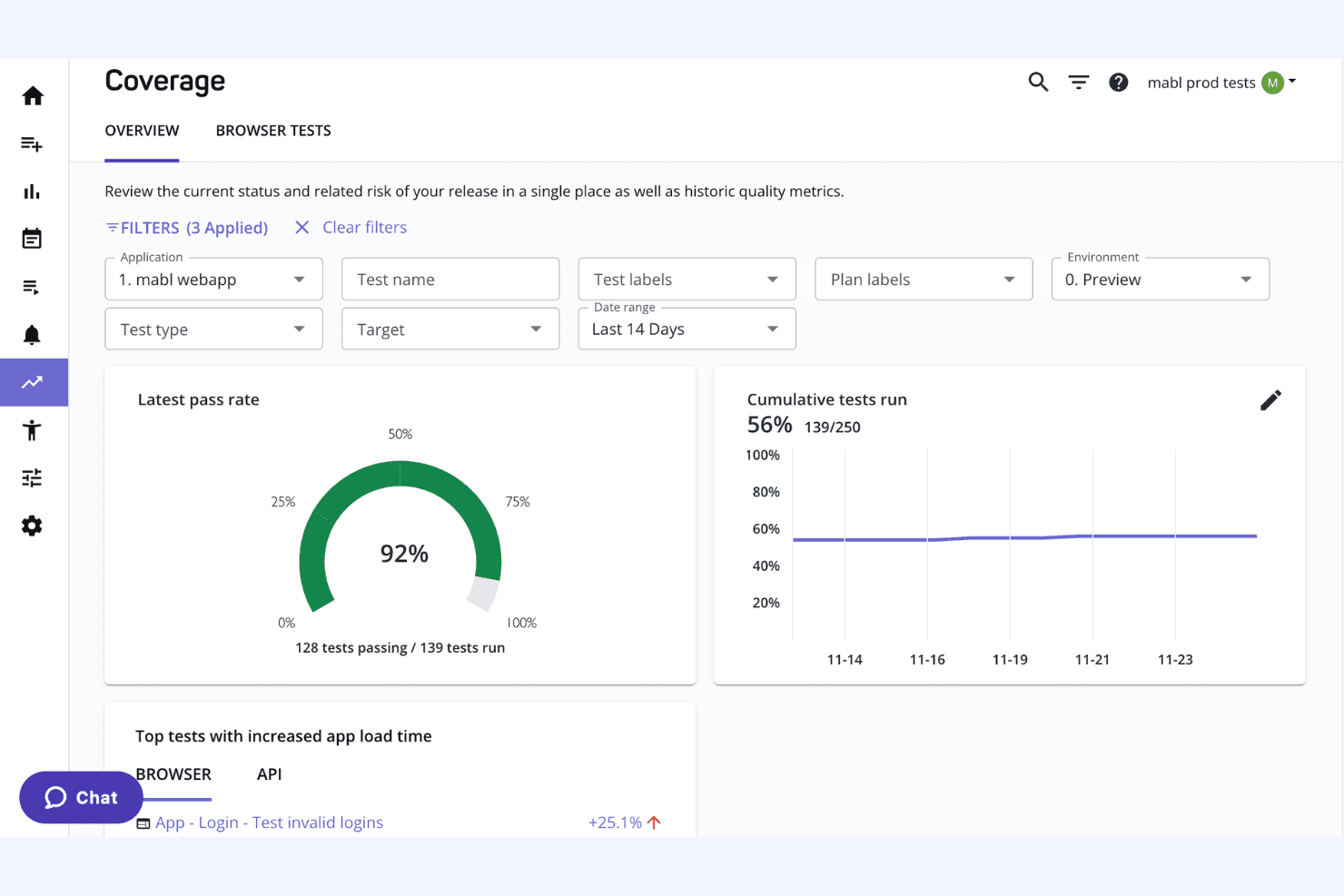
Mabl's analytics provide insights into test results, helping you pinpoint issues quickly. You can make data-driven decisions to improve your software quality.
Cross-Browser Testing
Ensure your application works flawlessly across different browsers. Mabl automatically tests on multiple platforms, increasing your coverage without extra effort.
Visual Testing
Mabl checks the visual aspects of your application, catching UI issues that might go unnoticed. This ensures your users have a consistent experience.
API Testing
Test your application's APIs to ensure they perform correctly. Mabl simplifies this process, allowing your team to focus on core development tasks.
Regression Testing
Mabl automates regression tests to catch bugs early in your development cycle. This keeps your software stable and reliable for users.
Ease of Use
Mabl stands out for its user-friendly interface, making it accessible even if you’re not a coding expert. The codeless test creation allows your team to quickly set up and execute tests without much hassle. User reviews often highlight its intuitive design, which streamlines the testing process and reduces the learning curve. Mabl’s ability to adapt to changes in your application with self-healing tests further simplifies your testing workflow, saving time and effort.
Integrations
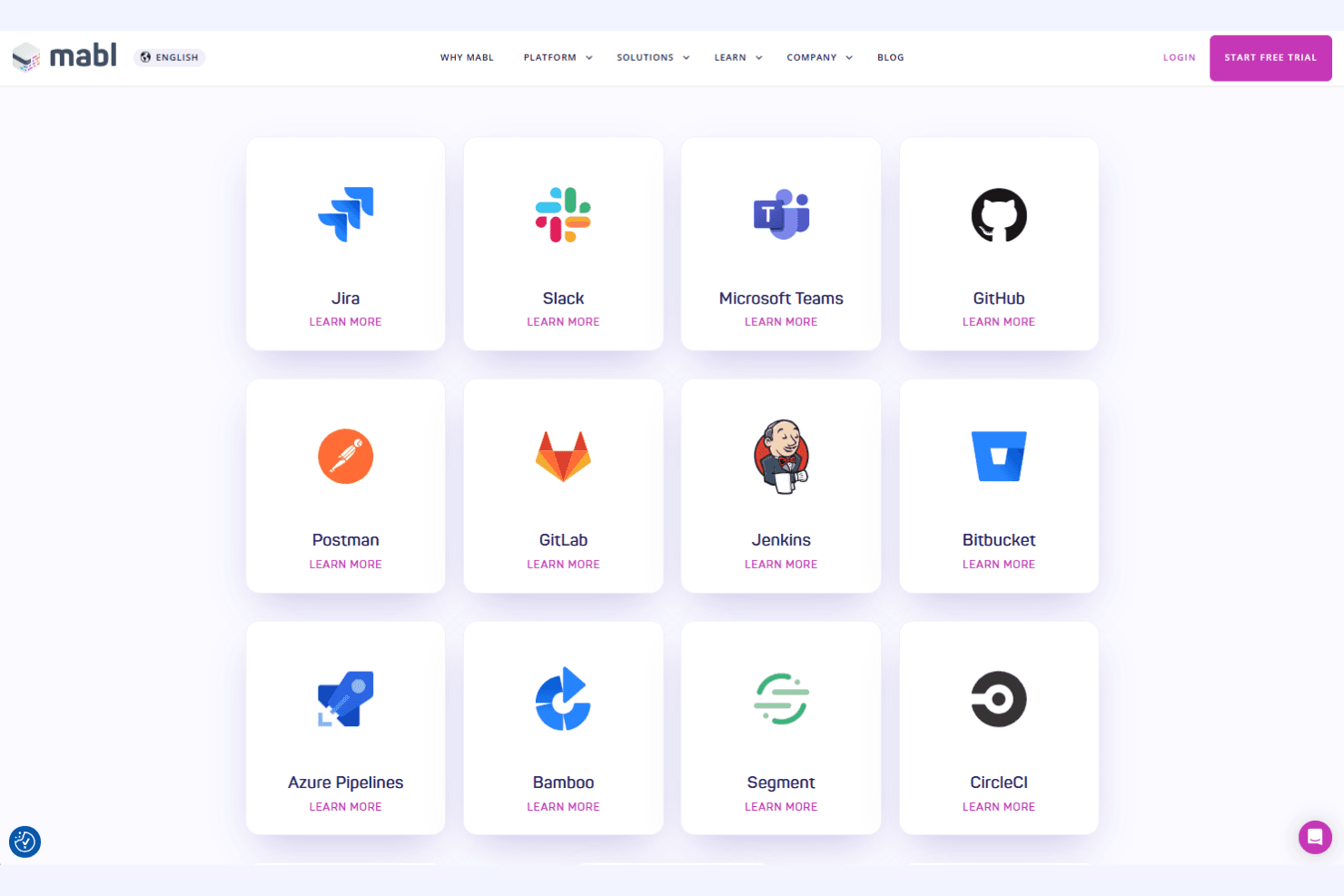
Mabl integrates with Jira, Slack, Microsoft Teams, GitHub, GitLab, Jenkins, Bitbucket, Azure Pipelines, Bamboo, and Postman, among others.
Mabl also offers an API and supports connections with third-party integration tools.
Mabl Specs
- A/B Testing: No
- API: Yes
- Automated Testing: Yes
- Browser Compatibility Testing: Yes
- Bug Tracking: Yes
- Calendar Management: No
- CI/CD Integration: Yes
- Dashboard: Yes
- Data Export: Yes
- Data Import: Yes
- Data Visualization: Yes
- Developer Tools: No
- External Integrations: Yes
- History/Version Control: No
- Manual Testing: No
- Multi-User: Yes
- Notifications: Yes
- Performance Testing: Yes
- Regression Testing: Yes
- Scheduling: Yes
- Status Notifications: Yes
- Third-Party Plugins/Add-Ons: Yes


