
Recensione di IBM Maximo Asset Monitor: Pro, Contro, Caratteristiche e Prezzi
IBM Maximo Asset Monitor si distingue per le sue solide capacità di elaborazione dati e manutenzione predittiva, rendendolo una scelta eccellente per le grandi aziende.

Recensiamo gli strumenti in modo indipendente e le commissioni ci aiutano a finanziare i nostri test. Consulta la nostra politica sulla trasparenza, la nostra metodologia, oppure suggerisci uno strumento.
IBM Maximo Asset Monitor is a CTO asset management software built for organizations managing large-scale industrial assets across multiple sites. It's a good fit when your team needs to move beyond reactive maintenance—using IoT sensor data and AI-driven anomaly detection to track asset health in real time. I'd consider it over Fiix if you need built-in condition monitoring and predictive failure alerts, rather than a more traditional CMMS focused on work order tracking and maintenance scheduling.
IBM Maximo Asset Monitor Evaluation Summary
4.5/5
- Pricing upon request
- 14-day free trial
Perché fidarsi dei nostri consigli sui software
6,700+
Reviews
20
Industry experts
16+
Evaluation factors
14
Years
Il nostro team testa e recensisce software dal 2012. In quanto leader tecnologici noi stessi, sappiamo quanto sia difficile — e importante — scegliere il software giusto.
Per questa guida, abbiamo valutato gli strumenti attraverso test praticie ricerche indipendenti, assegnando un punteggio agli strumenti in base ai nostri criteri di selezione.
Le nostre recensioni riflettono il nostro giudizio editoriale umano, non un discorso di vendita.
Revisori esperti:
- Paulo Gardini MiguelDirettore tecnico
 Tim FisherVP dell'IA
 Gabriel RosasTech Lead e architetto software
 Christhian GruhnTech Lead e architetto della piattaforma

IBM Maximo Asset Monitor Overview
In my opinion, IBM Maximo Asset Monitor is a solid choice for large enterprises needing advanced asset management. It excels in providing detailed analytics and predictive maintenance, but its high cost might not suit small businesses. While the interface is user-friendly, onboarding can be intricate due to its extensive features. Customer support is responsive, which helps ease the learning curve. Compared to competitors, it stands out in data analytics but could improve in integration flexibility. It's best for industries like manufacturing and utilities, where asset uptime is essential. If you're managing numerous assets, this tool is worth considering.
Pros
- It offers predictive maintenance to help your team prevent unexpected downtime.
- The software provides detailed analytics for informed decision-making in your operations.
- You can monitor assets in real-time, ensuring efficient management and performance tracking.
Cons
- Onboarding can be complex, requiring significant time for your team to adapt.
- It may lack flexibility in integrations compared to other solutions.
- The interface, while user-friendly, might feel overwhelming due to its extensive features.
Is IBM Maximo Asset Monitor Right For Your Needs?
Who Would be a Good Fit for IBM Maximo Asset Monitor?
IBM Maximo Asset Monitor is ideal for large enterprises in industries like manufacturing, utilities, and transportation. These sectors require real-time asset monitoring and predictive maintenance to minimize downtime and maintain operational efficiency. Your team will benefit from its detailed analytics that support data-driven decisions. If your operations rely heavily on asset uptime, IBM Maximo Asset Monitor's capability to track and manage assets efficiently makes it a suitable choice.
- Manufacturing IndustryYour manufacturing operations will benefit from predictive maintenance, reducing downtime and optimizing asset life.
- Utility CompaniesFor utility companies, real-time monitoring ensures reliable service delivery and efficient asset management.
- Transportation SectorIn transportation, asset tracking helps maintain fleet efficiency and reduces unexpected breakdowns.
- Large EnterprisesLarge enterprises with complex asset portfolios will find value in its comprehensive data analytics for decision-making.
- Maintenance DepartmentsMaintenance teams can use its predictive features to schedule repairs proactively, avoiding costly emergency fixes.
- Operations ManagersOperations managers will appreciate the software's ability to provide insights that enhance overall asset performance.
Who Would be a Bad Fit for IBM Maximo Asset Monitor?
IBM Maximo Asset Monitor may not suit small businesses or startups with limited budgets and simpler asset management needs. Its extensive features and complex onboarding might overwhelm teams without dedicated IT support. If your operations don’t rely heavily on asset uptime or predictive maintenance, the investment in this software might not justify the benefits. For companies looking for simple, cost-effective solutions, IBM Maximo Asset Monitor's advanced analytics and real-time monitoring capabilities might be unnecessary.
- Small BusinessesSmall businesses might find its features too complex and costly for their straightforward needs.
- StartupsStartups often require more budget-friendly and simple solutions, making this a less suitable option.
- Retail IndustryRetail operations with fewer physical assets won't benefit much from its advanced monitoring capabilities.
- Non-Technical TeamsTeams without IT support might struggle with its complex setup and extensive feature set.
- FreelancersFreelancers managing minimal assets will find the software's capabilities excessive and unnecessary.
- Simple OperationsOperations that don’t rely on real-time asset tracking or predictive maintenance won’t gain much advantage.
La Nostra Metodologia di Recensione
Come Testiamo e Valutiamo gli Strumenti
Abbiamo trascorso anni a costruire, perfezionare e migliorare il nostro sistema di testing e valutazione del software. Il nostro schema è progettato per cogliere le sfumature della selezione software e cosa rende efficace uno strumento, focalizzandosi sugli aspetti critici del processo decisionale.
Di seguito, puoi vedere esattamente come funziona il nostro testing e punteggio su sette criteri. Ci permette di offrire una valutazione imparziale del software basata su funzionalità principali, caratteristiche distintive, facilità d’uso, onboarding, assistenza clienti, integrazioni, recensioni dei clienti e rapporto qualità-prezzo.
Funzionalità Principali (25% del punteggio finale)
Il punto di partenza della nostra valutazione è sempre la funzionalità principale dello strumento. Ha le funzioni e caratteristiche base che ci si aspetta? Alcune di queste caratteristiche sono limitate ai piani tariffari superiori? Fondamentalmente, ci aspettiamo che uno strumento regga il confronto rispetto alle capacità di base dei concorrenti.
Caratteristiche Distintive (25% del punteggio finale)
Successivamente, valutiamo le caratteristiche distintive e non comuni che vanno oltre la funzionalità base tipicamente trovata negli strumenti di questa categoria. Un punteggio alto riflette funzionalità specializzate o uniche che rendono il prodotto più veloce, efficiente o offrono ulteriore valore all’utente.
Valutiamo inoltre quanto sia semplice integrare altri strumenti tipicamente utilizzati nell’infrastruttura tecnologica per espandere la funzionalità e l’utilità del software. Gli strumenti che offrono numerose integrazioni native, connessioni di terze parti e accesso API per creare integrazioni personalizzate ottengono i punteggi migliori.
Facilità d’Uso (10% del punteggio finale)
Consideriamo quanto sia rapido e semplice svolgere i compiti definiti nella funzionalità principale utilizzando lo strumento. Il software con punteggio alto è ben progettato, intuitivo da usare, offre app mobili, fornisce modelli e rende semplici attività relativamente complesse.
Onboarding (10% del punteggio finale)
Sappiamo quanto sia importante l’adozione rapida da parte del team per una nuova piattaforma, quindi valutiamo quanto sia facile imparare e utilizzare uno strumento con formazione minima. Valutiamo quanto velocemente un membro del team possa iniziare a usare lo strumento anche senza esperienza. Soluzioni con punteggio alto indicano che sono richiesti pochi o nessun supporto.
Assistenza Clienti (10% del punteggio finale)
Esaminiamo quanto sia veloce e facile ricevere assistenza e risolvere problemi tramite telefono, live chat o knowledge base. Gli strumenti e le aziende che garantiscono supporto in tempo reale ottengono il miglior punteggio, mentre i chatbot ottengono il peggiore.
Recensioni dei Clienti (10% del punteggio finale)
Oltre ai nostri test e valutazioni, prendiamo in considerazione il net promoter score dei clienti attuali e passati. Valutiamo la probabilità che, data la scelta, selezionerebbero nuovamente lo strumento per la funzionalità principale. Un software con punteggio alto riflette un alto net promoter score da parte dei clienti attuali o passati.
Rapporto Qualità-Prezzo (10% del punteggio finale)
Infine, considerando tutti gli altri criteri, analizziamo il prezzo medio dei piani base rispetto alle funzionalità principali e consideriamo il valore degli altri criteri di valutazione. Il software che offre di più a meno otterrà un punteggio più alto.
Core Features
Asset Tracking
Monitor and manage your assets in real-time, giving you up-to-date information on asset location and condition. This helps your team maintain operational efficiency.
Predictive Maintenance
Use data analytics to predict when maintenance is needed, reducing unexpected downtime. Your work benefits from timely repairs and cost savings.
Work Order Management
Streamline creating, assigning, and tracking work orders, ensuring tasks are completed efficiently. This keeps your operations running smoothly.
Inventory Management
Track inventory levels and manage parts and supplies effectively, preventing stockouts. Your team can plan ahead and avoid disruptions.
Reporting and Analytics
Generate detailed reports and insights to make informed decisions about asset performance. This helps improve your strategic planning.
Mobile Access
Access asset data and perform tasks from mobile devices, keeping your team connected on the go. This flexibility enhances productivity.
Ease of Use
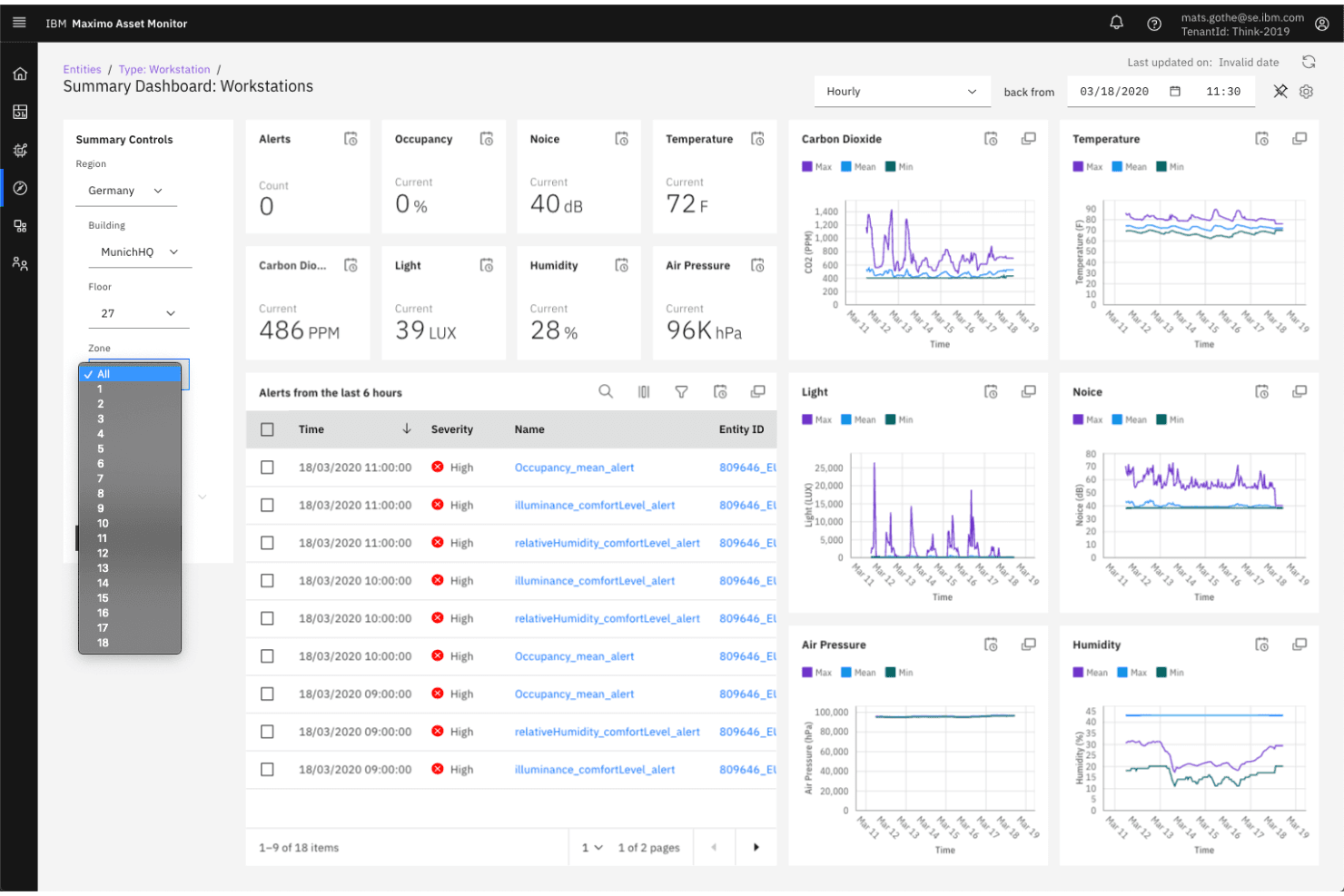
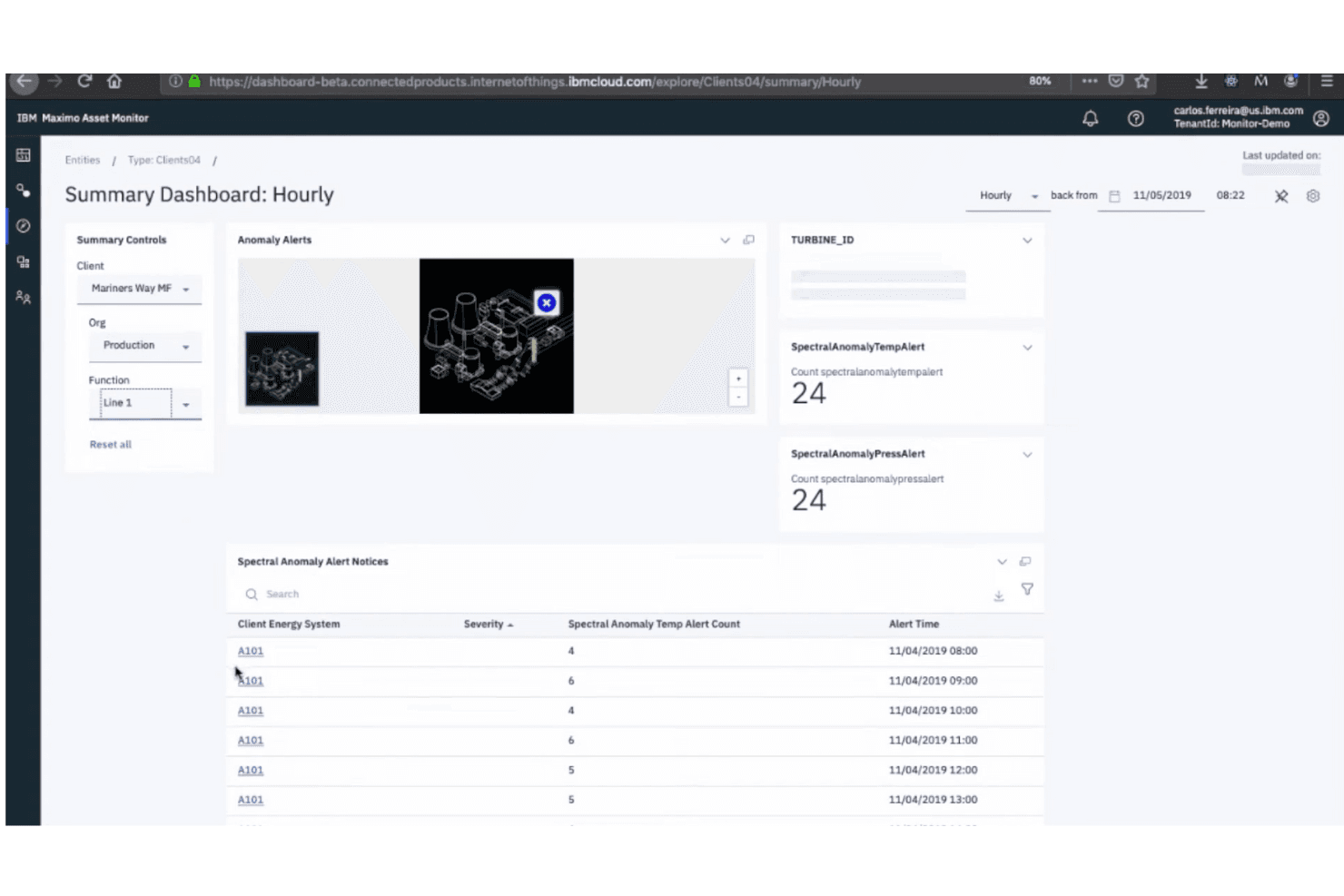
IBM Maximo Asset Monitor is user-friendly, but its extensive features can overwhelm new users. Your team might find the interface intuitive once they get familiar with it, but the initial learning curve can be steep. Compared to others, it requires more time to master its capabilities. Despite this, the mobile access and clear reporting features make daily tasks easier once you're accustomed to the system. If your team is ready for detailed analytics, it’s worth the effort.
Integrations
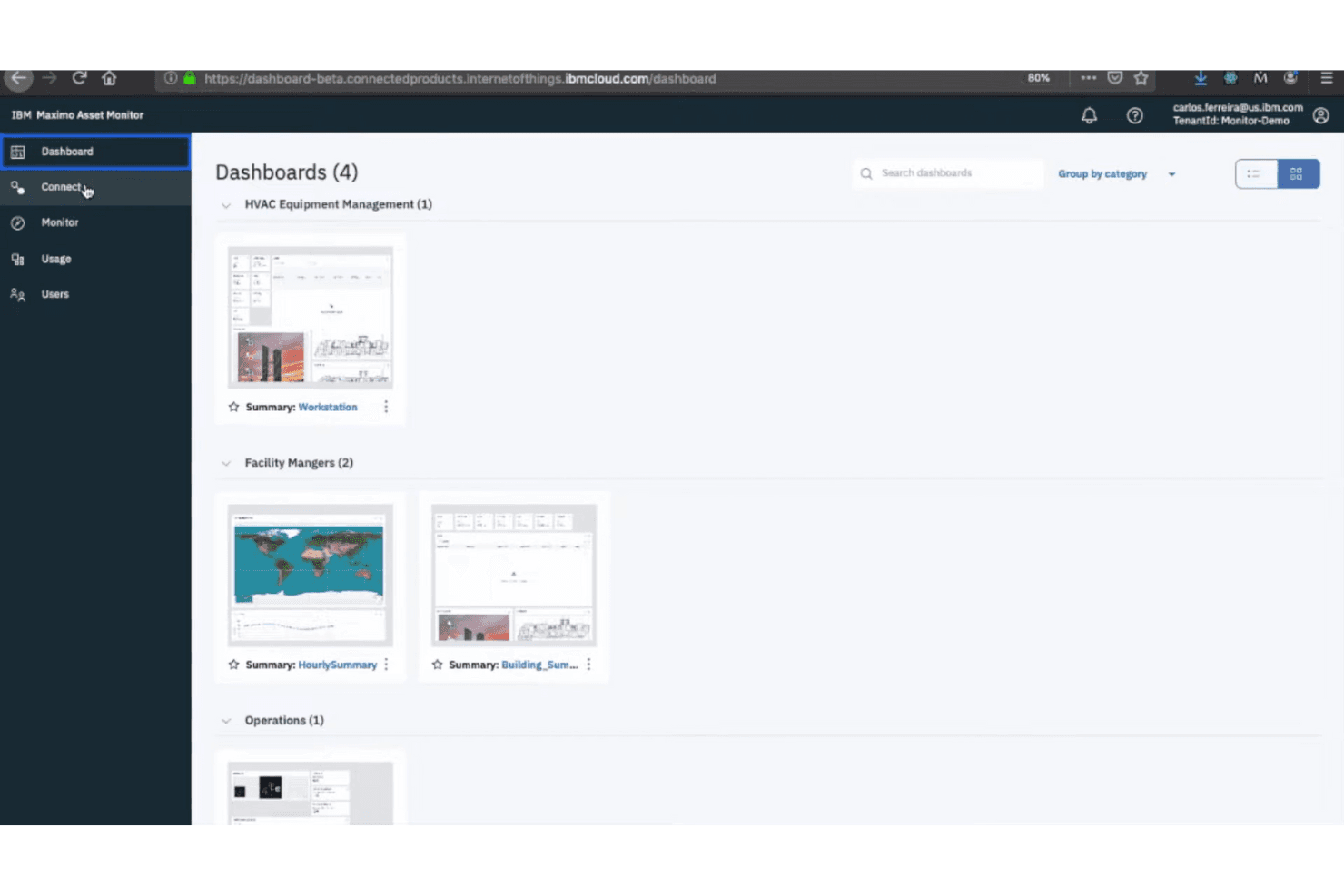
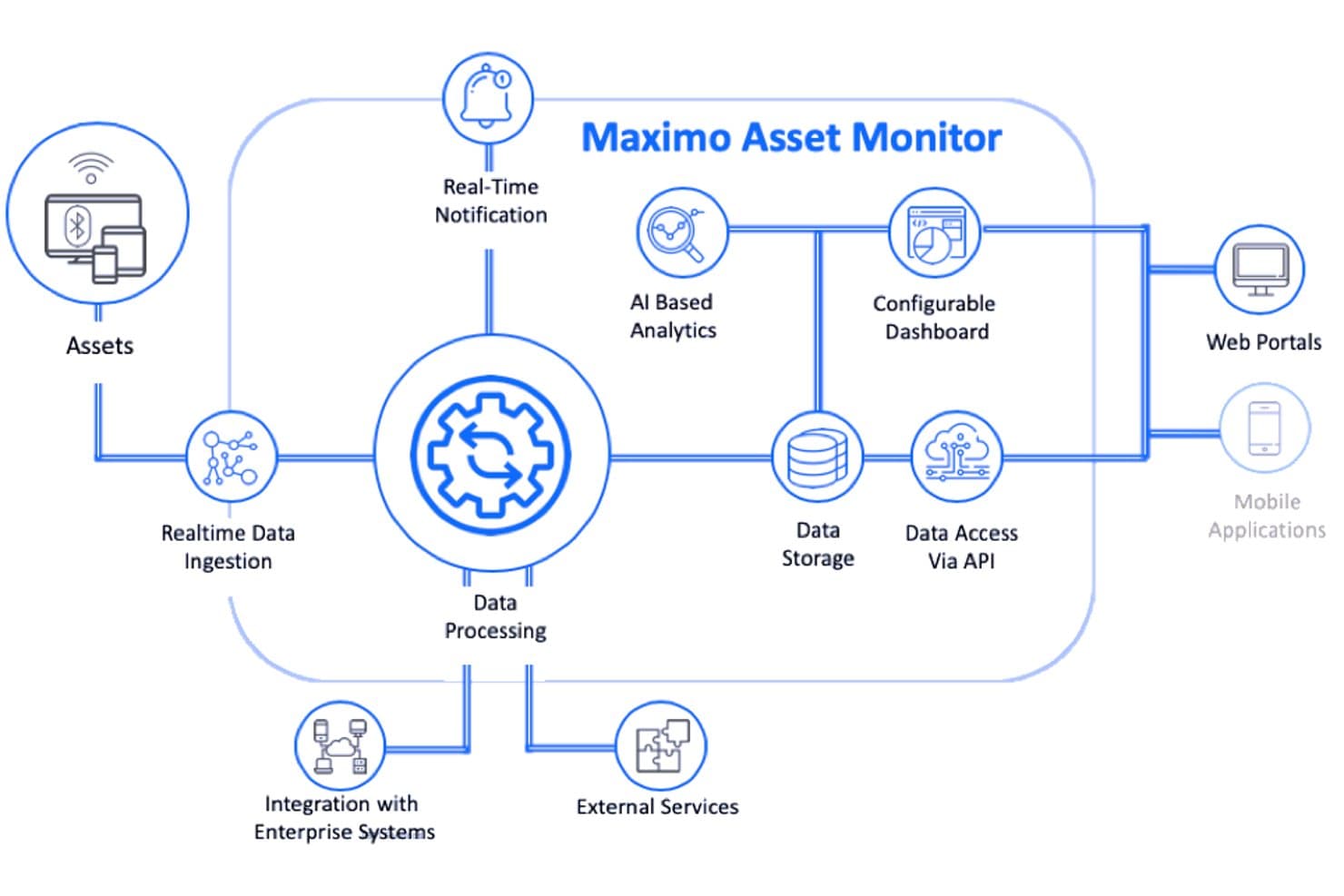
IBM Maximo Asset Monitor integrates with Maximo Health, Maximo Predict, Maximo Health and Predict - Utilities, and other EAM systems.
It also offers a REST-style API for data ingestion and external access and can connect with third-party integration tools via middleware like IBM App Connect.
IBM Maximo Asset Monitor Specs
- 2-Factor Authentication: Yes
- Access Management: Yes
- Anti-Virus: No
- API: Yes
- Audit Trail: Yes
- Bug Tracking: No
- Calendar Management: No
- Customer Management: No
- Dashboard: Yes
- Data Export: Yes
- Data Import: Yes
- Data Visualization: Yes
- Email Integration: No
- External Integrations: Yes
- File Sharing: No
- File Transfer: No
- Firewall: No
- Google Apps Integration: No
- Inventory Tracking: No
- Malware Protection: No
- Multi-User: Yes
- Network Device Performance Monitoring: No
- Network Traffic Monitoring: No
- Network Visualization: No
- Notifications: Yes
- Project Management: No
- Remote Access: No
- Risk Assessment: Yes
- SAP Integration: No
- Scheduling: Yes
- Software Integration: Yes
- Third-Party Plugins/Add-Ons: Yes
- Ticket Management: No


