

Recensione di Help Scout: Pro, Contro, Funzionalità e Prezzi
Help Scout si distingue per il suo supporto e-mail-first facile da usare, rendendolo ideale per team piccoli e medi che danno priorità a semplicità, comunicazione efficace e successo del cliente a lungo termine.

Recensiamo gli strumenti in modo indipendente e le commissioni ci aiutano a finanziare i nostri test. Consulta la nostra politica sulla trasparenza, la nostra metodologia, oppure suggerisci uno strumento.
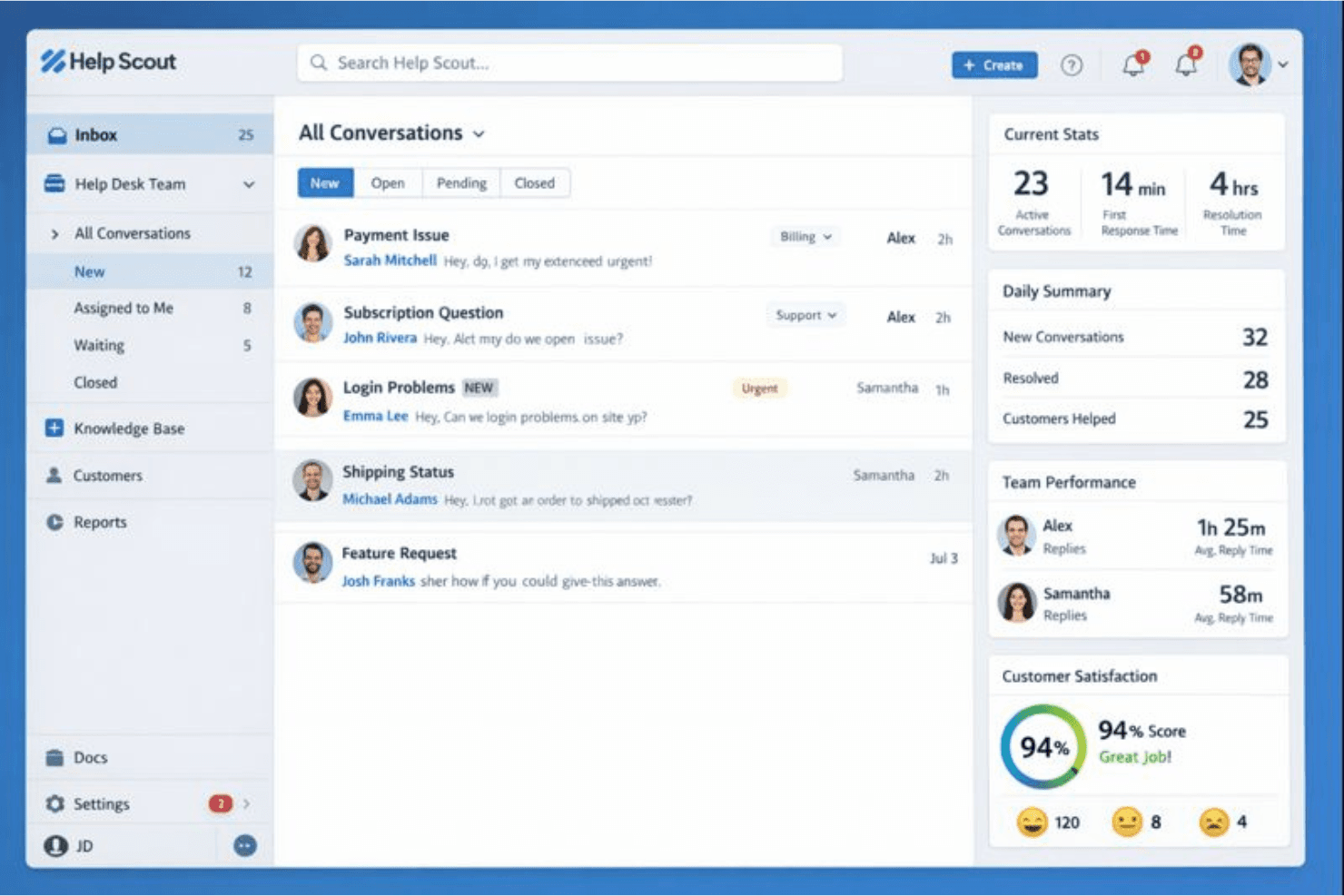
Help Scout is an IT helpdesk software built around shared inbox and email-based support for teams that need a clean, collaborative way to manage customer conversations without a heavy ticketing system. I'd consider it if you want something lighter and faster to set up than Zendesk, but still structured enough to give your team visibility into who owns what and where every conversation stands.
Help Scout Evaluation Summary
4.5/5
- From $25/user/month (billed annually)
- Free plan available
Perché fidarsi dei nostri consigli sui software
6,700+
Reviews
20
Industry experts
16+
Evaluation factors
14
Years
Il nostro team testa e recensisce software dal 2012. In quanto leader tecnologici noi stessi, sappiamo quanto sia difficile — e importante — scegliere il software giusto.
Per questa guida, abbiamo valutato gli strumenti attraverso test praticie ricerche indipendenti, assegnando un punteggio agli strumenti in base ai nostri criteri di selezione.
Le nostre recensioni riflettono il nostro giudizio editoriale umano, non un discorso di vendita.
Revisori esperti:
- Paulo Gardini MiguelDirettore tecnico
 Tim FisherVP dell'IA
 Gabriel RosasTech Lead e architetto software
 Christhian GruhnTech Lead e architetto della piattaforma

Help Scout Overview
In my opinion, Help Scout is a solid choice for small to mid-sized teams that need a user-friendly IT help desk tool. Its email-first approach and strong customer support set it apart from competitors. The onboarding process is straightforward, making it easy for your team to get started. However, Help Scout's pricing may be steep, especially considering the limited integrations. If your team values effective communication, timely notifications, and a simple interface, Help Scout could be the right fit. It's especially beneficial in industries such as e-commerce and SaaS, where successful customer interactions are key.
Pros
- Your team will appreciate the intuitive and clean interface.
- Email-based support is efficient and effective for managing customer queries, including those from social media.
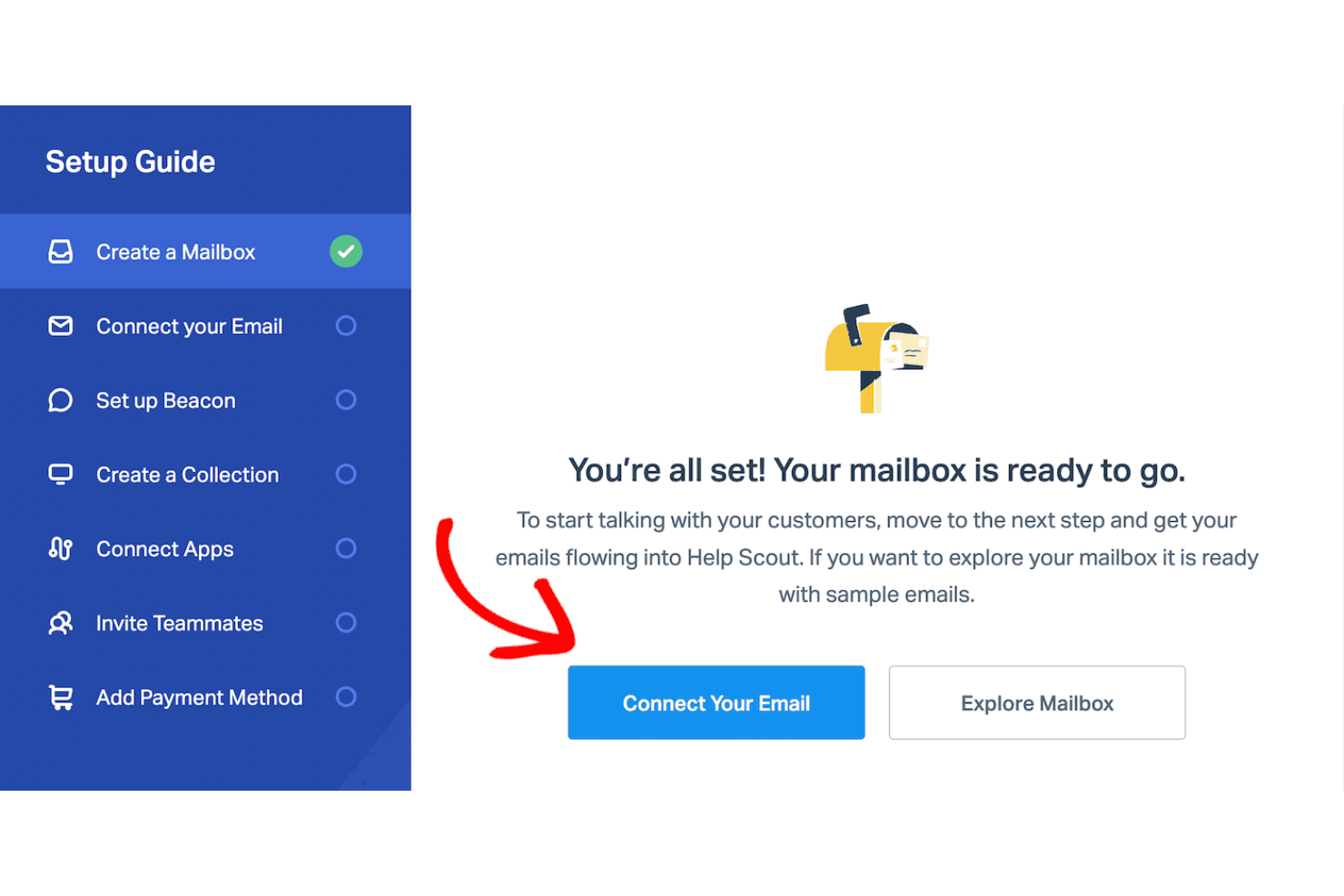
- Onboarding is quick and easy, so you can start working right away.
Cons
- You might find the reporting features a bit limited.
- The customization options for your workflows could be expanded.
- Some users feel the mobile app lacks certain functionalities compared to other support tools.
Is Help Scout Right For Your Needs?
Who Would be a Good Fit for Help Scout?
Help Scout is great for small to mid-sized businesses that prioritize customer communication. If your team is in e-commerce or SaaS, you'll find its email-based support, shared inbox, and simple user interface valuable for efficiently handling customer support inquiries. Your customer service or support departments can benefit from Help Scout's quick onboarding and ease of use. Its focus on effective communication makes it ideal for teams that need to manage customer interactions without getting bogged down by complex systems and a rigid ticketing system.
- E-commerce TeamsHelp Scout's email support aids your team in managing customer questions quickly with streamlined workflows.
- SaaS CompaniesYour support team will find Help Scout's interface easy to use, improving response times and enhancing customer success.
- Small BusinessesThe quick onboarding process means your team members can start using the platform without extensive training or complex customer service software setups.
- Customer Service DepartmentsThe email-first customer support platform lets your team handle customer queries effectively.
- StartupsWith its straightforward setup, your growing team can focus on customer interactions without technical hurdles.
- Nonprofit OrganizationsHelp Scout's simplicity and functionality ensure your team can manage communications without specialized IT knowledge.
Who Would be a Bad Fit for Help Scout?
Help Scout might not meet the business needs of large enterprises or tech-heavy industries that need extensive customization and advanced reporting. If your team relies on intricate workflows, automation, and detailed analytics, you might find Help Scout's capabilities limited. Departments such as IT operations or data analysis, which require robust reporting and integrations, could struggle with its simpler feature set. The lack of complex functionalities may not meet the needs of teams handling high volumes of technical support requests.
- Large EnterprisesYour team may find Help Scout's reporting and customization options too basic for large-scale operations.
- IT DepartmentsIf you require advanced technical support features, Help Scout might not provide the depth required.
- Data-Driven TeamsHelp Scout's limited analytics may not satisfy your need for in-depth data insights.
- Tech-Heavy IndustriesYour industry might demand more customization than Help Scout's straightforward setup offers.
- Financial ServicesComplex regulatory and support needs might exceed Help Scout's simpler capabilities.
- Healthcare ProvidersThe need for detailed, compliant communications could make Help Scout's features feel insufficient for your team.
La Nostra Metodologia di Recensione
Come Testiamo e Valutiamo gli Strumenti
Abbiamo trascorso anni a costruire, perfezionare e migliorare il nostro sistema di testing e valutazione del software. Il nostro schema è progettato per cogliere le sfumature della selezione software e cosa rende efficace uno strumento, focalizzandosi sugli aspetti critici del processo decisionale.
Di seguito, puoi vedere esattamente come funziona il nostro testing e punteggio su sette criteri. Ci permette di offrire una valutazione imparziale del software basata su funzionalità principali, caratteristiche distintive, facilità d’uso, onboarding, assistenza clienti, integrazioni, recensioni dei clienti e rapporto qualità-prezzo.
Funzionalità Principali (25% del punteggio finale)
Il punto di partenza della nostra valutazione è sempre la funzionalità principale dello strumento. Ha le funzioni e caratteristiche base che ci si aspetta? Alcune di queste caratteristiche sono limitate ai piani tariffari superiori? Fondamentalmente, ci aspettiamo che uno strumento regga il confronto rispetto alle capacità di base dei concorrenti.
Caratteristiche Distintive (25% del punteggio finale)
Successivamente, valutiamo le caratteristiche distintive e non comuni che vanno oltre la funzionalità base tipicamente trovata negli strumenti di questa categoria. Un punteggio alto riflette funzionalità specializzate o uniche che rendono il prodotto più veloce, efficiente o offrono ulteriore valore all’utente.
Valutiamo inoltre quanto sia semplice integrare altri strumenti tipicamente utilizzati nell’infrastruttura tecnologica per espandere la funzionalità e l’utilità del software. Gli strumenti che offrono numerose integrazioni native, connessioni di terze parti e accesso API per creare integrazioni personalizzate ottengono i punteggi migliori.
Facilità d’Uso (10% del punteggio finale)
Consideriamo quanto sia rapido e semplice svolgere i compiti definiti nella funzionalità principale utilizzando lo strumento. Il software con punteggio alto è ben progettato, intuitivo da usare, offre app mobili, fornisce modelli e rende semplici attività relativamente complesse.
Onboarding (10% del punteggio finale)
Sappiamo quanto sia importante l’adozione rapida da parte del team per una nuova piattaforma, quindi valutiamo quanto sia facile imparare e utilizzare uno strumento con formazione minima. Valutiamo quanto velocemente un membro del team possa iniziare a usare lo strumento anche senza esperienza. Soluzioni con punteggio alto indicano che sono richiesti pochi o nessun supporto.
Assistenza Clienti (10% del punteggio finale)
Esaminiamo quanto sia veloce e facile ricevere assistenza e risolvere problemi tramite telefono, live chat o knowledge base. Gli strumenti e le aziende che garantiscono supporto in tempo reale ottengono il miglior punteggio, mentre i chatbot ottengono il peggiore.
Recensioni dei Clienti (10% del punteggio finale)
Oltre ai nostri test e valutazioni, prendiamo in considerazione il net promoter score dei clienti attuali e passati. Valutiamo la probabilità che, data la scelta, selezionerebbero nuovamente lo strumento per la funzionalità principale. Un software con punteggio alto riflette un alto net promoter score da parte dei clienti attuali o passati.
Rapporto Qualità-Prezzo (10% del punteggio finale)
Infine, considerando tutti gli altri criteri, analizziamo il prezzo medio dei piani base rispetto alle funzionalità principali e consideriamo il valore degli altri criteri di valutazione. Il software che offre di più a meno otterrà un punteggio più alto.
Core Features
Email Support
Help Scout makes handling customer inquiries easy with its email-based support system. Your team can manage conversations in a familiar email format, keeping communication simple and effective.
Shared Inbox
You can use the shared inbox to see all customer interactions in one place. This helps your team members collaborate efficiently and ensures no messages get missed.
Knowledge Base
Help Scout's Docs feature lets you create a self-service knowledge base for your customers. This reduces the number of support tickets and improves overall functionality.
Customer Management
Your team can use Help Scout to access detailed customer profiles. This feature helps provide personalized support by keeping track of past customer interactions and details.
Reporting
Help Scout offers basic reporting tools that give you insight into your team's performance. You can track metrics such as response times and conversation volume to improve your support.
Collision Detection
This feature alerts your team when multiple agents are viewing the same conversation. It prevents duplicate responses and ensures smooth customer support.
Ease of Use
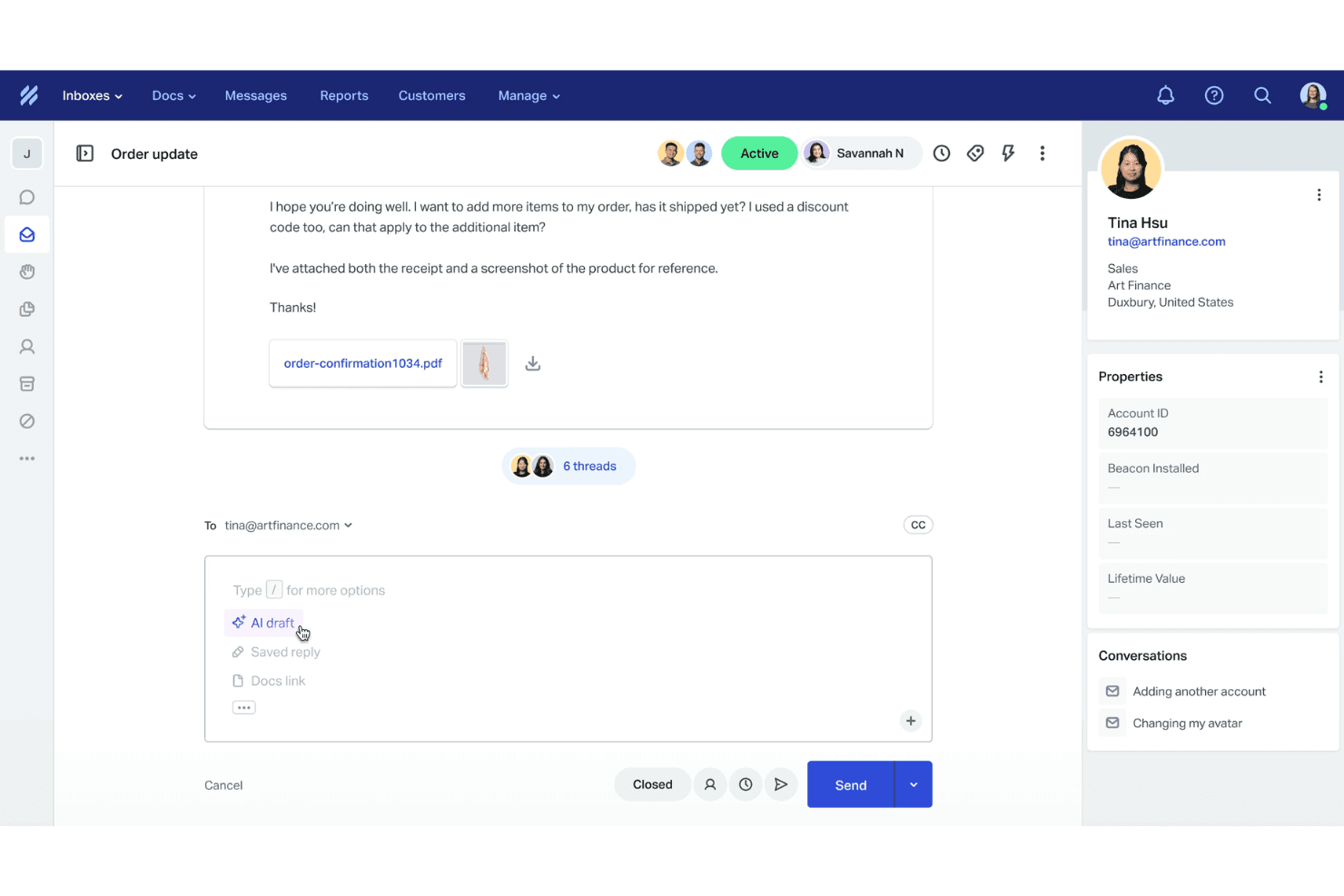
Help Scout is a user-friendly help desk tool that makes it easy for your team to get started quickly. Its clean interface and intuitive design simplify navigation and reduce the learning curve. Users appreciate the familiar email-style layout, which helps manage customer interactions. The onboarding process is smooth, so your team can focus on providing support. Overall, it stands out for its simplicity and efficiency compared to other IT help desk solutions.
Integrations
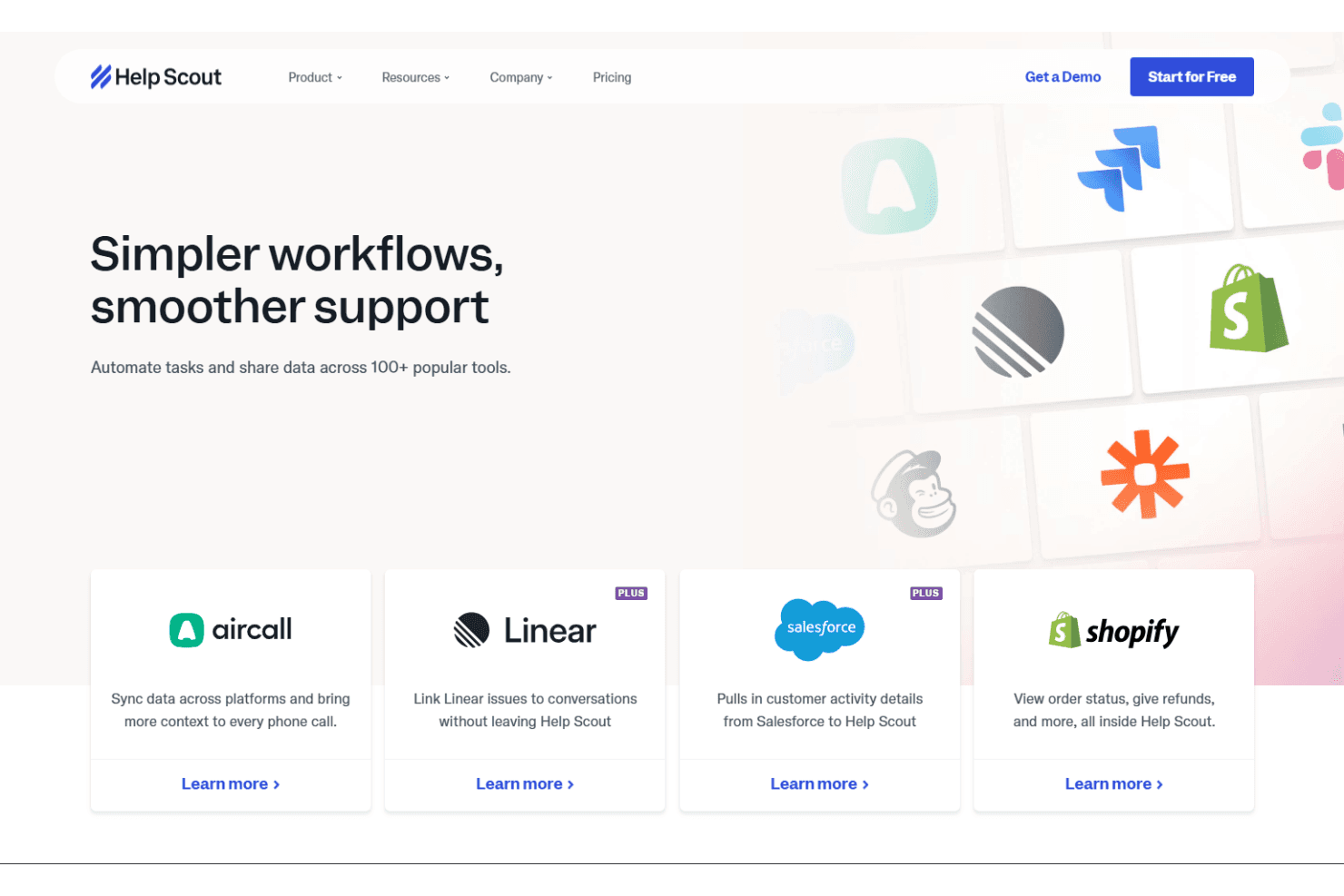
Help Scout integrates with Shopify, Slack, Salesforce, Mailchimp, HubSpot, Zapier, Jira, Asana, Pipedrive, and Trello. Help Scout also offers an API and connects with third-party integration tools, such as Zapier, for expanded capabilities.
New Product Updates from Help Scout
 Opens new window
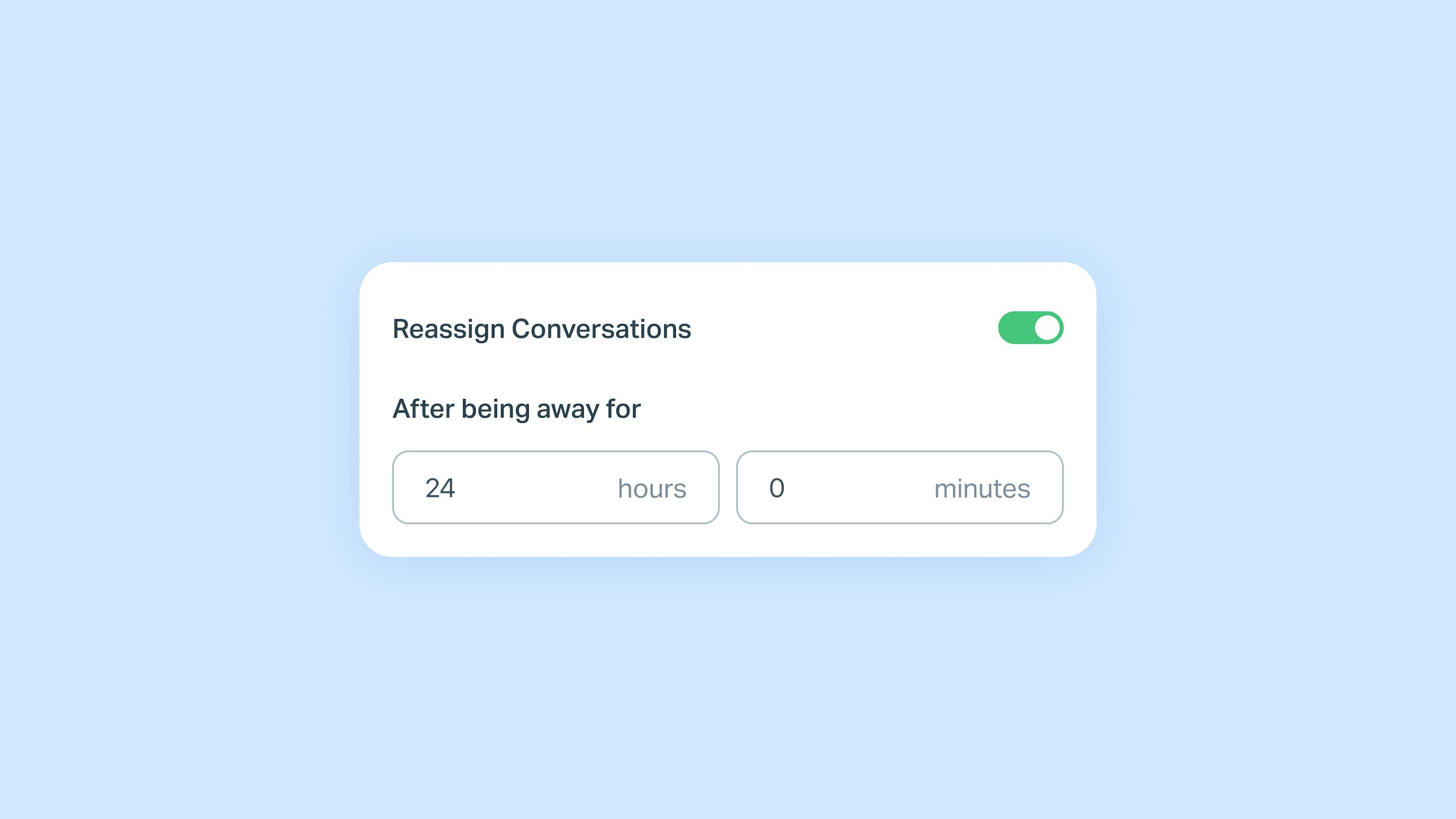
Help Scout Adds Automatic Conversation Reassignment
Help Scout introduces auto-reassign conversations to keep customer messages moving when assigned teammates are away. Teams can choose how long a teammate must be unavailable before conversations are automatically unassigned for someone else to respond. Highlights include:
- Auto-Unassign for Away Teammates: Automatically unassigns conversations after a teammate has been away for a set time.
- Customer Reply Support: Makes conversations available for reassignment when customers reply while the assigned teammate is away.
- Conversation Reopen and Workflow Support: Applies to reopened conversations and new workflow messages to keep conversations moving.
Visit Help Scout's official site for more details.
 Opens new window
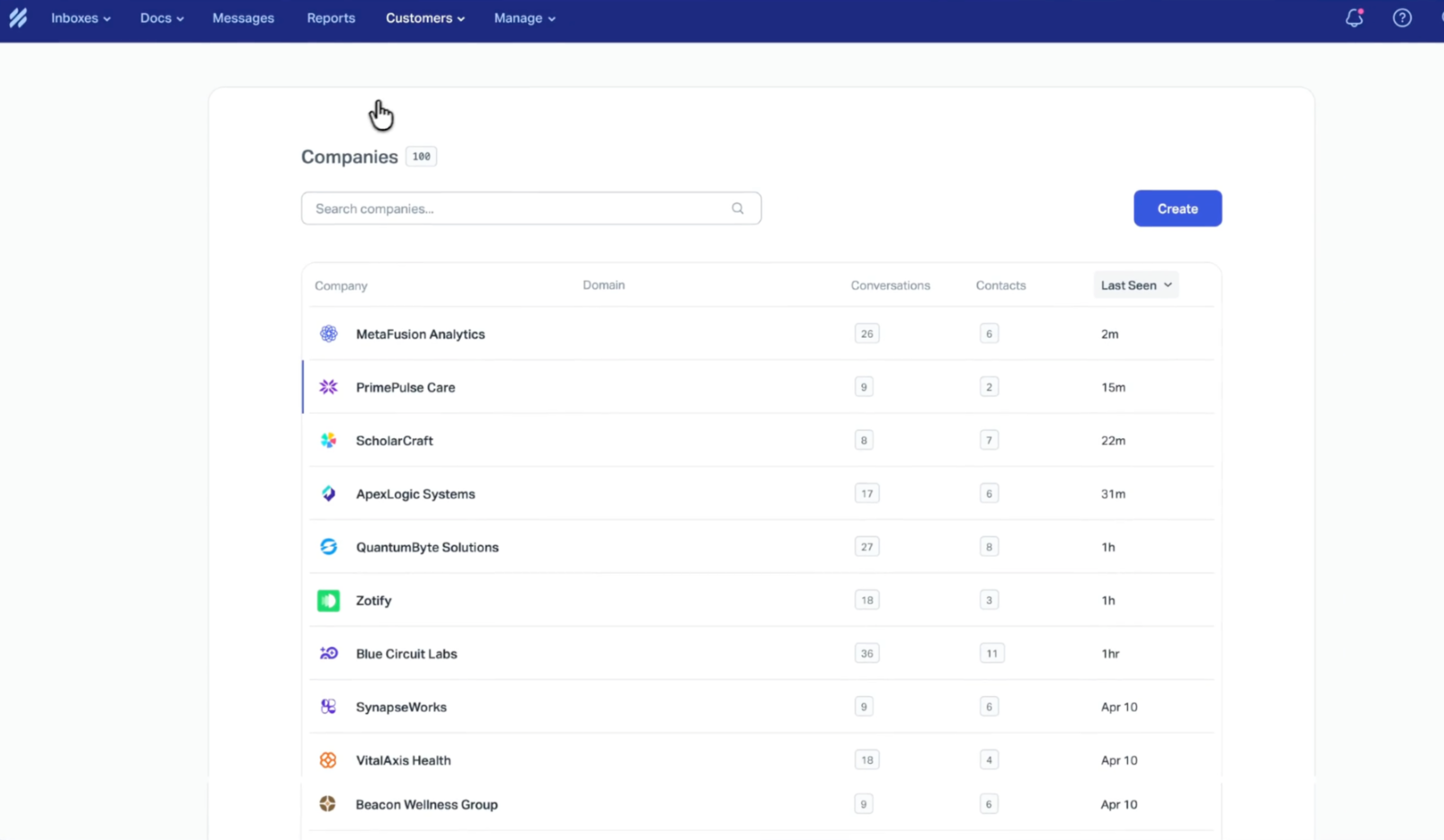
Help Scout Adds Company Profile for Account Health Insights
Help Scout’s Company Profile now makes it easier to understand account health at a glance by consolidating essential customer support signals in one view. This helps teams quickly spot trends and take action to improve customer experience. Highlights include:
- Centralized Metrics and Trends View: See customer support performance indicators in one place to evaluate account health faster.
- Response Time Visibility: Monitor how quickly your team replies so you can identify delays and improve responsiveness.
- Customer Satisfaction (CSAT) Tracking: Keep a clear pulse on customer sentiment to prioritize experience improvements.
- Conversation Volume Insights: Understand support demand levels to better plan staffing and workflows.
- Topics Overview: Surface what customers are contacting you about to spot recurring issues and guide proactive fixes.
Visit Help Scout's official site for more details
 Opens new window
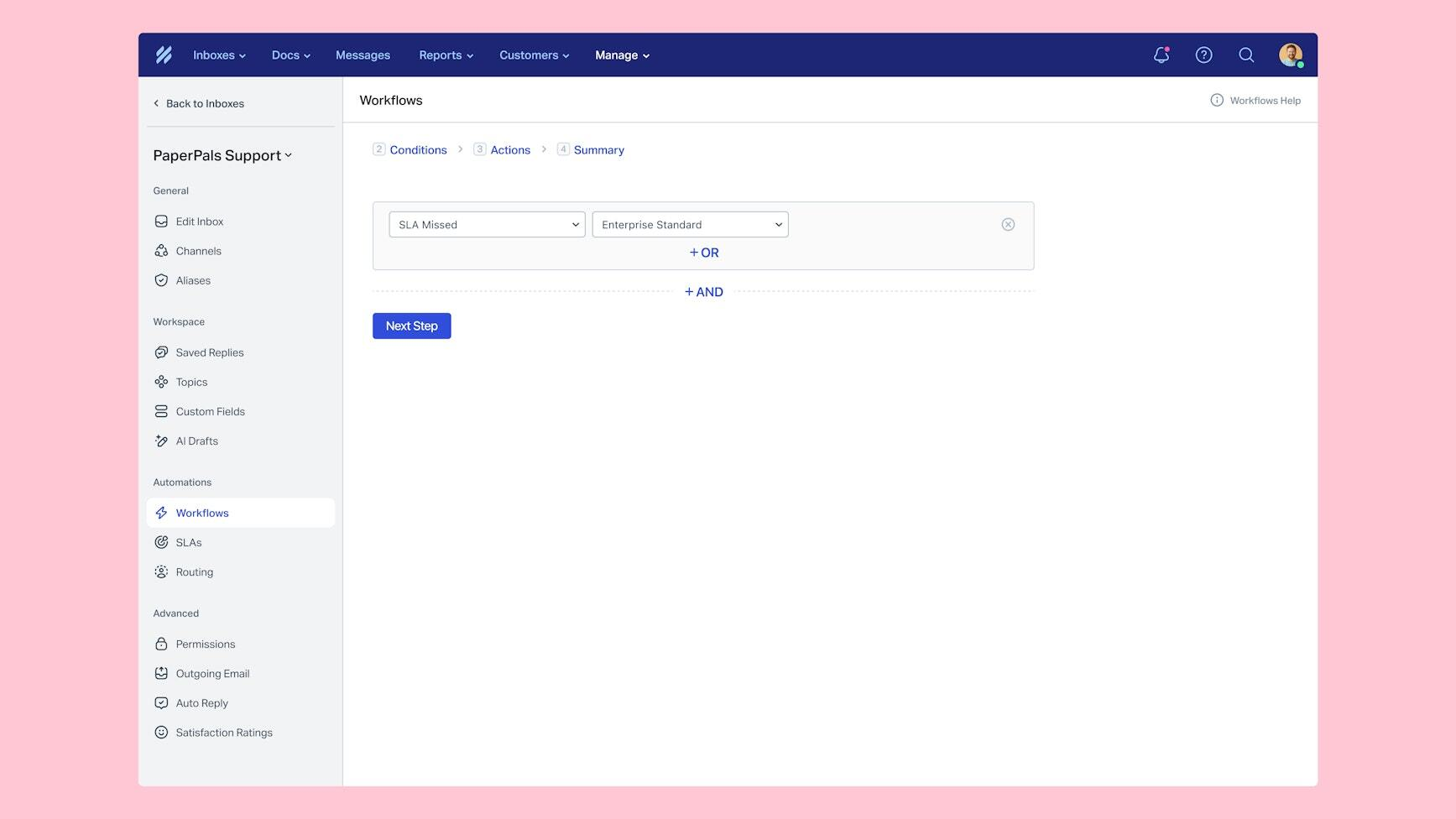
Help Scout Adds SLA Workflows and Availability Status Controls
Help Scout adds SLA workflow automation and synced availability statuses to help teams manage conversations more efficiently. These updates improve response tracking, task routing, and team visibility across the inbox. Highlights include:
- SLA Workflows: Trigger automatic actions when conversations approach or miss SLA deadlines to help teams respond faster.
- Availability Status Controls: Set Active, Away, or custom statuses across web and mobile to show teammate availability.
Visit Help Scout’s official site for more details.
 Opens new window
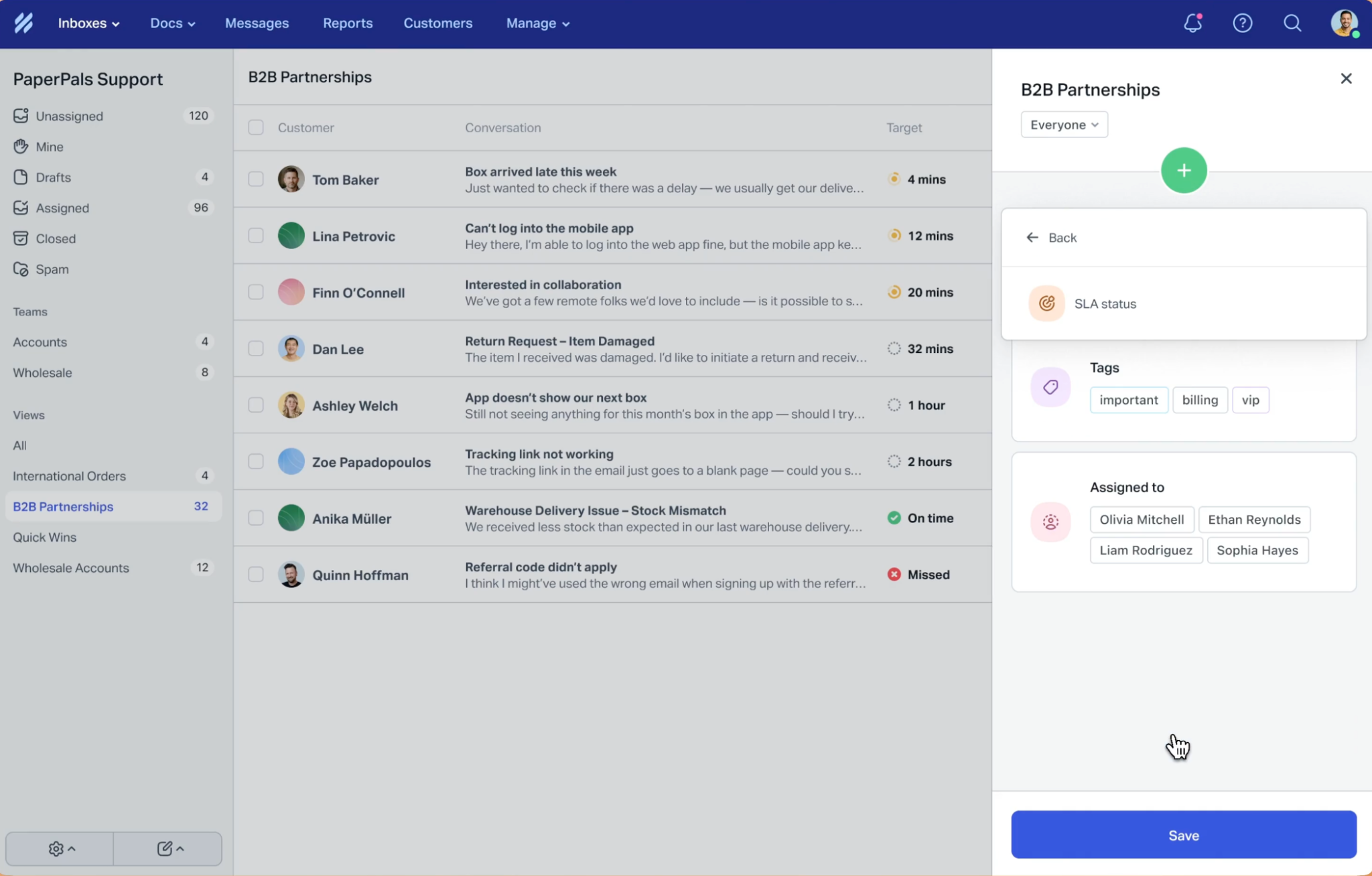
Help Scout Adds Next Response Time Goals and SLA View Filters
Help Scout adds Next Response Time goals and SLA-focused view filters to help teams manage customer response commitments more effectively. These updates improve conversation prioritization and help support teams stay on top of follow-ups and breached SLAs. Highlights include:
- Next Response Time Goals: Teams can track follow-up response times throughout customer conversations, not just first replies and final resolutions.
- SLA View Filters: Users can create focused views for upcoming reply deadlines, resolution deadlines, and breached conversations.
Visit Help Scout’s official site for more details.
 Opens new window
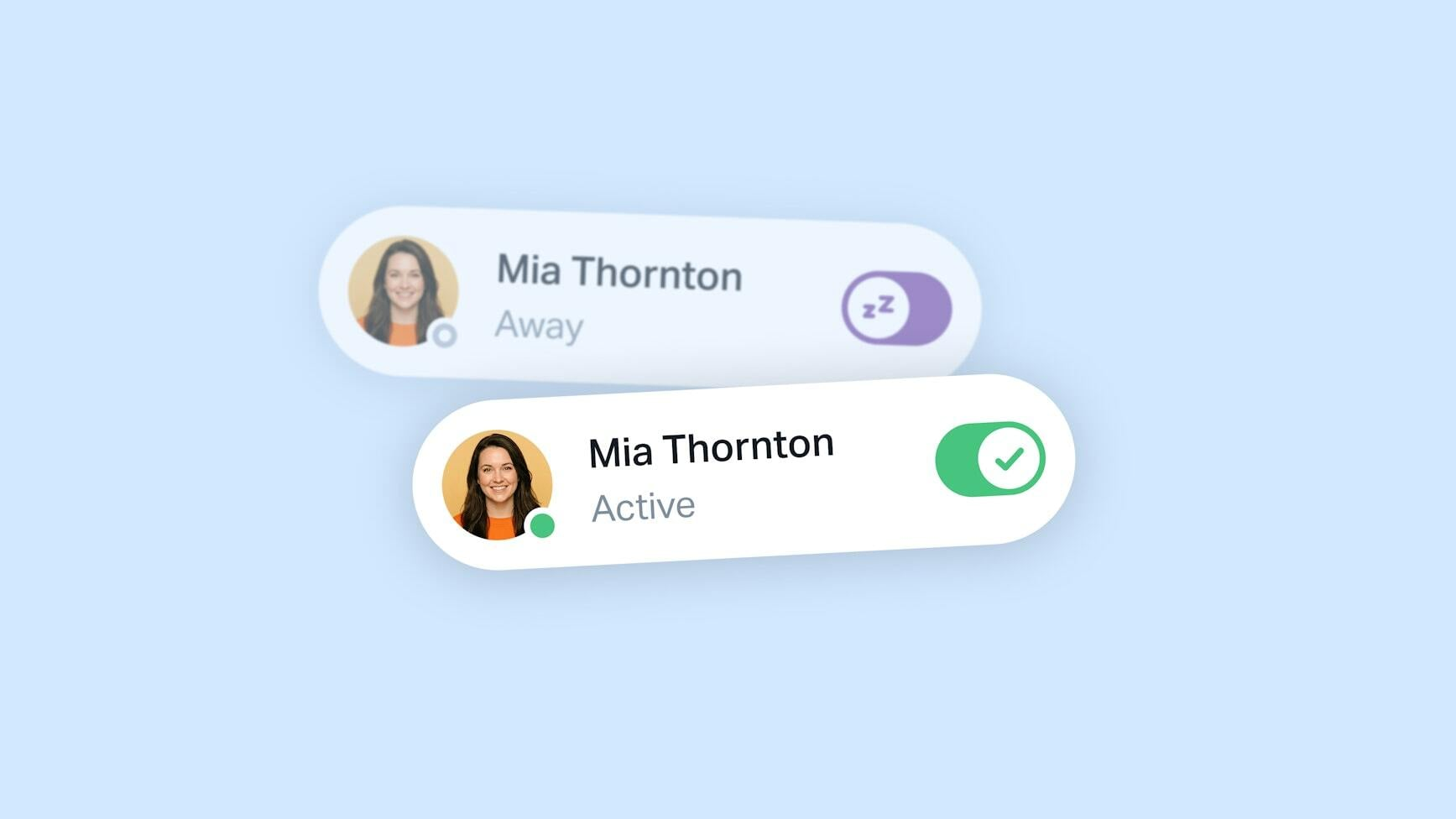
Help Scout Adds Automatic Availability Updates
Help Scout introduces presence detection to automatically update teammate availability based on app activity across web and mobile platforms. This update helps support teams route conversations more accurately, reduce missed assignments, and improve overall inbox coordination. Highlights include:
- Automatic Presence Detection: Update teammate availability automatically based on whether users are actively using the app.
- Improved Conversation Routing: Assign conversations only to available teammates for better workload distribution and response handling.
- Manual Away Status Support: Allow teammates to remain marked as Away for PTO or other situations without automatic overrides.
Visit Help Scout's official site for more details.
 Opens new window
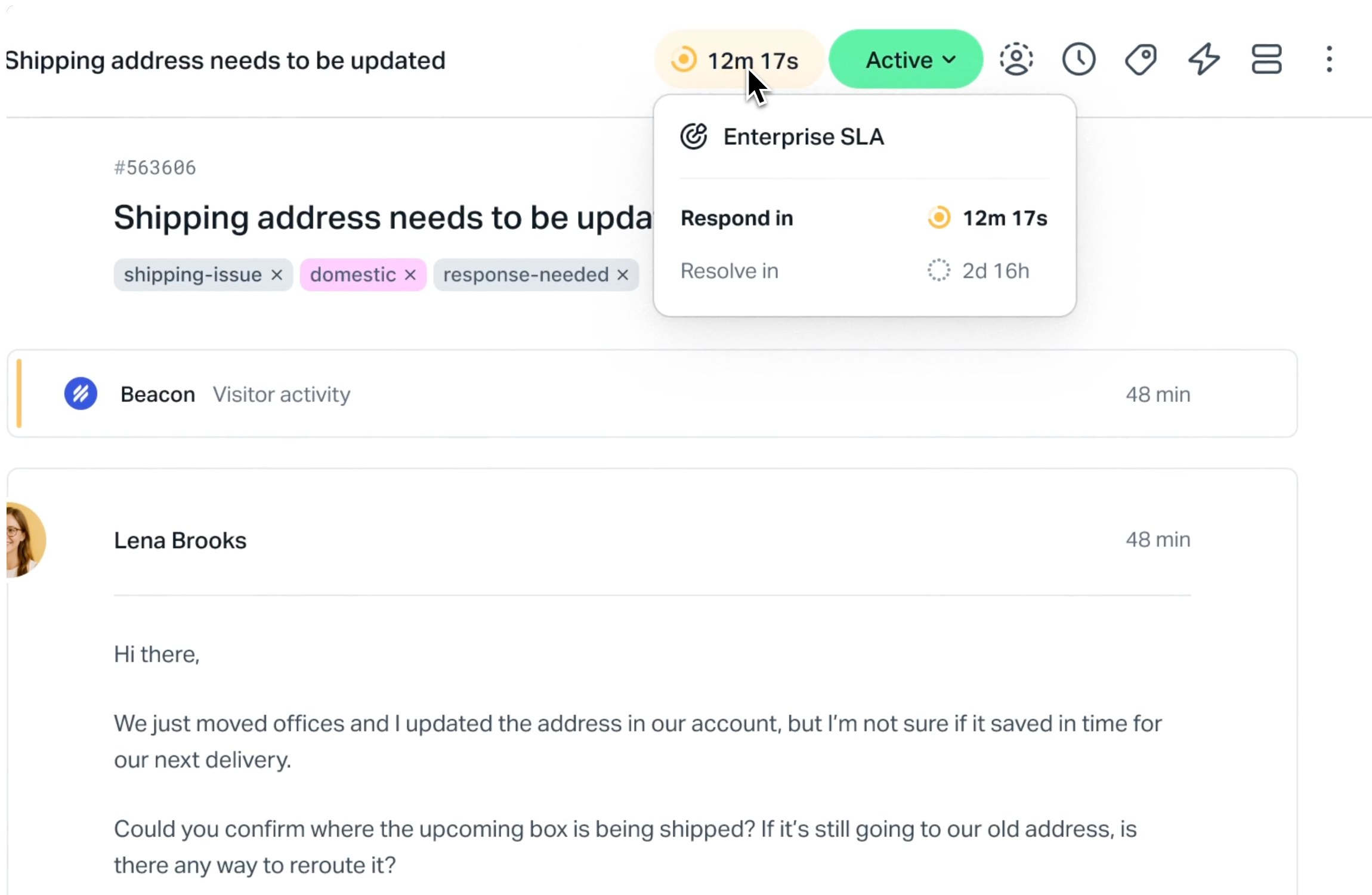
Help Scout Adds SLAs for Response and Resolution Times
Help Scout introduces SLAs to track response and resolution times directly within the inbox. This update improves support efficiency by giving teams clear visibility into deadlines and helping them focus on conversations that need attention. Highlights include:
- Response and Resolution SLAs: Set targets to track reply and resolution timelines for better performance monitoring.
- Real-Time SLA Tracking: Keep timelines updated as conversations progress to maintain accurate visibility.
- Inbox Prioritization: Identify overdue and at-risk conversations to focus on what matters most.
Visit Help Scout’s official site for more details.
 Opens new window
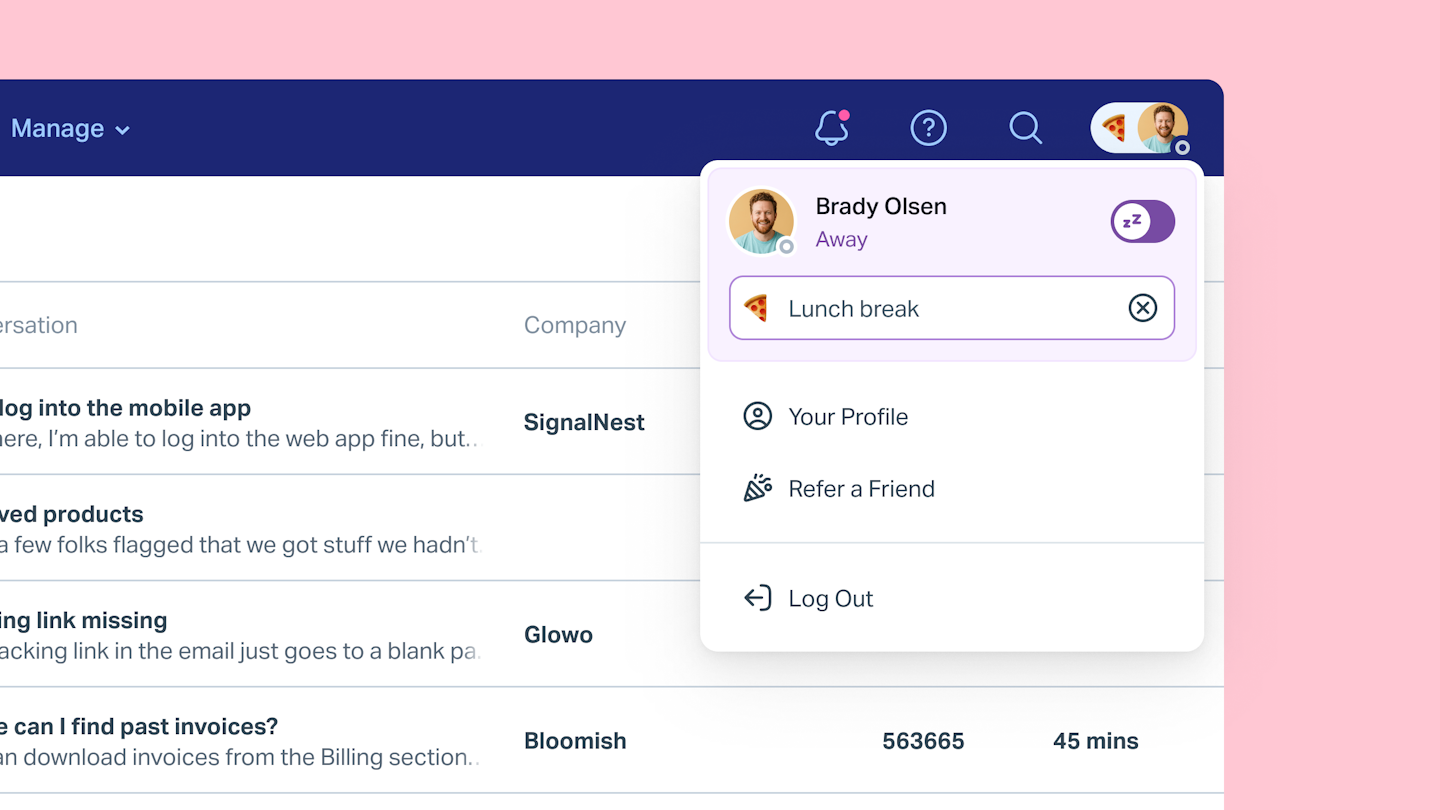
Help Scout Adds Custom Status Messages
Help Scout introduces custom status messages, allowing users to communicate what they are working on or their availability directly within the inbox. This improves team collaboration by providing visibility into workload and reducing interruptions during handoffs and coordination. Highlights include:
- Custom Status Messages: Allows users to share context behind their availability across the inbox.
- Improved Team Coordination: Helps teams manage handoffs and collaboration without disrupting workflows.
Visit Help Scout’s official site for more details.
Help Scout Specs
- Analytics: Yes
- API: Yes
- Batch Permissions & Access: Yes
- Call Integration: Yes
- Chat: Yes
- Contact Management: Yes
- Contact Sharing: No
- CRM Integration: Yes
- Customer Management: Yes
- Customer Service: Yes
- Dashboard: Yes
- Data Export: Yes
- Data Import: Yes
- Data Visualization: Yes
- Email Integration: Yes
- Escalation Management: No
- External Integrations: Yes
- Instant Chat Integration: Yes
- Knowledge Base: Yes
- Lead Management: No
- Lead Scoring: No
- Multi-User: Yes
- Notifications: Yes
- Real-time Alerts: Yes
- Scheduling: Yes
- Self-service Portal: Yes
- Social Media Integration: Yes
- Support Forum: No
- Third-Party Plugins/Add-Ons: Yes
- Ticket Management: Yes
- Workflow Management: Yes


