
Recensione Freshservice: Pro, Contro, Funzionalità e Prezzi Spiegati
Freshservice semplifica la gestione dei servizi IT con funzionalità intuitive e prezzi competitivi, rendendolo ideale per ottimizzare il flusso di lavoro del tuo team.

Recensiamo gli strumenti in modo indipendente e le commissioni ci aiutano a finanziare i nostri test. Consulta la nostra politica sulla trasparenza, la nostra metodologia, oppure suggerisci uno strumento.
Freshservice is a cloud-based IT service management (ITSM) platform developed by Freshworks to help IT teams manage incidents, service requests, assets, and changes from a unified service desk. For IT leaders under pressure to reduce downtime, improve employee support, and scale IT operations efficiently, Freshservice offers a modern approach that blends automation, self-service, and integrations across business tools.
This review examines Freshservice’s features, pricing, pros and cons, and best use cases so you can determine whether it fits your organization’s ITSM strategy.
Freshservice Evaluation Summary
4.6/5
- From $19/user/month (billed annually)
- 14-day free trial
Perché fidarsi dei nostri consigli sui software
6,700+
Reviews
20
Industry experts
16+
Evaluation factors
14
Years
Il nostro team testa e recensisce software dal 2012. In quanto leader tecnologici noi stessi, sappiamo quanto sia difficile — e importante — scegliere il software giusto.
Per questa guida, abbiamo valutato gli strumenti attraverso test praticie ricerche indipendenti, assegnando un punteggio agli strumenti in base ai nostri criteri di selezione.
Le nostre recensioni riflettono il nostro giudizio editoriale umano, non un discorso di vendita.
Revisori esperti:
- Paulo Gardini MiguelDirettore tecnico
 Tim FisherVP dell'IA
 Gabriel RosasTech Lead e architetto software
 Christhian GruhnTech Lead e architetto della piattaforma

Freshservice Overview
As an IT service management platform, Freshservice combines incident management, service requests, asset management, workflow automation, and IT operations management and enterprise service management capabilities in a single system. It also includes built-in IT asset management (ITAM) and a configuration management database (CMDB), giving IT teams visibility into assets, dependencies, and change impacts.
What sets Freshservice apart is its integrated AI and enterprise service management capabilities. Freddy AI helps automate ticket triage and support self-service, while features like Workspaces and Journeys allow organizations to extend service management beyond IT to teams such as HR and facilities. This makes Freshservice a practical option for organizations looking to modernize service delivery without the complexity of traditional enterprise ITSM tools.
Pros
- Fast setup and easy administration with strong out-of-the-box functionality.
- Built-in IT asset management with CMDB and deep cross-environment discovery.
- AI-powered automation and ticket assistance via Freddy AI.
Cons
- Many AI features are limited to higher-tier plans.
- Customization may be less flexible than some enterprise ITSM platforms.
- Reporting and analytics can be limited for advanced management reporting.
Is Freshservice Right For Your Needs?
Who Would be a Good Fit for Freshservice?
Freshservice is a strong choice for organizations that value automation, quick onboarding, and a modern interface in their ITSM tools. It works especially well for mid-market businesses and small, agile enterprises that need to manage assets and incidents without heavy customization. The platform’s AI ticketing, built-in asset management, and self-service portal make it ideal for teams seeking to reduce manual work and improve service delivery.
- Companies Implementing ITIL Best PracticesSupports ITIL-aligned processes such as incident, problem, change, and SLA management for structured service delivery.
- Lean ManagementIdeal for organizations that want powerful service management without needing large, specialized admin teams.
- Mid-Size to Enterprise OrganizationsProvides strong out-of-the-box ITSM capabilities and integrations without the implementation complexity of traditional enterprise service management platforms.
- Business Teams (HR, Facilities, Finance)Ideal for non-IT teams looking for an intuitive service management solution through enterprise service management capabilities.
- Multi-Tenant SaaS EnvironmentsDesigned for organizations that benefit from faster updates, lower maintenance overhead, and scalable cloud infrastructure.
- Organizations Looking for a Unified PlatformStrong fit for companies that want to manage assets, service management, and IT operations in a single platform.
Who Would be a Bad Fit for Freshservice?
Freshservice may not suit organizations with highly specialized workflows, strict on-premises deployment requirements, or extremely complex reporting needs. Teams requiring deep customization, legacy infrastructure integrations, or highly specialized compliance frameworks may find the platform limiting compared to larger enterprise ITSM solutions.
- Teams With Heavy Legacy System DependenciesOlder infrastructure and proprietary systems may require extensive custom integrations not easily supported.
- Advanced Reporting RequirementsTeams that depend heavily on complex reporting or custom analytics may find Freshservice’s native reporting tools limited compared to specialized BI or enterprise ITSM platforms.
- Large Global EnterprisesMassive service operations with extensive legacy integrations may exceed Freshservice’s intended mid-market complexity.
- Highly Regulated Government EnvironmentsStrict compliance frameworks and sovereign data requirements may exceed Freshservice’s standard configuration capabilities.
- Enterprises Requiring Deep CustomizationOrganizations needing highly customized workflows and modules may find Freshservice less flexible than larger ITSM platforms.
- Organizations Requiring On-Premises ITSMFreshservice is a cloud-native platform and may not meet requirements for on-premises or private infrastructure deployments.
La Nostra Metodologia di Recensione
Come Testiamo e Valutiamo gli Strumenti
Abbiamo trascorso anni a costruire, perfezionare e migliorare il nostro sistema di testing e valutazione del software. Il nostro schema è progettato per cogliere le sfumature della selezione software e cosa rende efficace uno strumento, focalizzandosi sugli aspetti critici del processo decisionale.
Di seguito, puoi vedere esattamente come funziona il nostro testing e punteggio su sette criteri. Ci permette di offrire una valutazione imparziale del software basata su funzionalità principali, caratteristiche distintive, facilità d’uso, onboarding, assistenza clienti, integrazioni, recensioni dei clienti e rapporto qualità-prezzo.
Funzionalità Principali (25% del punteggio finale)
Il punto di partenza della nostra valutazione è sempre la funzionalità principale dello strumento. Ha le funzioni e caratteristiche base che ci si aspetta? Alcune di queste caratteristiche sono limitate ai piani tariffari superiori? Fondamentalmente, ci aspettiamo che uno strumento regga il confronto rispetto alle capacità di base dei concorrenti.
Caratteristiche Distintive (25% del punteggio finale)
Successivamente, valutiamo le caratteristiche distintive e non comuni che vanno oltre la funzionalità base tipicamente trovata negli strumenti di questa categoria. Un punteggio alto riflette funzionalità specializzate o uniche che rendono il prodotto più veloce, efficiente o offrono ulteriore valore all’utente.
Valutiamo inoltre quanto sia semplice integrare altri strumenti tipicamente utilizzati nell’infrastruttura tecnologica per espandere la funzionalità e l’utilità del software. Gli strumenti che offrono numerose integrazioni native, connessioni di terze parti e accesso API per creare integrazioni personalizzate ottengono i punteggi migliori.
Facilità d’Uso (10% del punteggio finale)
Consideriamo quanto sia rapido e semplice svolgere i compiti definiti nella funzionalità principale utilizzando lo strumento. Il software con punteggio alto è ben progettato, intuitivo da usare, offre app mobili, fornisce modelli e rende semplici attività relativamente complesse.
Onboarding (10% del punteggio finale)
Sappiamo quanto sia importante l’adozione rapida da parte del team per una nuova piattaforma, quindi valutiamo quanto sia facile imparare e utilizzare uno strumento con formazione minima. Valutiamo quanto velocemente un membro del team possa iniziare a usare lo strumento anche senza esperienza. Soluzioni con punteggio alto indicano che sono richiesti pochi o nessun supporto.
Assistenza Clienti (10% del punteggio finale)
Esaminiamo quanto sia veloce e facile ricevere assistenza e risolvere problemi tramite telefono, live chat o knowledge base. Gli strumenti e le aziende che garantiscono supporto in tempo reale ottengono il miglior punteggio, mentre i chatbot ottengono il peggiore.
Recensioni dei Clienti (10% del punteggio finale)
Oltre ai nostri test e valutazioni, prendiamo in considerazione il net promoter score dei clienti attuali e passati. Valutiamo la probabilità che, data la scelta, selezionerebbero nuovamente lo strumento per la funzionalità principale. Un software con punteggio alto riflette un alto net promoter score da parte dei clienti attuali o passati.
Rapporto Qualità-Prezzo (10% del punteggio finale)
Infine, considerando tutti gli altri criteri, analizziamo il prezzo medio dei piani base rispetto alle funzionalità principali e consideriamo il valore degli altri criteri di valutazione. Il software che offre di più a meno otterrà un punteggio più alto.
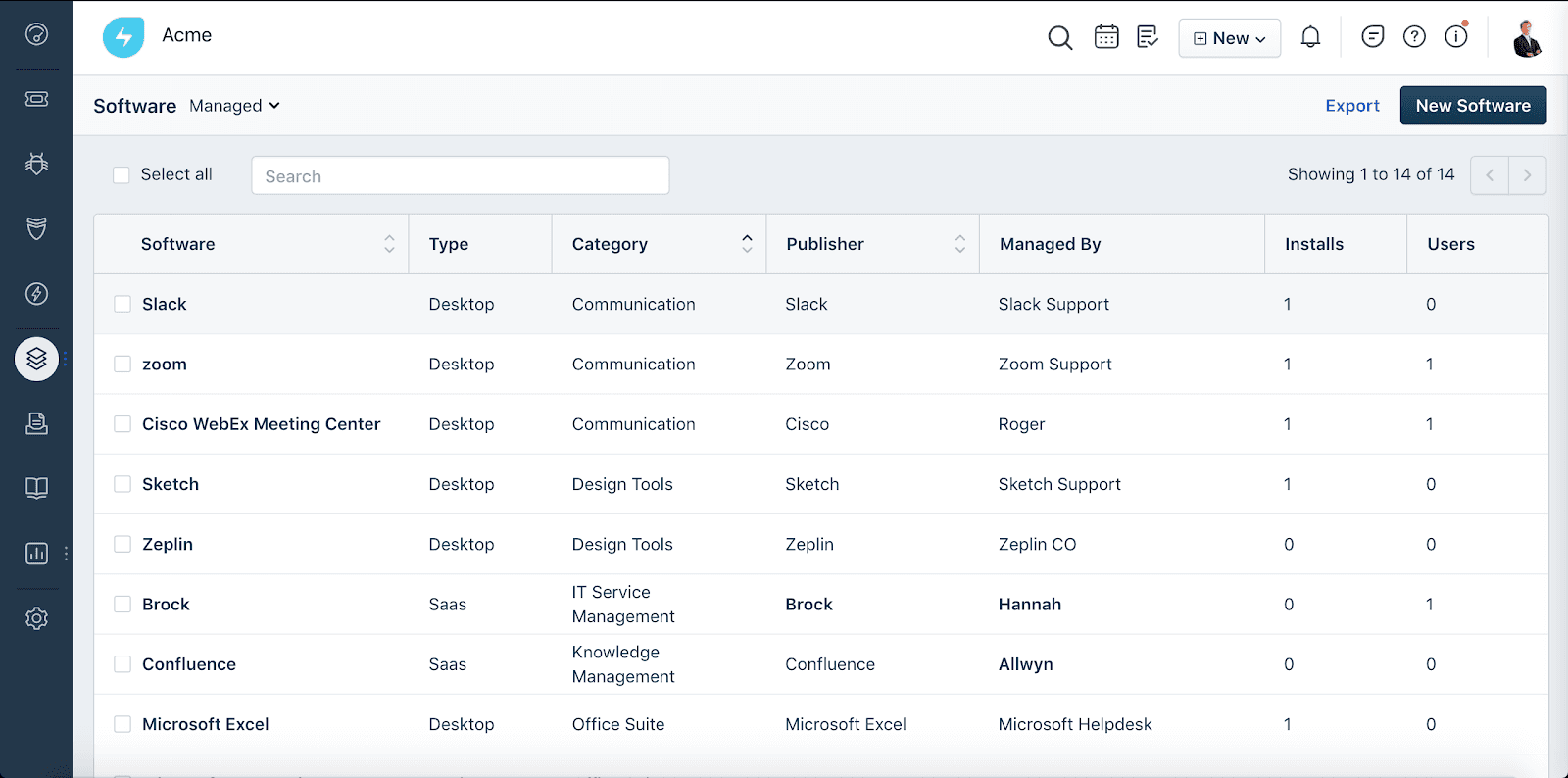
Core Features
IT Operations Management
Provides visibility into infrastructure, dependencies, and service health. Helps IT teams monitor environments, manage alerts, and understand the impact of incidents and changes across systems.
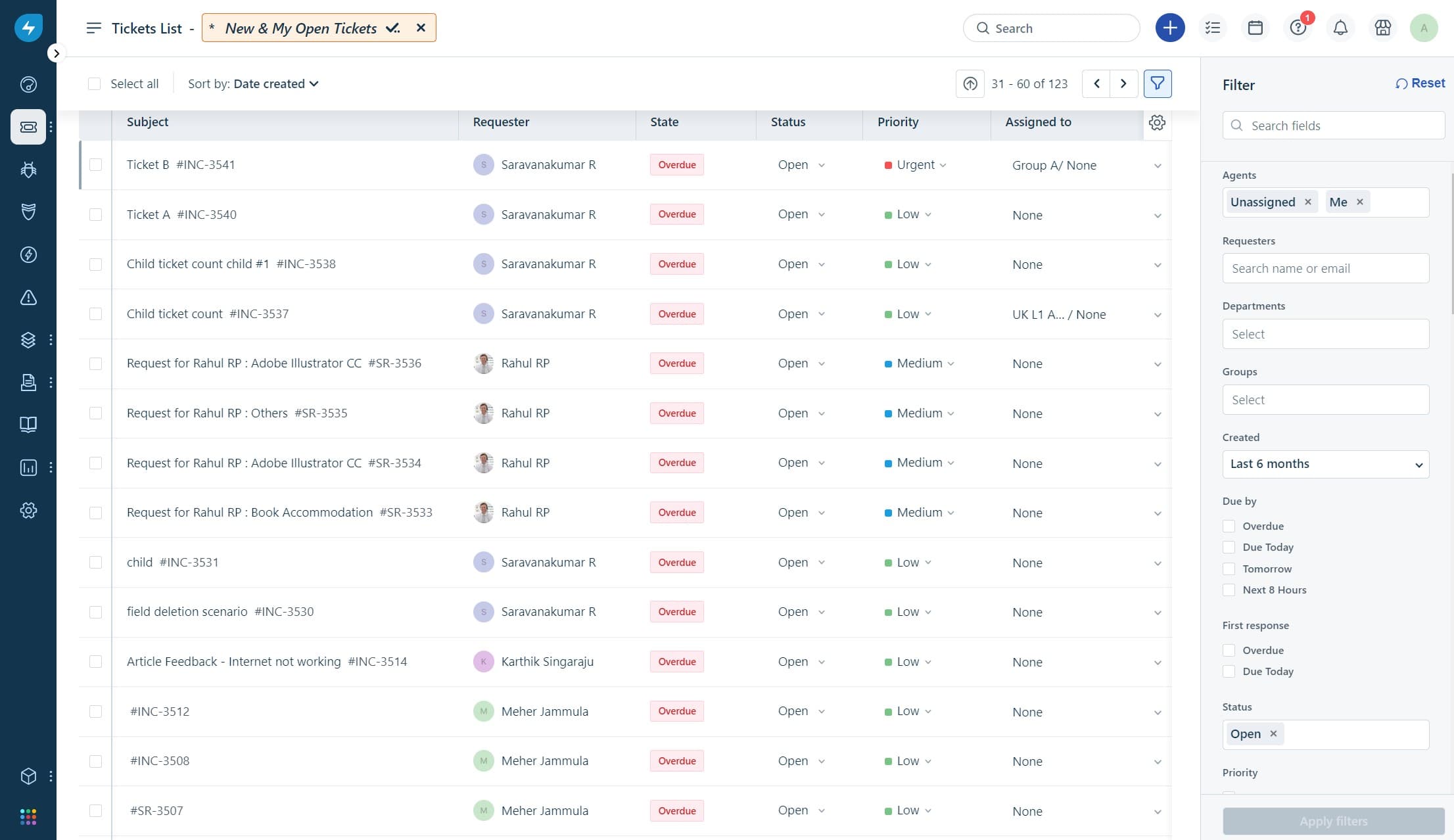
AI-Powered Ticketing
Uses AI-assisted suggestions and automation rules to help categorize, prioritize, and route tickets more efficiently.
Service Catalog
Lets users request IT and non-IT services through a customizable portal. Standardizes service delivery and improves request tracking for both IT and business teams.
Automated Workflow Engine
Automates repetitive tasks like approvals, escalations, and notifications. Users can build rule-based workflows to streamline incident and change management.
IT Asset Management
Tracks hardware, software, and contracts with automated discovery and CMDB updates. Helps maintain compliance and reduces asset-related incidents.
Change Management
Provides structured processes for planning, approving, and tracking changes. Built-in templates and automation reduce risk and ensure audit trails.
Self-Service Portal
Empowers end users to resolve common issues with a searchable knowledge base. Reduces ticket volume and improves user satisfaction with 24/7 access.
Problem Management
Helps teams track recurring incidents and identify root causes. By linking related incidents and assets, Freshservice supports proactive problem resolution and long-term service reliability.
Standout Features
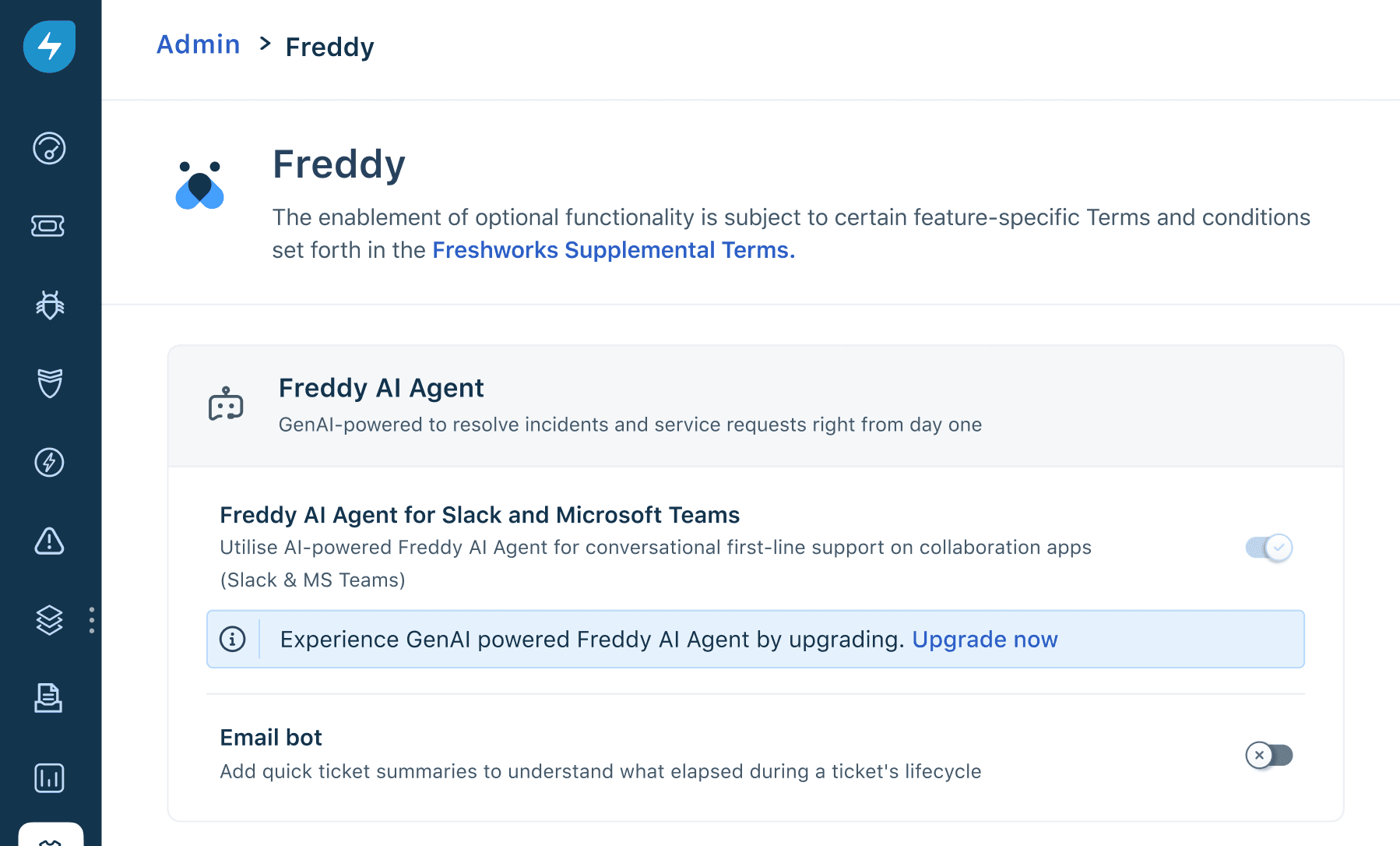
Freddy AI Virtual Agent
Freshservice’s Freddy AI virtual agent helps resolve common IT requests through conversational self-service. It can surface knowledge articles, automate routine tasks, and reduce ticket volume.
Workspaces for Enterprise Service Management
Freshservice Workspaces allow non-IT teams—such as HR, finance, or facilities—to run their own service workflows while remaining within the same platform. This enables organizations to expand service management beyond IT.
Ease of Use
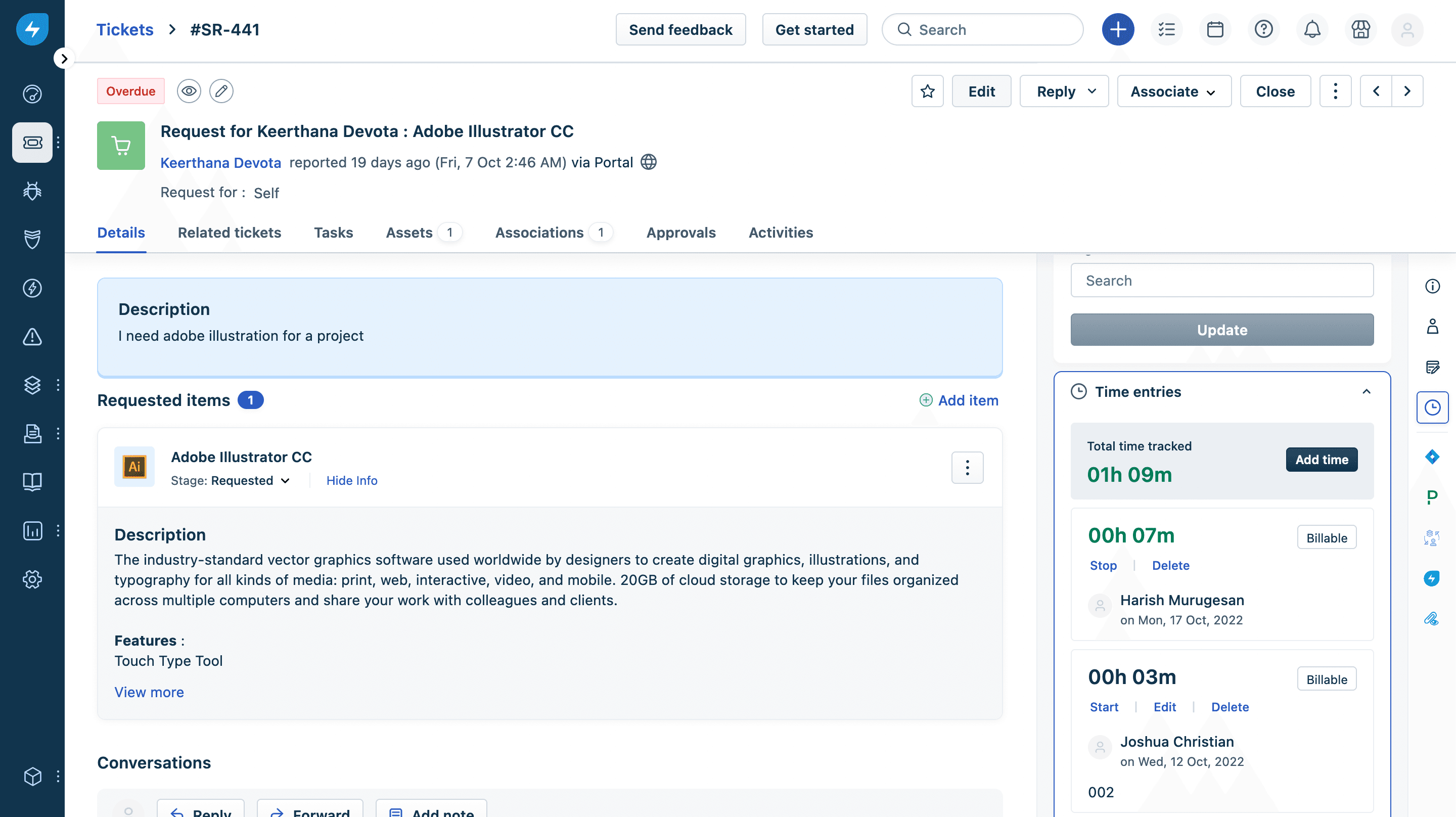
Freshservice offers a clean, intuitive interface and easy navigation, making it accessible even for teams new to ITSM tools. Users often highlight the drag-and-drop workflow builder and clear ticket views as standout features that simplify daily operations. The onboarding process is fast, with guided setup and in-app tips, so teams can get started quickly without extensive training. This focus on usability helps reduce friction and supports faster adoption across departments.
Onboarding
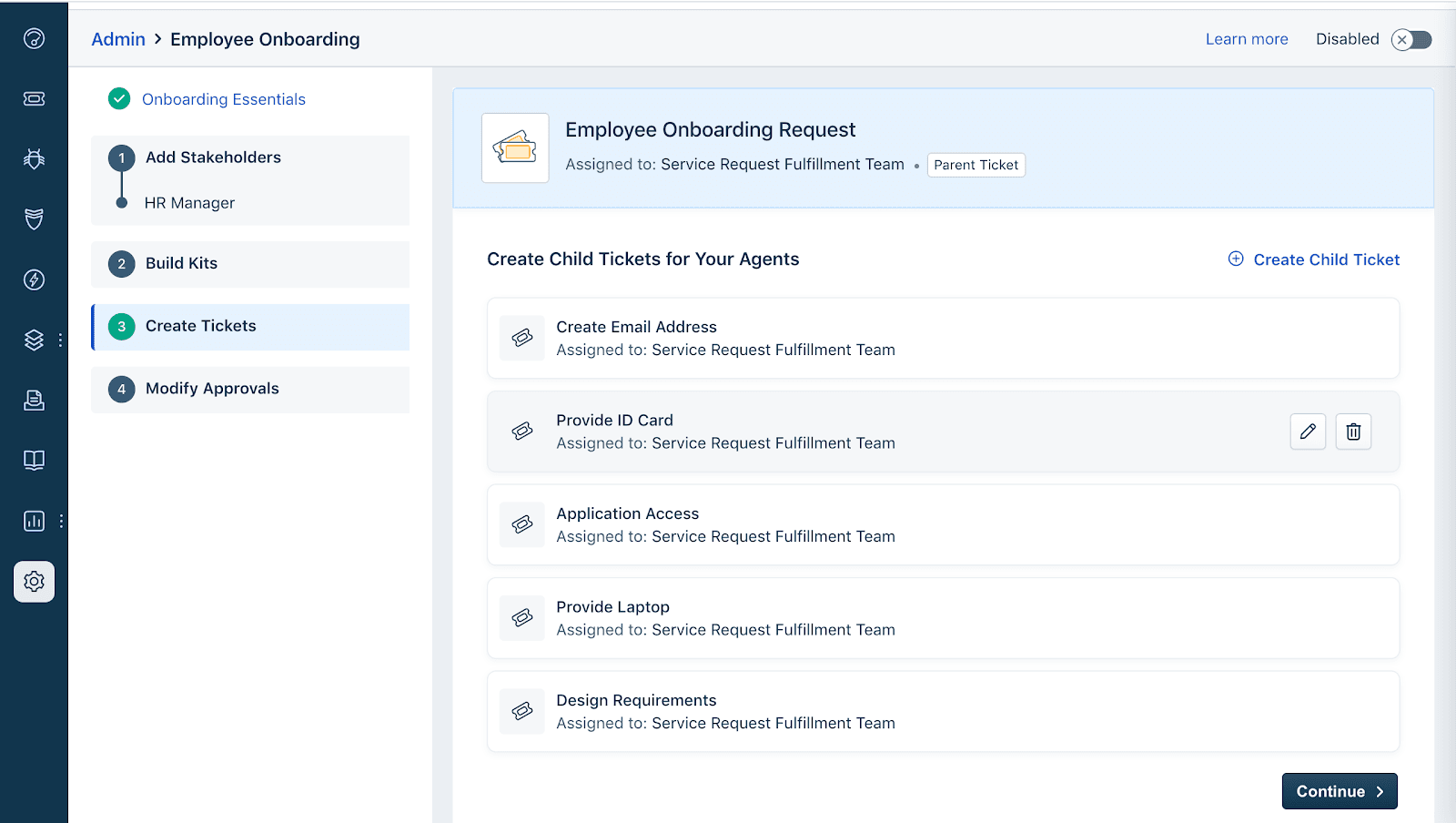
Freshservice offers a fast, guided onboarding experience with step-by-step setup wizards and contextual help throughout the platform. New users benefit from a robust knowledge base, video tutorials, and responsive chat support, which many reviewers say shortens the time to value. The platform’s clear documentation and in-app guidance help IT teams configure core modules and workflows quickly, making it easy to launch service management processes without heavy reliance on external consultants.
Customer Support
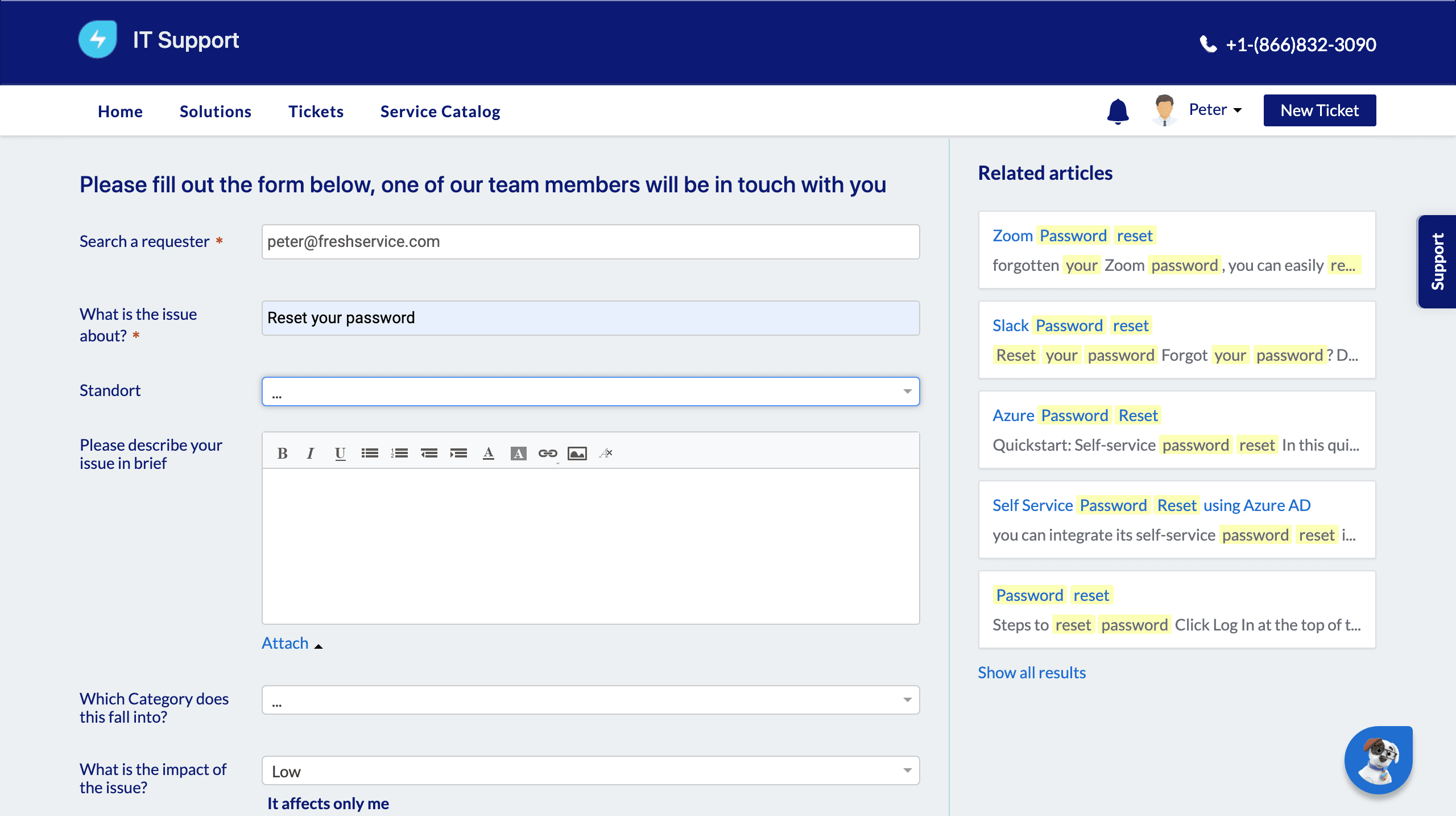
Freshservice provides multiple support channels, including a 24/5 real-time support with agents through email and chat. They also offer a chatbot (24/7). Many reviewers note that support agents are knowledgeable and resolve most queries quickly, though some mention occasional delays during peak times. The platform’s extensive help center and community forums offer additional self-service resources, making it easier for IT teams to troubleshoot and find answers without waiting for direct support.
Integrations
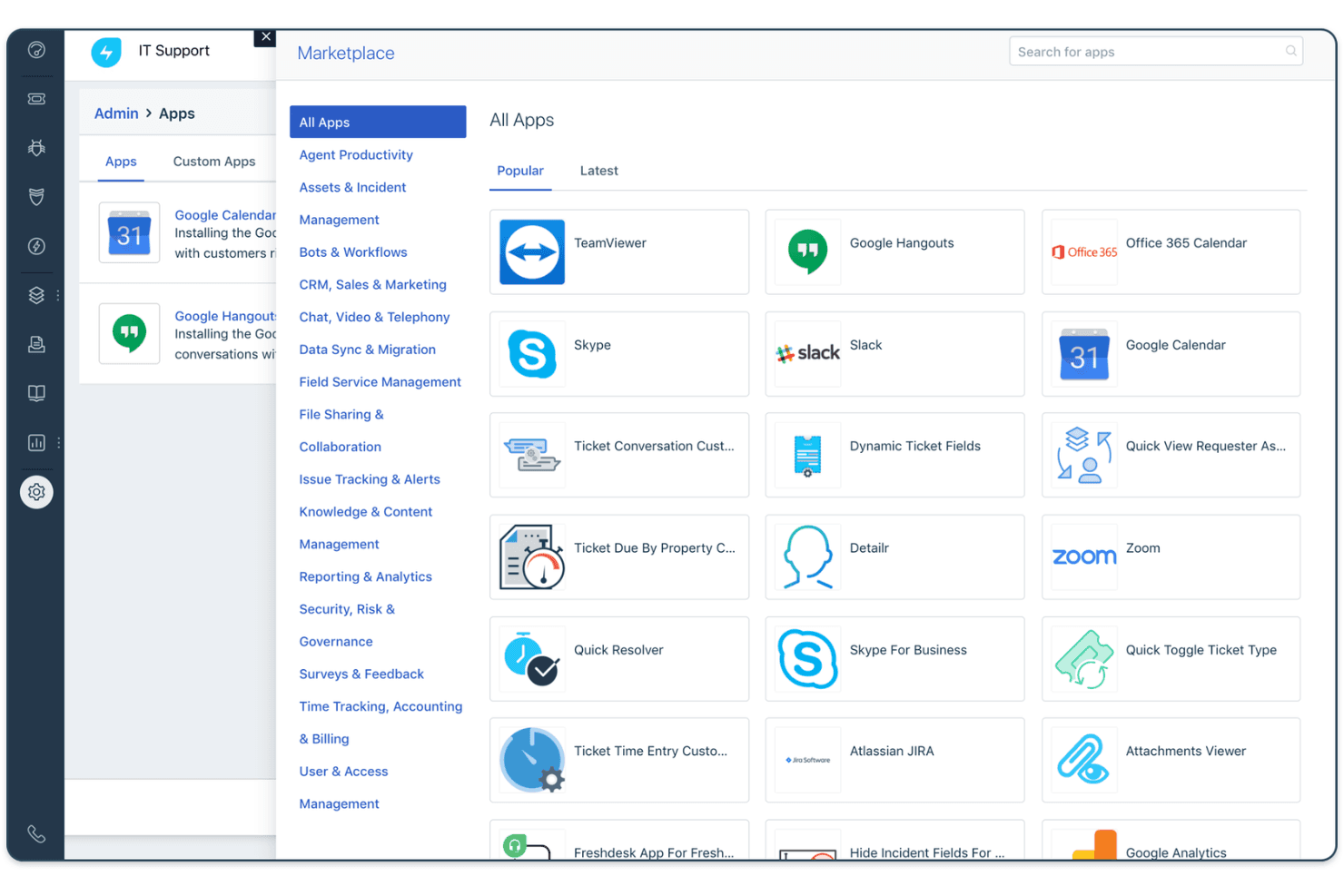
Freshservice offers 1,000+ ready-to-install integrations through the Freshworks Marketplace, including Microsoft Teams, Slack, Jira, Azure Active Directory, Google Workspace, Okta, Salesforce, Zoom, AWS, and Dropbox.
Freshservice also offers a REST API and connects with third-party integration tools like Zapier for broader automation and connectivity.
Value for Money
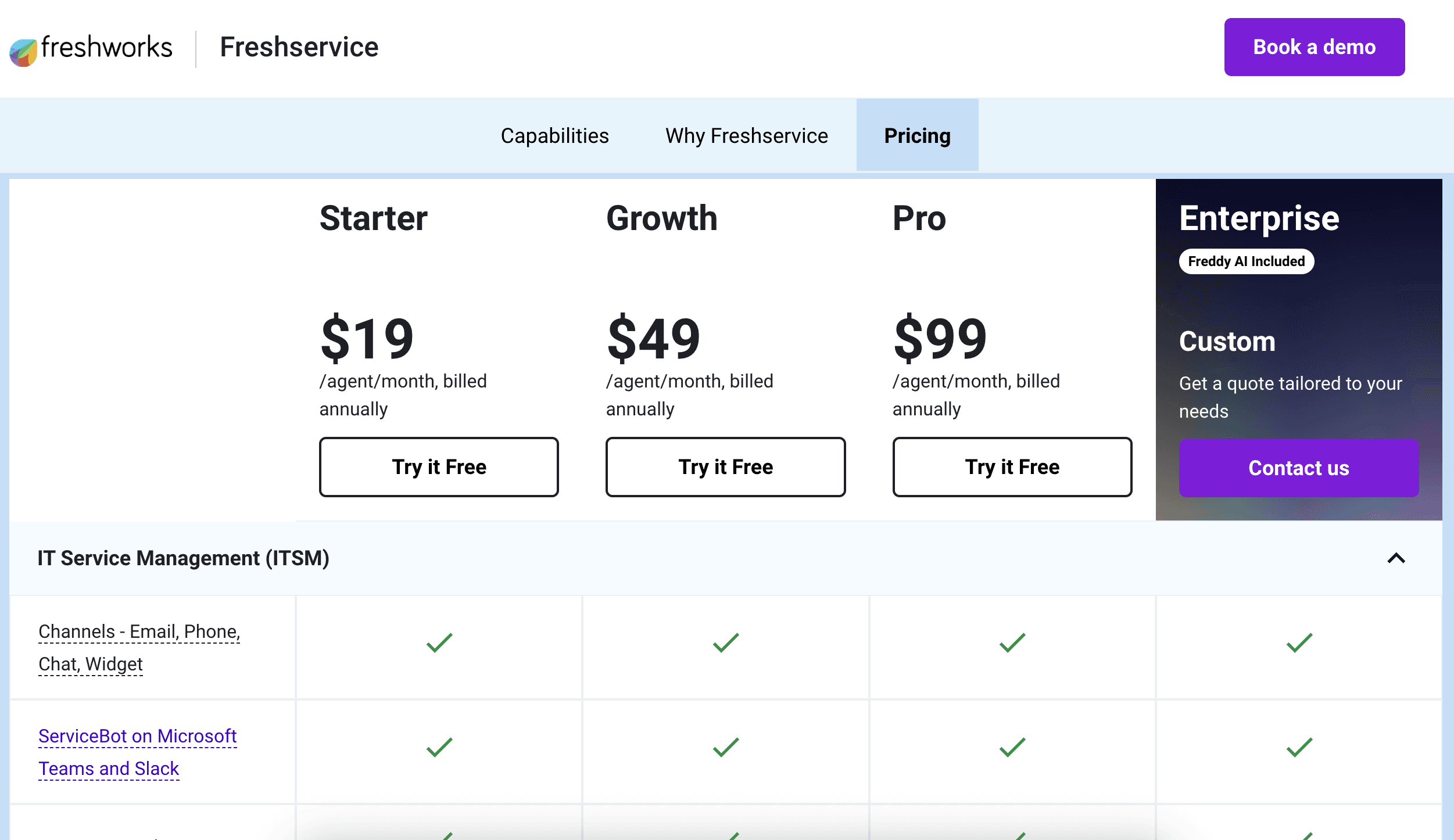
Freshservice is competitively priced for the features it delivers, especially for mid-sized teams seeking automation and asset management. Users appreciate the transparent pricing tiers and the ability to scale up as needs grow, with each plan adding meaningful capabilities like advanced analytics or project management.
- Starter: Basic ticketing, knowledge base, and service desk tools.
- Growth: Adds workflow automation, SLA management, and asset discovery.
- Pro: Adds advanced ITSM capabilities such as change management, orchestration, and deeper analytics.
- Enterprise: Adds advanced governance, sandbox environments, and expanded AI capabilities.
New Product Updates from Freshservice
 Opens new window
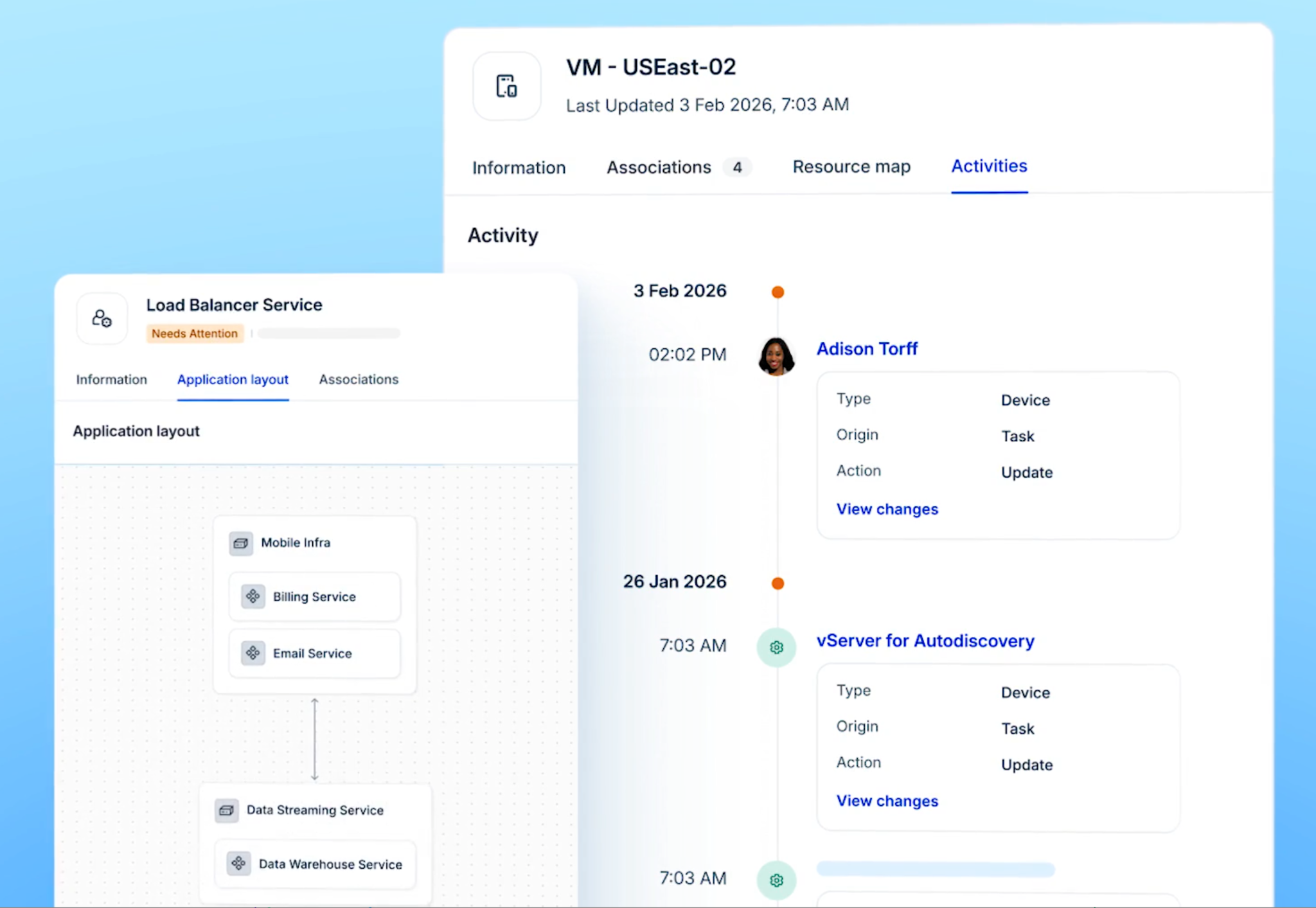
Freshservice Introduces a Reimagined IT Asset Management (ITAM) Experience
Freshservice introduces a reimagined IT Asset Management (ITAM) experience with expanded infrastructure discovery, dependency mapping, IPAM, and Software License Management capabilities. This update helps IT teams understand asset relationships, track resources, and improve service operations. Highlights include:
- Continuous Infrastructure Discovery: Automatically discover assets across cloud, hybrid, and on-premises environments for improved visibility.
- Application Dependency Mapping: Visualize relationships between infrastructure components and business services to understand potential impact.
- Software License Management: Track software usage and identify unused licenses to optimize costs.
Visit Freshservice’s official site for more details.
 Opens new window
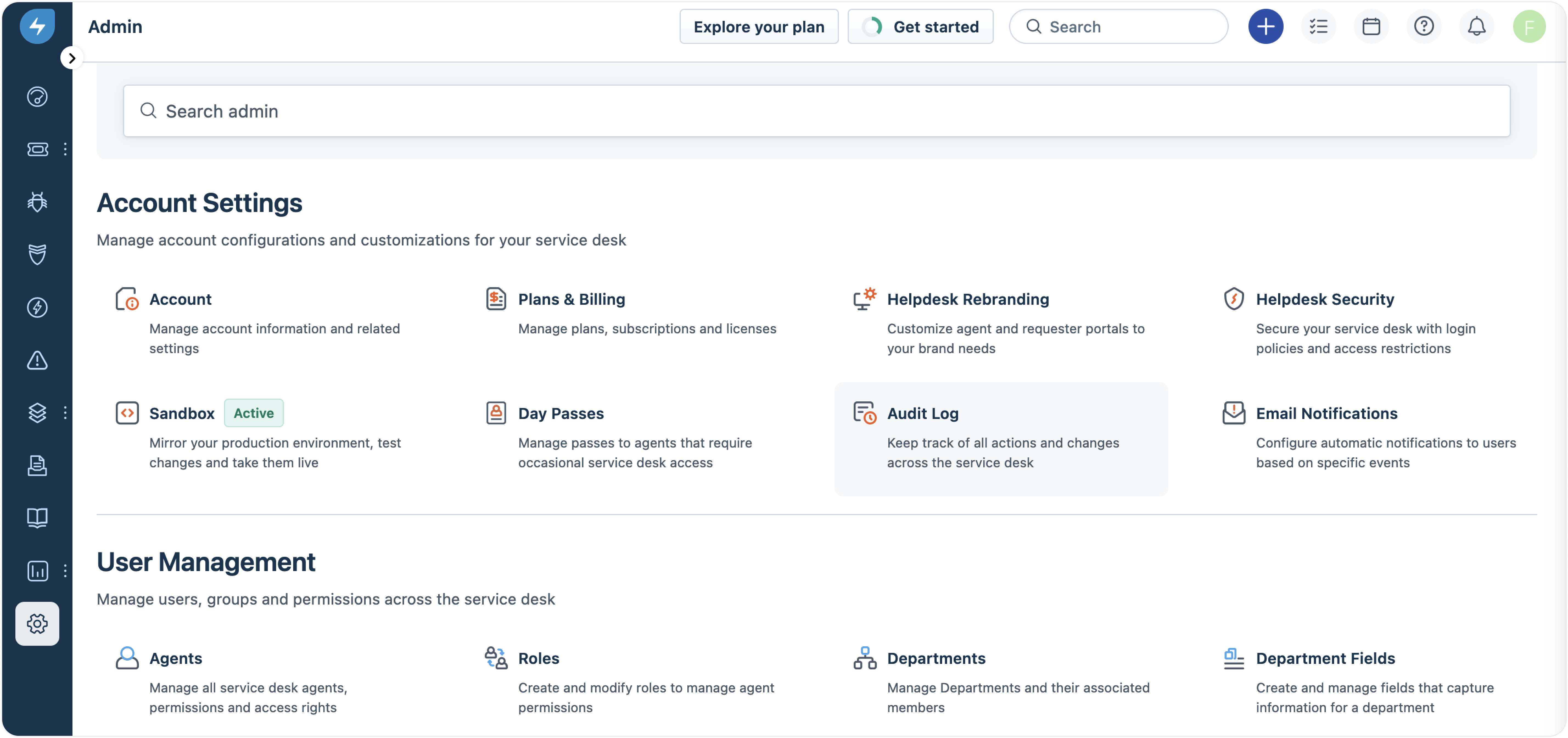
Freshservice Adds Email and Mailbox Audit Logs
Freshservice adds email and mailbox audit tracking to provide clearer visibility into configuration updates. This update helps admins monitor changes, review actions, and manage workspace email settings more effectively. Highlights include:
- Email Setting Logs: Track updates and actions made to email configurations.
- Mailbox Change Tracking: Monitor mailbox changes with detailed audit history.
- Workspace Visibility: View actions, changes, and timestamps across workspaces.
Visit Freshservice’s official site for more details.
 Opens new window
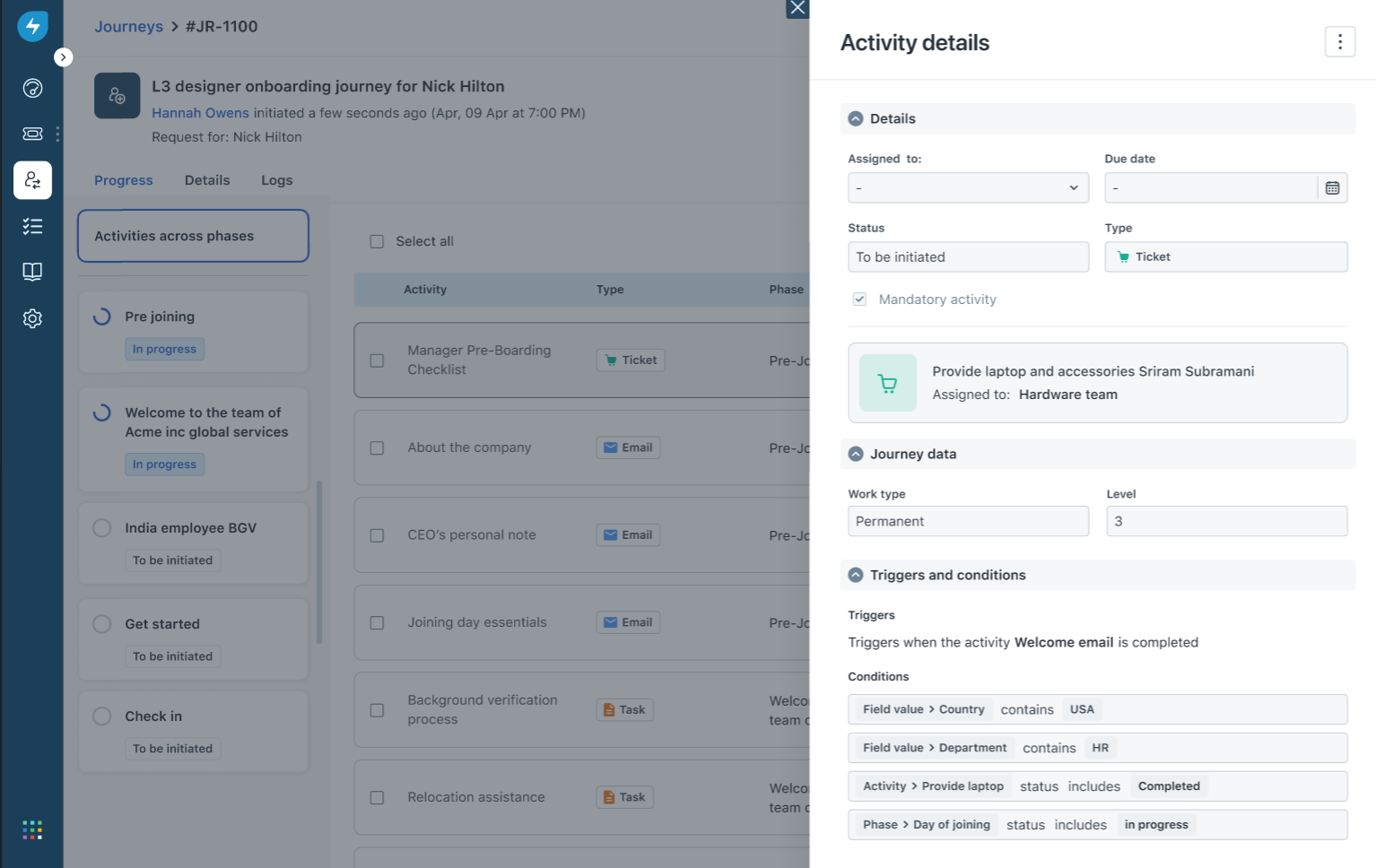
Freshservice Auto-Links Tickets to Journey Requests
Freshservice adds automatic ticket linking for Journey Requests to improve request tracking and agent visibility. This update helps teams access important journey information directly from related tickets. Highlights include:
- Automatic Ticket Linking: Connect tickets created from Journey Requests to their parent request.
- Journey Context Access: View journey details directly from linked tickets for faster review.
- Activity Tracking: Track ticket and request associations through system-logged updates.
Visit Freshservice’s official site for more details.
Freshservice Adds SharePoint Sync Insights
Freshservice introduces enhanced SharePoint sync visibility and troubleshooting tools for admins. The updates help teams monitor sync performance and identify document sync issues faster. Highlights include:
- Detailed SharePoint Sync Logs: Admins can now view detailed logs for SharePoint sync activity.
- Site-Level Monitoring: Logs display sync statuses, item counts, and overall sync activity across sites.
- File-Level Failure Visibility: Teams can identify unsynced files and view reasons for sync failures.
- CSV Error Export: Sync errors can now be downloaded as CSV files for easier troubleshooting and reporting.
Visit Freshservice’s official site for more details.
Freshservice Improves Alert Management and Status Pages
Freshservice introduces new alert management and incident communication improvements across the platform. The updates help teams prioritize operational issues faster and improve visibility during incidents. Highlights include:
- Suppression-Status Alert Filters: Teams can now filter alerts by Suppressed, Unsuppressed, or Any status for faster prioritization.
- Flexible Alert-to-Incident Linking: Alerts can now be linked or removed from incidents anytime, regardless of source.
- Improved Incident Noise Reduction: Teams can better manage irrelevant alerts and focus on active operational issues.
- Smarter Status Pages: Freshservice now supports audience-specific status views, API-based service discovery, and cleaner public page controls for clearer incident communication.
Visit Freshservice’s official site for more details.
Freshservice Adds Freddy AI Rollout Controls and Task Business Rules
Freshservice introduces new admin and workflow management enhancements to help teams control AI deployments and standardize task handling across service operations. Highlights include:
- Controlled Freddy AI Rollouts: Admins can enable Freddy AI Agent for selected requester groups and support portals before expanding organization-wide.
- Targeted AI Testing: Teams can evaluate AI usage, gather feedback, and manage phased rollouts more effectively.
- Configurable Task Business Rules: Admins can now control task fields, validations, auto-updates, and confirmation messages through Business Rules.
- Improved Task Visibility and Actions: Teams can manage task visibility and workflow actions across Tickets, Changes, and Problems.
Visit Freshservice’s official site for more details.
Freshservice Specs
- 2-Factor Authentication: Yes
- Analytics: Yes
- Anti-Virus: No
- API: Yes
- Batch Permissions & Access: Yes
- Bug Tracking: No
- Call Integration: Yes
- Chat: Yes
- Contact Management: Yes
- CRM Integration: Yes
- Customer Management: Yes
- Data Export: Yes
- Data Import: Yes
- Email Integration: Yes
- Escalation Management: Yes
- External Integrations: Yes
- Incident Management: Yes
- Instant Chat Integration: Yes
- Knowledge Base: Yes
- Malware Protection: No
- Multi-User: Yes
- Notifications: Yes
- Organization Management: No
- Password & Access Management: Yes
- Project Management: Yes
- Real-time Alerts: Yes
- SAP Integration: Yes
- Self-service Portal: Yes
- Social Media Integration: No
- Support Forum: Yes
- Ticket Management: Yes
- Workflow Management: Yes
Freshservice FAQs
Freshservice Company Overview & History
Freshservice is a cloud-based IT service management (ITSM) platform developed by Freshworks Inc., a global SaaS company headquartered in San Mateo, California. Freshworks owns a suite of business software products, including Freshdesk, Freshsales, Freshcaller, and Freshteam. Freshservice is trusted by over 74,000 businesses worldwide, with notable clients such as Marvel, University of Oxford, AMC Theatres, and Databricks. Freshworks is publicly traded (NASDAQ: FRSH), reported annual revenue of over $720 million in FY2024, and achieved profitability for the first time in 2025.
Freshservice Major Milestones
- 2010: Freshworks was founded by Girish Mathrubootham and Shan Krishnasamy.
- 2014: Freshservice product launched as part of the Freshworks suite.
- 2021: Freshworks goes public on NASDAQ under the ticker FRSH.
- 2024: Freshworks surpasses $720 million in annual revenue.
- 2025: Freshworks reports first full-year profitability and expands Freshservice with new AI and non-IT service management solutions.
Cosa succede dopo?
Accelera la crescita della tua SaaS e potenzia le tue competenze di leadership. Iscriviti alla nostra newsletter per ricevere gli ultimi approfondimenti da CTO e aspiranti leader del settore tecnologico. Ti aiuteremo a scalare in modo più intelligente e a guidare con maggiore forza, grazie a guide, risorse e strategie dei migliori esperti!