
Recensione di Rippling IT 2026: vantaggi, svantaggi, funzionalità e prezzi
I look past the MDM label to weigh Rippling IT’s device management, broader IT features, and pricing—and whether its all-in-one approach is worth it for your team.

Recensiamo gli strumenti in modo indipendente e le commissioni ci aiutano a finanziare i nostri test. Consulta la nostra politica sulla trasparenza, la nostra metodologia, oppure suggerisci uno strumento.
Rippling IT is MDM software for managing Mac and Windows devices, with device policies and actions tied to employee records. I’d consider it if your IT team needs to automate device setup and offboarding across both operating systems; compared with Apple-focused Jamf, Rippling is a better fit when you also want workforce data to trigger those workflows.
Rippling IT Evaluation Summary
4.8/5
- From $8/user/month (billed annually)
- 14-day free trial
Perché fidarsi dei nostri consigli sui software
6,700+
Reviews
20
Industry experts
16+
Evaluation factors
14
Years
Il nostro team testa e recensisce software dal 2012. In quanto leader tecnologici noi stessi, sappiamo quanto sia difficile — e importante — scegliere il software giusto.
Per questa guida, abbiamo valutato gli strumenti attraverso test praticie ricerche indipendenti, assegnando un punteggio agli strumenti in base ai nostri criteri di selezione.
Le nostre recensioni riflettono il nostro giudizio editoriale umano, non un discorso di vendita.
Revisori esperti:
- Paulo Gardini MiguelDirettore tecnico
 Tim FisherVP dell'IA
 Gabriel RosasTech Lead e architetto software
 Christhian GruhnTech Lead e architetto della piattaforma

Rippling IT Overview
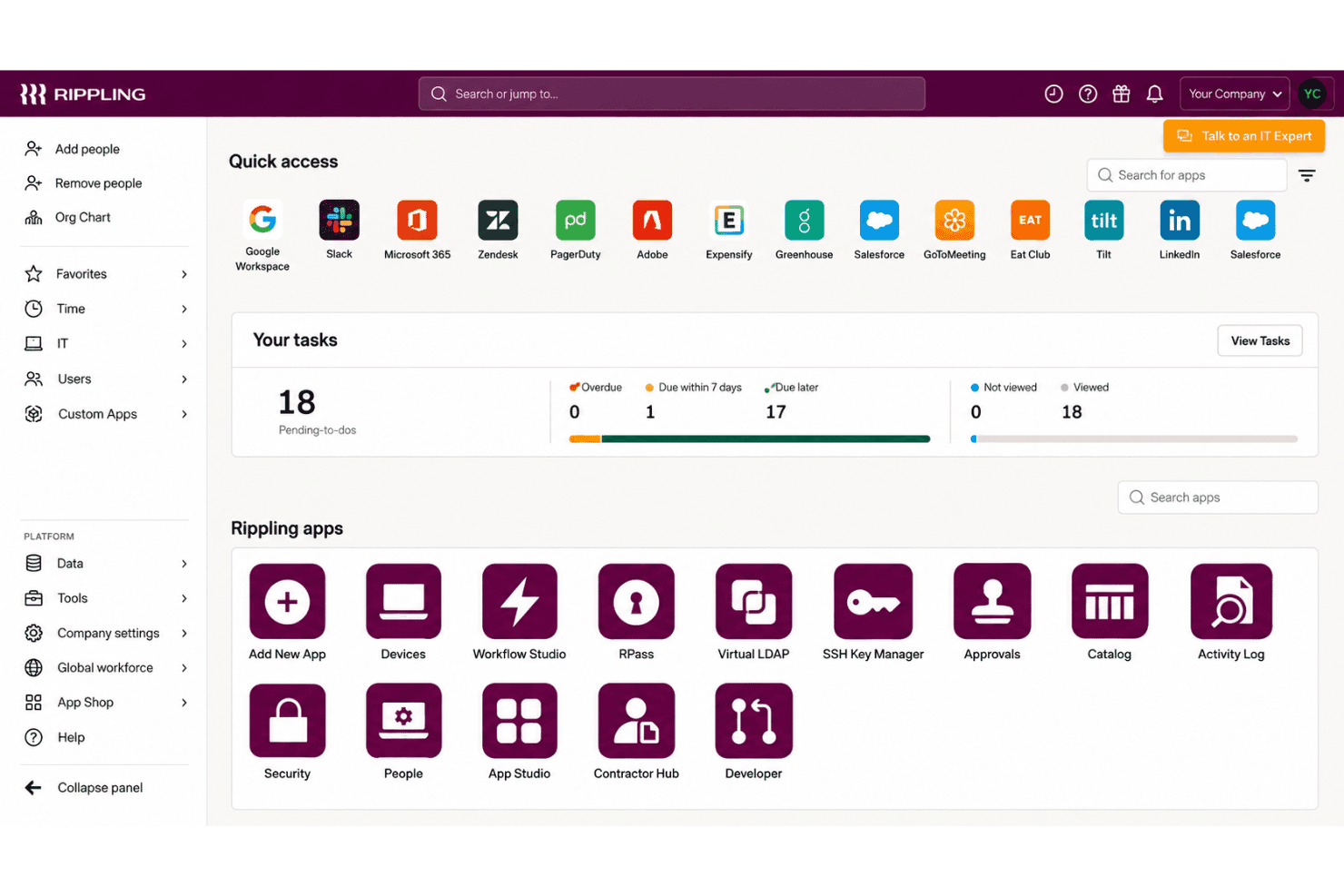
I’d choose Rippling IT when employee records should drive device setup, policy changes, and offboarding. It manages macOS, Windows, iOS, and iPadOS, with zero-touch enrollment, remote lock and wipe, inventory reporting, and device shipping. Compared with tools focused mainly on device controls, its 650+ integrations and connected identity and IT features give it broader scope. Pricing starts at $8 per user monthly, but modules and add-ons can raise the total. Guided onboarding helps, though advanced workflows take learning; documentation is available, but support for complex cases can be uneven. I think it suits teams seeking connected IT workflows over deep device-level customization.
Pros
- Employee-triggered provisioning links device setup with offboarding workflows.
- Mac and Windows management shares policies, inventory, and remote actions.
- Device ordering, shipping, retrieval, and warehousing cover hardware lifecycle.
Cons
- IT admins report limited rollout feedback and difficult provisioning.
- Linux endpoints and servers aren’t supported by Rippling MDM.
- Modular add-on pricing can raise costs beyond the starting rate.
Is Rippling IT Right For Your Needs?
Who Would be a Good Fit for Rippling IT?
Rippling IT suits teams that manage employee-linked device and access changes across Mac and Windows. Its zero-touch enrollment, shared inventory, remote lock and wipe, and integrations with tools such as Google Workspace, Slack, Microsoft 365, and Okta support these workflows.
- Growing CompaniesEmployee records can drive device setup, access changes, and offboarding, which suits companies whose IT needs grow alongside their workforce.
- Mac And Windows FleetsZero-touch enrollment and remote lock or wipe support routine lifecycle tasks across Mac and Windows devices.
- HR-IT TeamsShared employee and device workflows let HR and IT coordinate onboarding and offboarding without relying on a device-only inventory process.
- Remote OnboardingSilent agent installation and employee-triggered device configuration let IT prepare devices before a new hire’s first day.
- SaaS-Heavy TeamsIntegrations with Google Workspace, Slack, Microsoft 365, Okta, GitHub, Jira, and other apps support teams managing device and app access together.
- Lifecycle AdministratorsIT admins handling frequent employee changes can use shared inventory and remote lock or wipe for common device lifecycle tasks.
Who Would be a Bad Fit for Rippling IT?
Rippling IT is a weaker fit when you need only basic, low-cost device management or rely on deployment workflows that demand extensive configuration and hands-on support. Its published details and available feedback point to tradeoffs around pricing, complex provisioning, and rollout feedback.
- Device-Only BuyersTeams that need only per-device MDM may find Rippling’s per-user pricing, base fee, and add-ons harder to justify than a device-focused tool.
- Linux-First FleetsIf most endpoints run Linux, confirm support before choosing, since the described enrollment workflows focus on Mac and Windows devices.
- Complex DeploymentsTeams with intricate provisioning requirements should account for reviewer reports of difficult provisioning and the time needed to learn advanced workflows.
- Feedback-Dependent RolloutsIT teams that need detailed rollout feedback should assess fit carefully, since reviewers report limited feedback during deployments.
- Support-Reliant TeamsTeams that depend on hands-on help for complex MDM issues may find the mixed support feedback concerning, including reports of unresolved provisioning issues and slow paths to a person.
- Tight BudgetsSmall organizations seeking low-cost, basic MDM may be a poor fit because Rippling IT costs about $8 per user monthly, with a base fee and add-ons potentially increasing spend.
La Nostra Metodologia di Recensione
Come Testiamo e Valutiamo gli Strumenti
Abbiamo trascorso anni a costruire, perfezionare e migliorare il nostro sistema di testing e valutazione del software. Il nostro schema è progettato per cogliere le sfumature della selezione software e cosa rende efficace uno strumento, focalizzandosi sugli aspetti critici del processo decisionale.
Di seguito, puoi vedere esattamente come funziona il nostro testing e punteggio su sette criteri. Ci permette di offrire una valutazione imparziale del software basata su funzionalità principali, caratteristiche distintive, facilità d’uso, onboarding, assistenza clienti, integrazioni, recensioni dei clienti e rapporto qualità-prezzo.
Funzionalità Principali (25% del punteggio finale)
Il punto di partenza della nostra valutazione è sempre la funzionalità principale dello strumento. Ha le funzioni e caratteristiche base che ci si aspetta? Alcune di queste caratteristiche sono limitate ai piani tariffari superiori? Fondamentalmente, ci aspettiamo che uno strumento regga il confronto rispetto alle capacità di base dei concorrenti.
Caratteristiche Distintive (25% del punteggio finale)
Successivamente, valutiamo le caratteristiche distintive e non comuni che vanno oltre la funzionalità base tipicamente trovata negli strumenti di questa categoria. Un punteggio alto riflette funzionalità specializzate o uniche che rendono il prodotto più veloce, efficiente o offrono ulteriore valore all’utente.
Valutiamo inoltre quanto sia semplice integrare altri strumenti tipicamente utilizzati nell’infrastruttura tecnologica per espandere la funzionalità e l’utilità del software. Gli strumenti che offrono numerose integrazioni native, connessioni di terze parti e accesso API per creare integrazioni personalizzate ottengono i punteggi migliori.
Facilità d’Uso (10% del punteggio finale)
Consideriamo quanto sia rapido e semplice svolgere i compiti definiti nella funzionalità principale utilizzando lo strumento. Il software con punteggio alto è ben progettato, intuitivo da usare, offre app mobili, fornisce modelli e rende semplici attività relativamente complesse.
Onboarding (10% del punteggio finale)
Sappiamo quanto sia importante l’adozione rapida da parte del team per una nuova piattaforma, quindi valutiamo quanto sia facile imparare e utilizzare uno strumento con formazione minima. Valutiamo quanto velocemente un membro del team possa iniziare a usare lo strumento anche senza esperienza. Soluzioni con punteggio alto indicano che sono richiesti pochi o nessun supporto.
Assistenza Clienti (10% del punteggio finale)
Esaminiamo quanto sia veloce e facile ricevere assistenza e risolvere problemi tramite telefono, live chat o knowledge base. Gli strumenti e le aziende che garantiscono supporto in tempo reale ottengono il miglior punteggio, mentre i chatbot ottengono il peggiore.
Recensioni dei Clienti (10% del punteggio finale)
Oltre ai nostri test e valutazioni, prendiamo in considerazione il net promoter score dei clienti attuali e passati. Valutiamo la probabilità che, data la scelta, selezionerebbero nuovamente lo strumento per la funzionalità principale. Un software con punteggio alto riflette un alto net promoter score da parte dei clienti attuali o passati.
Rapporto Qualità-Prezzo (10% del punteggio finale)
Infine, considerando tutti gli altri criteri, analizziamo il prezzo medio dei piani base rispetto alle funzionalità principali e consideriamo il valore degli altri criteri di valutazione. Il software che offre di più a meno otterrà un punteggio più alto.
Core Features
Zero-Touch Device Enrollment
Rippling can install its agent silently and configure devices for new hires without hands-on setup by IT. That lets your team prepare a Mac or Windows device before an employee’s first day.
Cross-Platform Device Management
Rippling manages Mac and Windows devices through a shared MDM, with device assignment and reassignment tied to employee records. Your team can apply device workflows across both operating systems instead of managing separate inventories.
Device Policies And Configuration
You can apply dynamic policies based on user and device attributes, and set profiles for Wi-Fi, firewalls, printers, and login screens. For example, a role change can trigger updated device settings without requiring IT to configure each device manually.
Remote Lock And Wipe
Admins can remotely lock or wipe a device, and schedule those actions as part of offboarding. This gives your team a way to respond when a device is lost or an employee leaves with company data on it.
Device Inventory And Reporting
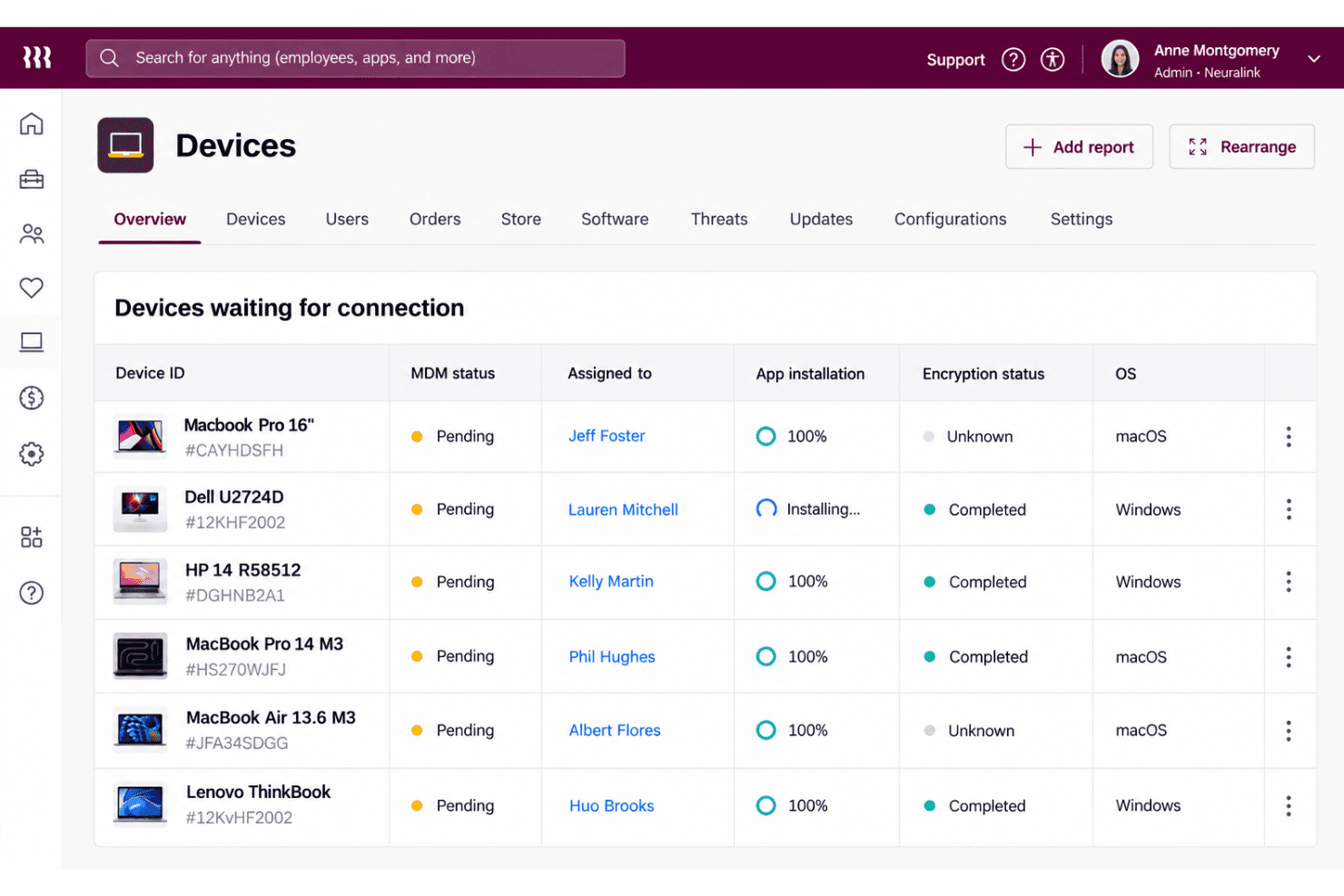
Rippling provides device dashboards and reports with details such as serial number, OS version, battery health, and disk usage. IT can use that information to check device status and identify machines that need attention.
Hardware Lifecycle Management
Rippling supports device ordering, shipping, retrieval, storage, and reassignment, with offboarding workflows able to automate returns. This connects device logistics to employee changes, so your team can recover and prepare hardware for its next user.
Ease of Use
Rippling IT feels easier to manage than a device-only MDM when employee records drive setup, access changes, and offboarding across Mac and Windows. Zero-touch enrollment, shared inventory, and remote lock or wipe keep common tasks in one workflow. Still, user feedback points to difficult provisioning and limited rollout feedback, while advanced workflows take time to learn. I’d call it approachable for routine lifecycle tasks, but less intuitive when you need complex configuration.
Integrations
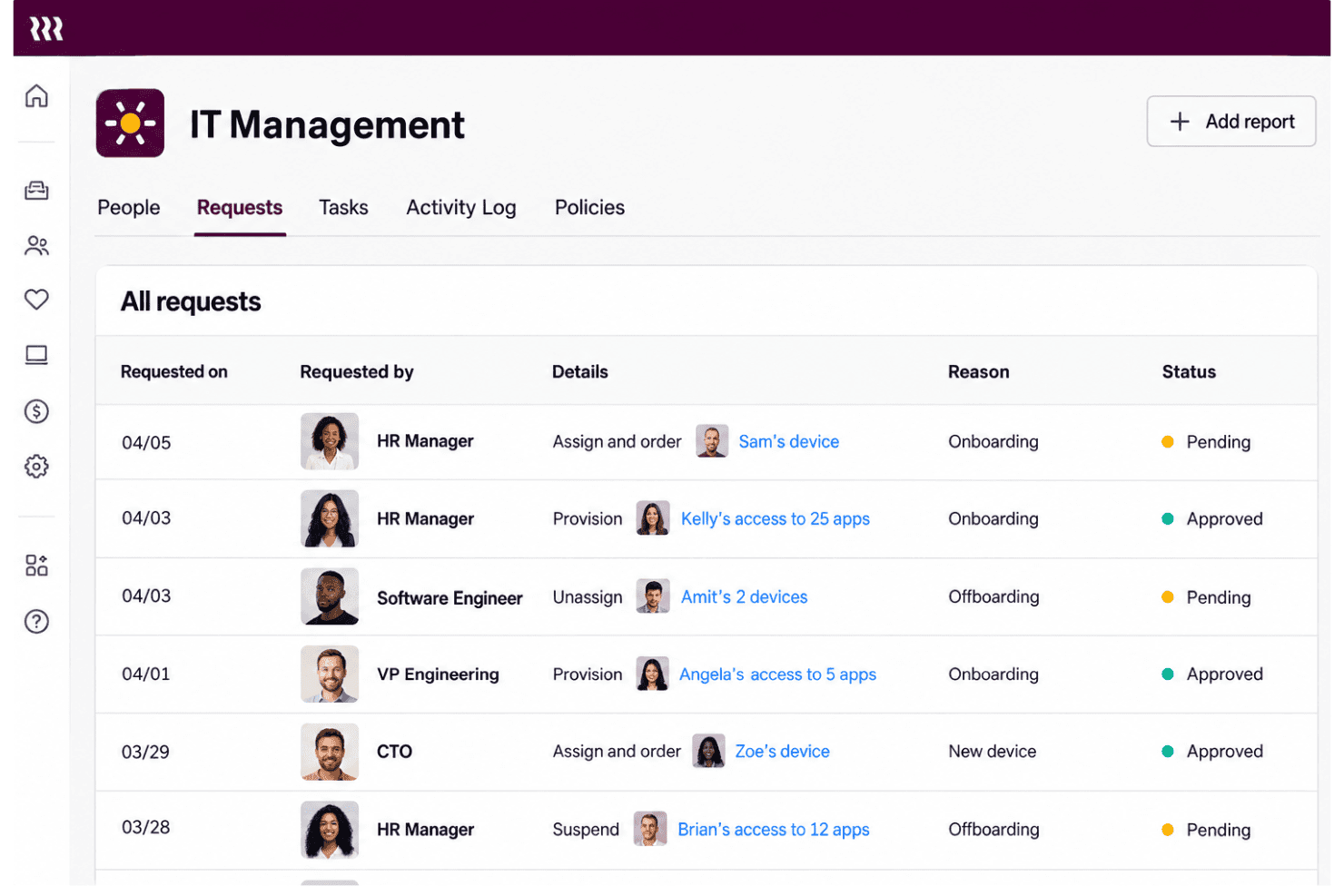
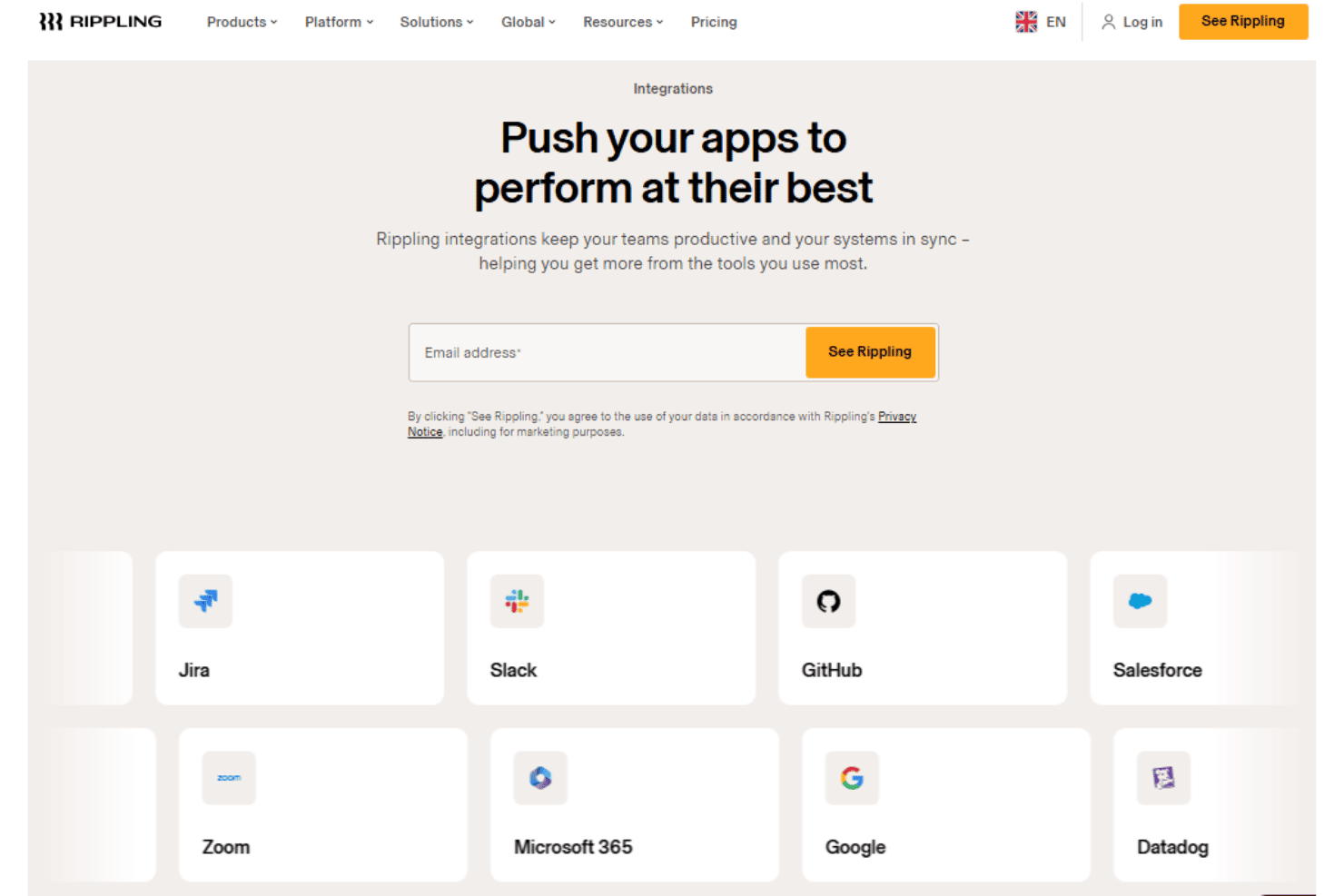
Rippling IT integrates with Google Workspace, Slack, Microsoft 365, Okta, GitHub, Jira, Zoom, Salesforce, HubSpot, and Asana, among others.
Rippling also offers a REST API for custom integrations and supports prebuilt and custom app connections through its App Shop.
New Product Updates from Rippling IT
 Opens new window
Rippling IT Launches Helpdesk for Agentic Support
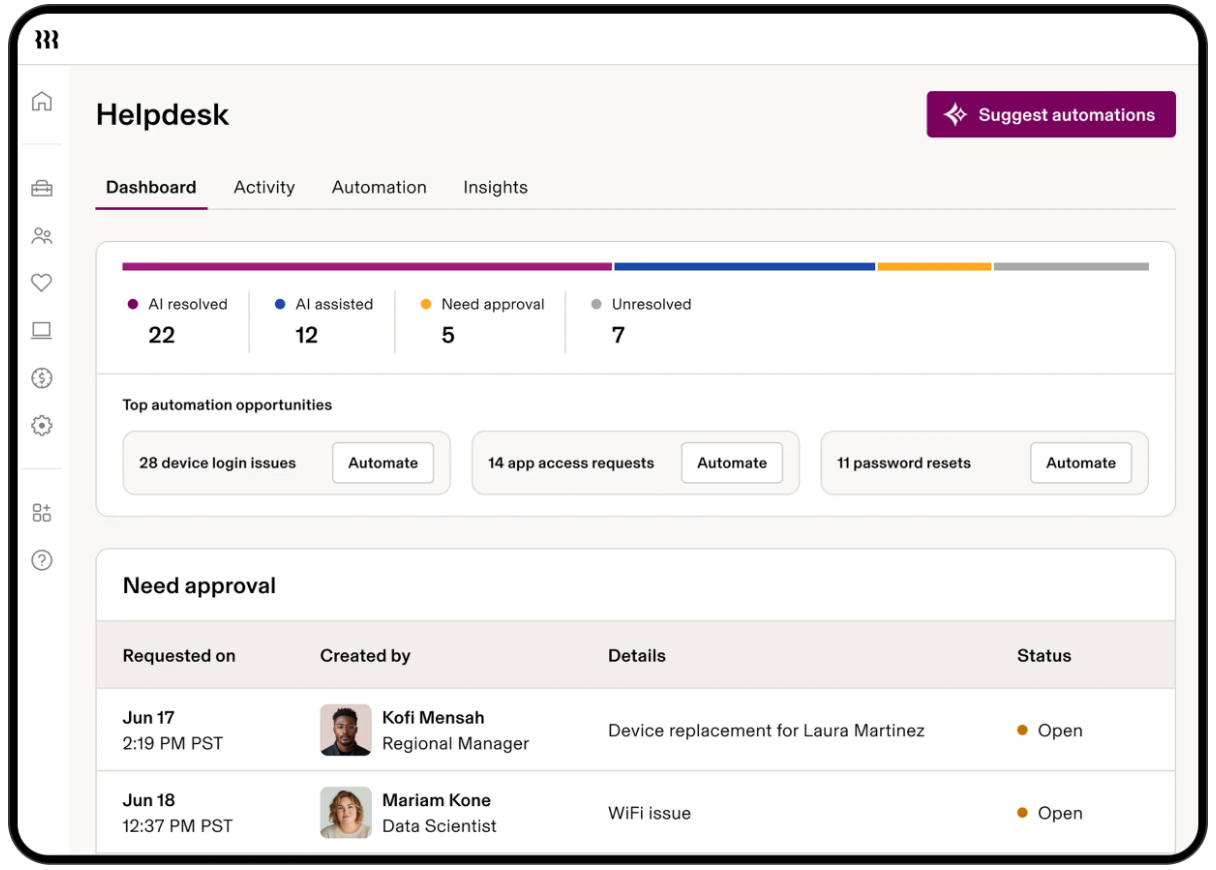
Rippling IT launches Helpdesk to resolve routine tickets using employee, policy, app, and device context. It can troubleshoot issues, take supported actions, route approvals, and escalate unresolved requests with context attached. Highlights include:
- Automated Ticket Resolution: Handles routine requests such as app access, password resets, device lockouts, and replacements.
- Contextual Troubleshooting: Uses employee, device, policy, and app data to determine the next step.
- Approval Controls: Lets admins decide which actions run automatically or require approval.
- Contextual Escalation: Passes unresolved requests to IT with troubleshooting and employee context attached.
- Activity Logging: Records requests, actions, resolutions, and escalations for visibility.
Visit Rippling’s official site for more details.
Rippling IT Specs
- 2-Factor Authentication: Yes
- API: Yes
- Batch Permissions & Access: Yes
- Dashboard: Yes
- Data Export: Yes
- Data Import: Yes
- Email Integration: Yes
- External Integrations: Yes
- Google Apps Integration: Yes
- Multi-User: Yes
- Notifications: Yes
- Password & Access Management: Yes


