

Recensione di Carbon Black Endpoint: Pro, Contro, Caratteristiche e Prezzi
VMware Carbon Black Endpoint eccelle grazie alla sua interfaccia intuitiva e al rilevamento avanzato delle minacce, rendendolo una scelta leader per una sicurezza endpoint completa.

Recensiamo gli strumenti in modo indipendente e le commissioni ci aiutano a finanziare i nostri test. Consulta la nostra politica sulla trasparenza, la nostra metodologia, oppure suggerisci uno strumento.
VMware Carbon Black Endpoint is an endpoint security software designed to protect against cyber threats by providing threat detection and response capabilities. It's particularly suitable for large enterprises and industries like finance and healthcare that require robust security measures. With its advanced threat detection, VMware Carbon Black Endpoint ensures comprehensive protection for your organization's devices.
VMware Carbon Black Endpoint addresses issues like threat detection and response, making it ideal for IT security teams. In this article, I'll cover VMware Carbon Black Endpoint's features, pros and cons, use cases, pricing, and more so you can decide if this software aligns with your security needs and goals.
VMware Carbon Black Endpoint Evaluation Summary
0/5
- Price upon request
Perché fidarsi dei nostri consigli sui software
6,700+
Reviews
20
Industry experts
16+
Evaluation factors
14
Years
Il nostro team testa e recensisce software dal 2012. In quanto leader tecnologici noi stessi, sappiamo quanto sia difficile — e importante — scegliere il software giusto.
Per questa guida, abbiamo valutato gli strumenti attraverso test praticie ricerche indipendenti, assegnando un punteggio agli strumenti in base ai nostri criteri di selezione.
Le nostre recensioni riflettono il nostro giudizio editoriale umano, non un discorso di vendita.
Revisori esperti:
- Paulo Gardini MiguelDirettore tecnico
 Tim FisherVP dell'IA
 Gabriel RosasTech Lead e architetto software
 Christhian GruhnTech Lead e architetto della piattaforma

VMware Carbon Black Endpoint Overview
In my opinion, VMware Carbon Black Endpoint is a solid choice for organizations needing advanced threat detection and response. It excels with its AI-driven capabilities and intuitive interface, making it an appealing option for large enterprises and industries with stringent security needs, like finance and healthcare. However, its support and integration aspects could use improvement, especially for smaller companies or those with unique system requirements. The pricing may not be ideal for tight budgets, but the security return on investment is noteworthy. If you're evaluating endpoint security tools, consider your team's capacity for deployment and ongoing support when judging VMware Carbon Black's fit for your needs.
Pros
- It offers strong threat detection with AI-driven analytics.
- The cloud-native console offers a relatively simple, centralized view for managing security posture, policies, and threats across the enterprise
- Deep endpoint visibility with effective real-time monitoring and response capabilities.
- Immediate root cause analysis (RCA) and inspection for SOC teams to isolate compromised endpoints, malware, and ransomware.
- Offers contextualized endpoint data for faster triage and remediation
Cons
- Your team might find the customer support less responsive than expected.
- It can be complex to deploy without dedicated IT resources.
- Despite being a next-gen solution, the agent can still cause a noticeable performance impact, especially on older hardware or workstations with limited resources.
- Given the recent acquisition by Broadcom, customers frequently express concern over future product roadmap stability, potential price increases, and changes to licensing models.
Is VMware Carbon Black Endpoint Right For Your Needs?
Who Would be a Good Fit for VMware Carbon Black Endpoint?
VMware Carbon Black Endpoint is a good fit for large enterprises and industries like finance and healthcare that need advanced threat detection. Its AI-driven analytics and real-time monitoring help safeguard sensitive data, making it ideal for IT security teams who prioritize proactive threat management. If your team handles critical data and requires a robust security posture, this tool could be well-suited for your needs.
- Large EnterprisesIts advanced threat detection capabilities are perfect for large enterprises with complex IT infrastructures. Utilizes “streaming prevention” to continuously analyze the root cause of threats and prevent fileless and zero-day attacks before execution.
- Healthcare SectorIt excels in protecting sensitive patient data with real-time monitoring and AI-driven analytics.
- Financial InstitutionsYour financial institution will benefit from its proactive threat management and strong data protection.
- IT Security TeamsIdeal for the security operations center (SOC), providing high-fidelity endpoint data and integration into the broader network security stack to manage sophisticated, high-volume workload environments.
- Government AgenciesGovernment agencies can rely on its robust security features to protect classified information.
- Remote WorkforcesRemote workforces benefit from its seamless endpoint protection, ensuring security across various locations.
Who Would be a Bad Fit for VMware Carbon Black Endpoint?
VMware Carbon Black Endpoint might not be suitable for small businesses or startups with limited IT resources. Its complexity in deployment and need for dedicated IT support can be burdensome for teams without specialized staff. If your team lacks the capacity for extensive onboarding or ongoing management, you might find it challenging to utilize this software effectively.
- Small BusinessesSmall businesses may struggle with its complexity and the need for dedicated IT resources. For small teams that only need basic antivirus functionality and a simple firewall, the high complexity and cost of the Carbon Black Cloud EDR are excessive. A simpler antivirus solution would suffice.
- StartupsStartups with limited budgets and IT staff may find it overwhelming to manage.
- Non-Technical TeamsTeams without dedicated IT security staff will struggle to manage the flow of endpoint data and perform effective triage. It can cause alert fatigue and failure to realize the value of the sophisticated endpoint protection platform.
- FreelancersFreelancers likely don't need the extensive features and may prefer simpler solutions.
- Educational InstitutionsEducational institutions with limited budgets may find the costs and complexity too high.
- Local ShopsLocal shops with basic security needs might not require such advanced features and capabilities.
La Nostra Metodologia di Recensione
Come Testiamo e Valutiamo gli Strumenti
Abbiamo trascorso anni a costruire, perfezionare e migliorare il nostro sistema di testing e valutazione del software. Il nostro schema è progettato per cogliere le sfumature della selezione software e cosa rende efficace uno strumento, focalizzandosi sugli aspetti critici del processo decisionale.
Di seguito, puoi vedere esattamente come funziona il nostro testing e punteggio su sette criteri. Ci permette di offrire una valutazione imparziale del software basata su funzionalità principali, caratteristiche distintive, facilità d’uso, onboarding, assistenza clienti, integrazioni, recensioni dei clienti e rapporto qualità-prezzo.
Funzionalità Principali (25% del punteggio finale)
Il punto di partenza della nostra valutazione è sempre la funzionalità principale dello strumento. Ha le funzioni e caratteristiche base che ci si aspetta? Alcune di queste caratteristiche sono limitate ai piani tariffari superiori? Fondamentalmente, ci aspettiamo che uno strumento regga il confronto rispetto alle capacità di base dei concorrenti.
Caratteristiche Distintive (25% del punteggio finale)
Successivamente, valutiamo le caratteristiche distintive e non comuni che vanno oltre la funzionalità base tipicamente trovata negli strumenti di questa categoria. Un punteggio alto riflette funzionalità specializzate o uniche che rendono il prodotto più veloce, efficiente o offrono ulteriore valore all’utente.
Valutiamo inoltre quanto sia semplice integrare altri strumenti tipicamente utilizzati nell’infrastruttura tecnologica per espandere la funzionalità e l’utilità del software. Gli strumenti che offrono numerose integrazioni native, connessioni di terze parti e accesso API per creare integrazioni personalizzate ottengono i punteggi migliori.
Facilità d’Uso (10% del punteggio finale)
Consideriamo quanto sia rapido e semplice svolgere i compiti definiti nella funzionalità principale utilizzando lo strumento. Il software con punteggio alto è ben progettato, intuitivo da usare, offre app mobili, fornisce modelli e rende semplici attività relativamente complesse.
Onboarding (10% del punteggio finale)
Sappiamo quanto sia importante l’adozione rapida da parte del team per una nuova piattaforma, quindi valutiamo quanto sia facile imparare e utilizzare uno strumento con formazione minima. Valutiamo quanto velocemente un membro del team possa iniziare a usare lo strumento anche senza esperienza. Soluzioni con punteggio alto indicano che sono richiesti pochi o nessun supporto.
Assistenza Clienti (10% del punteggio finale)
Esaminiamo quanto sia veloce e facile ricevere assistenza e risolvere problemi tramite telefono, live chat o knowledge base. Gli strumenti e le aziende che garantiscono supporto in tempo reale ottengono il miglior punteggio, mentre i chatbot ottengono il peggiore.
Recensioni dei Clienti (10% del punteggio finale)
Oltre ai nostri test e valutazioni, prendiamo in considerazione il net promoter score dei clienti attuali e passati. Valutiamo la probabilità che, data la scelta, selezionerebbero nuovamente lo strumento per la funzionalità principale. Un software con punteggio alto riflette un alto net promoter score da parte dei clienti attuali o passati.
Rapporto Qualità-Prezzo (10% del punteggio finale)
Infine, considerando tutti gli altri criteri, analizziamo il prezzo medio dei piani base rispetto alle funzionalità principali e consideriamo il valore degli altri criteri di valutazione. Il software che offre di più a meno otterrà un punteggio più alto.
Core Features
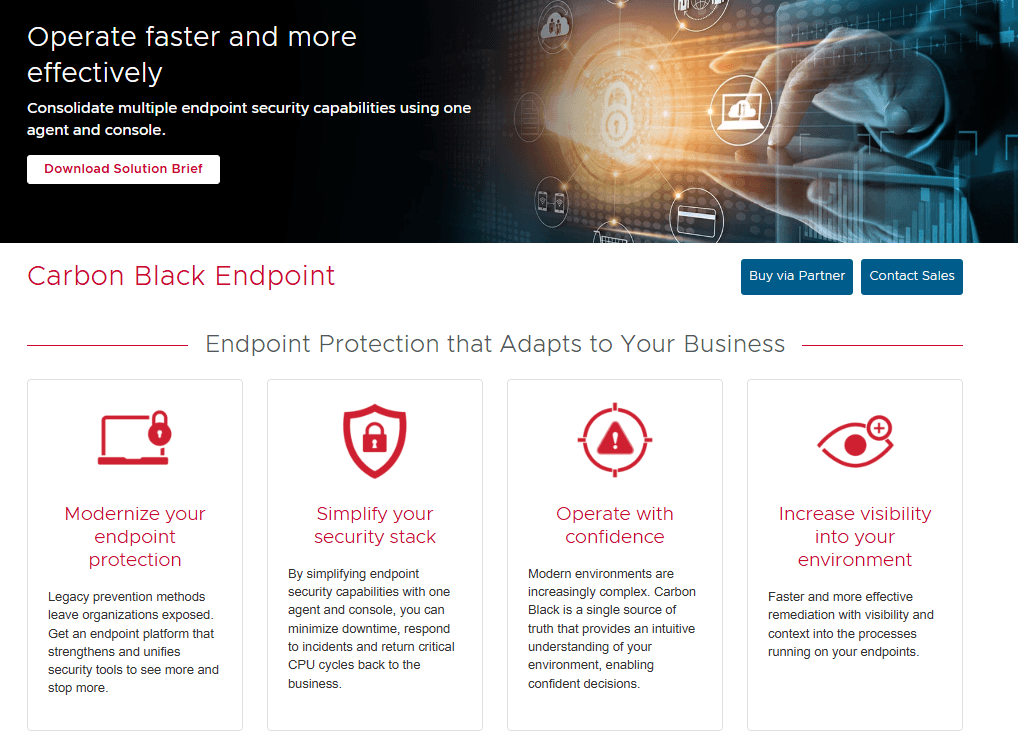
Threat Detection and Response: The platform integrates next-gen antivirus capabilities (evolving from technologies like CB Defense) with advanced EDR, granular control over endpoint processes, applications, and network connections (like a host-based firewall).
Real-Time Monitoring: This feature allows you to monitor devices continuously, ensuring any suspicious activity is quickly flagged. Your team benefits from real-time alerts and swift action capabilities.
User-Friendly Interface: The intuitive dashboard makes navigation simple, even for non-technical users. You can easily access essential tools and information without hassle.
Endpoint Visibility: Gain comprehensive visibility across all endpoints in your network. This ensures you're aware of all devices and their security status.
Automated Threat Hunting: Automate the process of threat hunting to save time and resources. It allows your team to focus on strategic security tasks.
Policy Management: Easily manage and enforce security policies across your organization. This ensures consistent protection and compliance with regulations.
Compliance-Driven Firms: Excels in environments like finance and healthcare where endpoint data logging and continuous vulnerability monitoring are mandatory for compliance. The Carbon Black Cloud protects critical information on both Linux and Microsoft (Windows) operating systems.

Ease of Use
VMware Carbon Black Endpoint is relatively user-friendly, though it requires some technical know-how for optimal setup. Its dashboard is intuitive, letting you navigate and manage security tasks efficiently. Teams without dedicated IT resources may struggle during onboarding, as the setup involves policy tuning, managing false positives, and implementing granular whitelisting.
Users appreciate the straightforward interface, but some find the initial configuration challenging. Once set up, it provides robust monitoring and management capabilities that simplify your team's security operations.

Integrations
VMware Carbon Black Endpoint integrates with the Binary Toolkit, CBC Python SDK, CarbonCLI, Data Forwarder, QRadar App, ServiceNow apps, Splunk SIEM and SOAR apps, Syslog Connector, and Threat Intelligence Connector.
VMware Carbon Black Endpoint also provides APIs for integration and supports third-party integration tools.

VMware Carbon Black Endpoint Specs
- 2-Factor Authentication: No
- Access Management: No
- Anti-Virus: Yes
- API: No
- Audit Trail: Yes
- Bug Tracking: No
- Calendar Management: No
- Customer Management: No
- Dashboard: No
- Data Export: No
- Data Import: No
- Data Visualization: No
- Email Integration: No
- External Integrations: No
- File Sharing: No
- File Transfer: No
- Firewall: Yes
- Google Apps Integration: No
- Inventory Tracking: No
- Malware Protection: Yes
- Multi-User: No
- Network Device Performance Monitoring: No
- Network Traffic Monitoring: No
- Network Visualization: No
- Notifications: No
- Project Management: No
- Remote Access: No
- Risk Assessment: Yes
- SAP Integration: No
- Scheduling: No
- Software Integration: No
- Third-Party Plugins/Add-Ons: Yes
- Ticket Management: No


