
Recensione di BMC Helix ITSM 2026: Caratteristiche, Vantaggi, Svantaggi e Prezzi
BMC Helix ITSM aiuta le aziende a gestire incidenti, richieste di servizio, flussi di lavoro e operazioni IT con strumenti di gestione dei servizi IT scalabili pensati per i team aziendali moderni.

Recensiamo gli strumenti in modo indipendente e le commissioni ci aiutano a finanziare i nostri test. Consulta la nostra politica sulla trasparenza, la nostra metodologia, oppure suggerisci uno strumento.
BMC Helix ITSM is a cloud-native ITSM tool built for large enterprises managing complex, multi-cloud IT environments. I'd consider it if your team needs AI-driven incident, change, and asset management at scale—without stitching together separate tools to get there. If you're comparing it to ServiceNow, BMC Helix ITSM tends to be the stronger choice for organizations that want more deployment flexibility and a lower total cost of ownership, particularly if you're already running other BMC products in your environment.
BMC Helix ITSM Evaluation Summary
4.1/5
- Pricing upon request
- Free demo available
Perché fidarsi dei nostri consigli sui software
6,700+
Reviews
20
Industry experts
16+
Evaluation factors
14
Years
Il nostro team testa e recensisce software dal 2012. In quanto leader tecnologici noi stessi, sappiamo quanto sia difficile — e importante — scegliere il software giusto.
Per questa guida, abbiamo valutato gli strumenti attraverso test praticie ricerche indipendenti, assegnando un punteggio agli strumenti in base ai nostri criteri di selezione.
Le nostre recensioni riflettono il nostro giudizio editoriale umano, non un discorso di vendita.
Revisori esperti:
- Paulo Gardini MiguelDirettore tecnico
 Tim FisherVP dell'IA
 Gabriel RosasTech Lead e architetto software
 Christhian GruhnTech Lead e architetto della piattaforma

BMC Helix ITSM Overview
When judging BMC Helix ITSM, its automation, policy management, and native AI stand out, though its interface can feel dense and onboarding takes time. Pricing isn’t the lowest, but you’re getting advanced integrations and a feature set built for complex, regulated environments.
Compared to alternatives, I’d select BMC Helix ITSM for enterprises that prioritize extensibility, workflow customization, and need multi-environment support—especially if you want deep integration with other operational tooling and don’t mind a learning curve.
Pros
- Automated incident and change management capabilities are highly configurable.
- It excels in incident and service management, ensuring smooth handling of IT tasks.
- Strong audit trails support compliance in regulated industries.
Cons
- Interface complexity can slow down adoption for new teams.
- Advanced reporting requires detailed configuration and training.
- Some system updates disrupt customizations during deployment.
Is BMC Helix ITSM Right For Your Needs?
Who Would be a Good Fit for BMC Helix ITSM?
BMC Helix ITSM is ideal for large enterprises and regulated industries where compliance, workflow automation, and deep customization are non-negotiable. Its extensive features suit organizations with a dedicated ITSM function and the resources for a strategic implementation.
You’ll get the most value if your team supports multiple business units, has complex IT service requirements, or needs advanced multi-cloud management.
- Financial ServicesStrict audit trails, robust compliance modules, and granular change management support regulatory demands and reduce operational risk.
- Global EnterprisesMulti-language support and broad integration capabilities let internationally distributed teams collaborate on service management processes.
- Healthcare OrganizationsThe software’s asset discovery capabilities help you manage and track financial IT assets effectively.
- Government ITExtensive reporting, access controls, and documentation features support public sector compliance, transparency, and oversight needs.
- IT Departments Over 100 LargeIT teams benefit from advanced automation, self-service portals, and customizable workflows optimized for high-volume service operations.
- Hybrid Cloud EnvironmentsCentralized service management and cognitive automation help coordinate resources, tickets, and assets across cloud and on-prem infrastructure.
Who Would be a Bad Fit for BMC Helix ITSM?
SBMC Helix ITSM isn’t the best choice for organizations that want simplicity, quick onboarding, or operate on a tight IT budget. Teams that need a lightweight, low-maintenance ITSM solution are going to feel underserved.
If your service operations are mostly straightforward or your team lacks time for advanced configuration, you’ll likely be frustrated by the platform’s complexity and cost.
- Small StartupsThe platform’s setup and licensing costs far exceed the needs and resources of lean, fast-moving teams.
- Non-Technical DepartmentsFunctionality and workflows are focused on ITSM processes and would be a poor fit for HR, legal, or facilities support.
- Teams Under 25Customization and scalability features are overkill for small groups with simple ticketing and basic change tracking requirements.
- Short-Term ProjectsThe lengthy onboarding process and configuration investment don’t make sense for time-limited or temporary service operations.
- Education Institutions Budget constraints and limited IT staff make the platform’s depth and pricing hard to justify for many schools or districts.Budget constraints and limited IT staff make the platform’s depth and pricing hard to justify for many schools or districts.
- Casual IT UseOrganizations with infrequent, low-risk IT service needs won’t make use of most of the platform’s advanced automation or compliance tools.
La Nostra Metodologia di Recensione
Come Testiamo e Valutiamo gli Strumenti
Abbiamo trascorso anni a costruire, perfezionare e migliorare il nostro sistema di testing e valutazione del software. Il nostro schema è progettato per cogliere le sfumature della selezione software e cosa rende efficace uno strumento, focalizzandosi sugli aspetti critici del processo decisionale.
Di seguito, puoi vedere esattamente come funziona il nostro testing e punteggio su sette criteri. Ci permette di offrire una valutazione imparziale del software basata su funzionalità principali, caratteristiche distintive, facilità d’uso, onboarding, assistenza clienti, integrazioni, recensioni dei clienti e rapporto qualità-prezzo.
Funzionalità Principali (25% del punteggio finale)
Il punto di partenza della nostra valutazione è sempre la funzionalità principale dello strumento. Ha le funzioni e caratteristiche base che ci si aspetta? Alcune di queste caratteristiche sono limitate ai piani tariffari superiori? Fondamentalmente, ci aspettiamo che uno strumento regga il confronto rispetto alle capacità di base dei concorrenti.
Caratteristiche Distintive (25% del punteggio finale)
Successivamente, valutiamo le caratteristiche distintive e non comuni che vanno oltre la funzionalità base tipicamente trovata negli strumenti di questa categoria. Un punteggio alto riflette funzionalità specializzate o uniche che rendono il prodotto più veloce, efficiente o offrono ulteriore valore all’utente.
Valutiamo inoltre quanto sia semplice integrare altri strumenti tipicamente utilizzati nell’infrastruttura tecnologica per espandere la funzionalità e l’utilità del software. Gli strumenti che offrono numerose integrazioni native, connessioni di terze parti e accesso API per creare integrazioni personalizzate ottengono i punteggi migliori.
Facilità d’Uso (10% del punteggio finale)
Consideriamo quanto sia rapido e semplice svolgere i compiti definiti nella funzionalità principale utilizzando lo strumento. Il software con punteggio alto è ben progettato, intuitivo da usare, offre app mobili, fornisce modelli e rende semplici attività relativamente complesse.
Onboarding (10% del punteggio finale)
Sappiamo quanto sia importante l’adozione rapida da parte del team per una nuova piattaforma, quindi valutiamo quanto sia facile imparare e utilizzare uno strumento con formazione minima. Valutiamo quanto velocemente un membro del team possa iniziare a usare lo strumento anche senza esperienza. Soluzioni con punteggio alto indicano che sono richiesti pochi o nessun supporto.
Assistenza Clienti (10% del punteggio finale)
Esaminiamo quanto sia veloce e facile ricevere assistenza e risolvere problemi tramite telefono, live chat o knowledge base. Gli strumenti e le aziende che garantiscono supporto in tempo reale ottengono il miglior punteggio, mentre i chatbot ottengono il peggiore.
Recensioni dei Clienti (10% del punteggio finale)
Oltre ai nostri test e valutazioni, prendiamo in considerazione il net promoter score dei clienti attuali e passati. Valutiamo la probabilità che, data la scelta, selezionerebbero nuovamente lo strumento per la funzionalità principale. Un software con punteggio alto riflette un alto net promoter score da parte dei clienti attuali o passati.
Rapporto Qualità-Prezzo (10% del punteggio finale)
Infine, considerando tutti gli altri criteri, analizziamo il prezzo medio dei piani base rispetto alle funzionalità principali e consideriamo il valore degli altri criteri di valutazione. Il software che offre di più a meno otterrà un punteggio più alto.
Core Features
Incident and Problem Management
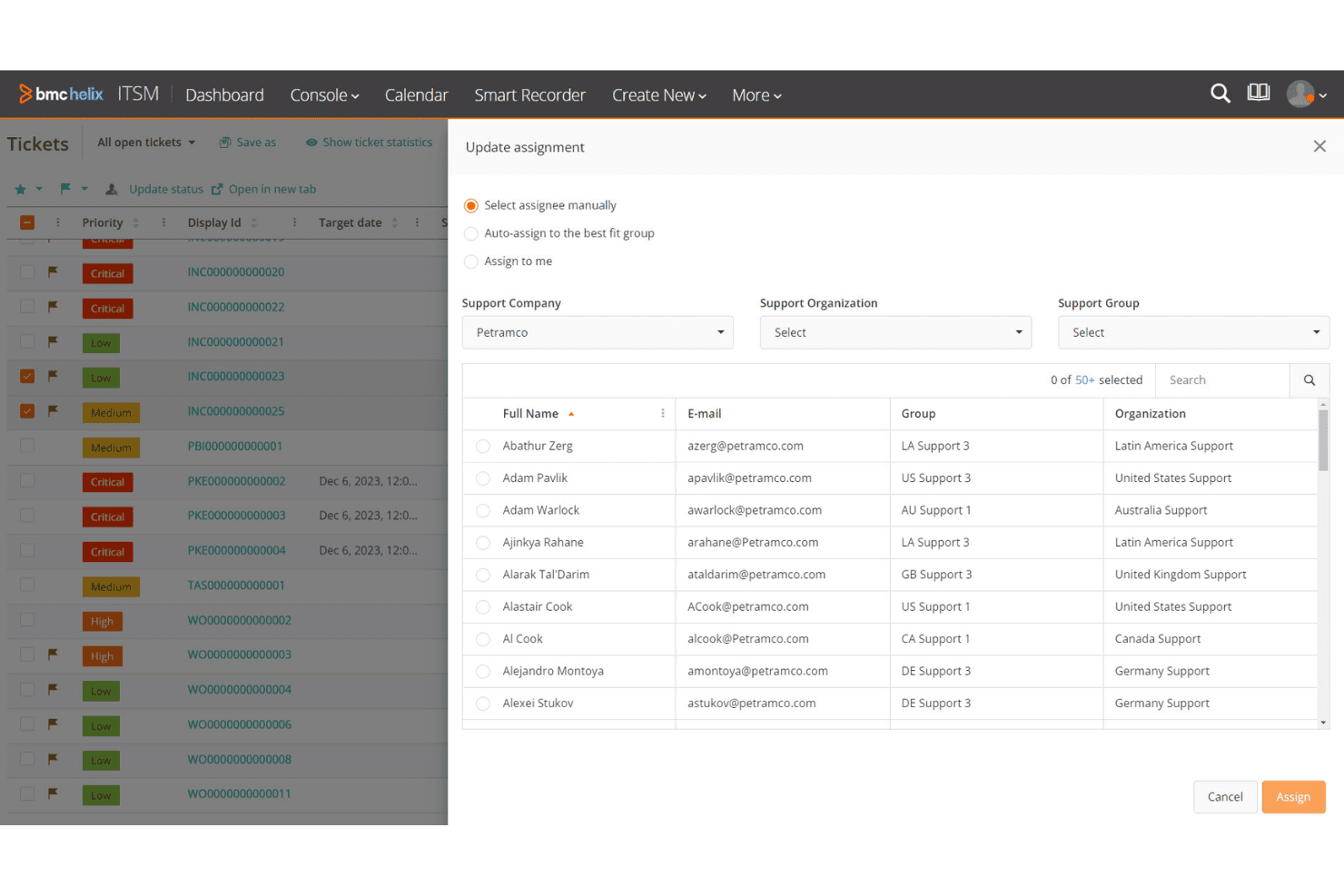
Track, categorize, and resolve incidents using automated workflows and AI-assisted assignments. You can analyze root causes and implement fixes to reduce repeat issues.
Change Management
Plan, approve, and implement IT changes with built-in risk assessment. Change calendars and automated notifications keep all stakeholders aligned.
Asset and Configuration Management
Discover and manage physical and virtual assets across the enterprise. Relationship mapping helps you assess impact before making service changes.
Knowledge Management
Centralize articles, solutions, and documentation for easy user self-service. The system recommends relevant KB articles based on ticket content.
Service Request Management
Automate complex service request fulfillment from a customizable service catalog. You can define approval chains and track service-level targets for each item.
Reporting and Analytics
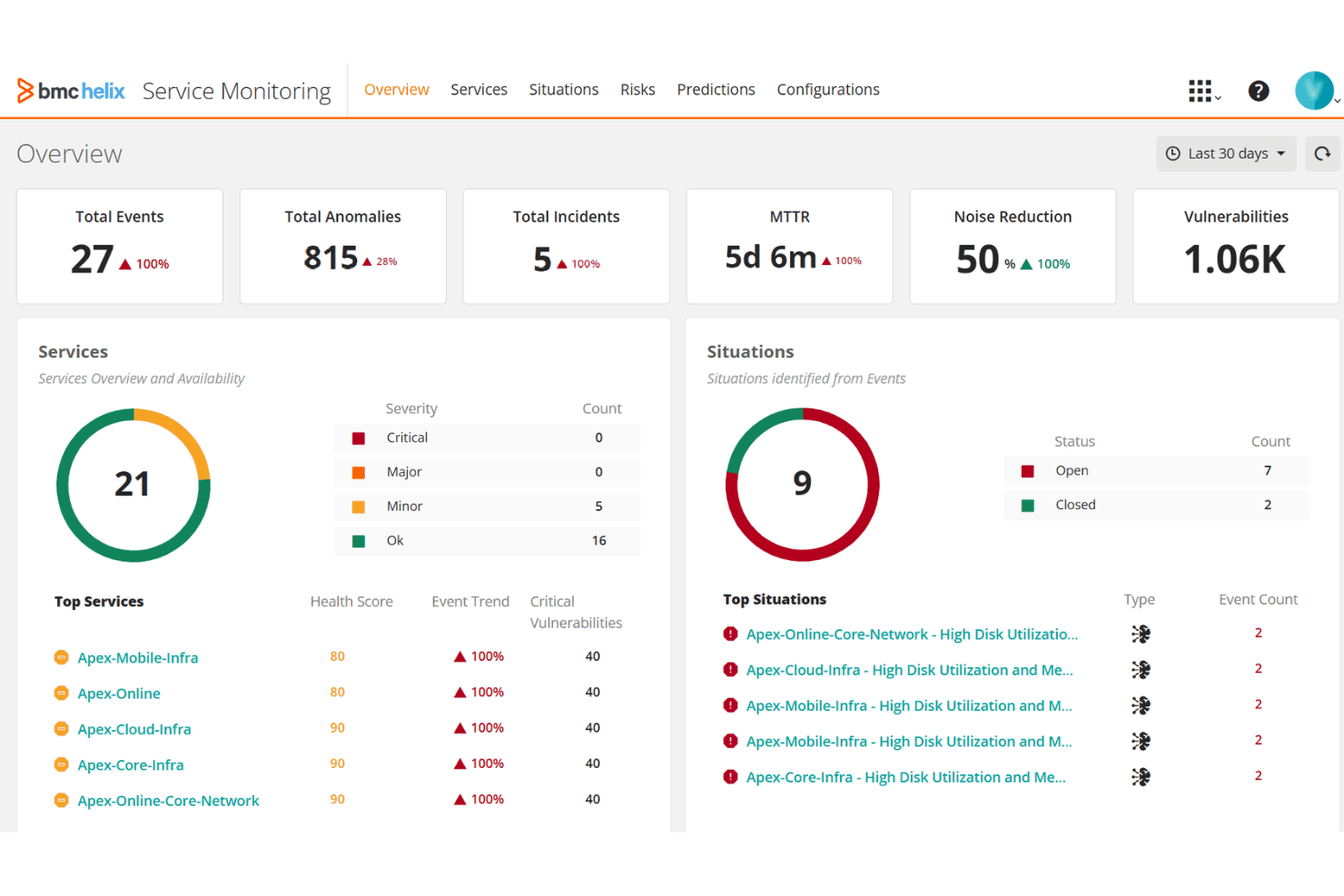
Create real-time dashboards, custom reports, and trend analysis for service performance tracking. You get granular visibility into metrics like SLAs and ticket throughput.
Ease of Use
BMC Remedy can be challenging for new users due to its extensive feature set and complex interface. Your team might need time to get accustomed to its functionalities, especially if you’re not familiar with robust IT service management software.
However, once you navigate the learning curve, the software’s powerful automation and customization options can significantly enhance your IT operations, making the initial effort worthwhile.
Integrations
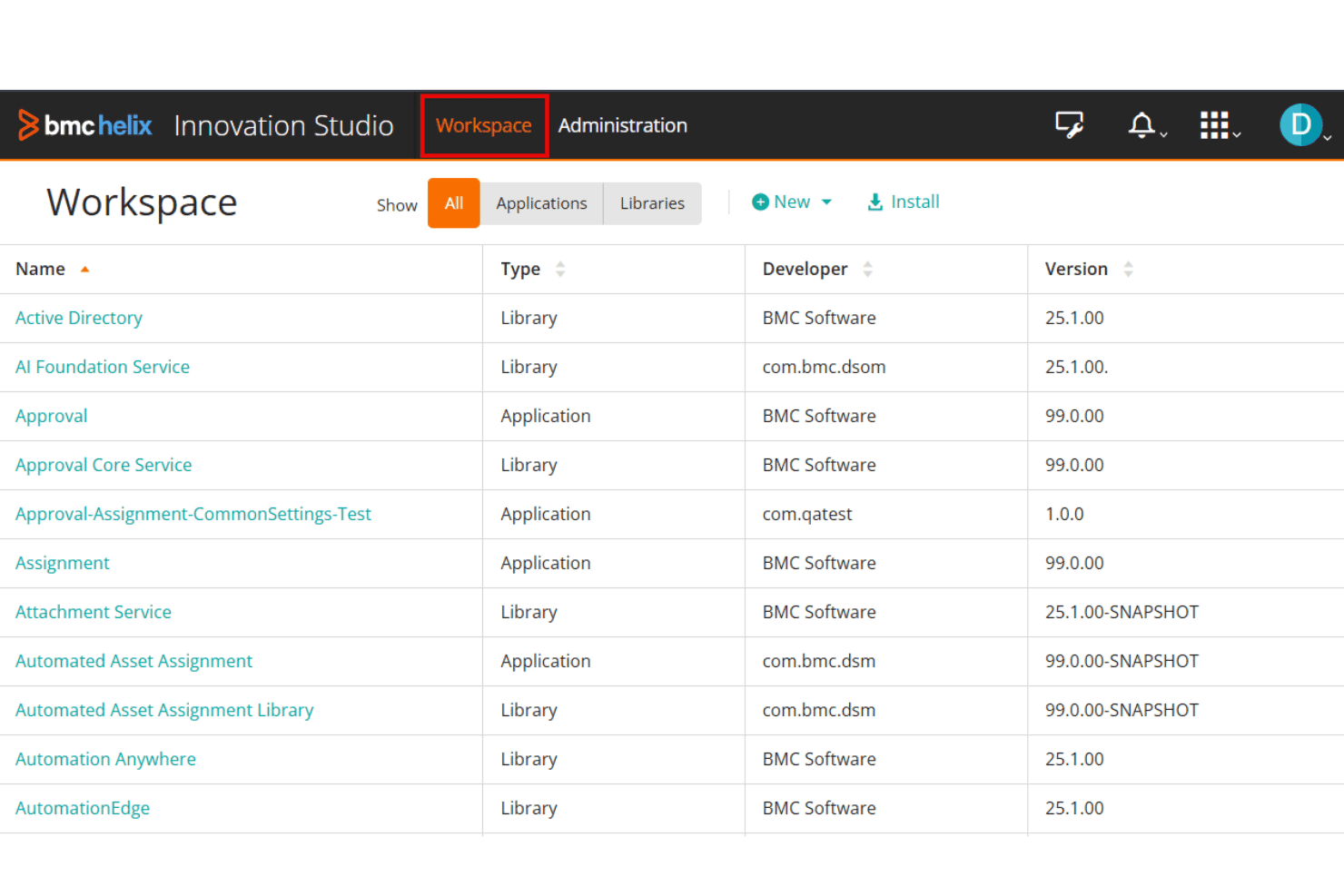
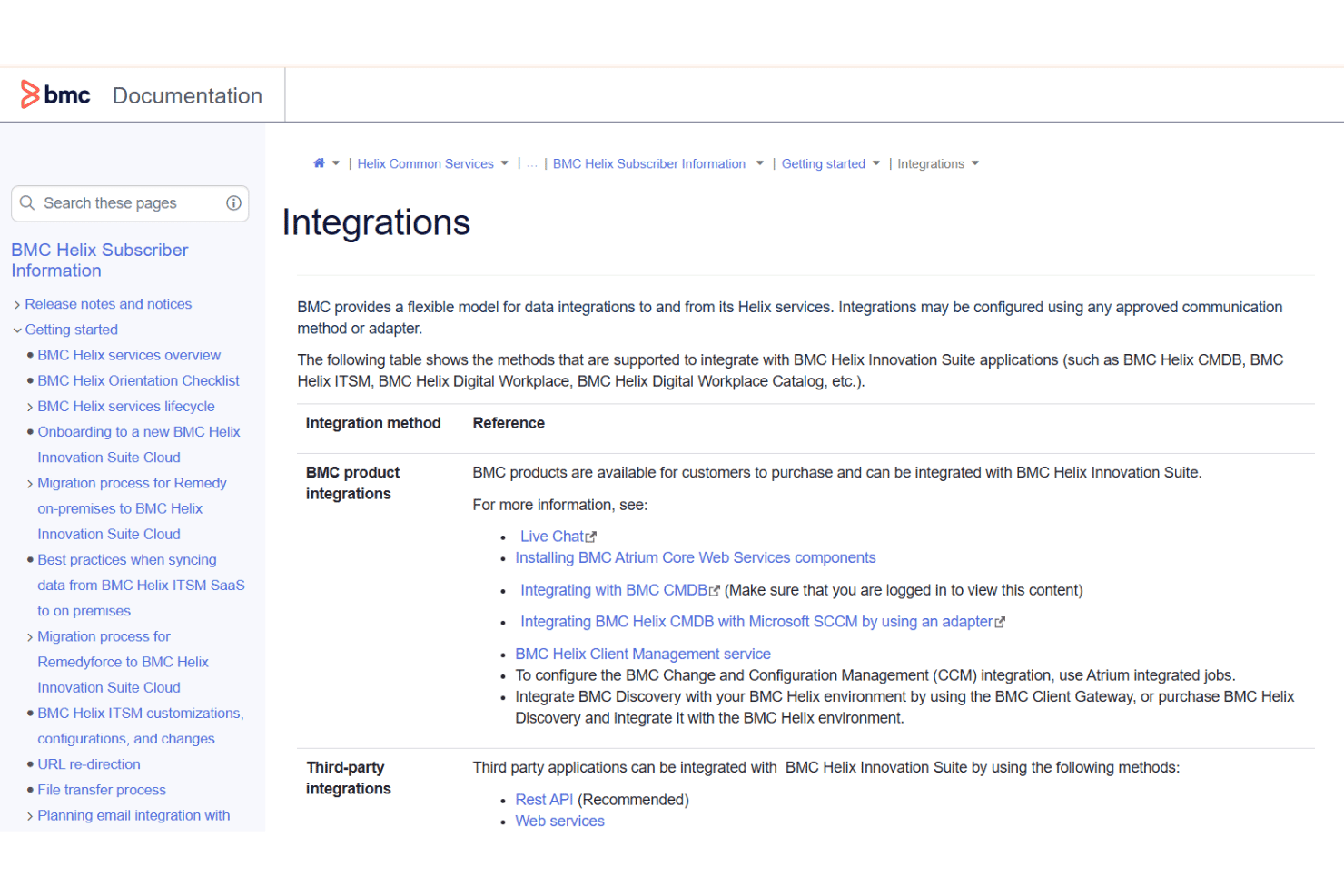
BMC Helix ITSM integrates with Jira, Microsoft Teams, AWS Service Management Connector, Azure DevOps, Slack, Salesforce, SAP Solution Manager, Remedy Single Sign-On, Splunk, and ServiceNow, among others.
The platform offers extensive APIs and supports connections with third-party integration tools.
BMC Helix ITSM Specs
- API: Yes
- Bug Tracking: Yes
- CI/CD Integration: No
- Cloud Deployment: No
- Code Review: No
- Code Transformation: No
- Collaboration Support: Yes
- Data Export: Yes
- Data Import: Yes
- Developer Tools: No
- External Integrations: Yes
- Git Integration: No
- History/Version Control: No
- IDE Plugins: No
- Local Deployment: Yes
- Multi-User: Yes
- Notifications: Yes
- Project Management: Yes
- Release Management: Yes
- Static Analysis: No
- Task Scheduling/Tracking: Yes
- Testing: No


